
설명
Advanced social icons help you quickly add icons with links to your profiles on different social media platforms. The plugin uses icons from Font Awesome, which gives you the possibility to display various popular social icons via widgets. You can use custom icons to add links to anything you want.
No configuration is necessary, other than having links to your social media profiles in the built-in WordPress menus. Add links to any of these social sites under Appearance > Menus, then enable the plugin.
Supported Sites
bitbucket.org           dribbble.com         dropbox.com
facebook.com            flickr.com           foursquare.com
github.com              gittip.com           instagram.com
linkedin.com            mailto:(email)       pinterest.com
plus.google.com         renren.com           stackoverflow.com
trello.com              tumblr.com           twitter.com
vk.com                  weibo.com            xing.com
youtube.com

* Requires asi_latest_social_icons be turned on. (See below.)
Option: Icon Sizes
To vary icon sizes, add this to your theme’s functions.php file: (Default is 2x)
add_filter( 'asi_social_icons_size', function(){return "normal"; } );
add_filter( 'asi_social_icons_size', function(){return "large"; } );
add_filter( 'asi_social_icons_size', function(){return "2x"; } );
add_filter( 'asi_social_icons_size', function(){return "3x"; } );
add_filter( 'asi_social_icons_size', function(){return "4x"; } );
Option: Add More Icons
Add icons from FontAwesome for other URLs. For example, an RSS feed:
add_filter( 'asi_networks_social_icons', 'asi_networks_social_icons');
function asi_networks_social_icons( $networks ) {

    $extra_icons = array (
        '/feed' => array(                  // Enable this icon for any URL containing this text
            'name' => 'RSS',               // Default menu item label
            'class' => 'rss',              // Custom class
            'icon' => 'icon-rss',          // FontAwesome class
            'icon-sign' => 'icon-rss-sign' // May not be available. Check FontAwesome.
        ),
    );

    $extra_icons = array_merge( $networks, $extra_icons );
    return $extra_icons;
}
FEATURES AND OPTIONS
Supports FontAwesome icons.
Support custom icons
Drag and drop for icon sorting.
Option to easily change icon size.
More features coming on updates.
스크린샷
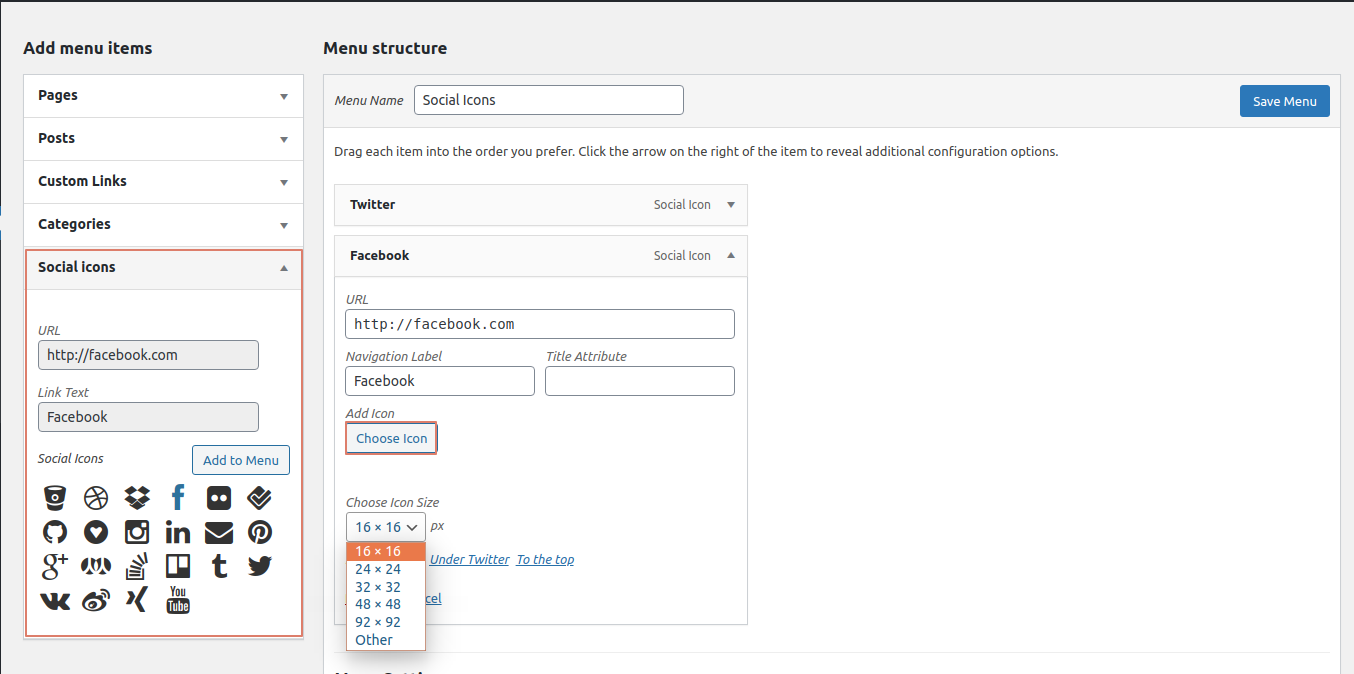
Add Social Icons in WordPress Menu Editor. 
Choose custom icon and its size ( optional ). 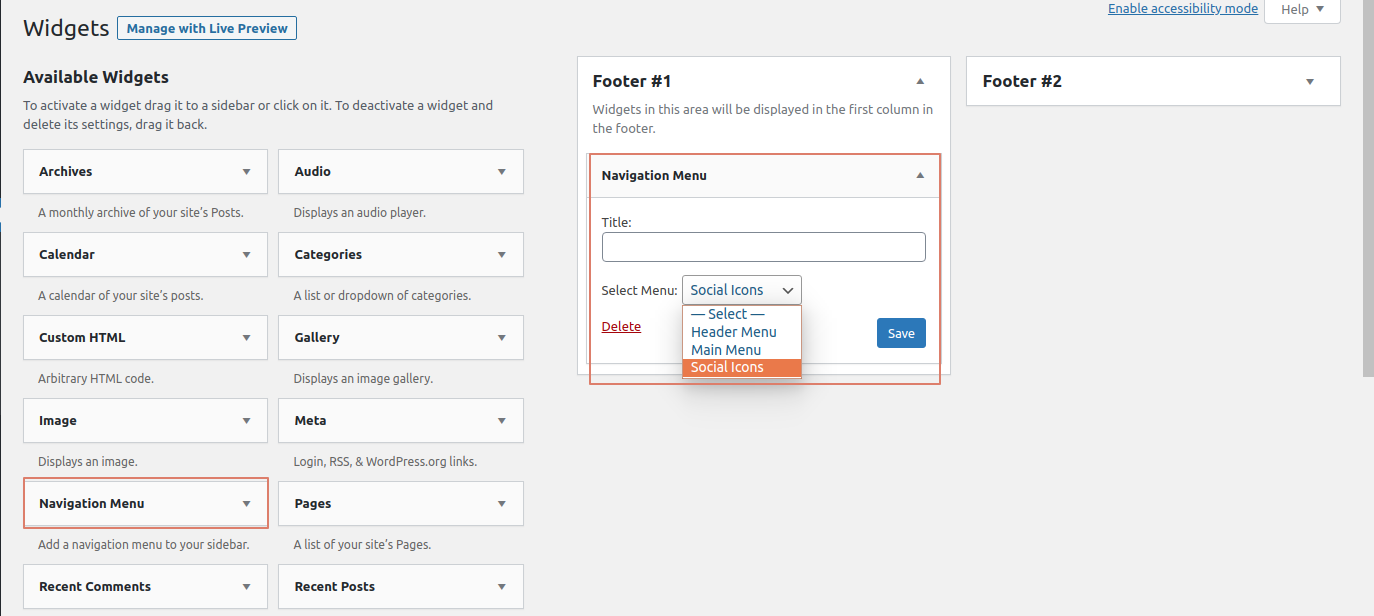
Add social icon menu to widget. 
Display icon. 
Display icon with title. 
"4x" icon size.
설치
- Search for “Advance Social Icons” under
WordPress Admin > Plugins > Add New - Activate the plugin.
FAQ
-
Can you add X icon?
-
Advance Social Icons is dependent on the FontAwesome icon library.
If an icon exists in FontAwesome, you can add a filter for it using theasi_networks_social_iconsexample shown in the plugin description.If an icon does not exist in FontAwesome, you can add custom icon in your menu item and set custom size yourself.
-
Does this plugin install all of FontAwesome?
-
Yes. The plugin installs the complete FontAwesome package. You can use any of the icons in your HTML.
-
Can we display the title with an icon?
-
Yes, you can display the title with Font Awesome icons only. In the next version, we’ll update to have this work with custom icons.
To display icon title, add this to your theme’s functions.php file:add_filter( 'asi_social_icons_hide_text', '__return_false' ); -
How can we display custom icons?
-
To display a custom icon, simply click the choose icon button in the menu item and adjust the size from the drop-down. You can manually define the size of the icon, too.
-
To display icons please follow these steps.
1] Create a menu underAppearance > Menus.
2] Choose any of social icon fromSocial Iconstab from theAdd menu itemscolumn.
3] Once added the item to the menu, save it.
4] Go toAppearance > Widgets, You can drag thenavigation menu/custom menuwidget in your sidebars and change the settings from the widget form itself.
5] Call this sidebar to display social icons anywhere, in your site.
후기
이 플러그인에 대한 평가가 없습니다.
기여자 & 개발자

변경이력
3.2
Stable Release.
3.1
Stable Release.
3.0
Second Stable Release.
2.0
- Fixed the deprecated create_function()
- Fixed the deprecated non static callable method issue
- Fixed bulk select checkbox issue
1.0
- Initial public release.