
설명
This is the lightest Classic Editor plugin available, taking up just 3 KBs. Despite the introduction of Gutenberg, a brand new block editor with WordPress 5.x, many users still prefer the Classic Editor due to its compatibility and ease of use. This plugin simply disables Gutenberg and enables the classic editor on your WordPress website.
What does this plugin do?
- Disables the Gutenberg Block Editor
- Reverts back to the Classic WordPress Editor
- Reverts to Classic Widgets section
How to use this plugin?
It’s easy. Just enable and activate it and you’re good to go!
스크린샷
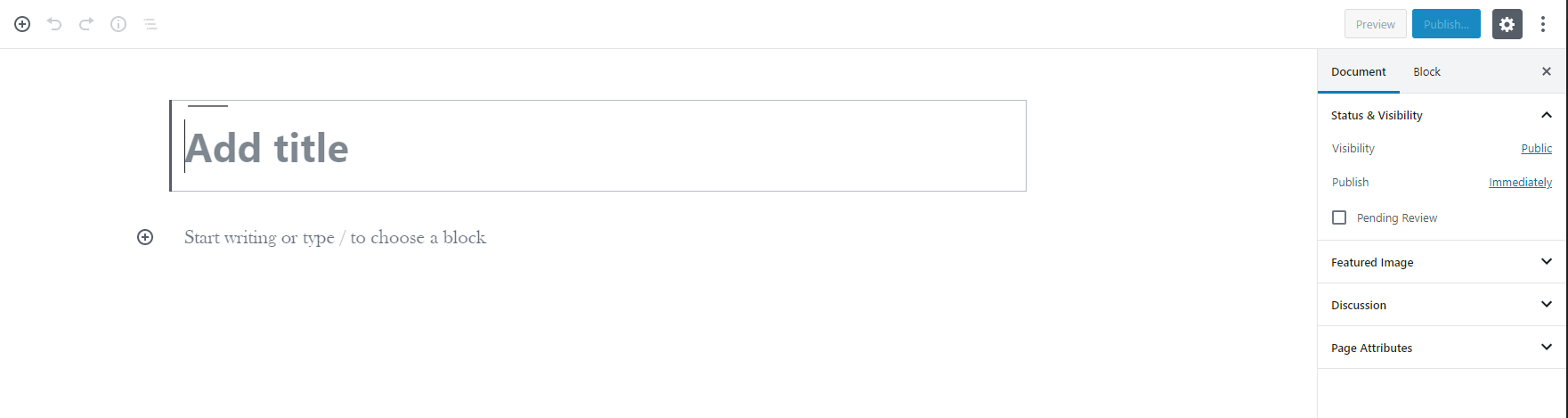
WordPress page before plugin activation. 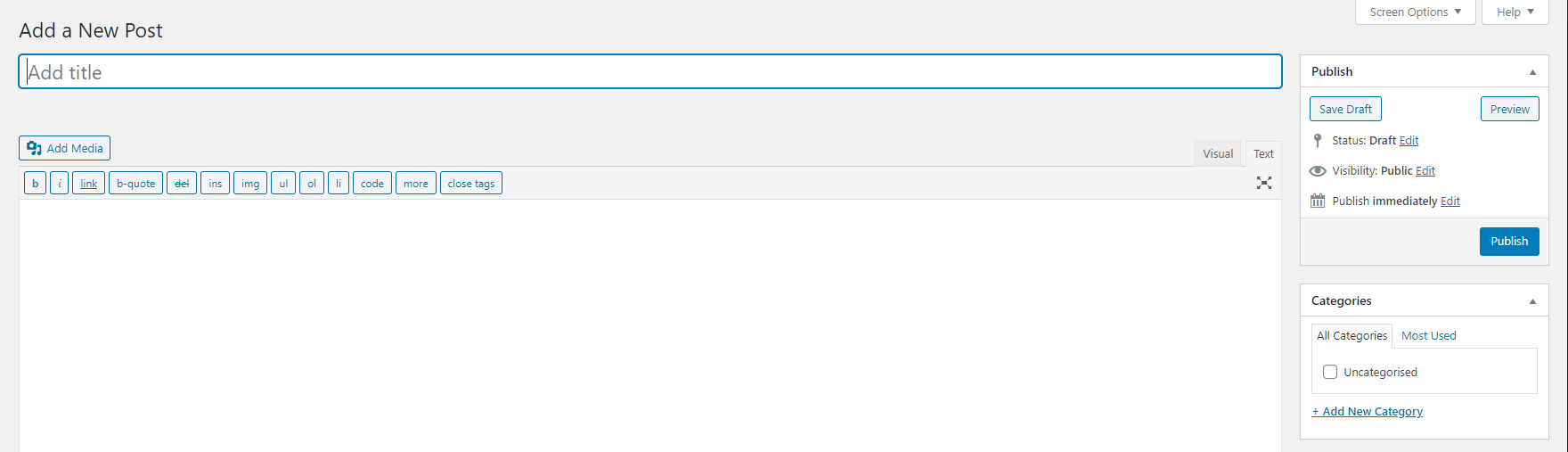
WordPress page after plugin activation.
FAQ
-
How can I get back the Gutenberg Editor?
-
Simply disable this plugin and you’ll be back to the brand new Gutenberg Editor.
-
The plugin doesn’t seem to be working?
-
Make sure you have at least PHP version 5.6. For the plugin to work, it requires WordPress 4.9 or greater with the Gutenberg installed.
후기

2022년 12월 10일
So thankful for this plugin, as I'm not a huge fan of the modern, updated and latest Wordpress editor. It's just not simple enough; too complex. The classic editor is the greatest of all times and this plugin is so simple and works so wonderfully well. I tried a few other classic editor plugins, but this one has seemed to work the best, even with the updates.

2021년 10월 21일
Have been using the most popular downloaded version of the classic editor but was not 100% working for me
I tried this and it's as simple as installing
and nothing else to touch and will instantly show classic editor
thankyou very much for this lite weight version

2021년 2월 3일
I have used this plugin for sometime and it has proved to be just what it says. It's lightweight and just does the job.

2020년 4월 21일
Allowed me to continue using the UI which I was familiar and comfortable with !! Thank you.

2019년 11월 20일
Simple and does the job!
기여자 & 개발자

변경이력
2.6
- Compatibility Update
2.5
- General maintenance & upgrades
2.4
- General maintenance & upgrades
2.3
- General maintenance & upgrades
2.2
- General maintenance & upgrades
2.1
- General maintenance & upgrades
2.0
- General maintenance & upgrades
1.96
- General maintenance
1.95
- Compatibility update
1.94
- General maintenance
1.91
- General maintenance
1.90
- Restores classic Widgets from block widgets brought from 5.8
1.85
- General maintenance
1.80
- Latest WordPress version compatibility
1.75
- General maintenance
1.7
- Latest WordPress version compatibility
1.6
- Version & Support updates
1.5
- Version update
1.4
- Updated to support WordPress 5.4
1.3
- Improved plugin security
1.2
- Minor code changes
1.1
- Minor security patch to prevent direct access.
1.0
- The first release.