콘텐츠로 바로가기
WordPress.org

한국어

  • 테마
  • 플러그인
  • 소식
    • 문서
    • 포럼
  • About
    • WordPress 6.9
    • 워드프레스 6.8
    • 워드프레스와 40% 웹을 위한 여정
    • 워드프레스 번역 핸드북
  • 워드프레스 한국팀
  • 워드프레스 받기
워드프레스 받기
WordPress.org

Plugin Directory

Format Media Titles

  • 플러그인 제출하기
  • 내 즐겨찾기
  • 로그인
  • 플러그인 제출하기
  • 내 즐겨찾기
  • 로그인

Format Media Titles

작성자: David Gwyer
다운로드
  • 세부사항
  • 평가
  • 설치
  • 개발
지원

설명

Format Media Titles applies predictable formatting rules whenever a new attachment is added to the WordPress media library.

Use it to:

  • Replace hyphens, underscores, periods, tildes, or plus signs with spaces.
  • Capitalize every word, the first word, use upper/lowercase, or leave case unchanged.
  • Keep selected words such as SEO, PDF, or UK uppercase.
  • Copy the formatted title to alternative text, caption, and description fields.
  • Preserve existing settings when updating from earlier releases.

The plugin changes WordPress attachment metadata only. It does not rename or modify the uploaded file.

Free and Pro

Format Media Titles handles new uploads. SEO Media Manager adds more cleanup rules, original-filename sources, safe batch processing for existing media, automatic updates, and priority support.

SEO Media Manager imports Format Media Titles settings on first activation, including the uppercase-word list introduced in version 1.1.0.

스크린샷

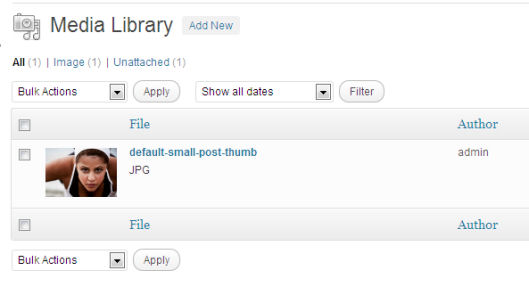
A default WordPress media upload before title formatting.
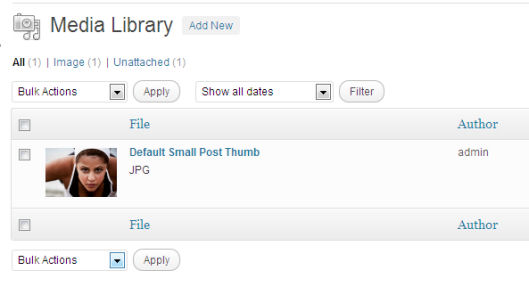
The same workflow with Format Media Titles applying saved rules.
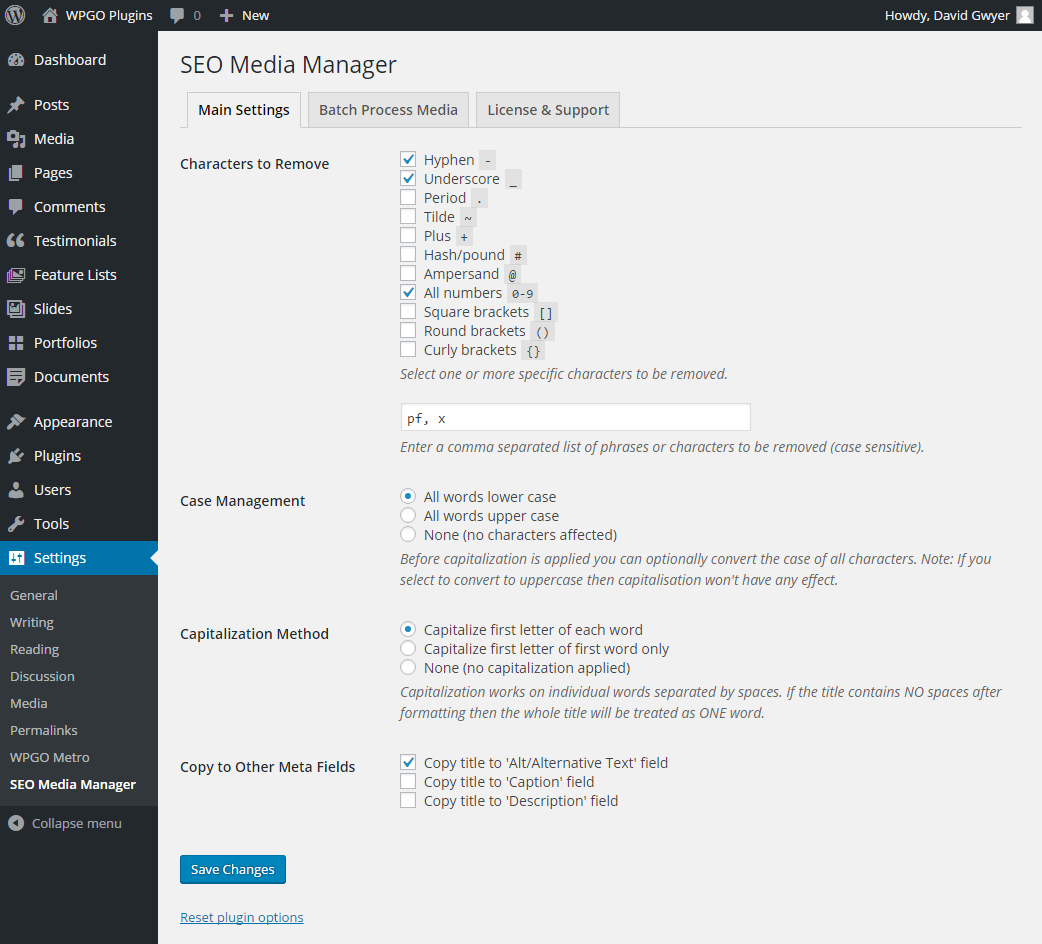
Additional formatting controls available in SEO Media Manager.
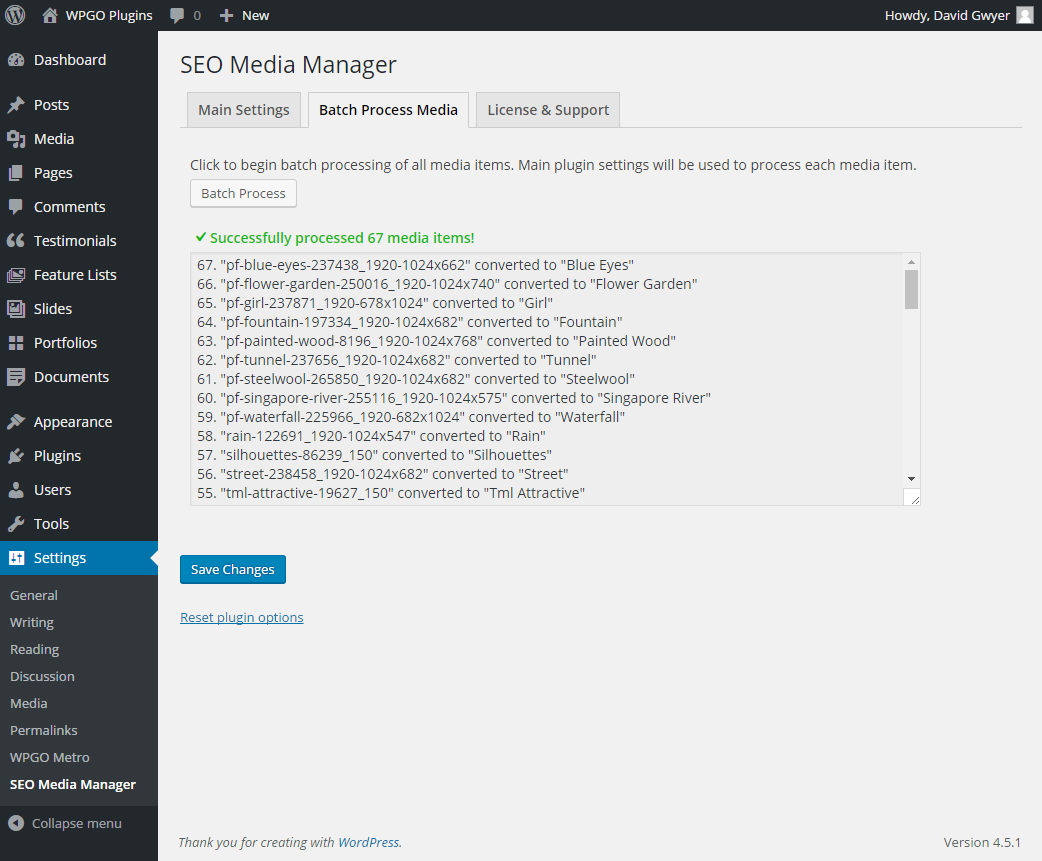
SEO Media Manager batch processing for existing attachments.
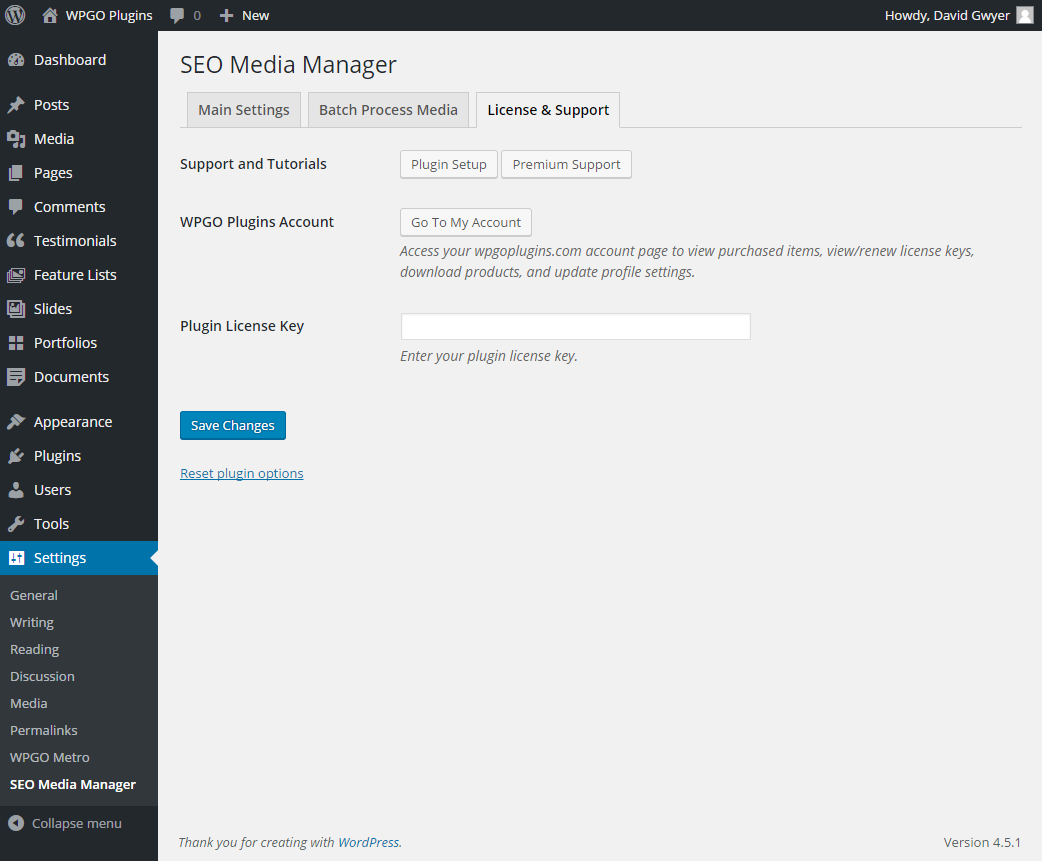
SEO Media Manager account, documentation, and support links.

설치

  1. Install Format Media Titles from Plugins > Add New in WordPress.
  2. Activate the plugin.
  3. Open Settings > Format Media Titles.
  4. Choose the formatting rules and optional metadata fields.
  5. Upload a new media item to apply the saved rules.

FAQ

Does this rename the original file?

No. It updates WordPress attachment metadata and leaves the uploaded file unchanged.

Can it process media already in my library?

The free plugin processes new uploads. SEO Media Manager adds safe batch processing for selected items or the complete existing library.

How do uppercase words work?

Enter comma-separated words such as SEO, PDF, UK. After the normal capitalization rule runs, matching whole words are restored to uppercase. Partial matches inside longer words are not changed.

What happens to my settings when I update?

Existing settings are retained. The new uppercase-word list starts empty until you add words.

후기

Works for Greek

athinaok 2022년 6월 4일
Works for Greek

Perfect solution for auto renaming media files

kreator69 2018년 12월 29일 답글 1개
Works perfectly, easy to use, good for SEO. Saves a lot of time!

Save a lot of time

ktsnnet 2018년 12월 2일 답글 1개
Before I found this plugin, I used to copy details from image title to other form. Few images no problem, bunch of images now that’s the problem. With this plugin I can skip that filling form thing and save a lot of time.

Useless – Does nothing on it’s own

gespot 2018년 10월 22일 답글 1개
While this plugin creates a nice formatted title, it is worthless without installing yet another plugin, that ads the title tag into your posts and pages. Wordpress has removed the title tag since version 3.5 (5 years ago). When I finally took the time to explain the issue to the developer, he added the feature to the PAID version, but not to the free version. He then offered me a 50% discount to buy my own ideas… If you don’t want to pay for having your image titles in your post, simply install the “Restore Image Title” plugin together with the free version and you’re all set.

Brilliant timesaver

Anonymous User 2017년 12월 21일 답글 1개
This is one of my go-to plugins for all my sites, particularly image-heavy ones. Saves so much time and very simple to use.

Time-saver

Steven Gliebe 2016년 12월 20일 답글 1개
I had been meaning to search for a plugin like this for a while. I was glad to find that it exists while preparing an article with dozens of images. It definitely saved me some time re-typing the title in a pretty way. The option to copy to ALT is handy too. Thanks for this, David.
모든 18 평가 읽기

기여자 & 개발자

“Format Media Titles”(은)는 오픈 소스 소프트웨어입니다. 다음의 사람들이 이 플러그인에 기여하였습니다.

기여자
  • David Gwyer
  • wpgoplugins

“Format Media Titles”(이)가 1 개 언어로 번역되었습니다. 기여해 주셔서 번역자님께 감사드립니다.

자국어로 “Format Media Titles”(을)를 번역하세요.

개발에 관심이 있으십니까?

코드 탐색하기는, SVN 저장소를 확인하시거나, 개발 기록을 RSS로 구독하세요.

변경이력

1.1.0 – 2026-08-11

  • Added a rule for keeping selected whole words such as SEO or PDF uppercase.
  • Modernized the settings screen and sanitized every saved field.
  • Added Unicode-aware capitalization with safe fallbacks.
  • Prevented empty titles and partial metadata updates when an attachment update fails.
  • Preserved the existing SEO Media Manager handover and settings schema.
  • Added automated unit, compatibility, packaging, and WordPress smoke tests.
  • Updated documentation and compatibility metadata for current WordPress releases.

1.0.0 – 2020-07-14

  • Updated compatibility for WordPress 5.4.2.

0.54

  • Updated the settings screen.

0.30

  • Fixed unexpected character removal during formatting.

0.26

  • Added optional caption and description output.

0.25

  • Added optional alternative-text output and translation support.

0.1

  • Initial release.

기초

  • 버전 1.1.0
  • 최근 업데이트: 2일 전
  • 활성화된 설치 5,000+
  • 워드프레스 버전 6.0 또는 그 이상
  • 다음까지 시험됨: 7.0.4
  • PHP 버전 7.4 또는 그 이상
  • 언어

    English (US) 및 Spanish (Mexico).

    자국어로 번역하기

  • 태그:
    Alt Textimagesmediametadatatitle
  • 고급 보기

평점

별 5점 만점에 4.8점.
  • 17/5-별점 후기 별 5개 17
  • 0/4-별점 후기 별 4개 0
  • 0/3-별점 후기 별 3개 0
  • 0/2-별점 후기 별 2개 0
  • 1/1-별점 후기 별 1개 1

Your review

모든 리뷰 보기

기여자

  • David Gwyer
  • wpgoplugins

지원

할 말 있으신가요? 도움이 필요하신가요?

지원 포럼 보기

  • 소개
  • 뉴스
  • 호스팅
  • 개인정보
  • 쇼케이스
  • 테마
  • 플러그인
  • 패턴
  • 배우기
  • 지원
  • 개발자 도구
  • WordPress.tv ↗
  • 참여하기
  • 이벤트
  • 기부하기 ↗
  • Swag ↗
  • WordPress.com ↗
  • Matt ↗
  • bbPress ↗
  • BuddyPress ↗
WordPress.org
WordPress.org

한국어

  • X(이전 트위터) 계정 방문하기
  • 블루스카이 계정 방문하기
  • 마스토돈 계정 방문하기
  • 스레드 계정 방문하기
  • 페이스북 페이지 방문하기
  • 인스타그램 계정 방문하기
  • LinkedIn 계정 방문하기
  • 틱톡 계정 방문하기
  • 유튜브 채널 방문하기
  • 텀블러 계정 방문하기
코드는 詩다
The WordPress® trademark is the intellectual property of the WordPress Foundation.