
설명
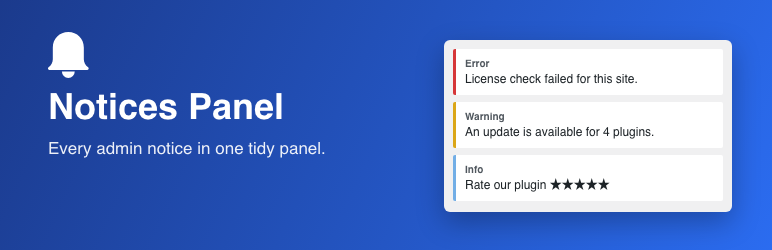
Plugins, themes and WordPress itself fill the admin with notices, promos and warnings that push the real content down the page. Notices Panel keeps them out of the way without losing them, and without becoming one more thing to configure.
What makes it different from other notice managers:
- Nothing is stored. No options, no database tables, no transients, no per-user state, no external requests. Deactivate it and the site is exactly as before.
- Nothing is lost. Notices are moved, not suppressed. They come back on every page load until you dismiss them the usual way, so a security or maintenance warning cannot be silently buried.
- Success messages stay in place. Confirmations such as “Post updated” and notices rendered inside forms or table rows are left where WordPress put them.
- It works on the rendered page, not on the hooks. Notices printed late by JavaScript are collected too, and the counter goes down when you dismiss a notice, including the ones dismissed via AJAX.
- Zero configuration. No settings page. A bell button in the admin bar (top right) shows how many notices are waiting and opens the panel on click. Developers get a single filter.
Customising what is collected
Use the mgsnp_selectors filter to change the CSS selectors of the notices moved into the panel. For example, to collect success confirmations too:
add_filter( 'mgsnp_selectors', function ( $selectors ) {
    $selectors[] = '#wpbody-content .notice-success';
    $selectors[] = '#wpbody-content .updated';
    return $selectors;
} );
Selectors are validated before use: any entry containing characters that do not belong in a plain CSS selector (such as braces, semicolons or slashes) is dropped.
설치
- Upload the
mgs-notices-panelfolder to/wp-content/plugins/, or install it from the Plugins screen. - Activate the plugin.
- Look for the bell icon at the top right of the admin bar.
FAQ
-
Does it remove notices?
-
No. It only moves them into a panel. Dismissing a notice works as usual.
-
Can I see a notice again after reloading?
-
Yes. Notices that are not dismissed come back on the next page load and are collected again.
-
Does it work on the front end?
-
No. It only runs in the admin area.
-
Why do some notices stay visible?
-
Success messages and notices inside forms or tables are kept in place on purpose. Use the
mgsnp_selectorsfilter to change this.
후기
이 플러그인에 대한 평가가 없습니다.
기여자 & 개발자

변경이력
1.1.0
- The panel shows a short message instead of opening empty when there are no notices.
1.0.1
- Renamed to Notices Panel.
- Added Italian, Spanish, German and French translations.
1.0.0
- First release.