
설명
Show your Momoyoga class schedule on your WordPress website.
You can easily integrate your schedule in your website using the WordPress plugin. The plugin is available free of charge.
Using this plugin, the next 8 weeks of classes from your schedule will be visible on your website. Once a visitor hits the ‘Book now’ button, the visitor will be directed to your Momoyoga website.
You’ll need an active Momoyoga account to use this plugin.
Book classes on-the-go
Your yogis can easily make reservations and pay for their bookings online. Accessible, anytime and anywhere on mobile phones, laptops and tablets.
- iPhone and Android app for your yogis
- Accept online payments
- Schedule on your website
Know who comes to class
Momoyoga is flexible, so it always fits your studio’s needs. Teachers can manage classes and register attendance.
- Your registration form online
- Add infinite class series
- Add workshops and private classes
- Configure locations and rooms
- Add cancellation term for your classes
- Create waiting lists for your classes
- Register attendance
- Create comments per yogi
Automate your yoga studio
Save time using automated messages and notifications. Both your yogis and teachers will be up to speed at any given moment.
- Active yogis overview
- Export classes and participants
- Personalize outgoing emails
- Receive email notifications
- Configure automatic emails
- Class reminder messages
- Automatic birthday messages
- Cancel classes and inform yogis
Receive payments easily
Your yogis can make reservations and pay for their classes online. You can easily manage all orders and payments.
- Credit card or PayPal account
- Payments at your studio or by bank transfer
- Configure subscriptions and credits
- Configure trial classes or introductory offers
- Download invoices as PDF
- Orders and payments overview
- View financial statistics
You’ll need an active Momoyoga account to use this plugin.
스크린샷
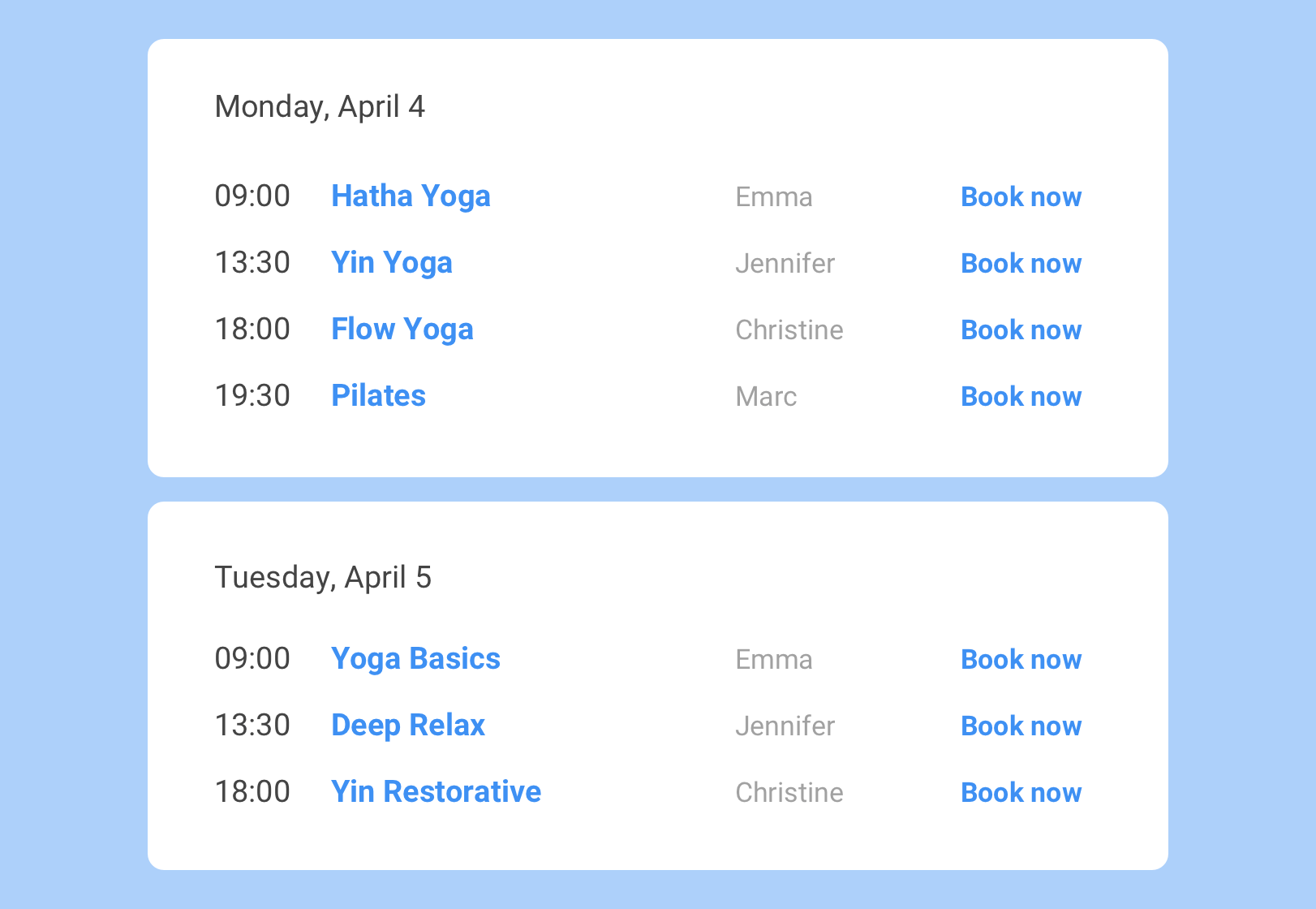
Responsive schedule on front end 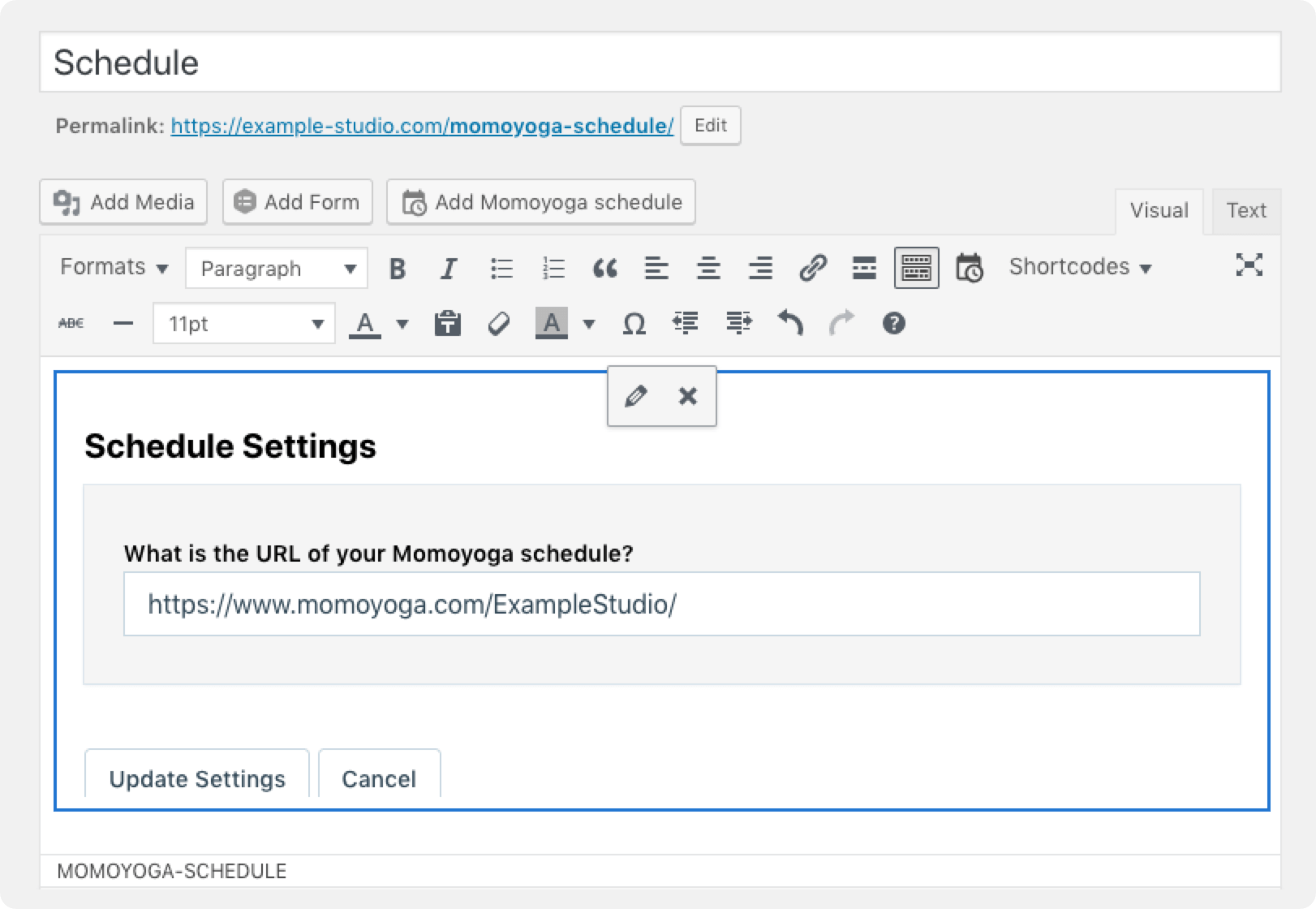
Add Schedule to a page
블록
이 플러그인은 1(을)를 제공합니다.
- Momoyoga schedule
설치
- Upload the Momoyoga plugin to your blog or website.
- Activate the plugin.
- Edit a page or create a new page for your schedule.
- Add the schedule on this page by using the button ‘Add Momoyoga schedule’ above the text area. Or, use the shortcode to place the schedule anywhere (e.g. in a widget);
[momoyoga-schedule schedule_url="https://www.momoyoga.com/your-studio-schedule/"][/momoyoga-schedule]
For more details, visit our Help Center.
후기


기여자 & 개발자
“Yoga Schedule Momoyoga”(은)는 오픈 소스 소프트웨어입니다. 다음의 사람들이 이 플러그인에 기여하였습니다.
기여자


변경이력
2.7.0
Release Date – 22 August 2023
- Show events in the schedule
2.6.0
Release Date – 31 July 2023
- Add Online labels to classes
2.5.8
Release Date – 1 September 2022
- Fixed a mistake causing the plugin not to show up in the new (Guttenburg) editor
2.5.7
Release Date – 25 August 2022
- Made the plugin compatible with the new studio URLs
- Updated WordPress version compatibility
2.5.6
Release Date – 4 February 2022
- Updated WordPress version compatibility
2.5.5
Release Date – 14 May 2021
- Updated WordPress version compatibility
2.5.4
Release Date – 14 May 2021
- Updated WordPress version compatibility
2.5.3
Release Date – 12 March 2021
- Replaced some code to improve compatibility with older servers
2.5.2
Release Date – 12 February 2021
- Created a new release to solve the stuck version number
2.5.1
Release Date – 22 January 2021
- Updated the stylesheet and JavaScript to the latest versions.
2.5.0
Release Date – 19 January 2021
- Added support for translations through WordPress
- Updated the stylesheet and JavaScript to the latest versions.
2.4.1
Release Date – 1 May 2020
- Added back the strike-through to cancelled classes.
2.4.0
Release Date – 3 April 2020
- Updated the stylesheet and JavaScript to the latest versions.
- Handle incomplete schedule URL’s a lot better.
- Initialize the plugin also after AJAX requests.
2.3.1
Release Date – 31 October 2019
- Improved the way the plugin is set up.
2.3.0
Release Date – 28 June 2019
- Support multiple new languages for the schedule.
2.2.2
Release Date – 23 January 2019
- Fix rendering of the inline editor on Firefox.
2.2.1
Release Date – 3 December 2018
- Fix a 500 error when Gutenberg is not installed.
2.2.0
Release Date – 28 November 2018
- Added Gutenberg block.
2.1.2
Release Date – 28 November 2018
- Added description and screenshots.
2.1.1
Release Date – 21 November 2018
- Added missing translations in JavaScript library.
2.1
Release Date – 21 November 2018
- Added ability to set your schedule URL from within the text editor.
- Updated shipped JavaScript version to latest version.
2.0
Release Date – 6 June 2018
- Initial public release, removed dependency on external scripting.