
설명
Make Photo, Image, Picture, Grid, Lightbox Portfolio, Logo Gallery using photo gallery plugin.
Photo Gallery is an advanced plugin with a list of tools and options for adding images to different views. This is a fully responsive plugin. The product includes the plugin for adding image galleries to posts and pages, as well as multiple widgets. You can add images with titles, organize the galleries into different photo albums.
It allows to upload the unlimited number of pictures and create as many photo albums as you need. Want to include videos? The plugin comes with video support, that will enable you to create a YouTube gallery quick and easy.
Change the way you display images with lightbox functionality. The image lightbox galleries are fully responsive and will display the large version of the image in the lightbox with thumbnails of the rest of the images in the form of image carousel. Lightbox gallery also supports full-screen gallery mode.
Check Free Plugin Demo – Click Here
Upgrade To Premium Plugin – Click Here
Check Premium Plugin Demo – Click Here
How to use plugin?
Download & install the plugin into your site. After successful installation of the plugin go to plugins “DOC” menu for help and instructions.
Photo Gallery Plugin enables you to create several media such as image gallery, photo albums also simple picture to an Photo lightbox, YouTube video, Vimeo video, WordPress media uploaded video.
It is an advanced plugin with a list of tools and options for adding and editing images for different views. This is a fully responsive gallery plugin. The product includes plugin for adding image galleries and albums to posts and pages, as well as multiple widgets. You can add images, providing detailed gallery descriptions and tags, organize the galleries into different photo albums.
The responsive photo gallery allows to upload unlimited number of pictures and create as many photo albums as you need.
Photo Gallery Free Plugin Demo
Get Premium Version With More Features
- Easy & Simple
- Responsive Gallery
- Grid Gallery
- Masonry Gallery
- Link Gallery
- Map Gallery
- Photo Gallery
- YouTube Video Gallery
- Vimeo Video Gallery
- WordPress Video Gallery
- Multiple Column Layouts
- Fixed Size Light Box
- Show Thumbnail
- Background Color Events
- Bootstrap 3.3.6 Based
- 30 Hover Effect
- Shadow and Glow Transitions Effects
- Transitions Effects Into Thumbnail
- Thumbnail Spacing
- Image Title
- Title Color Picker
- Lightbox Tool Color Picker
- Open Image Link URL
- Gallery in Post
- Gallery in Page
- SEO Friendly Gallery
- Thumbnail Size & Quality Setting
- Navigation Error in Lightbox Preview
- Simple & User-Friendly Custom Plugin Dashboard
- Create Unlimited Galleries With Unlimited Images
- Custom CSS
- Easy To Implement Anywhere Into WordPress
- Easily Customization
- Fast, Friendly & Quality Support
Photo Gallery Premium Plugin Demo
스크린샷

Photo Gallery With Spacing 
Photo Gallery Without Spacing 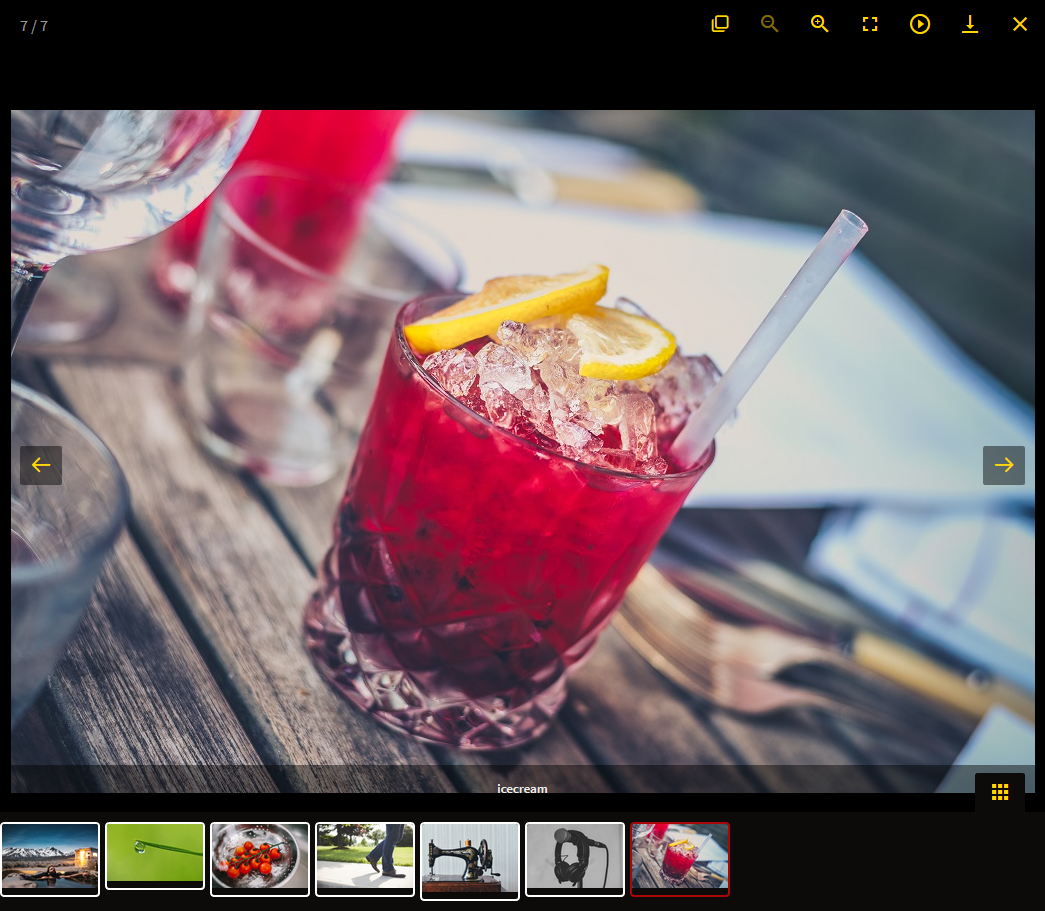
Photo Gallery With Thumbnail 
Photo Gallery Without Thumbnail 
Photo Gallery Tool Settings Option 
Video Gallery With Spacing 
Video Gallery Without Spacing 
YouTube Thumbnail Video gallery 
Vimeo Thumbnail Video gallery 
Column Layout Settings 
Full Width Photo Gallery 
Photo Gallery Settings 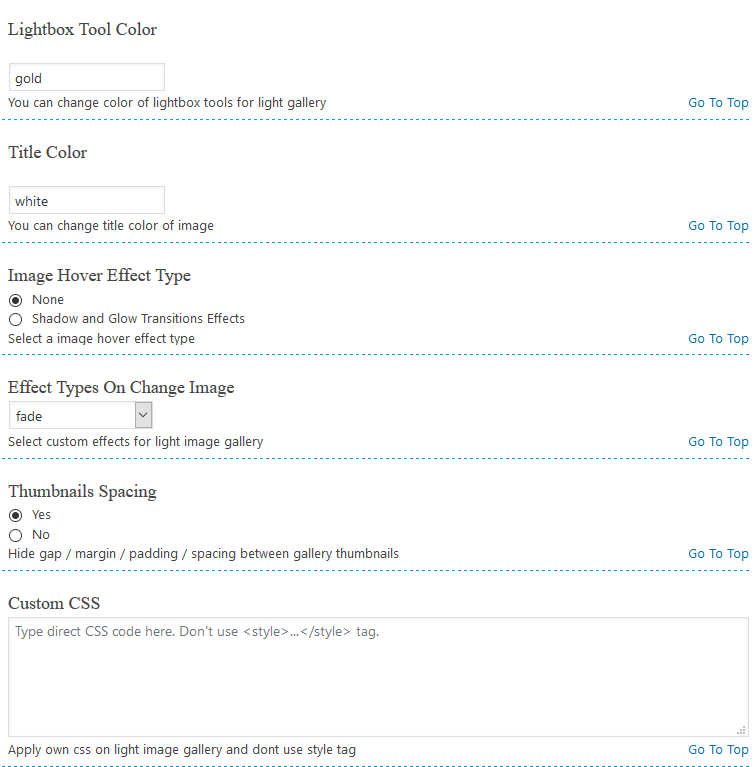
Photo Gallery And Video Gallery Settings Page
설치
Install New Photo Gallery either via the WordPress.org plugin directory or by uploading the files to your server.
After activating New Photo Gallery plugin, go to plugin menu.
Login into WordPress admin dashboard. Go to menu: New Photo Gallery –> Add New Photo Gallery
Create gallery & configure settings and save.
Copy shortcode and paste shortcode into any Page / Post. And view page for gallery output.
That’s it. You’re ready to go!
Recommended Plugins
The following are other recommended plugins by the author:
- Portfolio Filter Gallery – The Gallery Plugin to create awesome Portfolio Filter Gallery Plugin in minutes.
Buy Premium Plugin – Click Here
- Media Slider – The Media Slider Plugin to create Media / Video Slider Gallery Plugin in minutes.
Buy Premium Plugin – Click Here
- Best Weather Effect Plugin – Very Simple And Easy To Design Your Sites With Multiple Effects.
Buy Premium Plugin – Click Here
- Best Grid Gallery Plugin – Easy Grid Gallery Widget – Displaying your image in Page & Post widget/sidebar area with very easy.Allows you to customize it to looking exactly what you want.
Buy Premium Plugin – Click Here
- Social Media Plugin – Display your Social Media Plugin into Widget/Sidebar in WordPress site with very easily.
Buy Premium Plugin – Click Here
- Image Gallery Plugin – Gallery Lightbox – Displays all gallery images into the lightbox slider in just a few seconds.
Buy Premium Plugin – Click Here
- Slider Plugin – Fully Responsive Slider Gallery For WordPress ,You can Show Slider Into Page/Post & Widget/Sidebar By Generate Shortcode.
Buy Premium Plugin – Click Here
- Contact Form – Contact Form Widget Shortcode Plugin For WordPress.
Buy Premium Plugin – Click Here
- Best Responsive Slider Plugin – Fully Responsive Light Weight Easy Powerful WordPress Slider Slideshow Plugin.
Buy Premium Plugin – Click Here
- Video Gallery Plugin – The Best Responsive video gallery For WordPress.
Buy Premium Plugin – Click Here
-
Facebook Like Share Follow Button – Display your Facebook Like Share Follow Button Plugin into Page/Post & Widget/Sidebar in WordPress sites with very easily.
-
Facebook Like box Plugin – Facebook Light Box Plugin For WordPress
FAQ
Have any queries?
Please post your question on plugin support forum
https://WordPress.org/support/plugin/new-photo-gallery/
후기


기여자 & 개발자
“Photo Gallery – Responsive Photo Gallery, Image Gallery, Portfolio Gallery, Logo Gallery And Team Gallery”(은)는 오픈 소스 소프트웨어입니다. 다음의 사람들이 이 플러그인에 기여하였습니다.
기여자


“Photo Gallery – Responsive Photo Gallery, Image Gallery, Portfolio Gallery, Logo Gallery And Team Gallery”(이)가 1(으)로 번역되었습니다. 기여해 주셔서 번역자님께 감사드립니다.
개발에 관심이 있으십니까?
변경이력
1.4.1
- Bug Fix: Fixed.
- Additional changes: None.
- Testing plugin for wordpress 6.4.3
1.4.0
- Bug Fix: Fixed.
- Additional changes: None.
- Testing plugin for wordpress 6.4.2
1.3.9
- Bug Fix: Fixed.
- Additional changes: None.
- Testing plugin for wordpress 6.4.2
1.3.8
- Tested WordPress version 6.3.2
1.3.7
- Tested WordPress version 6.3.1
1.3.6
- Tested WordPress version 6.2.2
1.3.5
- Tested WordPress version 6.2.1
- Fixed Codding bugs.
1.3.4
- Tested WordPress version 6.1.1
1.3.3
- Tested WordPress version 6.0.3
- Fixed Codding bugs.
1.3.2
- Tested WordPress version 6.0.3
- Fixed Codding bugs.
1.3.1
- WordPress security issues fixed.
1.3.0
- Enhancements: tested for WordPress 6.0.1
1.2.9
- Enhancements: tested for WordPress 6.0
1.2.8
- Enhancements: tested for WordPress 5.9.3
1.2.7
- Enhancements: tested for WordPress 5.9
1.2.6
- Enhancements: tested for WordPress 5.8.2
- wordpress security issues fixed
1.2.5
- Enhancements: tested for WordPress 5.8.1
1.2.4
- Fixed Security issues.
- Bug Fix: Fixed.
- Enhancements: Yes,
1.2.3
- Bug Fix: Yes
1.2.2
- Enhancements: tested for WordPress 5.7.2
1.2.1
- Bootstrap column issue fixed.
1.2.0
- Enhancements: tested for WordPress 5.7
1.1.10
- Enhancements: tested for WordPress 5.6.2
1.1.9
- Enhancements: tested for WordPress 5.6
- Bug Fix: Yes
1.1.8
- Enhancements: tested for WordPress 5.5.3
- Bug Fix: Yes
1.1.7
- Enhancements: tested for WordPress 5.5.3
1.1.6
- Enhancements: tested for WordPress 5.5.1
1.1.5
- Enhancements: tested for WordPress 5.5
1.1.4
- Enhancements: tested for WordPress 5.4.2
1.1.3
- Enhancements: tested for WordPress 5.4.1
1.1.2
- Plugin settings updated
- CSS and JS slug updated
- Readme update
- Translation strings updated
- UI design updated
- Permalink hide
- Typos fixed
- Light Box library updated to v1.6.12
- Image alt added
- Transition effects with spacing now working
1.1.1
- Enhancements: tested for WordPress 5.3.2
1.1.0
- Enhancements: tested for WordPress 5.3.2
1.0.10
- Enhancements: tested for WordPress 5.2.3
1.0.9
- Enhancements: tested for WordPress 5.2.3
1.0.8
- Enhancements: tested for WordPress 5.2.2
- Bug Fix: Yes
- Additional changes: None.
1.0.7
- Enhancements: tested for WordPress 5.2.2
- Bug Fix: Yes
- Additional changes: None.
1.0.6
- Enhancements: tested for WordPress 5.2.2
- Bug Fix: Yes
- Additional changes: None.
1.0.5
- Enhancements: tested for WordPress 5.2.1
- Bug Fix: Yes
- Additional changes: None.
1.0.4
- Enhancements: tested for WordPress 5.2.1
- Bug Fix: Yes
- Additional changes: None.
1.0.3
- Enhancements: tested for WordPress 5.1.1
- Bug Fix: Yes
- Additional changes: None.
1.0.2
- Enhancements: tested for WordPress 5.1.1
- Bug Fix: Yes
- Additional changes: None.
1.0.1
- Enhancements: tested for WordPress 5.0.3
- Bug Fix: Yes
- Additional changes: None.
1.0.0
- Enhancements: tested for WordPress 5.0.3
- Bug Fix: Yes
- Additional changes: None.
0.3.7
- Enhancements: tested for WordPress 5.0.3
- Bug Fix: Yes
- Additional changes: None.
0.3.6
- Enhancements: tested for WordPress 5.0.2
- Bug Fix: Yes
- Additional changes: None.
0.3.5
- Enhancements: tested for WordPress 5.0.2
- Bug Fix: Yes
- Additional changes: None.
0.3.4
- Enhancements: tested for WordPress 5.0.1
- Bug Fix: None
- Additional changes: None.
0.3.3
- Enhancements: tested for WordPress 4.9.8
- Bug Fix: None
- Additional changes: custome shortcode copy function added.
0.3.2
- Enhancements: tested for WordPress 4.9.8
- Bug Fix: None
- Additional changes: Changed Sites Link
0.3.1
- Enhancements: tested for WordPress 4.9.8
- Bug Fix: Yes
- Additional changes: No.
0.3.0
- Enhancements: tested for WordPress 4.9.8
- Bug Fix: None
- Additional changes: yes, Added hindi translation file added.
0.2.19
- Enhancements: tested for WordPress 4.9
- Bug Fix: None
- Additional changes: yes, Added theme menu.