
설명
대부분의 WordPress 사이트는 20~40개의 플러그인을 실행합니다. 이는 사이트를 느리게 하고, 서로 충돌하며, 매주 업데이트가 필요한 20~40개의 요소가 있다는 뜻입니다.
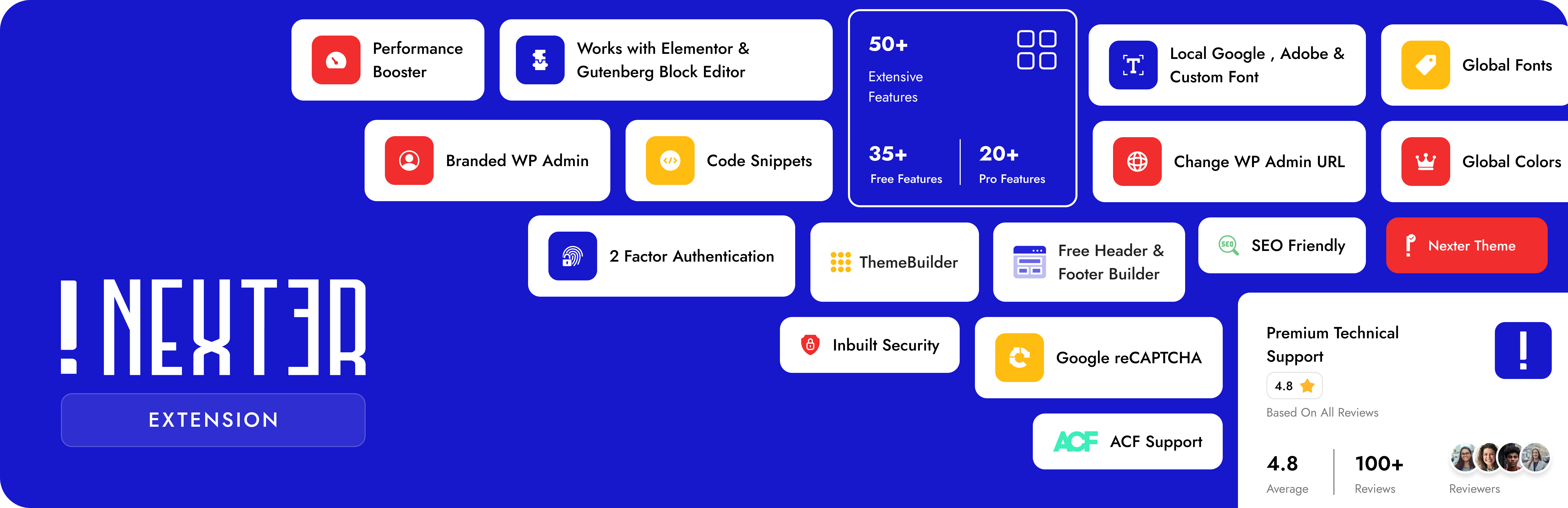
Nexter Extension이 그 문제를 해결합니다. 하나의 플러그인. 50개 이상의 기능. 모든 모듈은 켜기/끄기 가능 — 필요할 때만 로드됩니다. 순수 Vanilla JS, jQuery 없음.
하나의 워드프레스 플러그인으로 SEO, 보안, 성능, 이메일 전송, 테마 디자인, 코드 관리, 관리자 정리까지 모두 한곳에서 처리하며, 시작은 완전히 무료입니다.
👉 웹사이트 | 모든 기능 | Nexter SEO | 무료 vs 프로 | 요금제 | 문서 | 로드맵 | 지원 | 프리미엄 지원 | AI 채팅
🔍 Nexter SEO — 워드프레스 내장 SEO, 스키마 & AI 검색
하나의 플러그인으로 온페이지 SEO, 스키마, XML 사이트맵, 리다이렉트, AI 검색을 모두 관리하세요. Nexter SEO는 Nexter Extension에 내장된 완전하고 가벼운 워드프레스 SEO 툴킷으로, 별도 SEO 플러그인을 버리고 추가 페이지 무게와 플러그인 충돌 없이 사용할 수 있습니다. 100% 무료.
- SEO 사이트 감사 — 사이트를 페이지 내 및 기술적 문제를 검사하고, 0~100의 건강 점수와 우선순위가 지정된 주요 수정 사항 목록을 제공합니다.
- 메타 제목 & 설명 템플릿 — 동적 변수와 실시간 Google 검색 미리보기로 사이트 전체의 제목 및 메타 설명 템플릿을 설정하세요.
- 소셜 / Open Graph — 기본 공유 이미지와 Facebook 및 X(트위터) 카드로 페이지가 공유될 때 어떻게 보일지 제어합니다.
- 스키마 빌더 — 동적 변수와 표시 조건을 사용해 18가지 구조화 데이터 유형(글, 제품, FAQ 페이지, 사용 방법, 지역 비즈니스, 이벤트, 레시피, 동영상 등)을 추가하세요. 코딩 없이 가능합니다.
- XML 사이트맵 — XML 사이트맵을 생성하고, 선택적으로 이미지, 동영상, 뉴스 및 HTML 사이트맵을 제외 목록과 함께 제공합니다.
- 로봇 및 robots.txt 편집기 — 대시보드에서 바로 유형별 색인, 팔로우, 아카이브 규칙을 설정하고 가상 robots.txt를 편집하세요.
- 즉시 색인(IndexNow) — IndexNow를 지원하는 검색 엔진에 새 URL과 업데이트된 URL을 즉시, 자동으로 또는 일괄로 전송합니다.
- AI 검색을 위한 LLMs.txt — ChatGPT, Perplexity, Google AI와 같은 AI 엔진이 귀하의 콘텐츠를 찾아 인용할 수 있도록 LLMs.txt 파일을 생성하세요.
- 사이트 인증 — Google, Bing, Pinterest, 페이스북에서 한 번에 사이트를 인증하세요.
- 리다이렉트 및 404 모니터 — 유연한 매칭으로 301, 302 및 기타 리다이렉트를 생성하고, 깨진 URL을 기록해 수정하세요.
- 이미지 SEO — 파일명이나 제목에서 자동 대체 텍스트를 추가하고(AI는 필요 없음), 첨부파일 페이지를 상위 글로 리다이렉트합니다.
- 가져오기 / 내보내기 — 하나의 JSON 파일로 사이트 간 전체 SEO 설정을 이동할 수 있습니다.
🏗️ 테마 빌더 — Elementor 및 Gutenberg용 무료
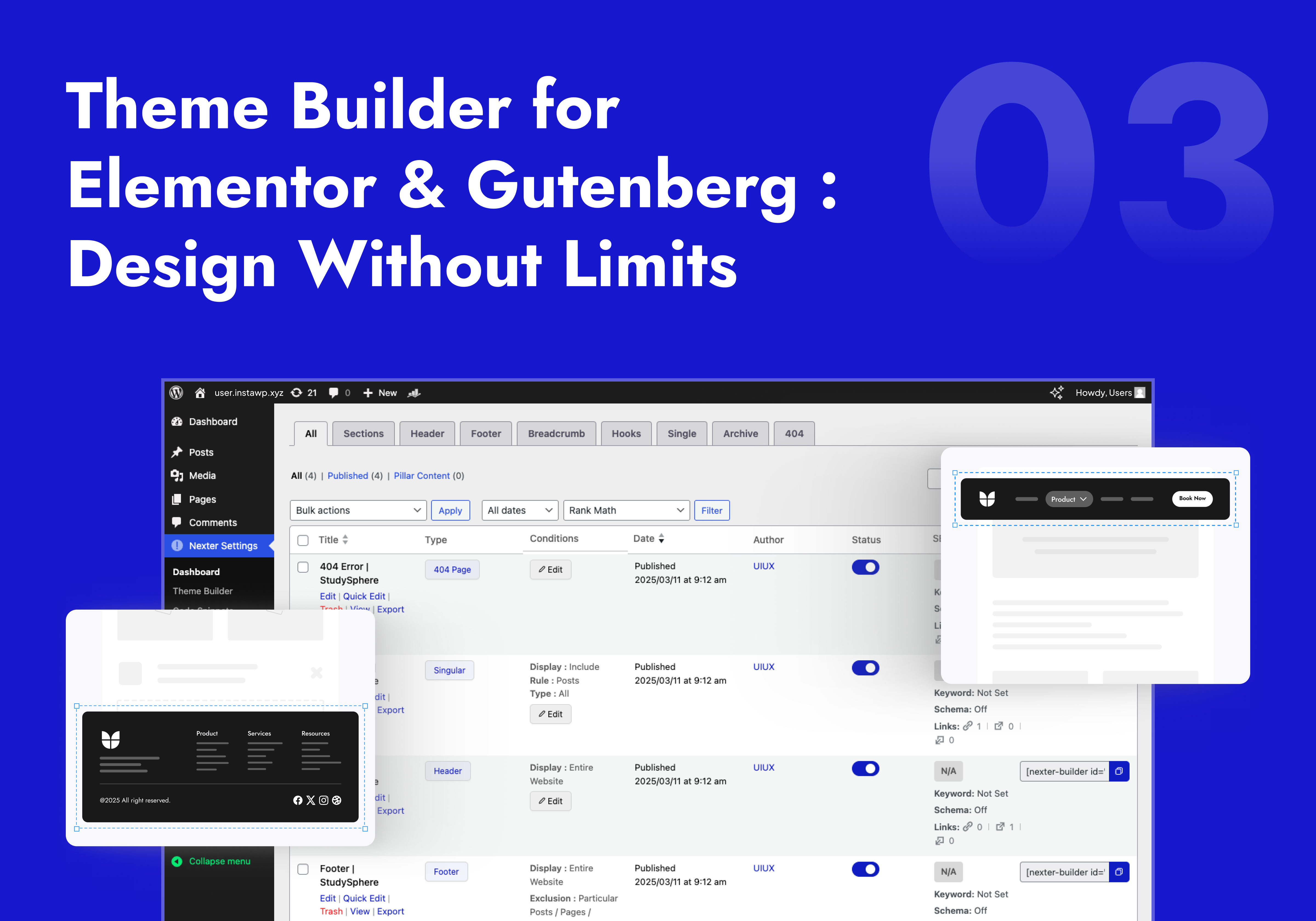
Elementor 위젯 또는 Gutenberg 블록을 사용해 맞춤 헤더, 푸터, 404 페이지, 단일 글 템플릿, 아카이브 페이지를 만들 수 있습니다 — 완전히 무료이며, 프리미엄 페이지 빌더가 필요하지 않습니다.
Astra, Hello Elementor, GeneratePress, Kadence, Blocksy, OceanWP, Neve, Bricks Builder와 호환됩니다.
- 헤더 빌더 — 전체 페이지 빌더 제어로 고정형, 투명형 또는 조건부 헤더를 디자인하세요. 코딩이 필요 없습니다.
- 푸터 빌더 — 다중 열, 위젯, 블록 등 어떤 푸터 레이아웃이든 구축할 수 있으며 템플릿 제한이 없습니다.
- 브레드크럼 바 — 전체 디자인 제어가 가능한 SEO 구조의 브레드크럼 탐색을 제공합니다.
- 404 페이지 빌더 — 방문자가 이탈하지 않고 사이트에 머물게 하는 맞춤 디자인 404 페이지를 만드세요.
- 단일 글 및 아카이브 템플릿 — 글 유형, 카테고리, 태그 또는 사용자 정의 글 유형별로 고유한 레이아웃을 제공합니다.
- 표시 조건 — 페이지, 사용자 역할, 기기, 로그인 상태 및 50개 이상의 추가 조건(프로)으로 템플릿을 표시하거나 숨깁니다.
💻 코드 스니펫 — PHP, CSS, JS 및 HTML 관리자
functions.php를 건드리거나 자식 테마를 만들지 않고도 WordPress에 맞춤 PHP, CSS, JavaScript, HTML을 추가하세요. 모든 스니펫은 정적 파일로 실행되어 데이터베이스 쿼리가 추가로 전혀 없고, 다른 WordPress 코드 스니펫 플러그인보다 더 빠릅니다.
- PHP, HTML, CSS 및 JS 스니펫 — 실시간 구문 검증으로 네 가지 코드 유형을 모두 관리하세요. 자동 충돌 방지 기능이 잘못된 코드로 인해 사이트가 깨지는 것을 막아줍니다.
- 파일 기반 실행 — 스니펫은 데이터베이스 쿼리가 아닌 정적 파일로 컴파일됩니다. 기존 코드 관리자 플러그인보다 빠릅니다.
- 22개 이상의 조건부 로드 규칙 — 특정 페이지, 글 유형, 사용자 역할, 기기, WooCommerce 페이지, EDD 또는 MemberPress에서만 코드를 로드합니다.
- 예약 설정 (Pro) — 모든 스니펫에 시작/종료 날짜를 설정하세요. 계절성 배너와 시간 제한 스크립트에 적합합니다.
- 스마트 배치 (Pro) — 특정 HTML 요소 전/후, X단어 이후, 콘텐츠 비율 기준, 또는 숏코드를 통해 코드를 삽입하세요.
- 가져오기 / 내보내기 및 태깅 — 한 번의 클릭으로 스니펫을 사이트 간에 이동하세요. 전체 스니펫 라이브러리에 태그와 주석을 추가할 수 있습니다.
🖼️ 이미지 최적화 — WebP, AVIF 및 대량 압축
완전히 내장된 WordPress 이미지 최적화 도구 — API 키, 외부 계정, 월간 구독 없이 이미지를 변환, 압축, 대량 최적화하세요. 모든 작업은 자체 서버에서 실행됩니다.
- WebP 변환 — JPG/PNG 업로드를 WebP로 자동 변환하세요. 품질 손실 없이 파일 크기를 최대 35% 줄입니다.
- AVIF 지원 — 차세대 포맷으로, JPEG보다 최대 50% 더 작습니다. 추가 비용 없이 내장 AVIF 변환을 제공합니다.
- 대량 이미지 압축 — 미디어 라이브러리 전체를 한 번에 압축하세요. 이미지별 개별 처리는 없습니다.
- 업로드 시 자동 크기 조정 — 업로드 시 과도하게 큰 이미지를 자동으로 줄이고 원본을 삭제하여 디스크 공간을 절약하세요.
- API 키 없음. 계정 없음. 월 요금 없음. — 모듈을 활성화하면 바로 작동합니다.
⚡ WordPress 성능 및 페이지 속도 최적화
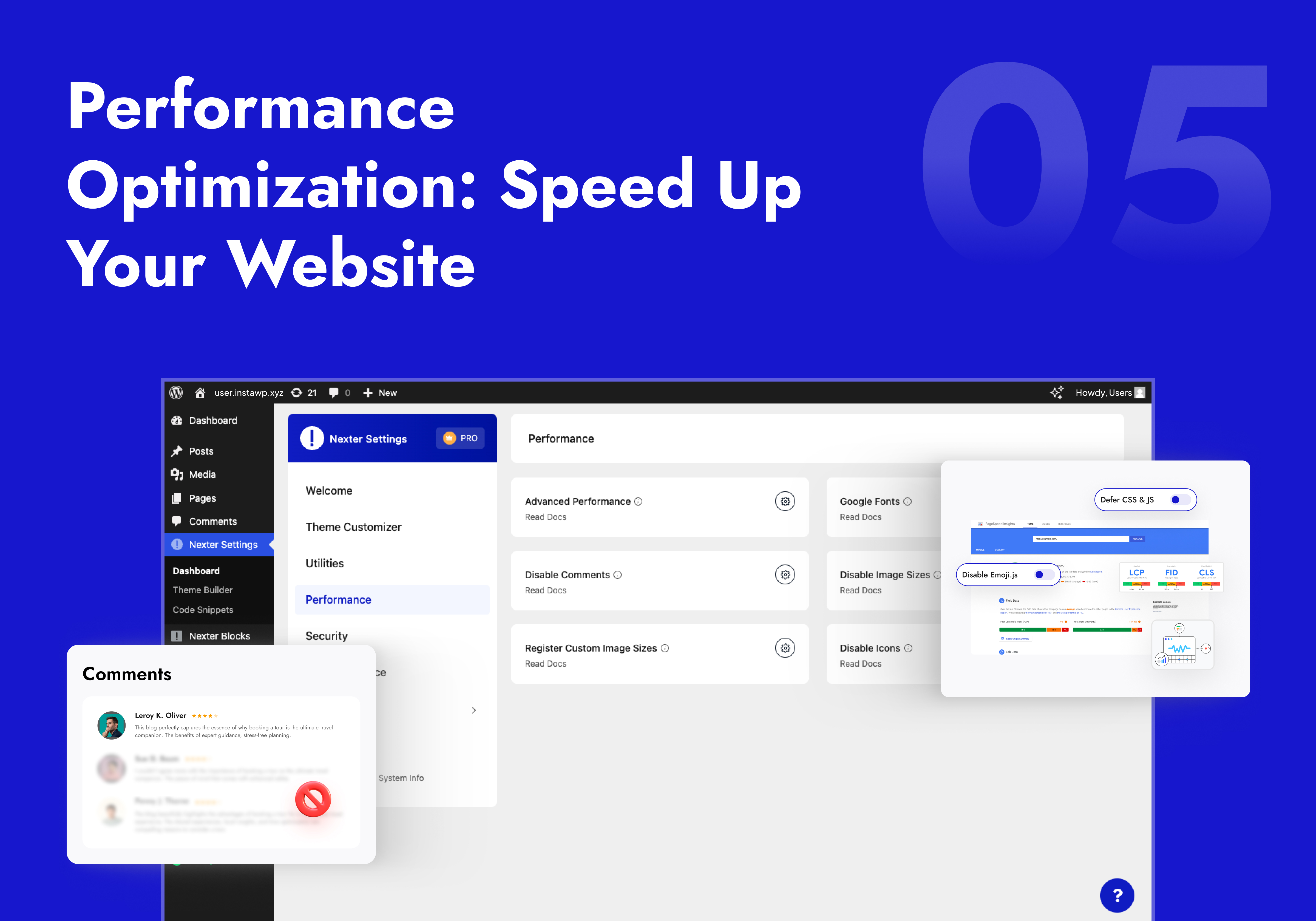
세밀한 WordPress 속도 최적화 토글 — 사이트에 필요하지 않은 것만 비활성화하세요. 문제를 일으키는 전부 아니면 전무식 스위치는 없습니다.
- 불필요한 스크립트 비활성화 — 이모지 스크립트, 임베드, 대시아이콘, 핑백, 피드 링크, 단축 링크 태그 등을 각각 개별 토글로 제어하세요.
- CSS 및 JS 지연 로드 — 핵심이 아닌 스타일시트와 스크립트를 지연시켜 First Contentful Paint와 페이지 로드 점수를 개선하세요.
- Google Fonts 자체 호스팅 — Google Fonts를 자신의 서버에 호스팅하세요. 외부 Google 요청을 제거하고 사이트를 GDPR 준수 상태로 만듭니다.
- 하트비트 제어 — 공유 호스팅에서 높은 CPU 사용의 흔한 원인인 WordPress Heartbeat API를 제한하거나 비활성화하세요.
- 리비전 제어 — 콘텐츠가 많은 사이트에서 데이터베이스 팽창을 방지하도록 글 리비전 수를 제한하세요.
- 댓글 비활성화 — 사이트 전체 또는 글 유형별로 WordPress 댓글을 끄세요. 페이지 출력에서 모든 댓글 스크립트를 제거합니다.
- 사용하지 않는 이미지 크기 및 Elementor 아이콘 비활성화 — 사용하지 않는 썸네일 생성과 페이지에서 Font Awesome 로드를 중지하세요.
🔒 WordPress 보안 플러그인 — 강화, 로그인 보호 등
개별 켜기/끄기 토글이 있는 계층형 WordPress 보안 플러그인입니다. 모든 페이지 로드에 무거운 보안 데몬을 추가하지 않으면서 가장 많이 사용되는 강화 및 로그인 보호 기능을 제공합니다.
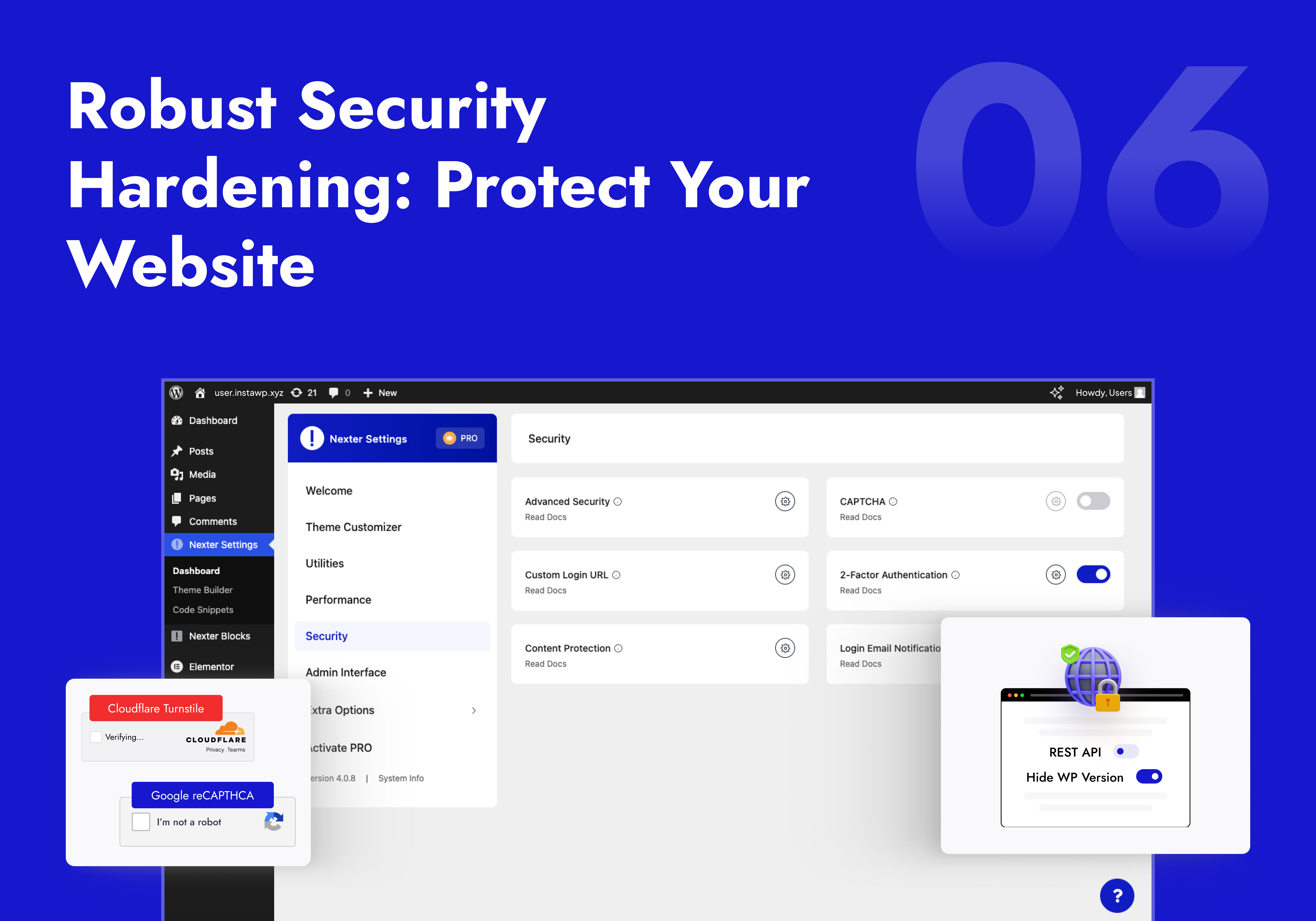
- 보안 강화 — XML-RPC 비활성화, WP 버전 숨김, REST API head 링크 제거, 파일 편집기 차단, XSS 헤더 추가 등을 각각 별도 토글로 설정하세요.
- 로그인 시도 제한 (Freemium) — 로그인 실패 후 IP를 차단하여 무차별 대입 공격을 막습니다. 별도의 무차별 대입 방지 플러그인이 필요하지 않습니다.
- CAPTCHA 스팸 방지 — 로그인, 회원가입, 댓글, 비밀번호 재설정, WooCommerce 결제에 Google reCAPTCHA v2/v3 또는 Cloudflare Turnstile을 추가하세요.
- 이중 인증(2FA) (Pro) — 역할 기반 강제 적용이 가능한 이메일 기반 2단계 인증입니다. 독립형 이중 인증 플러그인을 대체합니다.
- WP 관리자 로그인 URL 변경 — 기본 wp-login.php에서 사용자 지정 URL로 로그인 페이지를 옮기세요. 자동 봇 스캐닝을 즉시 차단합니다.
- 로그인 이메일 알림 (Pro) — 역할 기반 필터와 사용자 지정 이메일 콘텐츠로 모든 로그인에 대해 이메일 알림을 받으세요.
- 콘텐츠 보호 (Pro) — 우클릭, 텍스트 선택, 이미지 드래그, 복사-붙여넣기, 개발자 콘솔 접근을 비활성화합니다.
- SVG 업로드 — 신뢰할 수 있는 역할이 자동 정화 기능과 함께 SVG 파일을 업로드할 수 있게 하세요. 아이콘 업로드는 깨끗하게, 악성 페이로드 위험은 없이.
- 최종 로그인 및 등록 추적 — 사용자 테이블에서 각 사용자의 마지막 로그인 날짜와 등록 날짜를 바로 확인하세요.
🍪 Cookie Consent: Consent Logic, Script Blocking & Records
Collect, store and honour visitor cookie consent. Turn it on under Nexter > Security > Privacy > Cookie Consent. The banner design, preferences modal and cookie declaration are built with the free Cookie Consent blocks in Nexter Blocks; this module runs the logic behind them.
- Categories & Cookies: Start from a preset, then manage your cookie categories and the cookies listed in each.
- Prior Script Blocking: Hold scripts from known non-essential vendors until a visitor decides. Inline snippets and some embeds may need to be tagged by hand, so check your site after setup.
- Consent Records: Log each consent decision with configurable IP handling and retention, including when a visitor withdraws consent.
- Google Consent Mode v2: Send consent signals to Google tags with one toggle.
- Compliance Check: Run a live report on your setup and see what still needs attention.
- Privacy & Cookie Policy Links: Add your Privacy Policy and Cookie Policy URLs so visitors can read them from the banner.
Cookie Consent gives you the tools to collect and record consent. Review your setup against the privacy laws that apply to your site.
🗂️ Content Fields: Custom Post Types, Taxonomies & Field Groups
Build your own content model without a separate custom fields plugin. Turn it on under Nexter > Content Fields. Create post types, taxonomies and field groups from one screen, then show the values anywhere on your site.
- Custom Post Types: Register post types with their labels, menu icon, supported features, archive and permalink slug, and REST API visibility.
- Custom Taxonomies: Create categories or tags for any post type, hierarchical or flat, with their own labels and rewrite slug.
- Field Groups: Group fields and decide where they appear with location rules: post type, taxonomy term, user role, user profile and registration forms, and comments.
- 22 Field Types: Text, Textarea, Number, Range, Email, URL, Image, File, WYSIWYG Editor, Select, Checkbox, Radio Button, True / False, Link, Post Object, Page Link, Taxonomy, User, Date, Time, Date Time and Color pickers. (Pro) adds Relationship and Repeater.
- Safe Saving: Every value is checked against its field type when it is saved, and each screen is protected by a nonce and a capability check.
- Show Values on the Frontend: Use
nxt_field_value()to get a value ornxt_print_field()to print it, already escaped, in your theme templates. - REST API: Field values are available in the REST API for post types that support custom fields.
- Import from Other Plugins: Bring post types, taxonomies and field groups across from ACF, JetEngine, Meta Box and Pods.
When you turn Content Fields off, none of its files load, on the dashboard or on the frontend.
📧 WordPress SMTP 이메일
스팸으로 가는 WordPress 이메일을 몇 분 만에 해결하세요. 내장된 WordPress smtp 플러그인이 문의 양식, 주문 알림, 비밀번호 재설정을 실제 메일 제공업체를 통해 전송하여, 실제로 도착하게 합니다.
- Gmail SMTP — OAuth 또는 앱 비밀번호를 통해 Google Workspace 또는 Gmail에 연결하세요.
- Mailgun, SendGrid 및 사용자 정의 SMTP — Brevo, Amazon SES, Postmark, Mailchimp Mandrill 또는 호스팅업체의 SMTP 등 어떤 제공업체와도 작동합니다.
- 테스트 이메일 도구 — 라이브로 전환하기 전에 설정 패널 내부에서 테스트 이메일을 보내 전달 여부를 확인합니다.
🔧 WordPress 유틸리티 — 단일 용도 플러그인 수십 개를 대체
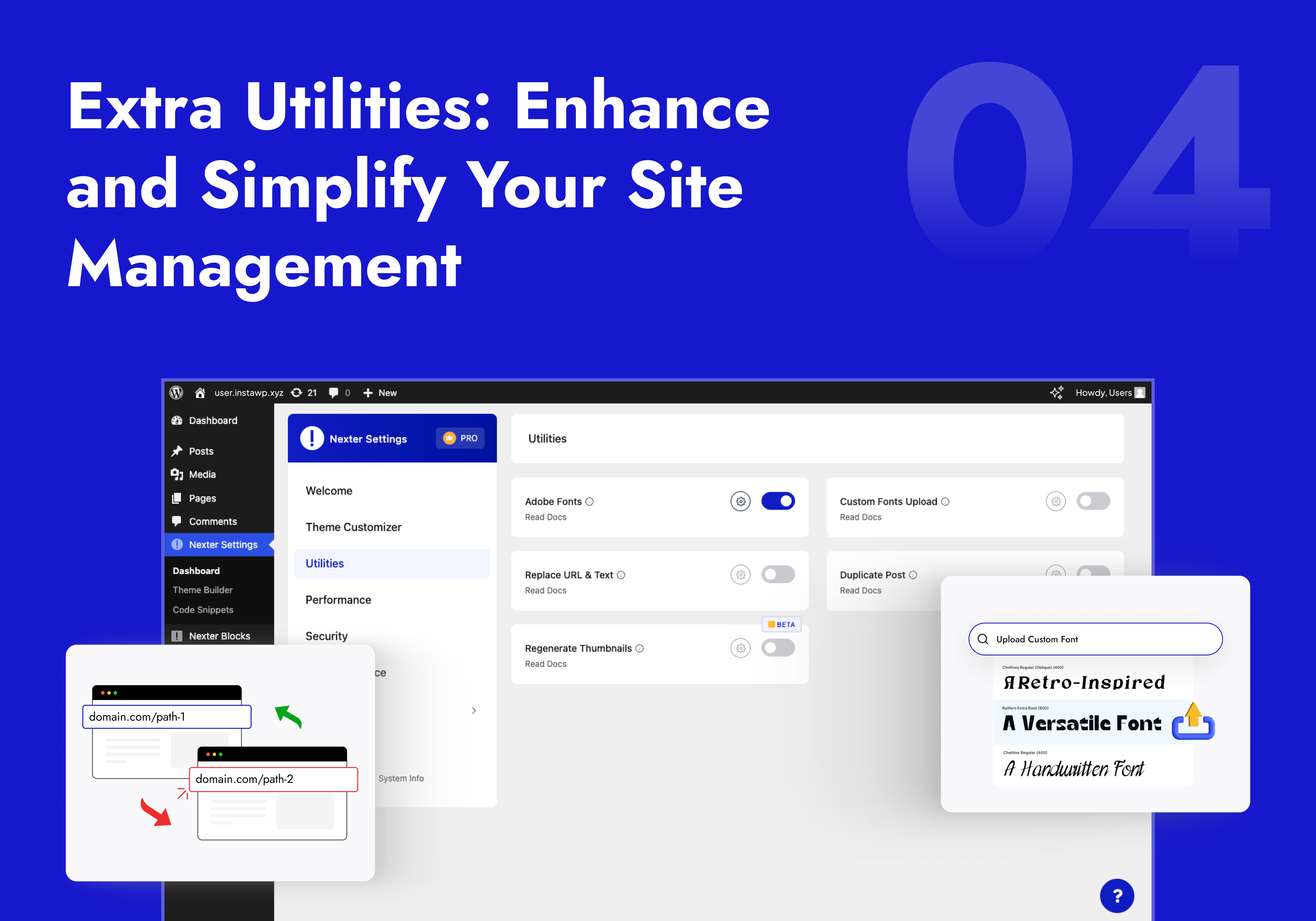
- 사용자 정의 글꼴 업로드 — TTF, WOFF, WOFF2 및 가변 글꼴을 업로드합니다. 별도의 WordPress 사용자 정의 글꼴 플러그인 없이 어떤 페이지 빌더에서도 적용할 수 있습니다.
- Adobe Fonts 통합 — 프로젝트 ID로 Adobe Creative Cloud를 연결하고 WordPress에서 어떤 Typekit 글꼴이든 불러옵니다.
- 404 리디렉션 (Freemium) — 깨진 404 페이지를 홈페이지(무료) 또는 원하는 사용자 정의 URL(프로)로 자동 리디렉션합니다.
- 글 및 페이지 복제 — 전체 레이아웃과 메타데이터를 그대로 보존한 채 어떤 글이나 페이지든 복제합니다. 별도의 글 복제 플러그인이 필요 없습니다.
- 대량 텍스트 및 URL 교체 — 한 번의 클릭으로 전체 데이터베이스에서 어떤 문자열이든 찾아 바꿉니다. 도메인 이전 후 필수입니다.
- 썸네일 재생성 — 이미지 크기를 변경한 후 모든 이미지 썸네일을 다시 생성합니다. 추가 플러그인 없음.
- 롤백 관리자 — 새 업데이트로 충돌이 발생하면 어떤 플러그인이든 즉시 이전 버전으로 다운그레이드합니다.
- 관리자 역할 전환기 — 로그아웃하지 않고 어떤 WordPress 사용자 역할이든 전환할 수 있습니다. 권한 테스트에 적합합니다.
- Gutenberg 비활성화 — 추가 플러그인 없이 특정 글 유형에서 클래식 에디터를 복원합니다.
- WP 디버그 모드 — 대시보드에서 WP_DEBUG를 켜고 끌 수 있습니다. wp-config.php 편집이 필요 없습니다.
- Content Post Order — 글과 페이지를 드래그 앤 드롭으로 재정렬합니다. 코드도, 사용자 정의 필드도 필요 없습니다.
- 초안용 공개 미리보기 (Pro) — 로그인 없이도 게시되지 않은 글의 미리보기 링크를 공유할 수 있습니다.
- 미디어 교체 (Pro) — URL을 변경하거나 기존 링크를 깨뜨리지 않고 어떤 파일이든 교체합니다.
- Taxonomy Term Order (Pro) — 프런트엔드에서 카테고리, 태그, 사용자 정의 택소노미를 드래그 앤 드롭으로 재정렬합니다.
🎨 WordPress 관리자 커스터마이징 및 대시보드 정리
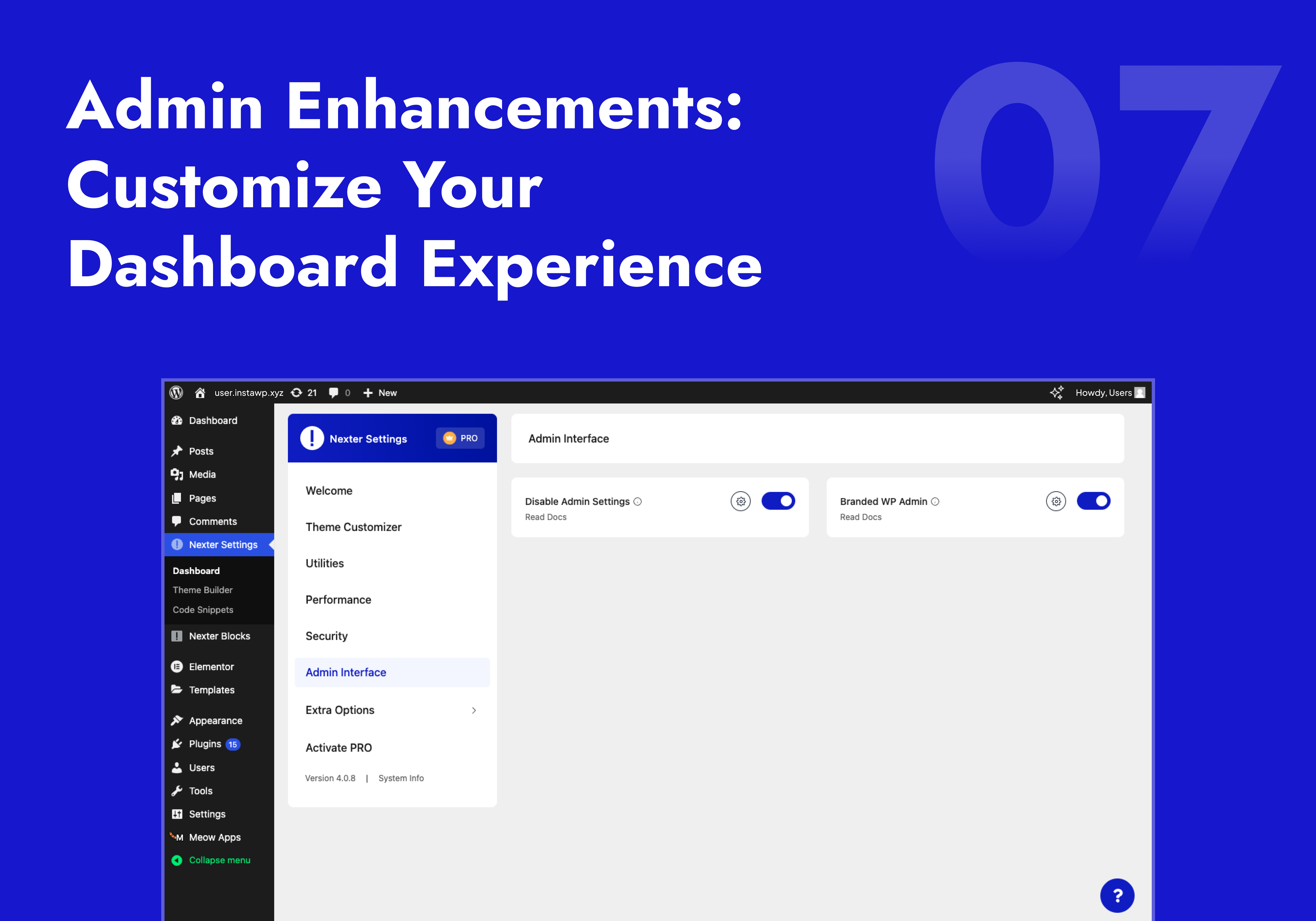
- 브랜딩된 관리자 인터페이스 / 화이트 라벨 WordPress (Pro) — WordPress 로그인 페이지를 에이전시 로고와 색상으로 바꿉니다. 클라이언트 사이트를 위한 완전한 화이트 라벨 WordPress 관리자입니다.
- 관리자 메뉴 정리 (Pro) — 사용자 역할별로 사이드바 메뉴 항목의 순서를 바꾸거나, 이름을 바꾸거나, 숨길 수 있습니다. 클라이언트에게 필요한 것만 보여주세요.
- Elementor 광고 제거 — 편집기에서 모든 Elementor 업그레이드 배너, AI 팝업, 업셀 버튼을 숨깁니다. 깔끔한 작업 공간으로 집중해서 편집하세요.
- 클린 관리자 바 — WP 로고, 사이트 이름, 댓글 카운터, 인사말(Howdy), 플러그인 노드 등 WordPress 툴바의 어떤 항목이든 각각 별도 토글로 제거합니다.
- 관리자 알림 및 대시보드 위젯 비활성화 — 업데이트 알림, 플러그인 알림, 한눈에 보기, 빠른 초안, WooCommerce 설정 패널, WordPress 이벤트 피드를 각각 개별적으로 숨깁니다.
- Wider Admin Menu — 사이드바를 확장하여 긴 메뉴 레이블이 잘리지 않고 전체가 표시되도록 합니다.
- Display Active Plugins First (Pro) — 더 빠르게 접근할 수 있도록 활성화된 플러그인을 플러그인 목록 맨 위에 고정합니다.
- User Profile Clean (Pro) — 더 깔끔한 클라이언트용 관리자 화면을 위해 사용자 프로필에서 불필요한 필드를 제거합니다.
🔁 설정 가져오기 / 내보내기
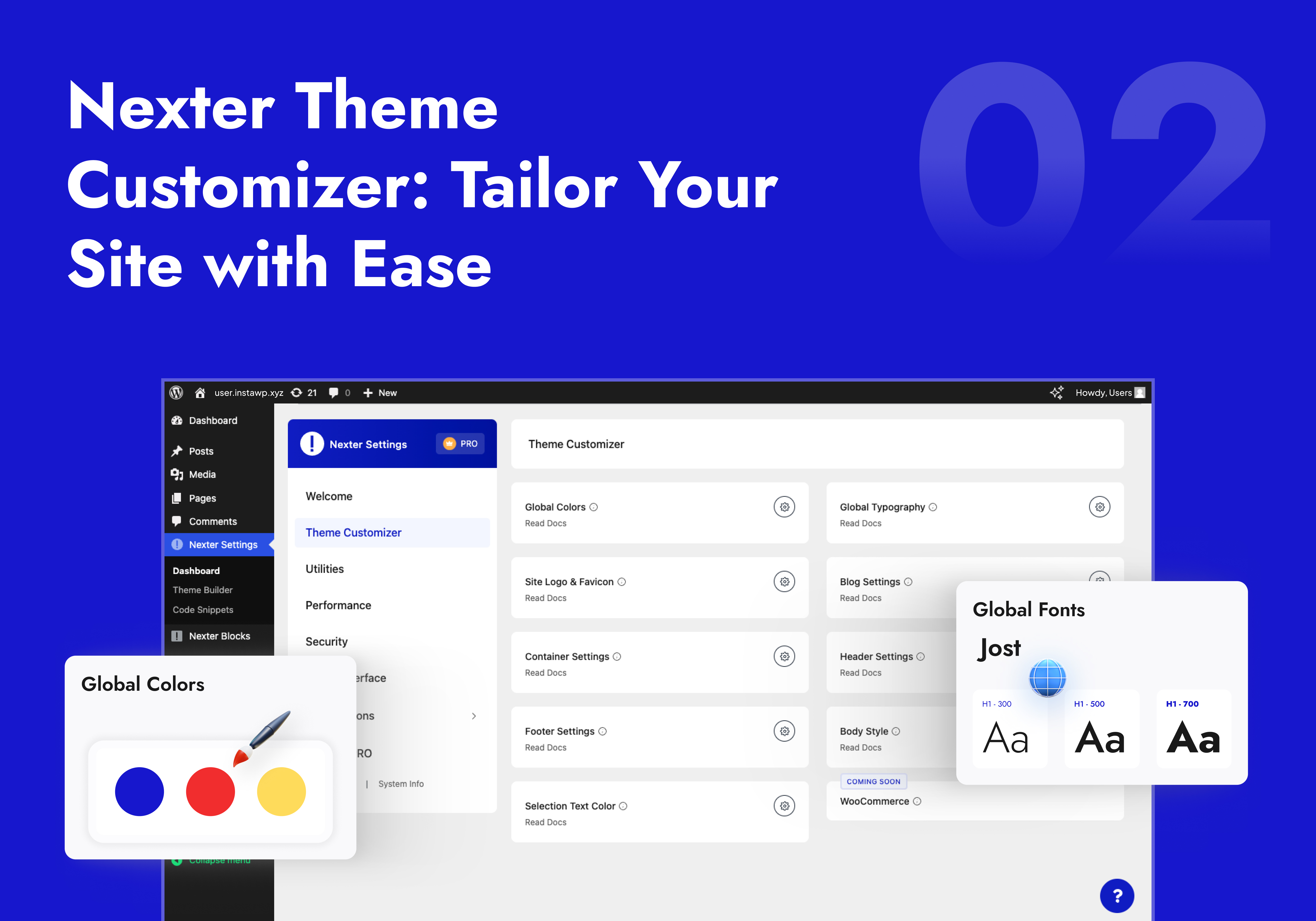
전체 WordPress 커스터마이저 설정과 모든 Nexter Extension 설정을 파일로 내보낸 다음, 어떤 사이트에서든 즉시 가져오세요. 여러 클라이언트 사이트를 관리하는 에이전시를 위한 재설정은 전혀 필요 없습니다.
🏆 우리의 다른 WordPress 제품
- Elementor용 The Plus Addons — 120개 이상의 Elementor 위젯. Nexter Extension의 무료 테마 빌더와 완벽하게 어울립니다.
- Nexter Blocks — 90개 이상의 Gutenberg 블록. jQuery 없음. 속도를 위해 제작됨.
- NexterWP 테마 — Elementor와 Gutenberg를 위한 가장 가볍고 빠른 스타터 테마입니다. jQuery 없음.
- UiChemy – Figma to WordPress — 무료 Figma 플러그인으로 Figma 디자인을 라이브 Elementor 페이지로 변환하세요.
- WDesignKit — 1000개 이상의 WordPress 템플릿, 위젯 빌더, 블록 변환기, 클라우드 저장소.
External services
Nexter Extension may connect to external services below only when the related feature is enabled:
-
api.posimyth.com — usage analytics. Off by default; submitting the deactivation feedback form also sends it, plus your admin email if you tick the contact box. Terms · Privacy · what’s shared
-
store.posimyth.com — Pro licence, template library, newsletter opt-in. Terms · Privacy
-
api.wdesignkit.com, etemplates.wdesignkit.com — templates and preview images. Terms · Privacy
-
api.indexnow.org — sends a post URL when you save it, to notify search engines. Terms
-
api.openai.com — AI content, using your own API key. Terms · Privacy
-
generativelanguage.googleapis.com — AI content, using your …
스크린샷

설치
- WordPress 대시보드에서 플러그인 새로 추가로 이동하세요
- Nexter Extension을 검색한 다음 지금 설치를 클릭하세요
- 플러그인을 활성화하세요
- Nexter Extensions로 이동하여 필요한 기능을 켜세요
FAQ
-
Nexter Extension은 모든 WordPress 테마와 호환되나요?
-
예. Astra, Kadence, Blocksy, GeneratePress, OceanWP, Neve, Hello Elementor, Bricks와(과) 완전히 호환됩니다. 테마 빌더는 Elementor, 구텐베르크, 및 Bricks Builder와(과) 작동합니다. 코드 스니펫은 편집기와 관계없이 모든 워드프레스 테마에서 작동합니다.
-
Nexter Extension에 SEO 기능이 포함되어 있나요? Yoast나 Rank Math도 여전히 필요한가요?
-
Nexter Extension에는 이제 Nexter SEO가 포함되어 있습니다. 사이트 감사, 메타 제목 및 설명 템플릿, 18가지 유형의 스키마 빌더, XML 사이트맵, robots.txt 편집기, 리다이렉트, 404 모니터, 이미지 SEO, 사이트 인증을 제공하는 완전한 내장 SEO 툴킷입니다. 대부분의 사이트에서는 Yoast나 Rank Math 같은 독립형 SEO 플러그인을 대체하며, 추가적인 페이지 무게도 없습니다. 100% 무료입니다. Nexter SEO 살펴보기
-
Nexter SEO는 AI 검색(ChatGPT, Perplexity, Google AI)에도 작동하나요?
-
네. Nexter SEO는 LLMs.txt 파일과 JSON-LD 스키마를 생성하여 ChatGPT, Perplexity, Google AI와 같은 AI 검색 엔진이 귀하의 콘텐츠를 발견하고 인용할 수 있도록 합니다. 또한 Instant Indexing(IndexNow)을 지원하여, 공개하는 즉시 새로 추가되거나 업데이트된 URL을 지원되는 검색 엔진에 전송합니다.
-
Image Optimizer에 API 키가 필요한가요?
-
API 키 없음. 외부 계정 없음. 이미지당 요금 없음. 이미지 최적화기(v4.6.0에 추가됨)는 서버에서 이미지를 로컬로 압축합니다. WebP 변환은 무료입니다. AVIF 변환은 Pro에서 제공됩니다. 한 번의 클릭으로 미디어 라이브러리 전체에 대해 일괄 최적화를 실행합니다.
-
어떤 보안 기능이 포함되어 있나요?
-
보안 강화( XML-RPC 비활성화, 워드프레스 버전 숨기기, XSS 보호, iFrame 보안, 보안 쿠키), 2FA (Pro), Google reCAPTCHA & Cloudflare Turnstile CAPTCHA, 로그인 시도 제한, 커스텀 관리자 로그인 URL, SVG 업로드 정화, 및 콘텐츠 보호. 모든 보안 기능 보기
-
SMTP는 Gmail과 작동하나요?
-
예. Gmail SMTP, Mailgun, SendGrid 및 SSL/TLS를 사용하는 모든 커스텀 SMTP 서버를 지원합니다. 연결이 작동하는지 확인하기 위한 내장 테스트 이메일 도구가 포함되어 있습니다.
-
코드 스니펫이 데이터베이스에 저장되나요?
-
번호. 모든 스니펫은 데이터베이스 쿼리가 아닌 파일 기반 코드로 실행됩니다 — 이는 페이지 로드마다 데이터베이스 조회가 없고, 더 빠른 실행 및 사이트가 확장될수록 더 깔끔한 성능을 의미합니다.
-
Google Fonts에 대해 GDPR을 준수합니까?
-
예. Self-Host Google Fonts 기능은 글꼴을 사용자의 서버에 다운로드하여 로컬에서 제공하므로 Google의 콘텐츠 전송 네트워크(CDN: Content Delivery Network)에 대한 모든 HTTP 요청을 제거합니다. 이는 EU에서 GDPR을 준수하기 위한 올바른 기술적 해결책입니다.
-
Yes. Enable Cookie Consent under Nexter > Security > Privacy. It handles cookie categories, prior script blocking, consent records, Google Consent Mode v2 and a Compliance Check report. Design the banner, preferences button and cookie declaration table with the free Cookie Consent blocks in Nexter Blocks. Read the docs
-
Can I create custom post types and custom fields without ACF?
-
Yes. Enable Content Fields under Nexter > Content Fields. Create custom post types, taxonomies and field groups, place the fields on posts, terms, user profiles and comments, and show the values in your templates with
nxt_field_value(). Already using ACF, JetEngine, Meta Box or Pods? Import your existing setup. -
클라이언트 사이트용으로 화이트-레이블(화이트레이블)로 사용할 수 있나요?
-
예. 브랜디드 관리자 인터페이스 (Pro)는 WP 로그인 페이지에 로고와 브랜드 색상을 추가할 수 있게 해줍니다. 관리자 메뉴 정리기 (Pro)는 메뉴 항목을 재정렬하고 이름을 바꾸며 숨겨서 깔끔한 클라이언트 대시보드를 제공합니다. Elementor 광고 제거와 함께 사용하면 클라이언트는 당신이 보여주고자 하는 것만 보게 됩니다.
-
테마 빌더가 Elementor 및 구텐베르크와 호환되나요?
-
예 — 동일한 사이트에서 동시에 둘 다 가능합니다. Elementor로 만든 헤더는 한 섹션에, 구텐베르크로 만든 푸터는 다른 섹션에 할당하세요. 표시 규칙으로 어떤 템플릿이 어디에서 로드될지 정확히 제어할 수 있습니다. v4.5.3부터 Elementor 4.0 템플릿 CSS와 완전히 호환됩니다.
-
모든 모듈을 활성화하면 사이트 속도가 느려지나요?
-
아니요. 각 모듈은 개별적으로 토글 가능합니다. 사용 안 함으로 설정된 모듈은 프런트엔드에 CSS와 JavaScript를 전혀 로드하지 않습니다. 전체 플러그인은 jQuery 의존성 없이 순수(JS)로 동작합니다. 활성화한 항목만 로드됩니다.
-
이 플러그인은 Nexter 테마와 왜 별도인가요?
-
워드프레스.org 테마 제출 지침을 준수하려면 register_post_type()과 같은 기능은 테마가 아닌 플러그인을 통해 제공되어야 합니다. 워드프레스 플러그인 지침에 대해 더 보기
-
보안 취약점을 어떻게 신고하나요?
-
패치스택 취약점 공개 프로그램을 통해: 취약점 신고
-
Pro 버전이 있나요?
-
새 기능은 어디에 요청할 수 있나요?
후기


기여자 & 개발자
“Nexter Extension – 보안, 성능, 코드 스니펫 및 사이트 툴킷”(은)는 오픈 소스 소프트웨어입니다. 다음의 사람들이 이 플러그인에 기여하였습니다.
기여자


변경이력
전체 변경 로그 보기: roadmap.nexterwp.com
V4.9.0
12 November 2026
– Added : Content Fields : new Content Fields module – create custom post types, taxonomies and field groups with 25 field types, shown on post, term, user profile and comment screens, with a PHP API (nxt_field_value, nxt_print_field) to show values on the frontend.
– Added : Admin Notice : dismissible Black Friday offer notice – free users see the Upgrade to Pro offer, Pro users see the Upgrade to Lifetime offer. Hidden on white-labelled sites and on the Lifetime Unlimited plan.
– Improved : Cookie Consent : turning Cookie Consent on or off now also turns the Cookie Consent, Cookie Declaration and Cookie Preferences Button blocks on or off in Nexter Blocks, when it is installed.
– Fixed : Code Snippets : on multisite, only a Super Admin can now create, import or run snippets; site administrators no longer can.
– Fixed : Code Snippets : Save to cloud in the snippet row menu now opens the WDesignKit save popup instead of doing nothing.
– Fixed : Cookie Consent : the consent-record endpoint now rejects cross-site requests and checks the module switch and rate limit before accepting a write, so consent-log records can no longer be forged.
– Fixed : Dashboard : Theme Builder and Code Snippets strings in the lazily loaded dashboard screens now pick up translations kept in custom locations such as Loco Translate.
– Fixed : Dashboard : on screens 1280px wide or smaller, settings side panels (such as Security > Configure) opened invisibly, including in Safari; they now slide in over the page.
– Fixed : Nexter SEO : the Site Audit lists the affected pages for each finding again, with View and Edit links, and the CSV export has one row per affected page. The list was lost when the dashboard was redesigned.
– Fixed : Cookie Consent : inline scripts attached to a blocked script (for example Site Kit’s gtag config) now keep their code and run after that script once consent is given, so Google Analytics receives hits again.
– Fixed : Cookie Consent : Scan Now now removes scanned cookies and storage keys that are no longer found on the site, so deleted cookies (for example leftovers from another consent plugin) drop out of the cookie table. Entries you added or edited are kept.
– Fixed : WDesignKit : installing or activating WDesignKit from Nexter now reports a failed download or activation instead of showing success, and the Templates, Theme Builder, Code Snippets and Elementor preset buttons show the error and stay on the page.
– Fixed : WDesignKit : clicking an install button twice no longer starts a second install request.
– Fixed : WDesignKit : after installing from Nexter, the Nexter Blocks and Elementor templates in WDesignKit are now enabled correctly (the builder names were swapped).
– Fixed : Elementor : the Nexter preset button in the Elementor editor now loads its script.
– Fixed : WDesignKit : Theme Builder and the Templates import popup now say Activate WDesignKit when it is installed but inactive, and Installing WDesignKit during a fresh install.
V4.8.0
28 October 2026
– Added : Cookie Consent : collect, store and honour visitor cookie consent, with prior script blocking of non-essential vendors until a visitor decides, consent-record logging with configurable IP handling and retention, Google Consent Mode v2 integration, and a live Compliance Check report.
– Fixed : Content SEO : the meta description fallback no longer executes shortcodes on a page with no excerpt, which was causing shortcode-rendered content (e.g. FluentCart’s customer dashboard navigation) to duplicate on the front end.
– Fixed : Theme Builder : the dashboard screen loaded from the theme now registers its translatable strings under the correct text domain, so theme-side dashboard translations load as expected.
– Fixed : Code Snippets : the Import Snippets drop zone now has proper padding around its text.
– Fixed : Code Snippets : the Cloud Library “Import Pre-Made Code Snippets” popup and other lazily loaded dashboard screens now show their translations; strings in the dashboard’s split build chunks were never loaded before.
– Fixed : SVG Upload : the role names in “roles allowed to upload SVG” are now shown in the site language.
– Fixed : Disable Gutenberg : long translated labels in the Only On / Except On / All Types switch now wrap inside their segment instead of overflowing it.
– Fixed : Admin Menu : the arrow on the “Get Nexter Pro” menu item no longer overlaps longer translated labels.
V4.7.14
23 October
– Improved : New Dashboard : refreshed the admin dashboard’s UI with clearer visual hierarchy, more consistent spacing and iconography, and more legible controls across every tab.
– Improved : Translations : every translatable string with a placeholder in the dashboard now carries a translators comment, so generating the translation file no longer warns about them.
– Improved : Code Snippets : the “MemberPress not installed” notice now uses the same confirmation dialog design as the WooCommerce notice, for a consistent look across eCommerce plugin checks.
– Improved : Code Snippets : the Location picker and Conditions tab’s selected checkmark and tooltip no longer overlap, and all four condition tabs are evenly spaced.
– Improved : Theme Builder : White Label’s “Hide WDesignKit Integration” toggle and the WDesignKit import option are no longer limited to Pro.
– Improved : Theme Builder : the “Set Display Conditions” panel is now wider (800px) so multiselect fields are no longer cut off.
– Compatibility : Abilities (MCP) : each ability file now stops early when the WordPress Abilities API (WordPress 6.9+) is not available, so sites on older WordPress versions never call wp_register_ability().
– Fixed : Theme Builder : “Edit conditions” no longer appears for Section-type templates, since sections don’t support display conditions.
– Fixed : Theme Builder : creating a Sections-type template no longer shows both a “Next” and a “Create” button at once.
– Fixed : Theme Builder : closing the create/edit template popup before it finishes loading, or choosing an archive/singular condition type with no matching post type, no longer throws a console error.
V4.7.13
15 October 2026
– Improved : Nexter SEO : the Site Audit no longer checks Theme Builder templates (headers, footers, sections) or other builder and template types, so they stop appearing under Orphan pages and Thin content. Post types you exclude from the sitemap are skipped by the audit too, and developers can adjust the list with the nexter_seo_audit_excluded_post_types filter.
– Improved : Nexter SEO : the category base and WooCommerce base options now flush rewrite rules once per request instead of once per category or product term, so bulk imports no longer rebuild the rules for every term.
– Improved : SMTP Email : the mail server’s certificate is now verified by default, so a server that only pretends to be your mail host can no longer receive your SMTP login and your mail. Sites that already had SMTP set up are kept as they were, with self-signed certificates still allowed, and see a notice explaining the change. A site that needs self-signed certificates can use the allow_self_signed setting, the NEXTER_SMTP_ALLOW_SELF_SIGNED constant or the nxt_smtp_allow_self_signed filter.
– Improved : Dashboard : keyboard users can now see which control has focus on buttons, switches and the upgrade and install pop-up buttons, focus rings and some borders have more contrast, and pop-up dialogs move focus into the dialog, keep Tab inside it and make the rest of the admin inert while it is open.
– Improved : internal security hardening from a full code audit: the Theme Builder visitor-IP display condition is documented as non-authoritative, a browser-detection header read is now sanitized, duplicating a post no longer unserializes its meta without restricting which classes may be instantiated, the plugin/theme installer’s wordpress.org lookups try JSON before falling back to a restricted unserialize, and the SEO settings, import and post/term REST endpoints now validate and sanitize every parameter against its declared schema. No user-facing behaviour changes.
– Fixed : Theme Builder : importing a template no longer ends in a fatal error. Importing now needs the manage options permission, which the Editor role did not have by design, and a template can only be exported by someone who can edit it.
– Fixed : Theme Builder : a widget that throws an error no longer leaves the page’s main query switched, a template with no post no longer causes an error, and the preview link for an Author Archive template now works.
– Fixed : Theme Builder : a template made for one specific page no longer loses to an All Pages template just because it is older, and templates saved without a logged-in user (WP-CLI, importer, cron) now refresh the cached template list.
– Fixed : Theme Builder : editing a template’s display conditions no longer drops saved Specific Pages/Posts; only the first 20 of each type were loaded, so the rest vanished and were lost on save.
– Fixed : Display Conditions : the Specific Pages and Archives pickers no longer crash on an empty request.
– Fixed : Display Conditions : the pickers no longer show other users’ private and draft posts, or the full user list, to Contributors.
– Fixed : Image Optimisation : converting an image now requires permission to edit that image, so an Author can no longer convert or overwrite someone else’s.
– Fixed : Image Optimisation : deleting an image from the Media Library now also deletes its converted copies and backups. Before, they stayed downloadable from the optimizer folder and piled up on disk, and the delete check can no longer be tricked by a path containing …
– Fixed : SVG Upload : SVGs added through importers, demo kits and WP-CLI are no longer rejected as an invalid upload, and the PHP 8 deprecation notice shown on every upload is gone.
– Fixed : Captcha : Cloudflare Turnstile now refuses login, registration, password reset and comment forms that arrive without a token, not only the ones with a wrong token.
– Fixed : Local Google Fonts : only real fonts.googleapis.com links are downloaded, and the original link is kept, with a 15-minute pause, when a download fails instead of leaving the fonts missing.
– Fixed : WP Debug Mode : switching it on and off now edits wp-config.php safely. It no longer adds a second define on setups like Docker or Bedrock, sets WP_DEBUG_DISPLAY so visitors do not see PHP errors, finds a wp-config.php one folder above the site, and no longer ends in an error page when the file is not writable.
– Fixed : Code Snippets : the safety check no longer switches off ordinary snippets, such as loops that contain a break, code that calls get_permalink(), or file writes to a path built in the code.
– Fixed : Replace URL : now also replaces the JSON-escaped URLs that Elementor and other builders store, and handles serialized objects, so a domain change no longer leaves old images and links behind.
– Fixed : Nexter SEO : a post marked noindex is now dropped from the sitemap straight away instead of staying for up to 12 hours.
– Fixed : Nexter SEO : the XML sitemap now lists every language on sites using Polylang. Only the default language was included, so posts and pages under /fr/ or /en/ were missing. All languages are now listed with their hreflang alternates, and the sitemap rebuilds as soon as the plugin is updated or a language is added.
– Fixed : Nexter SEO : llms.txt now lists posts and tags in every language on sites using Polylang, the same gap already fixed on the XML sitemap. Only the default language was included before; pages were unaffected since they’re chosen by hand.
– Fixed : Nexter SEO : with the WooCommerce base removal on, product, product category and product tag links no longer return 404 on permalink structures other than Post name, nested categories included.
– Fixed : View Admin Role Switcher : an account demoted through WordPress’s bulk role change, the REST API or the single-user edit screen could regain its former Administrator role through the switcher’s own restore link; the cleanup now runs on every role change, not only on a profile save.
– Fixed : Advance Security : Remove Meta Generator now works on block themes such as Twenty Twenty-Five, and no longer closes another plugin’s output buffer.
– Fixed : Disable Comments : the comments REST routes are now really closed, and existing comments are hidden on block themes too.
– Fixed : Post Revision Control : the revision limit and the post-type setting now take effect. Before, a post edited 8 times kept 8 revisions with the limit set to 3.
– Fixed : Content Post Order : reordering no longer empties caches shared with other sites on the server, and a visitor’s own ?orderby= sort is respected.
– Fixed : Disable Admin Settings : sites that already define a remove_core_updates() function no longer get a Cannot redeclare error on every admin page.
– Fixed : Dashboard : the What’s New feed is cleaned before it is shown.
– Fixed : Translations : the plugin’s translation files are now loaded from the right folder.
– Fixed : Login Limiter : a wrong two-factor code is now counted against the visitor’s IP address, so it counts toward the lockout.
– Fixed : Adobe Fonts : saving now changes only its own setting, checks the kit ID, and reports success when the kit is cleared. SMTP also no longer shows a warning when its saved values have no type.
– Fixed : Post Duplicator : the number of copies is capped at 50, adjustable with the nxt_duplicate_post_max_copies filter, and a user who cannot publish now gets a pending copy instead of a published one.
– Fixed : Content Fields : opening a Repeater’s sub-field settings no longer closes or hides the parent panel.
– Fixed : Content Fields : Conditional Logic and Location Rules rows no longer squash their selects or let the remove button cover the And button.
– Fixed : Content Fields : the import summary icon lines up with its heading, the Dismiss button matches the other buttons, the trash empty message is padded, and long upload file names wrap inside the drop zone.
– Fixed : Content Fields : removed the extra logo in the header, and the header title now uses the same size as the other dashboard pages.
– Fixed : Content Fields : select options in field group meta boxes are no longer cut off on the left.
V4.7.11
05 October 2026
– Improved : Nexter SEO : Site Audit findings now list the pages they are about, each with a view and an edit link; the CSV and JSON exports carry the same per-item detail.
– Fixed : Custom Login URL : the hidden login address now works on Plain permalinks. The address the plugin generated opened the home page instead of the login form, leaving no way in.
– Fixed : View Admin Role Switcher : switching back to your own account no longer breaks when the feature is turned off or an unrelated profile save clears the stored role, and the Switch back button now also appears on the front end.
– Fixed : Nexter SEO : the post-import check no longer reports a correct import as failed; it now checks only the fields the import actually wrote, against the value that was stored.
– Fixed : Code Snippets : a PHP snippet could break admin screens and JSON replies, such as the Site Audit, by printing text into them. Snippet output is now discarded during REST and JSON requests, so snippets that register REST routes still work.
– Fixed : Image Optimisation : AVIF and WebP copies are now served through a picture element, so Safari on iPhone and iPad and search-engine crawlers no longer receive the original JPG or PNG.
– Fixed : Nexter SEO : No Index, No Follow, No Archive and Exclude from Sitemap now save for a post type that only exists in admin screens, such as Complianz’s, and an unrelated save no longer erases them.
– Fixed : Translations : the translator notes on the SEO import check message and the Search & Replace result message now stay attached to their text in the built files.
V4.7.10
22 September 2026
– Added : Nexter SEO : the Yoast import now brings across your Organization name and logo into Nexter’s Organization schema, so your site identity in search results survives the migration. Anything you had already set there is kept.
– Added : Nexter SEO : Rank Math’s custom robots.txt rules are now imported, so paths you blocked from crawlers stay blocked after the migration. Your own robots.txt is never replaced.
– Added : Nexter SEO : WooCommerce URL bases can now be removed — separate toggles under Advanced shorten /product/, /product-category/ and /product-tag/ URLs, the old URLs are redirected, and a product or term whose slug is already used by a page or post keeps its original URL instead of taking one that is in use.
– Added : Nexter SEO : the Rank Math and AIOSEO import previews now list the source plugin’s 404 log as “will be skipped” instead of dropping it with no notice.
– Added : Nexter SEO : an Advanced setting to strip the /category/ base from category URLs (e.g. /category/news/ /news/).
– Added : Nexter SEO : an admin notice offering one-click migration when Yoast, Rank Math, SureRank or All in One SEO is detected active alongside Nexter SEO.
– Added : Nexter SEO : Import from Yoast SEO, Rank Math, SureRank and All in One SEO — a new “Migrate From Other SEO Plugins” tab detects your existing SEO data, previews exactly what would change, then imports it in resumable batches. Anything you already set in Nexter SEO is kept rather than replaced, and the other plugin’s own data is never deleted.
– Added : Nexter SEO : Per-page schema type is now carried across during the import, and redirects keep their matching mode including regex.
– Added : Nexter SEO : Redirections now support a Regex match type, with $1 backreferences in the destination.
– Compatibility : Nexter SEO : All in One SEO (Lite and Pro) import reads its own database tables, respects per-post “use default” robots and Twitter-mirrors-Facebook settings, and brings across Pro term SEO and redirects — case- and slash-insensitive ones keep matching the same way.
– Compatibility : Nexter SEO : Rank Math PRO — when a post carries several schemas the one marked primary is imported, and schema templates, Local SEO locations and redirect categories are listed in the preview rather than silently dropped.
– Compatibility : Nexter SEO : SureRank Business redirects are now imported, with “Contains” and “Ends With” rules kept matching exactly as they do in SureRank.
– Improved : SMTP Email : the “SMTP Password” field now shows a tooltip explaining that, for providers like Brevo, SendGrid and Mailgun, this value is an API key rather than an account password.
– Improved : Nexter SEO : the migration preview now warns before you start if the redirects being imported contain a loop, and tells you how many are over the redirect-rule limit. The preview works this out by running the same import in a no-write mode, so it and the import can never disagree.
– Improved : Nexter SEO : importing categories and tags from Yoast is dramatically faster on large sites, and no longer slows down the further it gets. Picking the next batch used to check every term one at a time, and then still had to read back every term already imported, so a big catalogue crawled towards the end. Each batch now asks only about the terms it is about to take.
– Improved : Nexter SEO : the migration preview now names each setting in plain language instead of showing the raw database key, with the key kept underneath for developers.
– Improved : Nexter SEO : the migration preview now recommends a backup and states plainly that the import writes to your database and cannot be undone from that screen.
– Improved : Nexter SEO : the migration preview now warns about every value it would leave alone, not just titles and descriptions. Canonical URLs, social fields, schema type and your robots settings are all counted, with robots listed separately so a page you deliberately kept out of search is easy to spot.
– Improved : Nexter SEO : the migration preview now tells you when the other plugin has per-author SEO settings, which Nexter has no field for and does not import. Previously those were lost with nothing said.
– Improved : Nexter SEO : the migration preview now says when settings will be flattened rather than changing them silently — the per-post-type and per-taxonomy templates that become one site-wide pair, the per-language settings on a Polylang or WPML site, and Yoast’s Organization name and logo.
– Improved : Nexter SEO : the “already running” message now says how long the lock has left and points to Reset markers, instead of only suggesting a page reload.
– Improved : Nexter SEO : each llms.txt number setting now explains what it does, including a warning on Freshness Window that any value above 0 leaves older content out.
– Improved : Nexter SEO : The import shows the current step, retries a batch that hits a temporary error, lists anything that did not finish, and checks the imported values afterwards.
– Improved : Nexter SEO : Importing another plugin’s per-type noindex choices adds to the ones you already set instead of replacing them, and the preview shows the combined result.
– Improved : Translations : the translation template now points at the real source files instead of the compiled bundles, so translators can see where each string actually lives and the file no longer changes on every build.
– Fixed : SMTP Email : Custom SMTP no longer forces the From address to the SMTP username on providers like Brevo, SendGrid and Mailgun, where the username is an API-key-style value rather than a sendable address. The configured “From Email” is now used as long as it is set; the username is only used as the From address for Yandex, which requires the match, or as a last-resort fallback when no From Email was configured.
– Fixed : Nexter SEO : social cards on category and tag pages now use the archive title and description templates, the same ones the page’s own title uses. They were using the post templates, so the card and the page disagreed on any site that had customised the two differently.
– Fixed : Nexter SEO : an “@” followed by a word is no longer deleted from titles and descriptions. Any @word was being treated as a template variable and then removed, so “Follow @posimyth for updates” rendered as “Follow for updates” and email addresses lost their domain. Only real variable names are expanded now, and never inside an email address.
– Fixed : Code Snippets : a snippet created or updated through the AI assistant can no longer be saved to a placement that never runs. A placement name the runtime did not recognise was stored as given, so the snippet saved cleanly and then did nothing; unrecognised names now fall back to the same default the dashboard uses, and spelling variants like “front_end” or “site-header” are understood.
– Fixed : dismissing an admin notice with the “x” now sticks. Four notices — the Nexter SEO suggestion, “Nexter Blocks installed”, and both Image Optimization notices — wrote their security token into the page in a way browsers read incorrectly, so the dismissal was rejected and the notice returned on every single admin page load.
– Fixed : Nexter SEO : a SureRank site that never changed its author or date archive setting no longer has those archives switched back on by the import. SureRank ships them off and Nexter ships them on, and only an explicitly saved value was being read.
– Fixed : Nexter SEO : importing from All in One SEO no longer redirects author or date archives away when they were only meant to be hidden from search engines. “Show in search results: off” now becomes a noindex, as it does in AIOSEO.
– Fixed : Nexter SEO : the Yoast import now reads social profiles from where Yoast has stored them since version 20, instead of only the older per-network fields. Profiles added recently were being dropped and ones removed years ago brought back.
– Fixed : Nexter SEO : the Yoast import now brings across the home page’s social card. The title, description and image were read from the place Yoast kept them before version 14, so on any current Yoast site the home page card came over empty.
– Fixed : Nexter SEO : the imported Organization name and logo now land on a site that has no Organization schema row. The import wrote into an existing row only, so on those sites it quietly did nothing even though the preview said the identity would be brought across. The row is now created from the shipped default when there isn’t one, and a name or logo you had already typed is still never replaced.
– Fixed : translators’ notes now reach the translation files correctly. Some notes sat too far from the text they described and were dropped during extraction, and a few phrases used in more than one place carried conflicting notes, so only one of them survived. Affected the theme builder display conditions, the SMTP PHP version notice, Image Optimization messages, the SEO schema fields and the template importer’s invalid post type error.
– Fixed : Nexter SEO : the Pro white label now applies to the migration screen as well. Every message on it — the preview notes, the progress counts and the check afterwards — said “Nexter SEO” no matter what you had rebranded the plugin to, while the rest of the SEO screens used your own name.
– Fixed : Nexter SEO : the migration preview now tells you when a Yoast or Rank Math site has its own title and description templates for other post types and taxonomies. Nexter keeps one pair for posts and one for archives, so those templates are not brought across — the preview names each affected type instead of leaving you to discover it. All in One SEO already listed this.
– Fixed : Nexter SEO : a Yoast redirect whose response code Nexter cannot serve is now skipped and listed in the preview, instead of being quietly turned into a 301.
– Fixed : Regenerate Thumbnails : regeneration no longer stops with a fatal error. It called WordPress’s metadata filter with one argument missing, which crashed any correctly written plugin listening on it — including Nexter’s own SVG Upload — and took the whole batch down with it, for JPEG, PNG and WebP alike.
– Fixed : Image Optimization : thumbnails no longer 404 or show blank in the Media Library when an image’s full size was optimised but its thumbnails were not. Each size is now resolved on its own: the optimised copy when there is one, otherwise the normal WordPress thumbnail. Image URLs that another plugin or a CDN has already changed are left alone.
– Fixed : Nexter SEO : “Reset markers” now also removes the values the import itself wrote, so re-running an import picks up anything that changed in the other plugin. Values you set yourself are kept. Previously the reset cleared only the markers, and the re-run found Nexter’s fields already filled and changed nothing.
– Fixed : Nexter SEO : an import that is cut short no longer treats its own half-written values as yours when it resumes. It now records what it wrote, so it corrects its own work and still never overwrites a value you set.
– Fixed : Nexter SEO : two imports of the same source can no longer start at once and import the same batch twice. The lock now uses a database-level guarantee instead of one that could be defeated by a stale cache, which was most likely on sites with a persistent object cache.
– Fixed : Nexter SEO : the migration preview no longer shows a server error page when one row in the other plugin’s data cannot be read. It now explains what happened and lets you continue, the same way the import itself already did.
– Fixed : Nexter SEO : starting an import on a site with no data from the chosen plugin now reports that clearly, instead of reporting a finished import that did nothing.
– Fixed : Nexter SEO : imported Regex redirects now match. A pattern anchored at the start, such as ^old-path/(.*)$, never matched the incoming request, so every one of them silently fell through to a 404.
– Fixed : Nexter SEO : redirects now work on a subdirectory Multisite subsite. The subsite’s own path segment was part of every request, which no imported rule accounted for.
– Fixed : Nexter SEO : importing redirects now respects the 2,000-rule limit and reports how many rules were left out, instead of writing an unbounded list that the front end then walks on every request. The imported rules are also checked for redirect loops.
– Fixed : Security : Nexter SEO : data read from another SEO plugin’s own database tables and options can no longer create PHP objects while it is being imported.
– Fixed : Nexter SEO : schema values in Hindi, Japanese, Arabic and …