

설명
워드프레스용 스마트 검색, 바꾸기 및 미디어 도구(AI 포함)
더 나은 찾기 및 바꾸기를 사용하면 코딩 없이도 전체 워드프레스 사이트에서 텍스트, HTML, 링크 및 미디어를 쉽게 검색하고 바꿀 수 있습니다. 데이터베이스 정리, 콘텐츠 업데이트 또는 마이그레이션 후 편집에 적합합니다.
직렬화된 데이터, 사용자 지정 표, 드라이런 미리 보기를 완벽하게 지원하여 텍스트나 미디어를 대량으로 교체할 수 있습니다. AI 기반 제안을 통해 콘텐츠를 즉시 재작성하거나 개선하여 더 스마트하고 빠르게 편집할 수 있습니다.
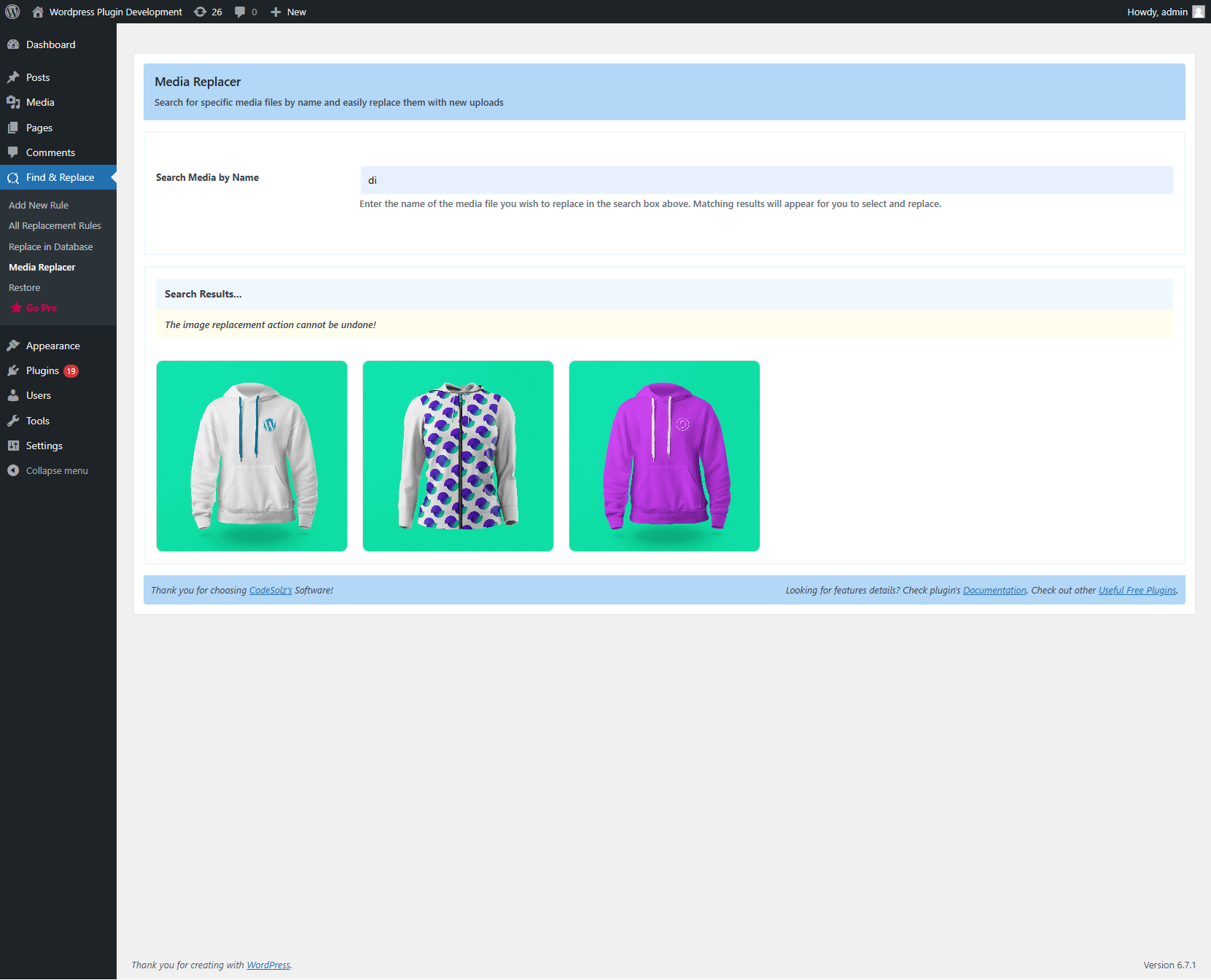
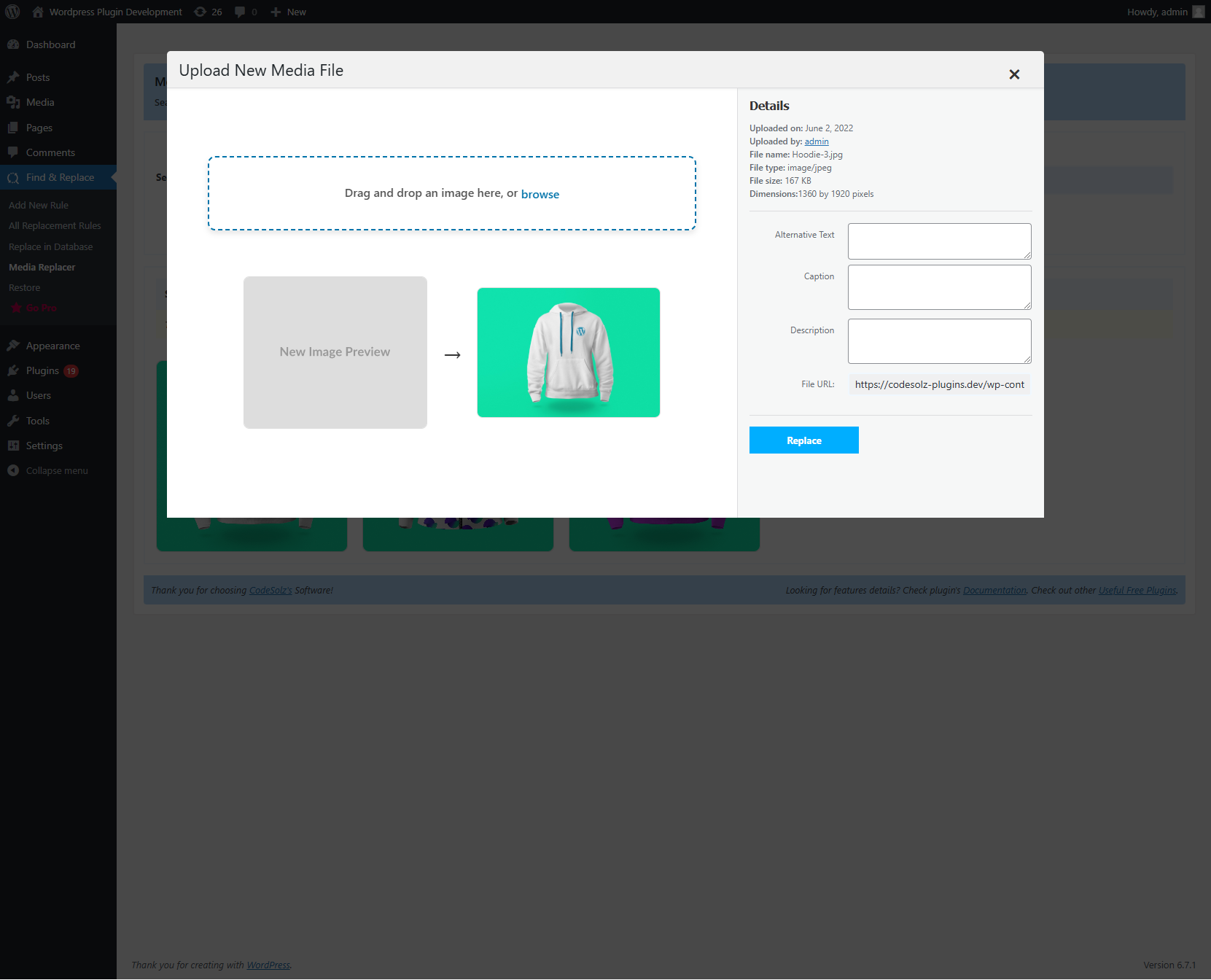
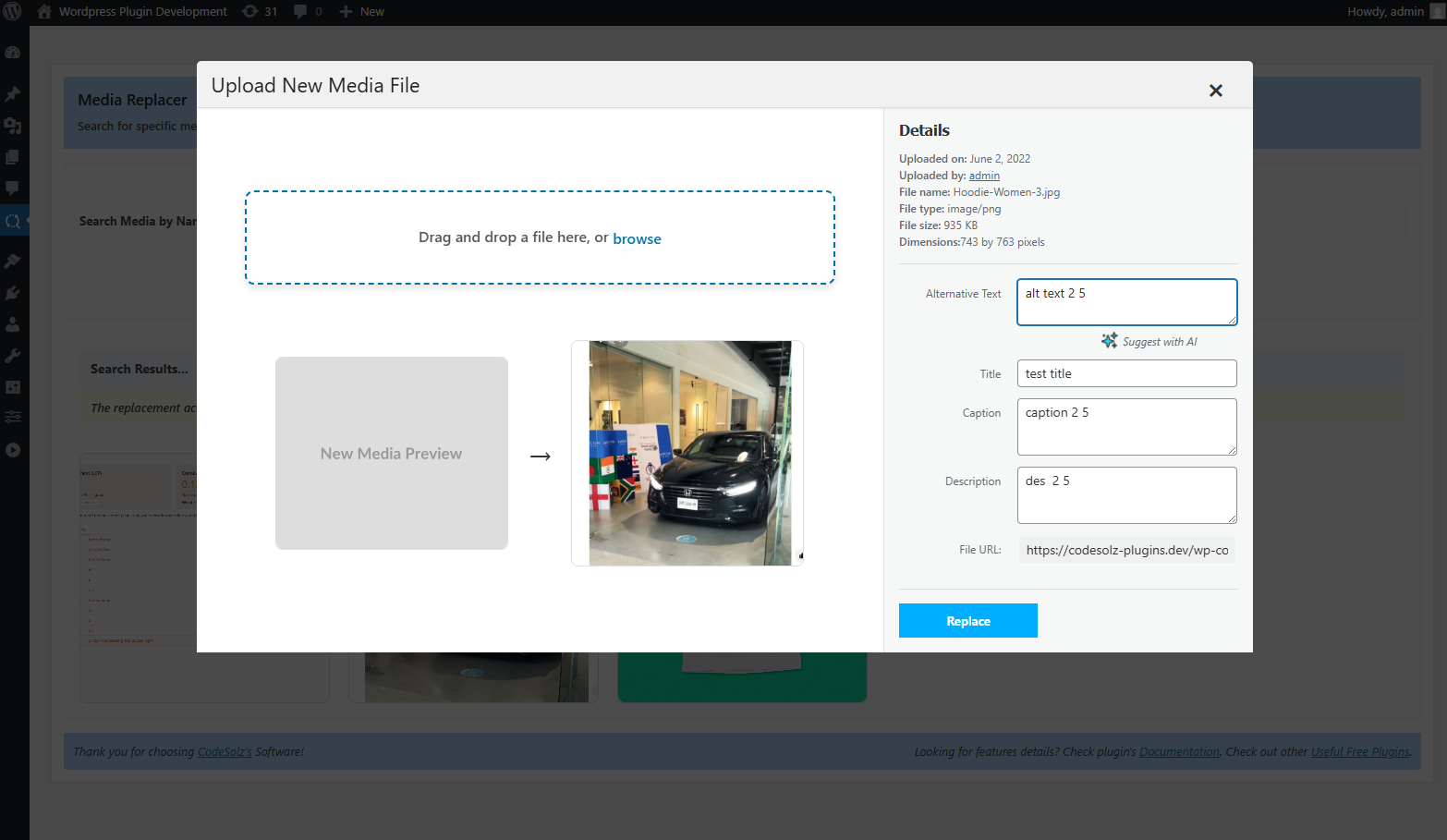
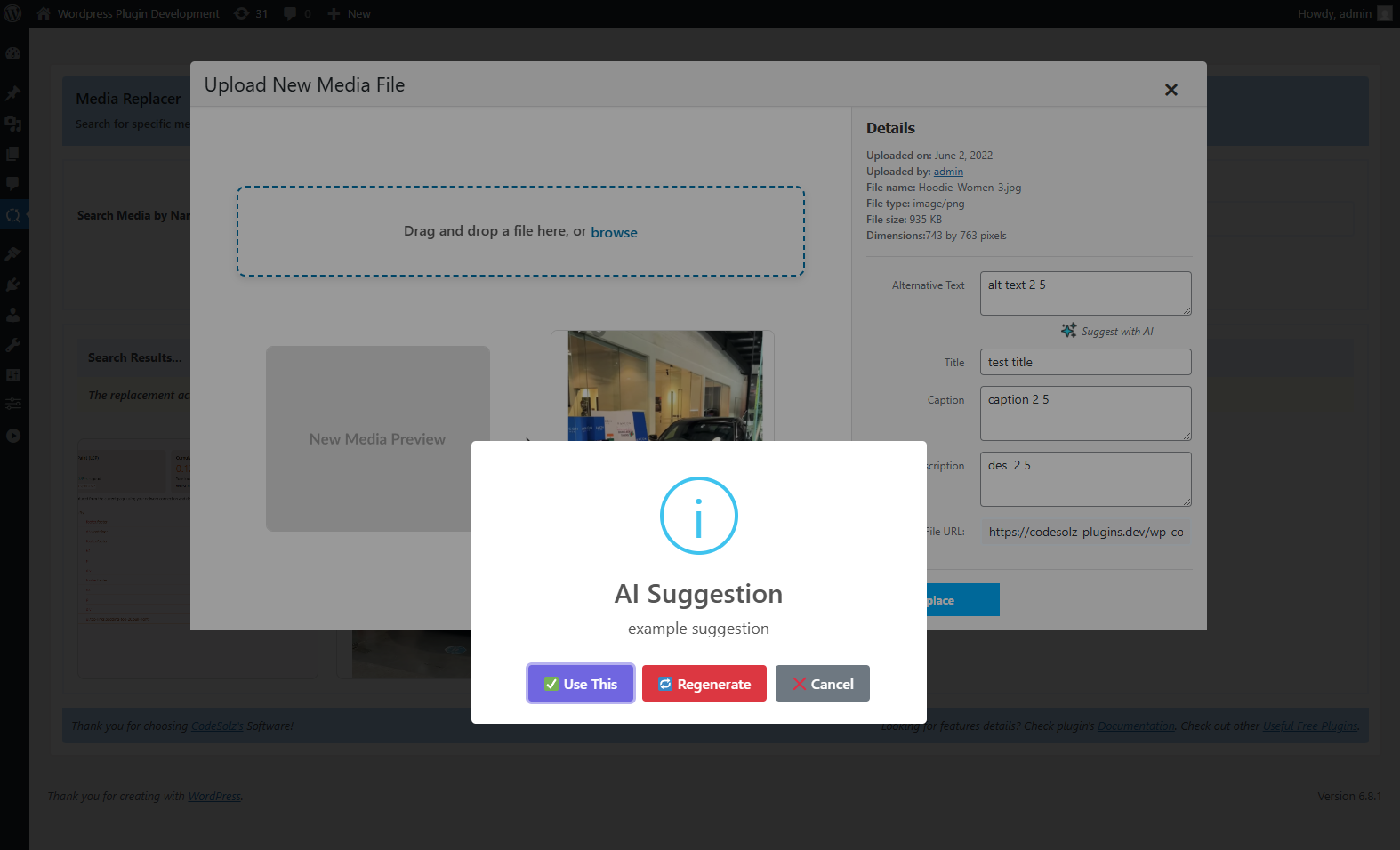
드래그 앤 드롭으로 이미지를 쉽게 찾아 교체하고 미리보기 이미지를 자동 재생성할 수 있습니다. 또한 AI의 제안을 통해 대체 텍스트, 캡션, 메타데이터를 업데이트하거나 추가하여 SEO를 개선할 수 있습니다.
데이터베이스를 편집하지 않고 콘텐츠를 변경하고 싶으신가요? 실시간 마스킹을 사용하면 페이지가 로드되기 전에 텍스트, 링크 또는 HTML을 즉시 안전하게 업데이트할 수 있습니다.
깔끔하고 직관적인 하나의 인터페이스에서 콘텐츠 관리 시스템을 빠르고 정확하게 제어하고자 하는 개발자, 대행사, 사이트 소유자, 개인(모든 사람)을 위해 제작되었습니다.
주요 특징들
- Site Health Dashboard – One score and one issue count for your whole site — broken links, missing media, 404s and more — with an activity log of every change the plugin has made.
- Broken Link Checker – Finds broken internal links in posts, pages and public custom post types, showing where each appears, its link text and how often it is used. Links are checked against your database, never by hammering your own site with requests.
- Redirect Manager – Create and manage 301 redirects with on/off switches, hit counts, and automatic loop and self-redirect prevention.
- 404 Monitor – Optional logging of every “page not found” hit with referrer and hit count, bot traffic filtered out, and one click to turn a 404 into a redirect or find where the missing URL is still linked.
- Replace + Redirect – Change a URL everywhere in your content and create the matching redirect in a single previewed step, so links people already shared keep working.
- Missing Media Detection – Spots content pointing at images and files that no longer exist on the server, and lets you replace them.
- Duplicate & Clone Content – “Duplicate” and “Clone & Edit” actions on posts, pages and public custom post types, always created as a draft.
- Code Inserts – Add header, body-start and footer snippets (HTML, CSS, JavaScript) without editing your theme. PHP is never executed.
- Safe Media Replacement – Replacing a file keeps the original until the new upload has fully committed, and restores it automatically if anything goes wrong.
- Background Scanning – Long scans run in the background via Action Scheduler or WP-Cron, so your admin screens never wait on them.
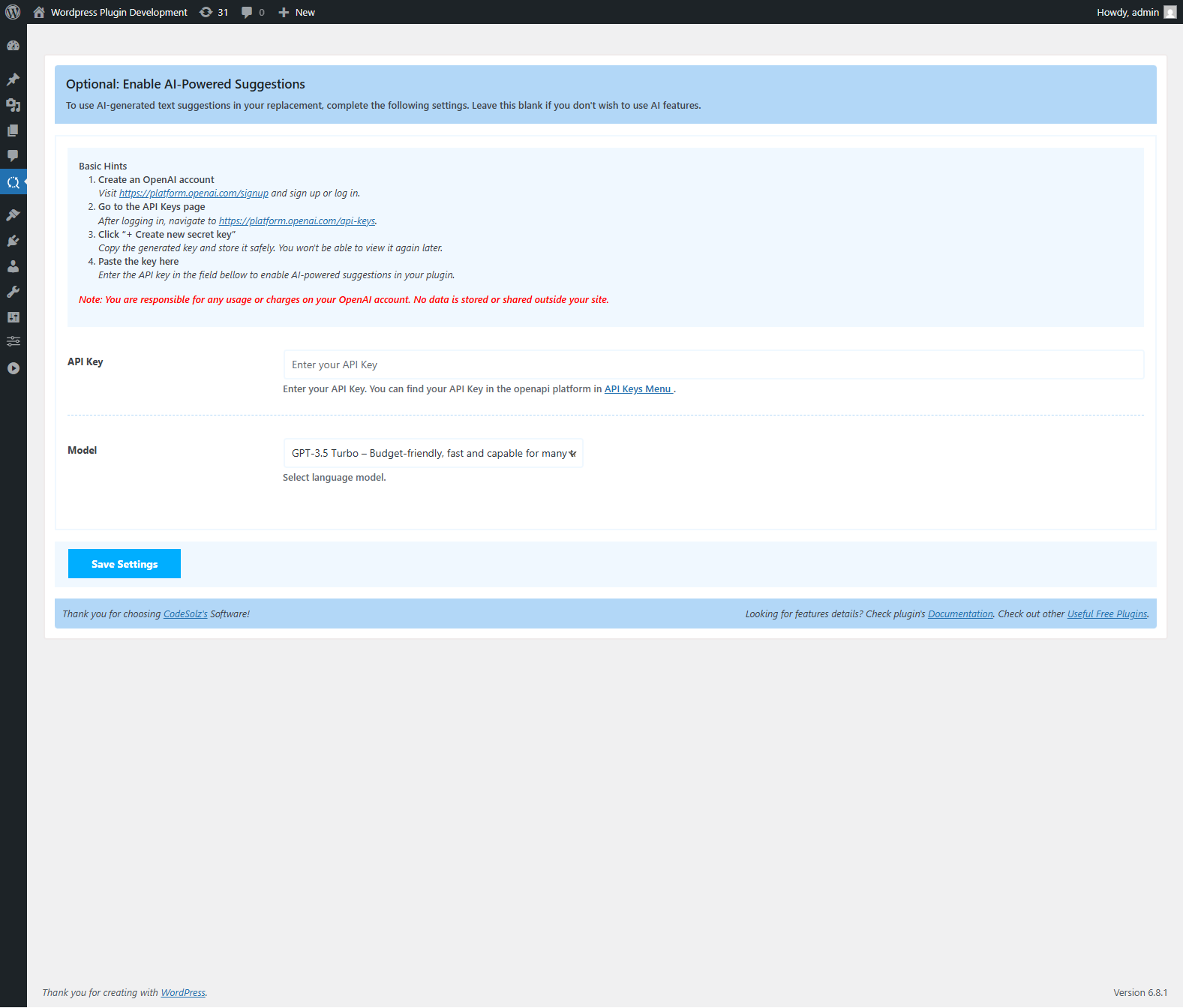
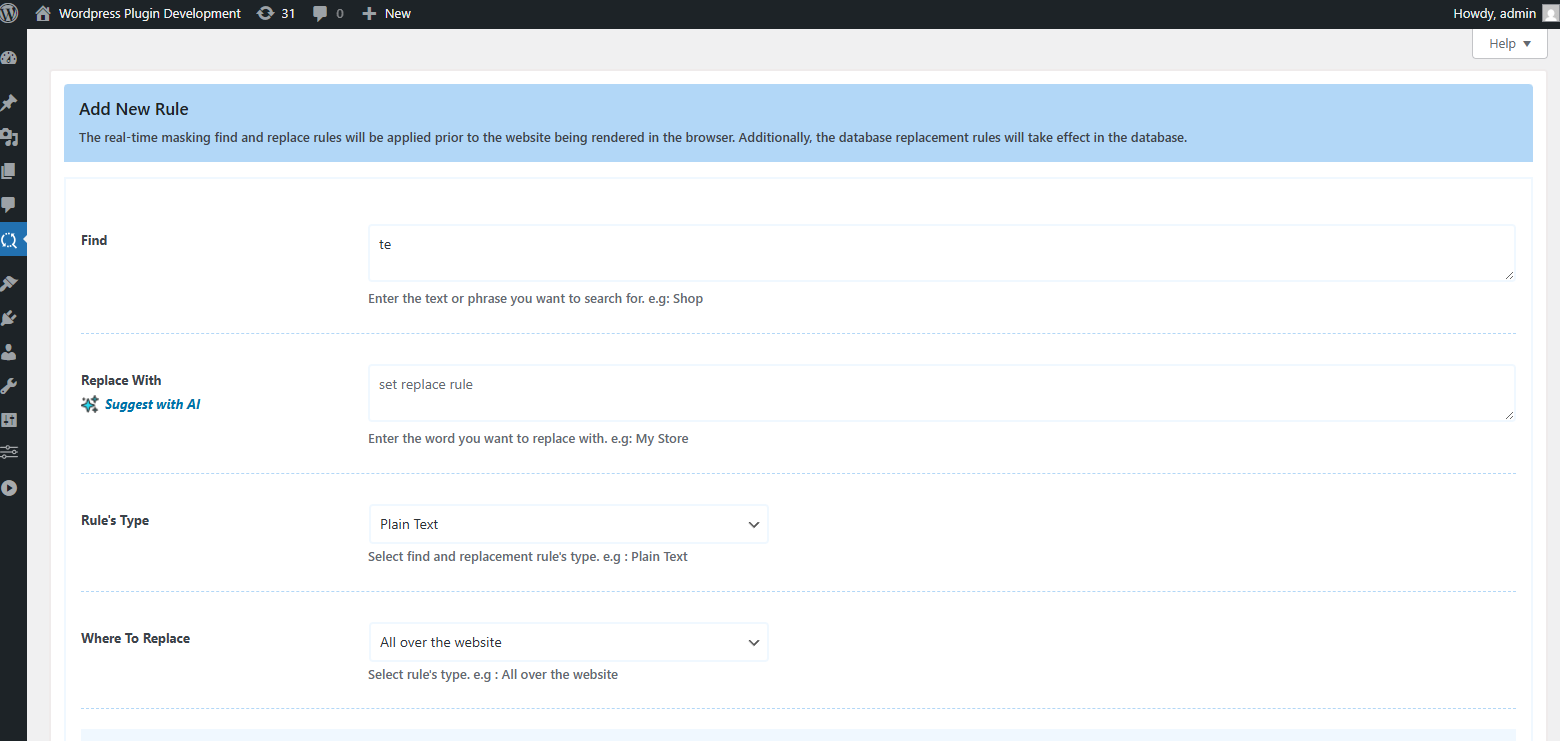
- AI 기반 제안 – 인공 지능(AI)을 사용하여 스마트한 교체 제안을 받아 정확성과 효율성을 높입니다.
- 간편한 사용 – 간편한 탐색과 구성을 위해 설계된 깔끔하고 사용자 친화적인 인터페이스.
- 텍스트 검색 및 바꾸기 – 정적 또는 동적 콘텐츠에 관계없이 사이트 전체에서 텍스트를 찾아서 바꿀 수 있습니다.
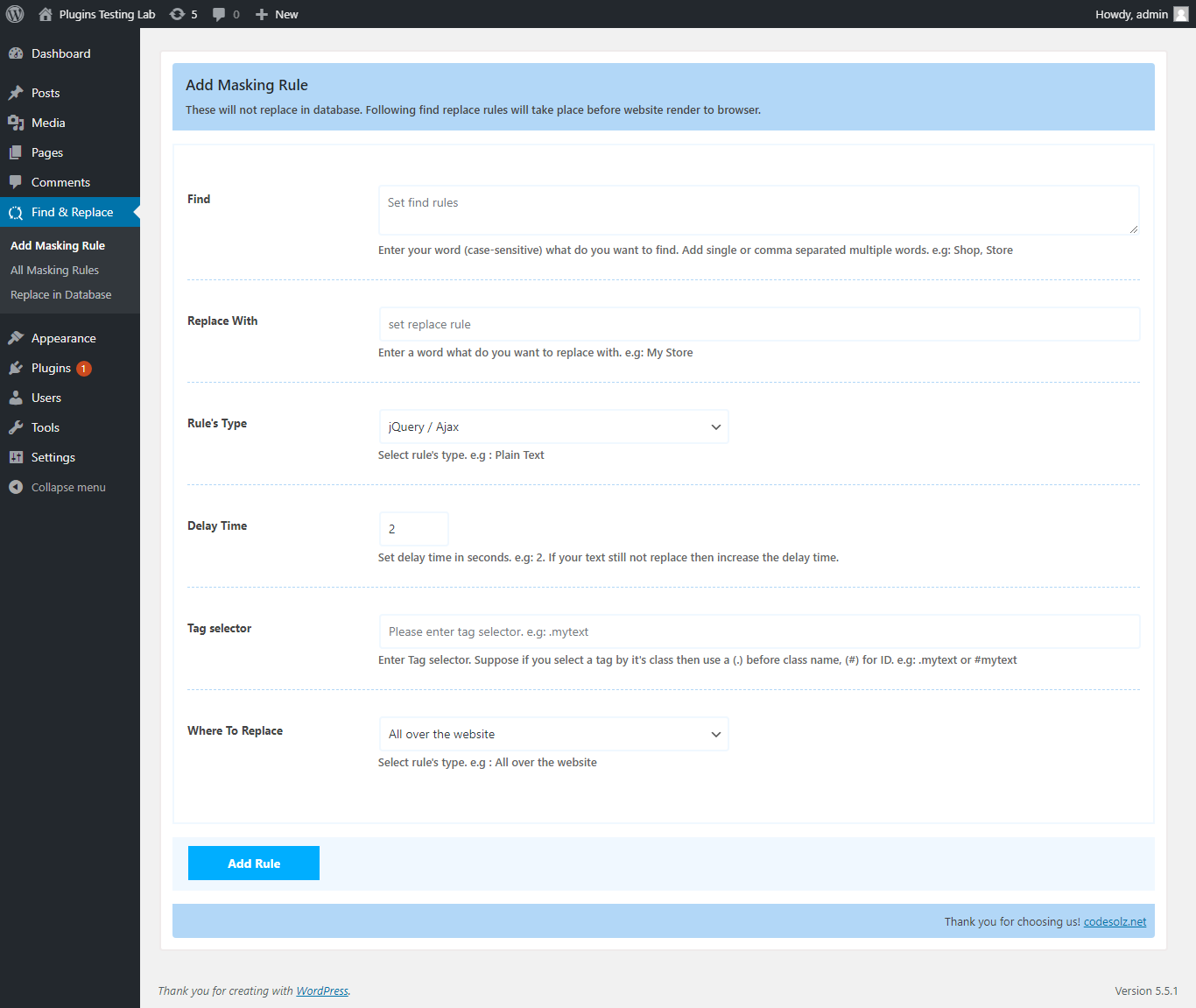
- Ajax/jQuery 콘텐츠 검색 및 바꾸기 – 프론트엔드에서 Ajax 또는 jQuery를 통해 로드된 콘텐츠와 원활하게 작동합니다.
- URL 찾기 및 바꾸기 – 웹사이트 전체에서 오래되었거나 잘못된 URL을 빠르게 검색하고 바꿀 수 있습니다.
- 이미지 및 첨부파일 URL 바꾸기 – 사이트 전체에서 이미지 링크와 첨부파일 URL을 정확하게 바꿀 수 있습니다.
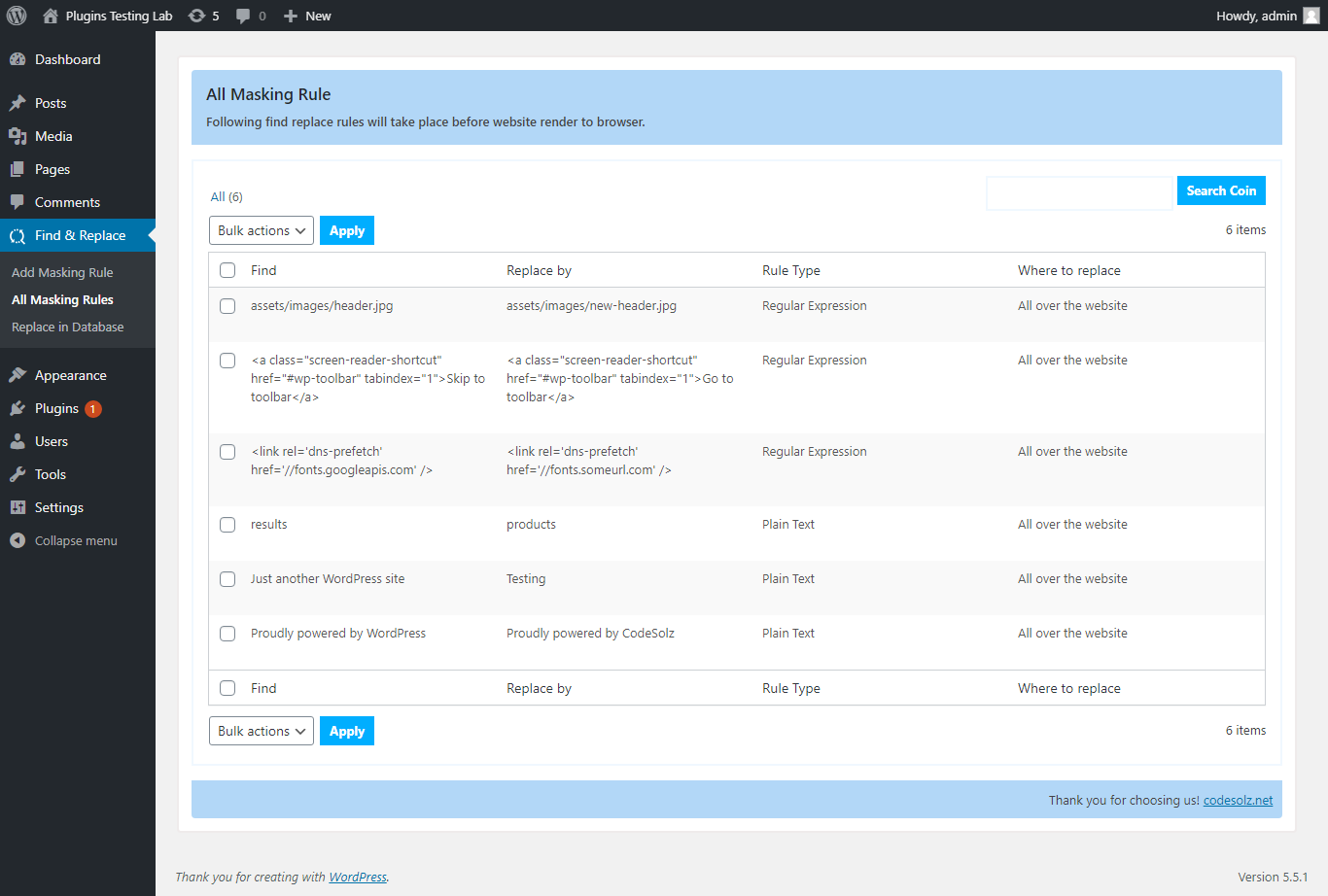
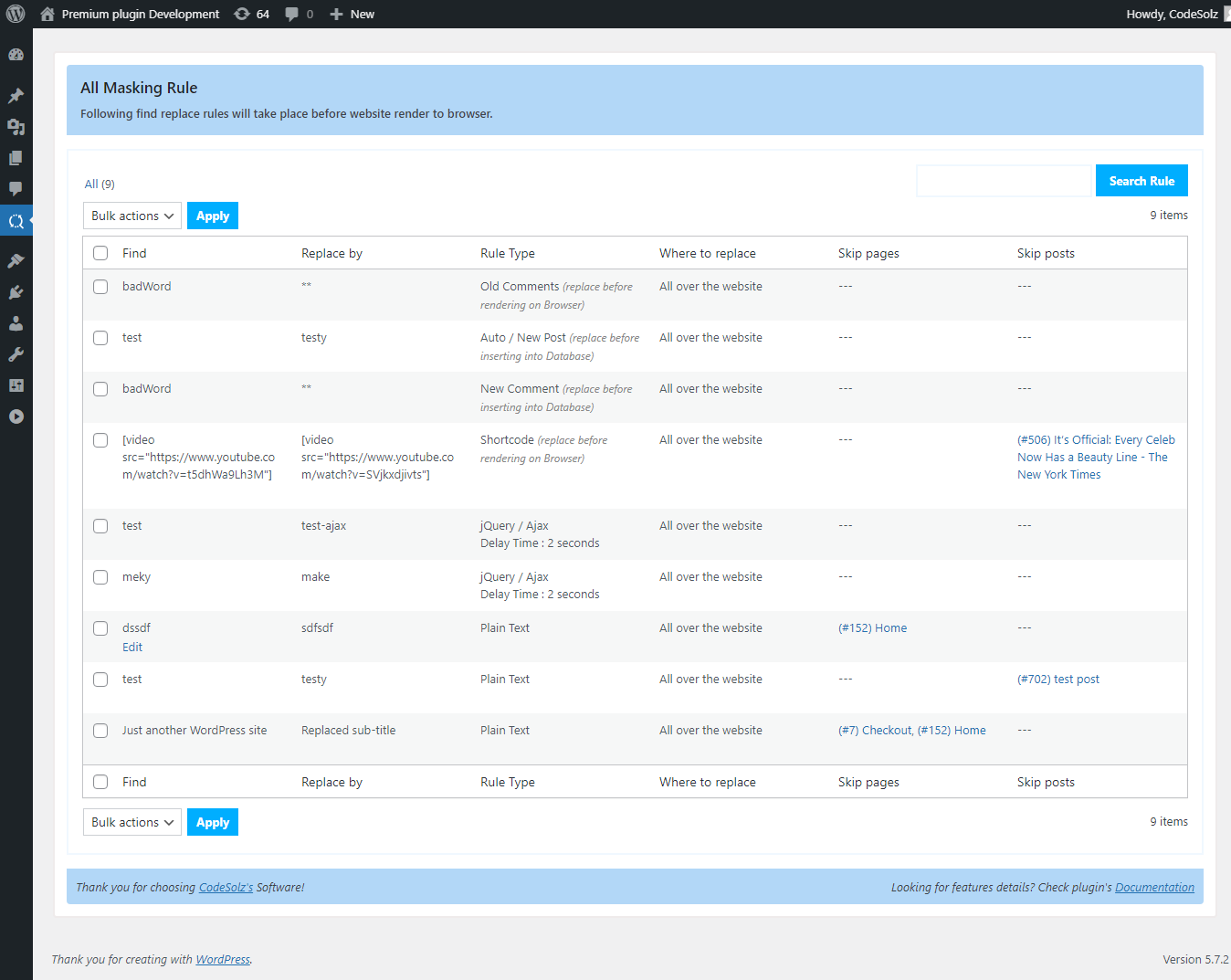
- 단어 마스킹 – 유연한 검색 및 바꾸기 규칙을 사용하여 사이트 전체에서 특정 단어를 마스킹합니다.
- 임시 찾기-바꾸기 규칙 – 데이터베이스를 변경하지 않고도 영구적이지 않은 실시간 대체물을 만들 수 있습니다.
- 바닥글 크레딧 수정 – HTML 또는 데이터베이스 콘텐츠를 수정하지 않고 바닥글 텍스트를 제거하거나 업데이트합니다.
- HTML 코드 바꾸기 – HTML 코드 블록, 태그 또는 콘텐츠 내의 모든 내용을 바꿉니다.
- 실시간 이미지 교체 – 동적 업데이트를 위해 페이지 렌더링 중에 이미지를 즉시 교체합니다.
- 댓글 단어 필터링 – 사용자가 제출한 댓글에서 부적절한 단어를 자동으로 찾아서 대체합니다.
- 언어 바꾸기 – 사이트 전체에서 한 언어에서 다른 언어로 단어나 구를 변경합니다.
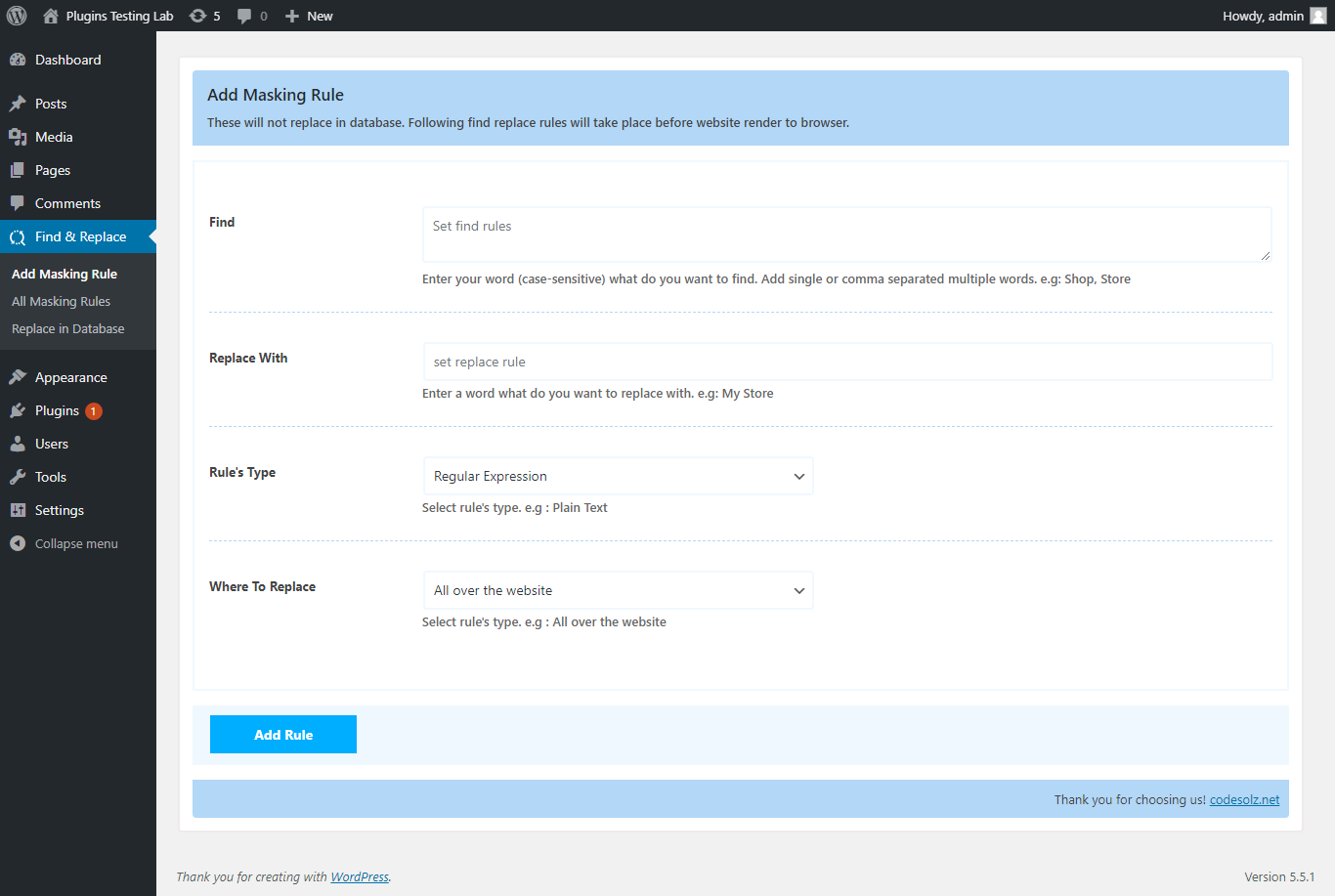
- RegEx 지원 – 복잡한 패턴 기반 검색 및 바꾸기 연산에 정규식을 사용합니다.
- HTML 태그 및 속성 바꾸기 – 콘텐츠 전체에서 특정 HTML 태그 또는 속성을 찾아서 바꿉니다.
- 라이트닝 빠른 데이터베이스 바꾸기 – 글, 포스트메타, 옵션 등에서 고속 검색 및 바꾸기 작업을 수행할 수 있습니다.
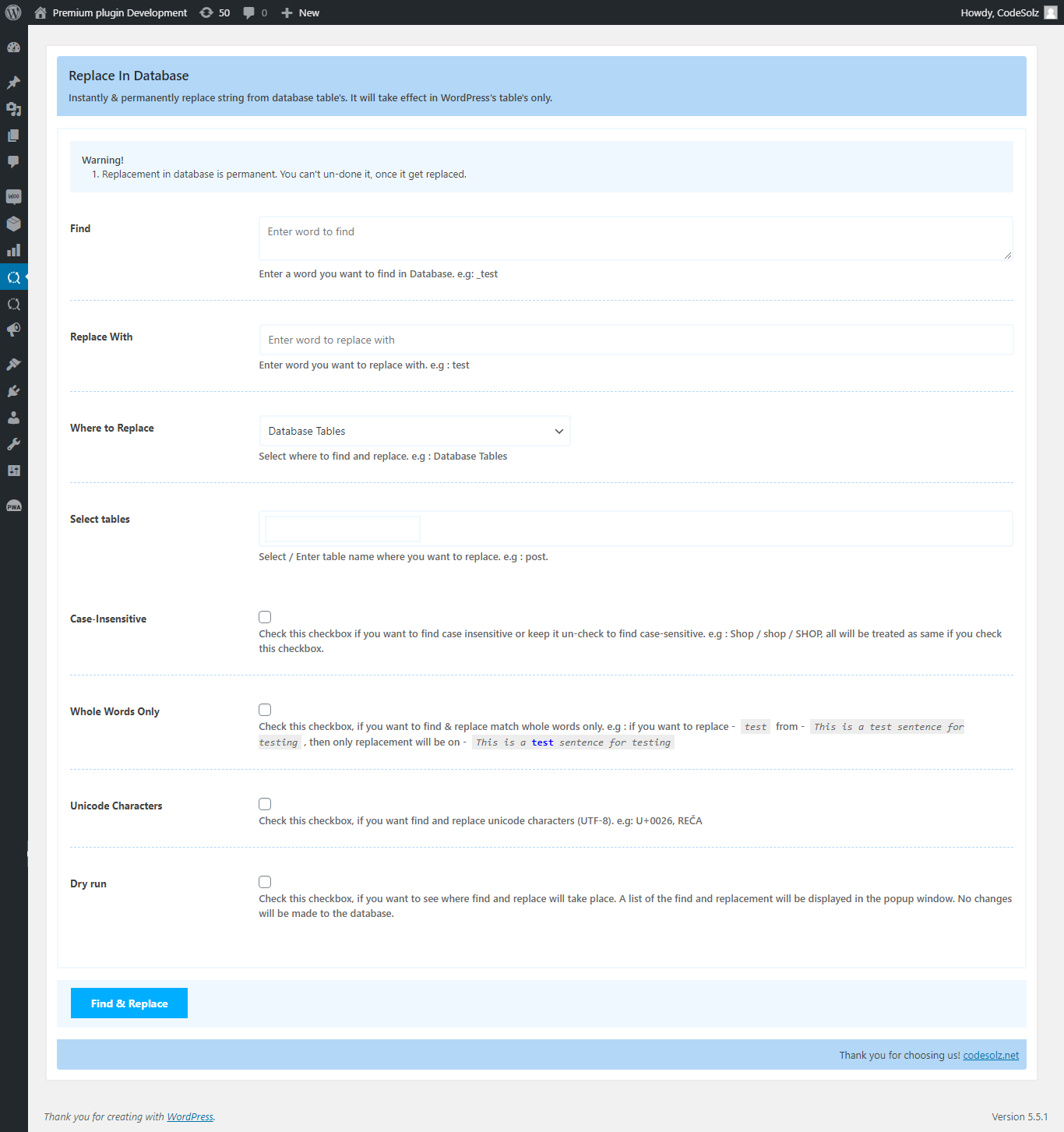
- 테이블 선택 – 대상 교체를 위해 특정 데이터베이스 테이블을 선택합니다.
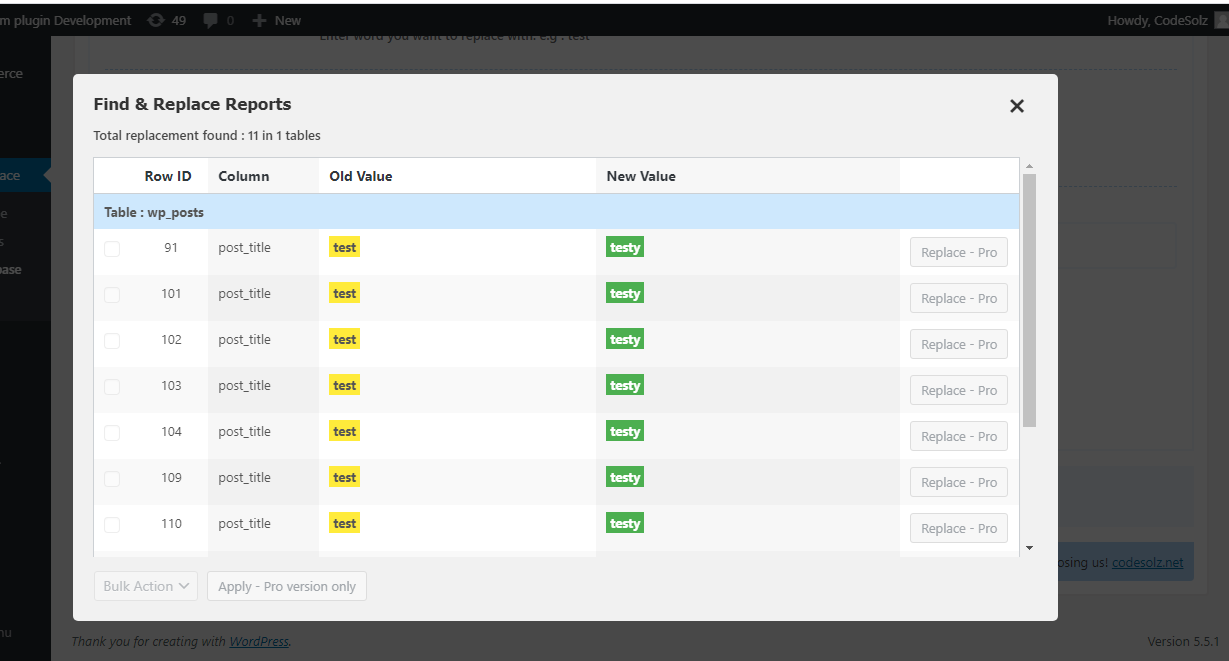
- 드라이 실행 미리보기 – 데이터베이스에 적용하기 전에 모든 교체 내용을 미리 볼 수 있습니다.
- 전체 단어 일치 – 부분 대체를 피하기 위해 데이터베이스에서 정확히 일치하는 단어만 대체합니다.
- 직렬화된 데이터 지원 – 구조나 무결성을 손상시키지 않고 직렬화된 데이터를 안전하게 검색하고 바꿀 수 있습니다.
- 직렬화된 항목 제거 – 데이터베이스의 직렬화된 배열에서 특정 항목을 삭제합니다.
- 역할 기반 액세스 – 플러그인 관리를 특정 사용자 역할에 할당하여 더 효과적으로 제어할 수 있습니다.
- 구텐베르크 및 페이지 빌더 호환 – 블록 편집기 및 빌더 내에서 실시간 교체를 완벽하게 지원합니다.
- 타겟팅된 DB 교체 – 데이터베이스 교체를 글 제목, 콘텐츠 또는 발췌문으로 제한하여 검색을 구체화합니다.
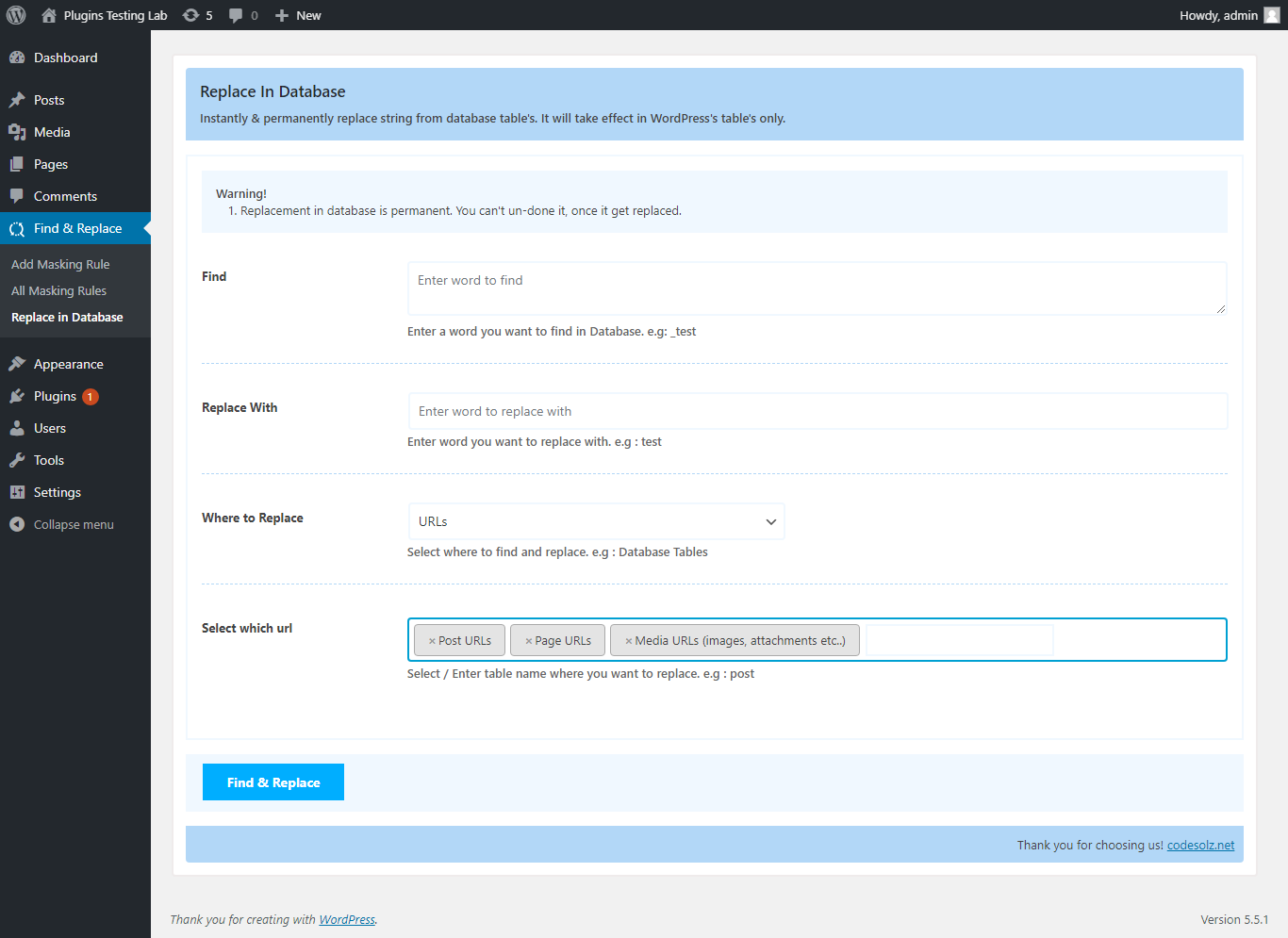
DB에서 대치하는 방법은 무엇입니까?
- 보고서 생성으로 시작하기: 설정 섹션 하단에 있는 드라이 실행 옵션을 선택합니다.
- 보고서 검토를 클릭합니다: 교체로 인해 영향을 받는 특정 행과 데이터를 보여주는 모달 창이 나타납니다.
- 만족하면 계속 진행: 미리보기가 정확하고 교체하려는 내용과 일치하면 보고서 창을 닫고 드라이 실행을 선택 취소한 다음 찾기 및 교체 버튼을 클릭하기만 하면 됩니다.
- ⚠️ 주의: 변경하기 전에 드라이런 보고서를 주의 깊게 검토하세요. 데이터베이스에 교체가 적용되면 실행 취소할 수 없습니다. PRO 버전에는 실행 취소 기능이 포함되어 있지만 교체를 수행하기 전에 설치해야 합니다.
- ✅ 중요 팁: 항상 먼저 드라이 리포트를 실행하여 검색어와 대체어가 올바른지 확인하세요. 잘못된 부분이 있으면 키워드를 조정하고 미리 보기에 원하는 결과가 표시될 때까지 이 과정을 반복하세요.
프로 기능
-
Site Maintenance Features:
- External link, image and embed checking — everything the free scanner cannot reach without leaving your site
- Scheduled and background scans, so problems are found before your visitors find them
- Bulk fixes across every occurrence at once, with AI replacement suggestions
- Broken links grouped by cause — timeout, DNS, SSL, rate limited — instead of one long list
- 302 and 307 redirects, regex and prefix matching, and automatic redirects when a slug changes
- Redirect chain and loop detection across your whole redirect set, plus import / export and analytics
- 404 analytics, grouping, referrer analysis and bulk redirect creation
- Safe Revision — an AI suggestion shown as a full diff, with selective approval, merge, publish and rollback
- AI Content Refresher — scans posts for outdated years, software versions, prices and dead references, and applies approved rewrites as a reversible revision
- Maintenance Agent — groups related problems, ranks them, prepares a plan for your approval, runs the approved batch and reports what actually changed
- Bulk clone with metadata selection, WooCommerce-aware and page-builder-aware
- Conditional, ordered and environment-specific code inserts, with import / export
-
데이터베이스 대치 기능:
- 데이터베이스에서 강력한 검색 및 교체
- 시리얼화된 데이터에서 검색 및 바꾸기, 그리고 항목 제거를 위한 최고의 솔루션
- 검색 및 교체 데이터 자동 백업
- 실수로 교체한 데이터 복원을 위한 궁극의 손쉬운 솔루션
- 데이터베이스에서 교체할 각 항목을 개별적으로 확인 및 교체하는 기능
- 보고서 페이지의 대량 교체, 테스트 실행 옵션으로 생성
- 데이터베이스의 모든 테이블
- 데이터베이스에서 유니코드 문자 UTF-8(예: U+0026, REČA ) 검색 및 바꾸기
- 기본/사용자 지정 URL의 추가 필터링 옵션
- 데이터베이스에 삽입하기 전에 새 댓글을 필터링합니다
- 데이터베이스에 삽입하기 전에 새 게시물 필터링(자동 게시물 생성 웹사이트에 적합)
- 큰 테이블에서 검색하고 교체하는 특수 기능
-
실시간 렌더링 기능:
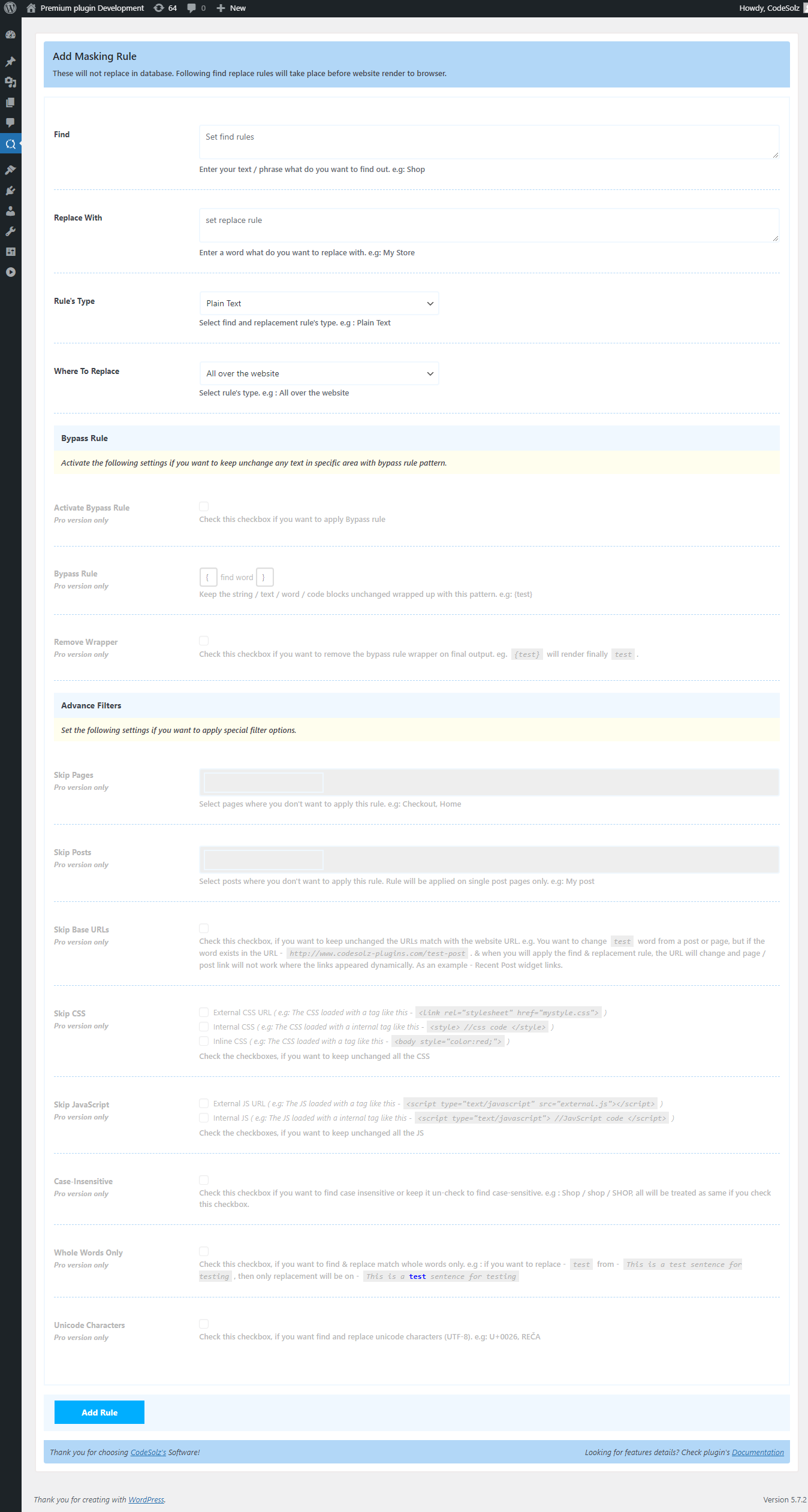
- 정규식 지원
- Advance Regex – 실시간(마스킹) 렌더링에서 강력한 코드 블록/여러 줄 찾기 및 바꾸기
- Advance Regex – 모든(CSS / JS / HTML) 코드 실시간(마스킹) 렌더링에서 블록 찾기 및 교체
- 쇼트코드에 마스킹
- 사전 필터링 옵션 :-
- 대소문자 구분 – 대소문자 구분 또는 구분하지 않고 검색 및 바꾸기
- 전체 단어 – 전체 단어 검색 및 바꾸기
- 유니코드 – 유니코드 문자 검색 및 바꾸기
- 게시물/페이지/맞춤 분류 등을 건너뜁니다. URL
- CSS 건너뛰기 – 외부, 내부, 인라인
- JavaScript 건너뛰기 – 외부, 내부
- 페이지 건너뛰기 – 특정 페이지에 규칙을 적용하지 않으려는 경우
- 게시물 건너뛰기 – 특정 게시물에 규칙을 적용하지 않으려는 경우
- 바이패스 규칙 – 특수 패턴으로 특정 영역에서 텍스트를 변경하지 않고 유지
- 우회 규칙 – 해당 URL에서 찾을 단어가 존재하는 기본 링크/URL(게시물, 페이지, 맞춤 분류 등)을 변경하지 않고 유지합니다.
Advance Regex – 코드 블록/여러 줄 찾기 및 교체 예제 – (실시간 렌더링)
코드 블록을 찾아 자신의 코드 블록으로 바꾸거나 *교체 필드를 비워 두어 코드 블록을 제거합니다. 교체를 위해 다음 CSS 코드 블록을 고려하십시오. 다음을 넣어
찾기 필드의 코드 블록*
<style media="screen">
    html { margin-top: 32px !important; }
    * html body { margin-top: 32px !important; }
    @media screen and ( max-width: 782px ) {
        html { margin-top: 46px !important; }
        * html body { margin-top: 46px !important; }
    }
</style>
그런 다음 *바꾸기 필드에 다음 코드 블록을 넣어 위의 코드 블록*을 대치합니다.
<style>
.site-title a{color: red;}
</style>
더 나은 찾아 바꾸기 프로!를 즐기는 엘리트 웹 전문가와 함께하세요.
➡️ 시작하기 위한 기본 문서
- 설정 비디오 가이드 – 검색 및 바꾸기 규칙 설치 및 설정 방법
👉 실시간 검색 및 교체
- 필터링을 위한 일반 옵션
- 필터링에 대한 고급 옵션
👉 데이터베이스에서 검색 및 바꾸기
- 라이브 데모 및 문서
- 데이터베이스 테이블에서 찾기 및 바꾸기
- 데이터베이스 URL에서 찾기 및 바꾸기
포럼 및 기능 요청
빠른 지원을 위해 기능 요청 및 버그 보고
- 웹사이트 를 방문하여 즉시 지원을 받으세요
- 더 전문적인 지원이 필요하거나 기능 요청이 있으시면 support@codesolz.net으로 이메일을 보내주시거나, 지원 센터에서 티켓을 생성해 주세요.
경험을 공유하거나 기능을 요청하려면 포럼을 방문하십시오.
- 포럼을 방문해 보세요
오픈 소스이므로 github 개발 상태를 확인하십시오.
- github.com/CodeSolz/real-time-auto-find-and-replace 에서 개발 현황이나 이슈를 확인해 보세요.
스크린샷

설치
- 실시간 자동 찾기 및 바꾸기 폴더를 ‘/wp-content/plugins/’ 디렉터리에 업로드합니다.
- 워드프레스에서 ‘플러그인’ 메뉴를 통해 더 나은 찾기 및 바꾸기를 활성화하세요.
후기


기여자 & 개발자


변경이력
2.0.1
- Updated compatibility with the latest WordPress version.
- Improved site health and broken link detection.
- Enhanced AI-powered URL replacement suggestions.
- Improved redirects and content replacement workflows.
- Minor fixes and performance improvements.
Version: 2.0.0 ( September 07, 2026 )
- New: Site Health dashboard — an overall health score for your site, a count of every kind of problem found, and an activity log of every change the plugin has made.
- New: Content Health screen — broken links and missing media in one list, showing the page each problem was found on, the link text, how many times it is used, and how urgent it is.
- New: Broken link checking for internal links in posts, pages and public custom post types. Links are resolved against your database instead of by requesting your own pages, so a scan cannot slow your site down.
- New: Fix a broken link from the list itself — replace the URL, unlink it, ignore it, or re-check it.
- New: Redirect Manager — create 301 redirects, switch them on and off, and see how many times each has been used. Loops and self-redirects are rejected before they can be saved.
- New: 404 Monitor — off until you switch it on. Records every “page not found” request with its referrer and hit count, filters out bot traffic, and turns any entry into a redirect with one click, or shows you where the missing URL is still linked from.
- New: Replace + Redirect — change a URL across your content and create the matching redirect in one previewed operation, so links people have already shared keep working.
- New: Missing media detection — finds content pointing at images and files that are no longer on the server, so you can replace them.
- New: “Duplicate” and “Clone & Edit” actions for posts, pages and public custom post types. The copy is always created as a draft.
- New: Code Inserts — global header, body-start and footer snippets in HTML, CSS or JavaScript, each with its own on/off switch and validated before it is saved. PHP is never executed.
- New: Scans and checks run in the background through Action Scheduler when it is installed, or WP-Cron otherwise, so long scans never block your admin screens.
- New: Every maintenance action is written to an activity log, and content changes create a post revision you can roll back to.
- New: AI Content Refresher preview page, showing what the PRO scanner finds.
- New (PRO): External link, image and embed checking, with scheduled scans, bulk fixes, AI replacement suggestions, and failures grouped by cause — timeout, DNS, SSL or rate limit.
- New (PRO): 302 and 307 redirects, regex and prefix matching, automatic redirects when a slug changes, chain and loop detection across the whole set, import/export, and redirect analytics.
- New (PRO): Safe Revision — see an AI suggestion as a full diff, approve parts of it, merge, publish, and roll back afterwards.
- New (PRO): AI Content Refresher — scan a post for outdated years, software versions, prices and dead references, review every suggestion, and apply it as a reversible revision.
- New (PRO): Maintenance Agent — groups related problems, ranks them, prepares a plan for your approval, carries out the batch you approved and reports back on what actually changed.
- Fix: Replacing a media file is now crash-safe. The old files are moved aside rather than deleted and are put back automatically if the new upload fails at any point — including a fatal error part-way through — so a failed replacement can no longer leave an attachment with no file behind it.
- Fix: A media replacement is now rejected before anything on disk is touched if the new file is a different kind of media than the one it replaces.
- Fix: AI suggestions work again on current OpenAI models. The plugin always sent two parameters that today’s reasoning models reject, so every request failed outright.
- Fix: AI suggestions no longer come back as “Empty response” on models that think before answering — the reply allowance was too small for the model to reach an answer.
- Fix: “Refresh from API” on the AI Settings screen no longer discards a saved model that the live list does not include, which could silently change your model the next time you saved.
- Update: Refreshed the model list for all ten AI providers — OpenAI, Anthropic Claude, Google Gemini, Groq, Mistral, OpenRouter, DeepSeek, xAI Grok, Hugging Face and Ollama. Models the providers have withdrawn, including several that were selected by default, have been replaced with current ones.
- Update: AI Settings now flags a saved model its provider has withdrawn and names the model that replaced it, instead of leaving you with an unexplained API error.
- Update: The Content Refresher page now shows the feature at a glance instead of a disabled form.
- Update: PRO-only areas are shown and plainly labelled rather than hidden, so you can always see that a problem exists even when the fix needs PRO.
- Update: Separate role capabilities for the new maintenance screens, so access to them can be granted independently of find and replace.
- Update: 404 records and activity history are pruned automatically, so the tables cannot grow without limit.
- Dev: The maintenance modules are extended entirely through hooks and filters — tabs, screens and issue types can be registered without editing plugin files.
- Dev: New test suites for the maintenance infrastructure, for every AI provider and model combination, and for WordPress integration against a live database —
composer test,composer test:ai.
Version: 1.9.5 ( August 21, 2026 )
- Update: Minor admin menu and interface refinements.
Version: 1.9.4 ( August 07, 2026 )
- New: “Replace in Database” now also supports WordPress core content tables — comments, comment meta, terms, term meta, term descriptions, and links — alongside posts, postmeta, and options.
- New: Confirmation prompt before a live (non-dry-run) database replace, warning that the change is permanent; with the PRO version active, it links straight to the one-click Restore section instead.
- Fix: Resolved an Elementor “You must call the_content() function” error when editing or previewing a page — the real-time content filter no longer runs during Elementor, Divi, Beaver Builder, or WPBakery edit/preview modes.
- Fix: Admin submenu items now require the correct plugin capability instead of the low-privilege
readcapability, so they’re hidden from users who shouldn’t see them. - Fix: Corrected the admin submenu ordering so PRO’s Restore in Database, Pixel Manager, and License items appear in the right place.
- Update: Removed the “About Us” page from the plugin menu.
버전: 1.9.3 (2026년 6월 4일)
- 업데이트: 최신 버전의 워드프레스와 호환됩니다
버전: 1.9.1 (2026년 5월 24일)
- 새 기능: 미디어 라이브러리(upload.php)의 “미디어 교체” 기능 — 목록 보기(행 작업)와 그리드 보기(첨부 파일 세부 정보 팝업) 모두에서 — 별도의 ‘미디어 교체’ 페이지를 열지 않고도 파일을 교체할 수 있습니다.
- 새로운 기능: 두 가지 교체 방법 — 현재 파일 이름을 유지하거나, 새 파일 이름을 채택하고 콘텐츠 전반에 걸쳐 해당 파일로 연결되는 모든 링크를 자동으로 재설정합니다.
- 새로운 기능: 데이터베이스 내 ‘Replace’를 대상으로 하는 “페이지 빌더” — Elementor, Beaver Builder, Divi / WPBakery, Oxygen 및 Bricks — 교체 후 자동 캐시 재생성 기능 포함.
- 새로운 기능: JSON 이스케이프(https:\/\/) 및 퍼센트 인코딩된 URL도 일치시키는 “이스케이프 및 인코딩된 URL” 옵션이 추가되어, Elementor 및 기타 페이지 빌더 내의 링크를 간편하게 교체할 수 있습니다.
- 수정 사항: 데이터베이스 교체 시 텍스트 길이가 변경되더라도 PHP 시리얼라이즈된 데이터(Beaver Builder, 위젯, ACF, 테마 옵션, Bricks)가 더 이상 손상되지 않습니다.
- 수정 사항: 직렬화된 데이터 내의 HTML이 이제 제거되지 않고 대체 과정에서 유지됩니다.
- 수정 사항: 직렬화된 데이터 내의 숫자 값은 교체 후에도 원래의 데이터형을 유지합니다.
- 수정 사항: AI 제공업체 API 키가 더 이상 AI 설정 페이지에 표시되지 않습니다. 키 입력란을 비워 두어도 저장된 키는 유지되며 OAuth 연결도 그대로 유지됩니다.
- 수정 사항: 내부 입력 정화(중첩 배열) 및 데이터베이스 열 조회 기능을 강화했습니다.
- 업데이트: 라이브 데이터베이스 교체 후 빌더 및 객체 캐시(Elementor CSS, Beaver Builder, 게시물 캐시)가 자동으로 새로 고침됩니다.
- 업데이트: 공간 절약을 위해 미디어 교체기 내의 “교체 방법” 선택기를 새롭게 디자인하고 접을 수 있게 변경했습니다.
- 개발자: 새로운 훅 —
bfrp_builder_registry,bfrp_after_db_replace,bfrp_flush_object_cache— 및 단위 테스트 및 WordPress 통합 테스트 스위트.
버전: 1.9.0 (2026년 4월 29일)
- 새로운 기능: AI 제안 기능이 이제 10개 제공업체를 지원합니다 — OpenAI, Anthropic Claude, Google Gemini, Groq, Mistral, OpenRouter, DeepSeek, xAI Grok, Hugging Face 및 Ollama(로컬).
- 새로운 기능: OAuth를 통해 OpenRouter로 로그인 — API 키를 복사할 필요 없이 100개 이상의 모델에 액세스하세요.
- 새로운 기능: “무료 키 받기” 딥링크 및 실시간 모델 목록 불러오기 기능을 포함한 제공업체별 설정.
- 새 기능: 모든 제공업체 카드에 ‘연결 테스트’ 버튼이 추가되었습니다.
- 새로운 기능: AI 재작성용 프롬프트 템플릿 선택기 — 설득력 있는, 간결한, 격식 있는, 친근한, 문법 수정, 또는 완전히 사용자 정의.
- 수정 사항: 따옴표가 포함된 HTML을 가진 정규 표현식/사용자 정의 정규 표현식 규칙(예:
<a href="tel:$1">$0</a>)이 올바르게 저장됩니다. 이제 데이터베이스에 불필요한 백슬래시가 남지 않습니다. - 수정 사항: 저장된 규칙을 편집할 때 텍스트 영역에 이중 인코딩된
</"이 더 이상 표시되지 않습니다. - 수정 사항: 패턴에
#가 포함되어 있거나, 구문상 유효하지 않거나, 비어 있는 경우 Managed-regex 규칙으로 인해 프론트엔드 페이지가 더 이상 깨지지 않습니다. - 수정 사항: 정규 표현식 오류 발생 시 더 이상 빈 페이지가 표시되지 않고 원래 페이지 내용이 유지됩니다.
- 수정 사항: Save-time 정규식 유효성 검사에서 유효하지 않은 패턴을 명확한 오류 메시지와 함께 거부합니다.
- 업데이트: 수정자 선택란(대소문자 구분 없음 / 전체 단어 / 유니코드)은 이제 새로운
flags열을 통해 저장되며, 이를 사용하지 않는 규칙 유형에서는 숨겨집니다. - 업데이트: 1.0.4로 데이터베이스 마이그레이션 —
flags열을 추가하고 기존 규칙의 구식 이스케이프 시퀀스를 수정했습니다.