

설명
WordPress Appointment Booking, Scheduling & Reservation Plugin
Webba Booking is a flexible WordPress appointment booking plugin and online booking system for appointment scheduling, reservations, hourly bookings, full-day bookings and event booking.
Create a responsive booking calendar and booking form, let customers choose available dates and time slots online, and manage appointments directly from WordPress. Webba Booking is designed for service businesses, professionals, rentals, classes, events and other businesses that need a reliable booking system.
Use Webba Booking if you need:
- A WordPress appointment booking plugin for hourly or full-day bookings
- An online appointment scheduling system for services and professionals
- A modern booking calendar and customizable booking form
- A flexible booking system for appointments, services, rentals and classes
- A reservation plugin for WordPress for spaces, equipment and other bookable resources
- Event booking and group reservations for classes, workshops and sessions
- Easy appointment and booking management from WordPress
- Google Calendar sync to help avoid double bookings
- Customer self-service for editing, cancelling or rescheduling appointments
- Online payments for your services
- Advanced pricing and availability rules
- More than 50 customizable booking and scheduling settings
Webba Booking was created to help businesses focus on their customers while the plugin takes care of appointment booking, appointment scheduling, reservations and booking management.
Setup is simple even if you are not technical. If you run into any issues or have questions, our highly rated support team is ready to help.
FREE APPOINTMENT BOOKING FEATURES
The FREE version of Webba Booking includes the core tools needed to create and manage an online appointment booking system:
- Unlimited Services & Bookings: Create and manage unlimited bookable services and appointments.
- Simple Booking Management: Approve, add, edit or cancel bookings from your WordPress dashboard.
- Admin Dashboard Overview: See key booking information at a glance in the refreshed admin dashboard.
- Two Booking Form Flows: Choose between the classic step-by-step booking form with refreshed visuals and a waterfall-style booking flow.
- Automatic Thank-You Page Redirect: Redirect customers automatically after they complete a booking.
- Modern & Responsive Booking Form: Give customers a clean booking experience across desktop and mobile devices.
- Single & Multiple Booking Modes: Let customers book one or multiple services and time slots.
- Shopping Cart Mode: Allow customers to add multiple services to a cart and book them together.
- Hourly & Full-Day Bookings: Support appointment time slots as well as services spanning full or multiple days.
- Group & Chain Booking: Handle multiple attendees and linked services across calendars.
- Minimum / Maximum Bookings per Time Slot: Control booking capacity for each available time.
- Buffer / Preparation Time: Add extra time before or after appointments.
- Holiday & Schedule Management: Configure business hours, holidays and schedules.
- Advanced Availability Management: Customize working hours, breaks and availability.
- Timezone Adjustment: Automatically adjust booking times to customer timezones.
- Customer Portal: Let customers view, reschedule and cancel their own bookings.
- Google Calendar Sync: Sync appointments with Google Calendar.
- iCal Support: Let customers add appointments to their calendars.
- Email Notifications: Send customizable booking emails and notifications.
- iCal Email Attachments: Include calendar files in booking emails.
- Browser Booking Notifications: Get browser notifications when new bookings are made.
- Elementor & Divi Integration: Add Webba Booking to pages built with Elementor or Divi.
- Built-In Translations: Translate booking form wording using built-in language tools.
- Custom Booking Form Styling: Basic styling controls are available in the FREE version.
- Custom Form Fields: Basic custom form field functionality is available in the FREE version.
- Tax Calculation: Configure and apply taxes to bookings.
- GDPR Compliance: Use privacy and data-handling settings designed for GDPR compliance.
- Forum & Community Support: Get help through the WordPress.org support community.
Webba Booking makes it easy to accept and manage online appointment bookings, reservations, hourly bookings, rentals and bookable spaces. The booking calendar helps customers find available dates and time slots while the WordPress dashboard gives you the tools to manage your schedule.
Set up your WordPress appointment booking system in minutes and start accepting bookings without coding or design skills.
Join thousands of businesses using Webba Booking to accept and manage bookings through WordPress.
TRY PRO VERSION | USE CASES & DEMOS |
FEATURES | DOCUMENTATION
WORDPRESS APPOINTMENT BOOKING FOR DIFFERENT BUSINESSES
Webba Booking is a multi-purpose WordPress appointment booking and scheduling plugin for businesses and professionals that accept appointments, reservations or other time-based bookings.
Whether you provide services online or in person, Webba helps customers schedule appointments 24/7, helps prevent double bookings and makes appointment management easier.
Appointment Scheduling for Consultants & Professionals
Use Webba as an appointment scheduling plugin for coaches, lawyers, bookkeepers, financial advisors, wedding planners and other professional services. Recurring appointments, group bookings and Zoom integration help professionals organize regular and virtual sessions.
Healthcare & Medical Appointment Booking
Doctors, dentists, therapists, nutritionists, clinics, physiotherapists and other healthcare providers can use Webba as an appointment booking system with custom booking forms and privacy settings. Customers can choose an available appointment from the booking calendar while providers manage schedules in WordPress.
Salon, Spa & Beauty Appointment Booking
Create an online appointment booking calendar for hair salons, nail salons, barbershops, spas, massage therapists, tattoo studios, tanning salons and other beauty businesses. Automated reminders, online payments and calendar synchronization help manage customer appointments.
Fitness, Sports & Class Booking
Yoga instructors, personal trainers, dance studios, fitness classes, golf lessons and sports coaches can use Webba for appointment booking and class scheduling. Accept bookings around the clock, offer coupons and send appointment reminders.
Education & Training Scheduling
Tutors, language schools, play rooms, private teachers, driving schools and music instructors can manage lessons with availability calendars, group bookings and automated reminders.
Coaching & Online Appointment Scheduling
Life coaches, online consultants, therapists and digital service providers can offer online appointment booking with payment integrations and an easy scheduler that lets customers book from anywhere.
Rental & Reservation Booking
Webba works as a flexible reservation plugin for WordPress for golf simulators, bike rentals, equipment rentals, lodging, short-term rentals and bookable spaces. Use hourly or full-day booking depending on the service.
Event Booking & Group Reservations
Use Webba as an event booking plugin for WordPress for classes, workshops and other group reservations. Group booking features help manage sessions where multiple customers can reserve places.
Personal & Professional Services
Photographers, cleaning services, caterers, automotive repair businesses, event planners, musicians and other service providers can use Webba as a service booking plugin for WordPress. The booking calendar, automated notifications and appointment management tools keep schedules organized.
APPOINTMENT BOOKING & SCHEDULING FEATURES
Booking Calendar & Booking Form
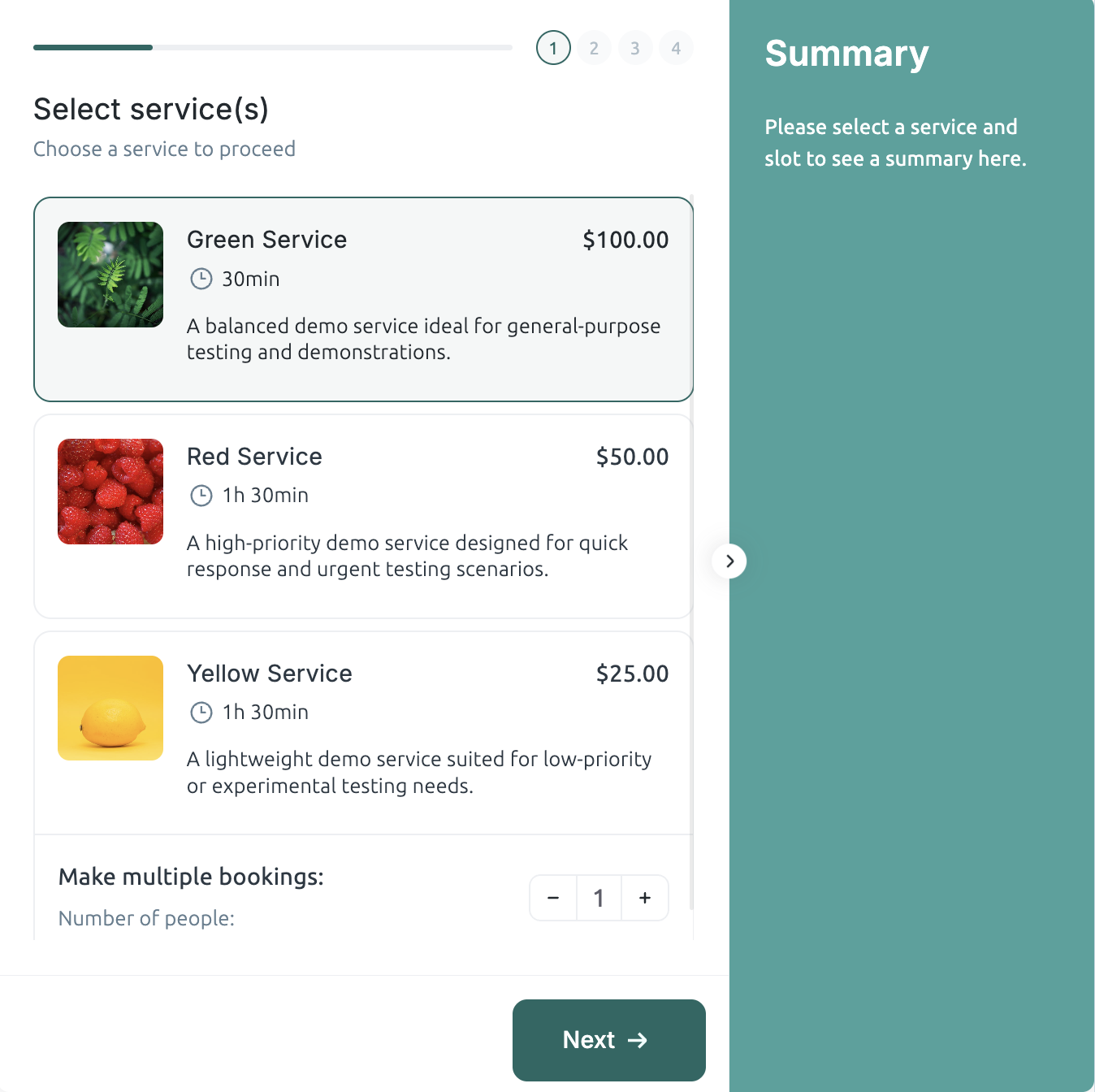
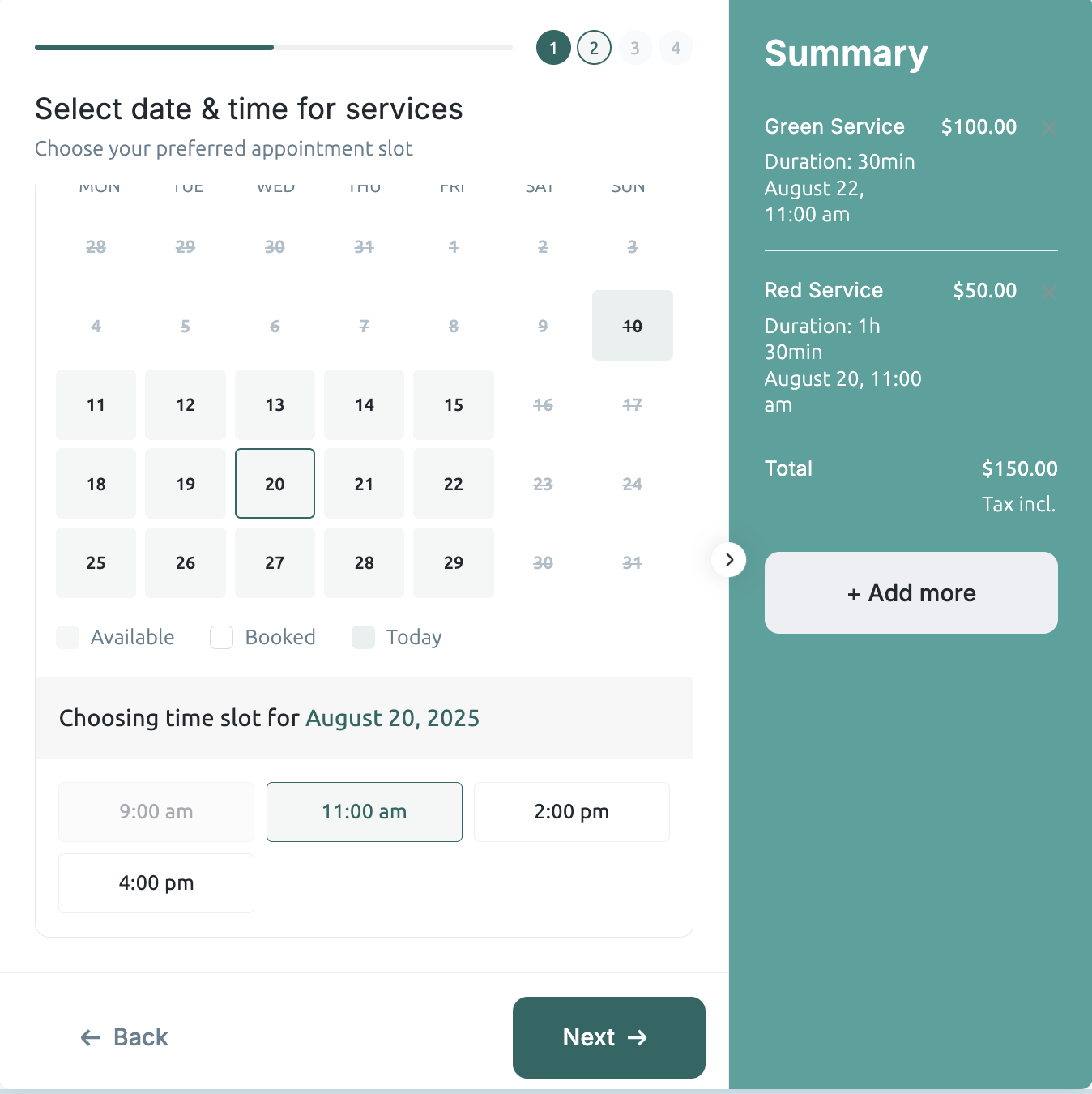
Create a responsive appointment booking form that customers can use to select a service, available date and time. Webba’s booking calendar is designed for both hourly and full-day bookings and works across desktop and mobile devices.
Appointment Management
Manage customer appointments and bookings from your WordPress dashboard. Add, approve, edit or cancel bookings and keep your schedule organized in one place.
Calendar Synchronization
Sync bookings with Google Calendar in the free version. PRO adds additional calendar and integration options, including Apple Calendar, to help keep appointments organized.
Customer Appointment Management
The customer portal lets customers manage their own appointments, including editing, cancelling or rescheduling bookings.
Booking Notifications
Send confirmation emails for appointments and bookings. PRO features include appointment reminders and SMS reminders through Twilio.
Flexible Availability
Configure business hours, holidays, buffer time and other scheduling rules to control when customers can make an appointment booking.
WEBBA BOOKING PRO FEATURES
Webba Booking PRO includes everything in the FREE version plus advanced scheduling, payments, integrations, automation and business tools.
- Gift Cards: Allow customers to purchase gift cards for your services.
- PDF Invoices: Automatically generate PDF invoices for bookings and attach them to customer emails.
- Gmail as Email Provider: Send Webba Booking emails through Gmail.
- Recurring Bookings: Allow customers to schedule recurring appointments automatically.
- Multiple Locations: Manage bookings across multiple business locations.
- Multi-Employee Management: Manage multiple employees, schedules and appointments.
- Advanced Pricing & Booking Rules: Set pricing and booking rules based on time, demand, capacity and other conditions.
- Appointment Reminders: Automatically remind customers about upcoming appointments.
- CSV Export: Export booking data for reporting or analysis.
- Advanced Booking Form Styling: Get more control over the appearance of your booking form.
- Advanced Custom Form Fields: Collect additional customer information with advanced form fields.
- Booking Statistics Dashboard: View booking trends and key statistics.
- GA4 Event Tracking: Track booking form events and conversions in Google Analytics 4.
- Coupons & Discount Codes: Create promotional codes customers can apply during booking.
- PayPal Payments: Accept payments through PayPal.
- Stripe Payments: Accept secure credit and debit card payments through Stripe.
- 100+ Stripe Payment Methods: Offer supported global payment methods through Stripe.
- Apple Pay & Google Pay: Accept fast wallet payments.
- WooCommerce Integration & Payments: Connect bookings to WooCommerce and its supported payment methods.
- Service Fees: Add an extra fee to an order total.
- Deposits: Let customers pay a partial deposit when booking.
- Apple Calendar Integration: Sync bookings with Apple Calendar on macOS and iOS.
- Zapier Integration: Connect Webba Booking with Zapier to automate booking workflows across other apps and services.
- Square Payments: Accept booking payments through the Square payment gateway.
- Mollie Payments: Accept booking payments through the Mollie payment gateway.
- Zoom Meetings: Automatically create Zoom links for online appointments.
- Google Meet Integration: Automatically create Google Meet links for online appointments.
- Twilio SMS Notifications: Send SMS booking notifications and reminders.
- PDF Email Attachments: Attach PDF booking details to customer emails.
- PRO Email Support: Get direct assistance from the Webba Booking team.
- Full Setup Assistance: Get help setting up Webba Booking.
Explore the complete list of Webba Booking features.
WHY CHOOSE WEBBA FOR WORDPRESS APPOINTMENT BOOKING?
Flexible Appointment Booking
Webba supports hourly and full-day bookings, making it suitable for traditional appointments, classes, rentals, reservations and other booking scenarios.
Easy Appointment Scheduling
Customers can see your availability and schedule an appointment online. You control services, business hours, holidays and booking rules from WordPress.
Modern Booking Calendar
The responsive booking calendar and booking form are designed to provide a clear booking experience on desktop and mobile devices.
Calendar Sync
Connect your booking schedule with external calendars to help keep appointments organized and reduce double bookings.
Payments & Pricing
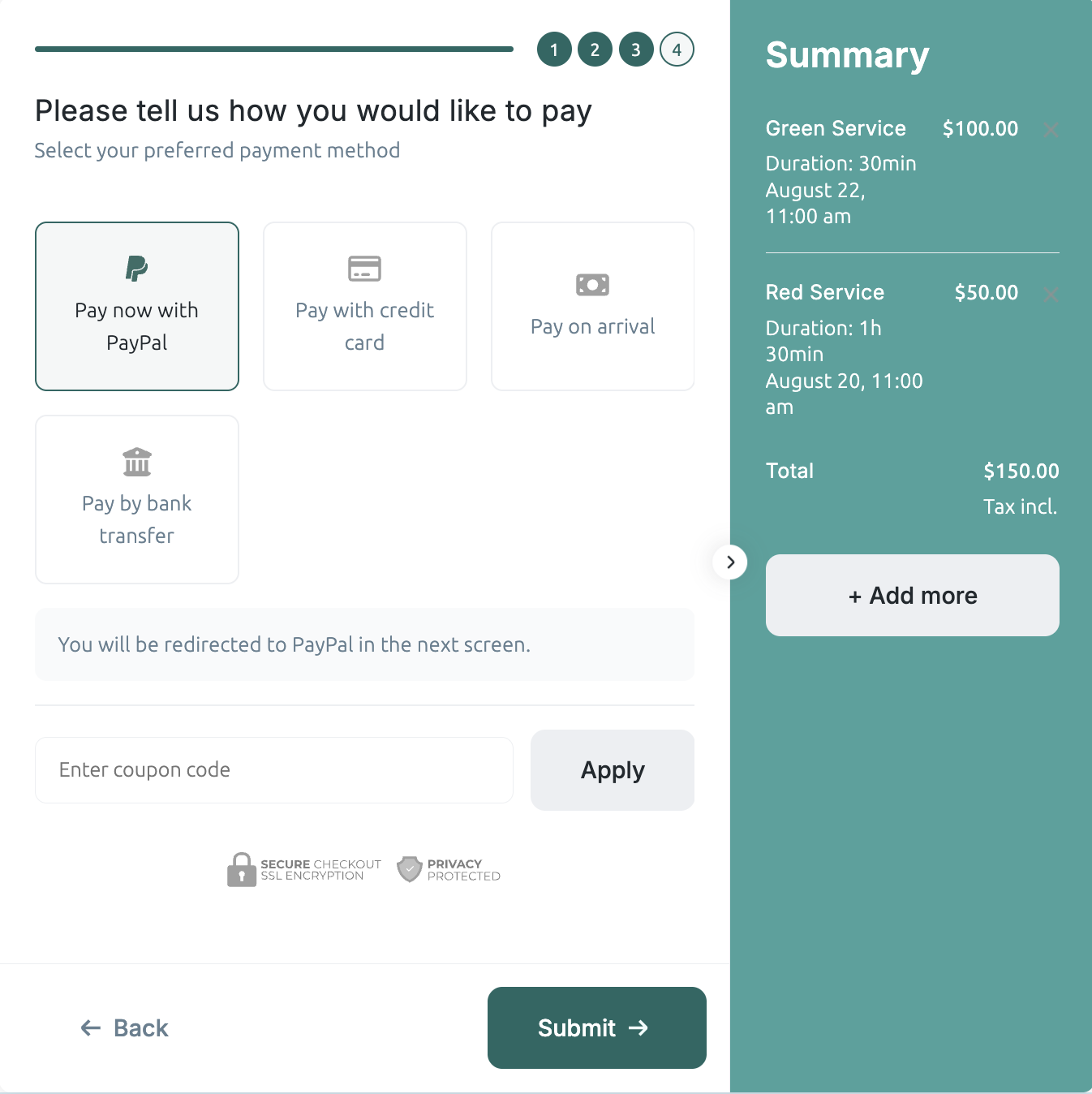
Webba PRO supports online payments and advanced pricing rules for businesses that need to charge customers during the booking process.
Customer Self-Service
Customers can manage their appointments through the customer portal, reducing manual scheduling work for your team.
고객들이 Webba를 사랑하는 이유!
We are proud to have a near-perfect rating on both WordPress.org and Trustpilot.
-
“The customer service for this plugin is phenomenal! The customer service for this plugin is absolutely second-to-none. I’m blown away by how good they are!” – R. Tyrrell
-
“I’ve been using the plugin quite some time now and I’d say it’s the most user-friendly booking-plugin on the market. Easy to setup and a nice clean, modern layout! Support is also great. I had an issue with locking dates and it was solved within a few hours. Good job guys!” – losboeros
-
“Webba support is nothing like what you have experienced in your earlier life and everything you are hoping to have with a product. The response times, the professionalism, the friendliness… you name it, they have it. Easiest seven star review I have given!” – Webba Customer
-
“이 플러그인은 정말 대단하며 비즈니스에 필요한 모든 것을 해결할 수 있습니다! OMG, 지원 서비스가 최고예요!!!! 모두에게 이 플러그인을 추천하고 싶어요. 지원 서비스가 정말 훌륭합니다. 모든 것이 만족스러워요!” – jbiento
스크린샷
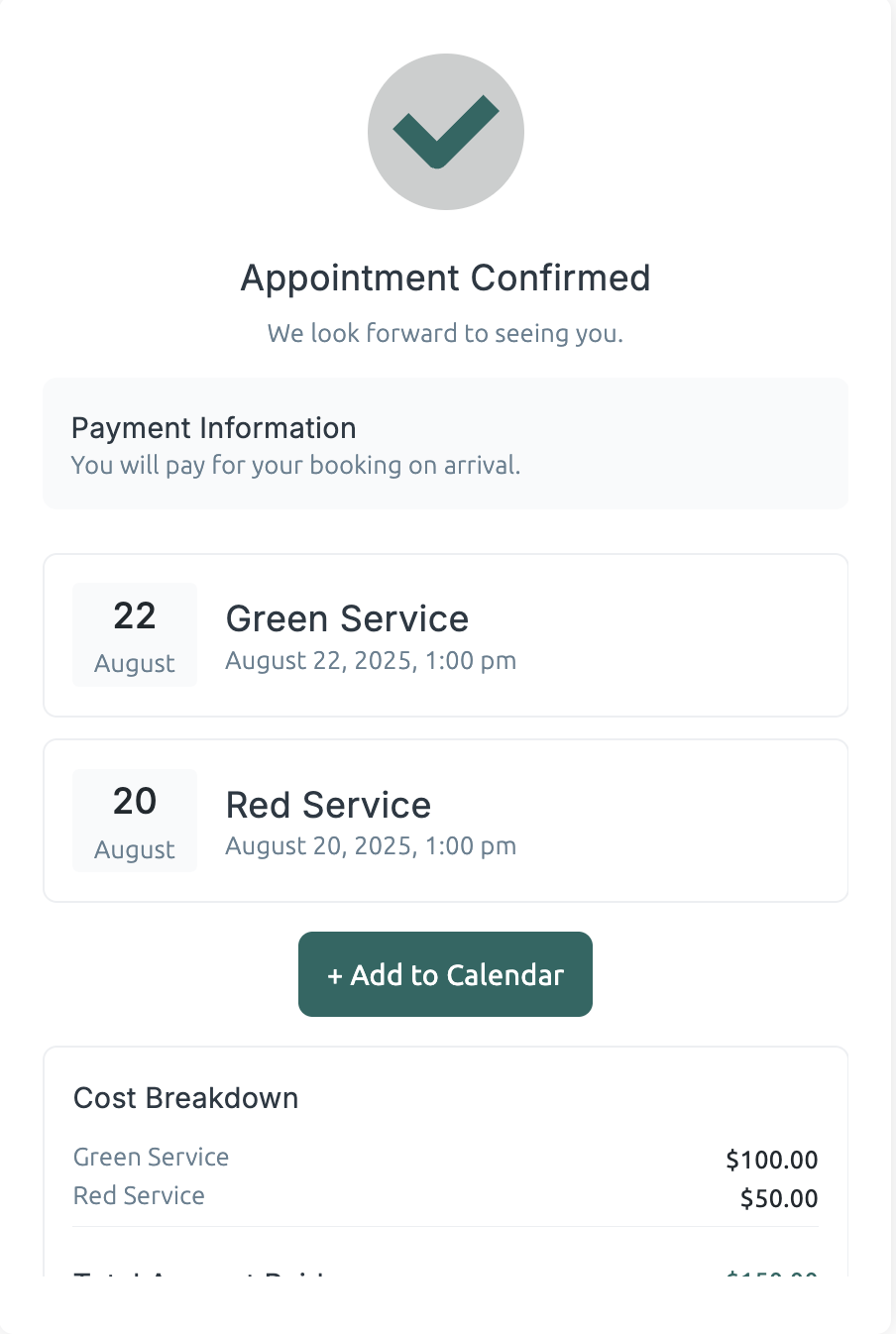
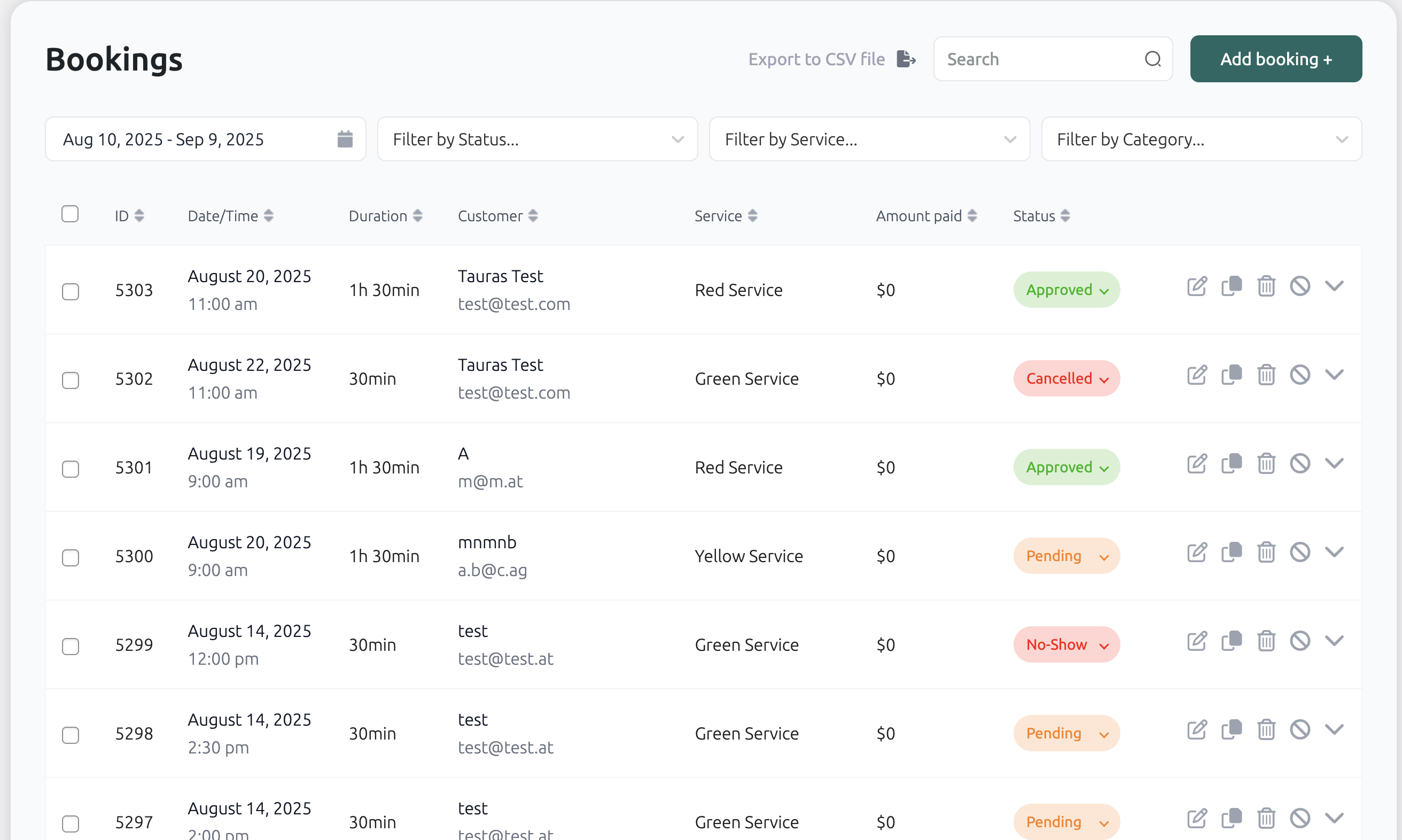
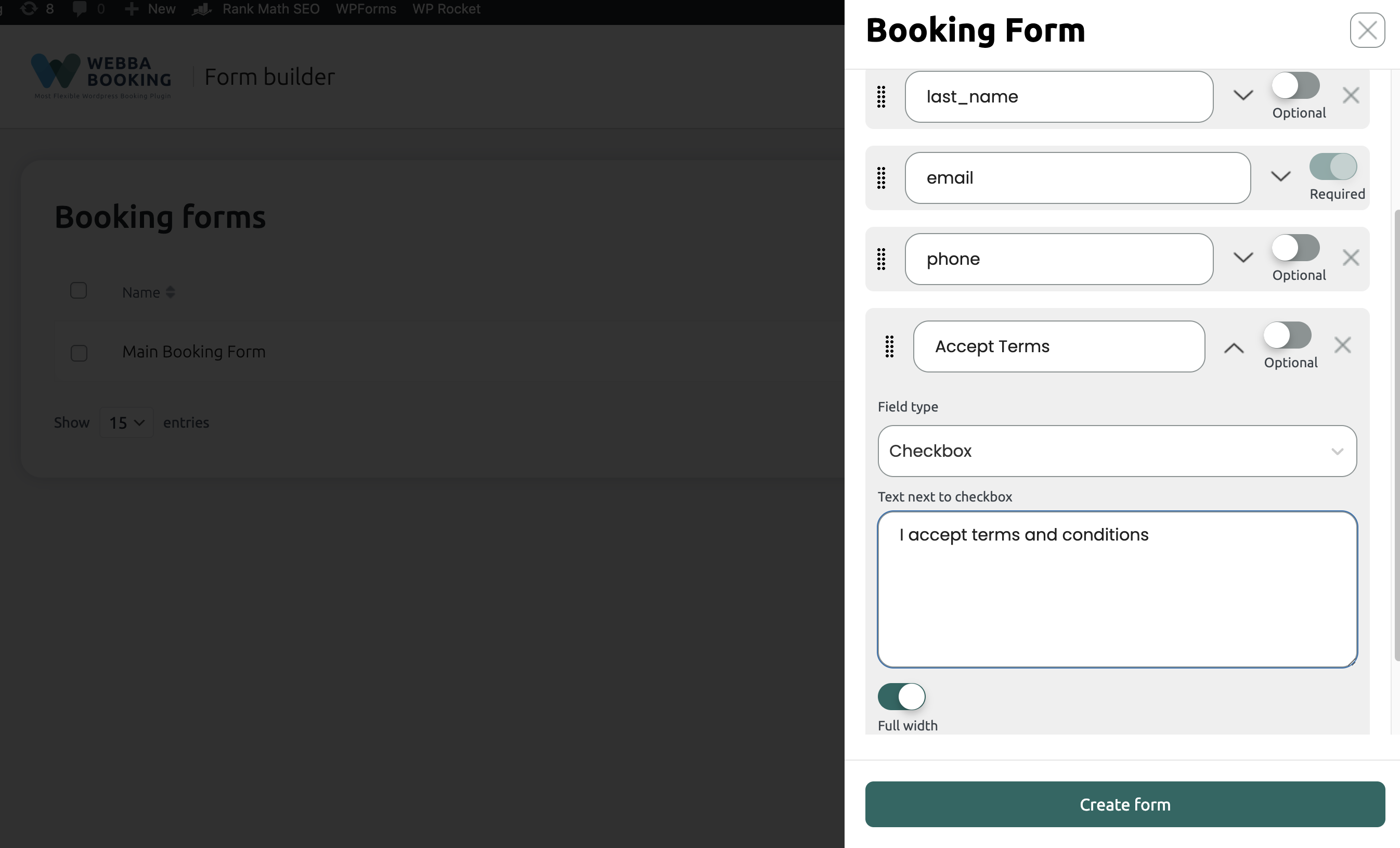
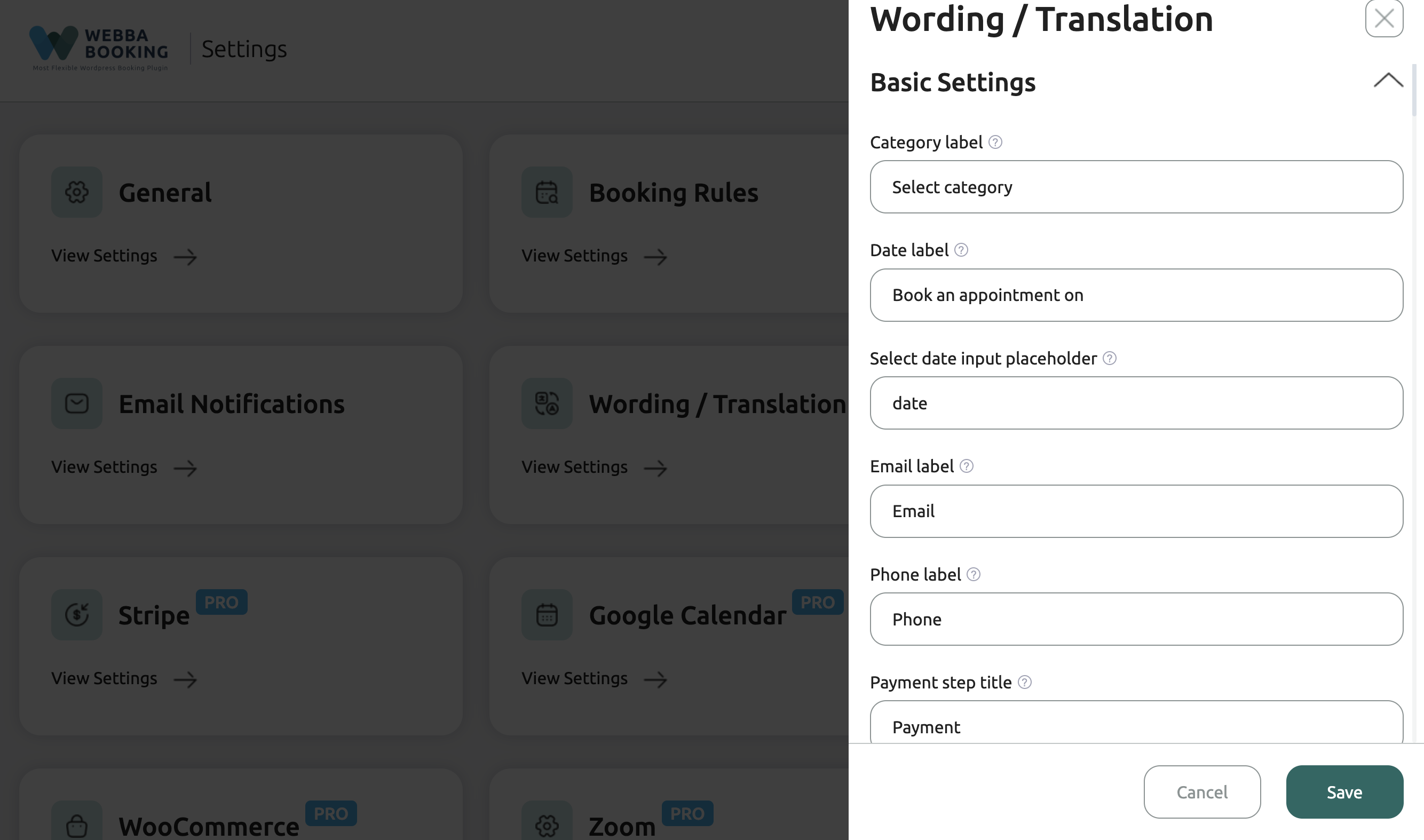
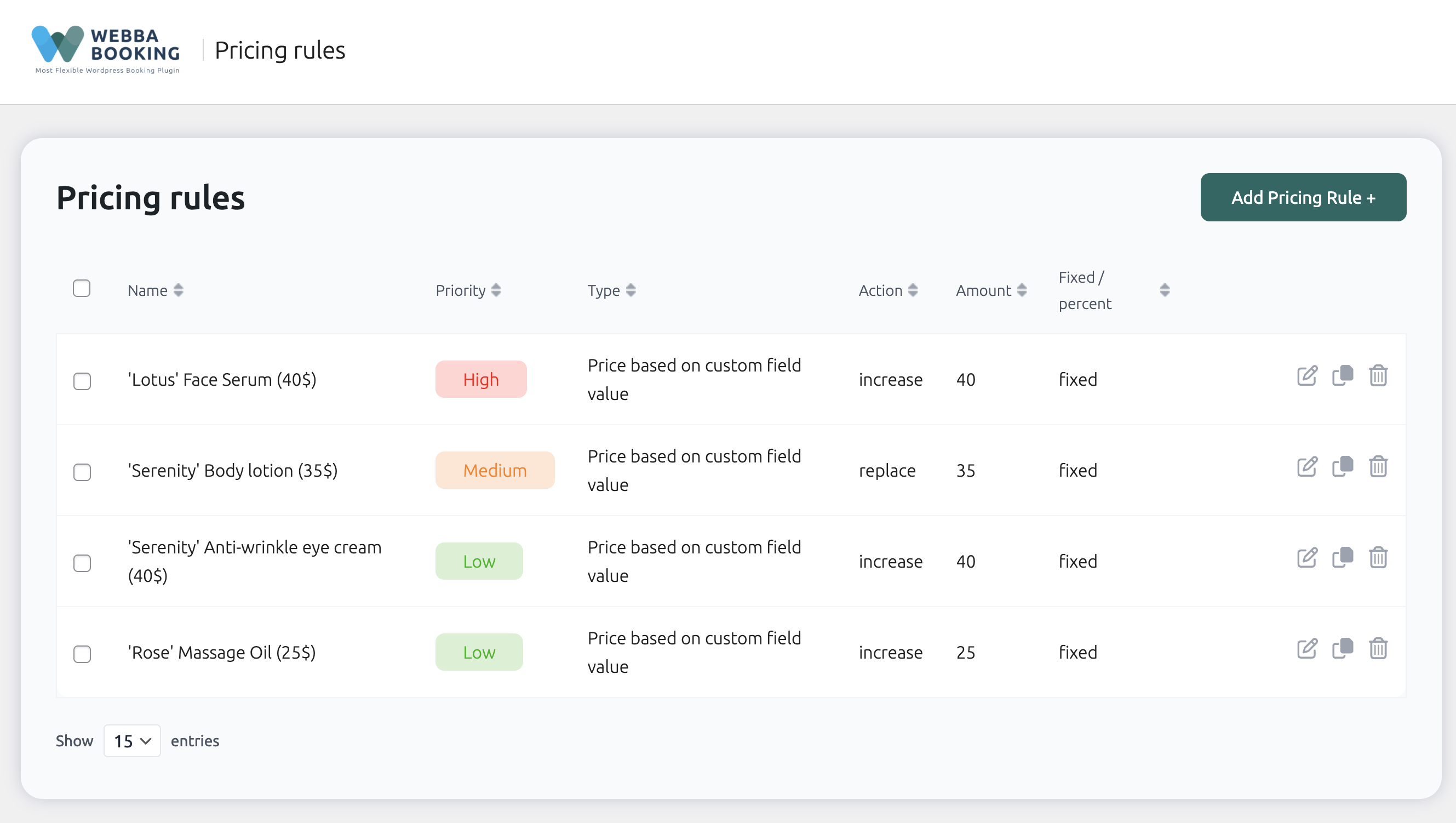
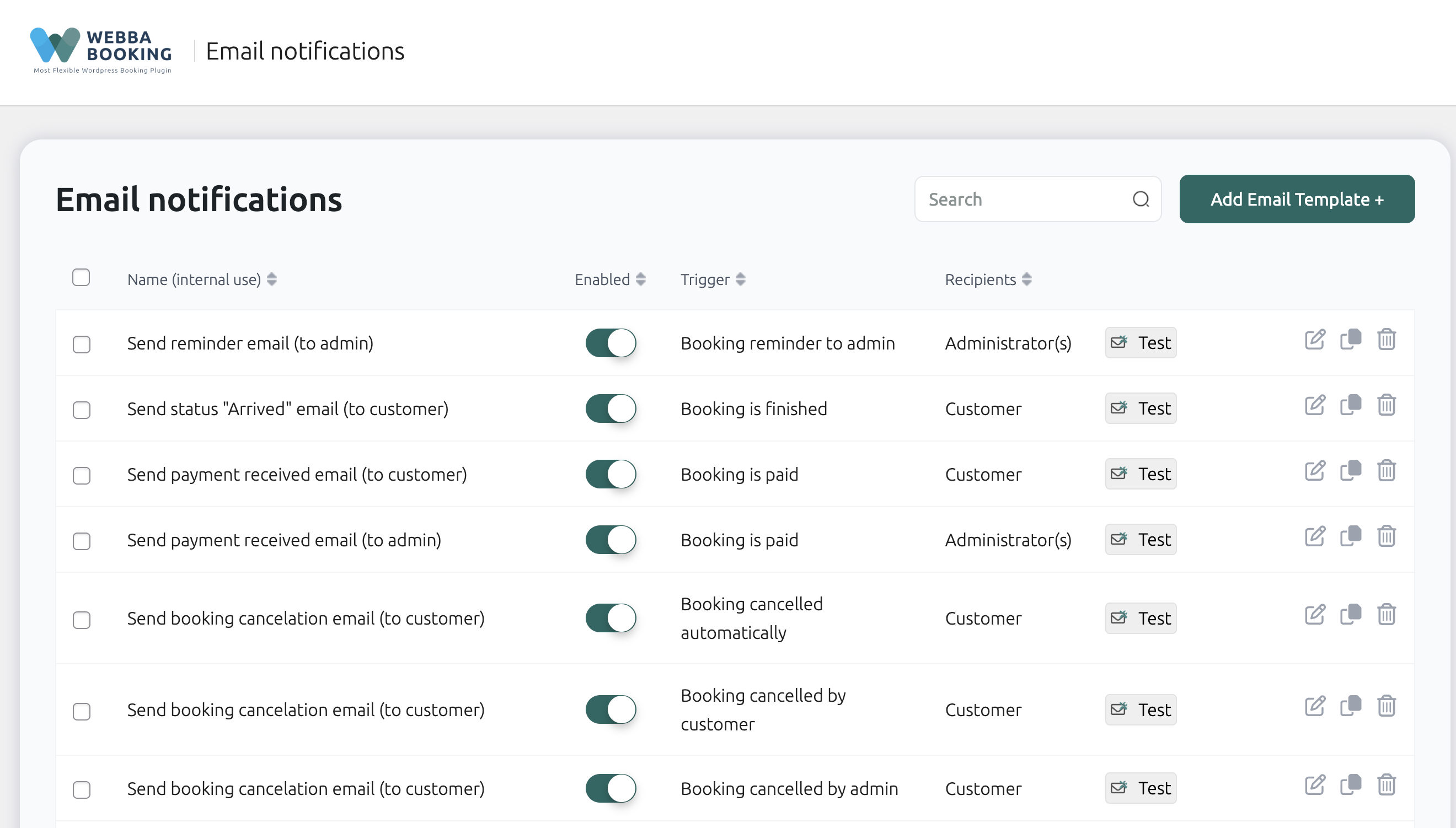
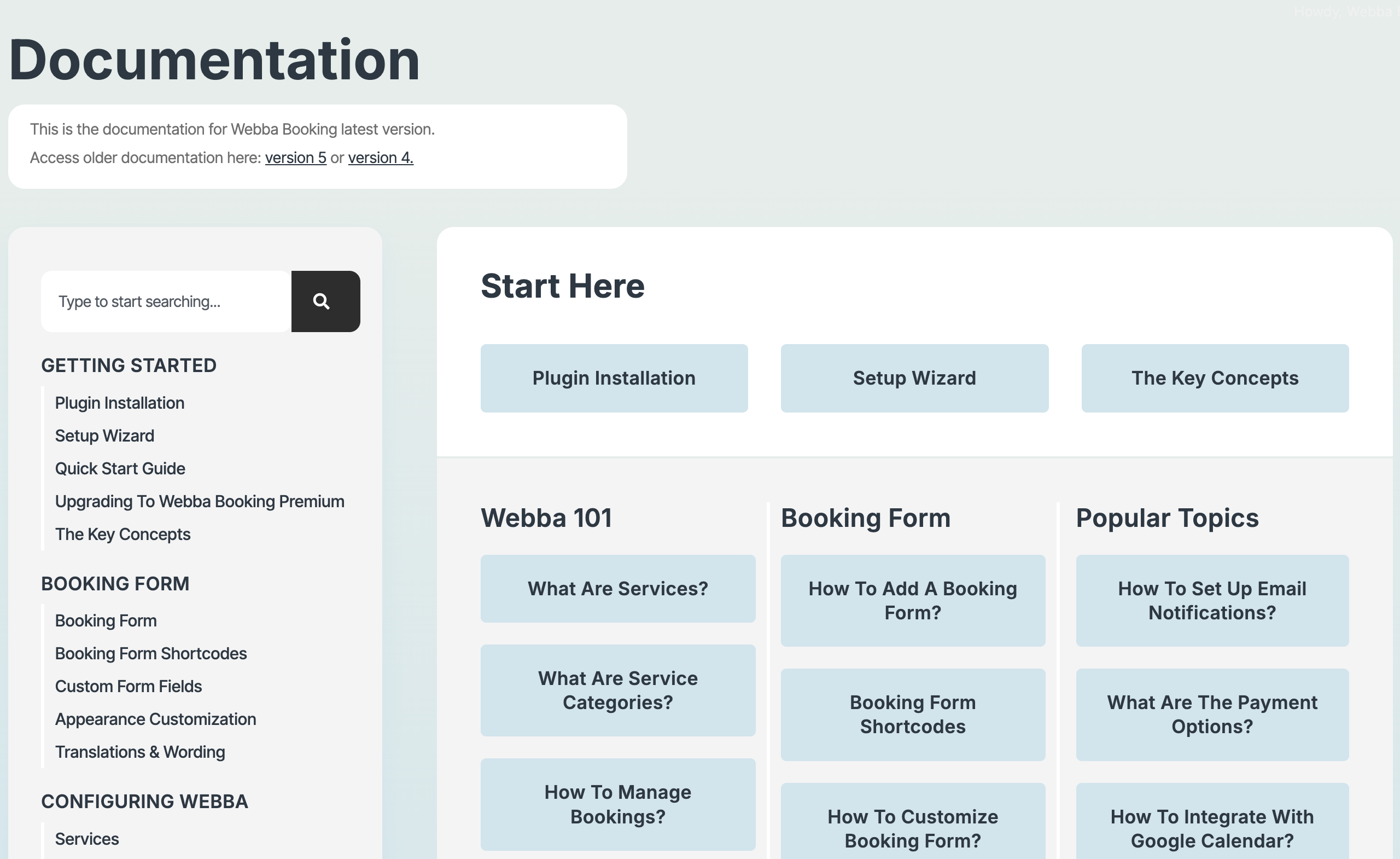
블록
이 플러그인은 1개의 블록을 제공합니다.
- Webba 예약 양식 Webba 예약 플러그인
설치
Automatic installation is the easiest option because WordPress handles the file transfers and you do not need to leave your web browser.
Automatic Installation
- Log in to your WordPress dashboard.
- Navigate to Plugins > Add New.
- Search for “Webba Booking”.
- Click “Install Now”.
- Click “Activate” and follow the setup wizard.
Manual Installation
- Download the plugin file to your computer and unzip it.
- Using an FTP program or your hosting control panel, upload the unzipped plugin folder to your WordPress installation’s
wp-content/plugins/directory. - Activate the plugin from the Plugins menu in WordPress.
Getting Started
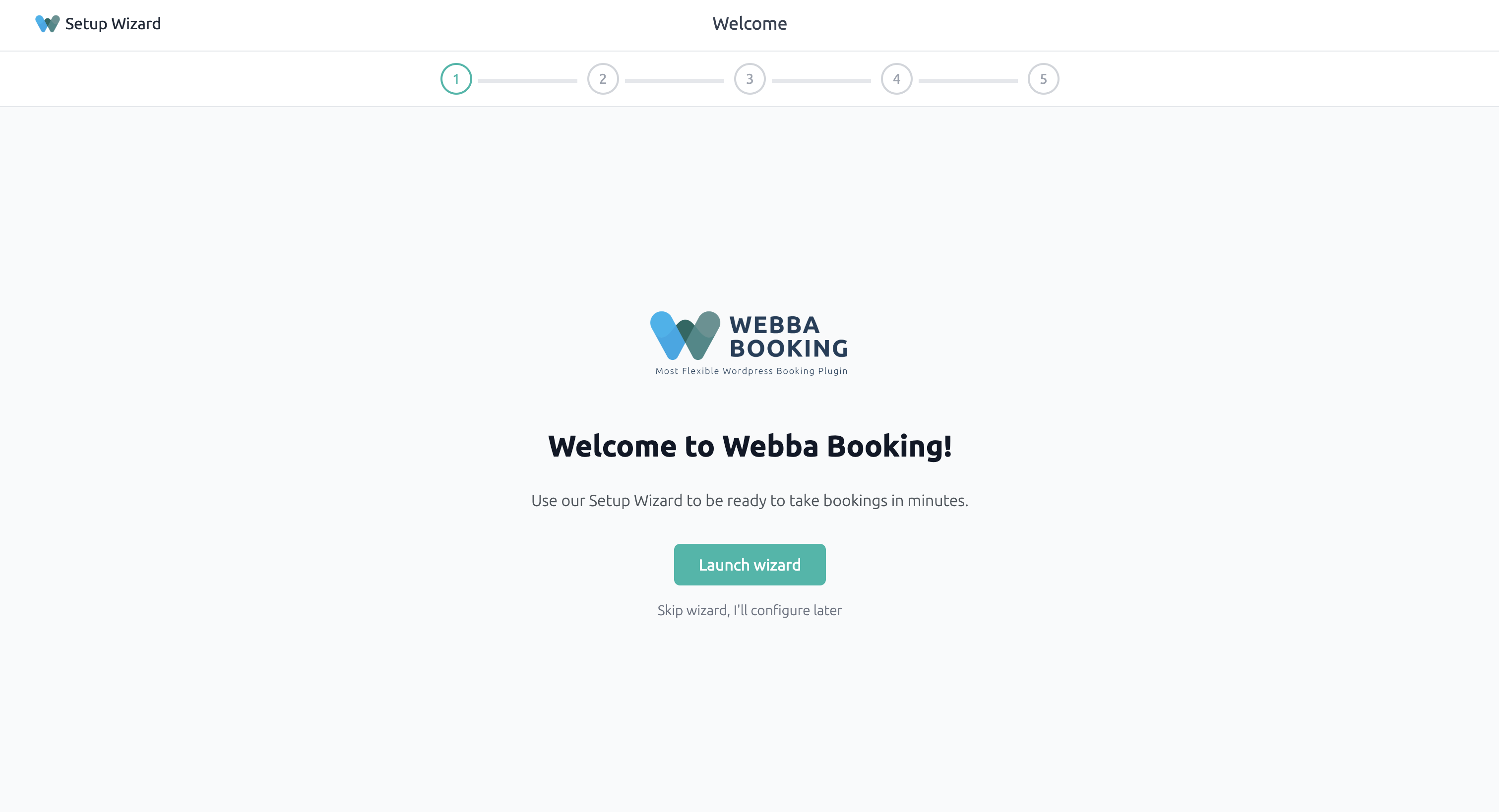
- When you activate Webba Booking, the setup wizard will guide you through the initial appointment booking setup. You can exit the wizard at any time and configure services and settings manually.
- Configure your services, schedules and booking settings.
- Add the booking form to any page using the Gutenberg block or shortcode. See the detailed booking form instructions.
Upgrade to PRO
- Deactivate the free version.
- Install and activate the PRO version.
Unlock PRO appointment booking features with Webba Booking PRO.
FAQ
-
설치 전에 Webba 예약이 어떻게 작동하는지 볼 수 있나요?
-
Yes. Check out our online appointment booking demos to see how the frontend and backend of Webba Booking work.
-
How do I add an appointment booking form to my WordPress website?
-
You can add the Webba Booking form using our Gutenberg block. If you use a page builder such as Elementor or Divi, you can also add the booking form using a shortcode.
See our detailed booking form instructions.
-
Is Webba an appointment scheduling plugin?
-
Yes. Webba Booking can be used as a WordPress appointment scheduling plugin for service businesses and professionals. Configure your services and availability, then let customers select an available appointment online.
-
Can Webba be used as a reservation plugin?
-
Yes. Webba supports appointments, hourly bookings and full-day bookings, so it can also be used as a reservation plugin for rentals, spaces and other bookable services.
-
Can I use Webba for event booking?
-
Webba supports group bookings and can be used for event booking, classes and other sessions where customers reserve available places.
-
Webba 예약은 결제 통합 기능을 제공하나요?
-
Yes. Webba Booking PRO supports PayPal, Stripe, Square, Mollie and WooCommerce payment integrations, including 100+ supported Stripe payment methods.
-
How can I sync appointments and bookings with my calendar?
-
The FREE version can sync appointments with Google Calendar. Webba Booking PRO adds Apple Calendar integration and additional advanced integration options.
-
Can Webba Booking connect to Zapier?
-
Yes. Webba Booking PRO includes Zapier integration so you can connect booking workflows with other apps and services.
-
Does Webba Booking support Apple Calendar?
-
Yes. Webba Booking PRO includes Apple Calendar integration for syncing bookings with Apple Calendar on macOS and iOS.
-
Can customers reschedule or cancel appointments?
-
Yes. The customer portal lets customers edit, cancel or reschedule their bookings.
-
Can I translate the appointment booking form?
-
Yes. Webba Booking has a built-in wording and translation feature for the booking form and is compatible with translation plugins including Loco Translate, Polylang and WPML.
-
이메일 알림을 맞춤 설정할 수 있나요?
-
Yes. Webba Booking includes email customization features with placeholders for variable information and different notification trigger scenarios.
-
Is Webba Booking compatible with my theme or page builder?
-
Webba Booking is compatible with most themes and page builders, including Elementor, Divi and Gutenberg. If you experience a conflict, our support team can help.
-
Webba 예약 지원팀에 어떻게 문의할 수 있나요?
-
Visit the WordPress.org Webba Booking support forum or send us a message using the Webba Booking contact form.
-
보안 버그를 어떻게 신고할 수 있나요?
-
You can report security bugs through the Patchstack Vulnerability Disclosure Program. The Patchstack team helps validate, triage and handle security vulnerabilities. Report a security vulnerability.
후기


기여자 & 개발자
“Easy Appointment Booking & Scheduling Plugin – Webba Booking Calendar”(은)는 오픈 소스 소프트웨어입니다. 다음의 사람들이 이 플러그인에 기여하였습니다.
기여자

변경이력
27/10/2026
6.5.5
- 보안: 취약점 해결
- Bug fix: unlocking timeslots using category not working in schedule calendar
- 버그 수정: 기타 사소한 수정 및 개선 사항
22/10/2026
6.5.4
- Improvement: Apple calendar integration
- Improvement: Zapier integration
- Improvement: new admin dashboard with brief information
- Improvement: visual improvements in the classic booking form
- 버그 수정: 기타 사소한 수정 사항
12/10/2026
6.5.3
- Improvement: Square payment gateway
- Bug fix: Google calendar unavailable in certain configurations
- Bug fix: other small fixes and improvements
22/09/2026
6.5.2
- Improvement: Mollie payment gateway
- Improvement: gift cards
- 버그 수정: 기타 사소한 수정 및 개선 사항
17/09/2026
6.5.1
- Bug fix: category attribute in waterfall booking form not working
- Bug fix: group booking disabled on certain configurations
08/09/2026
6.5.0
- Improvement: waterfall themed booking form variant
- Improvement: browser notifications
- Improvement: PDF invoice attachment
- Improvement: added Gmail as email provider
- Improvement: automatic select first available date in booking calendar
- Improvement: option to redirect to a page on booking confirmation
- Improvement: show applied coupon in the booking list
- Improvement: improved user experience in booking form
- Bug fix: fatal error with navigation in certain configurations
- 버그 수정: 기타 사소한 수정 및 개선 사항
25/08/2026
6.4.21
- Improvement: “Quick add” feature in forms
- Improvement: option to add a booking form in navigation menu and popup
- Bug fix: filter in appointments and CSV exporting not working
- Bug fix: incorrect amount in PayPal on certain configurations
- 버그 수정: 기타 사소한 수정 및 시각적 개선
14/08/2026
6.4.20
- Improvement: added SendGrid as email provider
- Improvement: improved schedule tools
- Improvement: dark theme feature in admin UI
- 개선: 번역 품질 개선
- Improvement: PHP 8.4 compatibility
- Improvement: editable default form
- Bug fix: CSV compatibility to support universal excel providers
- Bug fix: distorted booking form preview in Gutenberg editor
- Bug fix: other minor fixes and visual improvements both in admin UI and booking form
21/07/2026
6.4.19
- Improvement: minor imporovements
14/07/2026
6.4.18
- Improvement: integrated SMTP feature
- Bug fix: problem with CSV export and other minor improvements
11/07/2026
6.4.17
- Improvement: minor imporovements
08/07/2026
6.4.16
- Bug fix: PHP errors on certain configurations
08/07/2026
6.4.15
- Improvement: AI assistance for setup
- Improvement: guided setup and minor improvements
29/06/2026
6.4.13
- 버그 수정: 사소한 오류 수정
26/06/2026
6.4.12
- Bug fix: WPML translation not working on certain configurations
- Bug fix: wrong date format on booking confirmation screen
- 버그 수정: 기타 사소한 수정 및 개선 사항
15/06/2026
6.4.11
- Improvement: added daily bookings support in widgets and shortcode builder
- 개선: 번역 품질 향상
- Bug fix: missing add to calendar provider in daily bookings
- Bug fix: timezone selector overlapping in mobile view
- Bug fix: allow to book only these days option not working
- 버그 수정: 기타 사소한 수정 및 개선 사항
02/06/2026
6.4.10
- Improvement: filter daily services based on category
- Bug fix: showing unavailable timeslots in booking form
- Bug fix: attachments being dropped from emails in certain configurations
- Bug fix: override specific days not working for hourly services
26/05/2026
6.4.9
- Improvement: new feature – recurring bookings
- Bug fix: calendar availability in user dashboard
- Bug fix: holidays input issue
19/05/2026
6.4.8
- Bug fix: reschedule in user dashboard not working
- Bug fix: override specific days value resets automatically
- 버그 수정: 기타 사소한 수정 사항
14/05/2026
6.4.7
- Improvement: new feature – Booking extras
06/05/2026
6.4.6
- Improvement: added advanced features in Gutenberg block
- Improvement: new feature – Elementor & Divi widget for booking form
04/05/2026
6.4.5
- Bug fix: minor fixes and improved experience in daily bookings
30/04/2026
6.4.4
- Improvement: new feature – daily bookings
20/04/2026
6.4.3
- Improvement: optimized Stripe payment logs
17/04/2026
6.4.2
- Bug fix: Stripe payment failing on certain configurations
14/04/2026
6.4.1
- Improvement: prohibit loading Stripe cookies if it’s disabled
- Bug fix: CSV export failure on certain configurations
- Bug fix: wrong prices on confirmation screen on certain configurations
- Bug fix: staff members and location features are disabled on certain licenses
- Bug fix: particular translations not working in user dashboard
- Bug fix: other minor fixes and a few improvements
31/03/2026
6.4.0
- Improvement: new feature – Locations & Staff members
06/03/2026
6.3.12
- Bug fix: broken booking page on certain configuration
03/03/2026
6.3.11
- Improvement: total slot capacity feature
- Improvement: more convenient setup journey
- Improvement: translation improvements in user dashboard and booking form
- Improvement: “Add to multiple calendars” button on post-booking screen
- Bug fix: default form selection in service
- Bug fix: form fields translations issues
- Bug fix: service description hidden on certain configurations
- Bug fix: backend customer name placeholders not working
- Bug fix: other minors fixes and visual improvements
23/02/2026
6.3.10
- Improvement: 2-way synchronization with Outlook Calendar
19/02/2026
6.3.8
- Bug fix: attachment missing on certain configurations
12/02/2026
6.3.7
- Improvement: more compatibly with popular cache plugins
- Bug fix: form fields not loading on certain configurations
- Bug fix: reminder emails are sending twice
- 버그 수정: 기타 사소한 수정 및 시각적 개선
07/02/2026
6.3.6
- Bug fix: coupon field missing on certain configuration
06/02/2026
6.3.5
- Improvement: improved experience in setup wizard
- 개선: 번역 품질 향상
- Bug fix: certain available dates missing on booking calendar
- Bug fix: issue with group booking
- Bug fix: certain booking restrictions rules failure
- 버그 수정: 기타 사소한 수정 및 시각적 개선
03/02/2026
6.3.4
- Improvement: extended CSV export feature
- Bug fix: issue with midnight crossing hours
- 버그 수정: 기타 사소한 수정 사항
01/02/2026
6.3.3
- Bug fix: issues with business hours on certain configuration
- Bug fix: can’t save settings changes
- Bug fix: other minor visual improvements
30/01/2026
6.3.2
- Improvement: new translation editor
- Bug fix: minor fixes & visual improvements
27/01/2026
6.3.1
- Improvement: ability to use HTML markups in form builder
- Bug fix: autolock not working on certain configuration
- Bug fix: attachment not attached to emails
25/01/2026
6.3.0
- Improvement: new settings UI
- Improvement: re-organized service options
- Improvement: ability to hide the timezone selection dropdown from the booking form
- Improvement: test modes for Stripe and PayPal
- Improvement: option to customize information on the confirmation screen
13/10/2026
6.2.11
- Bug fix: wrong amount in woocoommerce checkout issue on certain configuration
10/01/2026
6.2.10
- Bug fix: minor visual fix in google calendars
09/01/2026
6.2.9
- Bug fix: issues with coupons generation
- Bug fix: unexpected emails in the google calendar integrations
- Bug fix: PHP warning removed
29/12/2025
6.2.8
- Improvement: integration with Google Meet
- Improvement: minor visual improvements
19/12/2025
6.2.6
- Improvement: new Stripe integration introduced – more payment options unlocked
- Bug fix: issues with coupons on certain configurations
12/12/2025
6.2.5
- Bug fix: post booking information isn’t visible after booking confirmation
- Bug fix: unexpected coupons behavior on certain config
- Bug fix: Add to Calendar button disappeared
09/12/2025
6.2.4
- Bug fix: bug with the appearance settings on certain plans
- Bug fix: Google calendars option is not available in the service settings
05/12/2025
6.2.3
- 개선 사항: 신규 결제 예치 기능 도입
- 개선: 새로운 시간대 선택기로 현지 시간대 예약 가능
- 개선 사항: 추가 번역 지원 기능
- 버그 수정: 외관 커스터마이저 내 스크롤 기능 비활성화
- 버그 수정: 기타 사소한 수정 및 시각적 개선
25/11/2025
6.2.1
- 버그 수정: 사소한 오류 수정
6.2.0
- 개선: 새로운 가격 플랜 도입
11/11/2025
6.1.2
- 버그 수정: 비용 요약에 일부 항목 미표시
- 버그 수정: PHP 버전 8.3 이상에서 특정 구성 시 치명적 오류
05/11/2025
6.1.1
- 개선: 전화번호 입력 개선
- 개선: 번역 품질 개선
- 개선 사항: 시각적으로 세련되고 개선된 사용자 인터페이스
- 개선: 상세 정보에 예약 생성 날짜 표시
- 개선 사항: 예약 양식 > 중요 공지 텍스트 상자에 자리 표시자 지원 활성화
- 버그 수정: 우커머스 장바구니에 여러 서비스 추가 불가
- 버그 수정: 모바일 뷰에서 예약 양식이 스크롤을 차단함
- 버그 수정: 이메일 알림 사본이 관리자에게 전송되지 않음
- 버그 수정: 캘린더 페이지에서 새 예약 추가 후 화면이 하얗게 변하는 현상
- 버그 수정: 거부된 예약이 일정 도구에서 제거되지 않음
- 버그 수정: 일정 도구 내 ‘여러 예약 생성’ 기능 작동 불량
- 버그 수정: 관리자 캘린더 문제
- 버그 수정: 버퍼 시간 초과 시 사용자 대시보드에서 취소 차단
- 버그 수정: 기타 사소한 수정 사항
14/10/2025
6.1.0
- 개선: 구글 캘린더 인증을 위한 새로운 간편 방식
- 개선: 새로운 고급 예약 양식 외관 커스터마이저
- 버그 수정: 사소한 수정 및 개선 사항
10/10/2025
6.0.17
- 버그 수정: 특정 구성에서 일정 도구의 시간 오류
09/10/2025
6.0.16
- 개선: 로그인한 사용자의 개인 정보 사전 채우기
- 개선: 번역 품질 향상
- 개선: 재예약 취소 옵션 추가
- 버그 수정: 예약 양식 요약의 날짜 형식
- 버그 수정: 기타 사소한 수정 및 개선 사항
07/10/2025
6.0.15
- 개선: 대시보드 데이터 가져오기 메커니즘 최적화
- 버그 수정: 특정 시간대의 예약 날짜 문제
- 버그 수정: 우커머스 결제 필드 사전 채우기
- 버그 수정: 기타 수정 및 사소한 개선 사항
17/09/2025
6.0.14
- 개선: 번역 품질 향상
- 개선: 캘린더 로딩 상태 표시
- 버그 수정: 특정 설정에서 고정 금액 쿠폰 적용 실패
- 버그 수정: 기타 사소한 수정 사항
15/09/2025
6.0.13
- 보안: 취약점 수정
10/09/2025
6.0.12
- Bug fix: personal details form disappearance with pre selected service
- 버그 수정: 랜딩 페이지의 잘못된 가격 형식
- 버그 수정: 예약 후 첨부 파일 작동 불량
- 버그 수정: 예약 양식에서 카테고리 선택 문제
- 버그 수정: 시간대 로딩 애니메이션 미표시
- 버그 수정: 기타 사소한 버그 수정 및 개선 사항
08/09/2025
6.0.11
- 개선: 예약 양식의 클래스 이름 개선
- 개선: 단축코드 속성에서 카테고리 그룹화 기능 추가
- 개선: 번역 품질 개선
- 버그 수정: 예약 양식에서 서비스 계속 로딩
- 버그 수정: 왜곡된 스타일링 문제 수정
- 버그 수정: 스케줄 도구 관련 문제
05/09/2025
6.0.10
- 개선: 폼 빌더 내 텍스트에어리어 필드 개선
- 개선 사항: 예약 양식 내 정적 CSS 클래스 이름
- 개선: 예약 양식 내 캘린더
- 버그 수정: 확인 화면의 잘못된 시간 값
- 버그 수정: 기타 사소한 버그 수정 및 개선 사항
27/08/2025
6.0.9
- 개선: 관리자 캘린더의 일별 보기
- 개선: 번역 품질 개선
- 개선: 예약 양식 내 사용자 경험 개선
- 개선: 서비스 설정에서 그룹 예약 및 시간대 선택 간소화
- 개선: 서비스 기본 양식
- 버그 수정: 서비스 설정에서 영업 시간 비활성화 불가
- 버그 수정: 이메일 및 대시보드에서 체크박스 제목이 표시되지 않음
- 버그 수정: 사용자 대시보드 로그인 문제
- 버그 수정: 기타 사소한 버그 수정 및 개선 사항
20/08/2025
6.0.8
- 버그 수정: 예약 양식에서 시간 및 날짜 선택 관련 문제
- 버그 수정: 예약 캘린더에서 이용 가능 날짜 누락
- 버그 수정: 푸터 요약 부분에 세금이 초기 적용되지 않음
- 개선: ‘예약된 시간대 표시’ 설정이 꺼져 있을 때 사용 불가 시간대 메시지 표시
- 개선: 폼 빌더 내 숫자 입력 필드 개선
- 개선 사항: 사용자 경험 향상 및 반응형 디자인을 위한 시각적 개선
14/08/2025
6.0.7
- 개선: 번역 품질 향상
- 개선: 기타 사소한 시각적 개선 및 사용자 경험 다듬기
- 버그 수정: 페이팔 성공 메시지 수정
- 버그 수정: ‘지불 금액’ 출력 수정
- 버그 수정: 특정 구성에서 타임슬롯 형식 수정
- 버그 수정: 특정 구성에서 쿠폰 적용 실패
- 버그 수정: 설정에서 쿠폰 필드 활성화/비활성화 가능
- 버그 수정: 드롭다운 필드 변경 시 가격 규칙이 작동하지 않음
- 버그 수정: 다크 테마 적용 시 예약 양식 텍스트 흐림 현상
10/08/2025
6.0.6
- 개선: 예약 양식 레이아웃 및 결제 필드 시각적 개선
- 개선: 예약 캘린더에서 날짜 선택 시 시간 섹션으로 이동
- 개선: 시간 형식 ‘G\hi’ 지원 추가
- 버그 수정: 체크박스 필드 레이블 내 링크 렌더링
- 버그 수정: #customer_comment 플레이스홀더 작동 불능
- 버그 수정: 캘린더 페이지에서 사용자 권한에 따라 서비스 선택 접근 제한
- 버그 수정: 스트라이프 결제 화면에서 날짜 및 시간 형식 수정
- 버그 수정: 드롭다운 필드 값 저장 오류
- 버그 수정: 사용자 생성 후 이메일 미발송
- 버그 수정: 무료 버전과 프로 버전이 선택된 상태에서의 결제 문제
- 버그 수정: 양식이 여러 개 있을 때 페이지가 계속 로딩됨
- 보안: 취약점 해결
02/08/2025
6.0.5
- 개선 사항: 예약 양식 시각적 개선 및 마법사 페이지 사용자 경험 향상
- 버그 수정: 필수 항목이 아님에도 성(姓) 입력 없이 예약 양식 제출 불가 문제
- 개선: 사용 불가 또는 잠긴 시간대 숨기기/표시 옵션
- 개선: 예약 양식에서 사용자가 단일 또는 다중 서비스 선택 가능 옵션 추가
- 개선: 예약 양식 첨부 파일 필드에 이미지 파일 업로드 허용
- 개선 사항: 성(姓) 및 전화번호 필드 삭제 가능화 및 필수 입력 필드로 설정 가능
- 버그 수정: 일정 도구 작동 오류
- 개선 사항: 오늘 예약 불가 시 예약 캘린더에서 첫 번째 가능한 날짜를 선택 상태로 표시
- 개선 사항: ‘+ 선택’, ‘선택됨’, ‘사용 가능한 시간대 없음’에 대한 추가 문구 옵션 제공
28/07/2025
6.0.4
- 버그 수정: 결제 필드 입력 시 잘못된 값 입력
- 버그 수정: 결제 화면에서 결제 수단 미선택 시 제출 차단
26/07/2025
6.0.3
- 개선: 오류 메시지 및 사이드바에 대한 더 많은 문구 옵션
- 개선: 예약 양식의 시각적 개선
- 버그 수정: 전화번호 필드에 자리 표시자 텍스트 설정 불가
- 버그 수정: 기타 사소한 버그 수정
22/07/2025
6.0.2
- 개선 사항: 동적 번역 기능
21/07/2025
6.0.1
- 개선: 배경 대비에 맞춰 동적으로 텍스트 색상 변경
- 버그 수정: 번역 문제 수정
- 개선 사항: 양식 요소 내 텍스트 줄바꿈 관리
- 버그 수정: 세금 계산 및 항목 가격 설정
- 버그 수정: 이메일 링크
- 개선: 예약 양식과 관련된 기타 사소한 개선 사항
19/07/2025
6.0.0
- 개선: 주요 업데이트 – 예약 양식 디자인 완전히 재설계 및 현대화
16/07/2025
5.1.23
- 버그 수정: 사용자 정의 양식 관련 버그
15/07/2025
5.1.22
- 버그 수정: 사소한 오류 수정
27/06/2025
5.1.21
- 개선: 사소한 UX 개선 사항
- 보안: 취약점 수정. 보고해 주신 Nguyen Xuan Chien 님과 Patchstack에 감사드립니다.
11/06/2025
5.1.20
- Improvements: ability to use HTML in the email templates
- 버그 수정: 답장 대상 옵션 관련 버그
- 버그 수정: 사소한 오류 수정
5.1.19
22/05/2025
- 개선: 사소한 UI 개선 사항
- 버그 수정: 사소한 오류 수정
5.1.18
15/05/2025
- 개선: 사소한 UI 개선 사항
- 버그 수정: 자동 템플릿 생성 관련 오류
- 버그 수정: 고객 예약 양식의 첨부 파일 관련 버그
- 버그 수정: 일련의 사소한 수정 사항들
- 유지보수 업데이트
5.1.17
07/05/2025
- 개선: 사소한 UI 개선 사항
- 버그 수정: 마이그레이션 문제 해결
- 버그 수정: 특정 구성에서 자동 계산 오류
5.1.16
03/05/2025
- 버그 수정: 마이그레이션 문제 해결
5.1.15
30/04/2025
- 개선 사항: 새로운 이메일 알림 시스템 추가
- 개선 사항: 관리자 인터페이스 개선
- 버그 수정: 사소한 버그 수정들
5.1.12
08/04/2025
- Bug fix: wrong translation of certain languages
- 버그 수정: 특정 구성 시 경고 발생
5.1.9
27/03/2025
- 개선: Google 태그 통합 (전환 추적 용이화)
- 버그 수정: 관리자 외 권한 업데이트
- 버그 수정: 취소된 예약 관련 버그
5.1.8
19/03/2025
- 백엔드 인터페이스 업데이트
5.0.62
30/01/2025
- 유지보수 업데이트
- 버그 수정: 사용자 대시보드 관련 버그
5.0.59
27/01/2025
- 버그 수정: 페이팔 결제 후 표시되는 메시지 문제 해결
5.0.58
2025년 1월 26일
- 버그 수정: 미리 예약된 예약에 대한 이메일 알림 오류
- 버그 수정: 이메일 재전송 권한 관련 버그
5.0.57
2025년 1월 15일
- 유지보수 업데이트
5.0.56
2024년 12월 28일
- 개선 사항: 사용자 대시보드 – 사용자가 예약 관리, 취소, 일정 변경 가능
- 개선: 동영상 삽입을 위한 메시지 내 iframe 지원
- 버그 수정: 일정 도구 관련 버그
5.0.53
2024년 11월 20일
- 버그 수정: 다중 날짜 선택 시 가로형 캘린더 문제 해결
- 버그 수정: 특정 유형의 알림에서 올바른 언어 감지 문제 해결
- 버그 수정: 단일 서비스 양식에서 연속 예약이 작동하지 않는 문제 해결
- 개선 사항: 예약 페이지 레이아웃 개선
- 개선 사항: 이메일 알림을 수동으로 (재)전송할 수 있는 옵션 추가
- 개선 사항: 예약이 자동 취소된 경우 WooCommerce 주문 생성 차단
5.0.52
2024년 10월 16일
- 버그 수정: 사소한 오류 수정.
- SDK 업데이트
5.0.51
2024년 9월 18일
- 버그 수정: 사소한 오류 수정.
5.0.50
2024년 9월 16일
- 개선 사항: 호환성 문제 해결
- 버그 수정: 사용자가 PayPal 결제를 취소할 때 표시되는 메시지 문제 해결
- 버그 수정: 일부 문자열이 번역되지 않는 문제 해결
- 버그 수정: 모바일 레이아웃에서 제목 표시 문제 해결
5.0.48
2024년 8월 14일
- 개선 사항: 맞춤 설정 가능한 ‘더 보기’ 레이블 추가
- 개선 사항: 메시지 템플릿 정리 기능 개선으로 보다 유연한 레이아웃 맞춤 설정 가능
- 버그 수정: 주간 캘린더에서 주 시작 요일 문제 해결
- 버그 수정: 번역 관련 사소한 문제 해결
- 버그 수정: 가로형 캘린더에서 날짜 선택 시 로컬 시간 문제 해결
5.0.47
2024년 7월 17일
- 버그 수정: 특정 구성에서 업데이트 버그
5.0.46
2024년 7월 16일
- 버그 수정: 특정 구성에서 시간 슬롯을 사용할 수 없는 버그
5.0.45
2024년 7월 14일
- 개선 사항: WooCommerce 통합 개선
- 개선 사항: 연속적인 시간 슬롯 지원
- 버그 수정: PHP 8.2 호환성 조정
5.0.44
2024년 6월 13일
- 버그 수정: 특정 설정에서 서비스 생성 및 편집 문제 해결
5.0.43
2024년 6월 10일
- 버그 수정: 특정 설정에서 시간 슬롯 선택 오류 해결
5.0.42
2024년 6월 9일
- 개선 사항: 가격 규칙에 새로운 매개변수 추가
- 개선 사항: 패키지 설정 시 사용 가능한 시간 슬롯 수 제한 추가
- 개선 사항: 예약 페이지에서 세금 포함 가격 표시
- 개선 사항: 오늘 또는 첫 번째 사용 가능한 날짜를 자동 선택하는 옵션 추가
- 개선 사항: 가로형 캘린더 UI 개선
- 개선 사항: 예약 페이지에서 전화번호 표시
- 개선 사항: 쿠폰으로 결제된 예약에 대한 맞춤형 메시지 추가
- 버그 수정: 팀원에게 전송되는 이메일 문제 해결
- 버그 수정: ‘보낸 사람: 이메일’ 옵션에서 아포스트로피 관련 문제 해결
5.0.40
2024년 5월 7일
- 개선 사항: Gutenberg 블록 지원 추가
- 개선 사항: 관리자 다중 예약 인터페이스에서 예약 상태 설정 옵션 추가
- 개선 사항: 단일 서비스 시간 슬롯에 고객 이름 표시 옵션 추가
- 버그 수정: 예약 중복 문제 해결
- 버그 수정: 서비스의 ‘날짜 범위’ 옵션에서 날짜 형식 문제 해결
- 버그 수정: WooCommerce 통합 시 생성 설정 문제 해결
5.0.38
2024년 4월 2일
- 버그 수정: 대시보드 캘린더 번역 오류 해결
5.0.37
2024년 4월 1일
- 개선 사항: WooCommerce 통합 기능 향상
- 개선 사항: 일정 인터페이스 개선
- 개선 사항: 서비스 이메일 복사본 옵션 개선
- 개선 사항: 일정 관리 도구의 주간 캘린더에서 예약 표시
- 개선 사항: 도착 알림을 위한 사용자 지정 이메일 템플릿 추가
- 버그 수정: 특정 알림의 제목 관련 문제 해결
- 버그 수정: 예약 중복 시 오류 메시지 표시 문제 해결
- 버그 수정: 대시보드 캘린더 번역 오류 해결
5.0.35
2024년 4월 3일
- 개선 사항: 지연 도착 알림 전송 기능 추가
- 개선 사항: ‘도착 시 결제’ 방법 선택 시 결제 알림 전송 기능 추가
- 개선 사항: 서비스 설명 레이아웃 개선
- 개선 사항: 모바일 레이아웃 개선
- 개선 사항: 하나의 결제 방법만 사용 가능한 경우 자동 선택 기능 추가
5.0.33
2024년 7월 2일
- 버그 수정: 특정 설정에서 사용자 역할 관련 문제 해결
5.0.32
2024년 3월 2일
- 버그 수정: 특정 캐시 플러그인과의 충돌 문제 해결
5.0.31
2024년 1월 2일
- 개선 사항: 관리자 토큰 및 고객 토큰을 위한 새로운 플레이스홀더 추가
- 개선 사항: ‘세부 정보’ 단계에서 양식 높이 동작을 설정하는 옵션 추가
- 개선 사항: 비관리자 사용자가 서비스 속성을 편집할 수 있도록 허용하는 옵션 추가
- Improvements: option to show local or server time by default
- 개선 사항: 관리자 캘린더에서 표시되는 예약 세부 정보를 정의하는 옵션 추가
- 버그 수정: 필수 선택 필드 검증 문제 해결
- 버그 수정: 특정 설정에서 설명 표시 문제 해결
- 버그 수정: 일정 관리 도구의 모바일 레이아웃 문제 해결
- Bug fix: bug with creation of pricing rules on certain configurations
- 버그 수정: 관리자 캘린더가 WordPress의 ‘주 시작 요일’ 설정을 사용하지 않는 문제 해결
5.0.30
2024년 5월 1일
- 버그 수정: 결제 시 전송되는 이메일 알림 문제 해결
5.0.29
2024년 2월 1일
- 버그 수정: PHP 8.2에서 시간 검색 오류 해결
5.0.28
2024년 1월 1일
- 개선 사항: 프랑스어 번역 개선
- 개선 사항: 시간 슬롯 선택 시 ‘자동으로 다음 단계로 진행’ 옵션 추가
- 개선 사항: 기본적으로 로컬 시간이 표시되도록 설정
- Bug fix: bug with validation of file field and minimal and maximum length
- 버그 수정: ‘결제 완료를 위한 작업’ 옵션 관련 문제 해결
5.0.26
2023년 12월 14일
- 개선 사항: 번역 개선
- 개선 사항: 외관을 사용자 지정할 수 있도록 추가 CSS 클래스 지원
- 개선 사항: 시간 슬롯에서 사용자 이름 표시 옵션 추가
- 개선 사항: 캘린더에서 서비스 이름 표시 기능 추가
5.0.25
2023년 11월 30일
- 개선 사항: 모바일 레이아웃 개선
- 버그 수정: 특정 설정에서 서비스 설명 오류 해결
- 버그 수정: 사용자 지정 필드 인코딩 오류 해결
- 버그 수정: 카테고리 내 서비스 순서 오류 해결
5.0.23
2023년 11월 20일
- 개선 사항: ‘도착 시 결제’ 방식 제어 옵션 추가
- 개선 사항: 예약 양식 내 서비스 설명 추가
- Improvements: option to set up translation of the cancellation form title
- 개선 사항: 예약 양식 레이블 옵션에 #total_amount 플레이스홀더 추가
- 버그 수정: 예약이 버퍼 제한으로 인해 취소될 수 없을 때 잘못된 메시지 표시 오류 해결
5.0.22
2023년 11월 3일
- 개선 사항: 사용자 지정 양식에서 조건부 필드 추가
- 개선 사항: ‘도착 시 결제’ 방식에서 기본 결제 방법 선택 가능
- 개선 사항: ‘뒤로’ 및 ‘다음’ 버튼을 번역 가능하도록 설정
- 버그 수정: CSV 내보내기 시 특수 문자 문제 해결
- 버그 수정: 이메일 템플릿 저장 시 스타일 오류 해결
5.0.21
2023년 10월 24일
- 유지보수 업데이트
- 버그 수정: 자동 잠금 도구 관련 문제 해결
5.0.19
2023년 10월 21일
- 버그 수정: 사소한 버그 수정
5.0.17
2023년 10월 20일
- 개선 사항: 번역 개선
- 버그 수정: 사소한 버그 수정
5.0.16
2023년 10월 12일
- 버그 수정: 사소한 버그 수정
5.0.15
2023년 10월 9일
- 개선 사항: 소규모 개선
- 버그 수정: 사소한 버그 수정
5.0.14
2023년 10월 5일
- 버그 수정: 사소한 버그 수정
5.0.11
2023년 10월 1일
- 개선 사항: 소규모 개선
5.0.8
2023년 9월 23일
- 버그 수정: 특정 설정에서 사용자 지정 양식 문제 해결
5.0.7
2023년 9월 21일
- 개선 사항: 소규모 스타일 개선
- 버그 수정: 사소한 버그 수정
5.0.5
2023년 9월 19일
- 버그 수정: 다중 서비스 선택 문제 해결
5.0.4
2023년 9월 18일
- 개선 사항: 캘린더에 예약 인원 수 및 댓글 표시
- 개선 사항: 결제 아이콘 업데이트
- 개선 사항: 소규모 스타일 개선
- 개선 사항: 백엔드에서 영국식 날짜 형식 설정 옵션 추가
- 버그 수정: ‘주 시작 요일’ 옵션 관련 문제 해결
- 버그 수정: 예약 페이지에서 오늘 예약 관련 문제 해결
- 버그 수정: 청구서 시간 오류 해결
- 버그 수정: 댓글 필드 오류 해결
- 버그 수정: CSV 가져오기 오류 해결
- 버그 수정: 캘린더 페이지 관련 문제 해결
5.0.3
2023년 9월 16일
- 버그 수정: 캘린더 페이지 관련 문제 해결
- 버그 수정: 체크박스 필드 오류 해결
- 버그 수정: 체크박스 필드 오류 해결
- 버그 수정: 기타 사소한 버그 수정
5.0.2
2023년 9월 14일
- 버그 수정: 사소한 오류 수정
5.0
2023년 9월 13일
대규모 업데이트: 중요한 변경 사항 – 모든 것 변경됨
4.5.33
2023년 9월 1일
- 버그 수정: 사소한 오류 수정
- 유지보수 업데이트
4.5.31
2023년 7월 5일
- 버그 수정: 사소한 오류 수정
4.5.28
2023년 6월 3일
- 버그 수정: 특정 설정에서 취소 링크 문제 해결
- 버그 수정: 특정 설정에서 시간 연장 모드 문제 해결
4.5.27
2023년 6월 9일
- 개선 사항: 설정 마법사 추가
4.5.26
2023년 6월 9일
- 버그 수정: 특정 설정에서 결제 문제 해결
4.5.25
2023년 6월 7일
- 보안: 캐시 문제 해결을 위한 보안 수준 설정 옵션 추가
- 개선 사항: 팝업 캘린더 자동 표시 기능 추가
- 개선 사항: 가격 규칙에서 0원 설정 가능
- 버그 수정: 특정 설정에서 CSV 내보내기 오류 해결
- 버그 수정: 취소 알림 관련 문제 해결
4.5.24
2023년 6월 6일
- 버그 수정: 특정 설정에서 확장 모드 오류 해결
4.5.23
2023년 6월 1일
- 버그 수정: 특정 설정에서 잠긴 날짜 오류 해결
4.5.22
2023년 5월 28일
- 버그 수정: ‘현재 진행 중인 시간 슬롯 예약 허용’ 옵션 관련 문제 해결
4.5.21
2023년 5월 24일
- 보안 업데이트
- Bug fix: bug with end time of Gooogle calendar event
- 버그 수정: 특정 설정에서 승인 알림 오류 해결
- 버그 수정: 특정 설정에서 확장 모드 오류 해결
4.5.19
2023년 5월 19일
- 버그 수정: 특정 구성에서 자동 잠금 버그
4.5.18
2023년 5월 17일
- 개선 사항: 자동 취소를 위한 별도 메시지 템플릿 추가
- 개선 사항: 승인 알림을 위한 맞춤형 템플릿 추가
- 버그 수정: 일정 페이지에서 시간 슬롯을 수동으로 해제할 때 발생하는 문제 해결
- 버그 수정: 특정 설정에서 좁은 시간 슬롯 문제 해결
4.5.17
2023년 4월 19일
- 개선 사항: 백엔드에서 여러 개의 시간 슬롯 추가 기능 지원
- 개선 사항: 단일 장소 서비스에서 #username 플레이스홀더 추가
- 버그 수정: 특정 설정에서 결제 후 리디렉션 오류 해결
- 버그 수정: 일정 페이지에서 사용자 지정 필드 오류 해결
- 버그 수정: 중복 예약된 시간 슬롯 문제 해결
- 버그 수정: 무료 버전에서 iCal 관련 문제 해결
- 버그 수정: 무료 버전에서 결제 방법 관련 오류 해결
- Bug fix: bug with disabling dates in the calendar on certain configurations
- 버그 수정: 일정 페이지에서 예약 취소 후 시간대 오류 해결
4.5.16
2023년 4월 13일
- 버그 수정: 무료 버전에서의 치명적인 오류 해결
4.5.15
2023년 3월 11일
- 버그 수정: 쿠폰을 사용한 결제 후 리디렉션 오류 해결
- 버그 수정: 특정 설정에서 서머타임(DST) 관련 오류 해결
- 버그 수정: 특정 설정에서 예약된 시간 슬롯 표시 오류 해결
- Bug fix: bug on the Schedule page
4.5.12
2023년 3월 9일
- 개선 사항: 성능 최적화
- 개선 사항: WooCommerce 통합 기능 향상
- 개선 사항: 서비스 드롭다운 플레이스홀더 설정 옵션 추가
- 버그 수정: 특정 설정에서 예약 양식 제출 오류 해결
- 버그 수정: 특정 설정에서 만료 시간 오류 해결
4.5.11
2023년 3월 8일
- 버그 수정: 잠긴 날짜 오류 해결
4.5.10
2023년 2월 18일
- 버그 수정: 특정 설정에서 대시보드 오류 해결
4.5.9
2023년 2월 17일
- 버그 수정: ‘예약된 시간 슬롯 표시’ 옵션 오류 해결
- 버그 수정: 사용 가능한 시간 슬롯이 없을 때 표시되는 메시지 오류 해결
- 개선 사항: 성능 최적화
4.5.8
2023년 2월 7일
- 버그 수정: ‘Stripe 결제 후 상태 설정’ 옵션 오류 해결
- 버그 수정: 특정 설정에서 서비스 설명 오류 해결
4.5.7
2023년 2월 2일
- Bug fix: Bug with the option ‘Default number of days shown in extended mode’
- 버그 수정: 일정 페이지에서 전화번호 형식 오류 해결
- 버그 수정: WooCommerce 체크아웃에서 예약 양식 데이터를 자동 입력하는 옵션 오류 해결
- 버그 수정: 대시보드에서 예약 추가 시 Google 캘린더 이벤트 추가 오류 해결
4.5.6
2023년 1월 28일
- 버그 수정: 특정 설정에서 예약 가능 여부 계산 오류 해결
4.5.5
2023년 1월 26일
- 버그 수정: 특정 설정에서 자동 잠금 오류 해결
- 버그 수정: ‘주 시작 요일’ 옵션 오류 해결
4.5.4
2023년 1월 15일
- 버그 수정: 사소한 버그 수정
4.5.3
2023년 1월 10일
- 버그 수정: 사소한 버그 수정
4.5.2
2023년 1월 9일
- 버그 수정: 사소한 버그 수정
4.5.1
2023년 1월 9일
- 버그 수정: CSV 내보내기 오류 해결
4.5.0
2023년 1월 5일
- 핵심 업데이트
4.4.7
2022년 12월 12일
- 버그 수정: 여러 오류로 인해 이전 버전으로 롤백
4.4.6
2022년 12월 12일
- 버그 수정: 특정 설정에서 다중 모드 오류 해결
- 버그 수정: 비관리자 사용자가 로그인했을 때 일정 페이지 오류 해결
- 버그 수정: ‘야간 모드’에서 예약 업데이트 오류 해결
4.4.5
2022년 12월 11일
- 버그 수정: 야간 시간 옵션 오류 해결
- 버그 수정: 카테고리 단축코드 오류 해결
- 버그 수정: 감사 메시지의 플레이스홀더 오류 해결
4.4.3
2022년 12월 10일
- 버그 수정: Stripe 결제 오류 해결