
설명
Gkash Payment for WooCommerce.
Gkash Payment gateway Checkout allows you to securely sell your producsts and subscriptions online using In-Context Checkout to help you meet security requirements without causing your theme to suffer.
In-Context Checkout uses a modal window, hosted on Gkash.My’s servers, that overlays the checkout form and provides a secure means for your customers to enter their account information.
Also, with Integrated Gkash.My Setup (Easy Setup), connecting to Gkash.My is as simple as clicking a button , no complicated API keys to cut and paste, you just need to sign up as a Merchant with us at https://www.gkash.my
스크린샷
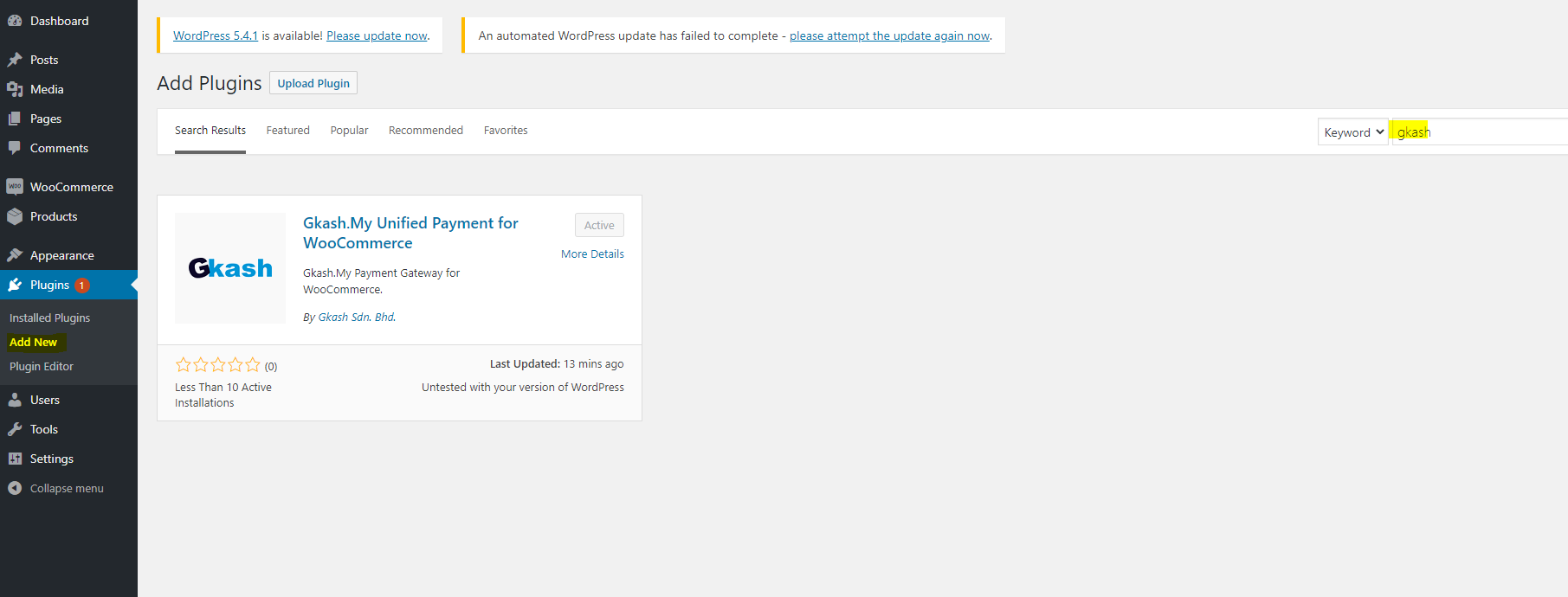
On the side bar of your dashboard, click Plugins and select "Add New", search for Gkash Payment and install the plugin. 
Gkash.My Unified Payment for WooCommerce -Avtivate on the sidebar under WooCommerce => Settings => Payments => Gkash Payment 
Enter your User ID and Signature Key, register an account as a merchant with us at https://www.gkash.my 
Select the Gkash.My Unified payment method to make payment and click "Place Order" 
Select your preferred payment method and make payment.
설치
- On the side bar of your dashboard, click Plugins and select “Add New”.
- Search “Gkash Payment” on the search plugins to find this plugin to install.
- After the result from search, click Install Now to install the plugin to your wordpress.
- Go to your install plugin and active the installed plugin.
Automatic installation
Automatic installation is the easiest option as WordPress handles the file transfers itself and you don’t need to leave your web browser. To do an automatic install of Gkash Payment, log in to your WordPress dashboard, navigate to the Plugins menu and click Add New.
In the search field type “Gkash Payment” and click Search Plugins. Once you’ve found our eCommerce plugin you can view details about it such as the point release, rating and description. Most importantly of course, you can install it by simply clicking “Install Now”.
FAQ
-
Who can use this plugin?
-
Any merchant who sign up at https://www.gkash.my
-
What is the purpose for this plugin?
-
This plugin provide you a new payment method for your website , so customers have more choices to choose for their payment method.
후기
이 플러그인에 대한 평가가 없습니다.
기여자 & 개발자

변경이력
1.0.0
This is the first version of plugin, First Commit
1.0.1
Fix Bugs
1.0.2
Remove CartID2 so every cart id is unique
1.1.0
Check for order’s status, no action take once order is success
1.2.0
Added staging enviroment to allow testing
1.2.1
Added Title description ‘Official Gkash payment gateway for WooCommerce
1.2.8
Retrieve cart item
1.2.9
Simplify code
1.2.10
Fix save configuration bug
1.2.11
Fix shipping address bug
1.2.12
Fix phone number bug
1.2.13
Set timezone to UTC
1.2.14
Change logo image
Here’s a link to our website [Gkash.MY] ( https://www.gkash.my)