Title: WP Code Pre
Author: zeshanb
Published: 2017년 9월 19일
Last modified: 2021년 8월 8일
---
플러그인 검색
이 플러그인은 **최근 3개의 주요 워드프레스 출시와 시험 되지 않았습니다**. 워드프레스의
좀 더 최근 버전으로 이용할 때 더 이상 관리되지 않고 지원되지 않고 호환성 문제가
있을 수 있습니다.
# WP Code Pre
작성자: [zeshanb](https://profiles.wordpress.org/zeshanb/)
[다운로드](https://downloads.wordpress.org/plugin/wp-code-pre.1.0.1.zip)
* [세부사항](https://ko.wordpress.org/plugins/wp-code-pre/#description)
* [평가](https://ko.wordpress.org/plugins/wp-code-pre/#reviews)
* [설치](https://ko.wordpress.org/plugins/wp-code-pre/#installation)
* [개발](https://ko.wordpress.org/plugins/wp-code-pre/#developers)
[지원](https://wordpress.org/support/plugin/wp-code-pre/)
## 설명
This simple plugin was created because of security concerns related to using PHP
preg_replace directly. With transition to PHP7, it’s advised to use preg_replace_callback
instead.
This plugin uses built-in supported feature of PHP-“highlight_string”. This plugin
filters post content inside custom html block for
and helps display html and other source code.
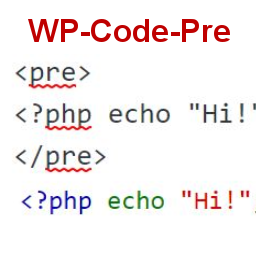
To display source code in your posts, surround source code with pre tags. Plugin
will filter for pre tags and add inline styles that may be modified using your wordpress
theme’s css stylesheet.
For WordPress versions 5.0 and above, HTML pre tags can be used within html block
or, classic block. Use the three dot menu to convert to html when there is a invalid
content error while post editing.
## 스크린샷
[⌊Code preview on blog post or page⌉⌊Code preview on blog post or page⌉[
Code preview on blog post or page
[⌊Typing code in text tab of WordPress Admin area when writing Post.⌉⌊Typing code
in text tab of WordPress Admin area when writing Post.⌉[
Typing code in text tab of WordPress Admin area when writing Post.
[⌊Convert block to html while editing to make modifications to existing source code
display⌉⌊Convert block to html while editing to make modifications to existing source
code display⌉[
Convert block to html while editing to make modifications to existing source code
display
## 설치
1. Download the plugin
2. Upload the wp-code-pre.zip folder to your site’s wp-content/plugins directory
3. Activate the plugin in the WordPress Admin Panel
4. Surround source code with `
` tags, when writing in blog posts using
Gutenberg with classic block and “Edit as HTML” or, html block
## FAQ
Why there aren’t any options to modify in admin?
This plugin simply filters for
pre tags.
## 후기
이 플러그인에 대한 평가가 없습니다.
## 기여자 & 개발자
“WP Code Pre”(은)는 오픈 소스 소프트웨어입니다. 다음의 사람들이 이 플러그인에 기여하였습니다.
기여자
* [ zeshanb ](https://profiles.wordpress.org/zeshanb/)
[자국어로 “WP Code Pre”(을)를 번역하세요.](https://translate.wordpress.org/projects/wp-plugins/wp-code-pre)
### 개발에 관심이 있으십니까?
[코드 탐색하기](https://plugins.trac.wordpress.org/browser/wp-code-pre/)는, [SVN 저장소](https://plugins.svn.wordpress.org/wp-code-pre/)
를 확인하시거나, [개발 기록](https://plugins.trac.wordpress.org/log/wp-code-pre/)
을 [RSS](https://plugins.trac.wordpress.org/log/wp-code-pre/?limit=100&mode=stop_on_copy&format=rss)
로 구독하세요.
## 변경이력
#### 1.0
* First version of the plugin.
#### 1.0.1
* Updated readme to reflect updates to version 5.0
## 기초
* 버전 **1.0**
* 최근 업데이트: **5년 전**
* 활성화된 설치 **10+**
* 워드프레스 버전 ** 4.0 또는 그 이상 **
* 다음까지 시험됨: **5.8.15**
* PHP 버전 ** 7.0 또는 그 이상 **
* 언어
* [English (US)](https://wordpress.org/plugins/wp-code-pre/)
* 태그:
* [Code Highlight](https://ko.wordpress.org/plugins/tags/code-highlight/)[filter content](https://ko.wordpress.org/plugins/tags/filter-content/)
* [고급 보기](https://ko.wordpress.org/plugins/wp-code-pre/advanced/)
## 평점
아직 제출된 리뷰가 없습니다.
[Your review](https://wordpress.org/support/plugin/wp-code-pre/reviews/#new-post)
[모든 리뷰 보기](https://wordpress.org/support/plugin/wp-code-pre/reviews/)
## 기여자
* [ zeshanb ](https://profiles.wordpress.org/zeshanb/)
## 지원
할 말 있으신가요? 도움이 필요하신가요?
[지원 포럼 보기](https://wordpress.org/support/plugin/wp-code-pre/)