
설명
Limit the number of login attempts possible both through normal login as well as using auth cookies.
By default WordPress allows unlimited login attempts either through the login page or by sending special cookies. This allows passwords (or hashes) to be brute-force cracked with relative ease.
Limit Login Attempts blocks an Internet address from making further attempts after a specified limit on retries is reached, making a brute-force attack difficult or impossible.
Basic Features
- Limit the number of retry attempts when logging in.
- Configurable lockout timings.
- Email notification of blocked attempts (Detailed email containing all necessary information).
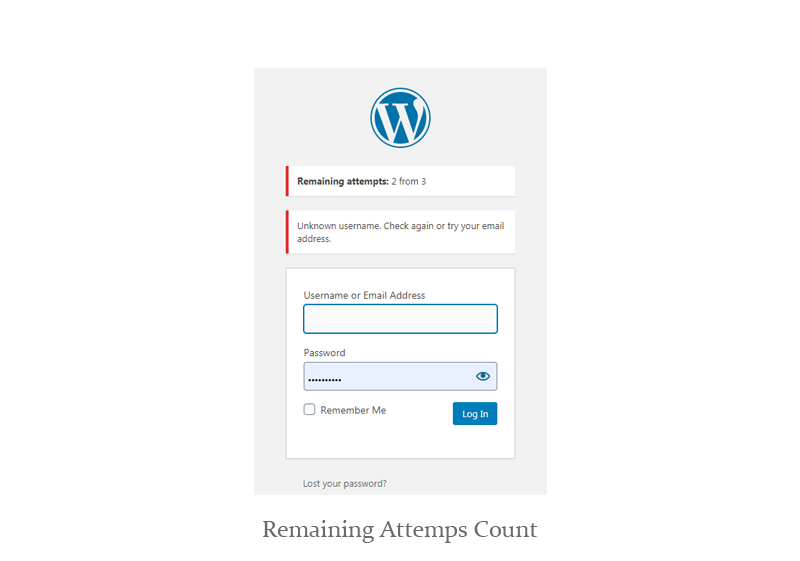
- Notify the user of remaining attempts.
- Report containing all blocked attempts.
- Whitelist/Blocklist of IPs (Support IP ranges).
- Allow/Block Countries.
- Automatically block IP addresses that exceed limit login attempts
- Automatically add IP addresses that exceed blocks limit to the deny list
- Send notifications about blocked retry (Email sent to admins)
- Inform the user about the remaining retries or lockout time on the login page.
- Unlock The Locked users – Easily unlock the locked admin through the email or dashboard.
- Limit the number of retry attempts when logging in per IP.
- Limit the number of attempts to log in using cookies.
- Optional logging and optional email notification.
- Compatible with Google captcha, Captcha Plus & reCaptcha.
- Dashboard gives you an overview of your site’s security.
- Enable or disable the plugin functionality
- Enable to disable email notifications
- Compatible with latest WordPress version
- Woocommerce login page protection.
- Wordfence & Sucuri compatibility.
- GDPR compliant.
Advanced Features (PRO)
- All Basic features included.
- Save the password that was used by the hacker (Save part of the password and hide the last three digits).
- Advanced dashboard gives you an overview of your site’s security (Charts for the most important reports).
- Block attackers by IP, Country, IP range.
- Mobile Application for the admins to follow up the site security (Download APK).
Video Description
Plugin Settings and Reports
스크린샷
screenshot 1 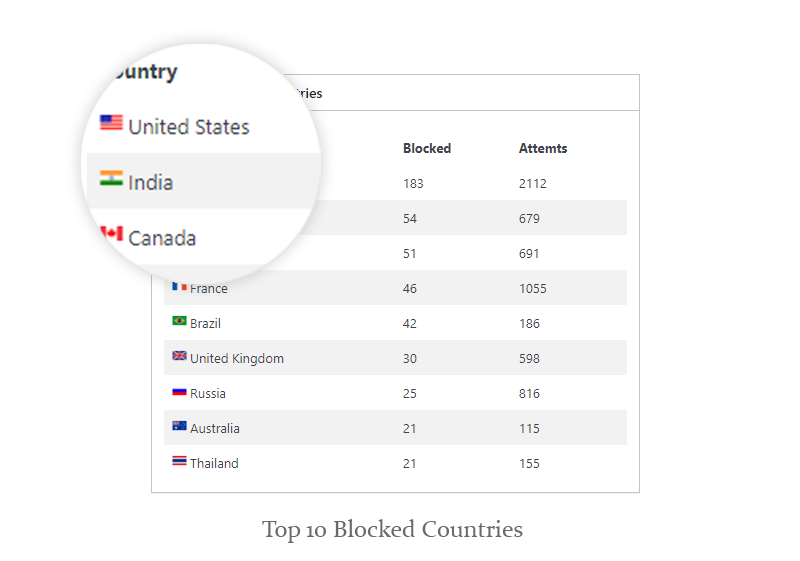
screenshot 2 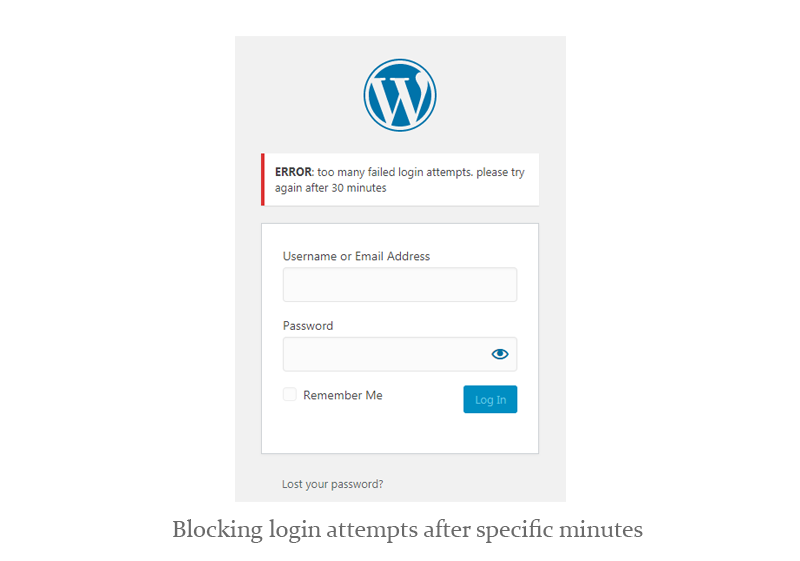
screenshot 3 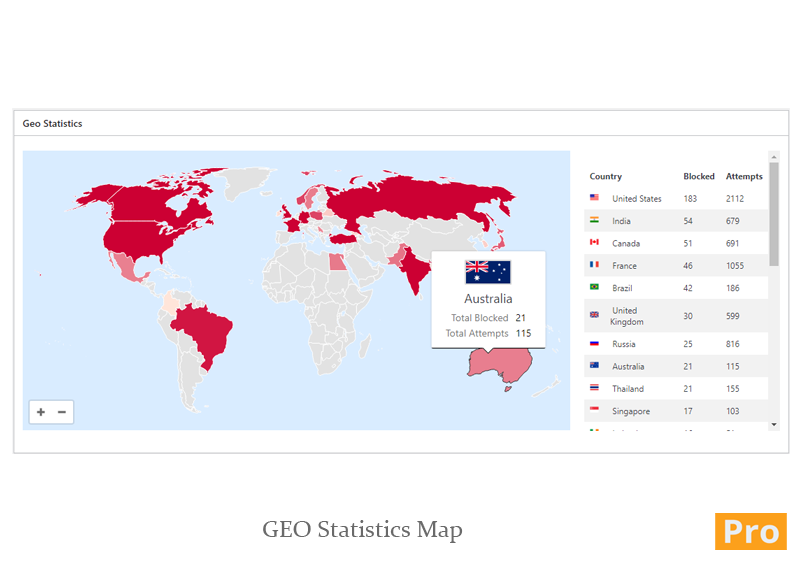
screenshot 4 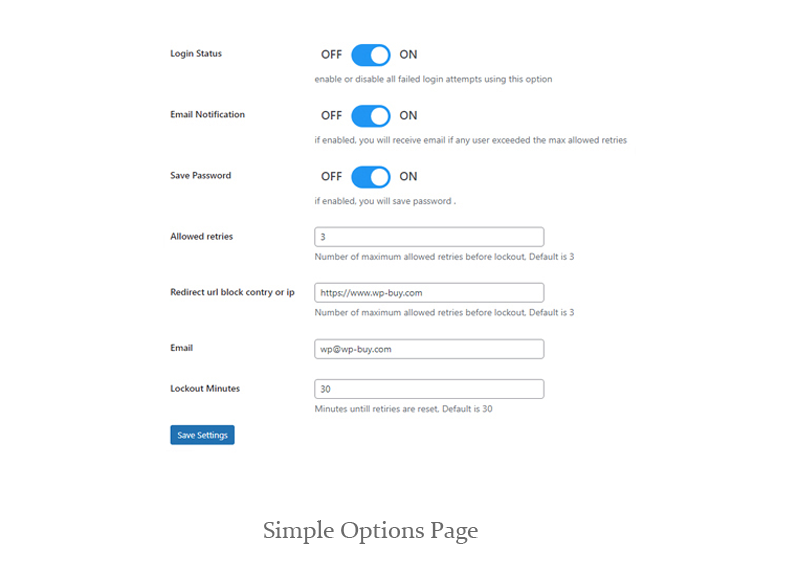
screenshot 5 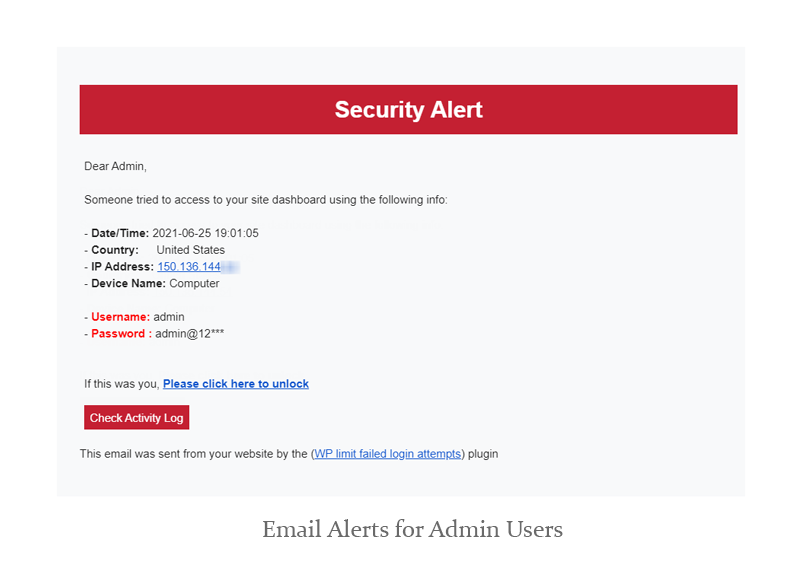
screenshot 6 
screenshot 7
설치
The plugin is simple to install:
- Download the file
wp-limit-failed-login-attempts.zip. - Unzip it.
- Upload
wp-limit-failed-login-attemptsdirectory to your/wp-content/pluginsdirectory. - Go to the plugin management page and enable the plugin.
- Configure the options from the
Limit Failed Loginpage
후기

2022년 8월 29일
1 reply
I contacted my server host for help because this plugin keeps telling me that my site is under possible brute-force attack.
I change lockout settings to lockout for 4 days following a failed attempt, but this plugin's log was still apparently filling up with failed attempts and lockouts for the same couple of accounts that shouldn't have been possible if it was doing it's job.
So I provided a list of IP addresses to my server host, and they checked logs at the server level and said there was no sign that any of those IP addresses had attempted to log into the site.
I uninstalled the plugin.

2021년 5월 18일
With this tool I realize that after two weeks of being live our site has had world renown popularity. Every Continet, evey country and sovergnty has recognized us, yet only 6 out of 171 of our council members have signed on to use our site. Thank you for showing me this.

2020년 12월 7일
A good solution if you don't use heavier plugins like WordFence or Ithemes Security.

2020년 11월 12일
Really a helpful plugin. Support is very active too.

2020년 11월 11일
Working fine,
thank you.

2020년 11월 11일
2 replies
Installed it to try dealing with brute force attacks and it successfully logs all failed attempts but never locked them out. Yes, it was enabled and set to 3 invalid logins. Lockout period was increased too but they kept coming. Uninstlled.
기여자 & 개발자
“Limit Login Attempts (Spam Protection)”(은)는 오픈 소스 소프트웨어입니다. 다음의 사람들이 이 플러그인에 기여하였습니다.
기여자

자국어로 “Limit Login Attempts (Spam Protection)”(을)를 번역하세요.
개발에 관심이 있으십니까?
변경이력
5.3
Bug fixing in log report
5.2
Checking with wordpress version 6.2
5.1
- Bug fixing in lockout (locked accounts) report (security issiu reported by WPScan)
4.9.1
- Bug fixing in log report (security issiu reported by WPScan) – part 3
4.9
- Bug fixing in log report (security issiu reported by WPScan) – part 2
4.8
- Bug fixing in log report (security issiu reported by WPScan)
4.7
- Bug fixing in dashboard & email reports
4.6
- Bug fixing – Use local flags instead of using third party website
4.5
- Bug fixing – Remote get issue
4.4
- Bug fixing – PHP notice message
4.3
- Bug fixing in login attempts counter
4.2
- Bug fixing in email alerts
4.1
- Bug fixing in email alerts
4.1
- Adding statistics page & new statistics widgets
- Adding a new feature: Block by IP and Range IP
- Bug fixing and enhancements
2.8
- bug fixing in settings
2.7
- Compatibility with SMPT plugins
2.6
- bug fixing in attempts count
- bug fixing in email alerts
2.5
- Bug fixing in a timezone
- Bug fixing in the lockout timer
2.4
- Bug fixing in recording attempts
2.3
- Bug fixing in the email alerts
2.2
- improvements in reports
- improvements in dashboard widgets
2.1
- hot fixes in the wp-buy cp page
1.9
- hot fixes
- improvements
1.8
- Add one starting page for all of our plugins
- Add links to dismiss the new start page links
1.7
- Adding new feature (IP blocking)
- Adding new feature (search by IP, country, username)
- Adding new feature (show username and password in the log reports)
1.6
- Bug fixing – PHP Notice -> Undefined index
1.5
- Adding username and user role to the log
- Adding search by username, IP, role, country
1.4
- Email template improvements
1.3
- Display GEO location in detail for any blocked IP address
1.2
- Bug fixing in the user permissions
- adding “Vote” message
1.1
- CSS enhancements
1.0
- First beta release