

설명
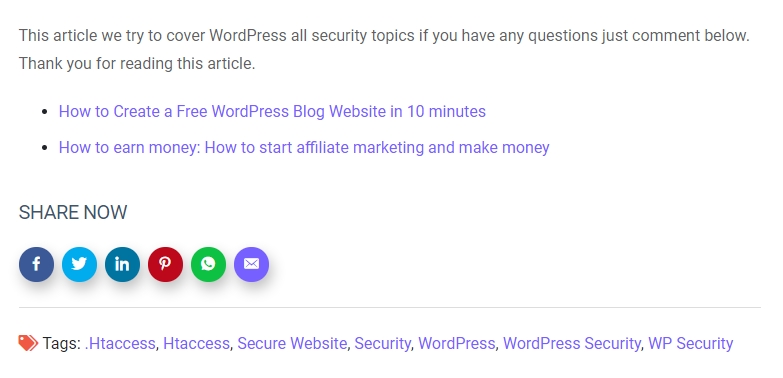
ShareMe adds fast, customizable social share buttons to posts, pages, and WooCommerce products — with a modern admin, drag-and-drop network ordering, and no external scripts.
Features
- 13 built-in networks: Facebook, X (Twitter), LinkedIn, Pinterest, WhatsApp, Telegram, Reddit, Tumblr, Messenger, Pocket, Email, Copy Link, Print
- Drag-and-drop sortable network list — enable, disable, and reorder in the admin
- Per-network color pickers, custom icon (foreground) color
- Button style: circle, rounded, or square — small / medium / large — optional labels
- Custom heading text, position (before / after / both), or a sticky vertical sidebar (left or right)
- Open share dialogs in a centered popup window
- WooCommerce single-product share slot (
woocommerce_share) supported out of the box - Gutenberg block (“ShareMe Buttons”) with live editor preview via server-side render
- Elementor widget (“ShareMe Buttons”) with matching controls
- Shortcode
[shareme_buttons]with attributes for per-placement overrides - Shortcode Builder in the admin with a savable shortcode library
- No external scripts, inline SVG icons for crisp rendering
- Translation-ready (
sharemetext domain)
Shortcode
[shareme_buttons networks="facebook,twitter,whatsapp" shape="rounded" size="large" labels="yes" heading="Spread the word"]
Support
For support and feature requests, visit Shipon Karmakar’s Website or the WordPress.org Plugin Page.
스크린샷
블록
이 플러그인은 1개의 블록을 제공합니다.
- ShareMe Buttons
설치
- Upload the
sharemefolder to/wp-content/plugins/(or install from the WordPress plugin directory). - Activate the plugin through the Plugins menu.
- Configure under Settings ShareMe.
- Optional: drop the ShareMe Buttons block into any post, or drag the ShareMe Buttons widget in Elementor.
FAQ
-
By default on single posts and WooCommerce product pages. Toggle pages, sticky sidebar, and position in Settings ShareMe Display.
-
Yes — the Networks tab has a color picker per network, and the Style tab has a global icon color.
-
Does this plugin load external scripts?
-
No. Icons are inline SVG and the small share/copy/print helper script is served from your site.
-
Does it work with WooCommerce?
-
Yes. When WooCommerce is active and “WooCommerce products” is enabled, buttons render in the product’s share slot.
-
Does it support Gutenberg and Elementor?
-
Yes — both are registered automatically when Gutenberg / Elementor is present.
후기


기여자 & 개발자
“ShareMe Social Share Plugin Blog & WooCommerce Products”(은)는 오픈 소스 소프트웨어입니다. 다음의 사람들이 이 플러그인에 기여하였습니다.
기여자
변경이력
2.1.0
- Tested with WordPress 7.1.
- WooCommerce support via
woocommerce_share. - New networks: Telegram, Reddit, Tumblr, Messenger, Pocket, Copy Link, Print (13 total).
- Drag-and-drop sortable network list with enable toggles.
- Per-network color pickers and a global icon color.
- Button shape (circle / rounded / square) and size (small / medium / large), optional labels.
- Custom heading text, position (before / after / both), and sticky sidebar (left / right).
- Open share dialogs in a centered popup window.
- Tabbed admin UI (General / Networks / Display / Style / Shortcode Builder) with a savable shortcode library.
- Gutenberg block “ShareMe Buttons” (dynamic, server-rendered, with Inspector controls).
- Elementor widget with matching controls in a dedicated “ShareMe” category.
- Inline SVG icons; front-end helper script for popup, copy-link (with toast), and print.
- Fixed URL-encoding / XSS issue in share URLs; added a proper settings sanitizer.
- Guarded
the_contentfilter against widgets, excerpts, and feeds. - New shortcode
[shareme_buttons]with attribute overrides (old[show_shareme_social_buttons]still works).
2.0.0
- Settings page for per-network toggles and master enable.
1.3.0
- Improved compatibility with WordPress 6.4.
- Enhanced security with better input validation.
- Fixed minor CSS issues.
1.2.0
- Added WhatsApp sharing support.
- Optimized performance by removing unnecessary scripts.
1.1.0
- Added LinkedIn and Pinterest sharing options.
- Improved mobile responsiveness.
1.0.0
- Initial release with Facebook and Twitter support.