

설명
A true Single Page Application (SPA) plugin – no coding, no configuration.
Stop losing visitors to slow page loads. AjaxPress replaces full page reloads with instant ajax navigation, giving your site a blazing-fast, app-like experience that keeps users engaged and coming back.
👉 Unlock Pro Features – Advanced features & priority support
💨 Instant page loads. Visitors get zero-delay page transitions with smooth navigation – no white screens, no waiting, no frustration. Lower bounce rates, longer sessions.
🎵 Audio and video never stop. Live streams, podcasts, and music keep playing seamlessly while users browse. A game-changer for radio stations, podcast networks, and music platforms.
How It Works
AjaxPress intercepts internal link clicks and loads the next page over ajax instead of a full browser reload. Real URLs are preserved via the History API, the page title and head metadata (canonical, OpenGraph, JSON-LD) are synced on every navigation, and back/forward buttons work exactly as expected. Search engines crawl your site normally – nothing changes for SEO.
Compatible With Your Theme, Page Builder, and Plugins
AjaxPress is built for maximum compatibility and actively tested with the most popular themes, page builders, and plugins. Just activate – no configuration needed.
🎨 Themes: Astra, GeneratePress, Kadence, OceanWP, Hello Elementor, Blocksy, Neve, Divi, Avada, Flatsome, Storefront, and more.
🔧 Page Builders: Elementor, Bricks, Beaver Builder, Divi Builder, WPBakery, Oxygen, Breakdance, Zion Builder, Spectra, Gutenberg, and more.
📝 Forms: Contact Form 7, WPForms, Gravity Forms, Formidable Forms, Ninja Forms, Fluent Forms, Elementor Forms, and more.
⚡ Caching: WP Rocket, LiteSpeed Cache, W3 Total Cache, WP Super Cache, SG Optimizer, Cloudflare, Bunny CDN, and more.
🔍 SEO: Yoast SEO, Rank Math, All in One SEO, SEOPress, and more.
🛒 eCommerce: Full WooCommerce compatibility including products, cart, checkout, and extensions. Also works with Easy Digital Downloads, and more.
⚛️ Modern JS Frameworks: React, Vue, Solid, Alpine.js pages work perfectly. No style breaking, no script conflicts.
🌐 Browsers & Devices: Chrome, Firefox, Safari, Edge, Opera. Desktop, tablet, mobile. All modern browsers supported.
Single Page Application Features
⚡ Ajax Navigation – True app-like UX that keeps visitors engaged
🎵 Persistent Audio/Video Player – Media continues playing across your entire site
🏃 Instant Page Loading – Zero refresh, zero lag, pure speed
👆 Smart Prefetch – Pages preload on hover, before visitors even click
✨ Page Transitions – Fade, slide, and custom animations for polish
📊 Progress Bar – Visual loading indicator that reassures visitors
🔌 Broad Compatibility – Tested with popular themes, builders, and plugins
🔐 SEO Friendly – Real URLs, synced metadata, search engines crawl normally
💪 Mobile Optimized – Works great on desktop, tablet, and mobile
🔥 Want more? Go Pro – Advanced features and priority support
Built for Radio, Podcast, Music, and Content Sites
📻 Radio Stations & Live Streaming – Never interrupt your listeners’ experience
🎙️ Podcast Networks – Seamless episode navigation with uninterrupted playback
🎵 Music & Artist Portfolios – Showcase your sound without a single pause
🛍️ eCommerce Stores – Lightning-fast product browsing that converts browsers to buyers
📰 News & Publishing – Instant article switching for addicted readers
🖼️ Creative Portfolios – Silky-smooth project navigation that wows clients
🎬 Video Platforms – Continuous streaming across your entire catalog
SEO Friendly
🔗 Real URLs via History API
📝 Meta tags update per page
🕷️ Search engines crawl normally
✅ Works with Yoast, Rank Math, AIOSEO
📈 Google Analytics compatible
AjaxPress Pro
Take your site to the next level. The free version is powerful – AjaxPress Pro unlocks advanced features and priority support for sites that need more.
👉 See AjaxPress Pro Plans & Pricing
Privacy & External Services
AjaxPress respects your privacy. The plugin works fully without sending any data anywhere.
Optionally – and only with your explicit consent – AjaxPress can share non-confidential diagnostic data (such as PHP/WordPress version and plugin settings) via PackEdge to help us reproduce and fix issues faster. You can review exactly what is shared and opt out at any time. See the PackEdge privacy policy for details.
PackEdge is also used for license activation (Pro) and an optional deactivation-feedback form. No visitor data from your site’s frontend is ever collected.
스크린샷


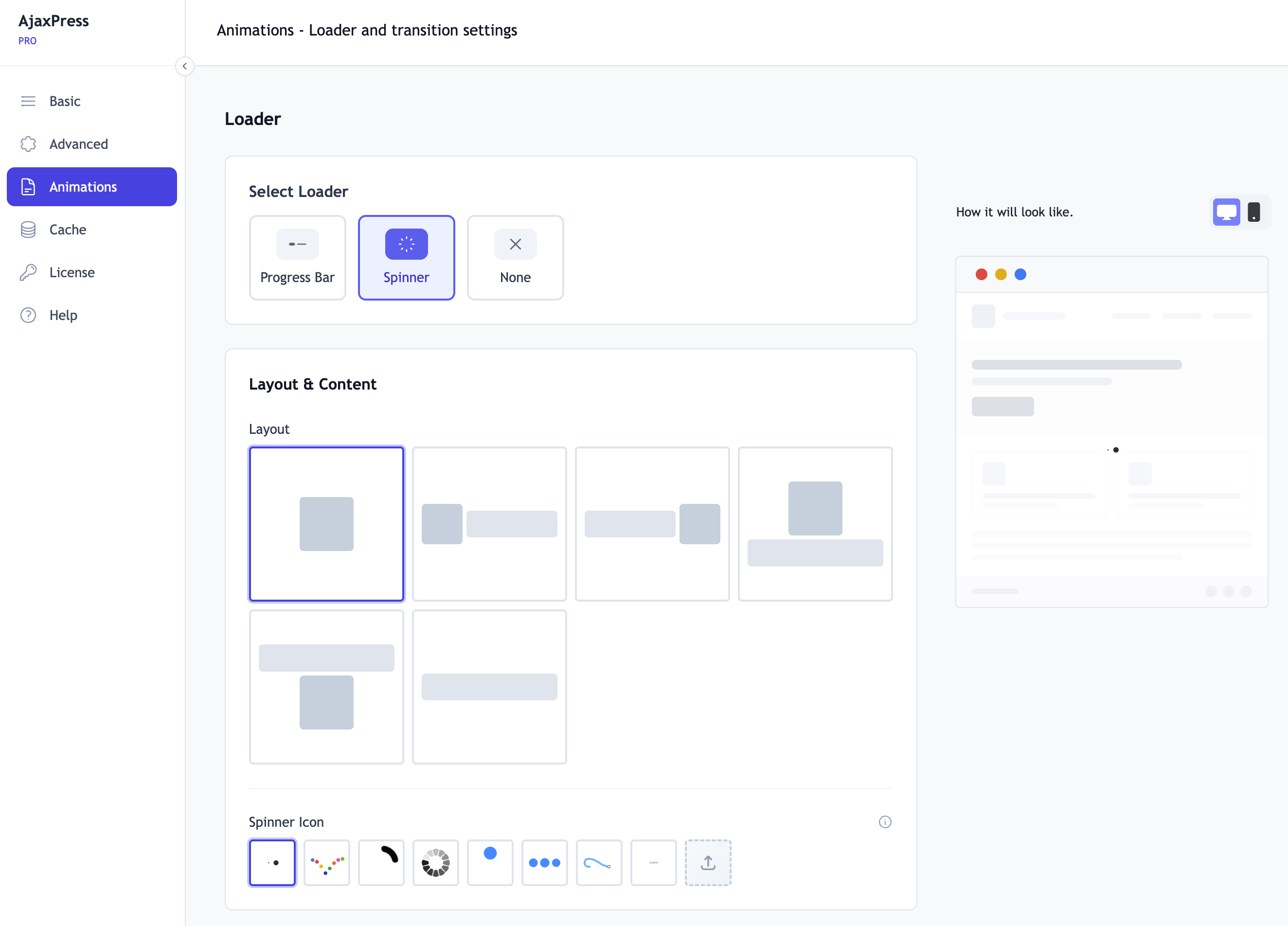
설치
Get started in 3 steps:
- Go to Plugins > Add New
- Search for AjaxPress
- Click Install Now, then Activate – your site transforms instantly ⚡
That’s it. Your site is now a lightning-fast SPA.
Optional: Visit Settings > AjaxPress for customization options, or upgrade to Pro for advanced features.
FAQ
-
Will it work with my theme?
-
Yes. AjaxPress is tested with Astra, GeneratePress, Kadence, Divi, Avada, OceanWP, Blocksy, Neve, Flatsome, Storefront, and many more. No configuration needed.
-
Will it work with my page builder?
-
Yes. Elementor, Bricks, Beaver Builder, Divi Builder, WPBakery, Oxygen, Breakdance, and Gutenberg are all tested and supported.
-
Will my forms work?
-
Yes. Contact Form 7, WPForms, Gravity Forms, Formidable Forms, Ninja Forms, Fluent Forms, and Elementor Forms all work out of the box.
-
Yes – that’s AjaxPress’s signature feature. Your media player continues uninterrupted while visitors browse your entire site.
-
Does it work with caching plugins?
-
Yes. WP Rocket, LiteSpeed Cache, W3 Total Cache, WP Super Cache, SG Optimizer, Cloudflare, and Bunny CDN are all supported.
-
Will it break my SEO?
-
No. AjaxPress uses real URLs via the History API and syncs meta tags, canonical tags, and JSON-LD structured data on every navigation. Search engines crawl your site normally. Works with Yoast, Rank Math, and all major SEO plugins.
-
Does it work with React/Vue/Solid pages?
-
Yes. Pages built with modern JS frameworks work without style breaking or script conflicts. No configuration needed.
-
Does it work on mobile?
-
Yes. All modern browsers on all devices – desktop, tablet, and mobile – are fully supported.
후기


기여자 & 개발자
“AjaxPress – Single Page Application, Ajax Navigation & Persistent Media Player”(은)는 오픈 소스 소프트웨어입니다. 다음의 사람들이 이 플러그인에 기여하였습니다.
기여자
변경이력
2.4.0
- New: Connect to Cloudflare in one click with OAuth – no API token to create or paste (where available; pasting a token still works everywhere)
- New: “Don’t cache this page” toggle in the editor (classic and block), for pages that should always be served fresh
- New: Dynamic pages are excluded from edge caching automatically – WooCommerce cart, checkout and account, add-to-cart links, and anything that sets cookies or uses nonces
- New: Cache health readout and a Pause switch to stop edge caching instantly without disconnecting
- New: Edits appear without anyone waiting. Update a page and the next visitor gets the existing copy instantly while Cloudflare fetches the new version behind them – you publish, it appears, and nobody has to purge anything
- New: “Scan my pages” finds pages that should not be cached (cookies, security tokens, forms) and excludes them in one click
- Improved: The Cache screen is reorganised – everything about excluding pages in one place, rarely-used settings tucked behind “Show advanced settings”
- New: Optional second cache layer that keeps a globally shared copy of your pages, so visitors in regions that have not loaded a page yet are still served by Cloudflare rather than your server
- New: Exclude individual posts and pages by searching for them, and exclude whole categories, tags or other taxonomy terms
- New: Configurable edge cache lifetime and exclude-URL list
- Improved: Edge page caching now reliably caches HTML and applies changes without redeploying the Cloudflare worker
- Improved: The Cache screen shows whether your Cloudflare account is connected and how, and returning from the Cloudflare authorization screen lands back on the Cache settings with a clear result message
- New: Logging in and registering now work over ajax with no page refresh, the same as the rest of your site. This includes the WooCommerce My Account login and registration forms, and a failed login shows its error in place
- New: The WordPress login screen (wp-login.php) is now part of the SPA. Signing in, registering, and resetting a password no longer reload the page, and a failed attempt shows its error in place. If a login sends you outside the SPA, such as the dashboard, AjaxPress hands over to a normal page load. Opt out with the full page reload setting for auth forms or the
ajaxpress_ajax_loginfilter - New: Full Page Reload on Login & Registration setting, off by default, for sign-in flows that need a real page load
- Fixed: Logging in or registering through WooCommerce My Account did nothing when AjaxPress was active. The clicked button’s value was dropped from intercepted submissions, which WooCommerce relies on. This also affected contact forms, search filters, and admin save buttons
- Fixed: Forms containing a field named “action”, “method”, “submit”, or “target” broke form handling entirely. Nearly every WordPress admin form uses this pattern, as does any plugin form posting to admin-ajax.php or admin-post.php
- Fixed: Forms whose own JavaScript submits them, such as the classic WooCommerce checkout and most contact form plugins, could be submitted twice
- Fixed: On a freshly loaded or reloaded page, submitting a form could reload the whole page instead of submitting over ajax, while the same form worked after navigating to the page from elsewhere. The page shell’s duplicate copy of the form is now disabled, and anything reaching it is routed through ajax
- Fixed: WooCommerce notices were missing after a form submission, so failed logins showed no error
- Fixed: A persistent player kept playing on pages that do not include one. Player continuity now follows the page: added when a page has one and the shell does not, kept playing when the next page has the same one, removed when the next page has none
- Fixed: A persistent audio or video player could carry over from the frontend into the WordPress dashboard and keep playing there. The frontend and the dashboard never share a player: moving between them is always a normal page load
- Fixed: Several admin dashboard screens did not save correctly with SPA for Admin Dashboard enabled
- Changed: On WordPress 7.0 and newer the settings screen recommends leaving SPA for Admin Dashboard off, since WordPress now navigates the dashboard itself. On older versions it stays highlighted
2.3.4
- Fixed: On block themes such as Twenty Twenty-Five, the browser back button could trigger a full page reload that reset persistent players. AjaxPress now switches off WordPress’s built-in block navigation scripts that competed with its own SPA navigation
2.3.3
- New: Cloudflare cache integration – purge and manage Cloudflare edge cache directly from the AjaxPress settings panel
- Fixed: Duplicate browser-history entries. Each navigation now adds exactly one entry, hovering links no longer pollutes history, and the back button no longer traps visitors in a loop
- Fixed: The ajaxpress:ready event now fires after the URL and title are updated, so analytics listeners read the correct page
- New: ajaxpress_page_view dataLayer event for Google Analytics 4 / Tag Manager, restoring GA4’s “Average engagement time” metric that otherwise reads zero on SPA sites
- Fixed: Ctrl/Cmd+click and Shift+click on links now open a new tab or window instead of navigating in place
- Fixed: Persistent media players no longer double their audio. The hidden original copy left in the page shell is removed once the player is lifted into the persistent container
- Fixed: Premium settings are no longer erased when a license check fails or the plugin is re-activated. Saved values survive license changes and simply pause while a license is inactive
- Security: The license key is no longer printed in the public page source. The frontend now receives only a validity flag, and the site admin email is no longer exposed either
For full changelog, see changelog.txt