

설명
Let’s add life to your woocommerce store with an outstanding product slider
-
Create Your Slider
Select from all of your product categories (the empties will not appear) and
limit the products shown in the loop. -
No need to Worry in Smartphones
WPC was build with a mobile 1st design from start, so you’ll not have
any problems of compatibility with the sliders in mobile.
스크린샷

Mobile view of the sliders
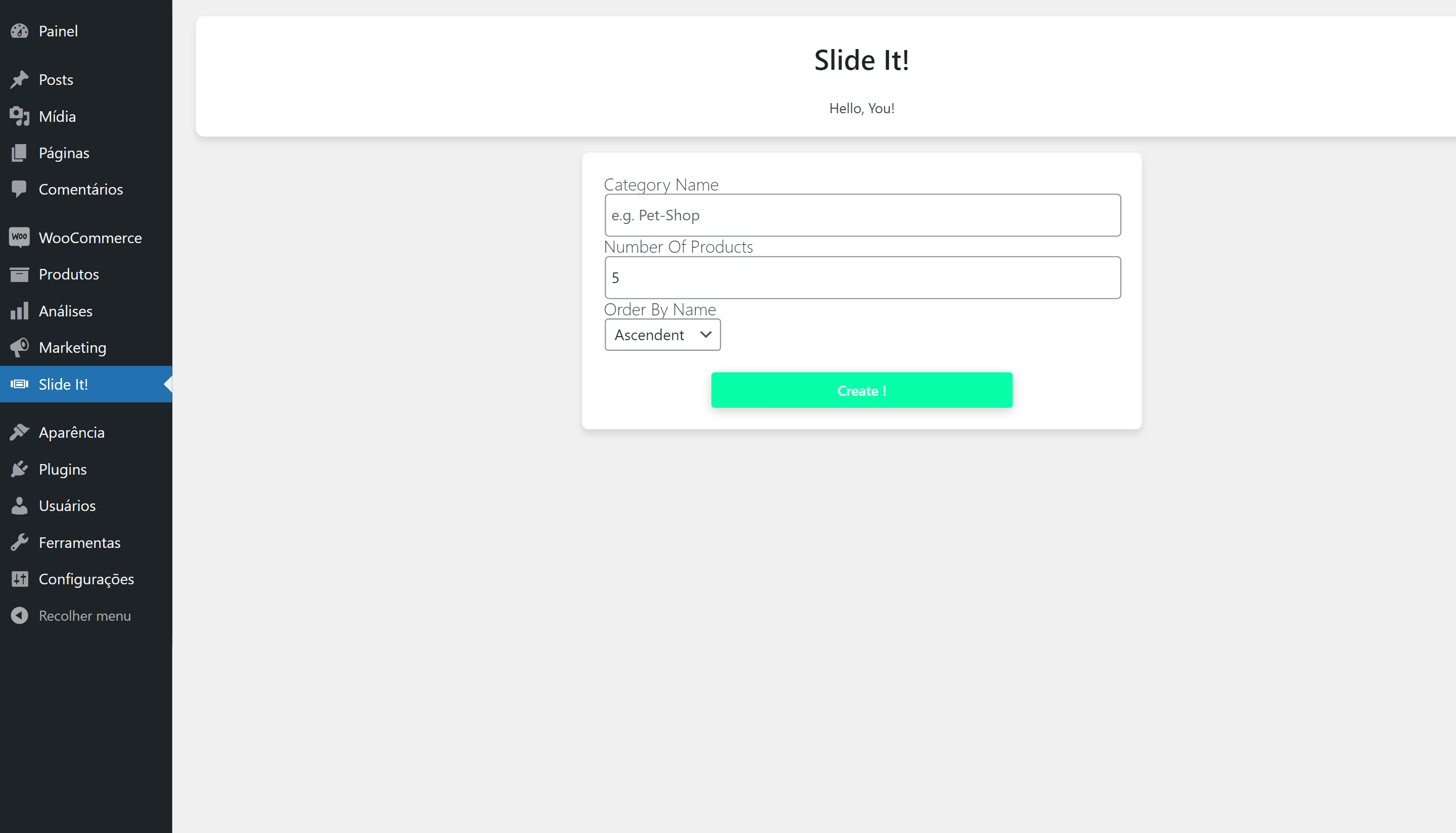
The Slide it shortcode generator

The shortcode after generation: ready to be copied

The sliders inside the site

Final mobile view of the sliders
후기
이 플러그인에 대한 평가가 없습니다.
기여자 & 개발자

변경이력
2.3.0
- Added i18n support, now you can help us translate the plugin!
2.2.0
- Changed shortcode generation form to include the new Card Styles.
- Created the new [SLIDEIT_SHOW_CONTAINER]. The old [WPC_SHOW_CONTAINER] still works but without the cards.
- Added the Seamless Card style.
- Added the Dummy Product image.
2.1.3
- fixed bug causing fatal error while loading the plugin
2.1.2
- Fixed warning about WooCommerce dependency.
2.1.1
- Renamed some hook handles
2.1.0
- Changed names of several archives, handles, functions, constants to avoid errors in wp execution
- Now loading some libraries directly from WP.
2.0.0
- Re branded the plugin.
- Fixed problem with shortcodes carrying non-existent or empty categories.
1.0.1
- Fixed problem causing
FATAL ERRORwhile activating the plugin
1.0.0
- Created wpc-deactivation.php file, creating a routine to dequeue and deregister scripts and css files from WPC on deactivation.
- deleted wpc_loop_elementor.css as it is not needed anymore.
0.8.1
- Fixed error in shortcode generator. The user was unable to select how many products would have to appear in a row.
0.8.0
-
Changed the way Scrollbars look in Desktop. Now they’re cool 🙂
By resizing and adding some styles in the scrollbar:
we could make something that fit the style we wanted to the plugin.
Now we do recommend that you put more than 5 products to show in the desktop -
Changed Product Loop photo size and card size:
By adding the last update, we focused in founding a card size that would fit great 5 products in the loop for a minimum 1024px width resolution. With this, we upgraded the photo size to 190px and now it all fits great.