
설명
No API key needed to use google maps, use direct iframe method.
This plugin allows to use the shortcode ([map-coordinate]), custom Elementor widget or a Gutenberg block to display Google Maps with Latitude & Longitude. There is also an admin menu to add Latitude & Longitude globally for all Gutenberg blocks and shortcodes.
Check out the live version of the project here: Demo
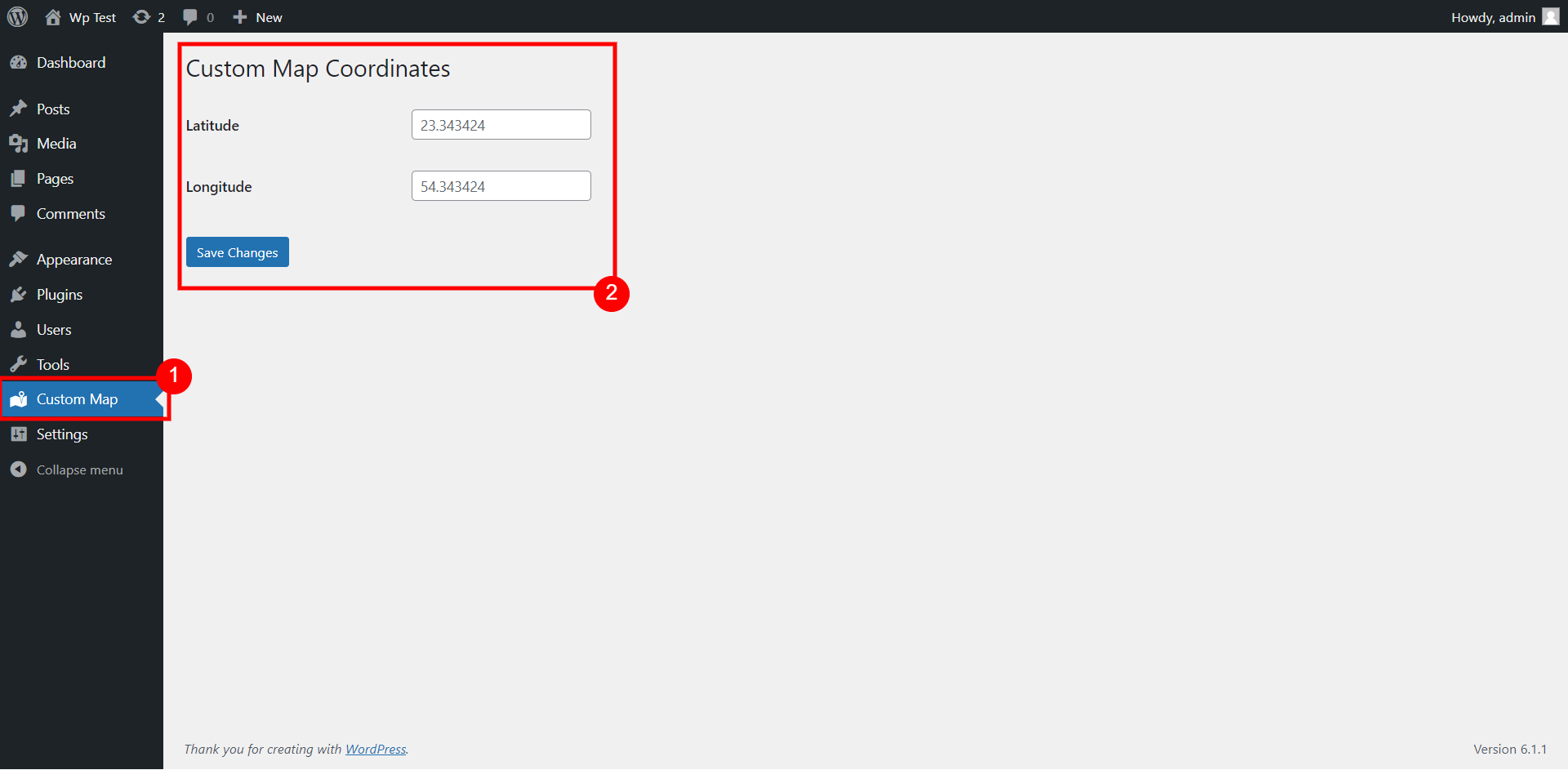
You can add the coordinates globally for the map to use from admin menu (Custom Map) as shown on screenshot #1.
The shortcode for the map to display is:
[map-coordinate]
You can also add different coordinates for each shortcode:
[map-coordinate lat="xx" lon="xx"]
If you are using Gutenberg editor for your posts, then you can also use the Gutenberg block – Custom Map Coordinates
Custom elementor widget is also available to use for Elementor page builder.
스크린샷
![Shortcode [map-coordinate] that uses default coordinates from admin menu](https://ps.w.org/custom-map-coord/assets/screenshot-2.png?rev=2870886)


블록
이 플러그인은 1개의 블록을 제공합니다.
- Custom Map Coordinates
설치
This section describes how to install the plugin and get it working.
- Upload the plugin files to the
/wp-content/pluginsdirectory, or install the plugin through the WordPress plugins screen directly. - Activate the plugin through the ‘Plugins’ screen in WordPress
- Use the ‘Custom Map’ screen from admin menu to add coordinates globally for shortcodes & gutenberg block.
- Or you can use shortcode or gutenberg directly to add different coordinates in any posts.
후기
이 플러그인에 대한 평가가 없습니다.
기여자 & 개발자
“Coordinate for Google Map (No API Required)”(은)는 오픈 소스 소프트웨어입니다. 다음의 사람들이 이 플러그인에 기여하였습니다.
기여자
변경이력
- Elementor widget added in 1.1