

설명
Introducing our new lightweight WordPress plugin – View User Metadata!
This plugin adds a simple toggle button to the user edit screen, allowing administrators to easily view metadata associated with the user they are currently viewing. Metadata includes all data attached to a user account. Administrator’s can also delete the usermeta.
This plugin is perfect for developers where metadata is important to view but doesn’t need to be displayed at all times.
Features:
– Toggle to show/hide user data
– Click-to-focus on any row
– Delete a key/value pair
Check out our other plugins:
스크린샷
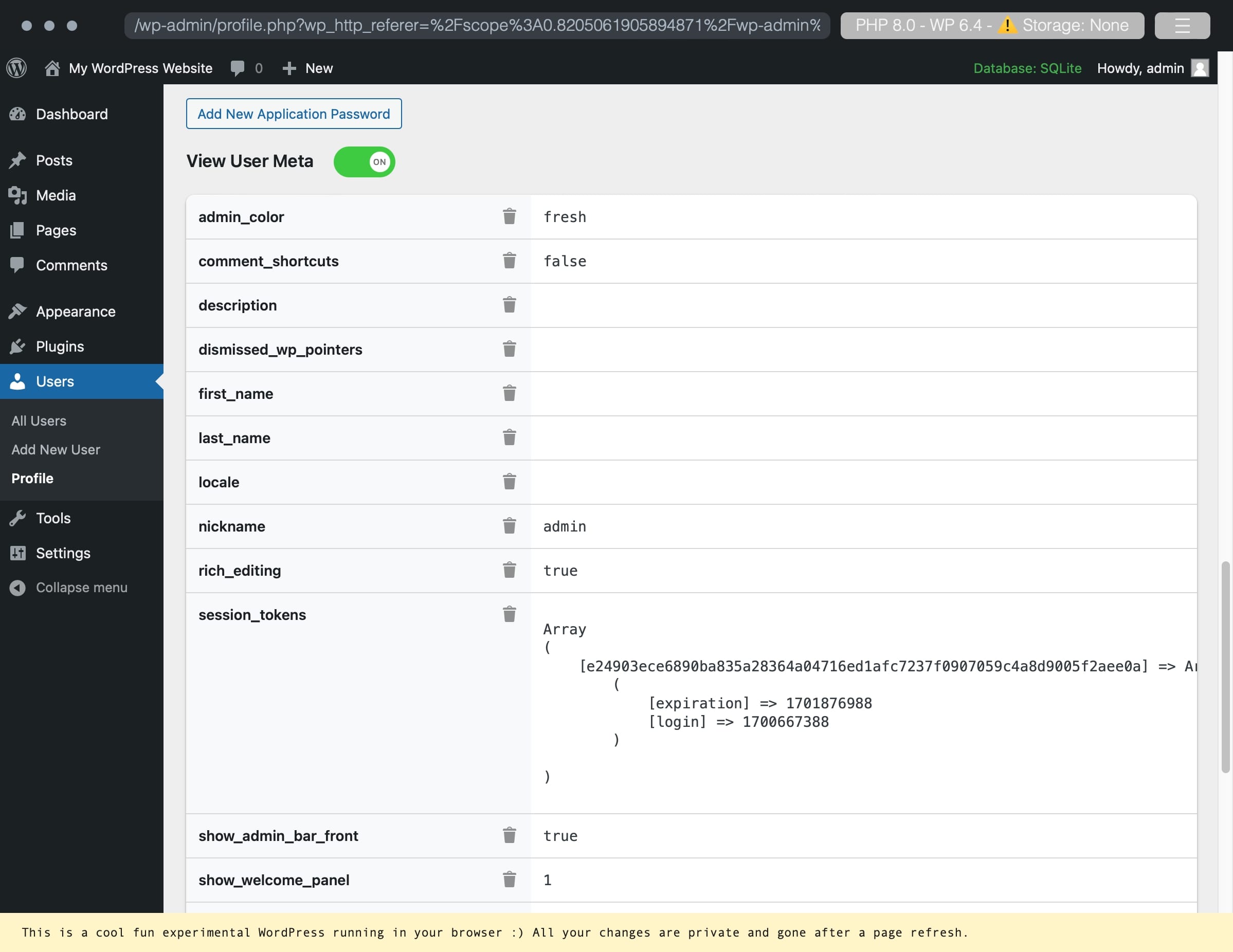
An example of a user account with user metadata. 
Deleting a custom metadata key/value pair. 
Successful deletion of a key/value pair.
설치
Use the automatic installer via WordPress or download the plugin and:
- Upload the plugin files to the
/wp-content/plugins/view-user-metadatadirectory. - Activate the plugin through the ‘Plugins’ screen in WordPress.
- Navigate to your profile or any other users and enable the toggle for View User Metadata.
후기

2024년 5월 24일
답글 1개
Several things about this plugin: 1) It just works the way it’s supposed to. 2) It doesn’t have any B.S. bloatware, ads, popups etc. 3) What it does have, that I haven’t seen before, is a string change in the plugins.php that creates a link “Need help?” link to an external link. Couple things about that: It’s extremely non-obtrusive, and not-annoying. In fact, it’s right where it’s supposed to be. If you’re looking at that line in the screen, you probably need help with that plugin. It’s real estate the plugin owns. HOWEVER, the user has to see it every time they look at plugins.php. That’s a great idea from a plugin developer pov. It’s unobtrusive, and you HAVE to see it all the time. Anyway, I’m stealing that idea. Oh, the plugin is great too! 🙂
기여자 & 개발자

변경이력
1.2.2
- Security fixes
- NEW: Export to CSV or JSON
- NEW: Common sensitive keys are now protected by a Lock by default. To delete them, click the Lock to Unlock the key/value pair.
1.2.1
- Delete button fix (pressing enter would trigger the first button)
- Localization JS fix
- Added ability to click-to-focus helping focus on a specific row
1.2
- Localization support
1.11
- Move delete icon to work across screen sizes
1.1
- Ability to delete the meta key and value pair.
1.0
- Initial release.