

설명
PDF Gallery Viewer allows you to easily embed PDF galleries with live previews. It uses PDF.js to render the first page of each PDF directly in the browser, without relying on server-side libraries like Imagick. Each item includes a customizable title and a “View” button that opens the PDF in a modal viewer.
The layout is responsive and adapts from a multi-column grid to a single-column stack on smaller screens.
Key Features:
- Live thumbnail of first PDF page (via PDF.js)
- Responsive layouts (Grid, List, or Slider)
- Modal viewer with zoom, navigation, and download
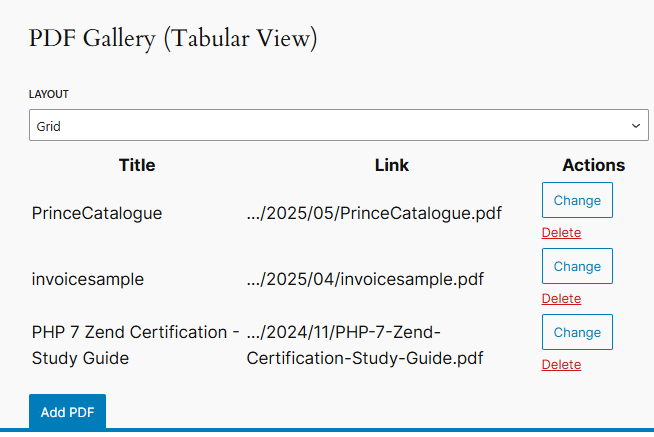
- Gutenberg block with layout selector and drag-and-drop file integration
- Tooltip + truncation for long titles
- Dynamic shortcode generation by category, tag, or post
- Sorting UI (Title / Filename / Manual drag & drop)
- Manual ordering with FIFO/LIFO behavior for newly added items
Usage
Basic usage:
[pdf_gallery url=”https://example.com/doc.pdf” title=”Document Title”]
Multiple items in a container:
[pdf_gallery_container layout=”grid”]
[pdf_gallery url=”…” title=”…”]
[pdf_gallery url=”…” title=”…”]
[/pdf_gallery_container]
Sorting / ordering:
[pdf_gallery_container layout=”grid” order_by=”title” order=”asc” ui=”1″]
…
[/pdf_gallery_container]
Manual ordering (UI drag & drop) with FIFO/LIFO for newly added items:
[pdf_gallery_container id=”my-gallery” layout=”grid” order_by=”manual” manual_mode=”fifo” ui=”1″]
…
[/pdf_gallery_container]
IMPORTANT: Manual ordering is managed by admins and saved server-side (post meta) so the order is the same for all visitors.
For reliable persistence, always set a stable id=”…” on each container (the Gutenberg block does this automatically).
Dynamic by category:
[pdf_gallery_container category=”brochures” layout=”slider”]
스크린샷
Responsive gallery grid layout 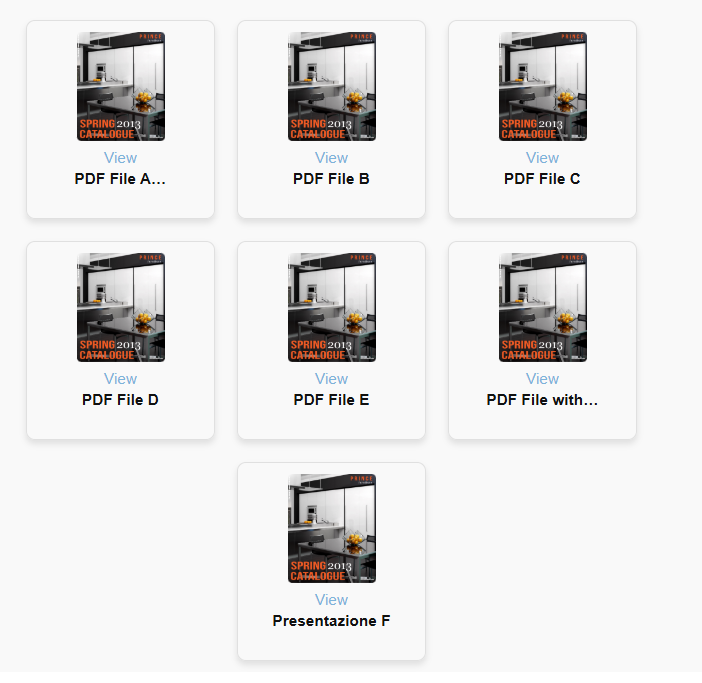
Modal viewer with zoom and navigation controls 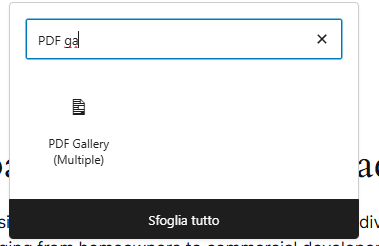
Slider layout (Swiper.js) 
Gutenberg block editor 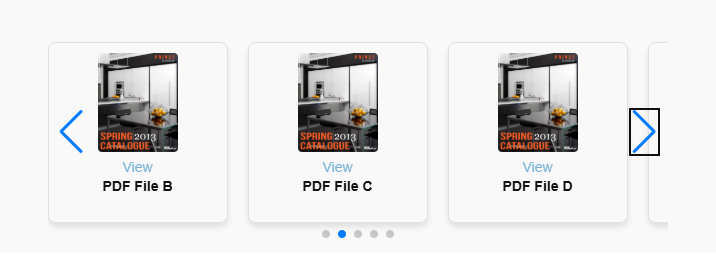
Tooltip and truncated titles 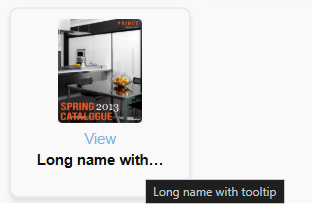
블록
이 플러그인은 1개의 블록을 제공합니다.
- PDF Gallery (Multiplo) Inserisci una galleria PDF con più documenti.
설치
- Upload the plugin to
/wp-content/plugins/pdf-gallery-viewer/ - Activate it via the WordPress Plugins menu
- Use the
[pdf_gallery]or[pdf_gallery_container]shortcodes in posts or pages
FAQ
-
Does this plugin require Imagick?
-
No. Previews are generated client-side using PDF.js.
-
Will this work on mobile?
-
Yes, all layouts and the modal are responsive.
-
Can I add multiple PDFs?
-
Yes, using either multiple shortcodes or the Gutenberg block.
후기

기여자 & 개발자

변경이력
1.6.3
- Fixed: disabled UI order controls
1.6.2
- Added filename visibility in Gutenberg block selection list
- Added numeric ordering for PDFs (admin-defined, persistent)
- Removed FIFO/LIFO ordering logic
- Fixed manual ordering issues in block editor
- Fixed frontend sorting UI buttons not working
- Improved list view readability (title + actions layout)
- General UI/UX refinements and accessibility improvements
1.5.0
- Added sorting UI (Title / Filename / Manual)
- Added admin-managed manual ordering via drag & drop (saved server-side, same order for everyone)
- Added FIFO/LIFO option for newly added items when manual ordering is enabled
1.3.0
- Added dynamic gallery support by category, tag, and post ID
- Added layout selector: Grid, List, Slider
- Integrated Swiper.js for modern carousel layout
- Added title truncation and tooltips
- Improved shortcode output and styling
1.2.1
- Integrated Font Awesome for icons
1.2.0
- Removed Imagick dependency
- Live thumbnail previews using PDF.js
- Modal viewer with zoom, navigation, and download
- Initial Gutenberg block with visual editing
1.0.0
- Initial release