
설명
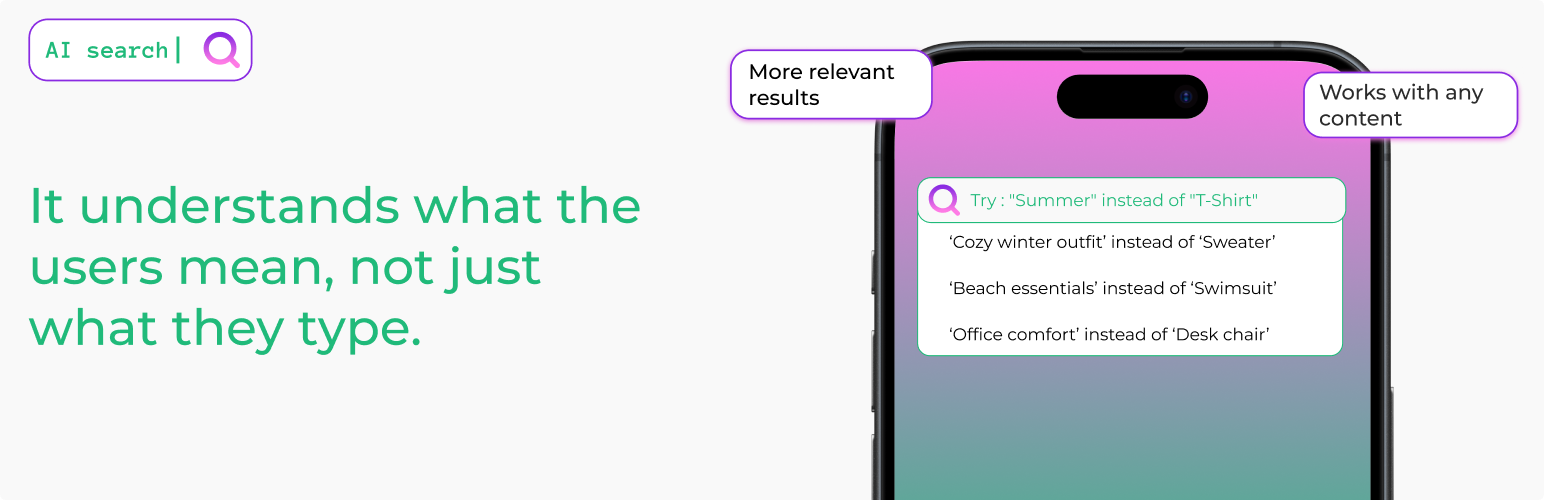
AI Search for WooCommerce makes your store’s search actually work. When a shopper types “summer blue dress” they find your “light cotton navy sundress”. When they search “headphones for running” they find your sweat-resistant wireless earbuds — even if the word “running” isn’t anywhere in the product description.
Default WooCommerce search matches keywords. AI Search matches meaning. It reads your entire product catalog — titles, descriptions, SKUs, categories, tags, and attributes — and converts each product into a vector that captures what it actually is. When a shopper searches, the plugin finds the closest matches by meaning, not by exact word overlap.
The result: fewer empty search pages, more products surfaced for long-tail queries, and shoppers who find what they wanted on the first try.
Try it live before installing: wp-search.ai/demos runs this exact plugin on a sample store. Type your own search – or a SKU – and see the traditional results next to the AI results, side by side.
Also works with blog posts, pages, and any custom post type — so you can use the same intelligent search across your whole site.
Traditional Results First, AI Results After
AI Search never replaces the results your search already finds — it adds to them. Every search runs in three steps, in this order:
- Exact matches — a query that matches a product SKU or an exact product title is always the first result.
- Traditional keyword results — everything WordPress and WooCommerce search would normally find (products literally containing your search words) comes next, ranked by keyword relevance instead of publish date.
- AI results — only below those, semantic matches are added: products that mean the same thing even when they use different words.
So if a shopper searches for something that literally exists in your store, they see exactly what they would see without the plugin — just better ordered. The AI layer only ever extends the results with products the traditional search missed. Installing AI Search will not change or hide the results your customers already find today.
Key Features
- WooCommerce Product Search: Full product catalog indexing — titles, short and long descriptions, SKUs, categories, tags, and product attributes (size, color, material, etc.). Pre-configured defaults so you can go live in minutes.
- Understands Shoppers, Not Just Keywords: Semantic search means “cozy winter sweater” matches your “merino wool pullover”. Long-tail and descriptive queries stop returning empty pages.
- Traditional Results Are Never Lost: Keyword matches always rank above AI suggestions — the AI extends your search results, it never replaces them.
- Cross-Lingual & Multilingual: Works with 100+ languages — Portuguese, Spanish, French, German, Greek, Arabic, Chinese, Japanese, and more. International stores get consistent search quality across every language, and an English query can still match content in other languages.
- SKU & Attribute Matching: Customers can search by SKU fragments, attribute values, or technical specs and still find the right product.
- Smart Fallback System: 4-tier fallback ensures shoppers never hit a zero-result page — if AI search finds nothing, standard WordPress search takes over automatically.
- No OpenAI Account Required: Uses our free embedding service (up to 10,000 embeddings per site). Works out of the box for most stores.
- Bring Your Own API Key: Optionally use your own OpenAI API key for unlimited indexing.
- Bulk Embedding Generation: Index your entire existing catalog in one click, filtered by post type or category.
- Quota Management: Real-time monitoring of AI service usage and limits (v1.14.0+).
- Works Beyond Products Too: Same intelligent search for blog posts, pages, and any public custom post type.
- ACF Compatible: Index Advanced Custom Fields data for deeper product metadata search.
- Tunable Similarity Threshold: Fine-tune how strict or broad search results are, per store.
- Intelligent Caching: Fast results with automatic local caching.
Perfect For
- WooCommerce stores with large or varied product catalogs
- Fashion & apparel stores where shoppers describe products in their own words (“something flowy for summer”)
- Electronics & home goods stores with complex technical specs and model numbers
- Books, media, and marketplaces with thousands of titles
- International stores selling in multiple languages
- Membership sites, knowledge bases, and directories — any content-heavy WordPress site
How It Works
- Each product in your WooCommerce catalog is converted into a numeric “meaning fingerprint” (called an embedding) that captures its title, description, SKU, categories, tags, and attributes.
- When a shopper searches, the plugin first pins exact SKU/title matches, then lists every traditional keyword match (what your search finds today), ranked by relevance.
- The query then gets its own meaning fingerprint, which is compared against every product’s fingerprint.
- The closest semantic matches are appended below the traditional results — extra products the keyword search missed, never replacements for it.
- If nothing at all is found, a multi-tier fallback kicks in so shoppers never hit an empty results page.
Embeddings are generated automatically when you publish or update products — no manual work after setup.
Learn More
Visit our website for documentation, demos, and examples:
https://wp-search.ai/
Browse technical documentation, see live demos of the plugin in action, and learn best practices for AI-powered search.
Usage
- Your existing WooCommerce search form (and the default WordPress search) are automatically upgraded — no theme or template changes required.
- Manage settings, switch providers, and monitor quota via the AI Search menu in your WordPress admin.
External Service
This plugin connects with:
- OpenAI Embeddings API: https://platform.openai.com/docs/guides/embeddings
- Custom Node.js Embedding Service
Please read more here:
https://platform.openai.com/docs/guides/embeddings
스크린샷


설치
- Install and activate the plugin through the ‘Plugins’ menu in WordPress.
- The setup wizard launches automatically. If you have WooCommerce active, it will detect your store and pre-select the most useful product fields (short description, categories, attributes, SKU).
- Run Bulk Embedding Generation from AI Search > Generate Embeddings to index your existing product catalog (or posts/pages).
- That’s it — new and updated products get indexed automatically from this point on.
FAQ
-
Is there a live demo?
-
Yes. wp-search.ai/demos runs the real plugin on a sample clothing store. Type any query – your own words, an exact product name, or a SKU – and the page shows traditional search results and AI Search results side by side, each result labeled by tier. Nothing there is staged.
-
Will installing AI Search change the results my visitors already get?
-
No. Results your search already finds are kept and shown first: exact SKU/title matches, then every traditional keyword match (ranked by relevance instead of date). AI results are only added below them — extra products the keyword search missed. If a shopper searches for something that literally exists on your site, they will still find it, in the same or a better position.
-
How do “term embeddings” improve search? (v1.26.0)
-
On top of the per-post embedding, AI Search now generates one embedding per taxonomy term — every category, tag, and WooCommerce attribute term. At search time, each post’s score gets an additive boost from its best-matching term. The practical effect: shoppers searching “trainers” surface products tagged “Sneakers” even when no product description contains the word “trainers”. You can manage this on the new Term Embeddings tab (opt out of specific taxonomies, bulk-generate embeddings for existing terms) and tune the boost strength via the slider on Search Configuration.
Cost note: each unique taxonomy term consumes one embedding from your quota. A typical WooCommerce store has 50–500 unique terms, so the one-time cost is small — and because terms are shared across all your products, you embed each one only once. If you have an unusually large taxonomy (e.g., thousands of free-text tags), you can disable that specific taxonomy on the new tab.
-
Can developers customize behavior via PHP hooks?
-
Yes. As of v1.25.0, AI Search exposes the following filters for developers:
ai_search_embedding_content— Modify the text sent to the AI provider when generating embeddings. Useful for injecting taxonomy names, stripping boilerplate, or normalizing terminology.ai_search_should_generate_embedding— Return false to skip embedding generation for specific posts. Useful for excluding drafts in certain categories or low-content posts.ai_search_query_before_embedding— Rewrite the user’s search query before it’s embedded. Useful for synonym expansion, spell correction, or locale-specific normalization.ai_search_similarity_threshold— Override the similarity threshold per-query or per-post-type. Useful for stricter matching on products vs. looser on blog content.ai_search_results— Re-rank or filter the final search results. Useful for boosting in-stock products, hiding restricted content, or injecting pinned results.ai_search_term_embedding_content— (v1.26.0) Customize the text fed to the AI provider when embedding a taxonomy term. Useful for injecting parent-term names, synonym hints, or stripping boilerplate from term descriptions.ai_search_exact_matches— (v1.27.0) Add or remove post IDs pinned to the top of results as exact lexical matches (SKU / title) before AI ranking. Useful for EAN/GTIN, supplier references, or brand codes.
Plus the existing
ai_search_searchable_post_typesfilter. Code examples are included in the inline PHPDoc above each filter in the plugin source. -
Does this work with WooCommerce products?
-
Yes — WooCommerce is the primary use case. The plugin indexes product titles, short and long descriptions, SKUs, categories, tags, and product attributes. When you activate the plugin on a store with WooCommerce, the setup wizard automatically prioritizes products and pre-selects the most useful product fields.
-
Can shoppers search by SKU?
-
Yes — and as of v1.27.0 an exact or prefix SKU match is always returned first, regardless of the AI similarity score. Random-looking codes like
B08M5XDKFGcarry no meaning for an embedding model, so before the semantic step the plugin checks the query against product SKUs (including variation SKUs, which resolve to their parent product) and against exact product titles. Matches are pinned to the top with a green “Exact Match” badge for editors. Partial SKUs work when the query is a single token of 4+ characters (WOO-HOODfindsWOO-HOODIE,WOO-HOODIE-LOGO, …). SKUs remain part of the embedding too, so mixed queries (“black shoes SKU-2024”) still work. -
Does it work with WooCommerce product attributes?
-
Yes. Attributes like size, color, material, and any custom attributes you configure are indexed as part of the product’s searchable content. Shoppers can search by attribute values (“large cotton”) and the plugin will match products with those attributes.
-
Does it index product variations?
-
The plugin indexes the parent product (including its attributes and description). Individual variation-level descriptions aren’t separately indexed, but since attributes like size and color are included in the parent’s embedding, searches for variation-specific terms still surface the right product.
-
What is required to use AI Search?
-
Nothing if you use our free AI Search Service (up to 10,000 embeddings per site). If you want unlimited indexing, you can use your own OpenAI API key.
-
What happens if the embedding API fails?
-
The plugin logs the error and falls back to WordPress default search automatically, so shoppers never hit a broken search page.
-
When are embeddings generated?
-
Embeddings are automatically generated when you publish a post, page, or custom post type. You can also regenerate them manually from the post editor or bulk generate them from the settings page.
-
Will this slow down my website?
-
No. Embeddings are generated in the background when content is published, not during searches. Search results are fast because they use pre-computed embeddings stored in your database.
-
How many embeddings can I create with the free service?
-
The free AI Search Service provides 10,000 embeddings per site. For unlimited usage, you can use your own OpenAI API key.
-
Does this work with custom post types?
-
Yes! AI Search works with any public custom post type. You can select which post types to make searchable in the setup wizard or settings page.
-
Can I index custom fields (ACF, meta boxes)?
-
Yes! You can configure custom post meta fields to be included in the search index. This is perfect for ACF fields, custom taxonomies, and other metadata.
-
What is the similarity threshold?
-
The similarity threshold (0.1-1.0, displayed as 10%-100%) determines how closely search results must match the query. Higher values (70%-80%) give more precise results; lower values (30%-50%) return broader matches. The default is 30%, which is a good starting point for most stores — adjust down if shoppers see too few results, adjust up if results feel loosely related.
-
What happens if AI Search finds no results?
-
AI Search has a smart 4-tier fallback system that ensures users always get results, falling back to WordPress default search if needed.
-
How do I change my AI provider?
-
Go to AI Search > General Settings and switch between the free AI Search Service or your own OpenAI API key.
-
Is my search data private?
-
Yes. Search queries are processed through the embedding API but are not stored externally. All search results and embeddings are stored in your WordPress database.
후기


기여자 & 개발자
“AI Search for WooCommerce – Intelligent Product Search”(은)는 오픈 소스 소프트웨어입니다. 다음의 사람들이 이 플러그인에 기여하였습니다.
기여자
변경이력
1.29.0
- Simpler, native admin: the settings screens were rebuilt with WordPress core components – no more gradient panels, traffic-light sliders or invented color schemes. Clean white panels, standard notices, one clear explanation per setting.
- Five tabs instead of eight: General (provider, connection and quota), Search (threshold and term boost), Indexing (post and term embeddings together), Content (custom fields and WooCommerce fields together), Tools (cache). Old tab links keep working.
- Translations included: full Spanish (es_ES), Portuguese (pt_PT) and French (fr_FR) translations of the admin interface ship with the plugin.
- Index status at a glance: the Indexing tab now shows, per content type, how many published items are indexed and how many still need AI sync – e.g. “Products: 14 of 18 indexed, 4 need sync”.
- Honest threshold copy: the similarity threshold now explains what it actually does – it only affects AI results; exact and keyword matches always appear. The fake “interactive demo” with invented products was removed; a note points to the real threshold tester on your site’s search pages.
1.28.1
- Fix: secondary search queries now get the full tiered treatment. The plugin read the searched terms from the global query, so a
WP_Querywith its ownsparameter (blocks, widgets, AJAX search handlers) was processed with the wrong – usually empty – terms: no exact-match pinning, no AI results, and a wasted embedding request for an empty string. The terms now come from the query being filtered.
1.28.0
- Keyword Matches Always Shown Before AI Extras: WordPress’ own search results are no longer discarded when the semantic search finds something. Results now come in three tiers: exact SKU/title matches first, then every product that literally contains the search words (ordered by keyword relevance: title > content > taxonomies > custom fields, not by date), then semantic extras below. Fixes cases where a product named “Beanie with Logo” vanished from a “beanie” search while a loosely-related product appeared.
- Editors see a blue “Keyword Match” badge on tier-two results; they carry the
ai-search-lexical-matchCSS class. - Accurate Result Counts: The “Showing all N results” count shown by themes now matches the number of results the plugin actually returns.
- Simpler Settings: Hybrid Search Removed: The Hybrid Search toggle and balance slider are gone. Keyword matching no longer needs configuring — it is always on, as the guaranteed tier above semantic results. Existing
ai_search_hybrid_enabled/ai_search_hybrid_balanceoptions are simply ignored. One less thing to tune.
1.27.0
- Exact SKU & Title Matches Always First: Before running the semantic search, the plugin now checks the query against WooCommerce SKUs (exact and prefix, variations resolve to their parent product) and exact post titles. Matches are pinned to the top of results with score 1.0 — no setting, always on. Fixes searches for random-looking codes such as Amazon ASINs that scored below the similarity threshold. Editors see a green “Exact Match” badge; results carry the
ai-search-exact-matchCSS class. - New Developer Hook:
ai_search_exact_matcheslets you add (EAN, supplier reference) or remove pinned exact matches. - Visible Errors in Bulk Generation: The Generate Embeddings tab now reports how many items succeeded or failed and why — connection errors (cURL), rejected token, exhausted quota, service outage, unpublished or empty content — instead of always saying “generated”. Provider-level errors stop the run early so a bad token doesn’t burn the whole batch. The setup wizard shows the real error instead of always reporting “Daily quota hit”, and the per-post “Regenerate” button reports the reason too.
AI_Search::generate_embedding()now returnstrueor aWP_Error. - Respects Search Visibility: Products marked hidden / excluded from search in WooCommerce catalog visibility no longer appear in AI results, exact matches, or fallback tiers. Post types registered with
exclude_from_searchare skipped when no post type is specified. - Fix: site-wide search never used AI ranking: WordPress resolves a search without an explicit post type to
post_type=any; the plugin used that literal string in its SQL, so only searches scoped to a post type (e.g. the WooCommerce product search form) got semantic results — the generic site search always fell back to WordPress default matching.anyis now expanded to all searchable public post types. - Tested up to WordPress 7.0.
1.26.0
- Per-Term Semantic Embeddings: AI Search now generates a separate embedding for each taxonomy term (category, tag, WooCommerce attribute term) in addition to the post-level embedding. At search time each post gets an additive boost from its best-matching term — so a shopper searching “trainers” surfaces products tagged “Sneakers” even when no description mentions trainers. Default ON for WooCommerce stores.
- New “Term Embeddings” Settings Tab: Toggle the feature, opt out of specific taxonomies (useful for huge tag taxonomies), and bulk-generate embeddings for terms that don’t have one yet. A status box shows X of Y terms indexed at a glance.
- Term Boost Slider: New 0–50% slider on the Search Configuration tab controls how much a matching term boosts a post’s score. Default 20% — enough to widen recall without overpromoting tag-only matches.
- New Developer Hook:
ai_search_term_embedding_contentlets you customize the text fed to the AI provider when embedding a term (parallel toai_search_embedding_contentfor posts).
1.25.0
- Developer Extensibility: Five new PHP filter hooks for customizing search behavior without forking —
ai_search_embedding_content,ai_search_should_generate_embedding,ai_search_query_before_embedding,ai_search_similarity_threshold, andai_search_results. See the new “Developer Hooks” FAQ for details.
1.24.0
- Token Recovery: When the AI Search Service no longer recognises your site’s token (e.g. after a service-side reset), the General settings tab now offers a one-click “Reconnect with new token” button. Quotas and usage limits are preserved — only the credential rotates. The follow-up connection check runs automatically so you see the live status immediately.
1.23.1
- Bug Fix — Setup Wizard Final Step: Fixed a “The link you followed has expired” error that blocked some users at the last step of the setup wizard on their first run. The CSRF nonce on the final-step form was failing verification in a subset of install scenarios; removed in favour of the capability check that was already in place.
1.23.0
- WooCommerce-First Experience: Repositioned for WooCommerce stores with tailored onboarding, product-priority defaults in the setup wizard, and a “store detected” welcome banner
- Multilingual Search Documented: Confirmed and documented support for 100+ languages including Greek, Arabic, Chinese, Japanese, and all European languages (semantic search path)
- Bug Fix — PHP 8 DivisionByZeroError: Fixed a crash in cosine similarity when a stored embedding had zero magnitude (sqrt returns float 0.0, strict
=== 0comparison was bypassing the guard) - Test Suite Added: First-time PHPUnit-based test harness (unit + integration suites) covering similarity math and the external service client
- Documentation Fix: Corrected similarity threshold range in FAQ (0.1-1.0 since v1.18.0, previously documented as 0.5-1.0)
1.22.0
- Domain Mismatch Detection: Admin warning when site domain differs from the registered AI Search Service domain
- One-Click Reconnect: Button to easily reconnect and get a new token for the current domain
- Automatic Origin Tracking: Plugin now stores the registered origin for future mismatch detection
- Improved Migration Support: Better handling when moving sites between domains (staging to production, domain changes)
1.21.0
- Reusable CPT/Taxonomy Selector Component: New shared UI component for Post Type, Taxonomy, and Term selection
- Clear Embeddings by Post Type/Taxonomy: Delete embeddings for specific post types or taxonomy terms (not just all at once)
- Improved Cache & Clean Tab: Added filtered clearing option alongside existing “Clear All” functionality
- UI Component Architecture: Introduced
components/folder for reusable admin UI elements - Code Refactoring: Reduced code duplication between Generate Embeddings and Cache & Clean tabs
- Taxonomy/Category Filter for Embeddings: Generate embeddings filtered by specific categories or taxonomies (not just post types)
- Dynamic Taxonomy Loading: Taxonomies and terms load dynamically via AJAX based on selected post type
- Improved Generate Embeddings UI: Cleaner form layout with loading states and better UX
1.20.0
- Performance Optimization for Large Sites: Major improvements for sites with thousands of posts
- Batched Processing: Posts are now processed in batches of 100 for optimal memory usage
- Search Results Caching: Results are cached for 5 minutes to speed up repeated queries
- Direct Database Queries: Optimized queries that fetch only necessary data
- Memory Management: Automatic cleanup between batches to prevent memory exhaustion
- New Default Threshold: Changed default similarity threshold from 65% to 30% for better out-of-box results
- Improved Threshold Guidelines: Updated slider recommendations (30% now recommended as starting point)
1.19.0
- Dedicated Admin Menu: AI Search now has its own top-level menu in WordPress admin (no longer under Settings)
- Improved Menu Navigation: Settings pages and Setup Wizard now correctly highlight the AI Search menu
- Contact the Author: New submenu link to contact the plugin author directly
- URL Structure Update: All admin URLs now use
admin.php?page=ai-searchfor better WordPress integration
1.18.0
- REST API Settings Endpoint: New public endpoint at
/wp-json/ai-search/v1/settingsexposing plugin configuration for debugging (no sensitive data) - OpenAI Model Selection: Choose between
text-embedding-3-small(default, recommended) andtext-embedding-3-largewhen using your own OpenAI API key - Extended Threshold Range: Similarity threshold now supports 10-100% (previously 50-100%) for broader search flexibility
- Updated Default Model: OpenAI embeddings now use
text-embedding-3-smallinstead of the oldertext-embedding-ada-002
1.17.0
- Hybrid Search: New feature combining AI semantic search with traditional keyword matching for improved accuracy
- Search Configuration Tab: Dedicated settings tab for fine-tuning search behavior (similarity threshold and hybrid search)
- Configurable Balance Slider: Adjust the weight between AI semantic search (0-100%) and keyword matching
- Enhanced Keyword Matching: Keyword scoring now includes custom fields and WooCommerce fields configured in settings
- Reusable UI Components: New slider components for threshold and hybrid balance configuration
- Improved Search Accuracy: Better ranking when exact keyword matches are important alongside semantic understanding
1.16.0
- Automatic Embedding Generation on Publish: Embeddings now generated automatically when posts/pages/custom post types are published
- Improved Performance: Removed automatic embedding generation on every save – now only triggers on publish status transition
- Universal CPT Support: Automatic embedding generation works seamlessly for all post types without additional configuration
- Post Meta Box Enhancement: Content quality indicator and embedding preview available for published posts only
- Better Resource Management: Reduced API calls by only generating embeddings when content is ready for public viewing
- Setup Wizard Updates: Final step now includes similarity threshold configuration with better default value (0.65)
- Admin Interface Improvements: Post Meta Box now provides clear status messages for unpublished posts
- Case-Insensitive Search: All content and search queries converted to lowercase for consistent matching
- Enhanced Similarity Display: AI Search badges now show percentage similarity scores on search results (editors/admins only)
- Fallback Search Improvements: Fallback results now calculate and display actual similarity scores instead of showing 0%
- Threshold Filtering on Fallback: All fallback search strategies now respect the similarity threshold setting
- CSS Classes for Results: Added
ai-search-similarity-{percentage}CSS classes to all search results for custom styling - Frontend Threshold Slider: Admins can test different threshold values directly on search results pages
1.15.0
- Enhanced Setup Wizard: Expanded from 3 to 4 steps with new custom fields configuration
- Custom Fields Step: New dedicated wizard step for choosing searchable content
- Content Richness Emphasis: Added messaging that “richer content = better search results”
- Post Type Selection: Choose which post types (posts, pages, custom types) are searchable during setup
- WooCommerce Field Configuration: Configure product fields (SKU, categories, tags, attributes) in wizard
- Streamlined Admin Menu: Simplified submenu to General Settings, Setup Wizard, and Support Forum link
- Direct Support Access: Added WordPress.org support forum link directly in admin menu
- Improved Quota Display: Quota tab now shows relevant message for users with their own OpenAI API key
- Better Onboarding Flow: Setup wizard now guides users to configure content before generating embeddings
- Brazilian Portuguese Translation: Added pt_BR translation file for readme
1.14.0
- Quota Management Tab: New dedicated tab showing real-time usage statistics from AI Search Service
- Usage Monitoring: Visual progress bars displaying total embeddings and daily usage against limits
- Quota Status Indicators: Clear status badges showing if quotas are active or exceeded
- Manual Refresh: On-demand quota data refresh with intelligent 6-hour caching
- Detailed Error Messages: Enhanced error handling with specific API error messages
- Last Updated Timestamp: Human-readable “last updated X ago” display for quota data
- Quota Manager Class: New dedicated controller class for quota management (separation of concerns)
- API Integration: Direct integration with
/clients/quotaendpoint using Bearer token authentication - Internationalization: All new quota strings fully translatable
1.13.0
- Top-Level Admin Menu: AI Search moved from Settings submenu to main WordPress admin menu (position 58, before Settings)
- Custom Menu Icon: Added plugin icon (SVG) to admin menu
- Full i18n Support: All admin settings pages now fully translatable
- Improved Admin UX: Better visibility and professional appearance in WordPress admin
1.12.0
- Automatic Service Registration: Plugin now registers with AI Search Service immediately on activation
- Setup Wizard Redirect: Users are automatically redirected to the setup wizard after plugin activation
- Simplified Settings UI: Removed service token field from settings – connection is now managed automatically
- Check Connection Button: Replaced “Validate Token” with cleaner “Check Connection” button showing usage stats
- Streamlined Onboarding: Better first-time user experience with automatic configuration
- Code Cleanup: Removed unused spelling suggestions and search highlighter classes
1.11.0
- Percentage-Based Threshold Display: Similarity threshold now displays as percentage (20-100%) instead of decimal (0.2-1.0) for easier understanding
- Public Badge Visibility Option: New admin setting to show AI Search badge to all visitors, not just editors/admins
- Removed Analytics Feature: Simplified plugin by removing search analytics dashboard and tracking
- Enhanced WooCommerce Documentation: Improved readme with eCommerce-specific keywords and use cases
- Visual Improvements: Redesigned similarity threshold section with prominent visual indicators
- No Emoji Policy: Removed all emojis from admin interface for professional appearance
- Website Launch: Added link to https://wp-search.ai for documentation and demos
1.10.1
- AI Search Result Badge: Visual badge displayed on search results powered by AI
- Shows “AI Search Result” label with plugin icon
- Only visible to editors and administrators
- Tooltip explains visibility restriction
- Similarity CSS Classes: Added CSS classes to search result posts
ai-search-resultclass for AI-powered resultsai-search-similarity-{0-100}class with exact similarity percentageai-search-matchclass when result meets configured thresholdai-search-fallbackclass for non-AI fallback results
- Removed Frontend Notices: Removed the intrusive search feedback notices that were shown to all users
- Developer Enhancement: Similarity scores accessible via static properties for theme customization
1.10.0
- Search Analytics Dashboard: Track and analyze search behavior
- Log all search queries with result counts
- Click-through tracking on search results
- Popular queries and zero-result analysis
- Time-based statistics and trends
- CSV export functionality
- “Did You Mean?” Spelling Suggestions: Intelligent spelling correction
- Vocabulary built from post titles and taxonomies
- Levenshtein distance-based word matching
- Cached suggestions for performance
- Search Term Highlighting: Visual feedback in search results
- Highlights matching terms in titles and excerpts
- Customizable highlight colors via filters
- Dark mode support
1.9.2
- Version Consistency: Fixed version mismatch between plugin header and internal constants
- Internationalization Ready: Added text-domain ‘ai-search’ and domain path for translation support
- Documentation Fix: Corrected similarity threshold range documentation (0.2-1.0)
- Developer Filter: Added
ai_search_searchable_post_typesfilter to customize which post types are searchable
1.9.0
- Enhanced Fallback Search System: Introduced intelligent 4-tier fallback mechanism for zero-result searches:
- WordPress default search fallback with result count display
- Broader semantic search with relaxed similarity thresholds
- Unprocessed content search for posts without embeddings
- Smart query suggestion system for completely failed searches
- User Feedback Notifications: Real-time search feedback system with dismissible notices:
- Visual indicators showing which fallback method was used
- Search result counts for transparency
- Automatic cleanup of feedback transients
- Contextual messaging for different search scenarios
- Interactive Threshold Demo: Professional threshold demonstration interface:
- Real-time product similarity visualization
- Sample clothing store dataset with summer search scenario
- Dynamic filtering based on threshold adjustments
- Performance indicators showing recall rates and precision levels
- Color-coded similarity scores and visual feedback
- Token Validation System: Comprehensive service token management:
- One-click token validation with detailed usage statistics
- Real-time quota monitoring (daily/total limits)
- Client information display including origin verification
- Error handling for invalid or expired tokens
- Setup Wizard Enhancement: Improved first-time user experience:
- Step-by-step configuration process
- Provider comparison with clear recommendations
- Visual progress indicators and smooth transitions
- Comprehensive completion flow
1.8.0
- Service Token Management: Added manual service token field in General Settings for better control and transparency
- Token Validation System: New “Validate Token” button with real-time validation and detailed usage statistics
- Enhanced Admin Interface: Service token field automatically shows/hides based on provider selection
- Comprehensive Validation Results: Displays client ID, origin, daily/total limits, current usage, and quota status
- Improved Error Handling: Better error messages for token validation failures and connection issues
- User Experience Improvements: Loading spinner, button states, and clearer user guidance
- Debugging Enhancements: Added error logging for better troubleshooting and API response monitoring
1.7.0
- Major Performance & UX Improvements
- Service Registration Optimization: Moved AI service registration from plugin initialization to settings save, eliminating unnecessary API calls during normal page loads
- Cache Management Tab: Added comprehensive cache management interface with three clearing options:
- Clear embedding cache (transients) – safe regeneration
- Clear post meta embeddings – requires manual regeneration
- Clear all embedding data – complete reset option
- Enhanced Similarity Threshold**: Improved precision and range:
- Range changed from 0.0-1.0 to 0.2-1.0 (eliminates very low-relevance results while allowing broader searches)
- Precision increased from 0.01 to 0.001 steps (3 decimal places)
- Better user guidance and formatting
- Modular Code Architecture: Refactored service registration into isolated, reusable methods for better maintainability
- Real-time Cache Statistics: Display current cache size and post embedding counts
- Enhanced Error Handling**: Better user feedback when AI service is unavailable with automatic fallback
- Security Improvements: Enhanced nonce verification and user capability checks
1.6
- Replaced internal embedding storage with external service integration.
- Token-based authentication per origin.
- Restore original search in case there isn’t any AI results
- Solve fatal errors in case the vectors don’t have the same size
1.5
- Bulk embedding generation based on custom number of posts
1.4
- Settings UI Revamp: Introduced tabbed navigation to separate “General Settings” and “Generate Embeddings” for better organization.
- Batch Embedding Generation: Users can now trigger embedding generation for up to 50 posts at a time.
- Custom Post Type Selection: A dropdown was added, allowing users to choose which CPT they want to generate embeddings for.
- Embedding Optimization: Now only processes posts that do not yet have embeddings to avoid redundant API calls and improve performance.
- Security Enhancements: Added nonce verification to protect settings updates.
This update significantly improves usability, optimizes performance, and gives users more control over AI-powered search embeddings.
1.3
- Similarity Threshold Control: Added a range input field (0-1) in settings to allow users to adjust the similarity threshold dynamically.
1.2
- Cache Search embeddings, saved in transients for one day
1.1
- text-davinci-003 (deprecated) has been replaced bytext-embedding-ada-002 model
- db manipulation has been replaced by custom_post_meta approach
1.0
- Initial release, adding the settings page and the search filter.