

설명
Employee Management System is a powerful WordPress plugin designed to help businesses manage their employees and track sales performance efficiently. It provides both administrative and employee-facing features in a user-friendly interface.
Key Features
- Employee Management
- Add and manage employee profiles
- Track employee status (active, inactive, blocked)`
- Store comprehensive employee information
-
Manage employment details and history
-
Dashboard & Analytics
- Real-time employee statistics
- Interactive sales charts
- Performance metrics
- Monthly sales trends
-
Employee status distribution
-
Employee Portal
- Secure employee login
- Personal sales statistics
- Monthly performance tracking
- Sales submission form
-
Individual performance metrics
-
Administrative Features
- Comprehensive admin dashboard
- Employee status management
- Sales performance tracking
- Data export capabilities
-
User-friendly interface
-
Security & Access Control
- Role-based access control
- Secure data handling
- WordPress user integration
- Protected employee data
Privacy Policy
This plugin stores the following data:
* Employee information (name, contact details, employment details)
* Sales records and performance metrics
* User access logs and activity data
All data is stored securely in your WordPress database and can be exported or deleted through the plugin interface.
The plugin does not:
* Share data with third parties
* Track users across websites
* Store sensitive payment information
Source Code:
The source code for minified JavaScript and CSS files is available in the GitHub repository:
https://github.com/marufmks/employee-management-system
Support
For support queries, please visit our GitHub repository at https://github.com/marufmks/employee-management-system
Credits
Developed by Maruf (https://github.com/marufmks)
스크린샷
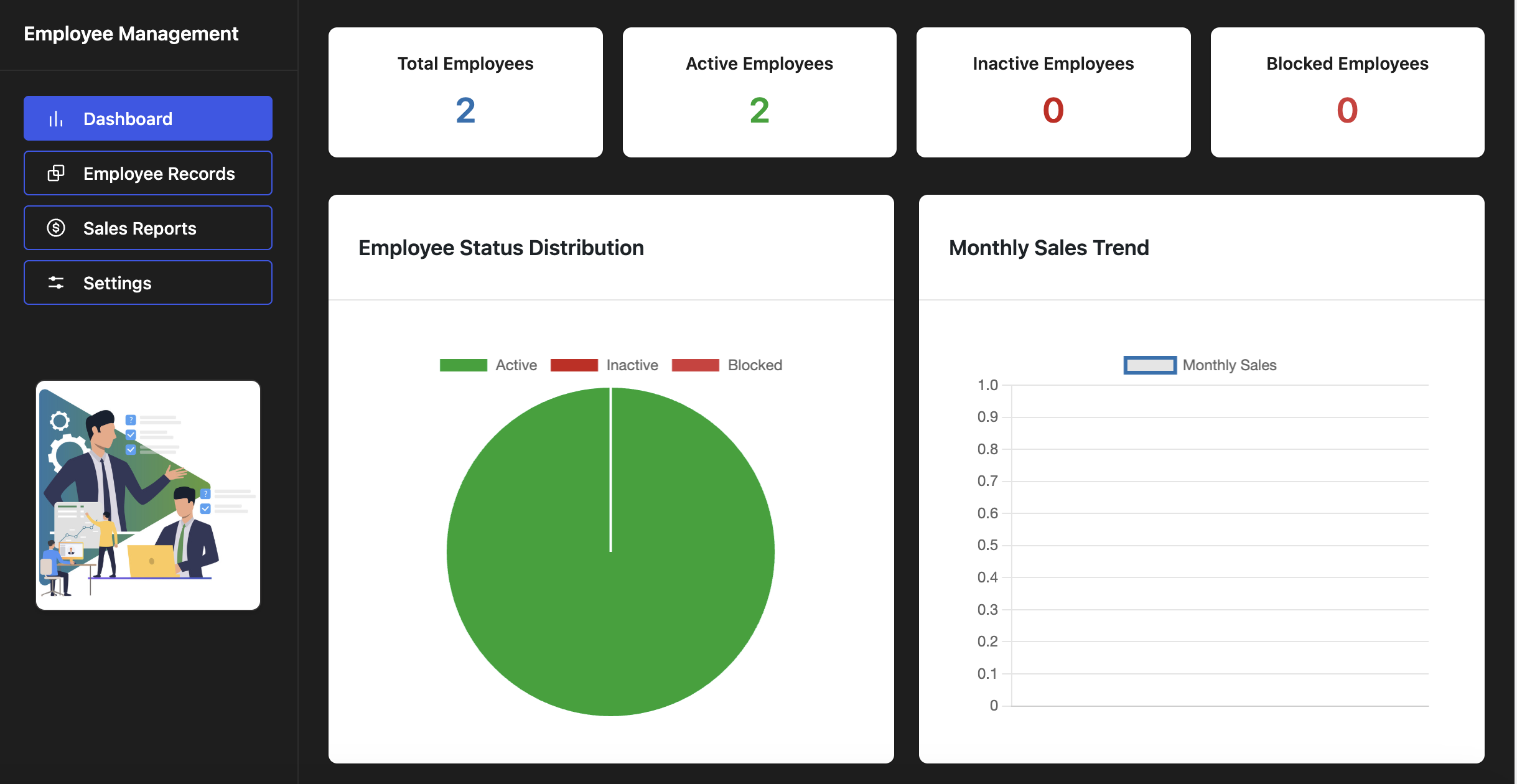
Admin Dashboard – Comprehensive overview of employee statistics, sales trends, and performance metrics 
Employee Dashboard – Personal portal for employees to view their sales data and performance statistics
설치
- Upload
employee-management-systemto the/wp-content/plugins/directory - Activate the plugin through the ‘Plugins’ menu in WordPress
- Navigate to Employee Management in your admin menu
- Configure the plugin settings
- Add employees from existing WordPress users
- Use shortcode [employee_dashboard] to display the employee portal
FAQ
-
How do I add new employees?
-
Create a WordPress user account first, then add them as an employee through the Employees section in the admin panel.
-
Can employees view their own sales data?
-
Yes, employees can access their personal dashboard to view sales statistics and submit new sales records.
-
Is the plugin mobile responsive?
-
Yes, both the admin interface and employee dashboard are fully responsive and work well on all devices.
-
Can I customize the date and currency formats?
-
Yes, you can customize date formats and currency display options in the plugin settings.
-
How do I display the employee dashboard?
-
Use the shortcode [employee_dashboard] on any page where you want to display the employee portal.
후기
이 플러그인에 대한 평가가 없습니다.
기여자 & 개발자

자국어로 “Employee Management System”(을)를 번역하세요.
개발에 관심이 있으십니까?
변경이력
1.0.3
- Fixed prefix issue
- Updated version number
- Fixed rest api permission issue
1.0.2
- Fixed CSV export security issues
- Improved file download handling
- Added Excel compatibility for CSV exports
- Fixed WordPress notices implementation
- Optimized JavaScript files for production
- Fixed console errors and warnings
- Improved error handling
- Enhanced notification system
- Better browser compatibility
- Performance improvements
1.0.1
- Added employee status tracking (active, inactive, blocked)
- Enhanced dashboard with interactive charts
- Improved mobile responsiveness
- Added employee portal features
- Enhanced security measures
- Improved data validation
- Better error handling
- Updated UI/UX design
- Added shortcode functionality
- Improved performance
1.0.0
- Initial release