
설명
eesy_ID2WP is an innovative plugin that transforms InDesign layouts into interactive HTML5 documents and seamlessly integrates them into WordPress.
It provides an easy way to export complex documents such as brochures, manuals, or presentations directly from InDesign and make them available online – without content loss and with full control over design and functionality.
Key Features and Benefits:
-
Accurate HTML5 Export:
- Publish InDesign layouts as pixel-perfect HTML5 webpages. No additional InDesign plugin, no coding required.
- Embeds fonts, video, audio, HTML code, and transitions.
- Animations remain fully intact during the HTML5 export, creating dynamic web experiences.
-
Data Optimization During Upload:
- HTML5 Code Optimization: Automatically cleans and processes InDesign’s HTML5 output for flawless deployment.
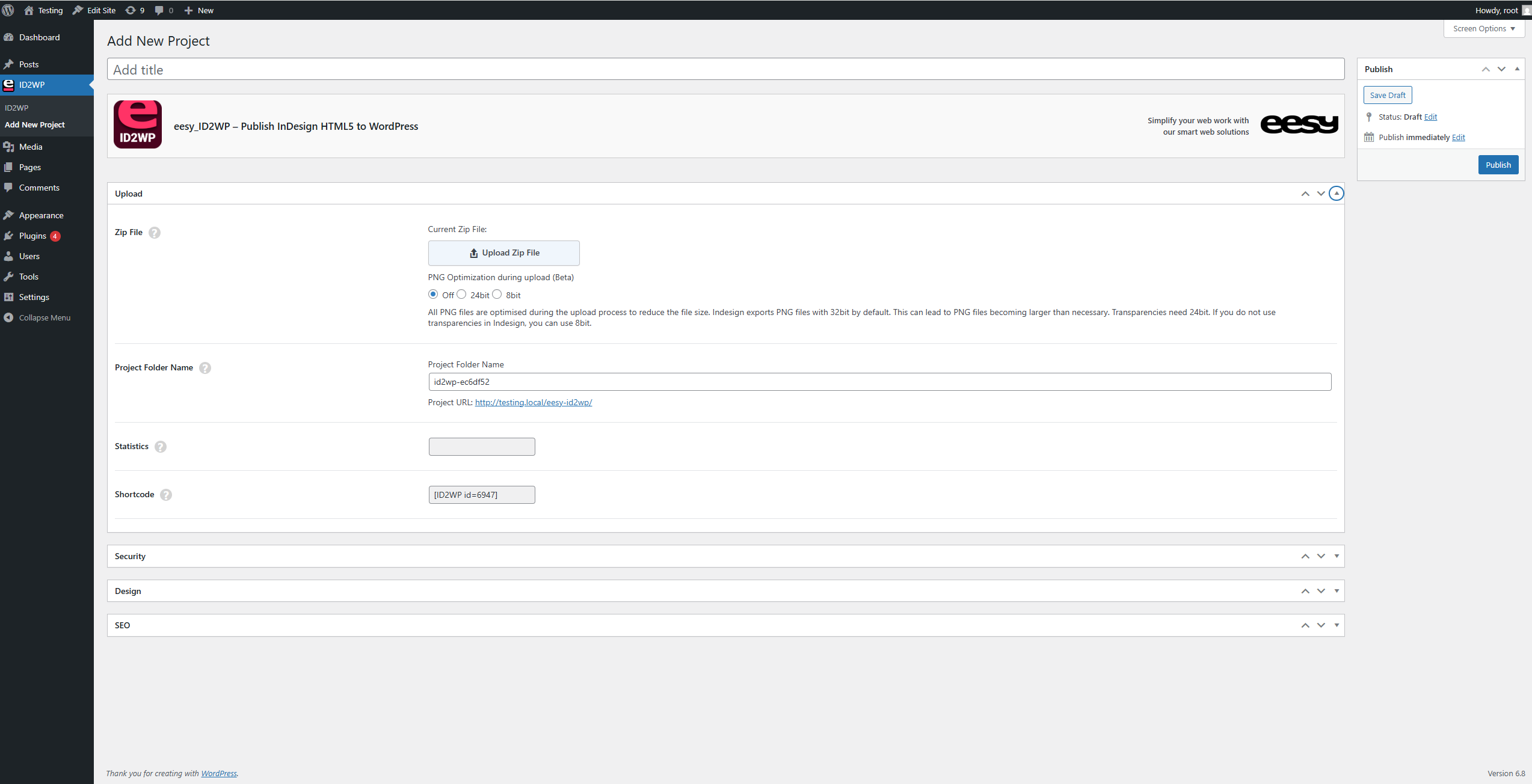
- Reduces PNG file sizes through automatic optimization to 8-bit or 24-bit.
-
Interactive Content and User Experience:
- Supports the integration of videos, audio, and HTML code directly from InDesign.
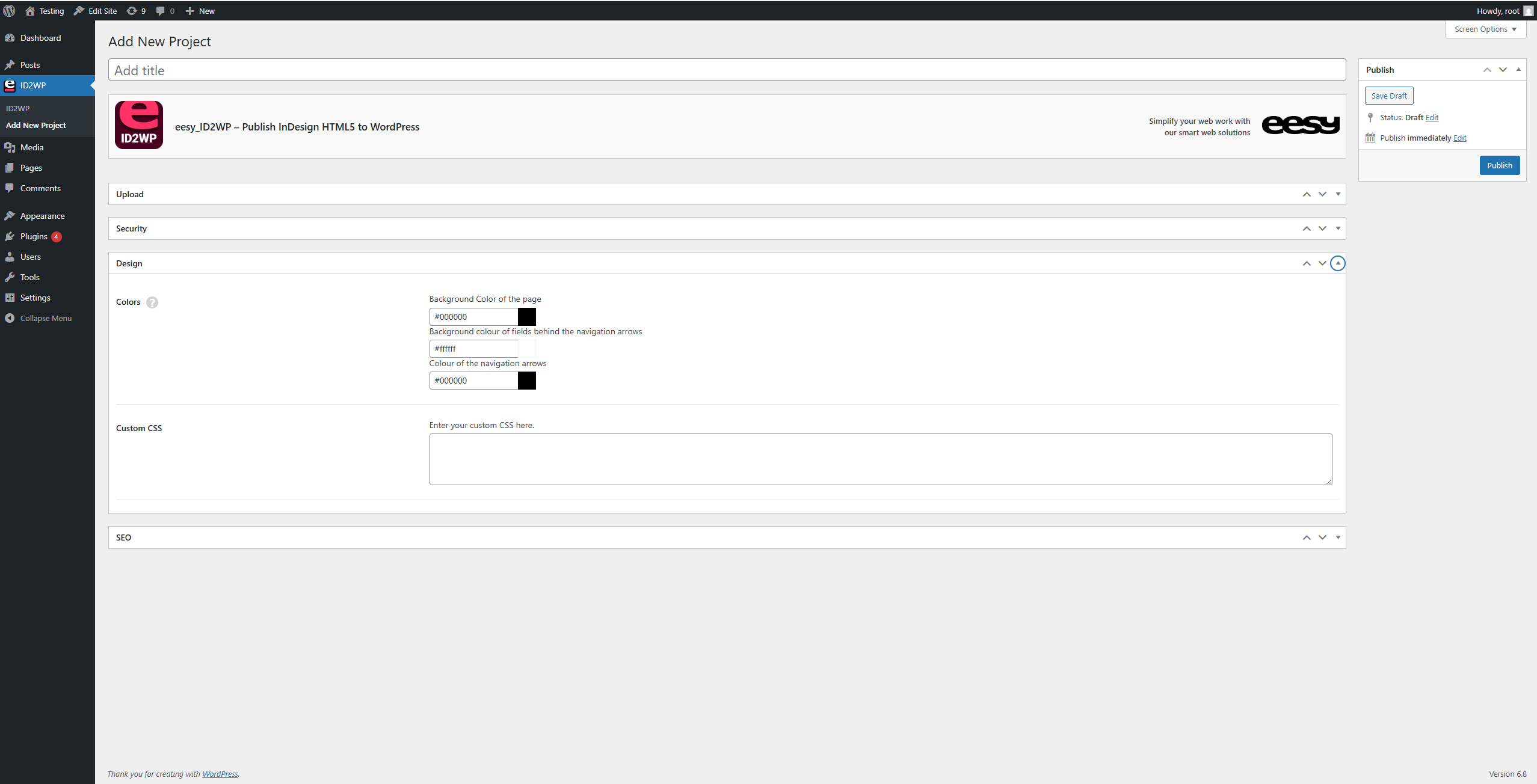
- Page navigation with customizable navigation arrows (color and background).
- Additionally supports swipe functionality.
-
Search Engine Optimization (SEO):
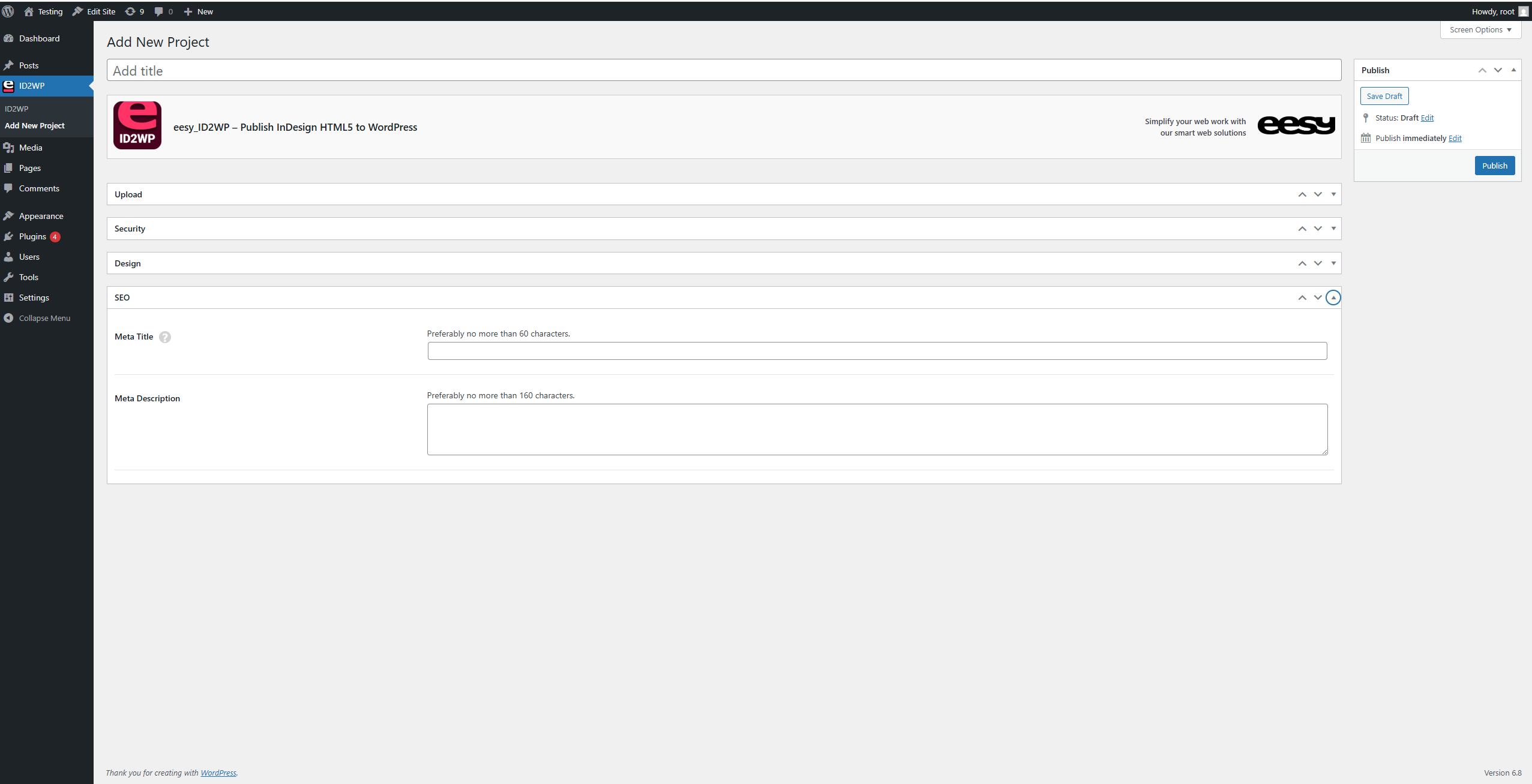
- Manage title and description per package (not achievable with plugins like Yoast).
-
Analytics and Tracking Features:
- GDPR-compliant (cookieless) tracking of views, including timestamp.
-
Custom CSS:
- Supports custom CSS for additional design flexibility.
-
Security and Access Control:
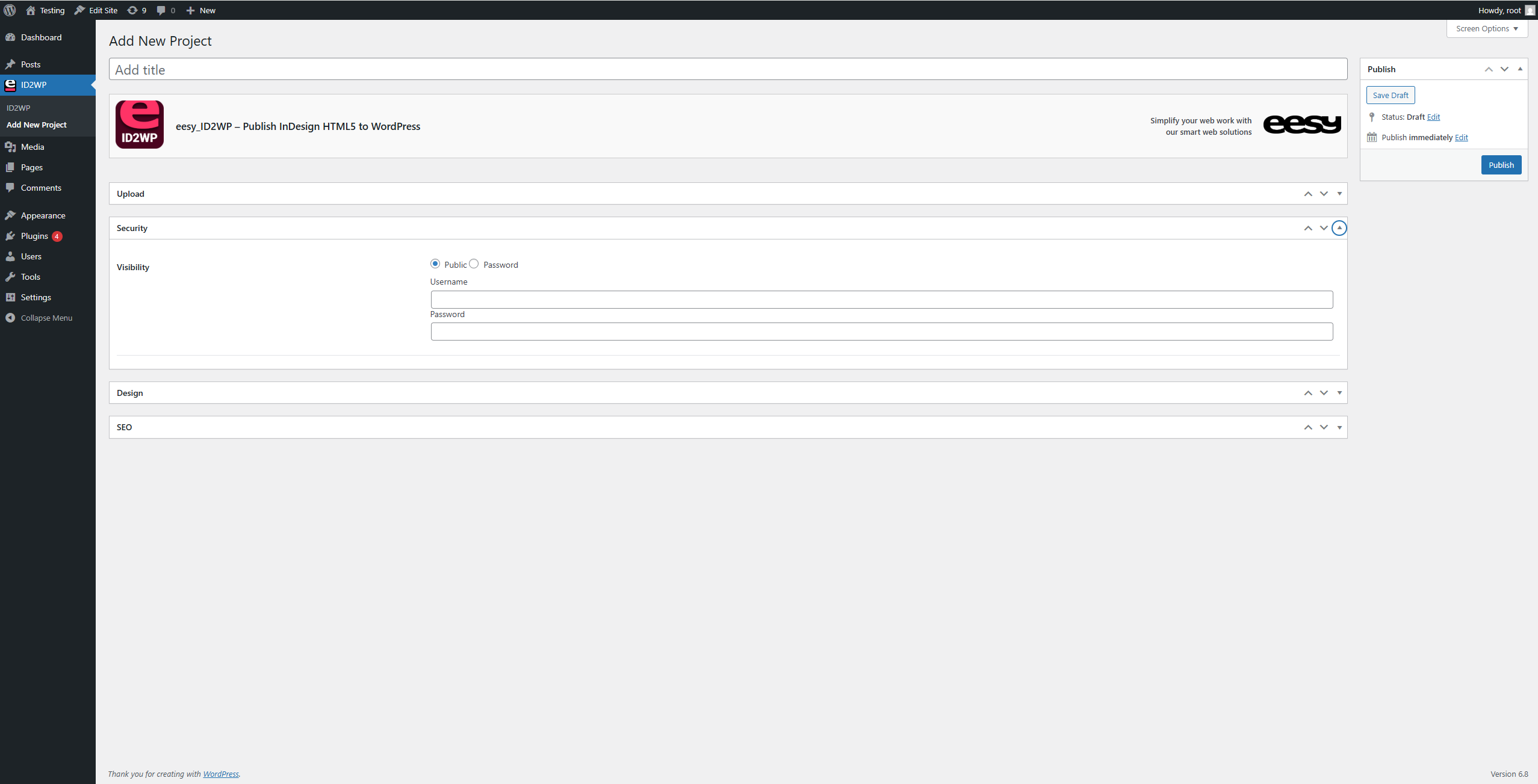
- Optional password protection to control access.
- Supports WordPress scheduled publishing.
-
Flexible Integration:
- Customizable project URLs.
- Alternative embedding via shortcode into posts and pages.
Workflow with InDesign and eesy_ID2WP:
- Create your interactive layout in InDesign, including animations, videos, and buttons.
- Export the document as an HTML5 package.
- Upload the ZIP file into WordPress and publish the project using eesy_ID2WP.
Use Cases:
Ideal for designers, agencies, and businesses looking to bring interactive brochures, technical manuals, datasheets, presentations, or whitepapers to the web. eesy_ID2WP enhances InDesign’s creative potential and makes it fully web-compatible.
스크린샷
FAQ
General Questions
What is eesy_ID2WP?
eesy_ID2WP is a plugin that seamlessly integrates InDesign documents (HTML5 export) directly into WordPress. It offers a simple way to publish InDesign layouts online without content loss or design compromises. No additional InDesign plugin, no coding required.
What types of projects can I create with eesy_ID2WP?
The plugin is ideal for various applications, including corporate brochures, technical manuals, datasheets, presentations, whitepapers, onboarding materials, and more.
Does eesy_ID2WP work without WordPress?
No, eesy_ID2WP is specifically designed for WordPress. However, the exported HTML5 packages can be downloaded and used independently.
Is the plugin compatible with all WordPress themes?
Yes, eesy_ID2WP works independently of the WordPress theme since it embeds the HTML5 packages directly.
Technical Questions
Which versions of WordPress and PHP are supported?
The plugin requires at least WordPress 5.0 and PHP 7.4 to function correctly.
What is the maximum upload size for ZIP files?
The size of ZIP files is limited by the WordPress server upload settings, which can be adjusted if necessary.
How are fonts embedded correctly?
During the HTML5 export from InDesign, fonts are saved in the [font] directory. Ensure the font file names match the references in the
idGeneratedStyles.cssfile. Incorrect file names must be manually adjusted. When exporting fonts, ensure their usage complies with the respective font licenses.How does PNG optimization work?
InDesign exports PNGs as 32-bit by default. eesy_ID2WP automatically optimizes PNGs to 8-bit or 24-bit to reduce file sizes. Transparencies are preserved with 24-bit PNGs.
Can I track who accessed my pages?
Yes, the plugin allows GDPR-compliant (cookieless) tracking of views, including timestamps.
How does the SEO integration work?
Projects can include SEO-relevant metadata such as titles and descriptions.
Are my documents secure? Can I password-protect documents?
Yes, parameters can be individually password-protected to restrict access. All documents are stored in a protected project directory on the server.
Yes, navigation elements such as arrows (color and background) and the general page background can be customized.
Can I customize the design flexibly?
Yes, custom CSS rules can be inserted, offering full control over the appearance and styling of the pages.
Do I need programming skills to create interactive content?
No, InDesign’s interactive panels are intuitive and require no programming skills. eesy_ID2WP seamlessly brings your content to the web (WordPress).
Can I use existing InDesign documents?
Yes, you can enhance your existing InDesign documents by adding interactive content or export them directly as HTML5 and publish with eesy_ID2WP.
Can I create forms and input fields in InDesign?
Yes, InDesign supports interactive form elements such as input fields, dropdowns, and checkboxes. These can be exported to the web and used with eesy_ID2WP.
InDesign allows you to create navigation buttons for flipping forward and backward or jumping to specific pages. This navigation is fully supported and displayed by eesy_ID2WP.
Can I use HTML code in InDesign?
Yes, InDesign allows you to integrate custom HTML and CSS code directly into your layout. These customizations are retained during the HTML5 export process.
What happens to my fonts?
InDesign exports fonts as part of the HTML5 package. eesy_ID2WP ensures the correct embedding of fonts. If there are any issues, file names can be manually adjusted for accuracy.
Can I update my designs later?
Yes, changes made in your InDesign document can be re-exported and easily uploaded into WordPress. eesy_ID2WP will automatically update the project.
후기
이 플러그인에 대한 평가가 없습니다.
기여자 & 개발자

자국어로 “eesy_ID2WP – Publish InDesign HTML5”(을)를 번역하세요.
개발에 관심이 있으십니까?
변경이력
1.0
- Initial release
1.0.1
- Improved password logic in Backend
- Fixed minor bugs
- Tested for newer WordPress version
1.0.2
- Fix Rewrite Rules
1.0.3
- Fixed minor bugs (Missing Header)
1.0.4
- Security: Fixed unauthenticated arbitrary file read via path traversal
- Security: Hardened password protection with signed cookies and hashed passwords
- Security: Blocked direct HTTP access to publication files in uploads directory
- Security: Added ZIP extraction validation (zip-slip protection, extension allowlist, size limits)
- Note: On nginx servers, configure “deny all” for the eesy-id2wp uploads folder