

설명
WooCommerce Seat & Table Booking System
Stachethemes Seat Planner is a WooCommerce plugin for selling assigned seats, tables, and event tickets. Interactive maps, temporary holds during checkout, QR validation at the door, and a single dashboard to run the venue.
Ideal for: cinemas, theaters, concerts, events, and restaurant table booking.
Replace separate booking, seating, and ticketing plugins in WooCommerce with a single unified seat-based system—no second checkout, no disconnected inventory.
Features
Seat Planner Lite is the core seat booking system for WooCommerce—maps, holds, checkout, and check-in in one plugin. Upgrade to Stachethemes Seat Planner (Pro) for multi-date events, discounts, custom fields, PDF tickets, CSV import/export, unlimited layout objects, and more – see Premium Features.
Core booking & seat management
- Table & seat support – Build both table layouts and seating charts in the same system.
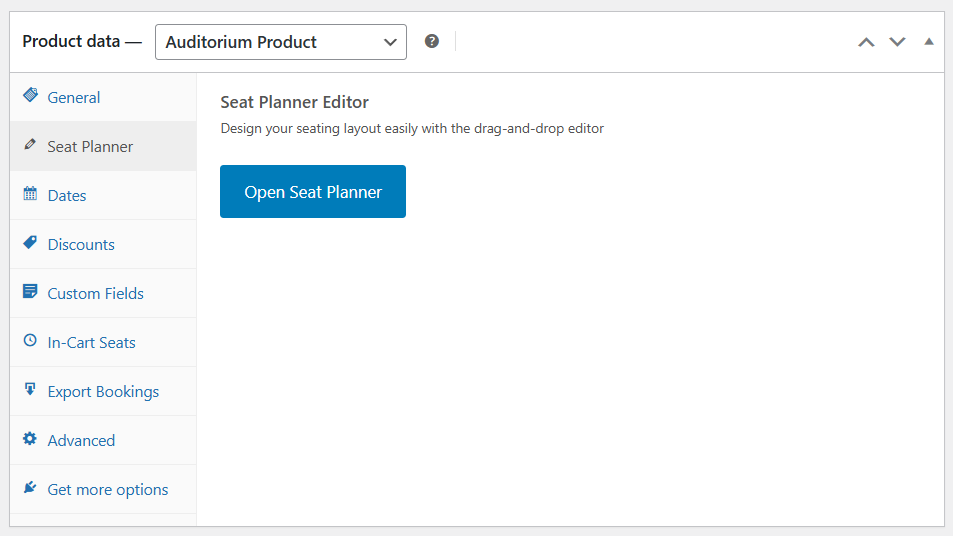
- Drag-and-drop seat planner – Design your venue with seats, tables, screens, labels, and static objects.
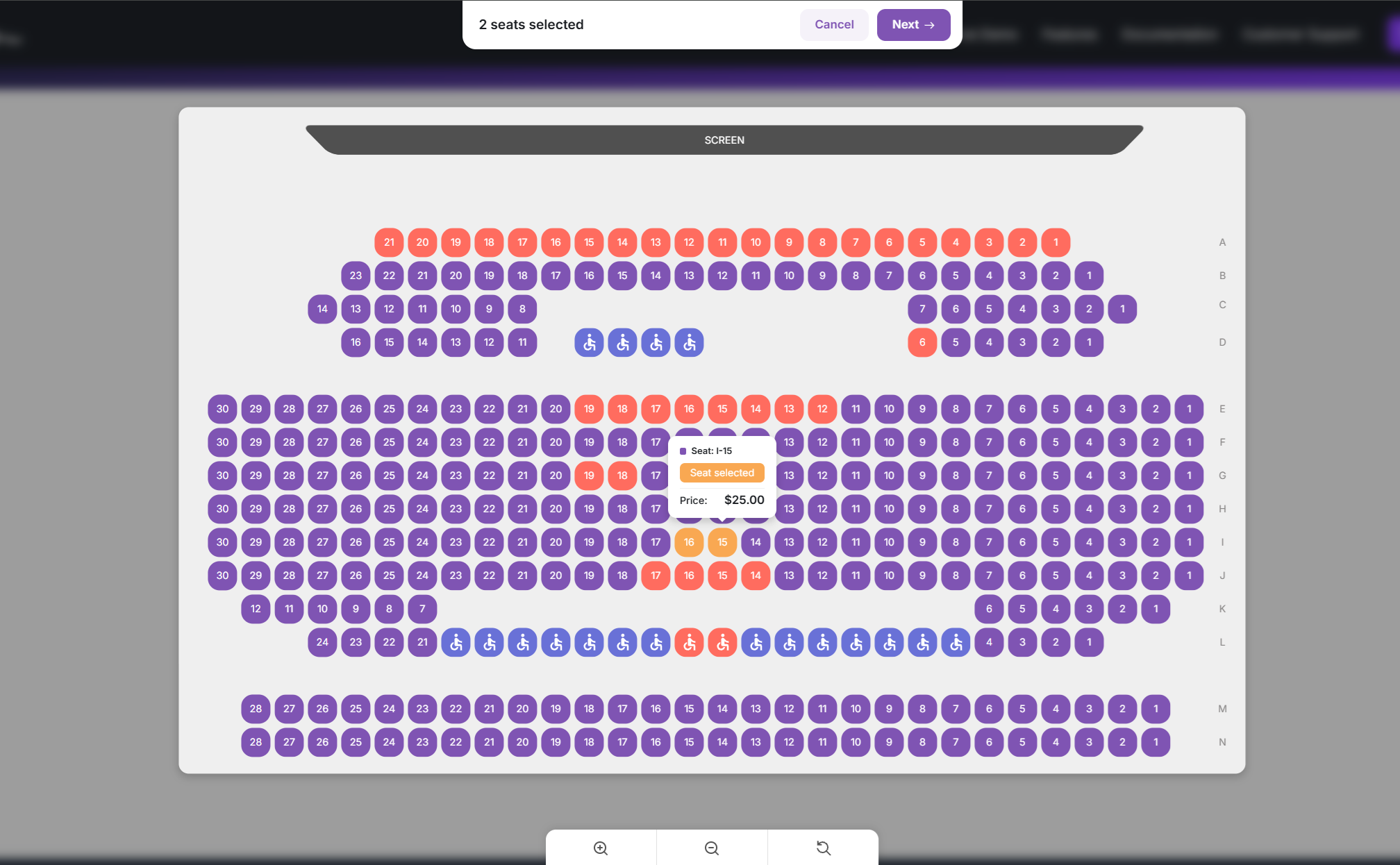
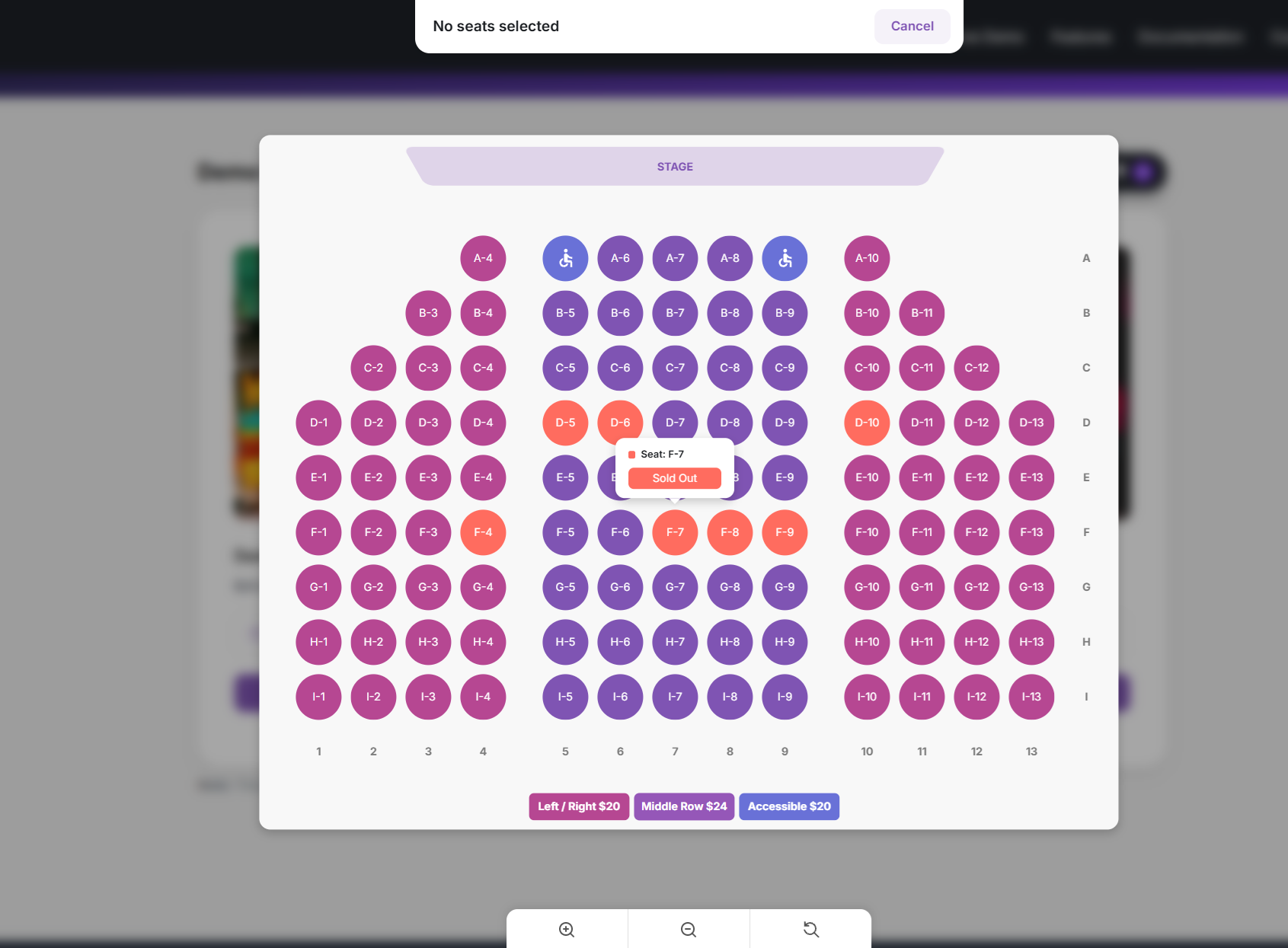
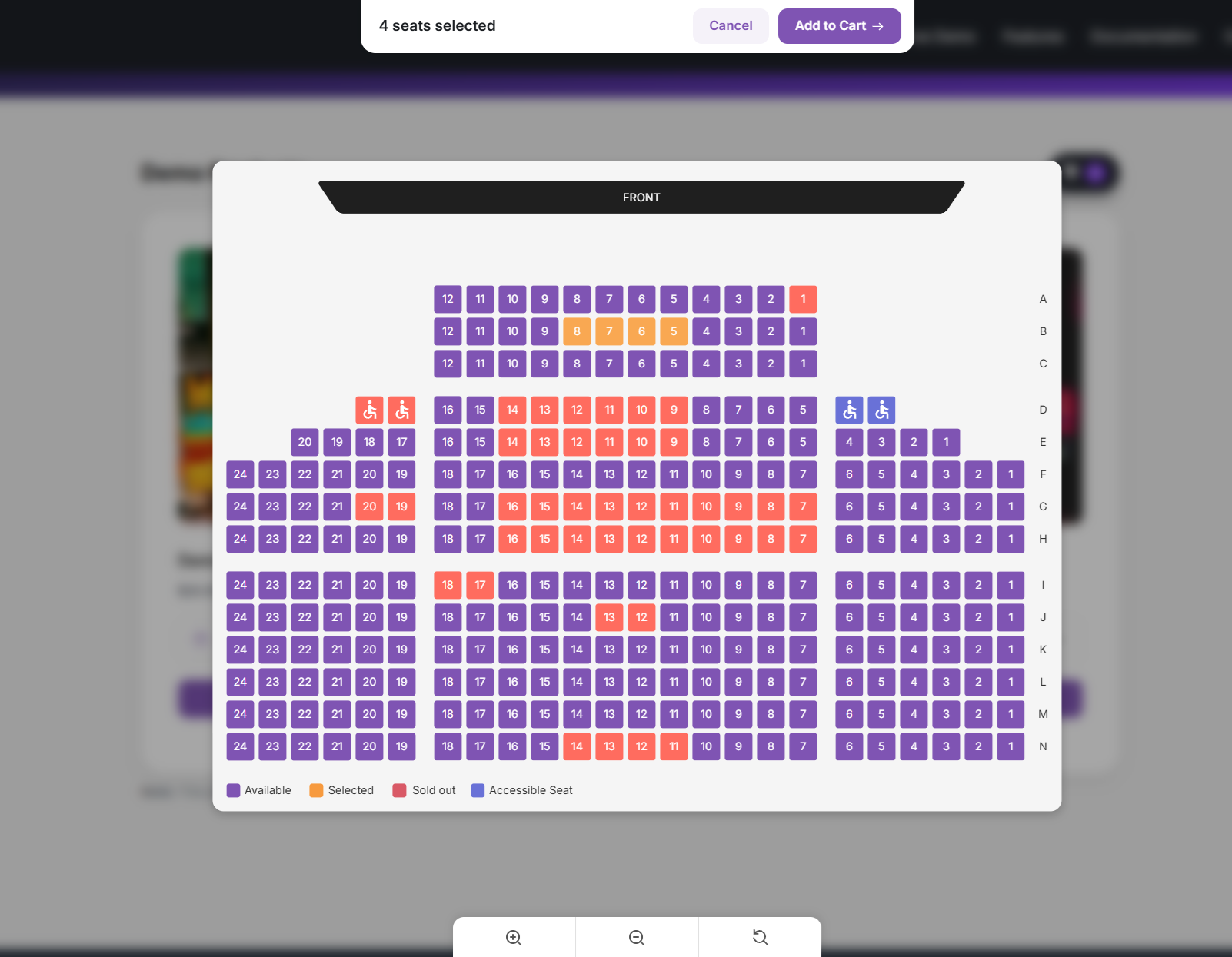
- Interactive seat selection – Customers pick seats in real time on a map with zoom, pan, and seat details.
- Cart hold timer – Temporary seat holds while customers checkout to help prevent double bookings.
- Handicap / accessible seats – Mark accessible seats so they stand out on the map.
- Auto-fill and pattern tools – Place rows or sections quickly when building your layout.
- Per-seat pricing – Set prices by location, section, or individual seat.
- On-site-only seats – Restrict selected seats to on-site purchase via seat status.
Checkout & customer experience
- Standard WooCommerce cart and checkout – No separate ticketing checkout to learn.
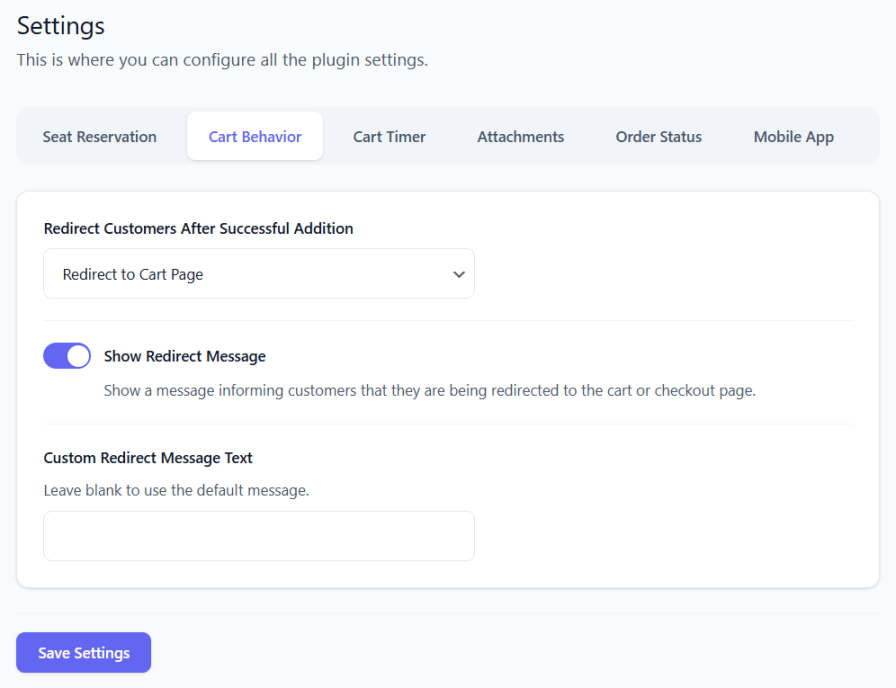
- Configurable redirect after adding seats – Send customers to the cart, checkout, or a custom URL; optional cart timer on the storefront.
- Unique QR code per seat – Generated for each purchased seat for validation at the door.
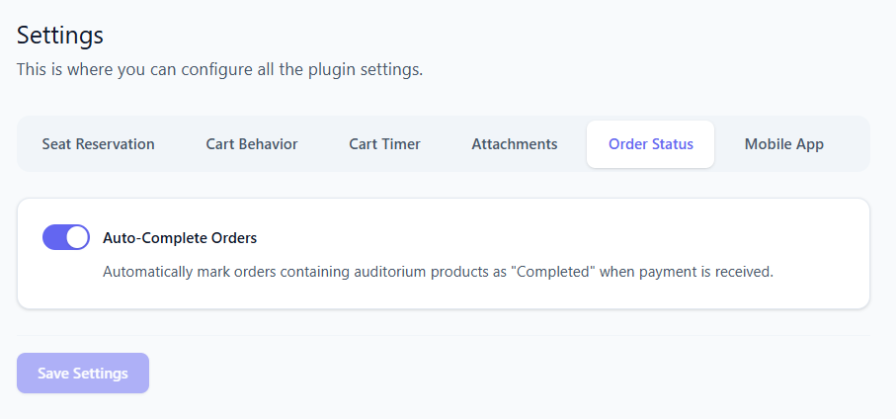
- Auto-complete paid auditorium orders – Configurable, including mixed-cart behavior.
- Front-end dark mode and accent color – Brand the seat-selection experience.
- WooCommerce coupon seat limits – Require a minimum or maximum number of auditorium seats in the cart before a coupon applies.
Manager & day-of operations
- Run the venue from one screen – See what is free, block seats for holds or VIPs, and fix availability without waiting on a customer order.
- Sell at the door or comp a seat – Create a single-seat order from the floor when someone pays in person or gets a complimentary ticket.
- Fix mistakes without re-checkout – Move a customer to another seat on an existing order when they picked the wrong one.
- Know who is inside – Filter by scanned tickets and reset check-in when staff scans the wrong code.
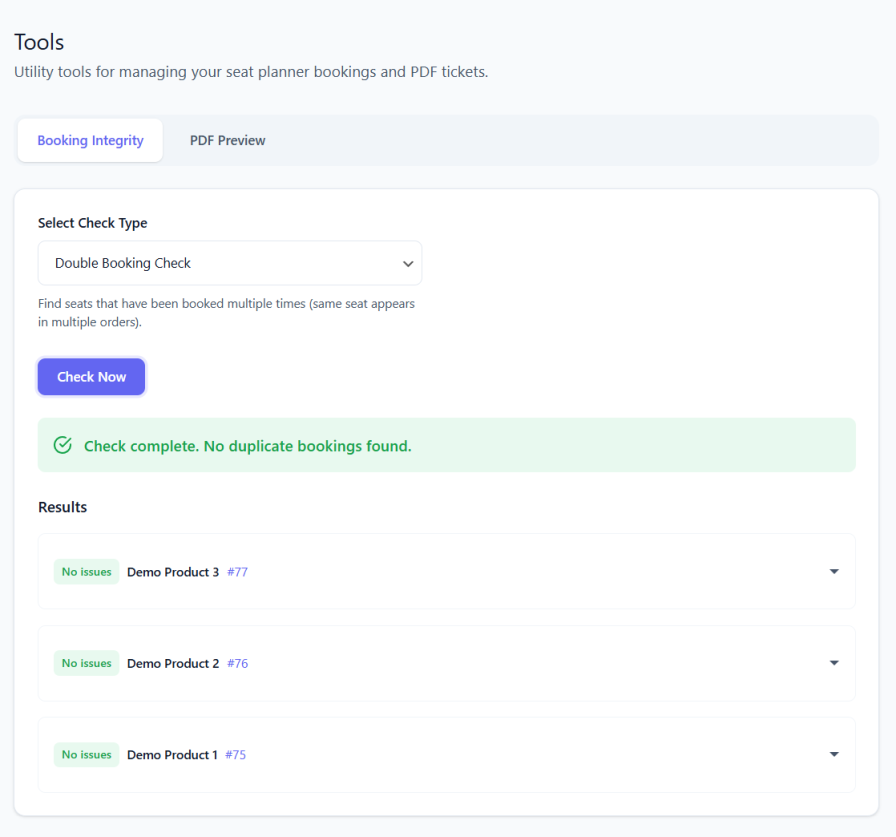
- Detect and fix double bookings and stale inventory – Automatically find conflicts, seats stuck as taken, and unpaid orders still blocking sales.
Check-in & ticket validation
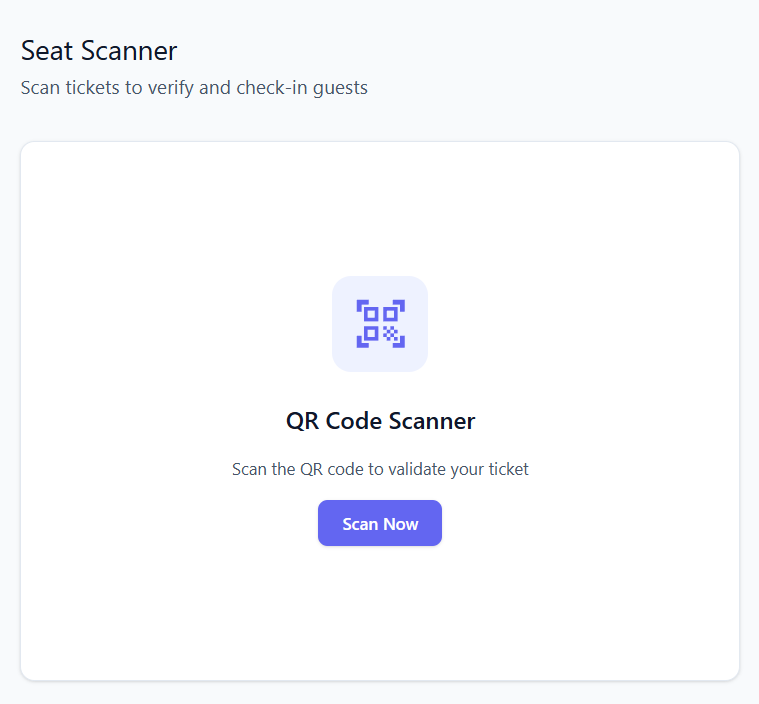
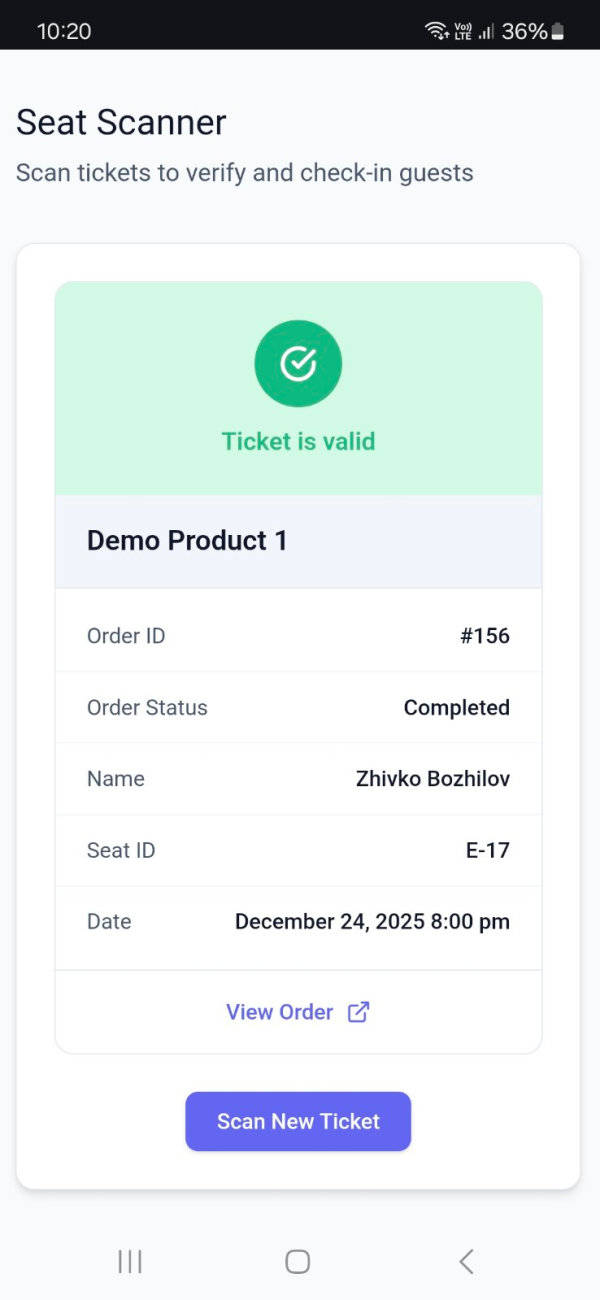
- Built-in web scanner – Validate tickets with a camera QR scanner in your WordPress dashboard.
- Scan records – Each scan updates ticket status; invalid or already-scanned tickets are shown clearly.
Integrations & layout tools
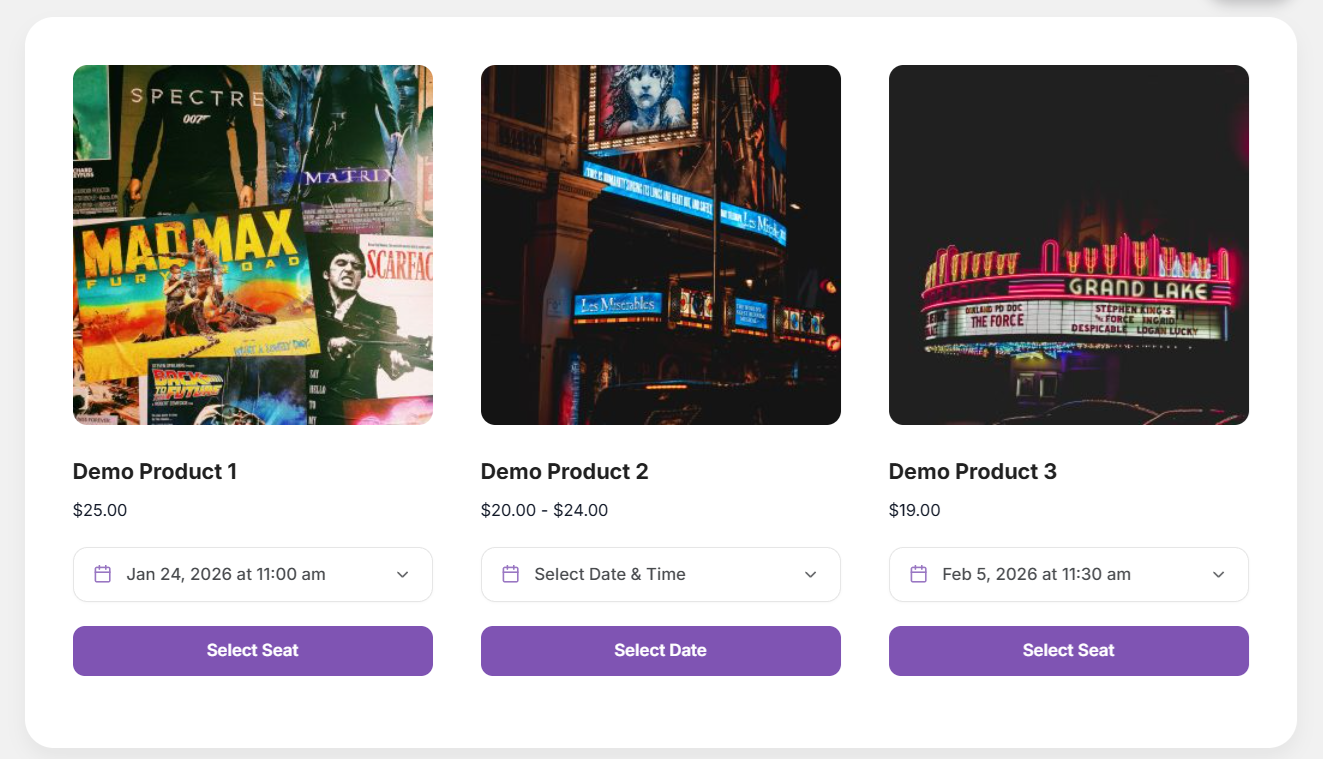
- Shortcodes – Embed a “Select seat” button or live seat counts on any page.
- Elementor widgets – Select Seat Button and Seat Count widgets.
- Gutenberg blocks – Select Seat Button and Seat Count blocks.
Statistics & analytics
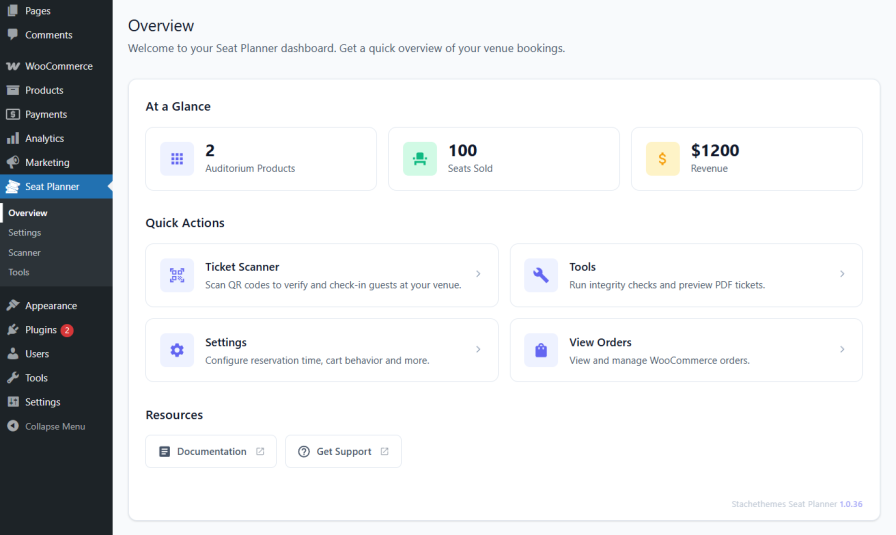
- See how the event is selling – Seats sold, occupancy, revenue, and order counts at a glance; trends over time; breakdown by order or date; a simple read on how fast you are filling the house.
Premium Features
Upgrade to Stachethemes Seat Planner on WooCommerce for the full feature set, including everything in Lite plus:
Core booking & seat management
- Unlimited layout objects – No 100-object cap in the seat planner editor.
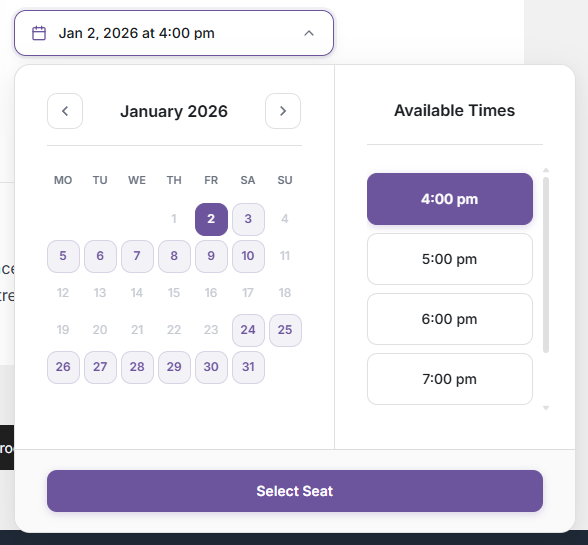
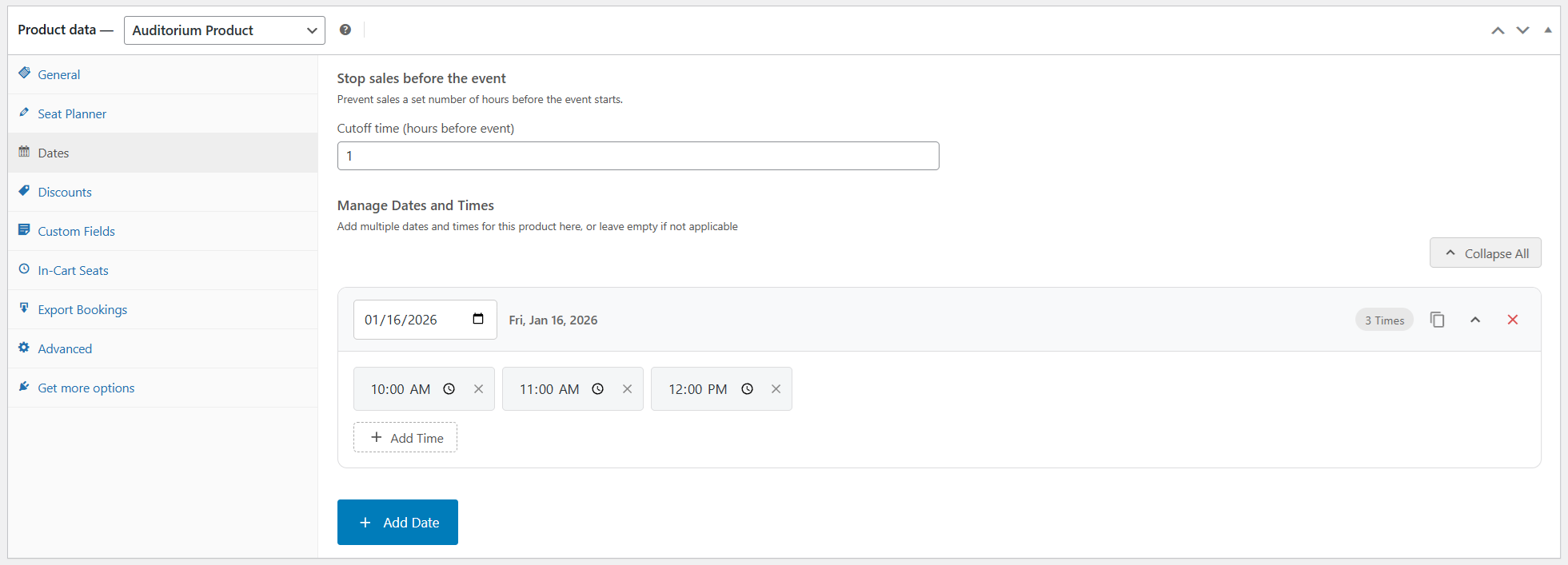
- Multiple event dates on one product – One seat map, many performances.
- Best Available – Auto-select the best contiguous seats; filter by price when seats have different rates.
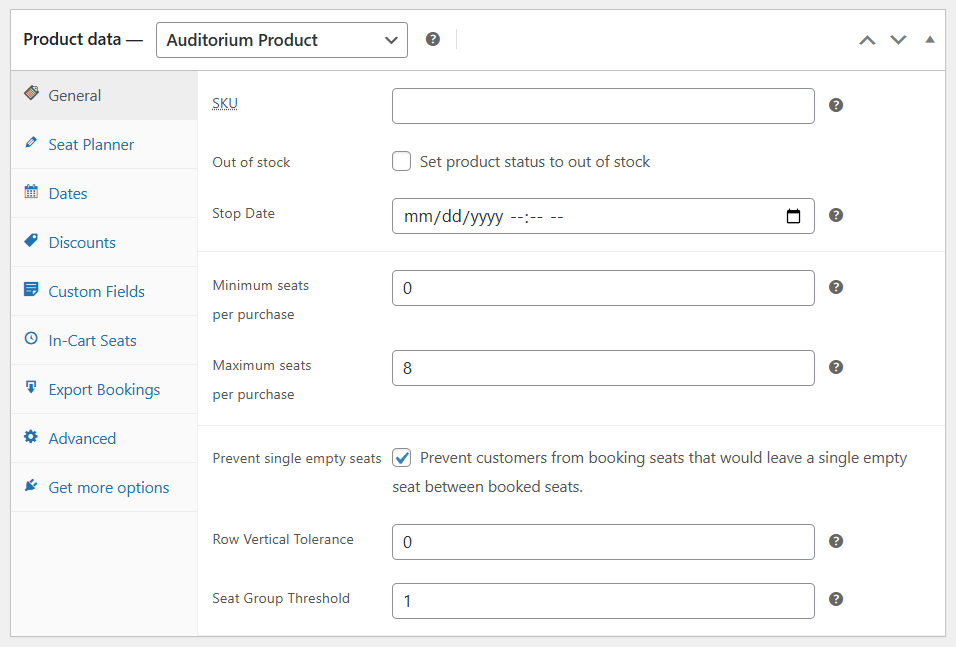
- Optional sales rules – Stop sales before the event; prevent isolated empty seats; min/max seats per purchase.
Pricing, discounts & upsells
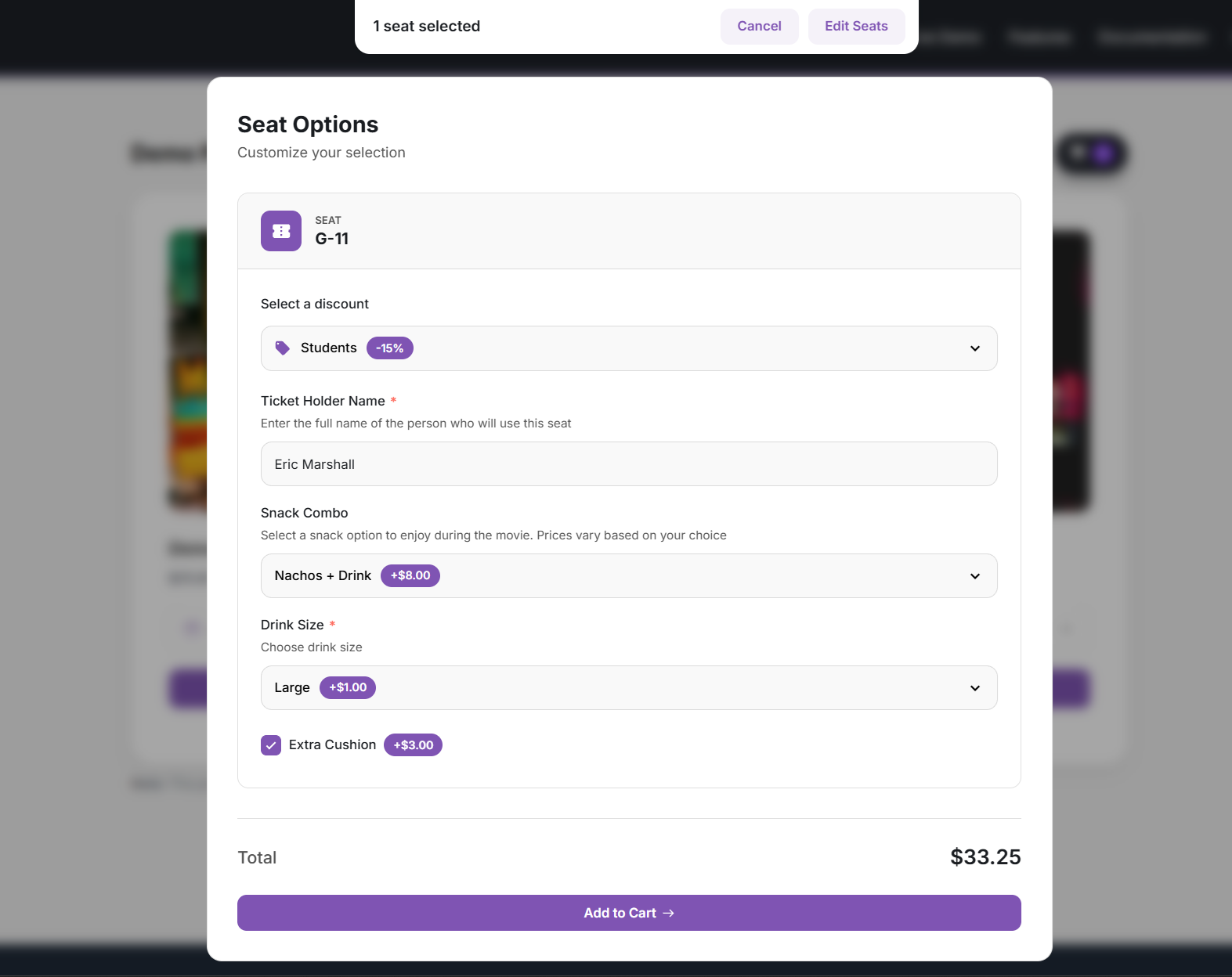
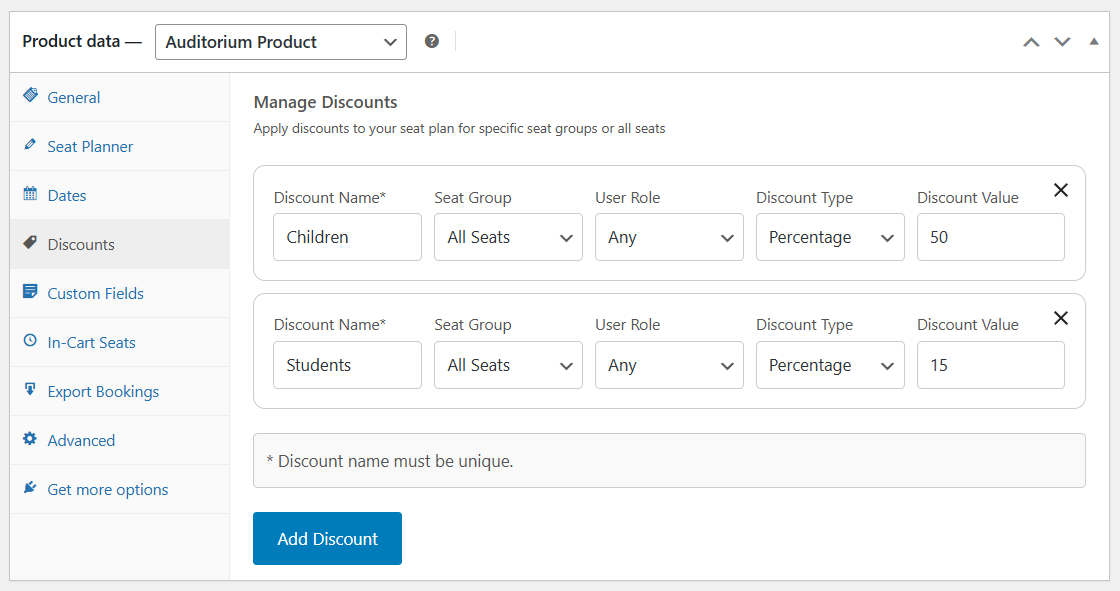
- Seat-level discounts – Percentage or fixed amount on selected seats or groups; optional role restrictions.
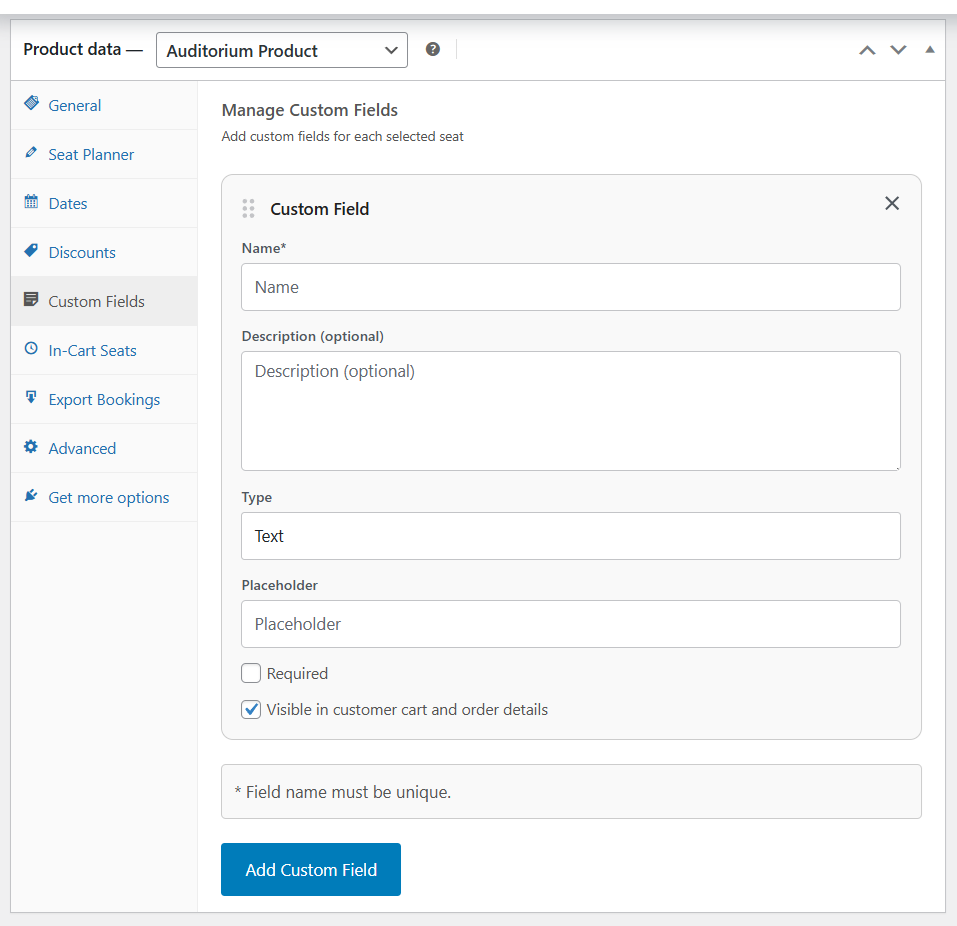
- Custom fields per seat – Free or paid add-ons, upgrades, meal choices, and more (with conditional display).
Checkout & customer experience
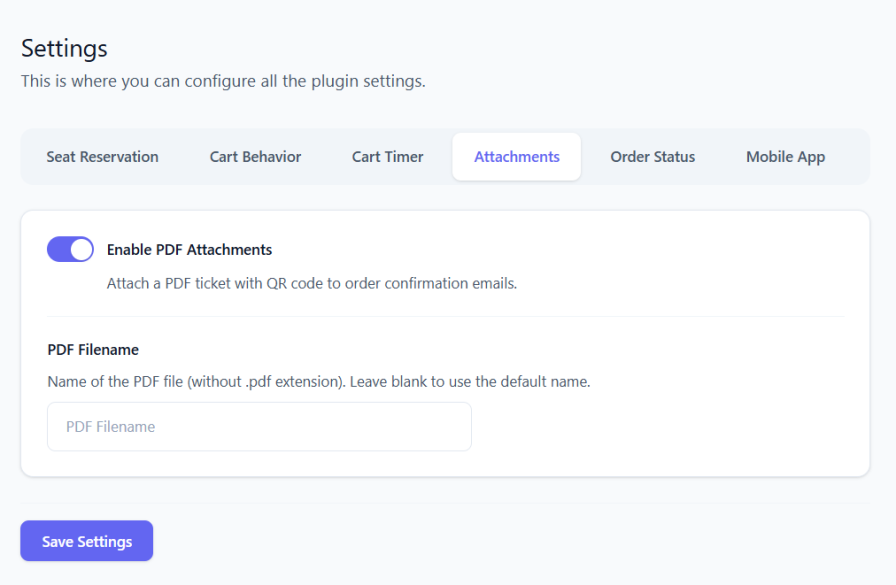
- PDF tickets – Attach ticket details and QR codes to order emails; optional My Account downloads.
Manager & day-of operations
- Bulk create orders – Create orders for multiple seats at once from Manager.
- Full booking edits – Change seat, date, discounts, and custom fields on existing orders.
- Move bookings to another date – For multi-date products (bulk action supported).
Check-in & ticket validation
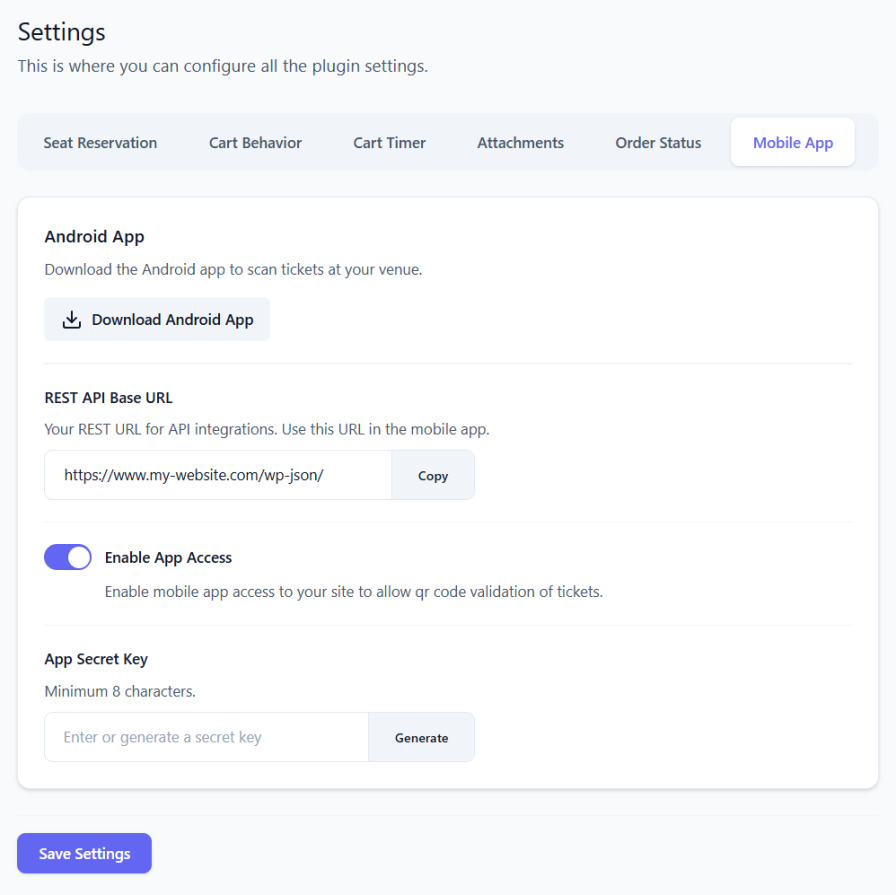
- Free Android app – Door check-in; pairs with your site via integration settings.
Integrations & layout tools
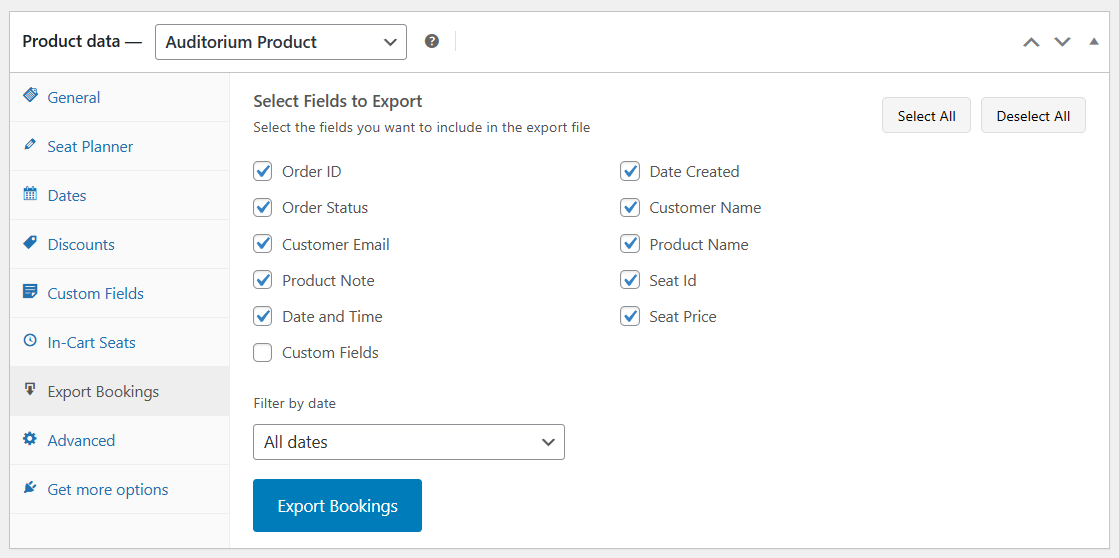
- CSV import & export – Seat layouts in the seat planner editor; export bookings from the product or Manager (filter by date, choose columns).
- Script embed – Run seat selection on external sites with an allowed-origins whitelist.
Statistics, reports & analytics
- CSV export – Statistics tables and booking exports.
- Automated email reports – Scheduled occupancy and sales summaries, with CSV and optional color-coded seat-map snapshot.
Demo
Source Repository
Credits
1.7.5
- Added: Gutenberg blocks – “Select Seat Button” (embed the add-to-cart flow on any page) and “Seat Count” (display available, sold, or other seat totals for a product).
- Added: Site Health tools – now check for problems with QR Code.
1.7.3
- Added: Dark mode option for the front-end interface. Turn it on in Dashboard -> Settings -> Colors to apply a dark theme to the date/time picker, seat selector form fields, and cart timer.
- Added: WooCommerce coupon seat limits for auditorium products. On the coupon edit screen you can set a minimum and/or maximum number of auditorium seats required in the cart before the coupon applies.
- Added: Elementor widgets – “Select Seat Button” (embed the add-to-cart flow on any page) and “Seat Count” (display available, sold, or other seat totals for a product and optional date). Find them under the Stachethemes Seat Planner category in the Elementor editor.
1.7.2
- Update: QR Code now supports PHP 8.5
1.7.1
Added: A new option for “Redirect Customers After Successful Addition” enabling admins to send customers to a custom URL after seats are added to the cart.
1.6.7
Added: Stalled Orders check in Dashboard -> Tools -> Booking Integrity. Lists pending/failed orders that hold auditorium seats without payment markers or an active slot lock (same rules as checkout conflict auto-cancel). Report only; does not modify orders.
Update: Refreshed General tab UI for auditorium products in the admin.
Fixed: Saving the seat planner, dates, discounts, or custom fields no longer fails when text includes certain characters (for example in seat labels).
1.6.6
Added: QR code scanner – choose which camera device to use
Update: Various small improvements to the Seat Editor
1.6.5
Update: Security improvements
Added: Better protection against double bookings. The plugin now checks seat conflicts earlier and helps prevent stale pending reservations from blocking available seats.
1.6.4
Update: Faster and more reliable seat updates when order statuses change (e.g. payment received, order completed)
Update: Manager section now processes seat changes more efficiently
1.6.3
- Added: RTL Support (beta) for right-to-left languages
- Fixed: Orders with only seat tickets now automatically move to “Completed” after payment (e.g. Stripe) instead of staying at “Processing”
- Update: Clearer description for the “Force Auto-Complete Mixed Orders” setting
1.6.2
- Added: Option in Manager -> Availability to filter seats by scan status using the “Scanned” toggle, showing only seats that have been scanned (QR code checked in)
- Added: Option in the Manager Edit Seat page to unscan a ticket, view scan details, and clear scan status when needed
1.6.1
- Fixed: Closing the color picker without choosing a new color no longer clears the color from your selected items
1.6.0
- Price input now allows decimal values
- Added auto-fill mode in the Seat Planner Editor for faster objects creation
- Added arc transform tool in the Seat Planner Editor
- Added flip transform tool in the Seat Planner Editor
1.5.6
- Added Statistics page in the Manager section with product analytics: summary cards (seats sold, occupancy, revenue, orders), revenue and sales over time (by event date or order date), sales-by-order and sales-by-date tables with CSV export, and velocity projection.
1.5.4
- QR code styling updated to use accent color
- Added rotation feature in the Seat Planner Editor for rotating elements
1.5.1
- Added option to create Order from the Manager section
- Added new shortcode [stachesepl_count] for displaying the total seat count for auditorium product(s).
1.4.1
- Added seat details tooltip on mobile devices
- Added new option in general settings to show or hide the seat details tooltip
- Other minor bug fixes
1.4.0
- Added Manager section in the Admin Panel
- Added option to hide the QR Code
1.3.0
- New tool “Edit Order”, enabling admins to modify existing orders data, such as changing seat ID.
1.1.0
- New general option “Enforce WooCommerce Cart Calculation”. This option helps fix the issue with missing cart price on certain themes.
- Fixed issue where the cart timer may not work properly on certain carts
1.0.42
- Fixed a bug where setting a non-existent or invalid product ID in the shortcode caused a crash.
1.0.40
- Option to disable the “Select Seat” button on product listings (product loops) such as the Shop page and category pages.
- New Accent Color option for simpler front-end UI color customization. Legacy color customization options have been removed.
- Merged Cart Timer and Add to Cart settings into a new Cart Behaviour tab in the plugin settings.
- Front-end UI now displays the Close button at all times.
- Front-end UI buttons and elements now follow the Accent Color setting.
- Converted the Round Corners option to a slider for better control over element border radius.
- Minor fixes and improvements.
1.0.38
- The Plugin now uses it’s own “Select Seat”, “View Cart” buttons.
- Added option to change colors for “Select Seat”, “View Cart”, “Add to Cart” buttons.
- Added Front-end seat tooltip
- Added Compatibility mode for cache plugins (e.g. WP Rocket, LiteSpeed) when lazy loading breaks due to JS optimization.
- Added New editor option “Additional Class Name” allowing custom CSS classes to be attached to objects.
- Improved UI for adding dates to the product.
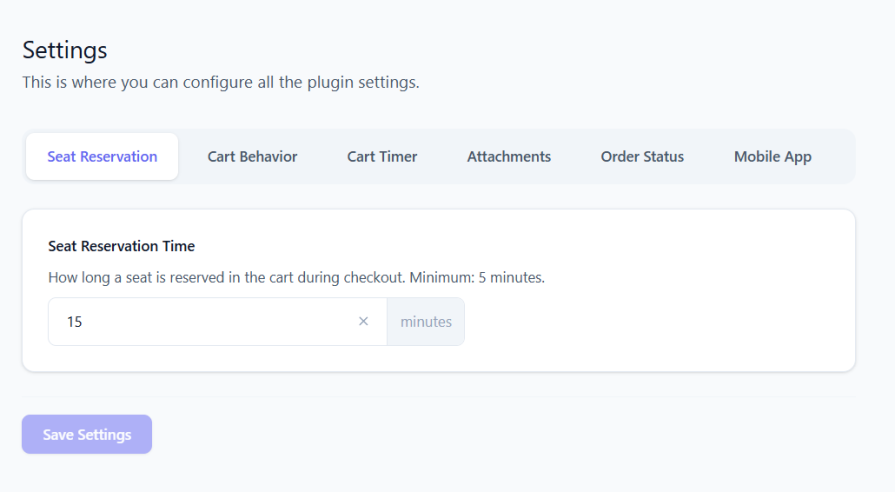
- “Seat Reservation Time” and “Auto-Complete Orders” options moved to the new General tab in plugin settings.
1.0.36
- Added new plugin dashboard centralizing settings and features.
- Added new option “Auto-Complete Orders”: automatically marks orders as Completed when payment is received for auditorium products.
- Added new option to control whether users are redirected after adding seats to the cart.
- Added new option to choose whether users are redirected to the cart or checkout page.
- Added new option to control whether customers are shown a message during redirection.
1.0.35
- Added Dashboard Widget showing Seats Sold & Revenue for the last 30 days
- Added Option to Lock objects in the Drag & Drop Editor
- Added Visual UI for turning grid-snap on/off, grid color, grid size
- Added message when user is redirected to cart/checkout page on the front-end
1.0.34
- Bug fix where product can be incorrectly flagged as Unavailable
1.0.33
- Bug fix where deleting a draft order can accidentally release slot reservation
- Other minor bug fixes
1.0.32
- UI/UX improvements
- Added UI for Auto Incremental Patterns
- Added Booking Integrity Checker Tools
- Added option to check Reservation Details from the front-end if the user has Shop Manager role
1.0.28
- Minor fixes & improvements
- Enabled option to Scan QR Codes from the Dashboard
1.0.5
- Add to cart seat validation improvements
1.0.4
- Initial public release with core seat selection features.
스크린샷


블록
이 플러그인은 2개의 블록을 제공합니다.
- Stachesepl Add To Cart
- Stachesepl Count
설치
Installation from within WordPress
- Visit Plugins > Add New.
- Click Upload Plugin and upload the plugin archive.
- Install and activate the Stachethemes Seat Planner Lite plugin.
Manual Installation
- Upload the entire
stachethemes-seat-planner-litefolder to the/wp-content/plugins/directory. - Visit Plugins.
- Activate the Stachethemes Seat Planner Lite plugin.
후기


기여자 & 개발자

자국어로 “Stachethemes Seat Planner Lite”(을)를 번역하세요.