
설명
AI Content Optimizer is a powerful WordPress plugin designed to help you improve your content with AI-generated suggestions for SEO, readability, and engagement. The plugin analyzes your content and provides valuable suggestions, which you can view directly in the editor or in a new, fully styled HTML page.
Features
- AI-Driven Analysis – Uses AI to analyze content and provide suggestions for SEO, readability, keyword usage, and engagement.
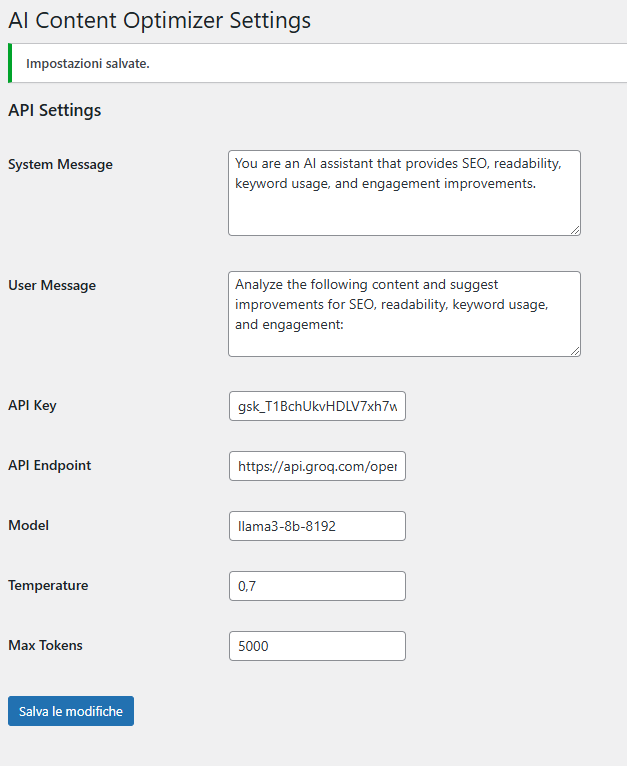
- Customizable AI Settings – Configure the API key, endpoint, model, temperature, max tokens, and prompt messages directly from the WordPress admin.
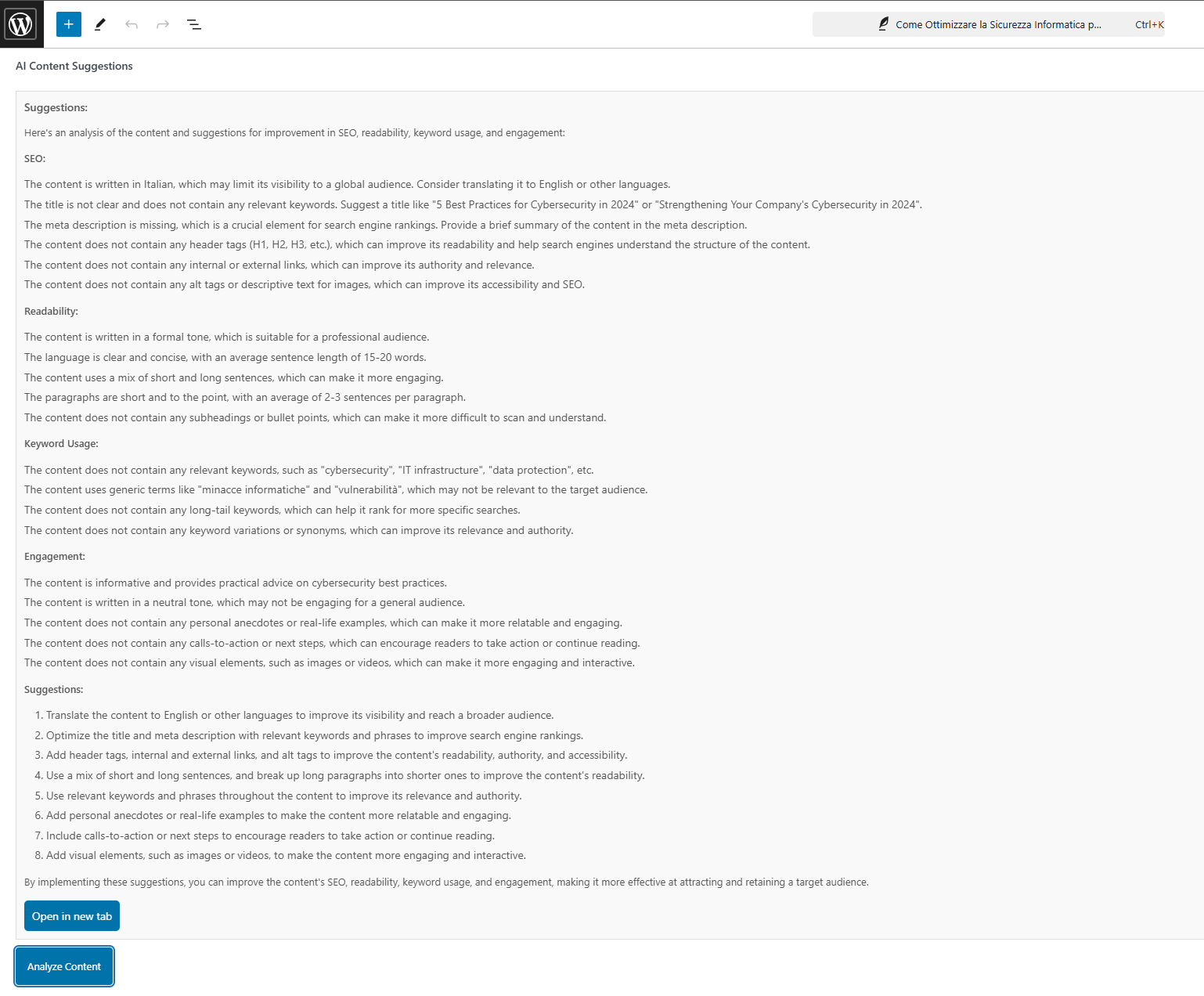
- In-Editor Display – View AI suggestions directly within the WordPress editor.
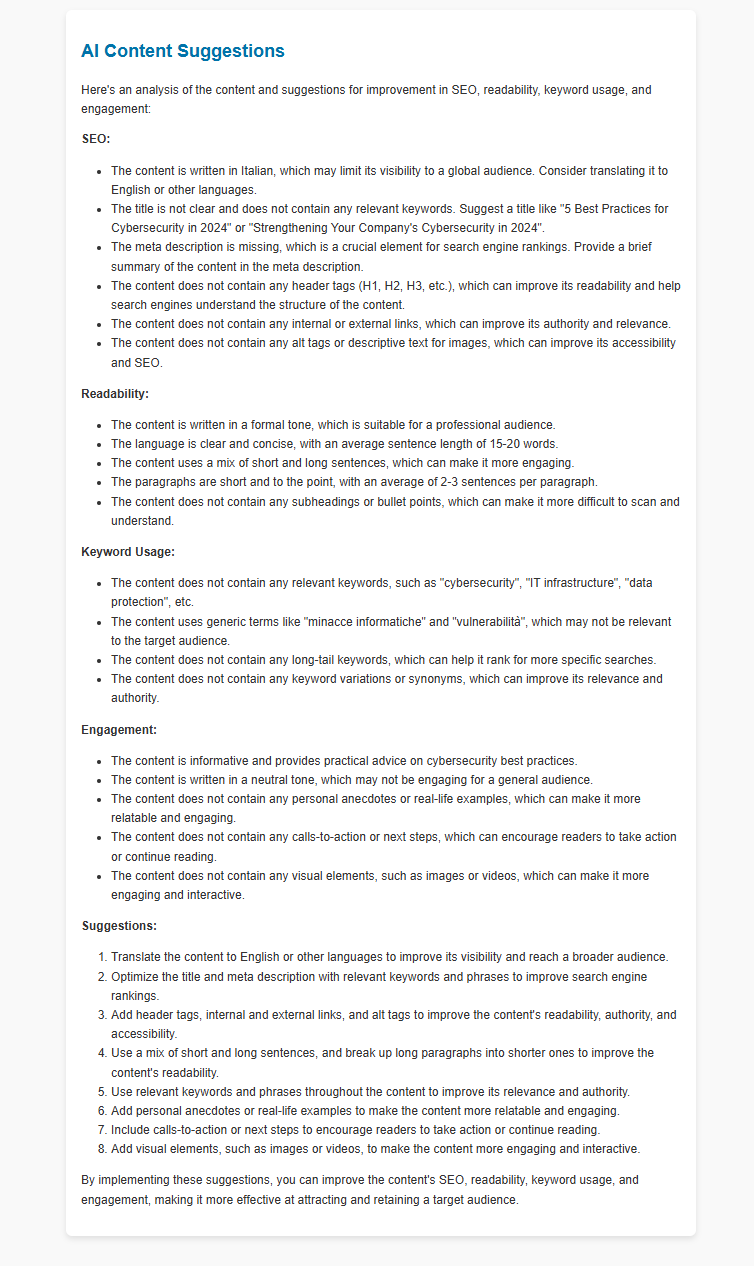
- Styled HTML Preview – Open suggestions in a new, formatted HTML page for easy reading.
Usage
- Write your content in the WordPress editor.
- Click the Analyze Content button to retrieve AI-generated suggestions.
- View suggestions in the editor or in a separate HTML preview page.
Configuration
In Settings > AI Content Optimizer, fill out the following fields:
- API Key – Enter your API key from the AI provider (e.g., OpenAI).
- Endpoint – Specify the AI API endpoint URL.
- Model – Choose the AI model (e.g.,
gpt-3.5-turbo). - Temperature – Adjust how creative or focused the AI’s responses should be (e.g.,
0.5–0.7). - Max Tokens – Define the maximum token length for AI responses (e.g.,
7000). - System Message – Provide the initial system prompt that frames the AI’s behavior.
- User Message – Specify the format of the user’s input prompt for analysis.
Example Configuration
System Message
You are an AI assistant specializing in improving SEO, readability, keyword usage, and user engagement.
User Message
Review the following content and recommend enhancements for SEO, readability, keyword usage, and engagement:
cURL Example (Groq API)
bash

curl https://api.groq.com/openai/v1/chat/completions   -H "Content-Type: application/json"   -H "Authorization: Bearer gsk_QuHjYQxxxxxxxxxxxxxxxxxxxxxxxx"   -d '{

    "model": "meta-llama/llama-4-scout-17b-16e-instruct",

    "temperature": 0.6,

    "max_tokens": 8000,

    "messages": [

      { "role": "system", "content": "You are an AI assistant specializing in improving SEO, readability, keyword usage, and user engagement." },

      { "role": "user",   "content": "Review the following content and recommend enhancements for SEO, readability, keyword usage, and engagement:\n\n[YOUR CONTENT HERE]" }

    ]

  }'
License
This plugin is licensed under the GPLv2 or later.
스크린샷
설치
- Upload the plugin files to the
/wp-content/plugins/directory. - Activate the plugin through the “Plugins” menu in WordPress.
- Go to Settings > AI Content Optimizer to configure your API key and other settings.
FAQ
-
How do I obtain an API key?
-
You need an API key from an AI provider like OpenAI or Groq. Visit their website, create an account, and obtain an API key to use with this plugin.
-
Can I adjust the AI suggestions?
-
Yes, you can configure the AI’s behavior by adjusting the temperature, max tokens, and prompt messages in the plugin settings.
후기
이 플러그인에 대한 평가가 없습니다.
기여자 & 개발자

변경이력
1.0.0
- Initial release of AI Content Optimizer
- Includes AI-driven content analysis with configurable settings and a styled HTML preview feature