
설명
A simple plugin to add a block to WordPress posts and pages to display panoramic images as a lightly-configurable, content-width image with horizontal sliding controls.
I personally take a lot of panoramic photos on my phone, you know the kind: big, ultrawide images in “pano” mode. When I upload them to my blog they are either cropped or shrunk so small that they are not especially impressive to display.
My solution was a simple horizontally scrolling image. The block displays a properly proportioned image as set by the fixed image height in the editor, except the overflow disappears into the magical void that is the margin of your content width. Using the buttons, scrollbar or a finger on mobile, the user can scroll the image back and forth, left to right, allowing a simple but effective sharing of images in a more enjoyable resolution.
스크린샷
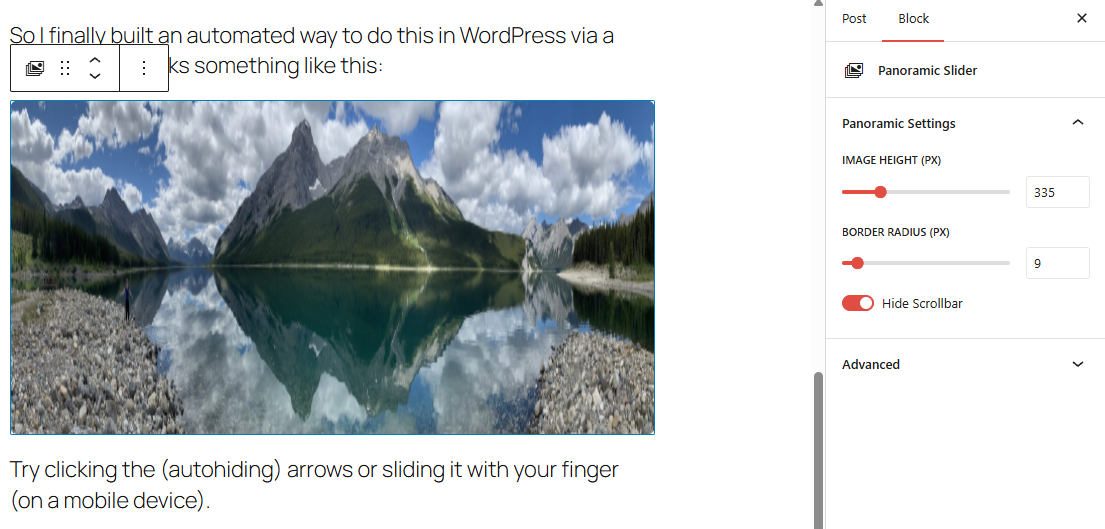
블록
이 플러그인은 1개의 블록을 제공합니다.
- Panoramic Slider
설치
Automatic
- From your WordPress Admin, navigate to: Plugins > Add New
- Search for: Panoramic Slider Block
- Install it
- Activate it
Manual
- Download
- Unzip
- Upload to /plugins/ folder
- Activate
후기
이 플러그인에 대한 평가가 없습니다.
기여자 & 개발자

변경이력
1.1.0
- Initial public release following a personal version (1.0) where I used and tested on my own site.