

설명
Page Builder Audit provides a simple admin tool to audit all pages on your WordPress site and identify which page builder (if any) each page uses.
Detected Page Builders:
- Elementor
- WPBakery Page Builder
- Divi Builder
- Beaver Builder
- Brizy
- Oxygen Builder
- Thrive Architect
- SeedProd
- Bricks Builder
- Breakdance
Additional Detection:
- Block Editor (Gutenberg)
- Classic Editor
- Empty pages
Features:
- View all pages in one table with ID, title, status, page builder, and page template
- Summary statistics showing page builder usage breakdown
- Only detects page builders that are actually installed on your site
- Export audit results to CSV
- Color-coded badges for easy scanning
- Works with any theme
Use Cases:
- Planning a migration from one page builder to another
- Auditing sites before taking over maintenance
- Identifying pages that need updating
- Documenting site architecture
스크린샷
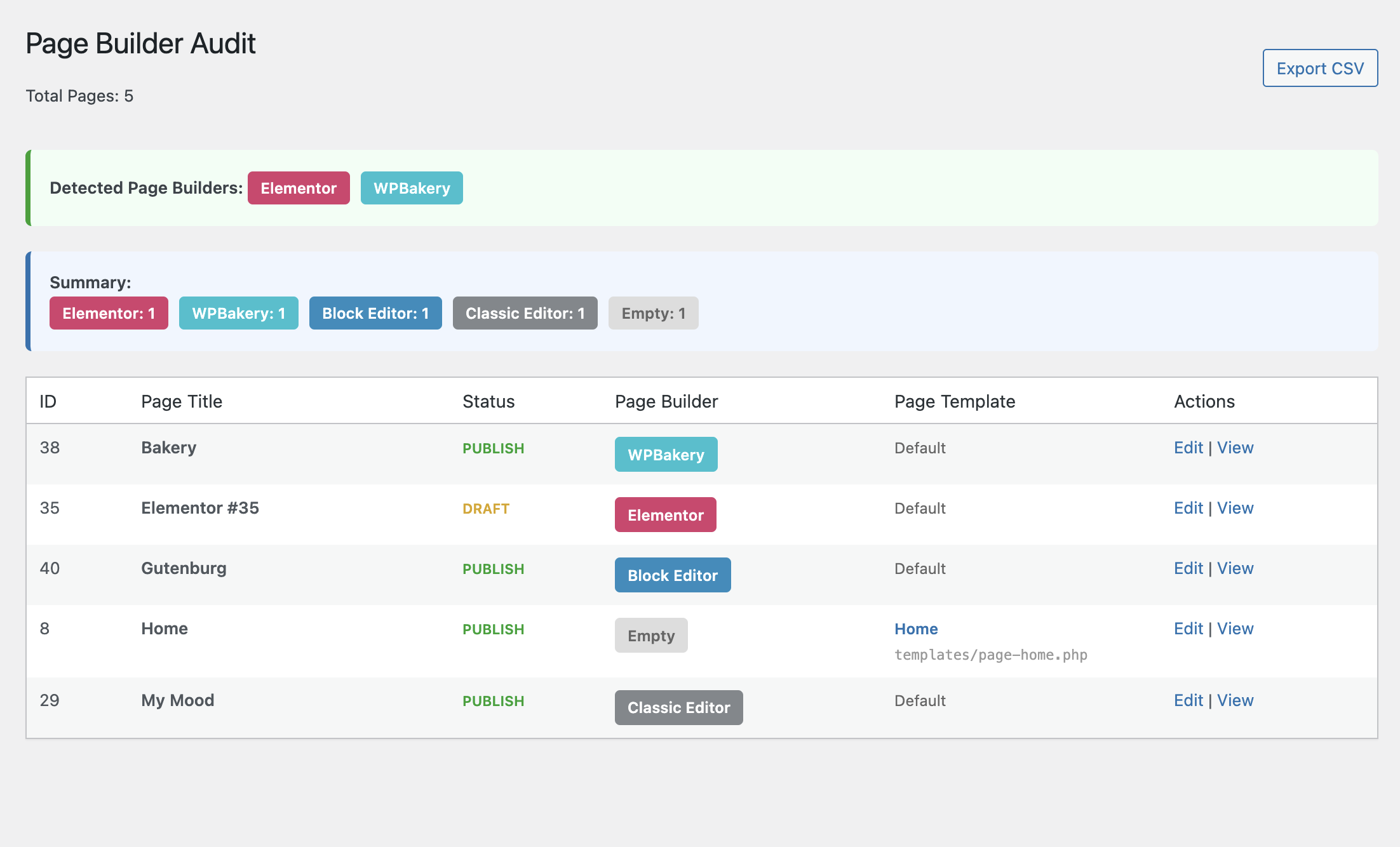
Main audit page showing all pages with their page builder and template information
설치
- Upload the
page-builder-auditfolder to the/wp-content/plugins/directory - Activate the plugin through the ‘Plugins’ menu in WordPress
- Go to Tools > Page Builder Audit to view the audit
FAQ
-
Where do I find the audit page?
-
After activating the plugin, go to Tools > Page Builder Audit in your WordPress admin.
-
Why does it only show some page builders?
-
The plugin only checks for page builders that are currently installed and active on your site. If a page builder isn’t detected, it means that plugin isn’t installed.
-
Can I export the results?
-
Yes! Click the “Export CSV” button to download a spreadsheet with all page data.
-
What does “Block Editor” mean?
-
This indicates the page was built using the WordPress Block Editor (Gutenberg), which is the default editor since WordPress 5.0.
-
What does “Classic Editor” mean?
-
This indicates the page has content but doesn’t use Gutenberg blocks. It was likely created with the Classic Editor or TinyMCE.
-
What does “Empty” mean?
-
This indicates the page has no content in the post_content field.
-
Does this plugin modify my pages?
-
No. This plugin is read-only. It only reads page data and metadata to determine which page builder was used. It never modifies any content.
후기
이 플러그인에 대한 평가가 없습니다.
기여자 & 개발자

변경이력
1.0.0
- Initial release
- Detects 10 popular page builders
- Distinguishes between Block Editor, Classic Editor, and empty pages
- Shows page template information
- CSV export functionality