
설명
Bento Grid Gallery is a lightweight, responsive gallery block for the WordPress block editor.
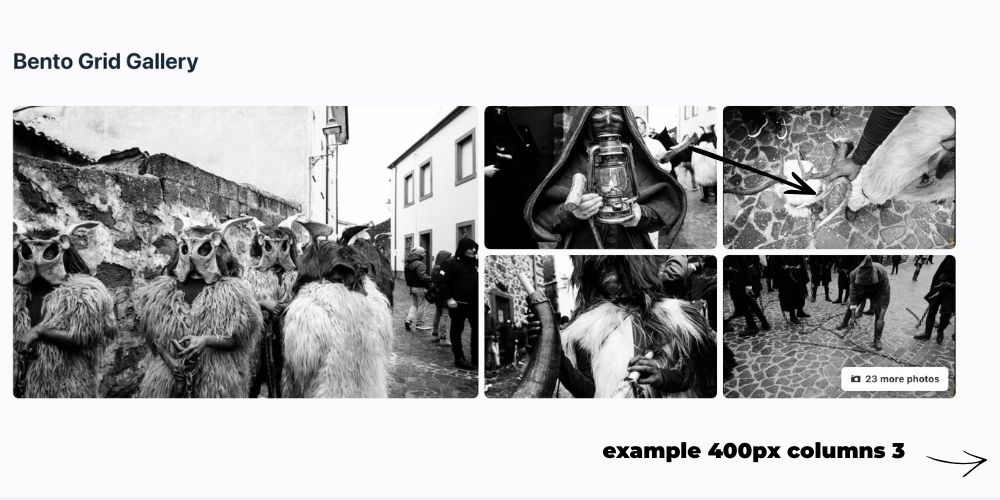
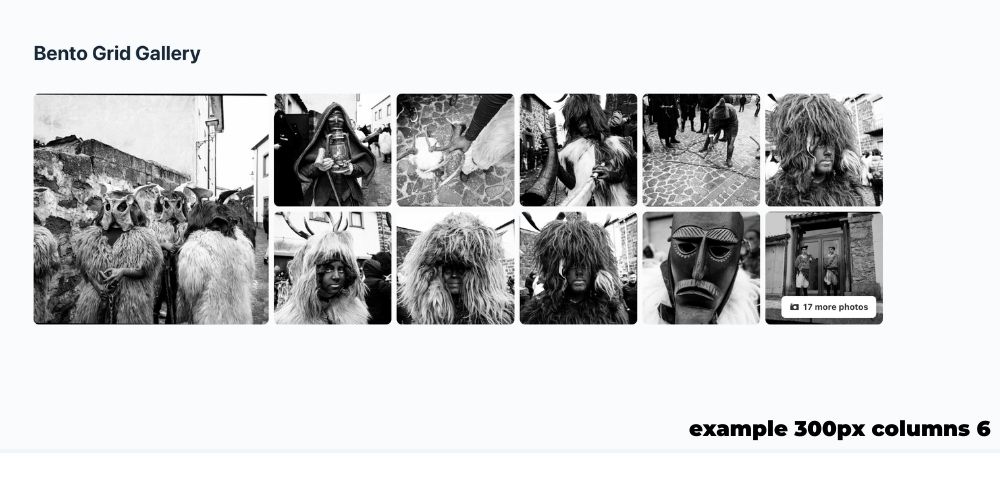
Create modern Bento-style image compositions with a prominent main image, secondary images, an additional-photo counter and a full-screen lightbox — without relying on an external page builder.
The block can use images selected manually from the WordPress Media Library or load them dynamically from an ACF Gallery field attached to the current post. Manual images can also be used as an optional fallback when the ACF field is empty.
✨ Why Bento Grid Gallery?
Bento Grid Gallery is designed to keep image galleries simple, visual and fast.
- Modern Bento-style composition
- Native WordPress block editor integration
- No external gallery framework required
- Dynamic ACF Gallery source
- Responsive layouts for desktop, tablet and mobile
- Full-screen lightbox with navigation and thumbnails
- Server-side rendering
- DB Solution HUB integration
🧩 WordPress Native
Built to work naturally with WordPress and Gutenberg.
The plugin uses native WordPress APIs, the Media Library and block registration through block.json.
Editor-specific presentation is loaded through the block editor stylesheet, making the block compatible with the iframe-based post editor architecture used by WordPress 7.1.
🖼️ Flexible Image Sources
Choose how each gallery gets its images:
- Manual selection from the WordPress Media Library
- Dynamic ACF Gallery field
- Configurable ACF field name
- Automatic current-post context
- Support for common ACF Gallery return formats based on attachment IDs or image arrays
- Optional manual-gallery fallback when the ACF field is empty
🚀 Performance First
Bento Grid Gallery keeps the frontend lightweight.
- Optimized WordPress image sizes
- No unnecessary frontend framework
- Dynamic server-side block rendering
- Lightbox assets loaded only where required
- Responsive output designed for modern devices
📱 Responsive by Design
The gallery automatically adapts to different screen sizes.
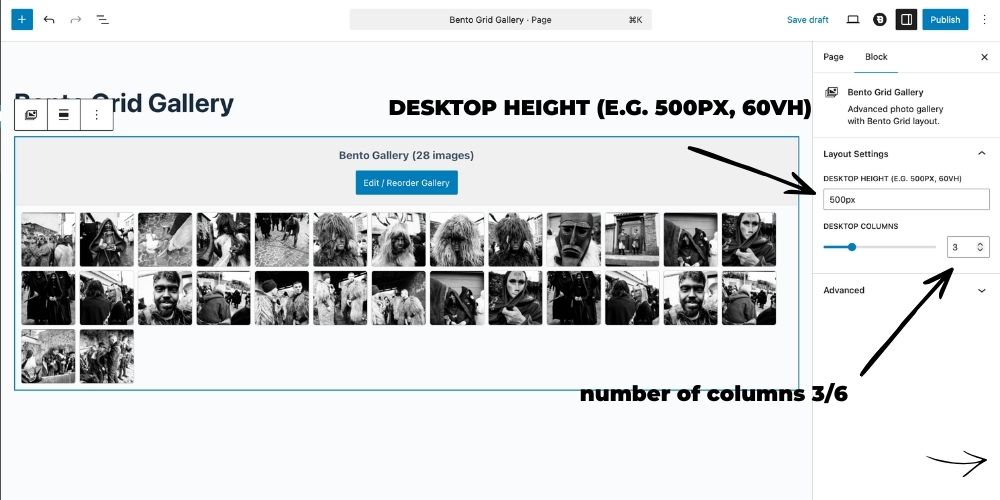
You can configure desktop height and column count while the frontend layout adjusts for tablet and mobile devices.
🔍 Integrated Lightbox
Visitors can open images in a full-screen viewer with:
- Previous / next navigation
- Thumbnail navigation
- Image counter
- Keyboard-friendly controls
- Responsive presentation
🛠️ Support & Development
Need help, report an issue or have an idea for Bento Grid Gallery?
Bento Grid Gallery is created and maintained by Davide Baraldi as part of the DB Solution suite.
스크린샷
블록
이 플러그인은 1개의 블록을 제공합니다.
- Bento Grid Gallery Advanced photo gallery with Bento Grid layout, manual Media Library source, or dynamic ACF Gallery source.
설치
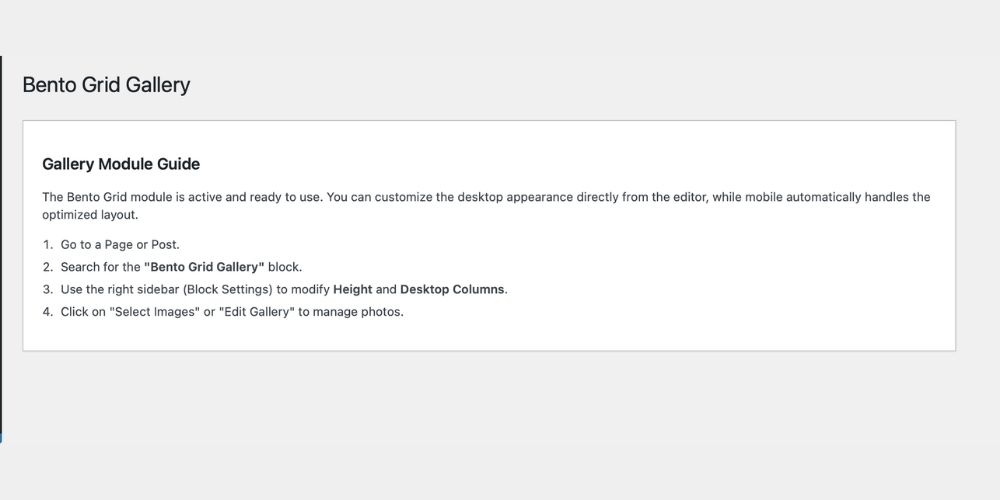
- Upload the
bento-grid-galleryfolder to/wp-content/plugins/, or install the plugin directly from the WordPress Plugins screen. - Activate Bento Grid Gallery.
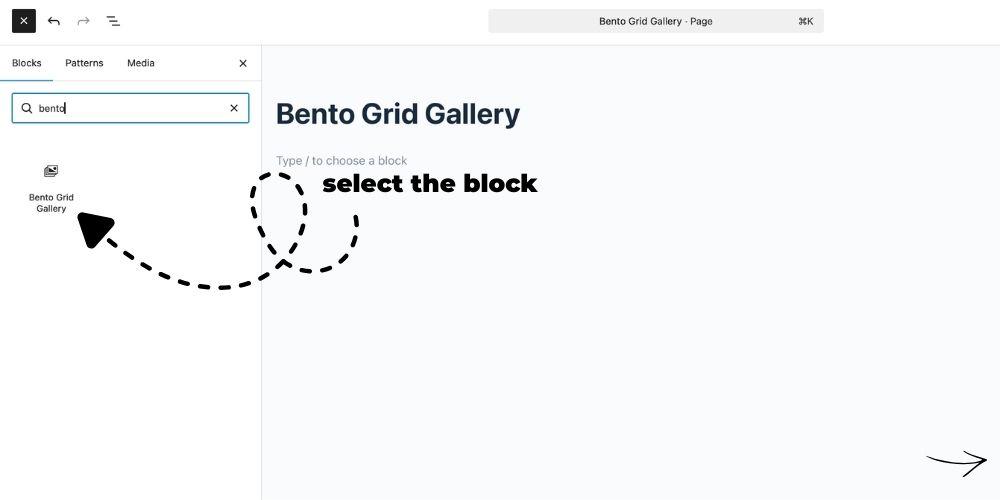
- Open the WordPress block editor.
- Add the “Bento Grid Gallery” block.
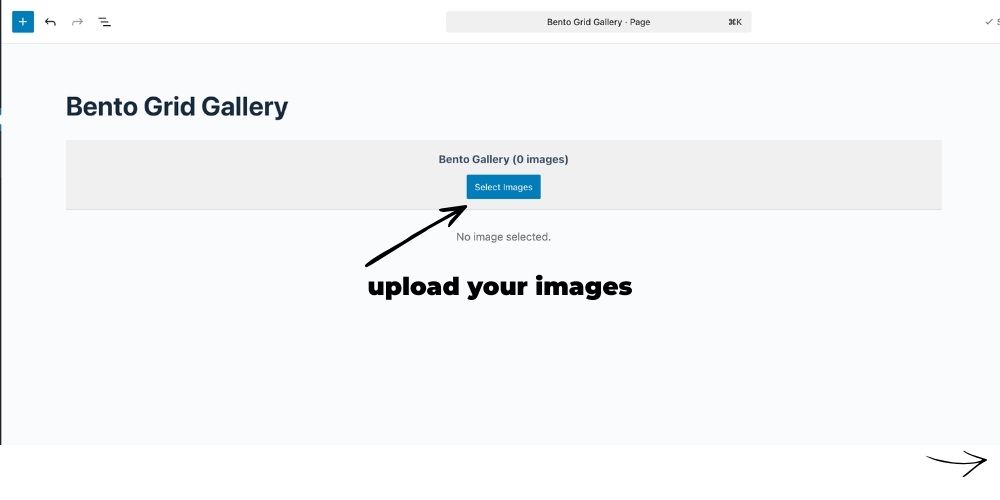
- Choose images manually or select an ACF Gallery field as the image source.
- Configure the layout and publish the page.
FAQ
-
Does Bento Grid Gallery require a page builder?
-
No. The plugin works directly with the native WordPress block editor.
-
Can I use images from ACF?
-
Yes. Version 1.1.1 supports a dynamic ACF Gallery field as the image source.
-
Which ACF return formats are supported?
-
The block supports common Gallery field return formats based on attachment IDs or image arrays.
-
What happens if the ACF Gallery field is empty?
-
You can enable the manual gallery as a fallback.
-
Does the plugin include a lightbox?
-
Yes. A full-screen lightbox with navigation and thumbnails is included.
-
Is the gallery responsive?
-
Yes. The layout adapts automatically to desktop, tablet and mobile screens.
-
Where can I get support?
후기
이 플러그인에 대한 평가가 없습니다.
기여자 & 개발자

변경이력
1.1.1
- Added compatibility with WordPress 7.1.
- Added dynamic ACF Gallery field support.
- Added support for common ACF Gallery return formats.
- Added optional manual-gallery fallback when the ACF field is empty.
- Improved compatibility with the iframe-based WordPress editor.
- Added editor-specific stylesheet handling.
- Improved block and frontend asset loading.
- Updated minimum requirements to WordPress 6.4 and PHP 8.1.
- Updated documentation and support information.
1.0.2
- Improved DB Solution HUB integration.
- Updated plugin metadata and documentation.
- Improved Gutenberg block compatibility.
- General fixes and refinements.
1.0.1
- Initial public release.