

설명
BugPost adds a lightweight bug reporting button to your site’s frontend. When clicked, it opens a clean overlay panel where visitors or team members can describe an issue. Browser details, operating system, viewport size, page URL, page load time, and JavaScript console errors are captured automatically — no extra effort needed from the reporter.
Key Features:
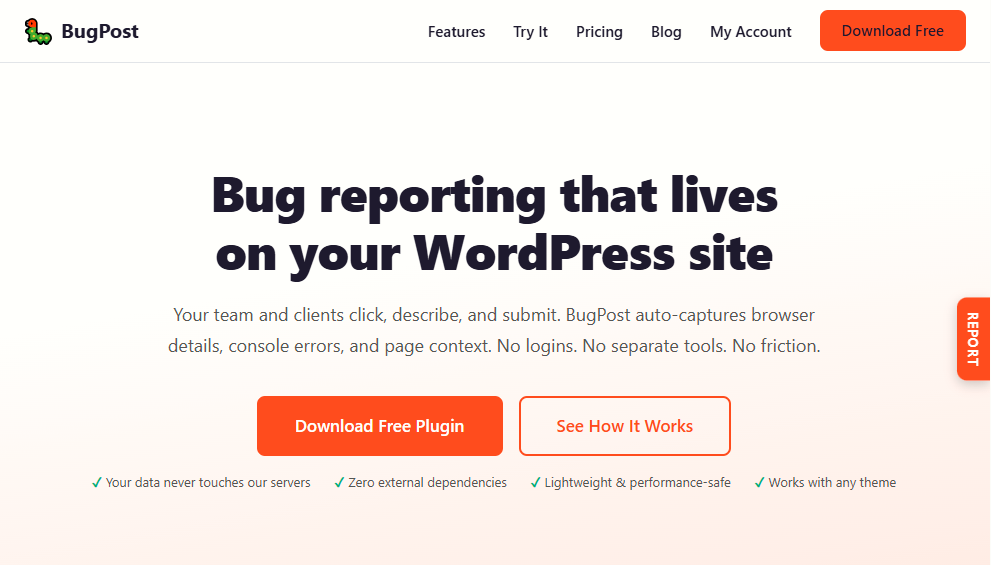
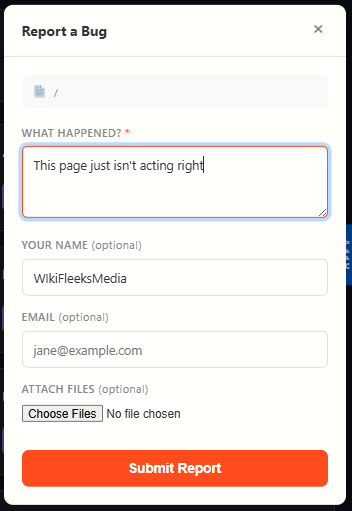
- One-click reporting — A “Report” tab on the right side of every page opens a simple form.
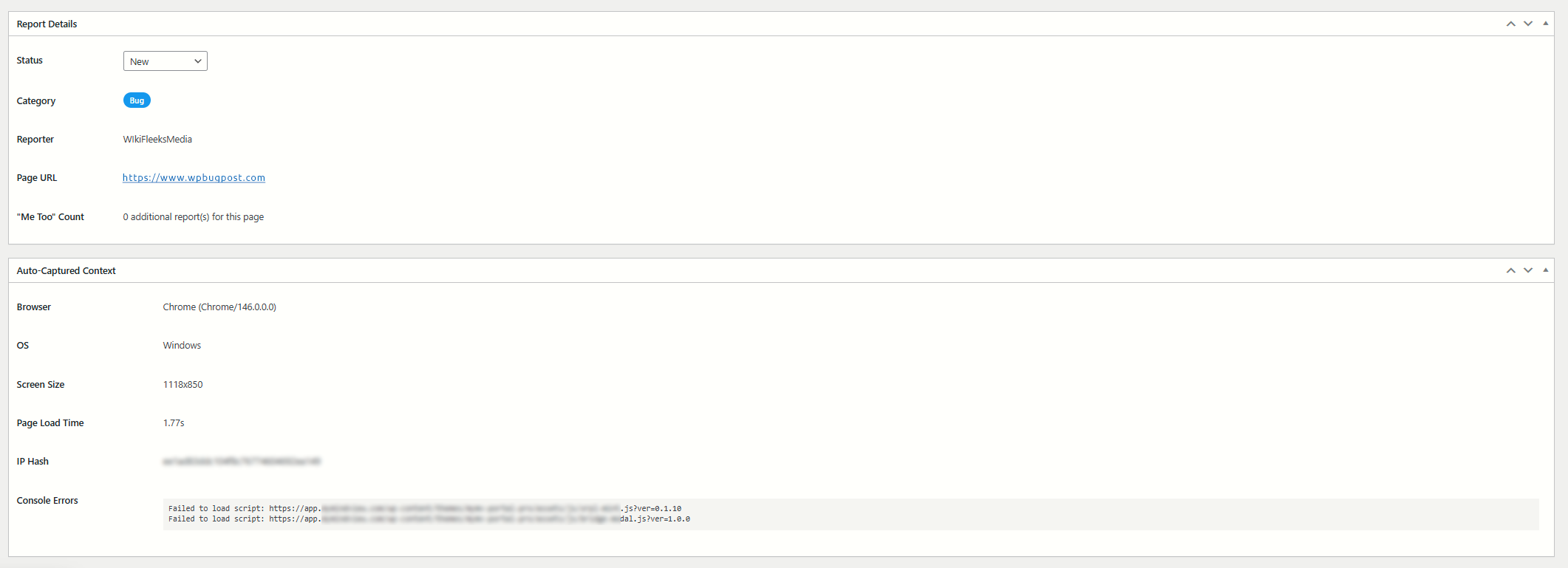
- Auto-captured context — Browser name and version, OS, viewport dimensions, page URL, page load time, and console errors are sent along with every report.
- Console error capture — JavaScript errors and unhandled promise rejections are logged automatically and attached to the report.
- Reporter fields — Optional name and email fields let reporters identify themselves.
- Honeypot spam protection — A hidden field traps bots without annoying humans with CAPTCHAs.
- Rate limiting — 3 reports per IP per hour prevents abuse.
- “Me too” duplicate grouping — When multiple reports target the same page, earlier open reports get a +1 count so you can see which issues affect the most people.
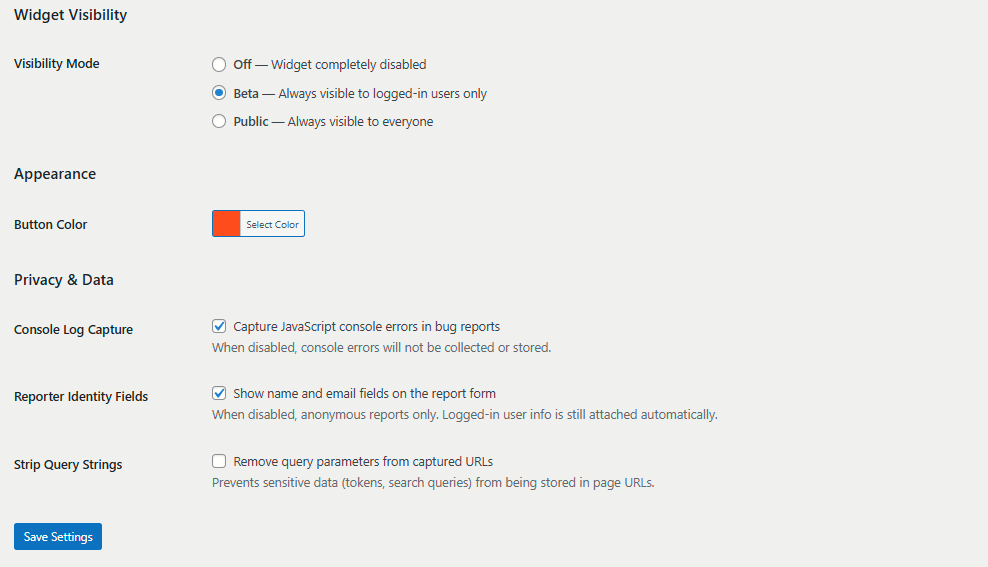
- Visibility modes — Choose Beta (logged-in users only) or Public (everyone). Turn it off entirely when not needed.
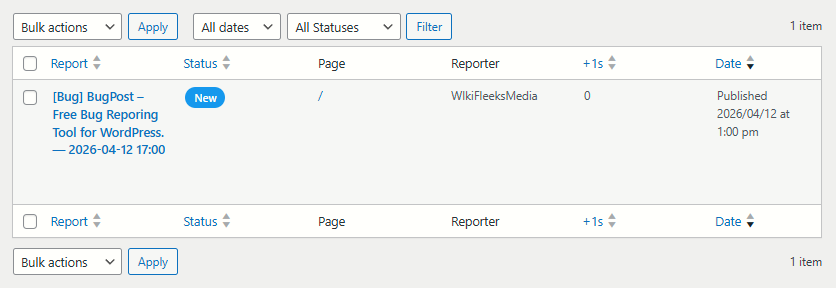
- Admin dashboard — All reports in a familiar WordPress list table with status badges, reporter info, page URL, and date columns.
- Report detail view — Each report has a full meta box showing all captured context data.
- Status workflow — Mark reports as New, Acknowledged, In Progress, Resolved, or Closed.
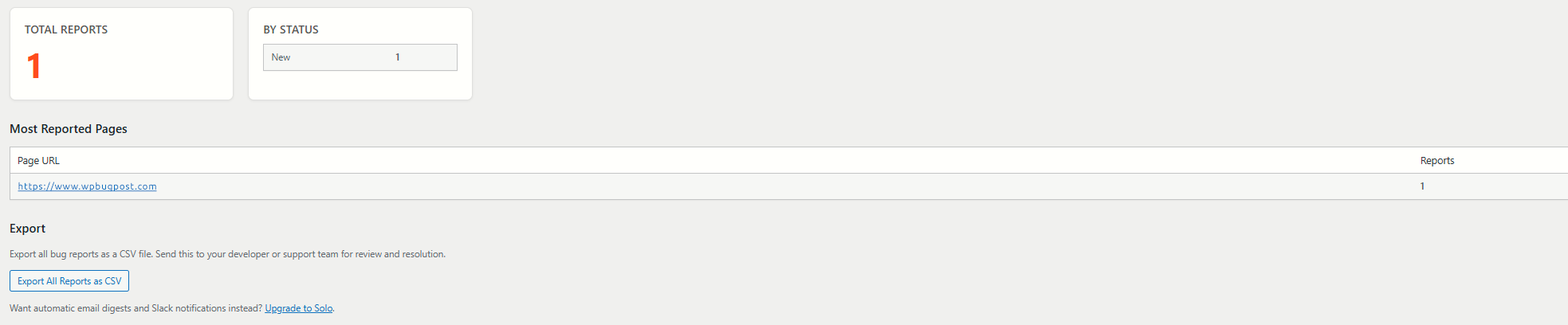
- CSV export — Download all reports as a CSV file for use in spreadsheets or external tools.
- Customizable button color — Match the report button to your site’s brand via a color picker.
- Fully translatable — All strings use WordPress i18n functions with the
bugposttext domain.
What this plugin does NOT do (by design):
- No external API calls, no tracking, no phoning home.
- No CDN dependencies — all assets are bundled locally.
- No account required to use the plugin.
스크린샷
설치
- Upload the
bugpostfolder to the/wp-content/plugins/directory, or install directly through the WordPress plugin screen. - Activate the plugin through the “Plugins” screen in WordPress.
- Go to BugPost > Settings to choose your visibility mode and button color.
- Visit your site’s frontend — you should see the “Report” tab on the right side of the page.
FAQ
-
How do visitors submit a bug report?
-
A “Report” button appears as a vertical tab on the right edge of every page (when the widget is enabled). Clicking it opens an overlay panel with a text area to describe the issue, plus optional name and email fields. Browser details and console errors are captured automatically.
-
What data is captured automatically?
-
Each report includes: the page URL, page title, browser name and version, operating system, viewport size (width x height), page load time, and any JavaScript console errors that occurred before the report was submitted.
-
How does spam protection work?
-
The plugin uses two mechanisms: a honeypot field (invisible to humans, filled by bots) and IP-based rate limiting (3 reports per hour per IP address). No CAPTCHA is needed.
-
Can I export the reports?
-
Yes. Go to BugPost > Summary and click “Export All Reports as CSV.” The export includes all report fields, context data, and status information.
-
What are the visibility modes?
-
- Off — The widget is completely hidden.
- Beta — The widget appears only for logged-in WordPress users. Great for internal QA testing.
- Public — The widget appears for all visitors.
-
Does this plugin make external requests?
-
No. BugPost does not load any external scripts, stylesheets, fonts, or make any API calls to outside servers. Everything is self-contained.
-
Is this plugin compatible with caching plugins?
-
Yes. The widget is loaded via standard WordPress script enqueueing and uses AJAX for submissions. It works with all popular caching plugins.
-
Where can I get more features?
-
The paid versions at wpbugpost.com add screenshot capture, annotation tools, custom categories and priorities, GitHub/Jira/Linear integrations, email digests, Slack notifications, and more.
후기
이 플러그인에 대한 평가가 없습니다.
기여자 & 개발자


변경이력
1.2.3
- Updated Agency upgrade prompt pricing to $199/yr.
1.2.2
- Fixed inline CSS to use wp_add_inline_style() instead of echoing style tags.
- Improved input sanitization: POST data sanitized with map_deep() at access time.
- Improved file upload sanitization: each $_FILES field sanitized individually at access.
1.2.1
- Removed deprecated load_plugin_textdomain() call.
- Resolved plugin checker warnings for file upload handling and query performance.
1.2.0
- Renamed plugin from WPBugPost to BugPost.
- Updated slug, text domain, constants, and all prefixes to
bugpost.
1.1.2
- Security: Added server-side MIME type verification for file uploads via wp_check_filetype_and_ext().
- Security: Added filename sanitization before upload processing via sanitize_file_name().
1.1.1
- Fixed: Summary page heading now renders em dash correctly instead of showing raw HTML entity.
1.1.0
- New: File attachments — reporters can attach images, PDFs, and documents to bug reports.
- New: Configurable attachment settings (max files, max size, allowed types).
- Improved: Submission now uses FormData for reliable file upload support.
- Updated: Removed file attachments from paid-only features list.
1.0.0
- Initial release.
- Frontend bug reporting overlay widget.
- Auto-captured browser, OS, viewport, page URL, load time, and console errors.
- Reporter name and email fields.
- Honeypot spam protection.
- Rate limiting (3 per IP per hour).
- “Me too” duplicate grouping.
- Admin reports list table with status, page, reporter, and date columns.
- Report detail meta boxes.
- Status workflow: New, Acknowledged, In Progress, Resolved, Closed.
- CSV export of all reports.
- Visibility modes: Off, Beta (logged-in), Public.
- Customizable button color.
- Summary page with stats and most-reported pages.
- Full i18n support.