

설명
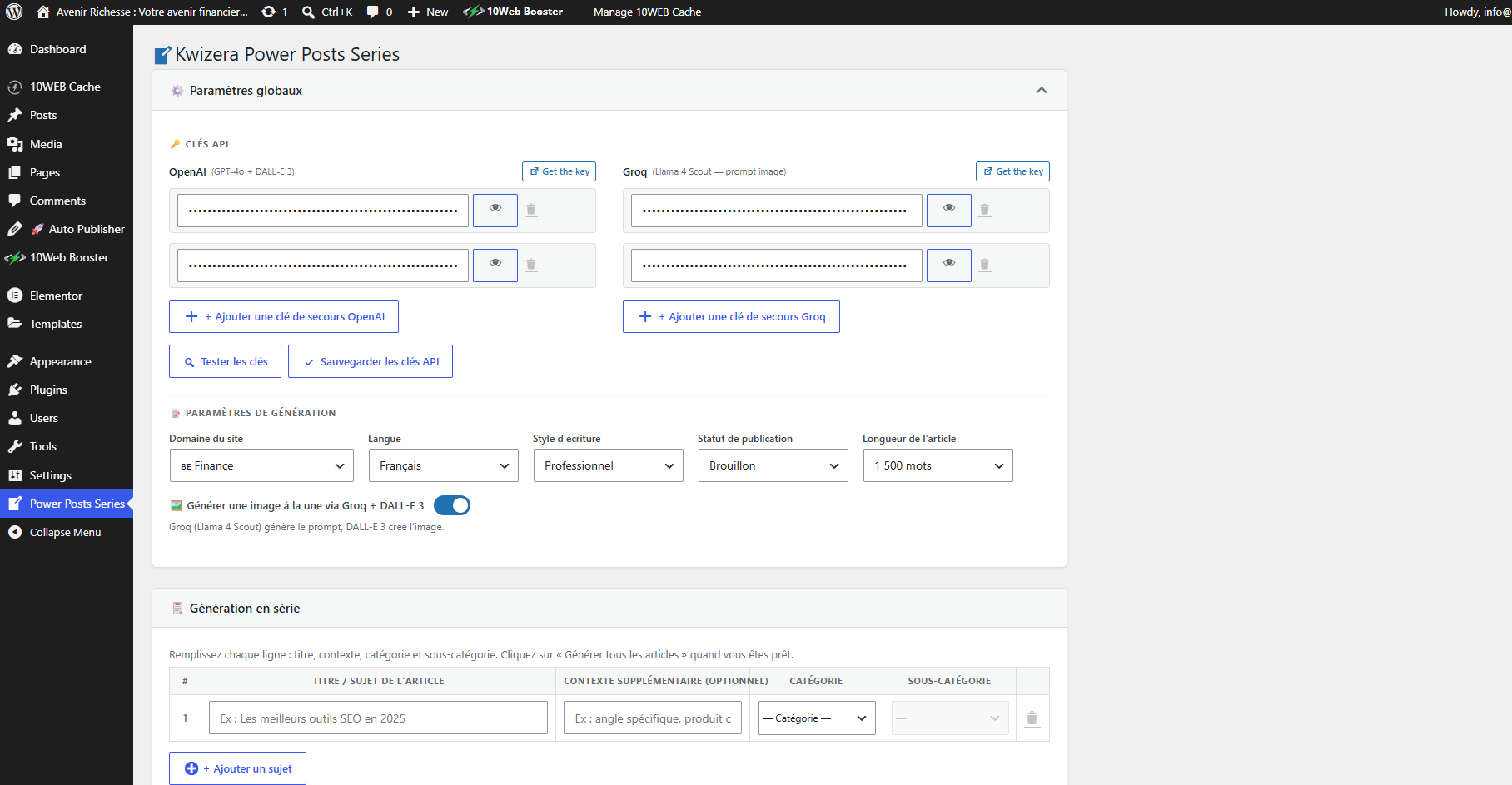
Kwizera Power Posts Series helps you produce a full series of SEO-ready blog articles in one batch. You provide the list of topics, the target categories, and the writing language; the plugin builds the prompts, calls OpenAI GPT-4o to generate the article body, enforces SEO constraints (title length, meta description, keyword placement, heading hierarchy), and creates each WordPress post as draft or published.
Optionally, the plugin uses Groq (Llama 4 Scout) to write an image prompt, then DALL-E 3 to generate a featured image for every post.
Main features
- Bulk article generation — define multiple topics at once and generate them sequentially.
- Strict SEO formatting — sentence-case titles (50-60 chars), meta description (120-160 chars), main keyword enforced in both, proper H2/H3/H4 hierarchy.
- Multi-language output — French, English, Spanish, Arabic, Portuguese.
- Multiple writing styles — professional, formal, casual, persuasive.
- Per-article category and sub-category selection.
- Automatic “Similar articles” block injected at the end of each post, scoped strictly to the same sub-category.
- Optional featured image generation via Groq + DALL-E 3.
- Compatible with Yoast SEO, RankMath, All in One SEO (v3 and v4+), SEOPress — meta title, meta description and focus keyword are written to each plugin’s meta fields.
- API key pool with automatic fallback when one key runs out of credits.
External services
This plugin relies on third-party APIs to generate content and images. It will not work without an API key from each service you enable. The plugin sends data to these services only when you click the “Generate” button.
OpenAI (GPT-4o and DALL-E 3)
- Used for: writing the article body, and (optionally) generating the featured image.
- Data sent: the topic, optional context, target language, writing style, word count, and (for images) the image prompt produced by Groq.
- Endpoints:
https://api.openai.com/v1/chat/completions,https://api.openai.com/v1/images/generations,https://api.openai.com/v1/models(for key validation). - Terms of service: https://openai.com/policies/terms-of-use
- Privacy policy: https://openai.com/policies/privacy-policy
Groq (Llama 4 Scout)
- Used for: turning a topic into a detailed image generation prompt, when featured image generation is enabled.
- Data sent: the article topic text.
- Endpoints:
https://api.groq.com/openai/v1/chat/completions,https://api.groq.com/openai/v1/models(for key validation). - Terms of service: https://groq.com/terms-of-use/
- Privacy policy: https://groq.com/privacy-policy/
API keys are stored in the WordPress options table and are only sent in the Authorization header of outgoing requests to the services listed above.
스크린샷
설치
- Upload the plugin folder to
/wp-content/plugins/or install it through the WordPress admin (Plugins Add New Upload). - Activate the plugin through the “Plugins” menu in WordPress.
- Go to Power Posts Series in the left admin menu.
- Paste at least one OpenAI API key (required) and one Groq API key (optional, only needed for featured image generation).
- Click Test keys to validate, then Save API keys.
- Choose your generation settings (language, style, word count, publish status, featured image on/off).
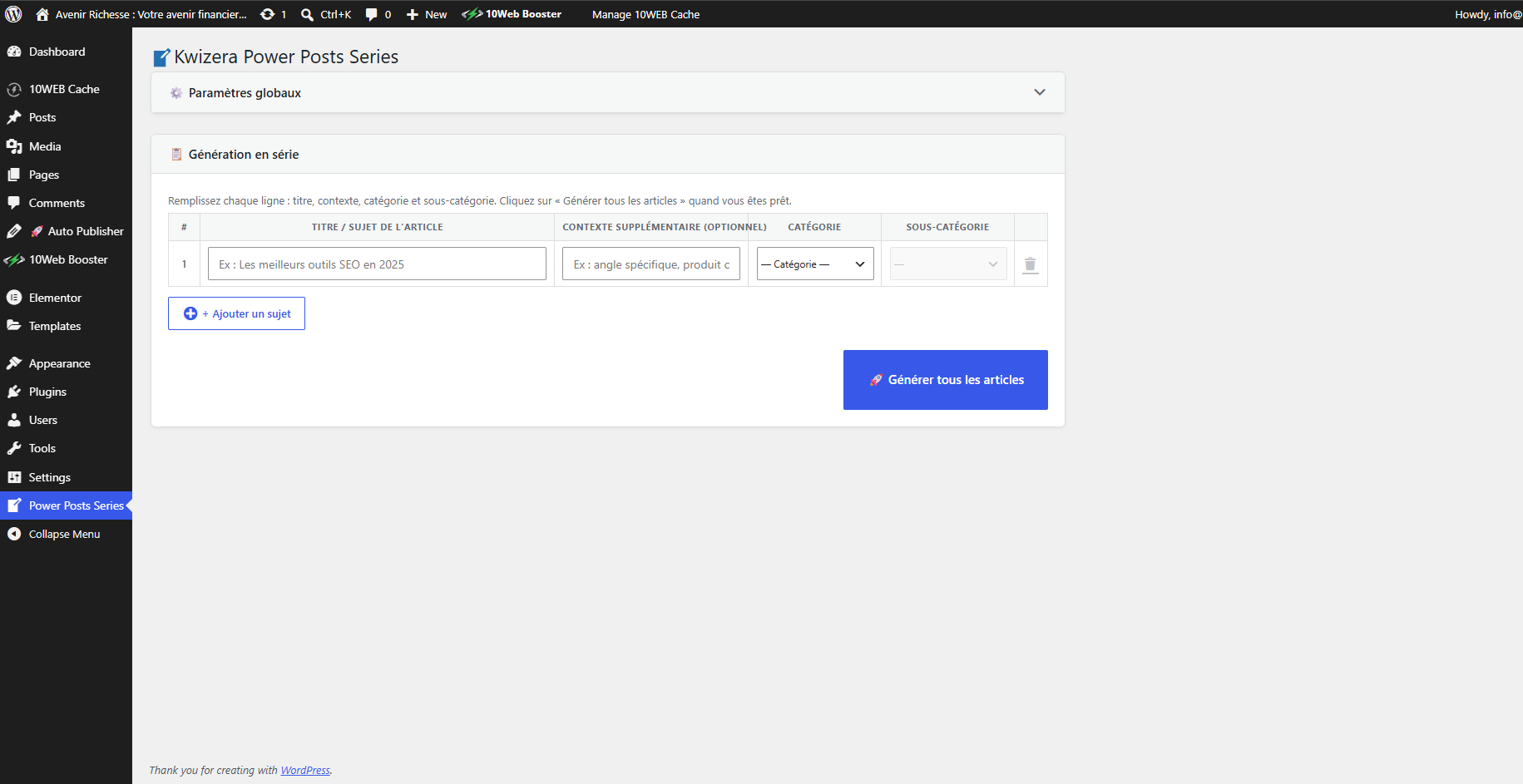
- Add one row per article you want to generate, fill in title, category and sub-category, then click Generate all articles.
FAQ
-
Do I need a paid OpenAI account?
-
Yes. GPT-4o and DALL-E 3 are paid OpenAI features. The plugin does not include any free quota.
-
Is Groq required?
-
Only if you want featured images to be generated automatically. You can disable image generation in the settings and skip the Groq key entirely.
-
Where are my API keys stored?
-
In the WordPress options table (
kpps_api_keys). They are never sent anywhere except as theAuthorization: Bearerheader on outgoing requests to OpenAI and Groq. -
Can I use multiple API keys?
-
Yes. You can add several keys per service. The plugin tries them in order and automatically falls back to the next key if one returns a quota-exhausted error.
-
Does the plugin support languages other than French?
-
Yes — French, English, Spanish, Arabic and Portuguese are supported. The article body, title, meta description and keywords are all generated in the selected language.
-
Will the plugin overwrite my existing posts?
-
No. Each generated article is created as a new post (draft or published, depending on your setting).
후기
이 플러그인에 대한 평가가 없습니다.
기여자 & 개발자

자국어로 “Kwizera Power Posts Series”(을)를 번역하세요.
개발에 관심이 있으십니까?
변경이력
1.0.0
- Initial release.