

설명
Era Media Usage Finder helps site owners inspect media files before deleting, replacing, or archiving them.
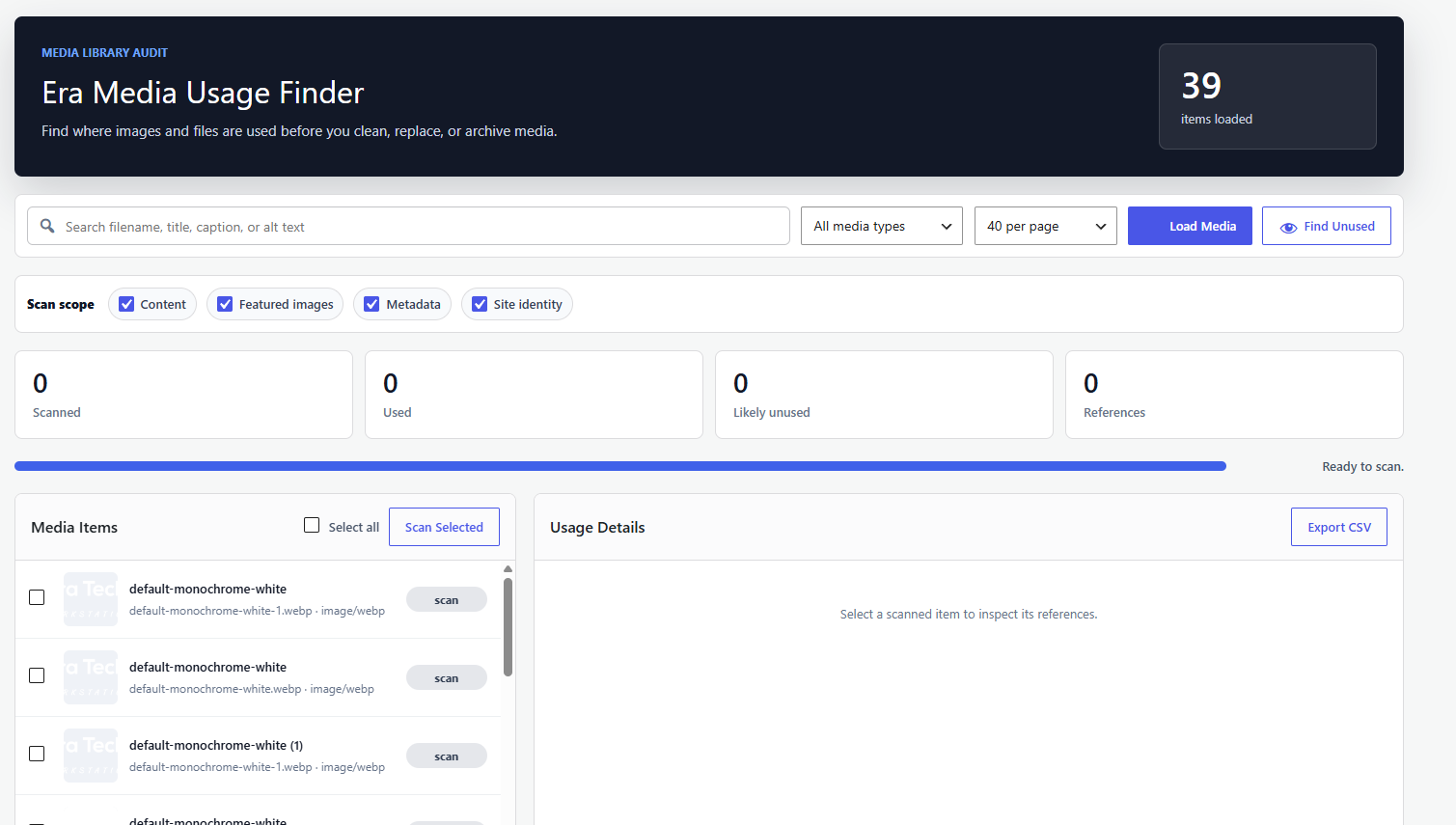
The plugin adds a focused admin screen under Tools where you can search media items, scan individual files, scan selected files, or find files that appear to be unused.
Features
- Search Media Library items by title, filename, caption, or alt text.
- Filter by images, PDFs, video, audio, or all media types.
- Choose scan scope: content, featured images, metadata, and site identity settings.
- Detect usage in post and page content.
- Detect featured image references.
- Detect references inside post metadata and common custom field data.
- Detect site icon and custom logo usage.
- Show edit links for referenced content.
- Find likely unused media in controlled AJAX batches.
- Export scanned results to CSV from the browser.
- Local-only scanning with no external services.
스크린샷


설치
- Upload the
era-media-usage-finderfolder to/wp-content/plugins/. - Activate the plugin through the Plugins screen in WordPress.
- Go to Tools > Era Media Usage Finder.
- Load media, then scan individual items or selected items.
FAQ
-
Does this plugin delete media files?
-
No. Era Media Usage Finder is a reporting tool only. It does not delete files or change content.
-
Why does the plugin say “likely unused”?
-
WordPress sites can reference media in many places, including page builders, shortcodes, custom tables, theme options, and external systems. The plugin scans common WordPress locations and reports files with no detected references as likely unused rather than guaranteed unused.
-
Does it send media URLs to an external service?
-
No. All scanning runs inside your WordPress admin area and uses your site’s local database.
-
Can it detect featured images?
-
Yes. It detects
_thumbnail_idreferences and labels them as featured image usage.
후기
이 플러그인에 대한 평가가 없습니다.
기여자 & 개발자

변경이력
1.0.0
- Initial release.