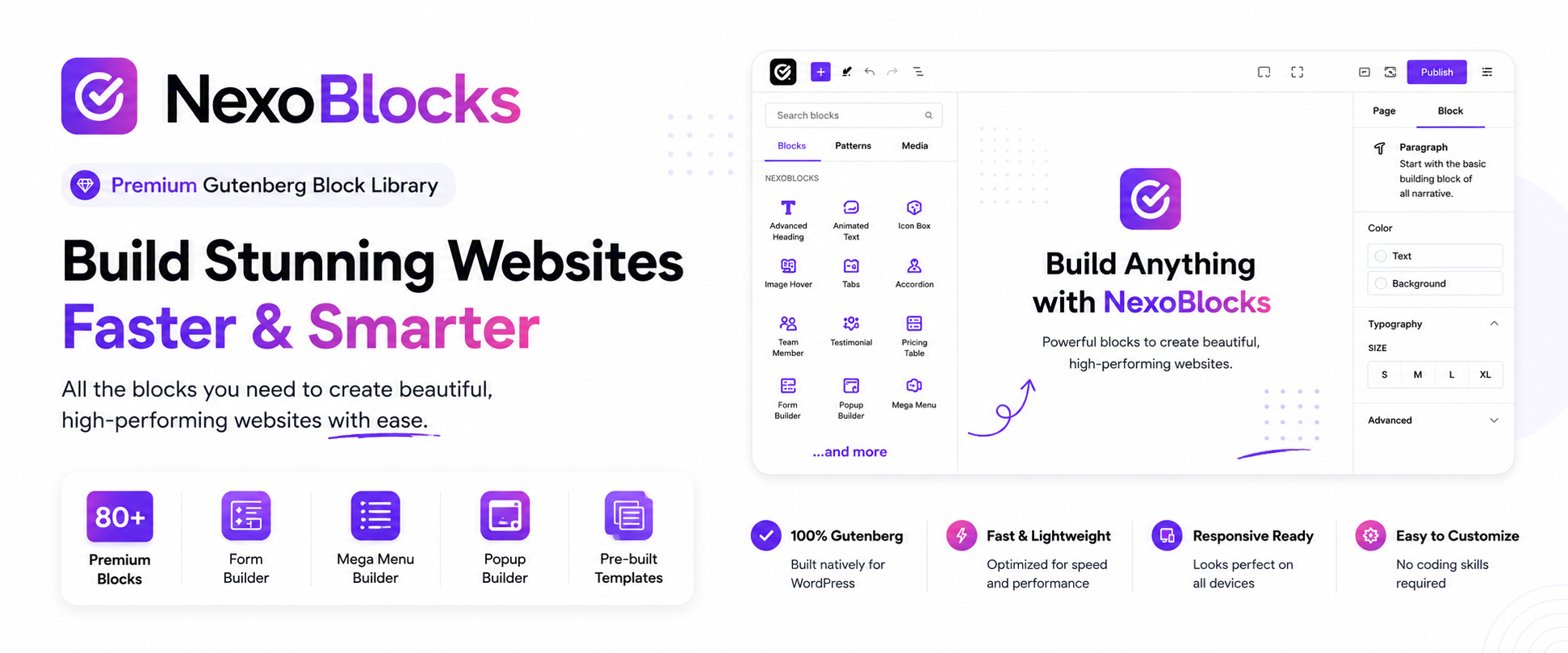

설명
The Only Block Library You’ll Ever Need — 100% Free
NexoBlocks turns the native WordPress Block Editor into a full website-building studio. With 80+ advanced Gutenberg blocks, a built-in Form Builder, WooCommerce blocks, Mega Menu, popups, custom fonts, and pro-level design controls, you can build anything — landing pages, business sites, portfolios, blogs, and online stores — without ever leaving Gutenberg.
No separate page builder. No coding. No Pro upgrade required.
Every block and feature currently in NexoBlocks is free — no paywalls, no locked features.
🚀 Why Site Owners & Agencies Choose NexoBlocks
- ✅ 85+ free Gutenberg blocks — one plugin instead of five
- ✅ Nothing locked behind Pro — the full toolkit is free today
- ✅ Built-in Form Builder — multi-step forms, spam protection, auto-responders
- ✅ WooCommerce ready — product grids, carts, checkout blocks, and more
- ✅ Mega Menu & advanced navigation — build agency-grade menus visually
- ✅ Popups & interactive tools — engage visitors without extra plugins
- ✅ True responsive control — fine-tune desktop, tablet, and mobile independently
- ✅ Custom fonts & Google Fonts — full typographic freedom
- ✅ Built-in SVG library — searchable icons, ready to drop in
- ✅ Ready-made templates & patterns — launch pages in minutes
- ✅ Developer-friendly — REST API, hooks, and filters included
🧱 Build Anything, Right Inside Gutenberg
From a single portfolio page to a full WooCommerce storefront, NexoBlocks covers it:
Business websites • Landing pages • Agency sites • Portfolios • Blogs • Online stores • Product pages • Marketing pages • Service websites • Content-rich sites
📦 85+ Blocks Across 10 Categories
Basic Blocks
Container, Heading, Paragraph, Button, Download Button, Image, Icon, Blockquote, Divider, Fancy List, Unfold
Content Blocks
Accordion, Tabs, Progress Bar, Rating, Testimonial, Team Member, Counter, Icon Box, Pros & Cons Box, Flip Box, Pricing Table, Price Menu, Image Comparison, Image Accordion, Image Hotspot, Table of Contents, Countdown, Marquee, News Ticker, Timeline, Table, Code Highlighter, Chart, Lottie Animation, Coupon Code
Media Blocks
Slider, Carousel, Horizontal Scroll Showcase, Filterable Gallery, Video, Video Gallery
Interactive Blocks
Modal, Toggle, Back To Top, WhatsApp Chat, Reading Progress Bar, Dark Mode Toggle, Sticky Promotion Bar, Live Chat
Navigation Blocks
Breadcrumb, Nav Menu, Offcanvas Menu, Mega Menu
Form Blocks
Form Builder, Newsletter, Mailchimp, Ajax Search, Login / Logout, Lead Capture Form
Social Blocks
Social Icons, Social Share, Facebook Feed, Telegram Join CTA
Blog & Post Blocks
Blog Post Grid/List, Post Slider, Post Tab, Query Builder, Dynamic Loop Carousel, Taxonomy List
Integration Blocks
Google Map, Google Review, PayPal Button, Stripe Button, QR Code
WooCommerce Blocks
Product Grid, Product Slider, Product Categories, Mini Cart, Floating Cart, Product Filter, Checkout, Account Pages
✍️ Form Builder
Build contact forms, inquiry forms, newsletter forms, and fully custom forms — directly inside the Block Editor:
- Multi-step forms
- Email notifications & auto-responders
- Honeypot spam protection
- Google reCAPTCHA support
- Form entry storage
🛒 Built for WooCommerce
Design store experiences visually with:
- Product Grids & Sliders
- Product Categories & AJAX Filtering
- Mini Cart & Floating Cart
- Checkout Layouts & Account Pages
🧭 Powerful Navigation
Breadcrumbs, Nav Menus, Offcanvas Menus, and true Mega Menus — build flexible navigation without a separate plugin.
🎨 Design Without Limits
- Typography — Google Fonts, custom fonts, advanced text controls
- Spacing — margin, padding, gap controls
- Colors & Gradients — full visual effects support
- Borders & Shadows — radius, outlines, box shadows
- Custom CSS — per-block CSS overrides
- Animations — entrance animations & hover states
- Transforms — scale, rotate, translate, skew
🔤 Custom Fonts
Upload WOFF, WOFF2, or TTF fonts, or pull directly from Google Fonts — with advanced typography controls across supported blocks.
🖼️ Built-in SVG Library
Browse, search, and insert SVG icons instantly — with full color customization and custom SVG uploads.
📁 Template Library
Skip the blank canvas. Import ready-to-use sections, layouts, and full page patterns, then customize everything directly in Gutenberg.
🎛️ Stay Organized
Enable or disable individual blocks from Settings to keep your editor lean and focused on what you actually use.
👨💻 Built for Developers
- REST API — endpoints for settings, blocks, and forms
- Actions & Filters — deep customization hooks
- Block Filters — modify block output
- Localization — fully translation-ready
- Clean architecture — namespaced code following WordPress Coding Standards
💯 Everything Is Free
No premium blocks. No Pro upgrade required. No hidden paywalls. NexoBlocks is built to give you a complete, professional website-building toolkit at zero cost.
Who Is NexoBlocks For?
WordPress users • Bloggers • Freelancers • Designers • Developers • Agencies • WooCommerce store owners • Anyone building with Gutenberg
스크린샷


블록
이 플러그인은 86개의 블록을 제공합니다.
- Pricing Table Modern, animated pricing table with a Monthly / Yearly billing toggle, auto-calculated savings badge, a featured plan ribbon, and customizable feature lists.
- Horizontal Scroll Showcase A cinematic panel showcase that scrolls horizontally, pinned or with scroll-snap.
- Newsletter Newsletter subscription form with email input and submit button.
- Lead Capture Form A focused lead capture form — name, email, phone, company, subject, message and consent — that emails leads to you (and optionally stores them). AJAX submit, spam honeypot, full styling and responsive controls.
- Post Tab Display posts grouped into tabs by taxonomy term. Each selected category/term becomes a tab showing its posts in a grid or list, with full tab, card and responsive controls.
- Flip Box A 3D / 2D flip box with two faces (front and back). Each face accepts any inner blocks for content.
- Coupon Code A promotional coupon card with a copy-to-clipboard code. Use a manual code or pull the code, discount and expiry from an existing WooCommerce coupon. Full card, code, button and responsive controls.
- Google Review Display Google-style reviews with manual entries or a Google Places API placeholder, fully styled and responsive.
- PayPal Button A PayPal payment button — Buy Now, Donate, or a PayPal.me link. No API keys needed: just a PayPal email or PayPal.me username. Full button styling and responsive controls.
- Taxonomy List List taxonomy terms (categories, tags or any taxonomy) as a stacked list, inline pills, grid cards, tag cloud or dropdown — with post counts, descriptions, term images and parent/child hierarchy.
- Facebook Feed Embed one or many Facebook Pages using the official Facebook Page Plugin. Arrange them as a list, grid, or masonry layout — fully responsive — with optional lazy loading and per-page custom heights.
- Filterable Gallery A filterable gallery whose items accept any inner blocks (image, text, video, columns, etc).
- Slider Responsive content slider with drag, arrows, dots, and multiple transition effects.
- Stripe Button A Stripe payment button — link to a Stripe Payment Link, or embed Stripe's official Buy Button. No secret keys on your site. Full button styling and responsive controls.
- Offcanvas Menu A slide-in drawer menu with customizable trigger, navigation items, and overlay.
- Woo Product Filter AJAX product filter — a sidebar of search, price-range slider, category checkboxes, Featured / On-Sale toggles and a star-rating picker, plus a sort toolbar — that filters and re-sorts a WooCommerce product grid instantly with no page reload.
- Google Map Embed a Google Map with multiple markers, custom styles, and responsive sizing.
- Image Comparison Before / after image comparison slider with drag, hover or click interaction.
- Changelog Timeline A release history / changelog shown as a vertical timeline. Each entry is a version with a date, optional badge and a list of typed changes (Added, Fixed, Changed, Removed, Security…). Choose a static or scroll-animated rail with full styling controls.
- Paragraph Advanced paragraph with rich typography, color, background, border, shadow, drop cap, columns and responsive controls.
- Stacked Cards Cards that stack and reveal one by one as the visitor scrolls — a sticky scroll-driven storytelling layout.
- Rating Display a star, heart or custom icon rating.
- Image Hotspot Place interactive hotspots on an image with rich tooltips, animations and full styling control.
- Accordion Collapsible accordion with rich content panels and responsive styling.
- Download Button Download file button with icon, file info display, typography, background, border, shadow, hover states and responsive style controls.
- Testimonial Testimonials block with Grid, Carousel, and Marquee layouts. Each item supports inner blocks for the quote content.
- Fancy List Icon, number and marker lists with links, styling and responsive layouts.
- QR Code Generate a fully-customizable QR code for a URL, text, email, phone, SMS, Wi-Fi or vCard. Rendered offline as a crisp SVG with custom colors, a center logo, caption and optional download button.
- Code Highlighter Beautiful syntax-highlighted code blocks with line numbers, copy-to-clipboard, themes, and responsive styling.
- Sticky Promotion Bar A full-width announcement / promotion bar that sits above the site header. Built with InnerBlocks so you can design it freely, with a sticky-on-scroll option, dismiss button and display conditions.
- Social Icons Display a customizable set of links to your social media profiles.
- Icon Display a FontAwesome, custom SVG, or Lord Icon.
- Mega Menu Advanced mega menu with per-item InnerBlocks dropdowns, full-width panels, icons, badges, scroll behaviors and full responsive styling.
- News Ticker Scrolling news ticker with label, links, and multiple effects (marquee / slide / fade / typewriter).
- Woo Currency Switcher Let shoppers switch currencies with a dropdown, button group or inline list. Fully styled and responsive.
- Query Builder Dynamic posts grid / list / carousel powered by a flexible query builder.
- Mailchimp Subscribe-form block that submits to Mailchimp via the site API key configured in NexoBlocks settings.
- Tabs Tabs block with customizable menu and inner-block content panels.
- Table Responsive table with sorting, searching, pagination and full styling controls.
- Breadcrumb Auto-generated breadcrumb trail from the current page hierarchy, with separator, home link, schema.org markup and full styling.
- Timeline A vertical or horizontal timeline with inner-blocks items and a scroll animation.
- Telegram Join CTA A call-to-action that invites visitors to join your Telegram channel or group — as a centered card, a horizontal banner or a floating button, with an icon, title, description, member count and a Join button that opens t.me.
- Lottie Animation Embed Lottie animations with full playback, trigger and style controls.
- Post Slider Display posts dynamically inside a fully featured slider / carousel. Query by post type, taxonomy and order, then control every transition, navigation and card style — all with full responsive controls.
- Woo Product Display WooCommerce products in a grid or list layout with sale badges, ratings, prices and add-to-cart buttons.
- Product Comparison Table Side-by-side comparison table for WooCommerce products with images, ratings, prices, stock status, attributes, and add-to-cart buttons.
- Chart Animated, responsive charts (bar, line, pie, doughnut, radar, polar area and more) powered by Chart.js with full styling and data controls.
- Image Advanced image block with custom SVG, responsive sizing, filters, hover effects, lightbox, caption and rich typography/border/shadow controls.
- Container Flexible Elementor-like container block. Build any responsive layout with full control over flex, background, border, spacing and more.
- Dark Mode Toggle A light/dark mode switch that flips the whole website between light and dark. Works on any theme via an automatic invert engine, or in class mode for themes with their own dark styles. Remembers the visitor's choice, can follow the OS setting and renders as a switch, icon or labelled button.
- Social Share Let visitors share the current page on popular networks with full styling and responsive controls.
- Toggle A two-state switch (e.g. Annual / Monthly). Flip it to switch between two content areas — drop any blocks into each.
- Team Member A team member card with photo, name, role, bio and social links — fully responsive and styleable.
- Image Gallery A responsive image gallery with lightbox, captions, hover effects, and full advanced styling controls.
- Price Menu A restaurant / services price menu — list items with a name, description and price, plus optional image, badge, dotted leader and a featured highlight. Full layout and responsive controls.
- Table of Contents Auto-generated table of contents from page headings, with responsive styling.
- Dynamic Loop Carousel A dynamic query loop you can show as a Swiper carousel, masonry or grid — with category tabs and AJAX filtering for posts, products or any custom post type.
- Video Gallery A powerful video gallery block with YouTube, Vimeo and self-hosted videos, filtering, lightbox and rich styling.
- Blockquote Advanced blockquote with inner content blocks, citation, quote icon and rich typography/border/shadow controls.
- Reading Progress Bar A horizontal bar that fills as the visitor scrolls through the page. Supports a live percentage label, indicator dot, milestone colors, and a pulse / glow when reading completes.
- Modal Popup modal with click, page load, scroll and exit-intent triggers. Body content is fully editable with inner blocks.
- Image Accordion A row of image panels that expand to reveal a title, description and button. Add panels manually, expand on hover or click, with full overlay, content and responsive controls.
- Pros & Cons Box Compare pros and cons with custom icons, plus an optional verdict.
- Button Single or dual buttons with icons, rich typography, background, border, shadow, hover states and responsive style controls.
- Woo Floating Cart A floating, AJAX-powered WooCommerce mini-cart. Shows a fixed cart button with a live item count and updates instantly when products are added, removed or have their quantity changed — no page reload.
- Progress Bar Animated, spiral and classic progress bars with scroll-triggered animation.
- Form Builder An advanced form builder with multiple input types and full control over form behavior.
- Login / Logout An AJAX login form for logged-out visitors and an account greeting + logout link for logged-in users. Progressive enhancement, nonce-protected.
- Nav Menu Fully customizable navigation menu with dropdowns, logo, search, mobile hamburger and responsive style settings.
- Countdown Countdown timer with flip / slide / fade animations and full responsive style control.
- Icon Box An icon (or image) box with a title, description and optional button — fully responsive and styleable.
- Heading Advanced heading with rich typography, color, background, border, shadow, stroke and responsive controls.
- Video Advanced video block — YouTube, Vimeo and self-hosted media with player controls, lightbox, poster image and rich styling.
- Back To Top A customizable back-to-top button with advanced styling, animation and scroll behaviour.
- Marquee Continuously scrolling marquee. Each item is an inner-blocks container, so any content can scroll. Control how many items show on desktop, tablet and mobile.
- Blog Post Display posts in grid, list, or tiles layout with full responsive controls.
- One Page Navigation Anchor navigation for one-page sites with smooth scroll, active section highlighting, sticky mode and responsive styling.
- Image Scroll A framed image that pans up, down, left or right on hover.
- Carousel A multi-item content carousel. Each item is an inner-blocks container, so any block can go inside. Per-device slides-per-view, autoplay, loop, drag, arrows, dots and full responsive styling.
- Social Chat A floating chat launcher that opens a branded panel letting visitors reach you on their favourite channel — WhatsApp, Messenger, Telegram, Instagram, Viber, phone, SMS or email. No backend, no API keys: each channel opens its own app.
- Divider Horizontal separator with solid, dashed, dotted, double, zigzag and wavy styles, an optional centered text or icon, plus full color, width, weight, alignment and responsive spacing controls.
- Ajax Search Live AJAX search box with instant results, post type filter and full styling controls.
- WhatsApp Chat A WhatsApp click-to-chat widget — a floating or inline button that opens a chat popup with your agent, a greeting message and a Start Chat button that launches WhatsApp with a prefilled message.
- Counter Animated number counter that counts up when scrolled into view, with icon, prefix/suffix, title and full responsive styling.
- Unfold Collapsible content with a Read More / Read Less toggle, fade overlay, rich typography and responsive styling.
- Mega Menu Item A single top-level menu item with an InnerBlocks dropdown panel. Design anything inside.
설치
From WordPress Admin
- Go to Plugins Add New.
- Search for NexoBlocks.
- Click Install Now.
- Click Activate.
- Go to NexoBlocks Settings to manage blocks and features.
Manual Installation
- Download the NexoBlocks ZIP file from the WordPress plugin repository.
- Go to Plugins Add New Upload Plugin.
- Choose the NexoBlocks ZIP file.
- Click Install Now.
- Click Activate.
- Go to NexoBlocks Settings to configure the plugin.
FAQ
-
What is NexoBlocks?
-
NexoBlocks is a free Gutenberg block plugin that extends the native WordPress Block Editor with 85+ advanced blocks, forms, WooCommerce tools, navigation features, templates, custom fonts, responsive controls, and more.
-
Are all NexoBlocks blocks and features free?
-
Yes. All currently available blocks and features are free to use — no Pro upgrade required.
-
No. Every block and feature currently included is free.
-
Do I need coding skills to use NexoBlocks?
-
No. NexoBlocks works entirely visually inside the WordPress Block Editor.
-
Does NexoBlocks work with the default WordPress Block Editor?
-
Yes. NexoBlocks is built specifically for Gutenberg.
-
Do I need a separate page builder?
-
No. NexoBlocks extends Gutenberg itself, so you build directly in the native editor.
-
How many blocks does NexoBlocks include?
-
85+ free blocks across basic, content, media, interactive, navigation, forms, social, blog/post, integration, and WooCommerce categories.
-
Can I build responsive websites with NexoBlocks?
-
Yes. Responsive controls let you customize supported settings for desktop, tablet, and mobile independently.
-
Does NexoBlocks work with WooCommerce?
-
Yes — product grids, sliders, categories, filters, mini/floating carts, checkout layouts, and account pages are all included.
-
Can I create forms with NexoBlocks?
-
Yes, using the built-in Form Builder, directly in the Block Editor.
-
Does the Form Builder support spam protection?
-
Yes — honeypot protection and Google reCAPTCHA are both supported.
-
Yes, along with nav menus, offcanvas menus, and breadcrumbs.
-
Can I disable blocks that I do not use?
-
Yes. Go to NexoBlocks Settings to enable or disable individual blocks.
-
Does NexoBlocks support custom fonts?
-
Yes — WOFF, WOFF2, and TTF uploads are supported, plus Google Fonts.
-
Does NexoBlocks include templates?
-
Yes — a template library with ready-to-use patterns and full page layouts.
-
Does NexoBlocks work with my WordPress theme?
-
NexoBlocks is built for the WordPress Block Editor and works with any properly coded, Gutenberg-compatible theme.
-
How do I report a bug or request a feature?
-
Use the WordPress.org support forum, or open an issue on the NexoBlocks GitHub repository.
후기
이 플러그인에 대한 평가가 없습니다.
기여자 & 개발자
“NexoBlocks – The Complete Gutenberg Toolkit: 80+ Blocks, Form Builder, Mega Menu & Popup Builder”(은)는 오픈 소스 소프트웨어입니다. 다음의 사람들이 이 플러그인에 기여하였습니다.
기여자
개발에 관심이 있으십니까?
변경이력
1.1.0
- Added new blocks and features.
- Improved Gutenberg editor integration.
- Improved block and extension management.
- Enhanced responsive controls and design options.
- Improved WooCommerce-related functionality.
- Improved overall stability and compatibility.
- Fixed bugs and performance issues.
1.0.0
- Initial release.
- Added a growing collection of 70+ free Gutenberg blocks.
- Added Form Builder with multi-step forms, email notifications, and spam protection.
- Added WooCommerce tools including product grids, product sliders, mini cart, and floating cart.
- Added Custom Fonts upload and management.
- Added SVG Library with icon browsing.
- Added Template Library with pre-designed layouts.
- Added Theme Style global settings and presets.
- Added AJAX Search with live results.
- Added REST API endpoints for supported settings and forms.
- Added action and filter hooks.
- Added responsive controls for supported blocks.
- Added per-block custom CSS.
- Added Google Fonts integration.