
설명
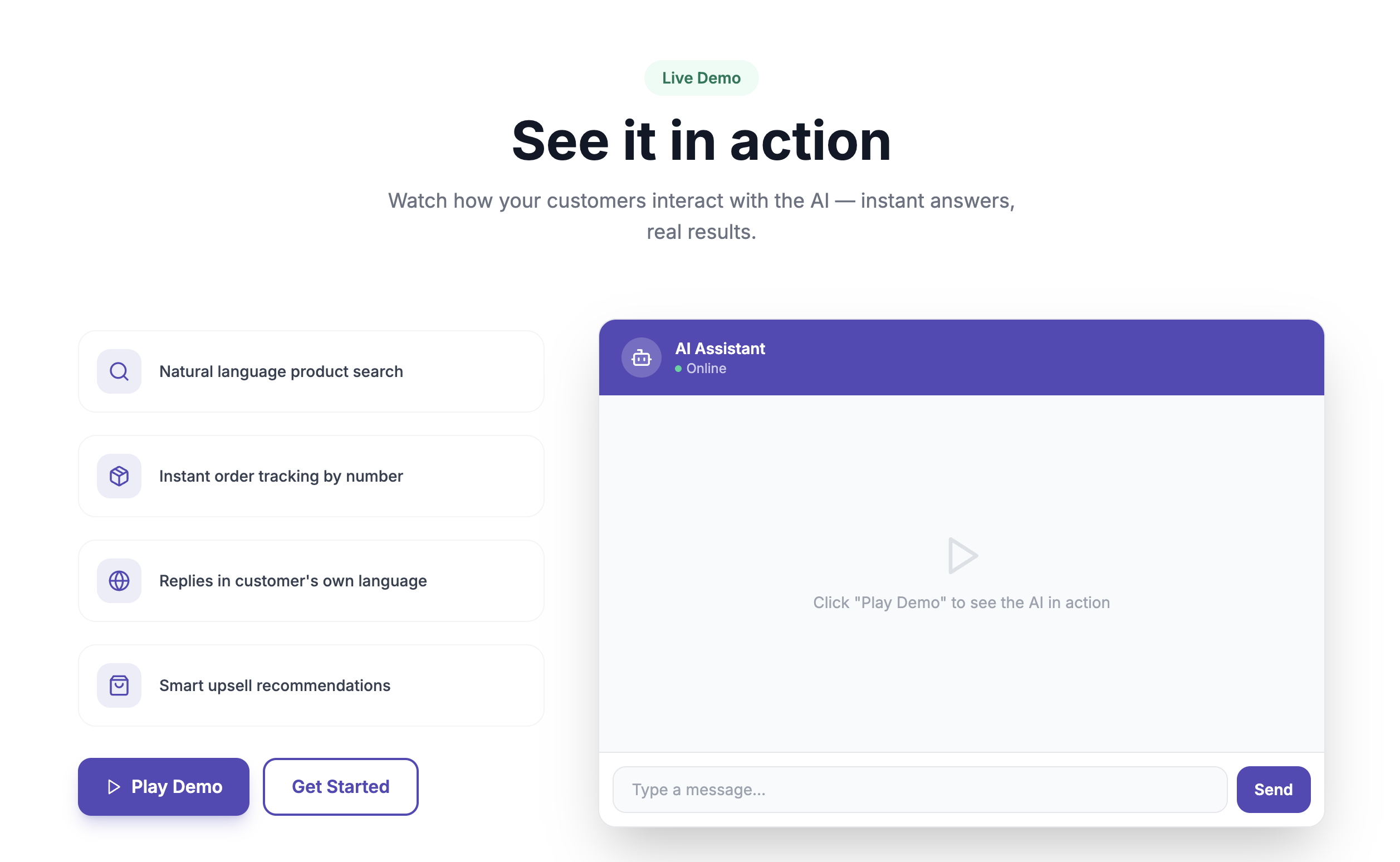
Gehalfe adds an AI-powered chat widget to your WooCommerce store that answers customer questions about your products, checks order status, and recovers abandoned carts — all without you lifting a finger.
Features
- AI product search — customers describe what they want in plain language and get matching products from your catalog
- Order tracking — customers can check their order status directly in the chat
- Cart recovery — automatic follow-up messages for abandoned carts (available on paid plans)
- Works in English, Urdu, and Roman Urdu
- Customizable widget color and position
- Lightweight embed — no impact on your store’s page speed
How it works
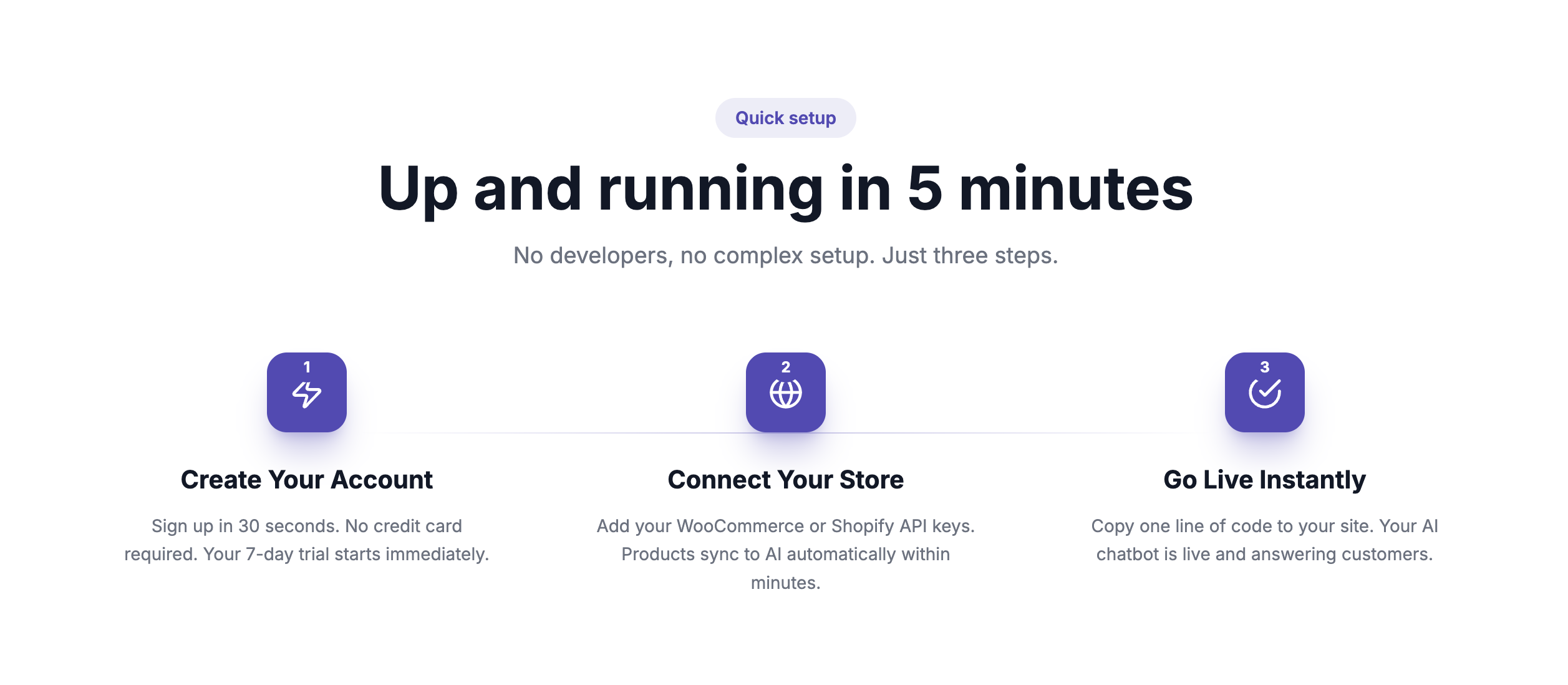
- Install and activate this plugin
- Create a free account at gehalfe.com and connect your WooCommerce store
- Copy your Widget Token from the Gehalfe dashboard and paste it into this plugin’s settings
- The chat widget appears on your storefront automatically
This plugin requires a Gehalfe account (gehalfe.com) to function — it is the connector between your WordPress site and the Gehalfe AI backend that powers the chat, product search, and order tracking. A free plan is available.
스크린샷
설치
- Upload the
gehalfe-ai-chatbotfolder to the/wp-content/plugins/directory, or install directly through the WordPress admin under Plugins Add New. - Activate the plugin through the ‘Plugins’ screen in WordPress.
- Go to Settings Gehalfe AI Chatbot.
- Sign up for a free account at gehalfe.com if you don’t have one, connect your store, and copy your Widget Token from Store Widget Embed Code.
- Paste the Widget Token into the plugin settings and save. The chat widget will appear on your storefront.
FAQ
-
Do I need a Gehalfe account to use this plugin?
-
Yes. This plugin embeds the Gehalfe chat widget, which is powered by a backend service at gehalfe.com. A free plan is available and no credit card is required to start.
-
Does this work with any theme?
-
Yes, the widget is a self-contained floating chat button that works independently of your theme.
-
Will this slow down my site?
-
No. The widget script loads asynchronously after your page content and does not block page rendering.
-
Is customer data secure?
-
Store connection credentials are encrypted, and chat data is handled per the Gehalfe Privacy Policy at gehalfe.com/privacy.
후기
이 플러그인에 대한 평가가 없습니다.
기여자 & 개발자

자국어로 “Gehalfe – AI Chatbot for WooCommerce”(을)를 번역하세요.
개발에 관심이 있으십니까?
변경이력
1.0.0
- Initial release.