
설명
Nexeler User Data Export gives you a straightforward way to get your site data out of WordPress and into a spreadsheet.
Pick the columns you want, apply a couple of filters, and download a real .xlsx file you can open in Excel, Google Sheets, LibreOffice or Numbers.
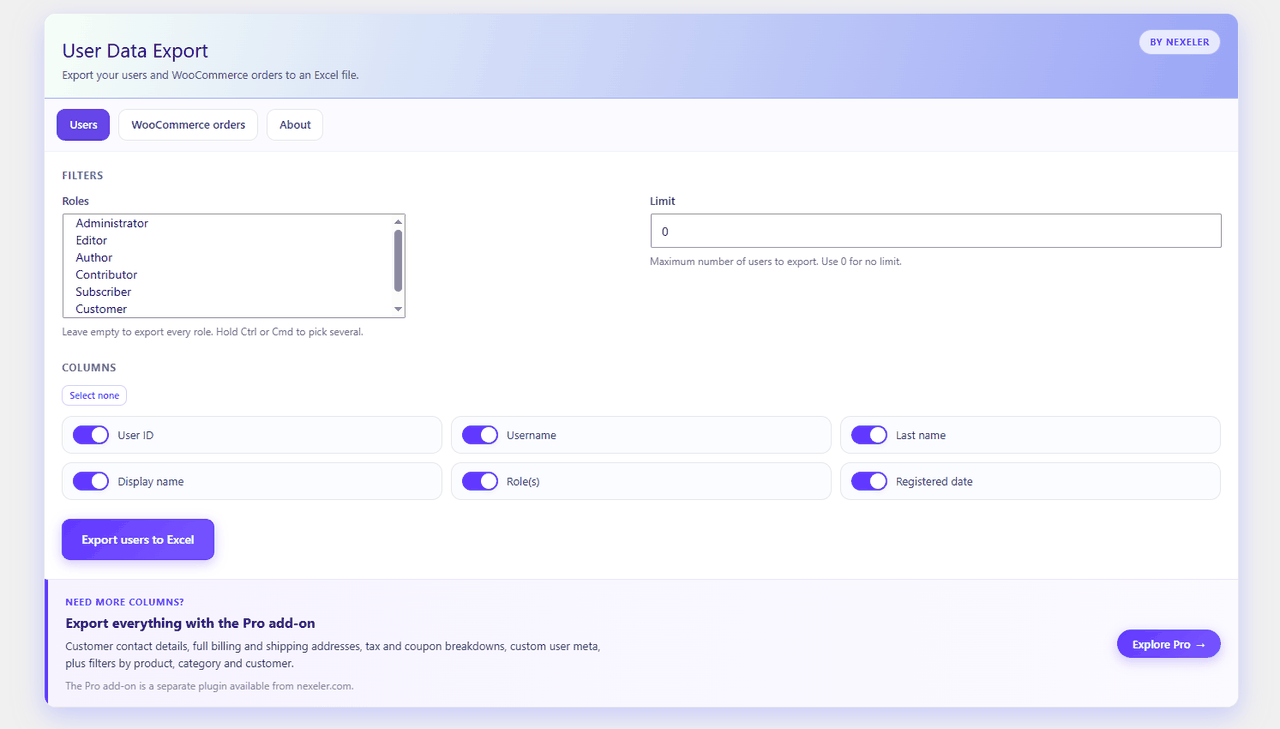
Users export
- Export every registered user to an Excel file
- Filter by one or more user roles
- Cap the number of rows with a limit
- Columns: user ID, username, last name, display name, roles and registered date
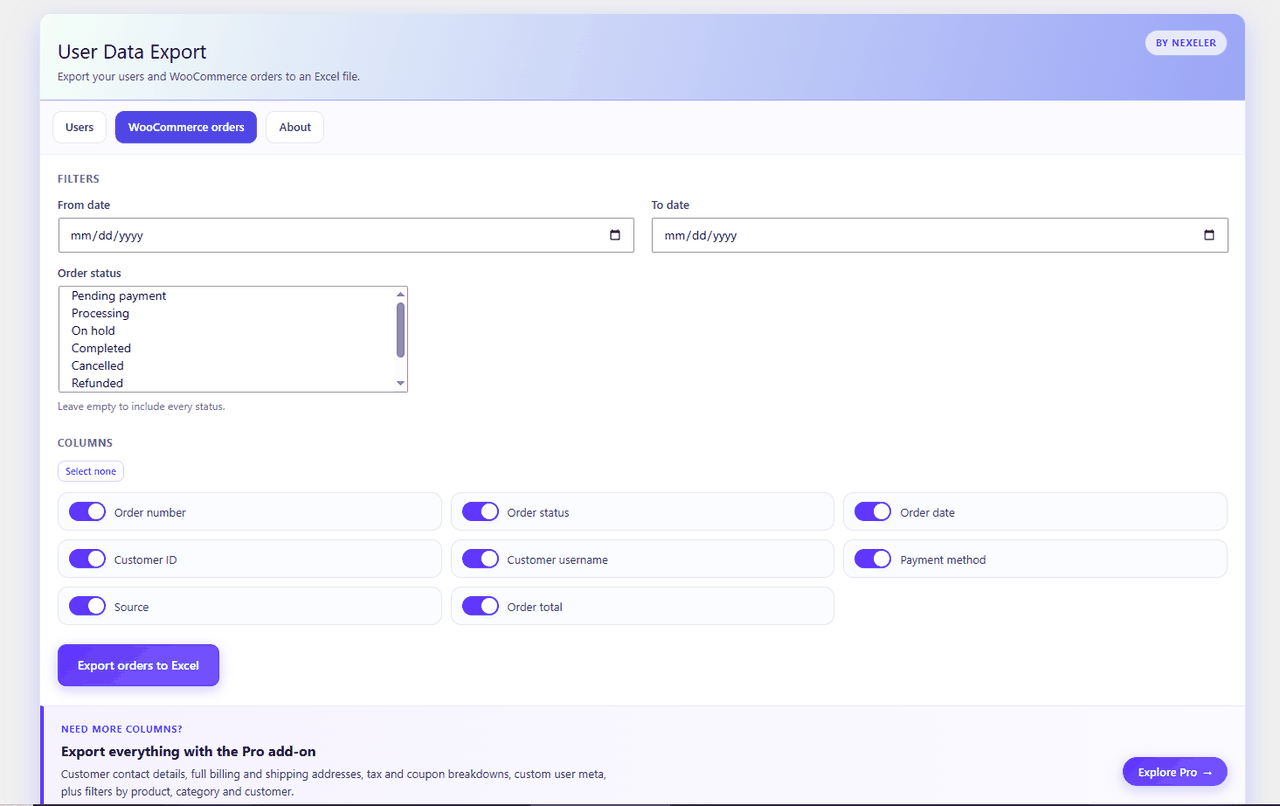
WooCommerce orders export
- Export your WooCommerce orders to an Excel file
- Filter by date range and by order status
- Columns: order number, order status, order date, customer ID, customer username, payment method, source and order total
Built to stay out of your way
- No external services. The spreadsheet is generated on your own server and sent straight to your browser.
- No third party JavaScript libraries are bundled.
- Nothing is sent anywhere. Your data never leaves your site.
- Only administrators can run an export, and every request is nonce protected.
Extending the plugin
Developers can add their own columns and adjust the queries with these filters:
nexeler_ude_user_columnsandnexeler_ude_order_columnsto register columnsnexeler_ude_user_column_valueandnexeler_ude_order_column_valueto supply valuesnexeler_ude_user_query_argsandnexeler_ude_order_query_argsto adjust the queries
Pro add-on
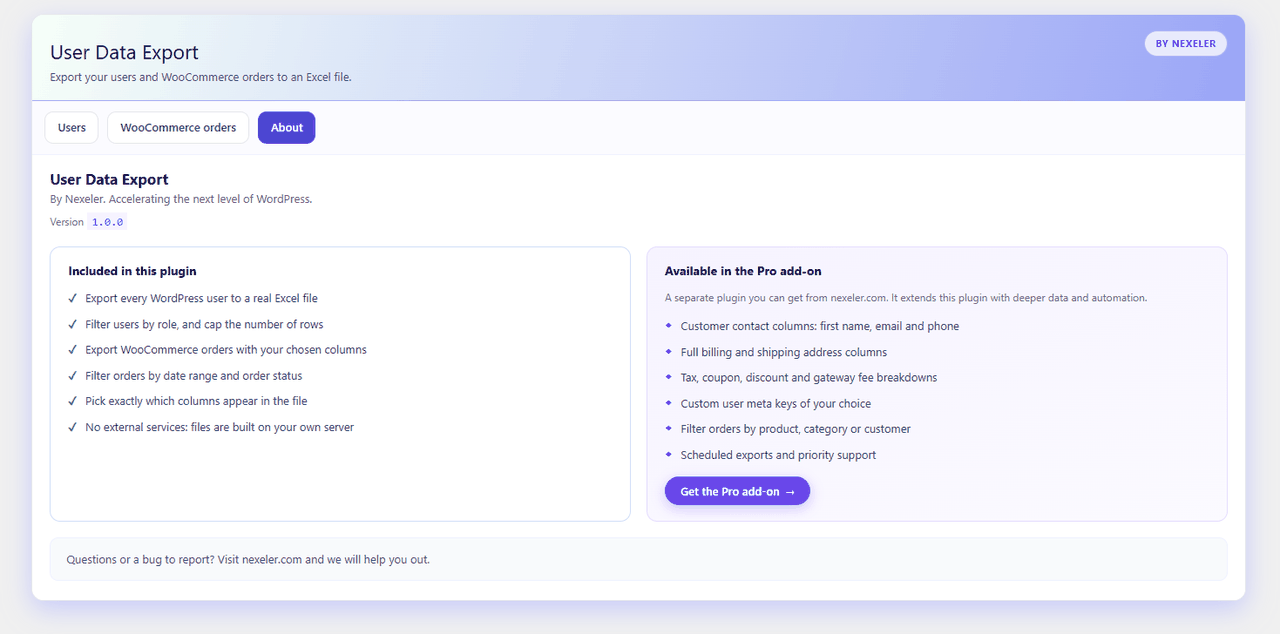
Nexeler offers a separate Pro add-on plugin, available from nexeler.com, which builds on this plugin with customer contact columns, full billing and shipping addresses, tax and coupon breakdowns, custom user meta keys, extra order filters and scheduled exports. The add-on is a separate download and is not required to use this plugin.
스크린샷
설치
- Upload the plugin to the
/wp-content/plugins/directory, or install it through the Plugins screen in WordPress. - Activate the plugin through the Plugins screen.
- Go to Data Export in the admin menu.
- Choose your filters and columns, then click Export.
FAQ
-
What file format do I get?
-
A real Excel
.xlsxfile, generated on your server. It opens in Excel, Google Sheets, LibreOffice Calc and Numbers. -
Do I need WooCommerce?
-
Only for the orders export. The users export works on any WordPress site.
-
Who is allowed to export data?
-
Only users with the
manage_optionscapability, which normally means administrators. -
Is any data sent to an external service?
-
No. The file is built on your own server and streamed directly to your browser.
-
Can I add my own columns?
-
Yes. Use the
nexeler_ude_user_columnsandnexeler_ude_order_columnsfilters to register columns, and the matching value filters to fill them. -
My export is empty. Why?
-
That usually means no records matched your filters. Try widening the date range, or clearing the role and status selections to include everything.
후기
이 플러그인에 대한 평가가 없습니다.
기여자 & 개발자

자국어로 “Nexeler User Data Export”(을)를 번역하세요.
개발에 관심이 있으십니까?
변경이력
1.0.0
- Initial release.