

설명
Aegistha is a calm, honest security checkup for non-technical WordPress owners. It explains your real risks in plain language, prioritizes them honestly, and fixes the safe ones in one click. It never uses scare tactics and never changes anything that could lock you out.
What it does
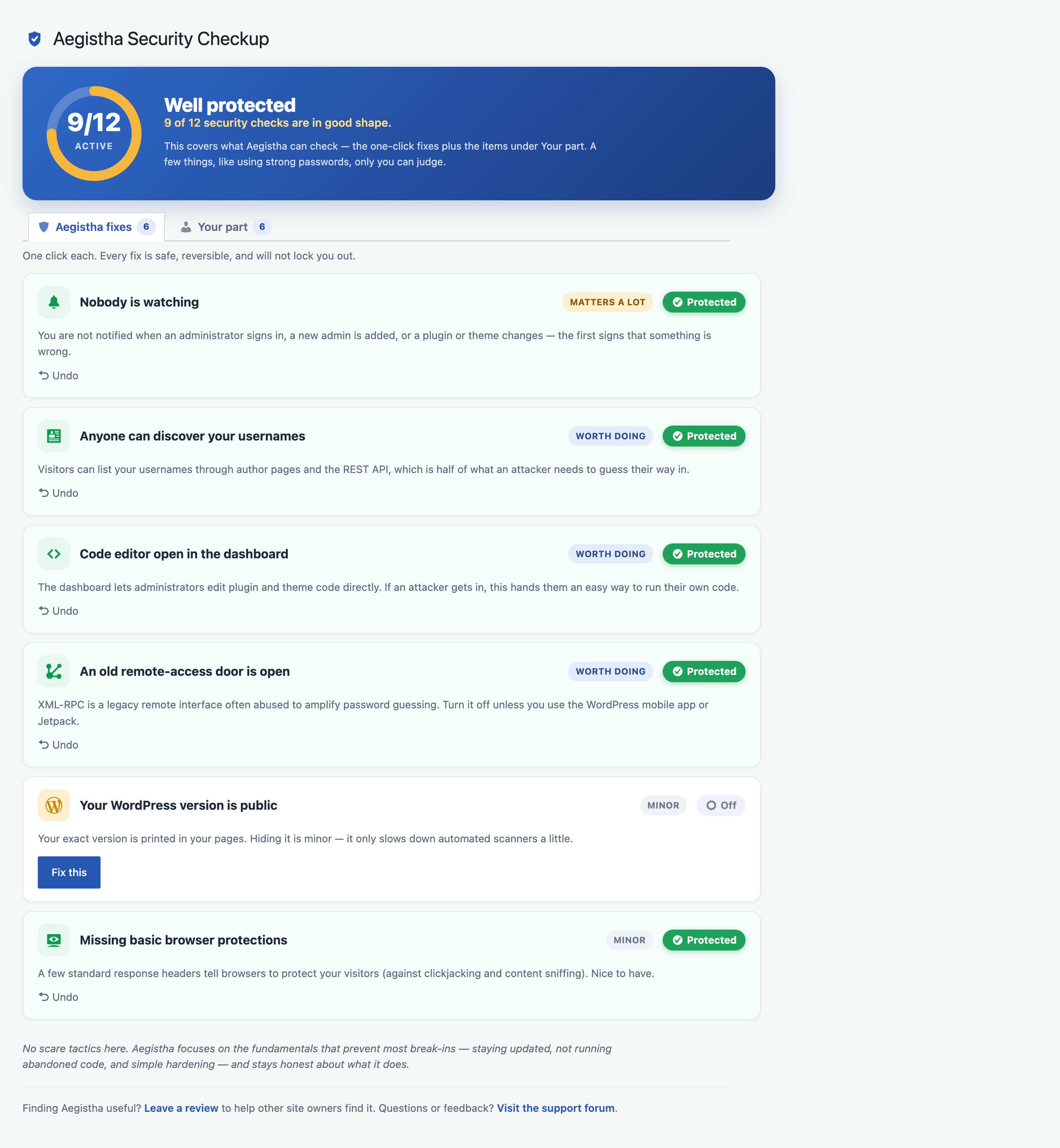
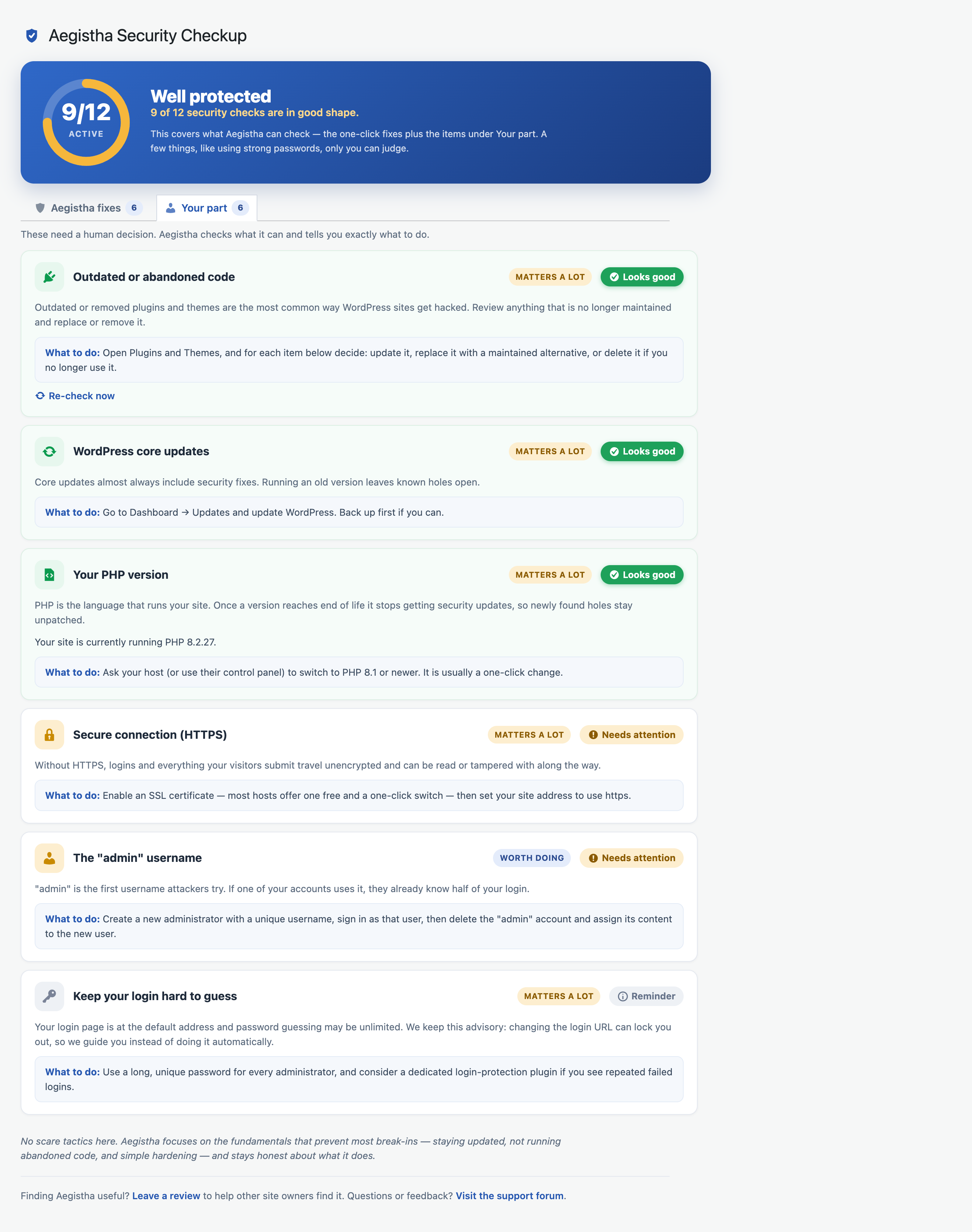
- A plain-English checkup — your security posture at a glance, split into what Aegistha can safely handle for you and what only you can do. A simple meter shows how many checks are in good shape, with honest priorities (matters a lot / worth doing / minor) instead of a wall of red alarms.
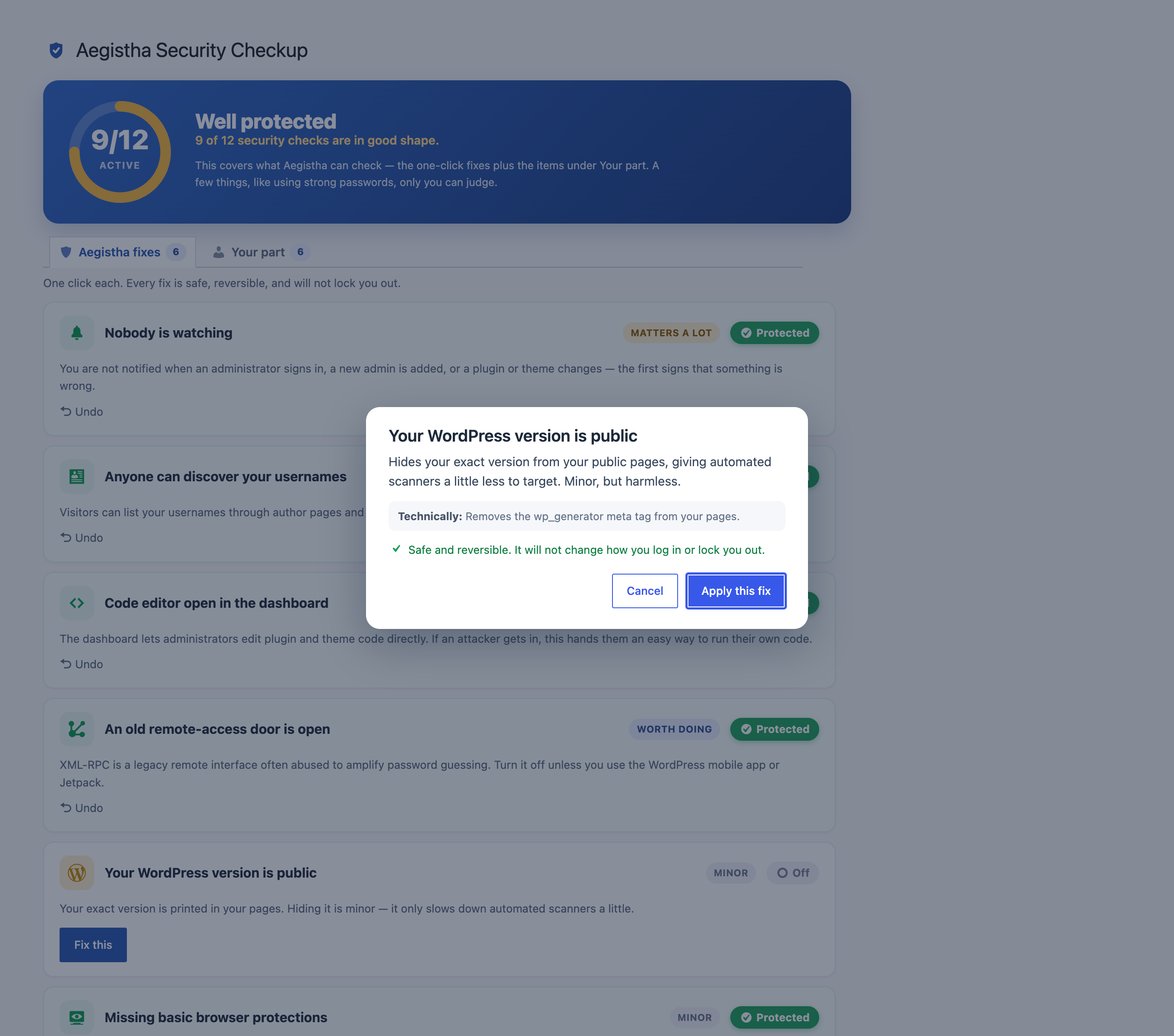
- One-click safe fixes — for lockout-zero items only: turn on admin alerts, block username discovery, disable the dashboard code editor, turn off XML-RPC, hide your version, and add basic security headers. Every fix is explained before you apply it and can be undone.
- “Your part” checks — Aegistha verifies what it can and tells you exactly what to do: outdated or removed plugins and themes, a pending WordPress update, an out-of-date PHP version, a site not using HTTPS, and an account named “admin”.
- Email alerts — get notified when an administrator signs in, a new admin is added, or a plugin or theme changes.
Honest by design
- Login changes stay advisory — we tell you if your login is exposed, but we never hide your login URL or lock you out.
- No fear-scores, no upsells, no security theater. Aegistha focuses on the fundamentals that prevent most break-ins and is upfront about what it does and does not cover.
Trademarks
Aegistha is an independent plugin and is not affiliated with, endorsed by, or sponsored by any other product or company. “Aegistha” is a coined name inspired by the aegis, the protective shield of Greek mythology; it is not connected to any product using the term “Aegis”.
External services
This plugin contacts the official WordPress.org API (api.wordpress.org) to check whether your installed plugins and themes are still maintained or have been removed from the directory. It sends only the public slug of each installed plugin/theme. No personal data is sent. This happens when you view the checkup, and results are cached for a day. WordPress.org terms: https://wordpress.org/about/privacy/ .
스크린샷
설치
- Install and activate.
- Open Aegistha in the admin menu.
- Read your checkup and click Fix this on anything you want to resolve.
FAQ
-
Can this lock me out of my site?
-
No. Every one-click fix is reversible and none of them change how you log in. Login is advisory only.
-
Do I need other security tools too?
-
Maybe. A firewall or malware scanner can add another layer, especially on higher-traffic or higher-risk sites. Aegistha focuses on the fundamentals that prevent most break-ins — updates, not running abandoned code, and simple hardening — and is honest about its limits.
-
Does hiding my WordPress version make me safe?
-
Barely. We include it but label it honestly as minor.
후기
이 플러그인에 대한 평가가 없습니다.
기여자 & 개발자

자국어로 “Aegistha Security Checkup”(을)를 번역하세요.
개발에 관심이 있으십니까?
변경이력
1.0.1
- Packaging fix: exclude version-control files from the distributed package.
1.0.0
- Initial release.