

설명
Beplus Security Headers & Script Auditor gives WordPress site owners three things in one screen:
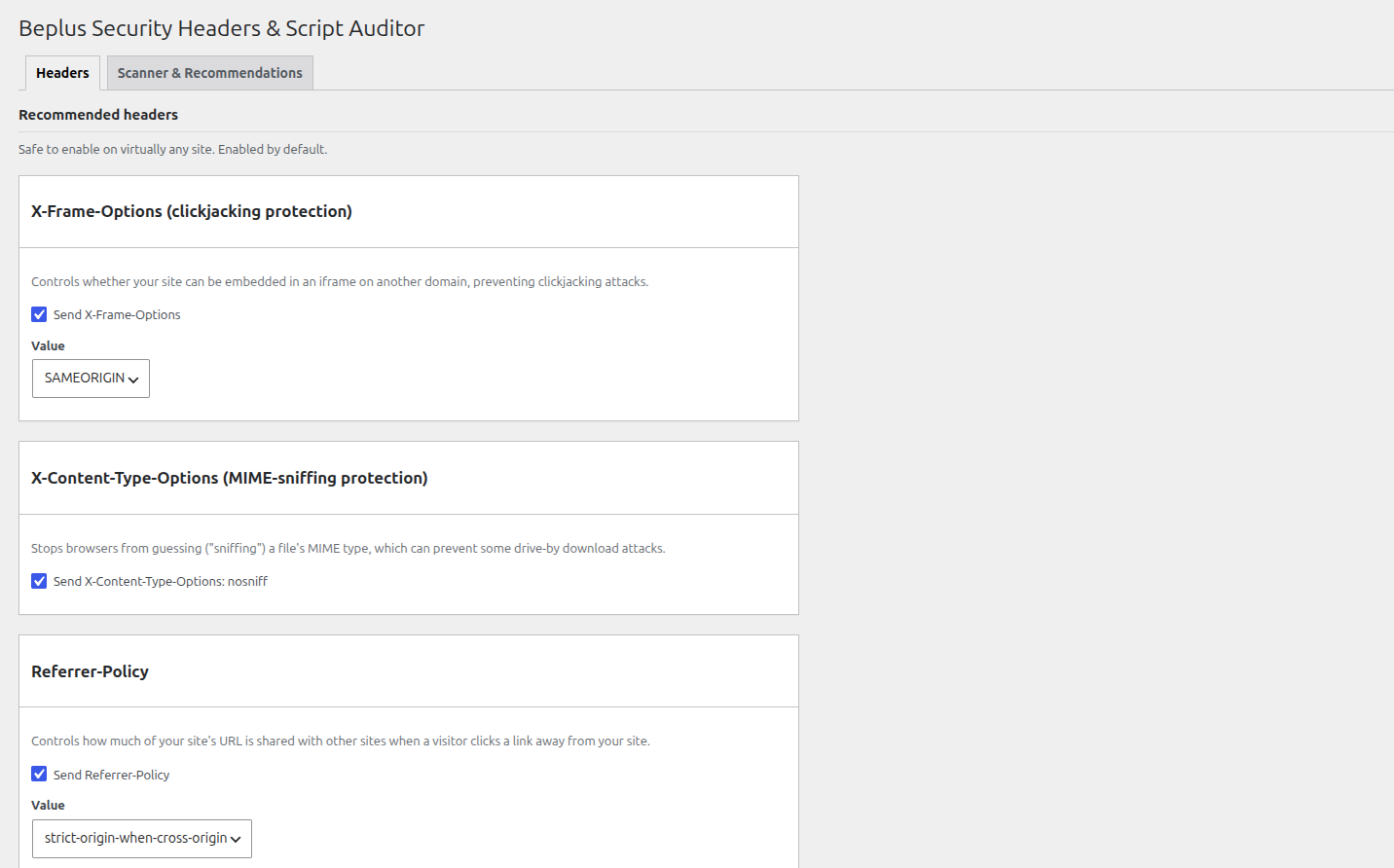
- Security header toggles — enable X-Frame-Options, X-Content-Type-Options, Referrer-Policy, Strict-Transport-Security, Permissions-Policy, Content-Security-Policy (with an optional report-only mode), and the legacy X-XSS-Protection header, each with sensible defaults.
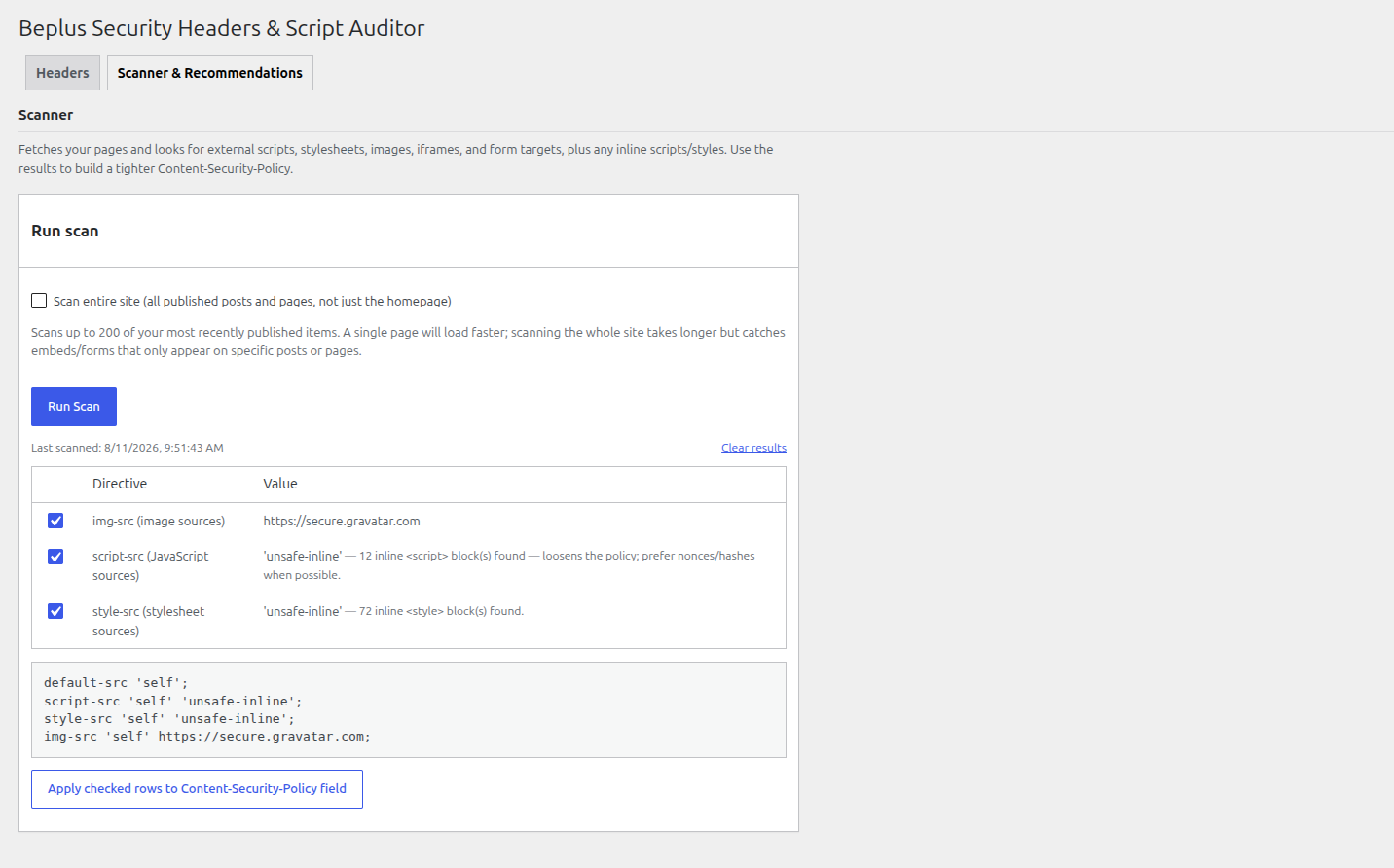
- A scanner — fetches your homepage, or optionally your whole site (up to 200 of your most recently published posts/pages), and lists every external script, stylesheet, image, iframe, and form target it finds, plus a count of inline scripts/styles.
- Recommendations you control — every finding is listed as a checkbox row; uncheck anything you don’t want, and the Content-Security-Policy preview updates live. Apply the checked rows to the CSP field with one click, review it, then press Save. Nothing is ever sent automatically.
There’s also a repeatable table for adding any other custom response header your site needs.
Why use this plugin
- No external service calls, tracking, or phone-home behaviour — the scan only requests pages on your own site.
- Every setting is sanitized on save, and header values are stripped of line breaks to prevent HTTP header injection.
- Sensible, conservative defaults: only X-Frame-Options, X-Content-Type-Options, and Referrer-Policy are enabled out of the box. HSTS, Permissions-Policy, CSP, and X-XSS-Protection are opt-in since they can affect how your site behaves and should be reviewed first.
스크린샷
설치
- Upload the plugin files to the
/wp-content/plugins/beplus-security-headers-script-auditordirectory, or install the plugin through the WordPress plugins screen directly. - Activate the plugin through the ‘Plugins’ screen in WordPress.
- Go to the “Security Headers” menu item (in the main admin sidebar) to review the default header configuration.
- Open the Scanner tab and click “Run Scan” (optionally ticking “Scan entire site” first) to see what external resources your site loads, uncheck anything you don’t want, then apply the checked rows to the Content-Security-Policy field.
- Click “Save Changes” to apply your configuration.
FAQ
-
Will this break my site if I enable everything at once?
-
It can, especially Content-Security-Policy. Start with the scanner recommendations, use “Report-only mode” for CSP first to observe without blocking anything, and only switch to enforcing mode once you’ve confirmed the policy covers everything your site actually loads.
-
Does the scanner send my data anywhere?
-
No. It performs normal HTTP requests from your own server to pages on your own site, using the built-in WordPress HTTP API. Nothing is sent to any third party.
-
Does this replace a full security audit?
-
No. Even the whole-site option only scans your homepage plus your most recently published posts/pages (capped at 200) and is meant as a starting point for building a Content-Security-Policy, not a substitute for a complete security review of your site.
후기
이 플러그인에 대한 평가가 없습니다.
기여자 & 개발자
“Beplus Security Headers & Script Auditor”(은)는 오픈 소스 소프트웨어입니다. 다음의 사람들이 이 플러그인에 기여하였습니다.
기여자
변경이력
1.0.0
- Initial release: security header toggles, homepage/whole-site scanner with a pick-and-choose CSP checklist, and custom header repeater.