

설명
Gecka Antispam stops spam on comments, login, registration, WooCommerce, Contact Form 7, Gravity Forms, ACF front-end forms and the forms you wrote yourself. There is no captcha: a visitor fills the form and sends it, nothing more. The checks run on your server, and no service outside the site reads what your visitors write.
How it catches bots
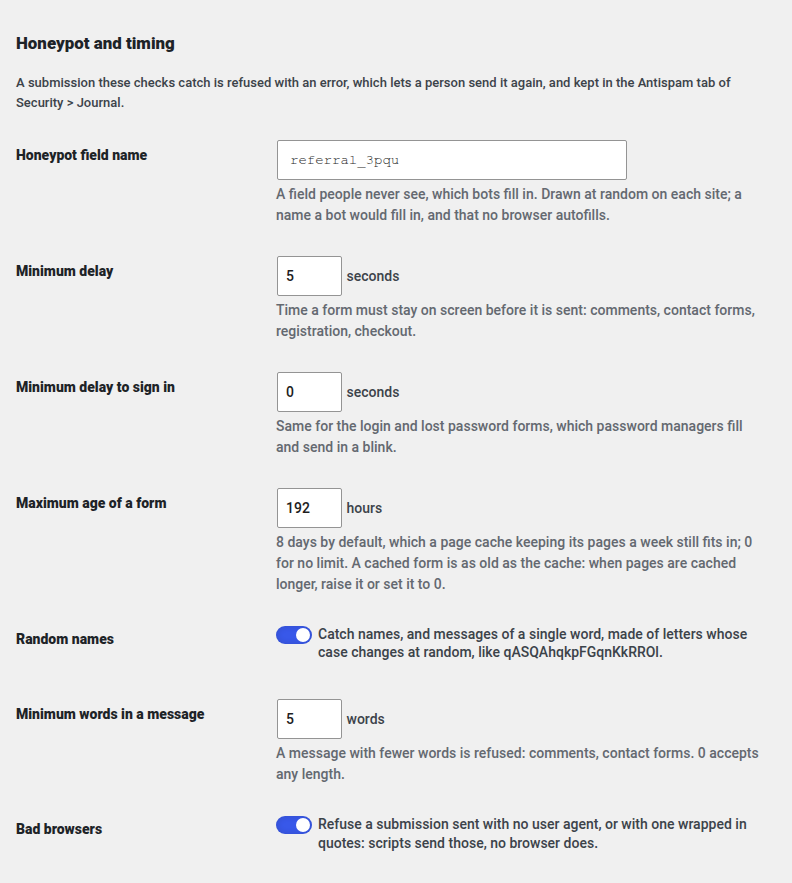
Most spam bots post without loading the page, fill in every field they find, or type random letters where a name goes. Each protected form carries:
- a signed timestamp: a form sent faster than anybody types, or days after it was shown, is refused
- a honeypot, a field people never see and bots fill in
- checks on what was typed: a name or a one-word message made of random letters, a message of too few words, a user agent no browser sends
A bot caught gets an error page. A person caught by mistake gets the same page, with a link back, and sends again: nothing is lost silently.
A filter that learns from you
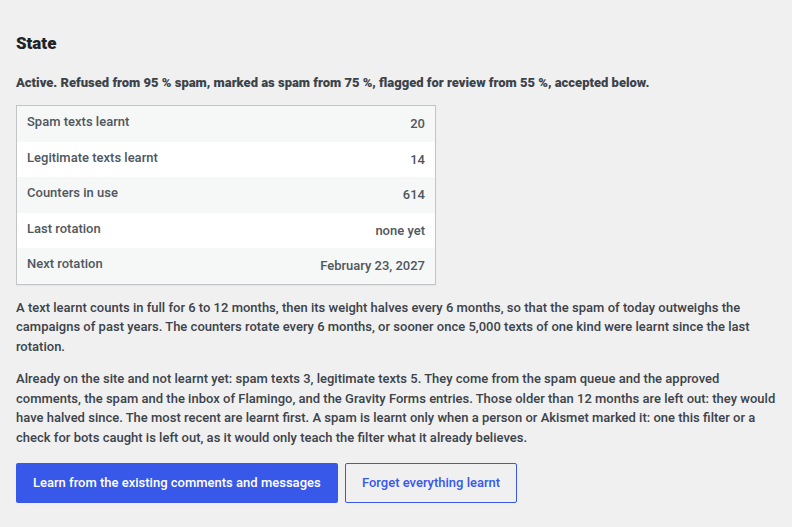
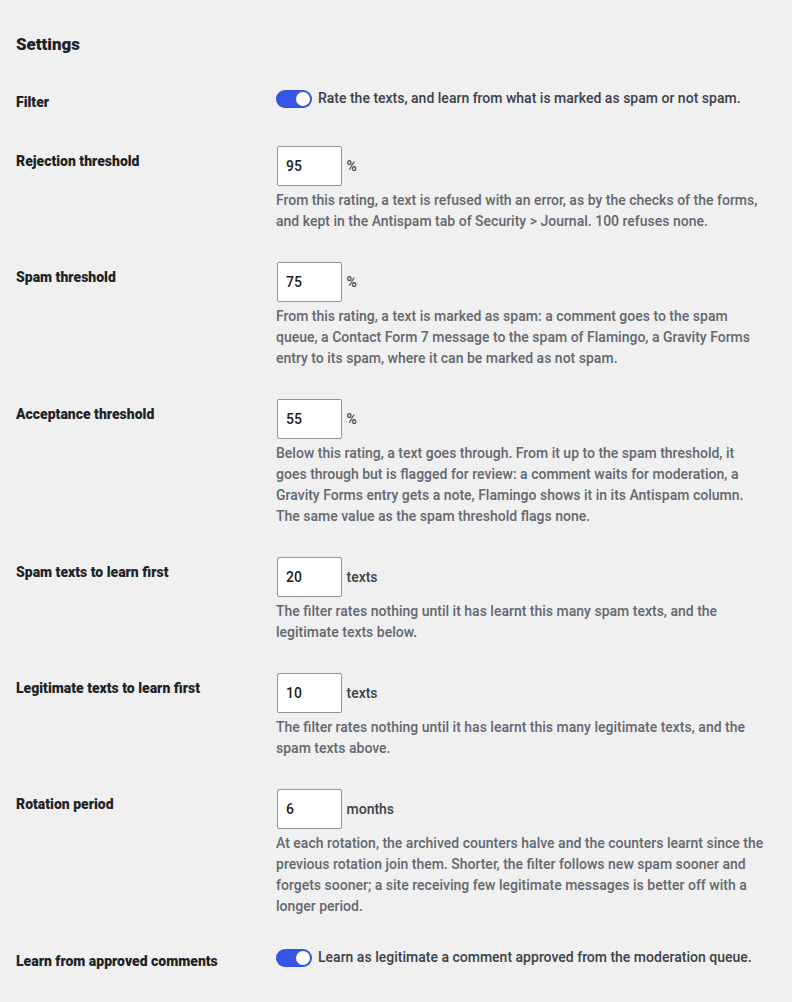
Bots that load the page and fill the form like a person get past the checks of the form. For those, the plugin ships gecka/spamfilter, a statistical filter that rates every message from 0 to 100 % spam, trained on your own site: each time you mark a comment, a Flamingo message or a Gravity Forms entry as spam, or as legitimate, it learns. From 95 % a message is refused, from 75 % it goes to the spam queue, from 55 % it is flagged for review, and below that it passes. The thresholds are yours to set, and one click has it learn, in one go, everything already moderated on the site.
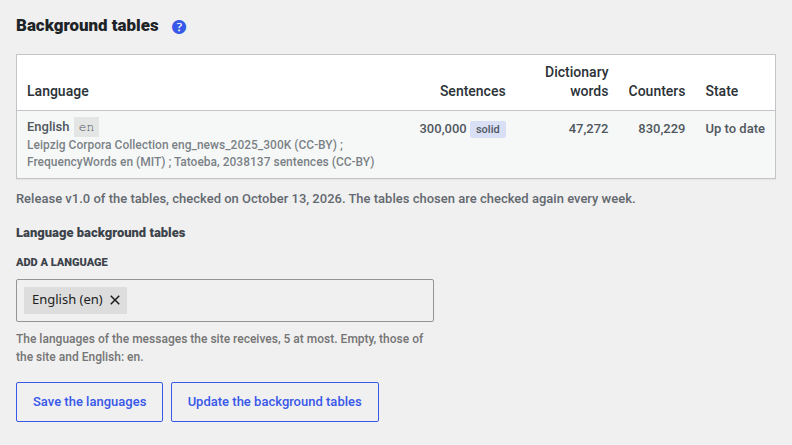
The filter compares what it learnt with background tables that tell a common word from a rare one, in each language of your site. It needs 20 spam texts and 10 legitimate ones before it rates anything, and its counters age, so the spam of today outweighs the campaigns of past years. It needs the intl and mbstring extensions of PHP, which most hosts provide.
Everything stays on your site
Nothing of the submissions leaves your server, no cookie is set, and no name, email address or IP address of a sender is kept. The only requests the plugin makes download the background tables of the filter, see External services. A paragraph for your privacy policy is offered under Settings > Privacy.
See what it does
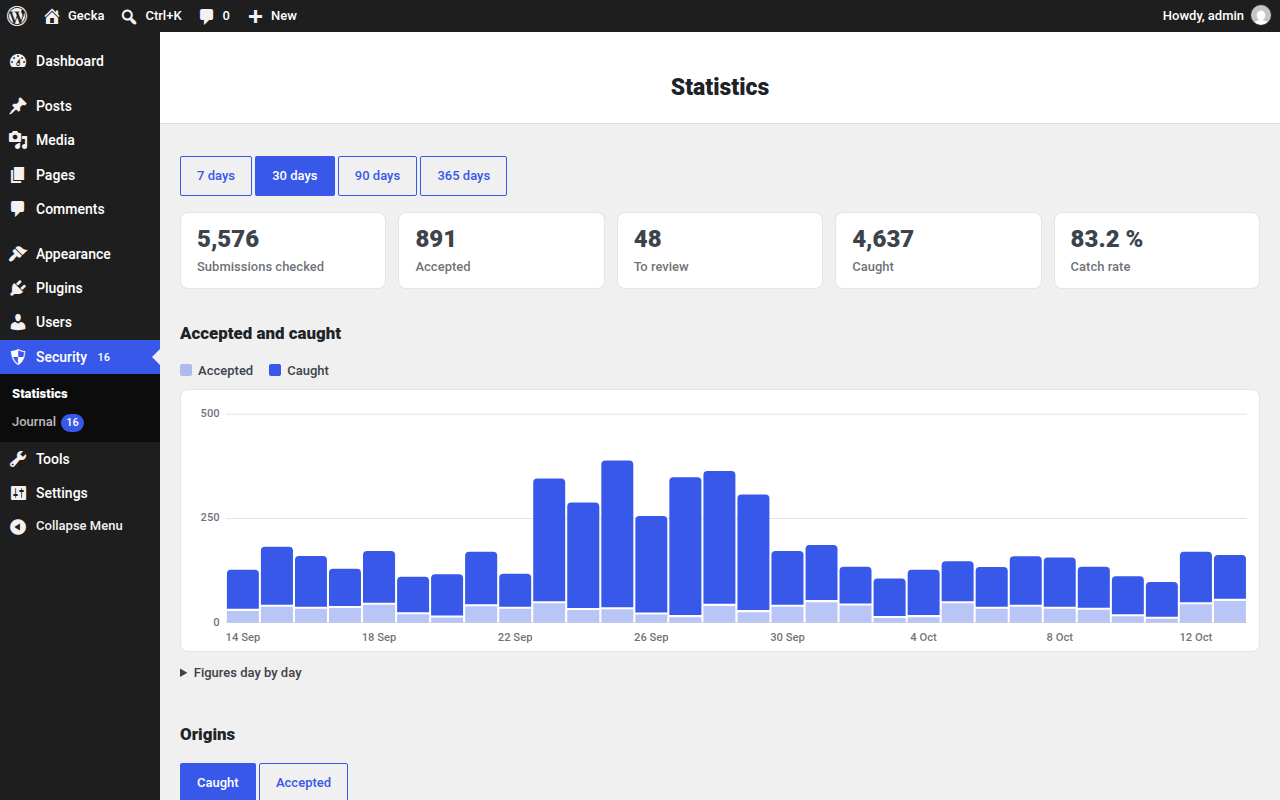
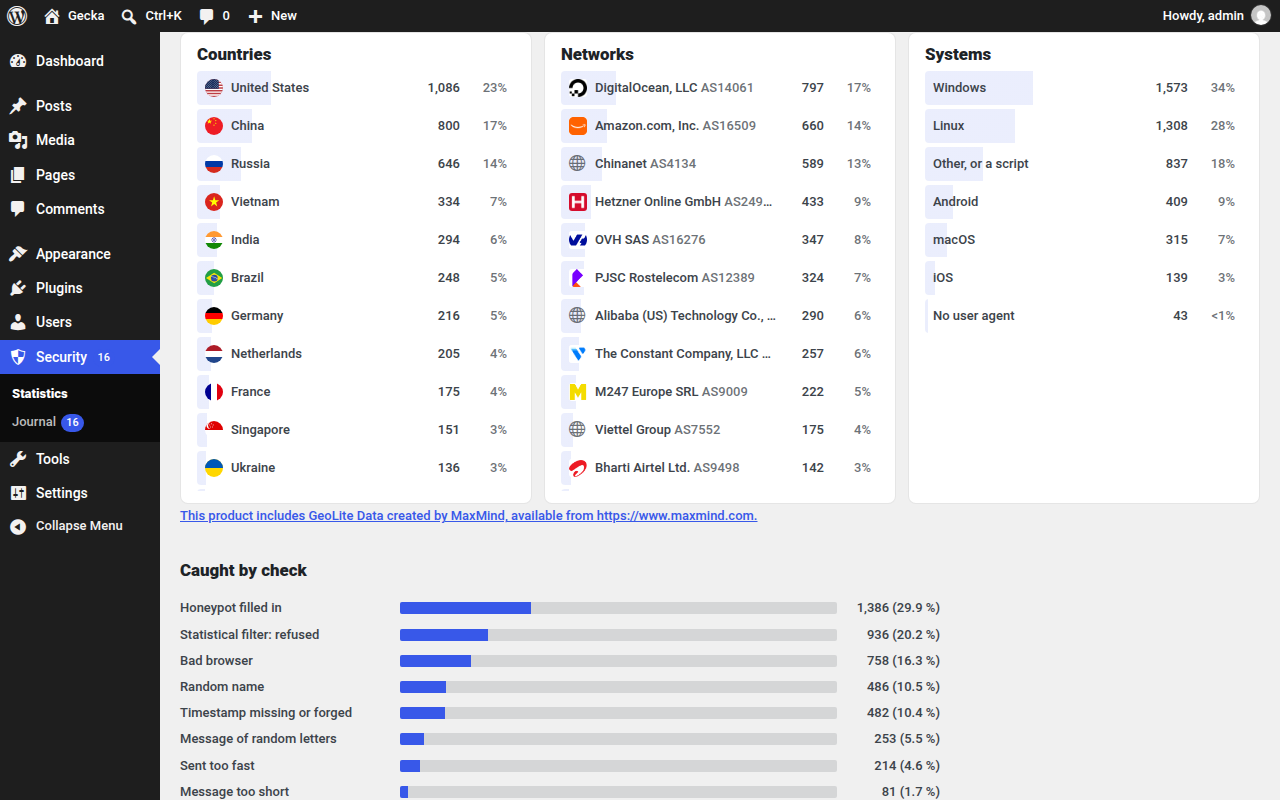
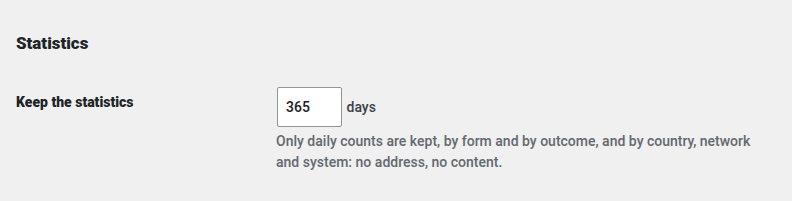
- Security > Statistics: the submissions checked, accepted and caught over 7, 30, 90 or 365 days, by form and by check; with the Gecka Geolocation plugin, by country and by network, with their flags and logos, the address itself never being read nor kept
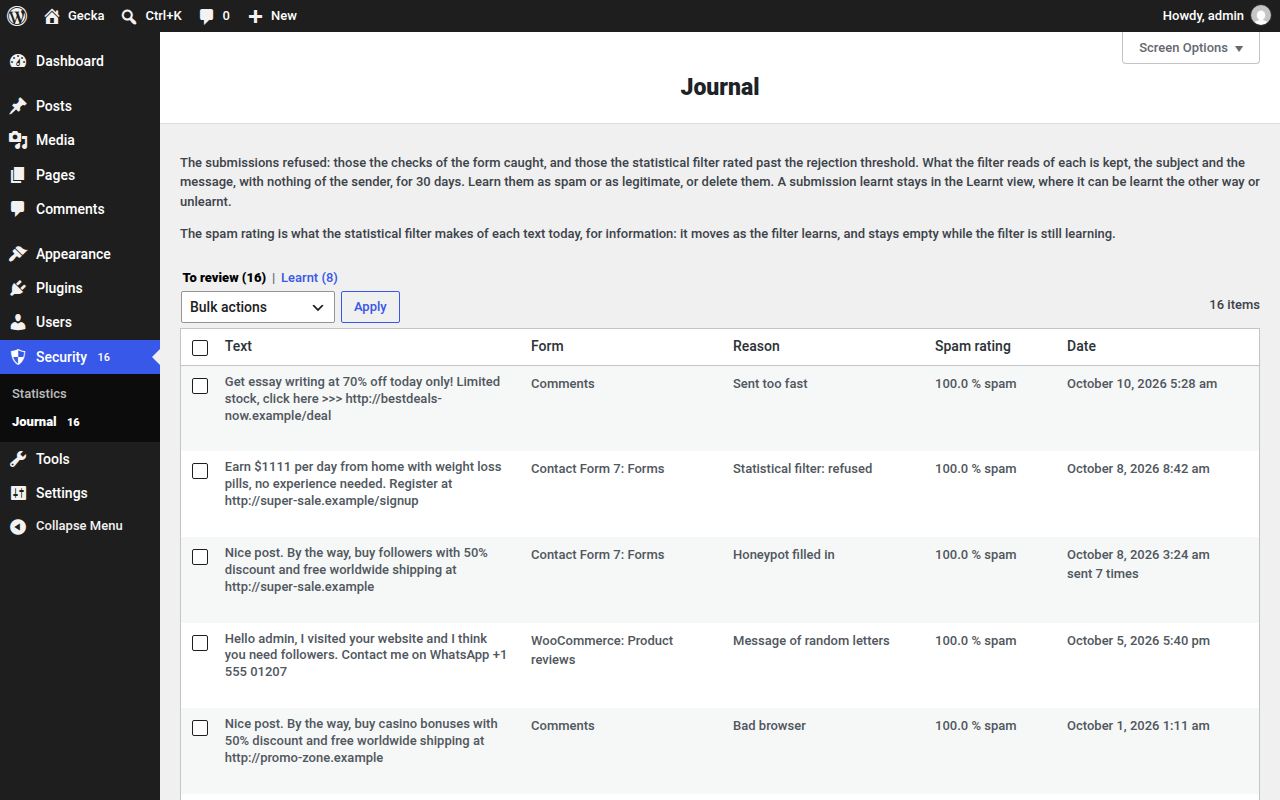
- Security > Journal: every refused submission, to review, learn from or delete, kept 30 days
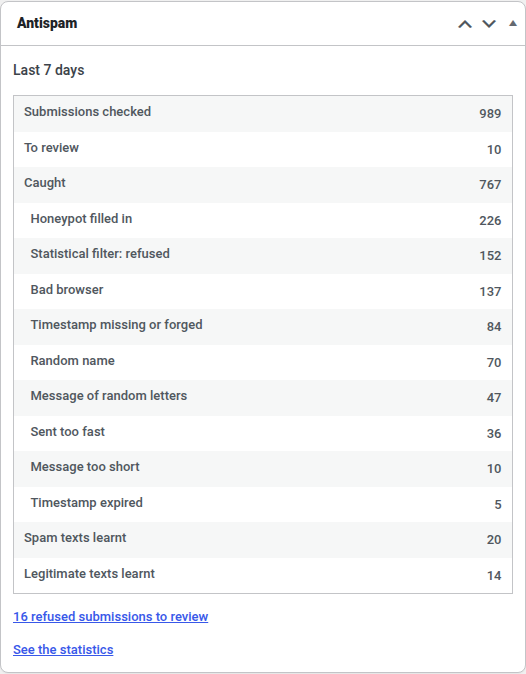
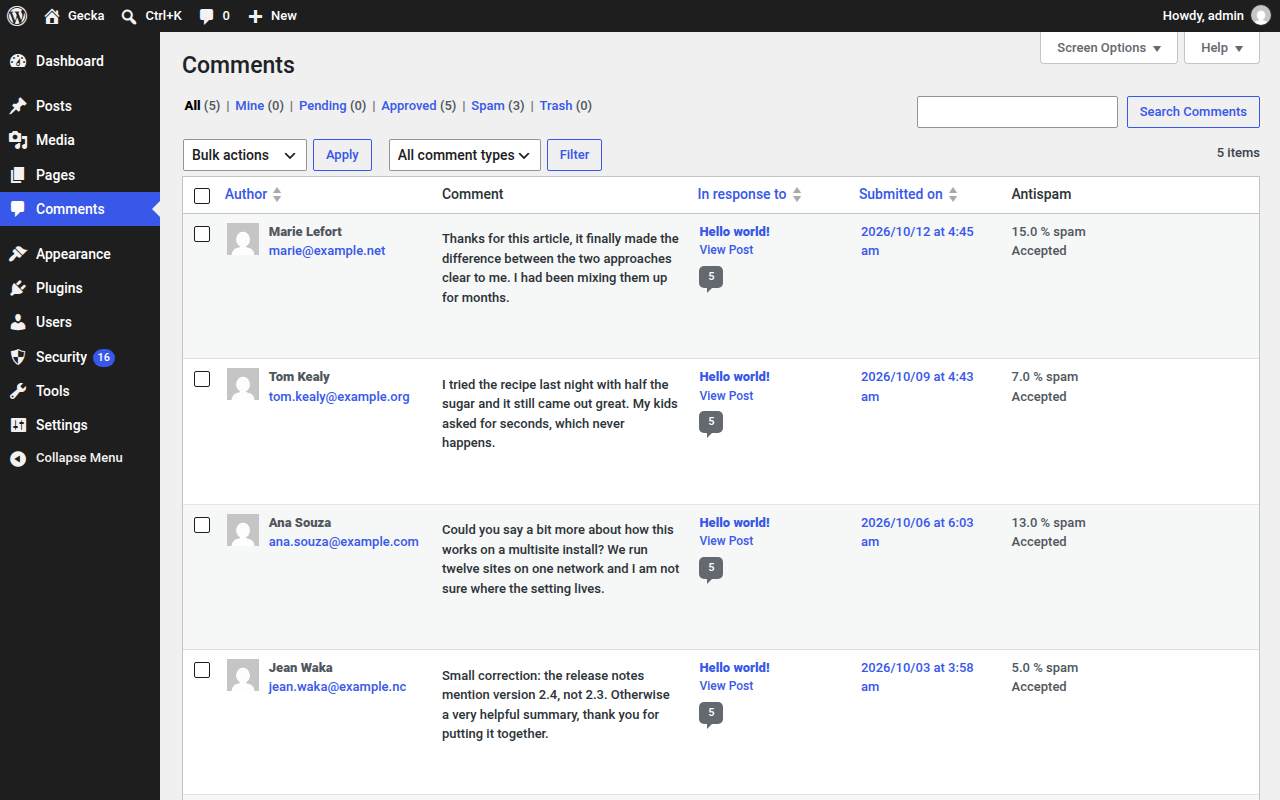
- A dashboard widget for the last seven days, an Antispam column in the comments and in Flamingo with the rating of each message, and Site Health tests of the tables, the daily task and the filter
Protected forms
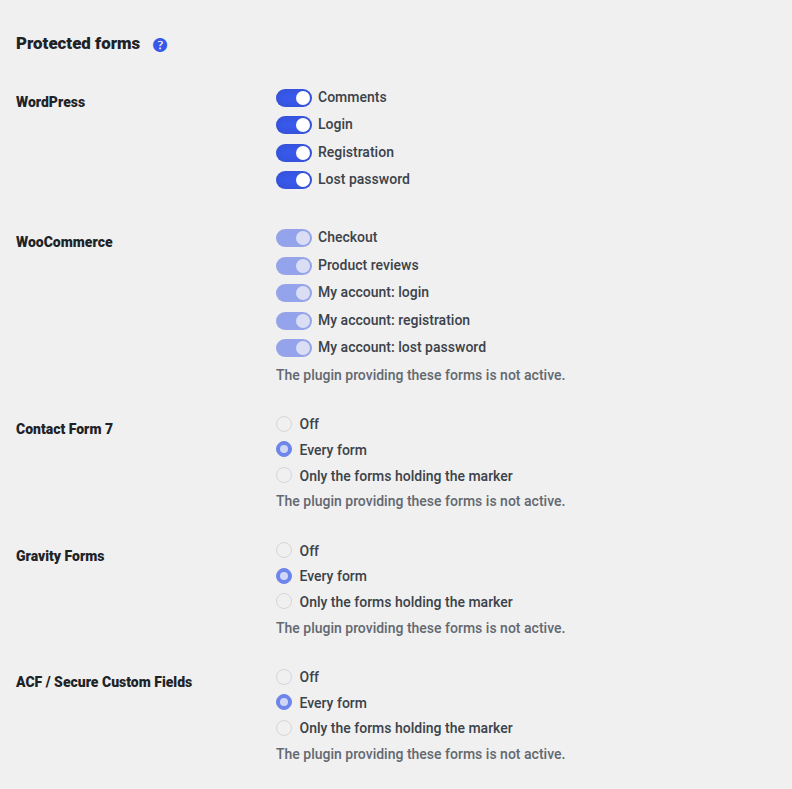
- WordPress: comments, login, registration, lost password, and the network registration of a multisite
- WooCommerce: classic checkout, product reviews, My account login, registration and lost password, the login of the app authorization screen
- Contact Form 7: every form, or only the forms holding the
[gecka_antispam]tag - Gravity Forms: every form, or only the forms holding the Antispam field
- ACF, ACF Pro and Secure Custom Fields: every front-end form, or only the forms whose
acf_form()arguments hold'gecka_antispam' => true - Your own forms, with two functions,
gecka_antispam_fields()andgecka_antispam_check(): see the developer documentation
The checkout block and the payment buttons of WooCommerce take other routes and are not covered.
Privacy
The plugin keeps daily counts of the submissions it checks, counts on hashes of the words of the subject and message of the texts marked as spam or not spam, and the subject and message of the submissions refused, until 30 days after the text was last sent. A refused message may hold personal details the sender wrote in it, and its subject is what the form cites as its subject: a field of the sender cited there, a phone number for instance, is kept with it. Words a sender typed in a message, a phone number in a signature for one, enter the counts as hashes and cannot be erased for one person.
The statistical filter is gecka/spamfilter, under the AGPL-3.0-or-later.
External services
The plugin downloads the background tables of the statistical filter from the releases of the spamfilter-backgrounds project on GitHub (https://github.com/Gecka-Apps/spamfilter-backgrounds): the manifest of the latest release, then the table of each language wanted, about 1 MB each. Nothing is downloaded before an administrator allows it with the “Download the background tables” button, which the plugins screen, the settings and Site Health point to. From then on it does so when the languages setting changes, from the button of the statistical filter tab, and once a week from its daily task, while the statistical filter is on; unticking the box under the languages stops it. The requests send nothing but what any download sends, the IP address of the server among it, under a user agent naming the plugin; nothing of the site, its visitors or its submissions. GitHub terms of service: https://docs.github.com/en/site-policy/github-terms/github-terms-of-service, privacy statement: https://docs.github.com/en/site-policy/privacy-policies/github-general-privacy-statement. The gecka_antispam_background_updates filter returning false stops the downloads.
Development
The plugin is developed on GitHub, where bugs can be reported and changes suggested: https://github.com/Gecka-Apps/wordpress-plugin-gecka-antispam. Questions on using it are welcome in the support forum.
스크린샷
설치
Copy the plugin folder into wp-content/plugins/ and activate it, or install it from the plugins screen. Every form is protected at once; Settings > Antispam lets you switch forms off and tune the checks.
FAQ
-
My pages are served from a cache. Does it work?
-
Yes, as long as the cache keeps a page less than 8 days, the default maximum age of a form: a cached form carries the time it was cached at. With a longer cache, raise the “Maximum age of a form” setting, or set it to 0 for no limit.
-
A password manager fills the login form at once. Will it be caught?
-
No. The login and lost password forms have no minimum delay by default.
-
Does it stop every bot?
-
No. The honeypot and the timestamp stop the bots that post without loading the form, or fill in every field. A bot that reads the page first can get past them: the statistical filter is there for those. So is a bot posting to the submissions route of the REST API of Gravity Forms, which skips the form, once that API is enabled in the settings of Gravity Forms: leave it off unless something needs it. Comments and logins made through the REST API or XML-RPC carry no form either and are not checked; a pingback or a trackback, sent by another site, is rated by the statistical filter alone.
-
Can I protect a form I wrote myself?
-
Yes.
gecka_antispam_fields( 'my-form' )prints the fields inside the form,gecka_antispam_check( 'my-form', $text, $names )checks what it posts and tells whether to refuse it. The developer documentation explains both, the hooks a comment or login form written by hand has to fire, the filters and actions, and what the plugin stores. -
Contact Form 7 warns “Unsafe email config is used without sufficient protection”.
-
Contact Form 7 shows it for a form whose mail goes to the address the sender typed, unless its own reCAPTCHA or Turnstile is active. Gecka Antispam leaves the warning out of the forms it protects; save the form again for Contact Form 7 to check it anew. Keep such a mail to an acknowledgement that repeats nothing the sender wrote: the checks stop bots, not a person.
-
What is left behind when the plugin is deleted?
-
Its tables, refused submissions, options, scheduled events, meta and its directory under uploads, background tables included, are removed, on every site of a network. The reason it gave in the spam log of a Flamingo message, or in the spam note of a Gravity Forms entry, belongs to those plugins and stays.
후기
이 플러그인에 대한 평가가 없습니다.
기여자 & 개발자


변경이력
1.2.1
- A message refused for being too short tells the sender how many words it takes, instead of asking to reload the page.
1.2.0
- The background tables are downloaded only once an administrator allows it, with the “Download the background tables” button of the plugins screen, the settings and Site Health; nothing reaches GitHub on activation. A box under the languages switches the downloads off again. Sites that downloaded tables before keep them, no longer updated until the button of the statistical filter tab is clicked.
- The rule hiding the honeypot in a form shown after the head of the page goes through the styles API of WordPress.
- Admin pages styled on sites that install the plugin through their own Composer, and notices spaced like those of Site Health.
1.1.0
- Statistics by country, network and operating system on the Statistics tab, the first two with Gecka Geolocation.
- Checks on the message: a single word of random letters is refused, and so is a message of fewer than five words, a new setting.
- A submission sent with no user agent, or with one no browser sends, is refused; a new setting switches the check off.
- The comments of users logged in are checked like those of visitors; moderators are still never checked.
- The WooCommerce account forms are checked on the fields WooCommerce reads, whatever nonce field is posted, and a form posted to xmlrpc.php like one posted anywhere.
- A form shown again after a post gets a fresh timestamp once the old one is past the maximum age.
- A comment on a product is checked as a comment when WooCommerce is not active.
- A table the setup could not create is told in a notice and in Site Health, and the setup tried again every hour, instead of failing every request.
gecka_antispam_check()takes the message alone as a fourth argument.- Pingbacks and trackbacks are rated by the statistical filter.
- A network registration is counted once, at its user step.
- The downloads of the background tables refuse a redirection off HTTPS, and stay off without the extensions the filter needs.
- The notices and Site Health show apostrophes and ampersands as typed.
- The statistical filter reads its counters once per request; the Flamingo inbox and the filter tab no longer query them row by row.
1.0.0
- Honeypot, signed timestamp and random name check on the forms of WordPress, WooCommerce (product reviews included), Contact Form 7, Gravity Forms and ACF.
- Contact Form 7, Gravity Forms and ACF protect every form, or only the forms holding a marker.
- Submissions caught by a check of the form refused with an error, and kept for review in Security > Journal.
- Statistical filter trained by moderators from the spam marked in the comments, Flamingo, Gravity Forms and Security > Journal, and from what the site already holds, in one go. Three thresholds: refused, spam, flagged for review.
- Statistics screen and dashboard widget.
- Privacy policy paragraph, and a button restoring the default settings.