
설명
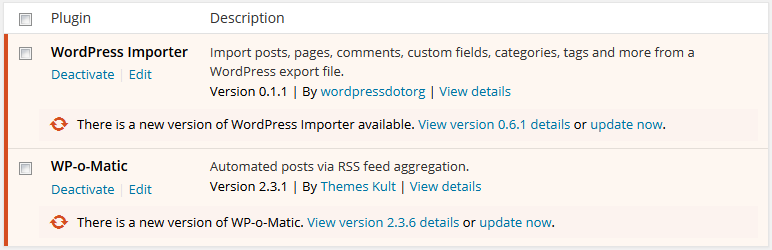
This Plugin blocks updates from a specific plugin.
You can select the plugins you want to block for updates from Block Plugin Update under Settings or tick them all to remove all plugin updates.
If you still any problem visit our support forum or you can write to us directly using our contact form.
Plugin you may like
* Use Any Font
* WP Armour Anti Spam Plugin
* jQuery Validation for Gravity Forms
* jQuery Validation For Contact Form 7
* Any Mobile Theme Switcher
* Featured Image In RSS Feed
* Add Tags And Category To Page
스크린샷
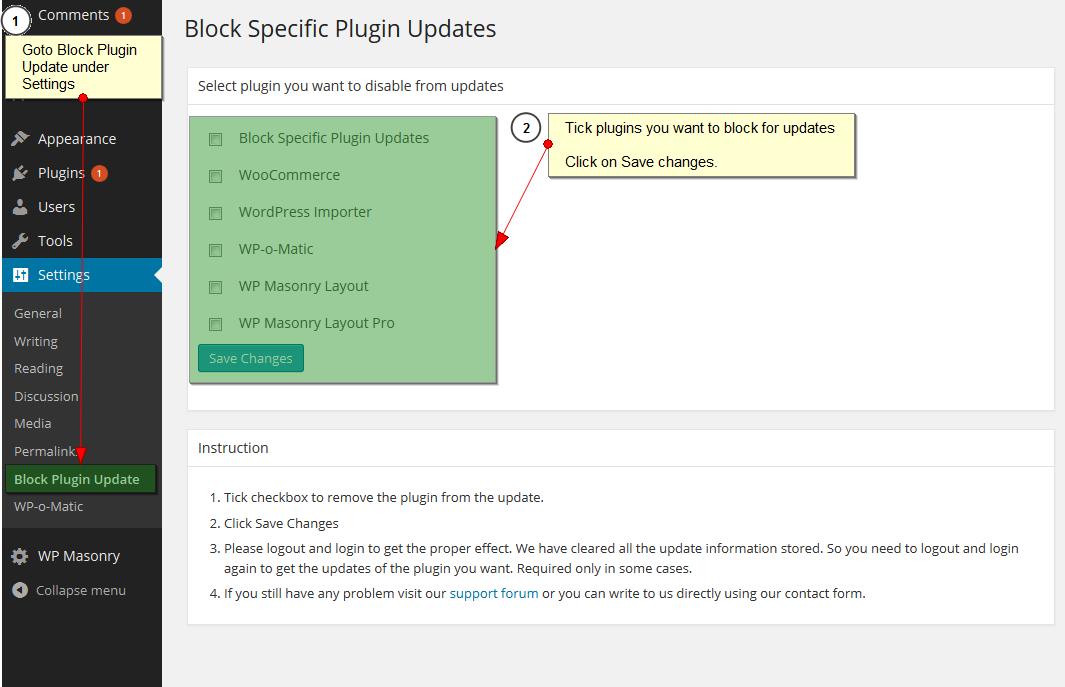
Admin Setting
설치
- Search Block Plugin Updates and click on Install.
- Activate the plugin through the ‘Plugins’ menu in WordPress.
- Tick the plugins to block updates from Block Plugin Update under Settings
FAQ
-
After I save the plugin settings, all updates are gone.
-
You need to logout and login to get the proper effect.
후기

2024년 11월 27일
Does what it says. No fluff

2023년 3월 17일
This plugin is useful to stop you from accidentally updating a plugin that fails when updated. Please can you bring it up to WP6.2?

2022년 7월 25일
답글 1개
After I installed it, then selected the plugin to block, it still shows the plugin needing an update in the update screen.

2021년 9월 9일
As the title suggest the plugin does not work within a multisite/network environment.

2021년 2월 13일
Minimal UI and it just works. Nice job. One recommendation I have is that it would be nice to be able to add notes on the plugins.php screen to inform why updating of a plugin is disabled.

2017년 7월 20일
One plugin i use for ticket support have updated and it need now a php upgrade, I used the plugin Roller back to reinstall a old version and use this plugin to not forget to never update the problematic plugin
기여자 & 개발자

변경이력
3.3.2
- add WP Nonce for Settings page.
3.3.1
- Fixed error when all plugins are unchecked.
3.3
- Tested with 6.0.1
- Clean UI
3.2
- Tested with 5.8.2
3.1
- Fix plugin list update issue after save.
3.0
- Tested with 5.3.2
2.2
- Tested with 4.5.3
- Added Settings link in plugin list
2.1
- Tested with 4.2.3
2.0
- Tested with 4.1.1
1.0
- Supports now wordpress 3.7
0.1
- First Release