
설명
Get many solutions for preventing security threats under one roof.
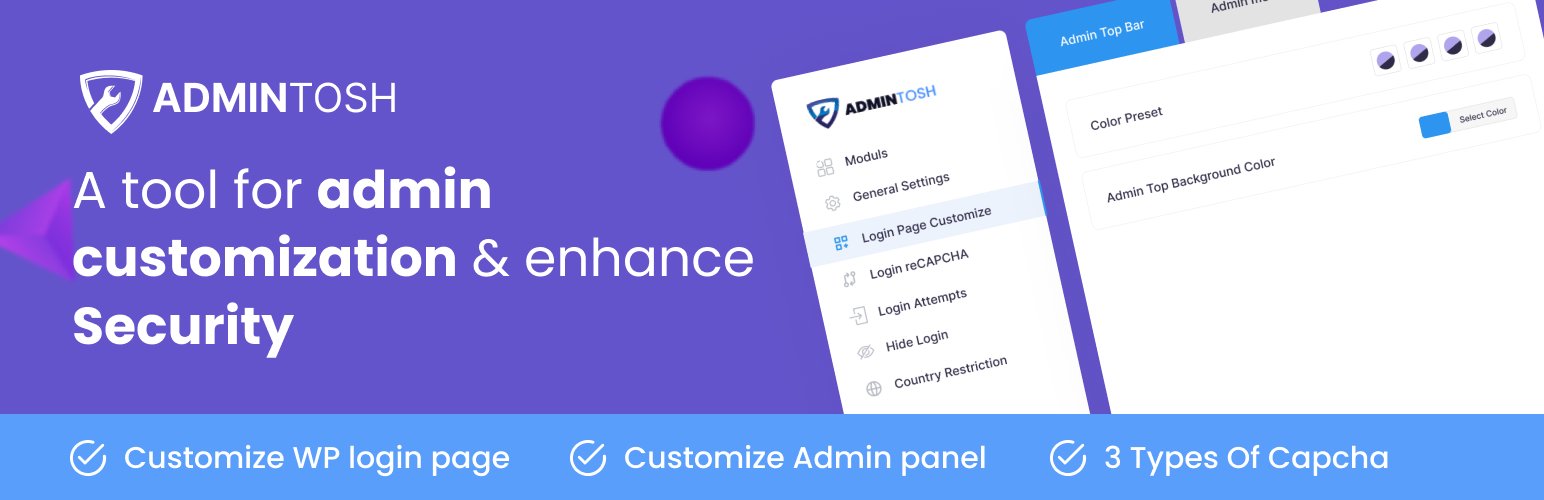
Admintosh – WordPress admin customization and security tools plugin is designed for empowering WordPress administrative operations with different experiences. You will get many essential features under one roof using this plugin.
-
Customize WP Login Page: Customize default login page with the Admintosh Login Page Customize options. The plugin offers lots of customization possibilities like background color, background image, text color, link color, logo upload, form style etc. With no coding skill, you can create an outstanding login page in no time.
-
Customize Dashboard: Customize the Dashboard and make it like your own brand all customization possibilities are here like background color, menu color, text color, link color, logo upload, etc.
-
Captcha: Add captch into login, registration, lost password, comments Form etc. It also supported WooCommerce & EDD. The plugin offer 3 types of Captcha Google reCaptcha ( Version 2 ), Random number Captcha and Math Captcha so you could use any one of them’s to protection from remote digital entry by making sure only a human being with the right password can access the account.
-
Limit Login Attempts: After a preset number of attempts has been exceeded, this feature automatically stops any more attempts from a specific Internet Protocol (IP) address and/or username. This considerably reduces the potency of brute force attacks on your website.
-
Hide Login: To change your login URL to whatever you want. This feature allows you to easily and securely change the URL of the login form page to anything you desire. It does not actually rename or change core files, nor does it add rewrite rules. Instead, it intercepts page requests and works on any WordPress website. The wp-admin directory and wp-login.php page become inaccessible so your website becomes more secure.
-
Login History: Monitor your website’s users with detailed login information, including Last login date and time, Environment/server IP address Country, city, continent, timezone Latitude and longitude Browser details And much more.
-
Admin Activity Logs: The Activity Log functions like an airplane’s black box, recording every action in the WordPress admin. It provides a detailed history of user activities, allowing you to monitor exactly what’s happening on your website with full transparency. Track changes, user actions, and plugin/theme modifications.
-
Country Restriction: This feature allows you to easily set up rules to block one or more countries from accessing Entire Site, only login page or only front-end. It allows users to block unwanted traffic from accessing the frontend or backend based on country or proxy server detection. It helps reduce spam, unwanted sign-ups, and enhances overall security. This plugin uses the free IP Geolocation API which offers more than 1 billion requests per day absolutely free.
-
More coming soon…
WordPress Authentication Plugin
Secure and customize your WordPress site with Admintosh. This all-in-one plugin enhances authentication by adding login customizations, CAPTCHA options, and limiting login attempts. Features like country restrictions, hidden login URLs, and detailed login history provide advanced security tools to protect your WordPress admin and prevent unauthorized access.
Brute Force Protection Plugin
Protect your WordPress site from brute force attacks with Admintosh. This powerful plugin limits login attempts, blocks suspicious IPs, and adds CAPTCHA options for enhanced security. Features like hidden login URLs and login monitoring ensure robust protection, safeguarding your site from unauthorized access and keeping it secure against threats.
WordPress Security Plugin
Fortify your WordPress site with Admintosh, the ultimate security plugin. It offers advanced features like CAPTCHA protection, login attempt limits, hidden login URLs, and country-based access restrictions. With login history monitoring and dashboard customization, Admintosh ensures robust security and empowers you to safeguard your site from threats effectively.
Activity Log
Track all activity on your WordPress site with detailed user and event logs, giving you clear insights into every action happening in real time.
✅ Unauthorized Access Attempts – Detect potential hacking attempts.
✅ Content Changes – Track when a post is published and by whom.
✅ Plugin & Theme Modifications – See when a plugin/theme is activated or deactivated.
✅ Suspicious Admin Activity – Identify unusual actions for enhanced security.
Stay informed and keep your website secure! 🚀
Free Version Features
- Modular Based (Everything Available On Demand)
- Customize login page style
- Customize admin panel style
- Customize admin menu style
- Customize admin bar style
- ## 3 types of Captcha ##
- Google reCaptcha ( Version 2 )
- Math Captcha
- Random number Captcha
- Login form reCaptcha
- ## Limit Login Attempts ##
- Configurable Lockout Timings
- Remaining Tries
- ## Hide Login ##
- Block default wp-login.php
- Block default wp-admin
- Use custom login slug instead of wp-admin
- ## Login History ##
- Login Date-Time
- Username
- User Role
- IP Address
- ## Admin Activity Logs ##
- Username
- Action
- Object/ID
- Message
- Time
- IP Address
- ## Country Restriction ##
- Entire Site Country Restriction
- Front-End Country Restriction
- wp-login page Country Restriction
- Block Template Content Edit Option
- ## General Options ##
- Hide WordPress Version
- Disable File Editing
- Disable XML-RPC
- Disable Right Click
- Disable Content Copy
- Disable Login Hints Error Messages
- Easy settings options
- Translation ready
- Easy to use it in both Free and Premium WordPress Themes
- Unlimited update
Compatibility With
- Sucuri compatibility.
- Wordfence compatibility.
- Ultimate Member compatibility.
- WPS Hide Login compatibility.
- XMLRPC gateway protection.
- Woocommerce login page protection.
- Multi-site compatibility with extra MU settings.
- GDPR compliant.
- Custom IP origins support (Cloudflare, Sucuri, etc.).
- llar_admin own capability.
How to use:-
very easy to use,after active plugin just go to Dashboard -> Admintosh Settings . You will find all settings to use.
WHAT’S NEXT
Have a look at the other awesome plugins for WordPress
✳️ PopX – Popup Builder – WordPress Gutenberg Popup Builder Plugin
✳️ Store Notifier – WhatsApp & On-Site Notifications plugin for WooCommerce
Unlock new possibilities with WPMOBO plugins—push your limits and achieve more today!
3rd Party Service Used
We used google reCAPTCHA v2 API service from google. All relevant link below.
https://www.google.com/recaptcha/about/
https://www.google.com/recaptcha/api/siteverify
https://www.google.com/recaptcha/api.js
Privacy Policy
Admintosh uses Appsero SDK to collect some telemetry data upon user’s confirmation. This helps us to troubleshoot problems faster & make product improvements.
Appsero SDK does not gather any data by default. The SDK only starts gathering basic telemetry data when a user allows it via the admin notice. We collect the data to ensure a great user experience for all our users.
Integrating Appsero SDK DOES NOT IMMEDIATELY start gathering data, without confirmation from users in any case.
Learn more about how Appsero collects and uses this data.
스크린샷


설치
The easy way.
Go to your WordPress Dashboard. Navigate to Plugins > Add New and then search for “Admintosh”. Click on Install and then Activate the Plugin.
That’s it, Admintosh Plugin is now activated on your site!
The hard way..
Download “Admintosh WordPress Plugin” and then extract the zip file and just drop the contents in the wp-content/plugins/ directory of your WordPress installation and then activate the Plugin from Plugins page.
FAQ
-
Is this plugin compatable on latest wordpress ?
-
Yes
후기

기여자 & 개발자
“Admintosh – WordPress admin customization and security tools”(은)는 오픈 소스 소프트웨어입니다. 다음의 사람들이 이 플러그인에 기여하였습니다.
기여자

변경이력
1.1.6
- Added Dashboard tab in settings page
- Added system info widget in dashboard
- Added update info widget in dashboard
- Added admin activity logs summary widget in dashboard
- Added user info widget in dashboard
- Added SSL & Domain expiry monitoring widget in dashboard
1.1.5
- Improved admin settings design.
1.1.4
- Resolved WordPress 6.8 compatibility issue.
- Resolved PHP error issue.
1.1.3
- Resolved conflict with active admin tab selection.
1.1.2
- Added CAPTCHA support for WP Registration Form
- Added CAPTCHA support for Blog Post Comment Form
- Added CAPTCHA support for WooCommerce Login Form
- Added CAPTCHA support for WooCommerce Registration Form
- Added CAPTCHA support for EDD Login Form
- Added CAPTCHA support for EDD Registration Form
- Added an enable/disable switch for CAPTCHA
- Fixed an issue with Activity Logs errors
1.1.1
- Added Logout date time in login history
- Added Admin Activity Logs
- Update POT file
1.1.0
- Fixed WordPress latest version compatibility issue
1.0.9
- Fixed PHP warning error issue
1.0.8
- Added Hide WordPress Version option
- Added Disable File Editing option
- Added Disable XML-RPC option
- Added Disable Right Click option
- Added Disable Login Hints Error Messages option
- Added Country restriction option
- Added login form border radius option
- Added alpha color picker support in color picker
- Fixed some other issues
1.0.7
- Fixed WordPress 6.5 version below version Compatibility issue
1.0.6
- Fixed PHP warning
- Added Appsero
1.0.5
- Added Hide Login Module
- Added Login History Module
- Fixed some issues
1.0.4
- Fixed admin Margin option field CSS issue
1.0.3
- Fixed admin Plugin page CSS conflict issue
1.0.2
- Fixed login attempts wrong count issue
- Added Update translate POT file
- WordPress 6.5 Compatibility Check
1.0.1
- Added Limit Login Attempts Feature
- Fixed Session Conflict Issue
1.0.0
This is initial Release for Admintosh