
설명
강력한 GSAP 기반 모션, 강력한 위젯, 수천 개의 준비된 Elementor 템플릿으로 멋지고 고성능의 Elementor 웹사이트를 코드를 한 줄도 작성하지 않고 모두 구축하세요.
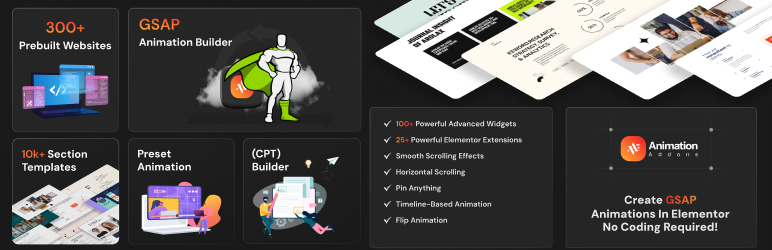
Animation Addons는 300개 이상의 전체 웹사이트 템플릿, 10,000개 이상의 전문적으로 디자인된 Elementor 섹션 템플릿, 그리고 100개 이상의 강력한 위젯을 포함하여 빠른 출시와 전환율 향상을 돕습니다.
무료로 전체 Elementor 웹사이트 만들기 — 80개 이상의 무료 웹사이트 템플릿, 100개 이상의 위젯, 그리고 내장 애니메이션 기능 포함.
고급 GSAP 파워 애니메이션 웹사이트가 필요할 경우에만 업그레이드하세요.
👉 Animation Addons
👉 300+ Elementor 템플릿
대부분의 Elementor 웹사이트가 정적으로 느껴지는 이유
많은 Elementor 웹사이트는 반복적이고 한정적으로 보이는 기본 모션 효과에 의존합니다.
고급 스크롤 애니메이션이나 GSAP 기반 상호작용을 만들려면 종종 맞춤 코딩이나 성능에 영향을 주는 무거운 애드온이 필요합니다.
Animation Addons는 전문적인 GSAP 애니메이션 기능을 Elementor 내부로 직접 가져와 이 문제를 해결합니다.
강력한 Elementor 애니메이션 플러그인 — 복잡함 없이
Animation Addons는 GSAP로 구동되는 Elementor 애니메이션 플러그인으로, Elementor 내부에서 직접 부드러운 스크롤 애니메이션, 인터랙티브 모션 효과 및 동적 레이아웃을 생성하도록 도와줍니다.
사용자 지정 코드를 작성하는 대신 고급 모션 효과를 적용하고, 기성 Elementor 위젯을 사용하며, 전문적으로 디자인된 웹사이트 템플릿에서 시작할 수 있습니다 — 모두 성능과 전환을 최적화하도록 설계되어 있습니다.
프리미엄처럼 보이고 빠르게 로드되는 모던하고 애니메이션이 적용된 Elementor 웹사이트를 만드세요.
애니메이션 애드온은 누구를 위한 것인가?
Animation Addons는 기본 Elementor 모션 효과 이상을 원하는 제작자들을 위해 설계되었으며, 개발 비용을 늘리지 않고 더 빠르게 구축할 수 있도록 도와줍니다.
적합 대상:
에이전시 & 프리랜서
고급 Elementor 애니메이션, 기성 웹사이트 템플릿 및 미리 제작된 섹션 레이아웃을 사용하여 클라이언트 사이트를 더 빠르게 제공합니다. 맞춤 코딩 시간을 줄이고 개발 비용을 낮추며 프로젝트 마진을 높이세요.
SaaS & 스타트업 랜딩 페이지
JS 개발자 없이도 GSAP 기반 스크롤 애니메이션과 전문 섹션 템플릿으로 전환율 높은 Elementor 랜딩 페이지를 제작하세요.
포트폴리오 및 크리에이티브 웹사이트
쇼케이스 작업은 부드러운 텍스트 애니메이션, 스크롤 스토리텔링 및 인터랙티브 모션 효과로 표시하면서 맞춤 개발 시간을 수시간 절약합니다.
소상공인 및 크리에이터
코딩 지식 없이 바로 사용 가능한 템플릿과 위젯을 사용해 전문적인 애니메이션 Elementor 사이트를 제작하세요.
시간 절약. 비용 절감. 더 빠른 출시.
Instead of building animations from scratch or hiring developers for custom GSAP integration, Animation Addons gives you advanced motion tools and Elementor templates in one lightweight plugin — helping you complete projects faster and keep your workflow efficient.
Elementor용 강력한 애니메이션 엔진
유연한 GSAP 기반 모션 시스템이 워크플로에 직접 통합되어 고급 Elementor 애니메이션을 생성합니다.
✓ ScrollTrigger, 패럴랙스 효과 및 부드러운 스크롤링으로 고급 스크롤 기반 애니메이션을 구축하세요.
✓ SplitText 효과로 제목을 애니메이트하고, 인터랙티브한 마우스 오버 및 텍스트 공개 애니메이션을 만들며, 타임라인 기반 모션 효과를 구축하세요.
✓ MotionPath, DrawSVG, Lottie, FLIP, MorphSVG 및 Draggable 애니메이션을 사용자 지정 트리거로 만들고, ScrollSmoother를 사용하여 부드러운 페이지 전환을 구현하세요.
대규모 Elementor 템플릿 라이브러리
Speed up development with one of the largest Elementor template collections available:
👉 300+ 전체 Elementor 웹사이트 템플릿
👉 80+ 무료 Elementor 웹사이트 템플릿
👉 10,000+ 최신 Elementor 섹션 템플릿
👉 15,00+ 창의적인 Elementor 페이지 템플릿
👉 전환 중심 레이아웃
👉 즉시 사용 가능한 사전 애니메이션 디자인
몇 주가 아닌 몇 분 만에 완성된 Elementor 웹사이트를 출시하세요.
100개 이상의 강력한 위젯 및 확장기능
Extend Elementor with advanced widgets and smart extensions designed for real-world websites.
👉 100+ 무료 Elementor 위젯
👉 25+ 무료 Elementor 확장기능
👉 가로 스크롤 데모
👉 고정 요소(핀 요소) 데모
👉 SplitText 애니메이션 데모
👉 고급 이미지 애니메이션 데모
모두 Elementor 안에서 완벽히 작동하도록 제작되었습니다.
성능 및 속도를 위해 제작됨
Animation Addons is designed as a lightweight Elementor animation plugin.
스마트 자산 로딩
Only the animation scripts and features you use are loaded — preventing unnecessary bloat on your website.
최적화된 GSAP 통합
Advanced GSAP animation features like ScrollTrigger, SplitText, and MotionPath are implemented efficiently to ensure smooth motion without slowing down page speed.
모션 감소 설정 지원
Built-in options allow you to respect user accessibility preferences and disable animations where needed.
깔끔하고 모듈화된 아키텍처
모든 위젯, 템플릿, 애니메이션 확장 기능은 충돌하는 스크립트나 무거운 의존성 없이 Elementor와 원활하게 작동하도록 구성되어 있습니다.
동적처럼 보이면서 빠르게 로드되는 애니메이션 Elementor 웹사이트를 제작하세요.
Elementor용 강력한 GSAP 애니메이션 엔진
Animation Addons는 GSAP 기반의 완전한 모션 시스템을 엘리멘터 내부로 직접 제공하여 맞춤 JavaScript를 작성하지 않고도 고급의 높은 성능 애니메이션을 만들 수 있게 합니다.
전문적인 애니메이션 도구와 워크플로 우호적인 컨트롤을 사용하여 현대적이고 인터랙티브한 엘리멘터 웹사이트를 구축하세요.
🌟 ScrollTrigger
🎨 GSAP 애니메이션 빌더
🎬 프리셋 애니메이션
⚡ 부드러운 스크롤
🌐 수평 스크롤
📌 스티키 요소
⏳ 타임라인 기반 애니메이션
✂️ 텍스트 분할 애니메이션 & 텍스트 스크램블
🔄 플립 애니메이션 & 드래그 가능
🛒 스크롤 투 애니메이션
🎥 로티 애니메이션
🖼️ DrawSVG 애니메이션 & 모프 SVG
➡️ 모션 경로 애니메이션
📏 스태거 애니메이션
🌪️ Scroll Smoother
🌍 패럴랙스 효과
🎥 중첩 요소
🎞️ 클립 패스 애니메이션
📸 이미지 시퀀스 애니메이션
🌟 리빌 애니메이션
🌫️ 바운스 & 페이드 애니메이션
✨ 커서 마우스 오버, 커서 무브 이펙트 및 커스텀 커서 이펙트
모든 것을 더 쉽게 만드는 강력한 기능들
- 실시간 복사·붙여넣기
- 실시간 섹션 다운로드
- 실시간 미리보기
- 기존 디자인에 애니메이션 추가
- 프리셋 애니메이션
- 완전한 반응형 제어
- 가볍고 최적화됨
- SEO 친화적
- 코드 스니펫
- 헤더 푸터 빌더
- 동적 콘텐츠
- CPT – 커스텀 게시물 유형 빌더
- Elementor 무료 및 Pro와 호환
- Compatible with Other Addons
애니메이션에 코딩 필요 없음
25개의 강력한 Elementor 확장기능
Animation Addons는 Elementor 경험을 향상시키는 강력한 확장 기능들을 계속해서 추가하고 있습니다. 필요한 항목만 활성화하여 사이트를 가볍고 빠르게 유지하세요.
무료 확장 기능을 확인하거나 더 많은 창의적 제어를 위해 고급 Pro 확장 기능의 잠금을 해제하세요.
무료 Elementor 확장기능:
-
코드 스니펫:
워드프레스 및 엘리멘터 내에서 커스텀 HTML, CSS, PHP 및 JavaScript를 추가하고 관리하세요. -
사용자 정의 CSS:
Elementor 내에서 고급 사용자 정의 CSS를 무료로 적용하세요. -
Popup Builder for Elementor:
Elementor에서 참여도와 전환을 높이기 위한 반응형 워드프레스 팝업을 생성하세요. -
사용자 정의 글꼴 통합:
Elementor에 사용자 정의 글꼴을 업로드하여 일관된 브랜드 이미지를 유지하세요. -
사용자 지정 아이콘 글꼴 (IcoMoon 지원):
IcoMoon을 포함한 사용자 지정 아이콘 글꼴을 가져와 브랜드에 맞춘 Elementor 디자인을 완성하세요. -
맞춤 게시물 유형(CPT) 빌더:
코딩 없이 워드프레스에서 맞춤 게시물 유형을 생성하고 관리하세요 — 동적 엘리멘터 웹사이트에 이상적입니다. -
Wrapper Link for Elementor:
전체 Elementor 섹션 또는 컨테이너를 커스텀 코드 없이 클릭 가능하게 만듭니다. -
메가 메뉴 빌더:
Elementor에서 더 나은 사이트 내비게이션을 위해 고급의 완전 맞춤형 메가 메뉴를 생성하세요. -
Advanced Tooltip for Elementor:
요소레터(Elementor)에 인터랙티브 툴팁을 추가하여 마우스 오버 시 추가 정보를 표시합니다.
프로 확장기능:
Pro Animation Extensions
- 엘리멘터용 스무스 스크롤러
모던하고 부드러운 탐색 경험을 위한 스무스 스크롤 효과를 추가합니다. -
고급 애니메이션 컨트롤:
유연한 트리거와 타이밍으로 맞춤형 Elementor 애니메이션을 만드세요. -
스크롤 시 요소 고정(Pin Element on Scroll):
섹션이나 위젯을 스크롤 중에 고정하여 스티키 효과를 구현합니다. -
Elementor용 텍스트 애니메이션: (SplitText 효과)
Elementor에서 텍스트 리빌, 페이드, 3D 텍스트, 문자별 및 단어별 애니메이션을 포함한 동적 SplitText 애니메이션을 만드세요. -
이미지 애니메이션:
더 나은 시각적 몰입을 위해 이미지에 동적인 모션 효과를 적용합니다. -
커서 마우스 오버 효과:
커서 움직임에 의해 트리거되는 인터랙티브한 마우스 오버 애니메이션을 추가합니다. -
마우스 오버 시 이미지 공개:
현대적인 디자인 레이아웃을 위해 마우스 오버 시 이미지를 부드럽게 공개합니다. -
커서 무브 효과:
사용자 커서 움직임에 반응하는 모션 효과를 생성합니다. -
Horizontal ScrollTrigger:
GSAP ScrollTrigger를 사용하여 수평 스크롤 애니메이션을 만드세요. -
포트폴리오 필터:
애니메이션 필터를 추가하여 포트폴리오 항목을 정리하고 표시합니다. -
틸트 효과:
대화형 Elementor 요소를 위해 마우스 기반 틸트 애니메이션을 생성합니다.
Elementor용 100개 이상의 독점 위젯
Design beautiful, dynamic websites with 100+ exclusive Elementor widgets — and the best part? Most of them are completely free. From creative layouts to powerful marketing elements, everything is built to be easy, flexible, and ready to use. Just drag, drop, and customize your way.
70개 이상의 무료 Elementor 위젯
핵심 콘텐츠 위젯
- Image Box: Display images with animated layouts in multiple styles.
-
Image Box Slider: Showcase images in responsive slider layouts.
-
Image: Display logos, photos, and media in PNG, JPEG, WebP, or GIF format.
-
Image Gallery: Create animated and styled image galleries.
-
Brand Slider: Show client or brand logos in a customizable slider.
-
Text Hover Image: 이미지에 마우스 오버 시 텍스트 오버레이 효과 추가.
-
Image Compare / Image Comparison: Compare two images side-by-side using a smooth slider.
-
Image Hotspot: Add clickable hotspots to highlight image details.
마케팅 및 전환 위젯
-
Counter : Display animated number counters for statistics.
-
Progress Bar: Show progress indicators in multiple styles.
-
Countdown: Add countdown timers for events or promotions.
-
Notification: Display customizable alerts and announcements.
-
Advanced Pricing Table: Present structured pricing layouts professionally.
UI 및 상호작용 위젯
- Button / Advanced Button: Create customizable Elementor buttons with modern styles.
- Icon Box: Display icons with titles and descriptions.
- Tabs:
탭형 레이아웃을 사용하여 콘텐츠를 정리합니다. - 서비스 탭: 다양한 스타일 옵션으로 서비스를 효과적으로 제시하세요.
- Advanced Accordion: Create collapsible content sections.
- Toggle Switcher: Add interactive on/off toggle elements.
- Clickdrop: Expand content with smooth click-to-reveal interaction.
- Advanced Tooltip: Show additional information on hover.
- Floating Elements: Add floating, rotating, zooming, and motion effects.
- Tilt Effect: Create mouse-based tilt animations.
슬라이더 및 모션 위젯
-
Event Slider: Display events in dynamic slider layouts.
-
Content Slider: Create responsive content sliders.
-
Nested Slider: Build advanced multi-layer sliders in Elementor.
-
Scrollmotion Cards: Add scroll-triggered animated cards.
후기 및 팀 위젯
-
Testimonial (Classic / Modern / Advanced): Display client testimonials in multiple styles.
-
Team: Showcase team members professionally.
내비게이션 및 레이아웃 위젯
-
One Page Nav: Create smooth scrolling navigation.
-
Nav Menu: Build customizable Elementor navigation menus.
-
Site Logo: Display your website logo.
-
Breadcrumbs: Show navigation path for better UX.
동적 워드프레스 위젯
-
Post Title / Post Content / Post Excerpt: Display dynamic WordPress post data inside Elementor.
-
Post Featured Image: Show featured images dynamically.
-
Post Meta Info: Display post metadata such as date and author.
-
Post Pagination: Add navigation between posts.
-
Post Social Share: Enable social sharing for posts.
-
Posts / Featured Posts / Banner Posts: Show blog posts in grid, slider, or banner layouts.
-
Archive Title: Display dynamic archive page titles.
-
Portfolio: Create filterable portfolio grids.
-
Loop Grid: Build dynamic post grids with full customization.
-
Category Showcase: Highlight post categories visually.
-
Grid Hover Posts: Show posts in animated hover layouts.
-
Post Reactions: Add emoji reactions to blog posts.
-
Post Rating / Post Rating Form: Allow and display user ratings.
-
Video Posts Tab: Display video posts inside tab layouts.
-
Current Date: Show the current date dynamically.
-
검색 양식: 워드프레스 검색 양식을 추가합니다. 검색 결과를 표시합니다.
폼 및 통합 위젯
-
Contact Form 7: Style and customize Contact Form 7 in Elementor.
-
Mailchimp / Advanced Mailchimp: Add email subscription forms for lead generation.
-
Media & Special Widgets
-
Weather: Display real-time weather information.
-
Author Box: Show author information below posts.
애니메이션 위젯
- Animated Text
- Animated Title
-
타자기 위젯: 클래식 타자기 텍스트 효과를 만드세요.
-
Posts Read Later: Allow users to save WordPress posts and read them later.
-
Filterable Posts: Display WordPress posts with category and tag filtering options.
-
Advanced Mailchimp: Add customizable Mailchimp subscription forms inside Elementor.
-
YouTube Video: Embed and display YouTube videos easily in Elementor pages.
Pro 위젯
Pro 애니메이션 위젯
-
GSAP DrawSVG: GSAP DrawSVG 효과를 사용하여 Elementor에서 SVG 경로를 애니메이션합니다.
-
Lottie 위젯: Elementor 페이지에 가볍고 인터랙티브한 Lottie 애니메이션을 추가합니다.
-
큐브 스크롤 리빌:
3D 큐브 스타일의 스크롤 애니메이션으로 요소를 노출합니다.
Pro 헤더 및 푸터 위젯
- Animated Off-Canvas: Create animated off-canvas panels for menus or content sections.
Pro 동적 위젯
-
Video Box Slider: Display videos in a responsive slider layout.
-
Advanced Posts: Show WordPress posts with advanced layouts and customization.
-
Video Story: Present posts or content in engaging video story format.
-
Live Events: Highlight upcoming or ongoing events dynamically.
-
Posts Slider: Display WordPress posts in an animated slider.
-
Breaking News Slider: Show latest news in an attention-grabbing ticker slider.
Pro 비디오 위젯
-
Video Popup: 동영상 팝업 모달 안에 동영상을 표시하여 참여도를 향상시킵니다.
-
Video Box: Embed external or self-hosted videos directly inside Elementor.
-
Video Mask: 동영상 요소에 창의적인 마스크 및 시각 효과 적용.
-
Scrollable Video: Create interactive scroll-based video layouts.
Pro 고급 위젯
-
Stacked Cards: 부드러운 쌓기 애니메이션이 적용된 레이어드 카드 레이아웃을 만듭니다.
-
Scrollmotion Cards: 스크롤 트리거 애니메이션 카드 효과 추가.
-
Flip Box: Add interactive flip, slide, fade, and zoom effects.
-
Scroll Elements: Build scroll-driven interactions inside Elementor.
-
Vertical Marquee: Add continuous vertical scrolling text or images.
-
Advanced Portfolio: Create responsive portfolio grids or sliders.
-
Nested Motion Card: Design layered cards with smooth motion effects.
애니메이션 애드온 vs 기본 Elementor 애니메이션
Elementor는 기본 모션 효과를 포함하지만 고급 애니메이션과 동적 인터랙션은 종종 추가 도구가 필요합니다.
다음은 Animation Addons가 가능성을 펼치기(펼치기)하는 방법입니다:
기본 Elementor 모션 효과
- Simple entrance animations
- Limited scroll effects
- 고급 타임라인 제어 없음
애니메이션 애드온
- GSAP로 구동되는 고급 스크롤 애니메이션
- ScrollTrigger 기반 상호작용
- SplitText 애니메이션
- MotionPath 및 DrawSVG 효과
- 완전한 타임라인 및 트리거 제어
각각 언제 사용해야 하는지
If you only need simple entrance effects, Elementor’s built-in animations may be enough.
If you want professional scroll storytelling, interactive motion, and advanced Elementor animation control — Animation Addons gives you the tools to go further.
선도적인 WordPress 및 Elementor 제작자들이 신뢰하는
Animation Addons is trusted and reviewed by top WordPress & Elementor educators who actively demonstrate real-world animation workflows.
특집 및 리뷰:
Matt Tutorials- “코드 없이 Elementor 웹사이트에 고급 GSAP 애니메이션을 추가하고 싶으신가요”
Hamza – GoTechUG- “Elementor 안에서 고급 스크롤 애니메이션을 구축합니다. Animation Addons 팀은 기대 이상으로 노력했으며 — 템플릿 키트는 아름답게 제작되어 애니메이션으로 가득합니다.”
Buddydevelopers- “고급 스크롤 및 GSAP 애니메이션을 추가하는 것은 악몽일 수 있지만, Animation Addons는 이를 부드럽고 문제 없이 만들어줍니다.”
문서 및 지원
- 문서 및 튜토리얼은 문서를 참조하세요.
- 추가로 궁금한 점이 있으신가요? 고객지원에 문의하기.
- 자세한 내용은 Animation Addons를 참조하세요.
Animation Addons의 행복한 사용자?
- 우리 페이스북 그룹에 가입하세요.
- YouTube 채널 튜토리얼을(를) 확인하고 배우세요.
외부 서비스
우리는 Elementor 사이트 및 섹션 템플릿을 원클릭으로 가져오기 위해 Themecrowdy API를 사용합니다.
우리의 Mailchimp 위젯은 Mailchimp의 API에 연결됩니다.
구독은 선택 사항이며, 사용자가 옵트인하지 않는 한 데이터가 수집되지 않습니다.
Source Code
See the unminified JS and CSS in our public repo: GitHub Repository.
스크린샷
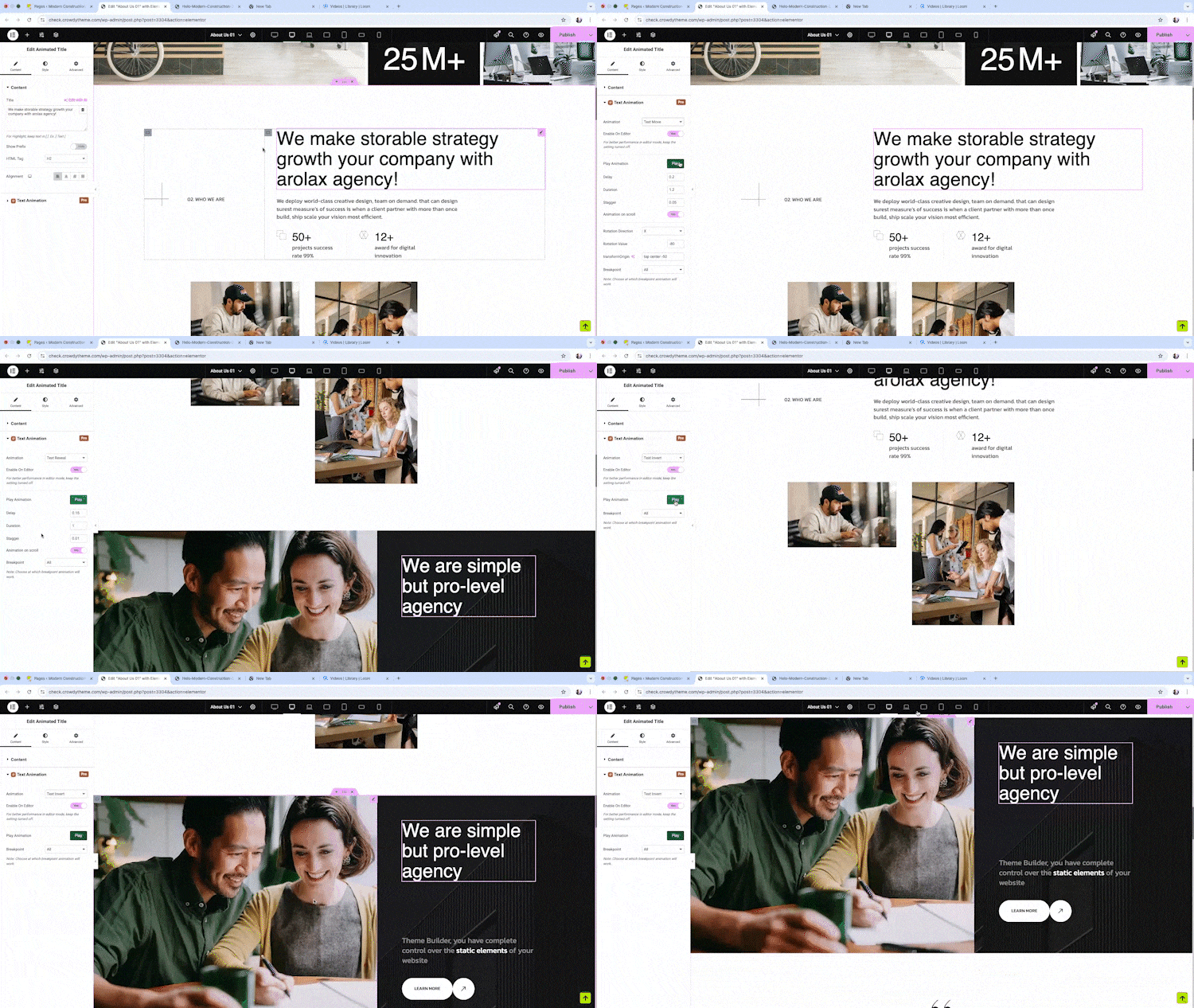
Preset Animations Instantly apply ready-made animations without any hassle. 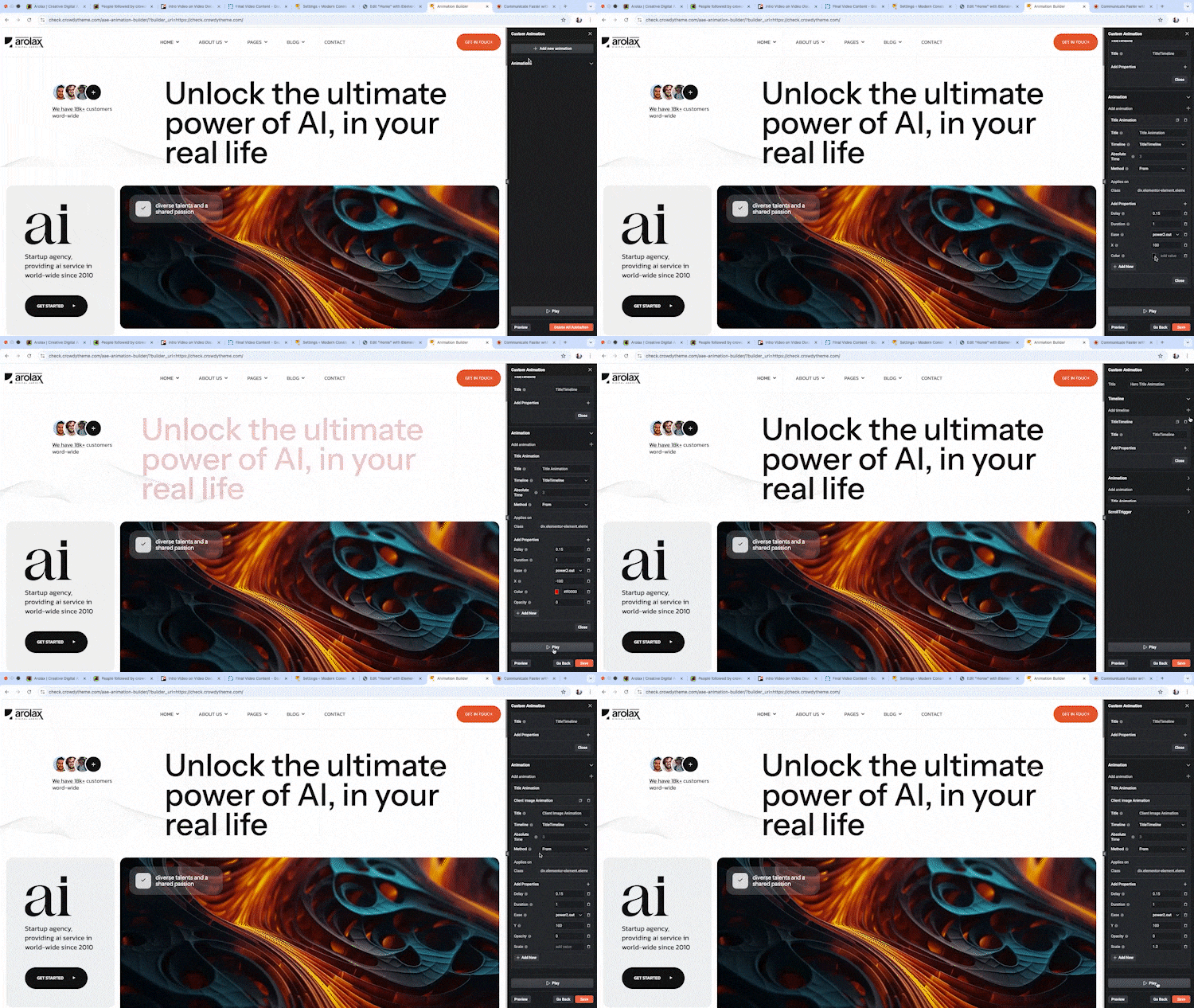
Animation Builder Build unlimited custom animations with intuitive controls and complete flexibility. 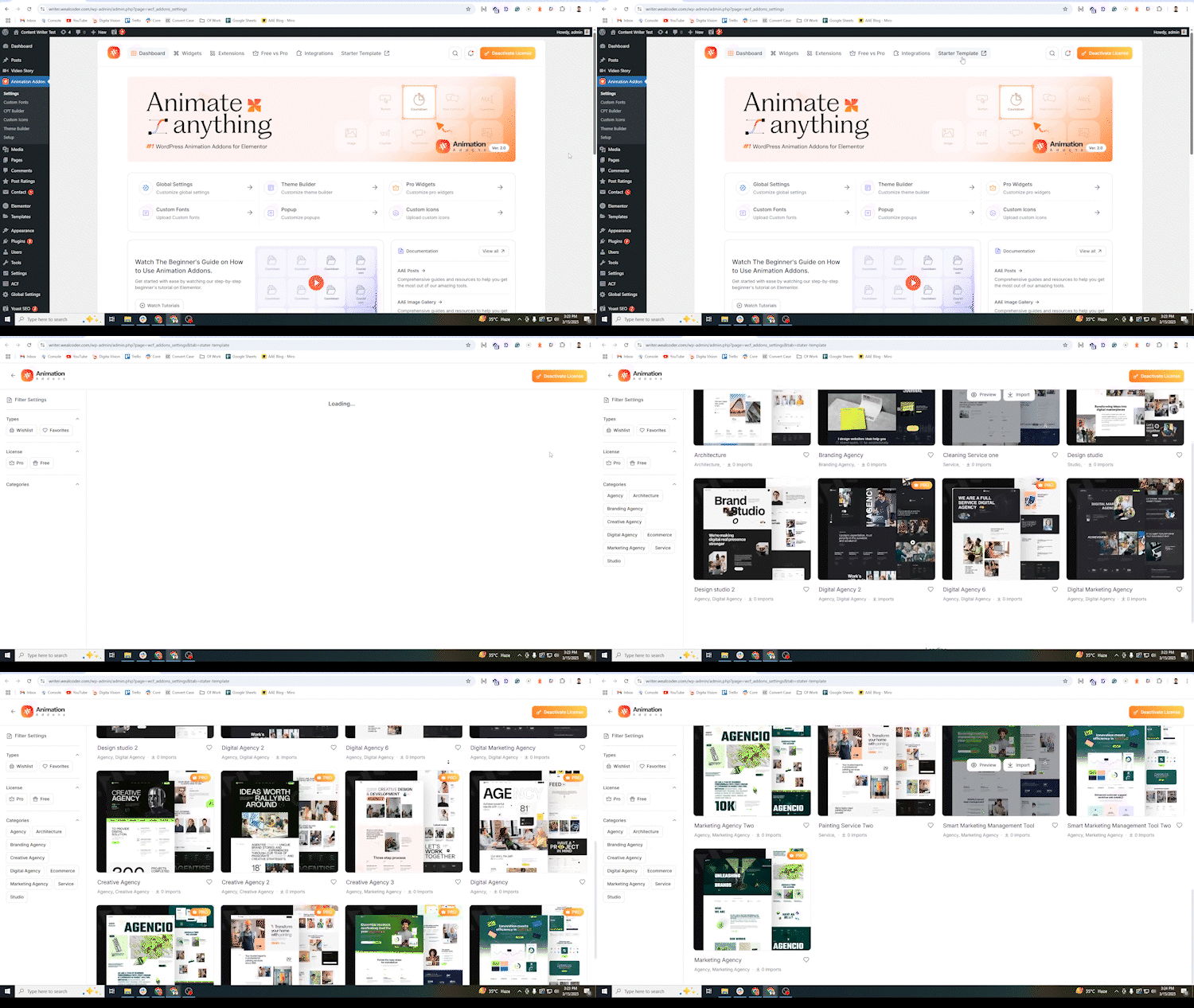
Pre-Built Templates Choose from a rich collection of ready-to-use animation templates to save time and effort. 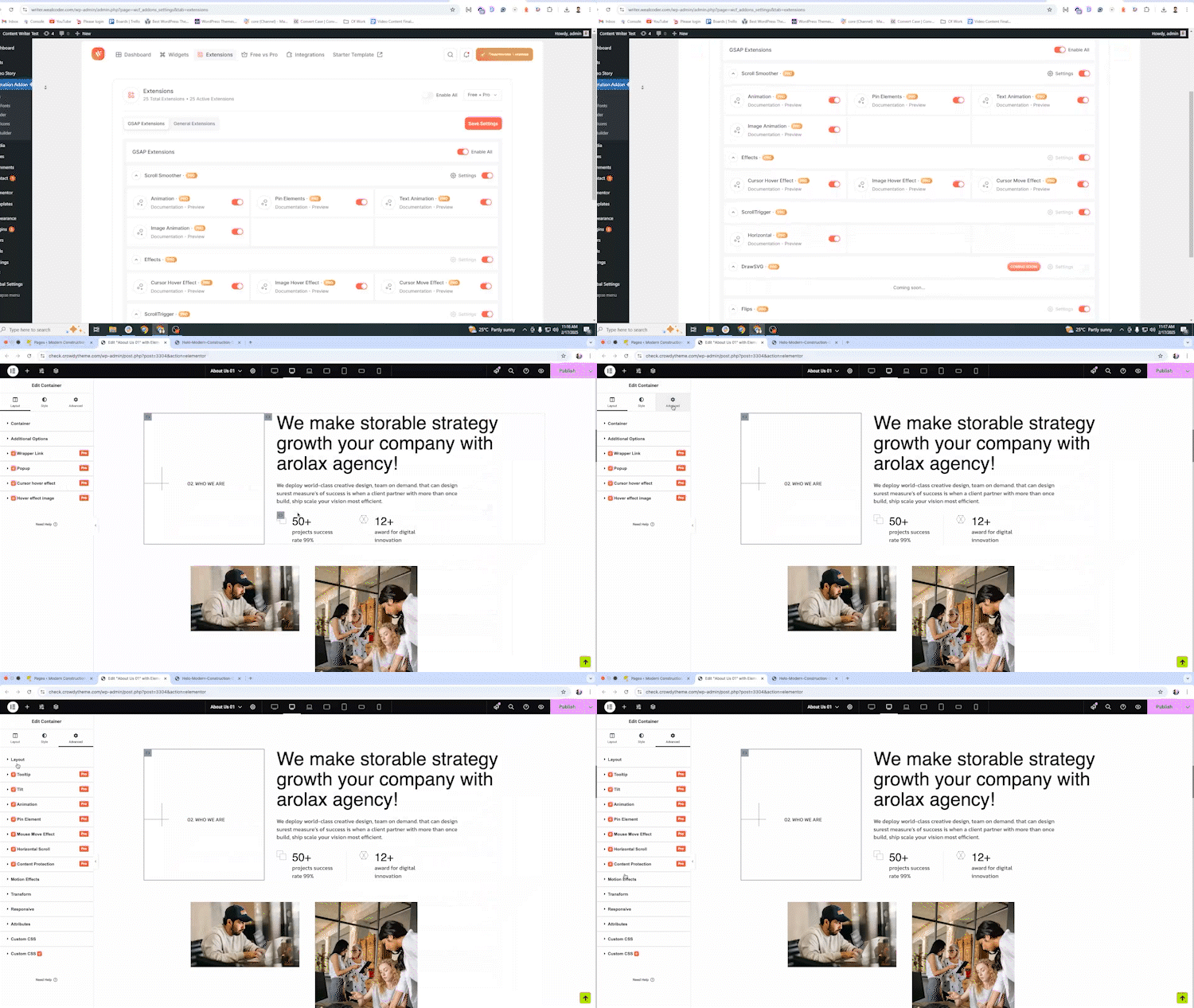
Extensions Enhance functionality with essential add-ons and pro features to supercharge your animations. 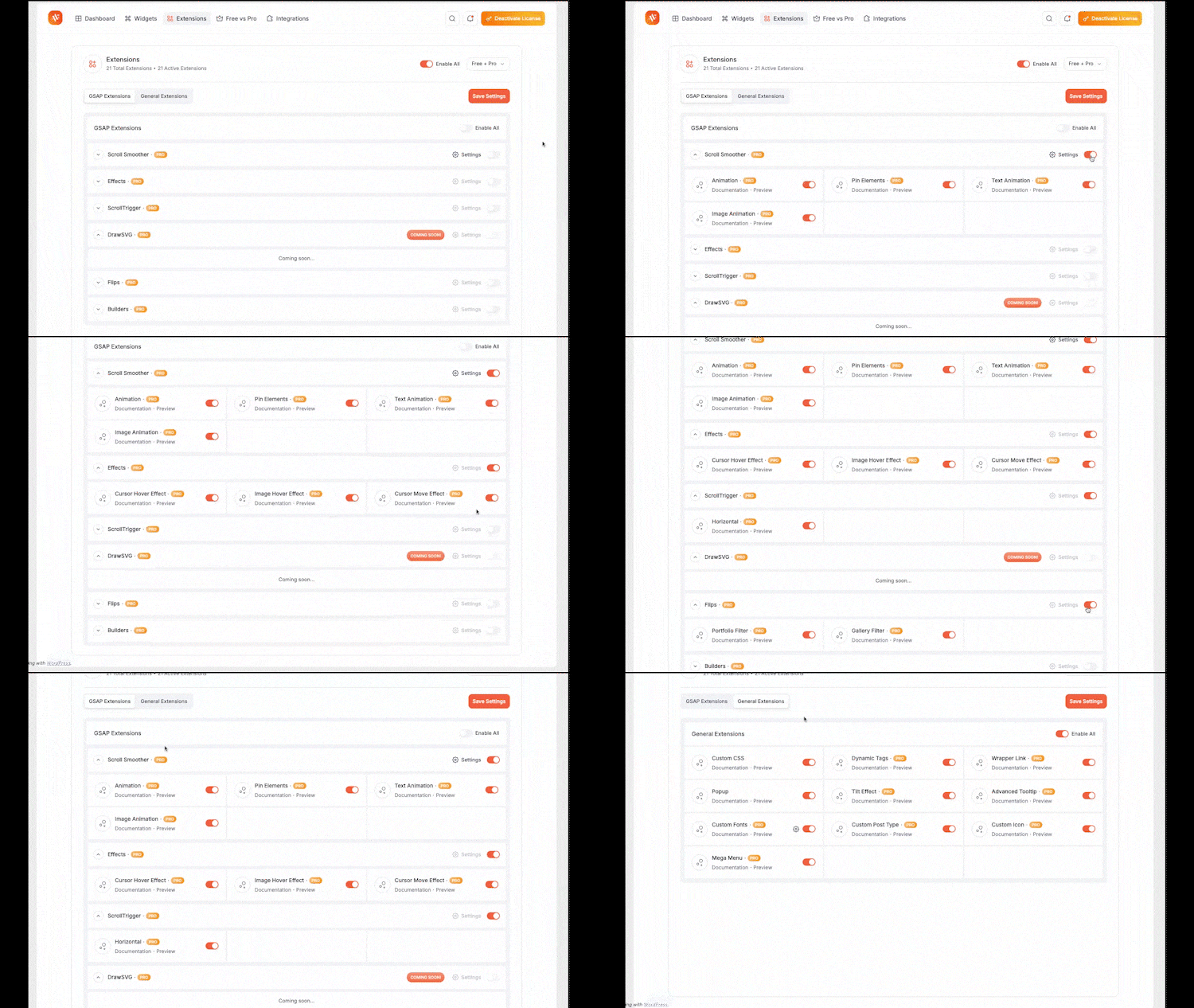
Powerful Dashboard Organize, manage, and monitor all your animations in one sleek and easy-to-use dashboard. 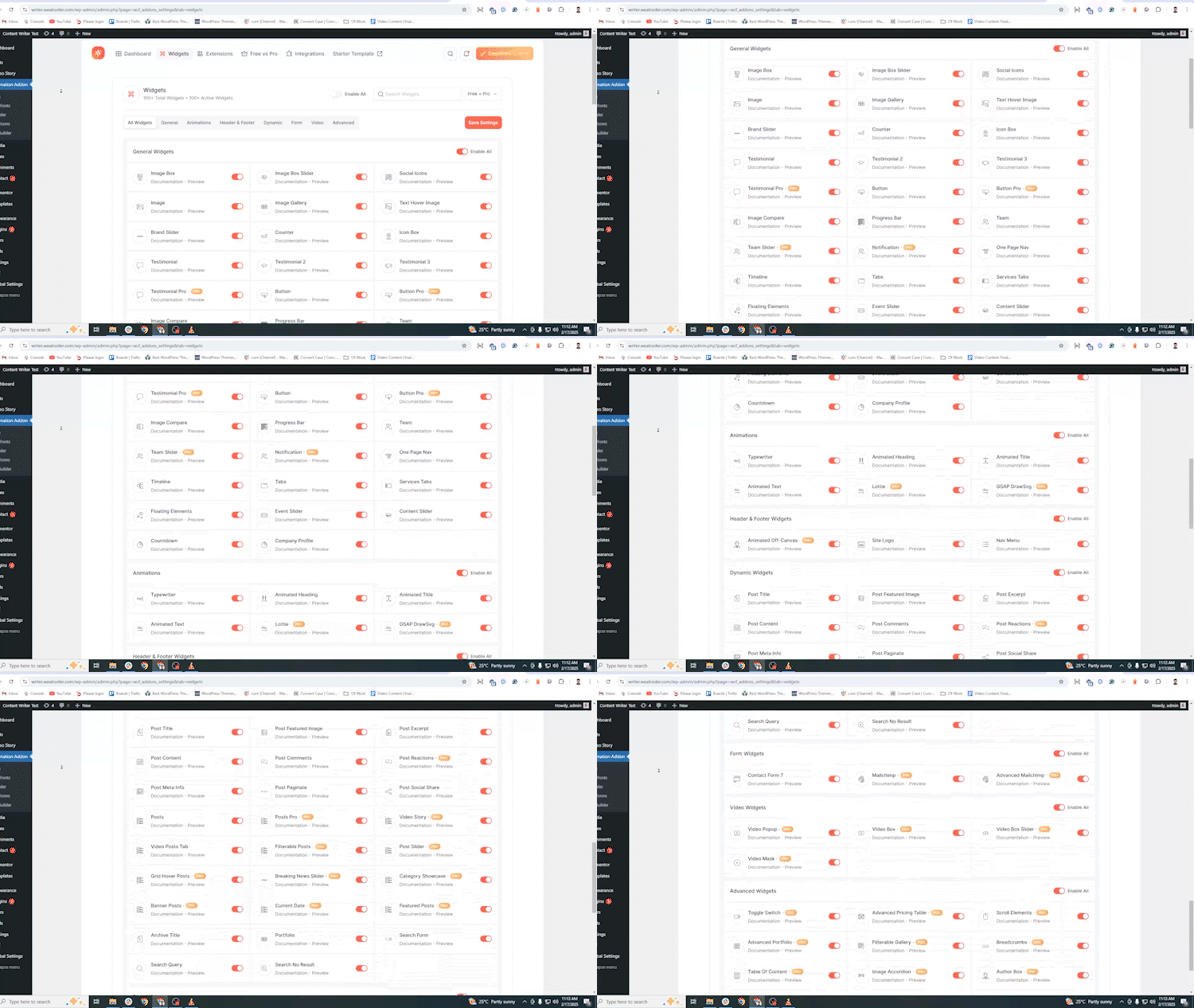
Widget Settings Panel Advanced controls and customization for each animation widget to fine-tune effects as you like. 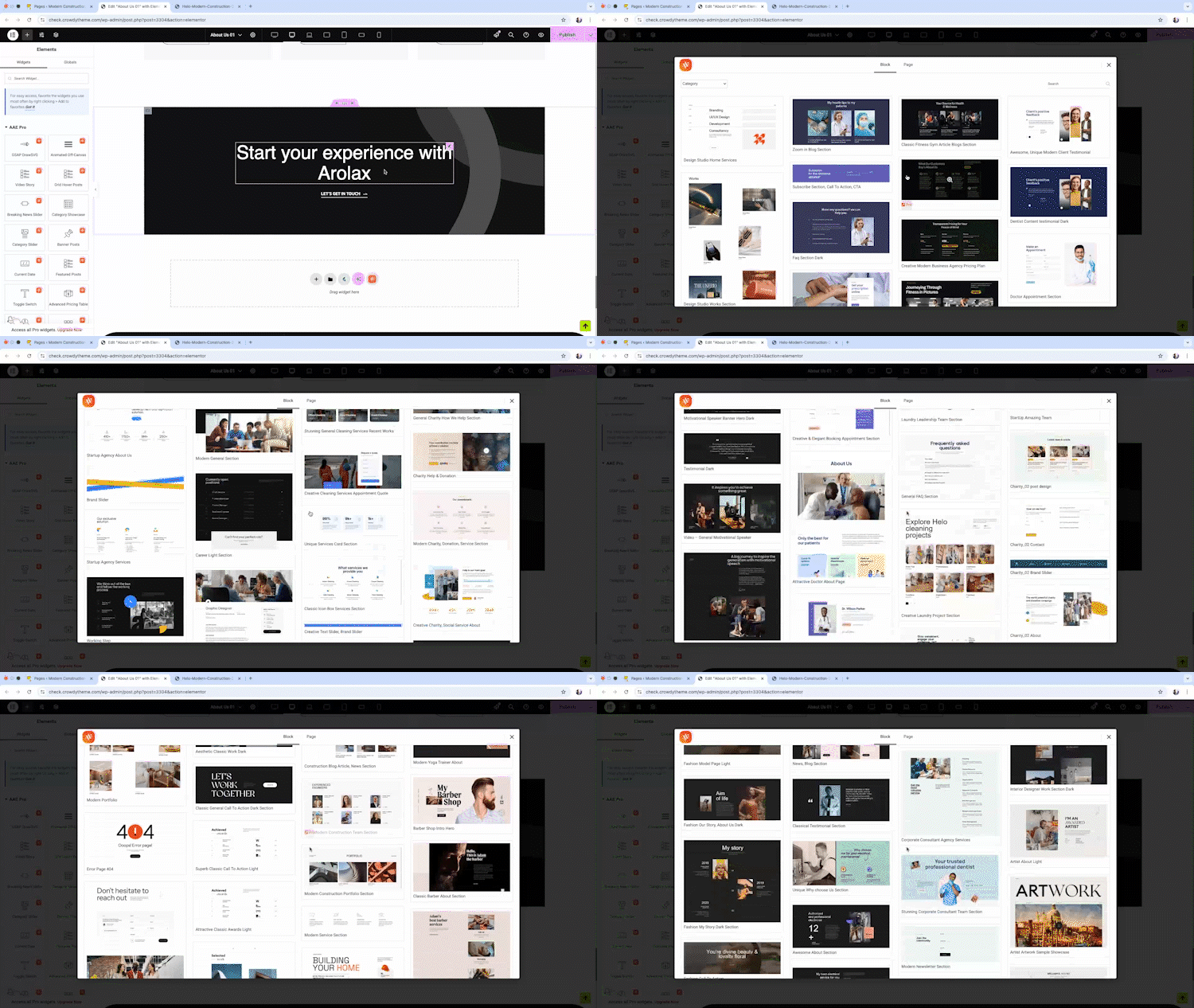
**Section Import (Live Copy)* One-click live copy & import of pre-designed animation sections directly into your projects.
설치
Minimum Requirements
- WordPress 6.7 or greater
- PHP version 7.4 or greater
- MySQL version 5.7 or greater
Recommended Requirements
- PHP version 8.3 or greater
- MySQL version 5.7 or greater
- WordPress Memory limit of 128 MB or greater (1024 MB or higher is preferred)
Installation
참고: 이 플러그인은 작동을 위해 Elementor가 필요합니다. 진행하기 전에 Elementor가 설치되어 활성화되어 있는지 확인해 주세요.
- Install the plugin directly from the WordPress Plugins screen, or manually upload the plugin files to /wp-content/plugins/animation-addons directory.
- Activate the plugin from the Plugins section in your WordPress dashboard.
- Access all settings via the admin sidebar under Animation Addons.
- Find all widgets categorized as AAE pro, AAE, AAE Header & Footer, AAE Archive, AAE Single, AAE Search inside the Elementor editor.
질문이 있으시면 FAQ 페이지를 방문하거나 문의 양식을 통해 연락해 주세요. 🚀
FAQ
-
What is Animation Addons for Elementor?
-
Animations Addons for Elementor is a cutting-edge WordPress plugin that enhances the built-in Elementor functionality. It’s packed with advanced widgets, pre-designed builders, and custom animations to empower users to build dynamic, interactive, and professional websites. All the widgets and features cater to enhancing the functionality, interactivity, and design aesthetics of websites.
Some of its premium widgets include Advanced Accordion, Advanced Portfolio, Toggle Switcher, Table of Content, Flip Box, Filterable Slider, Video Mask, and so on. The Elementor Addons also has an intuitive widget to create a mega menu. It enables users to easily create and customize mega menus by adding layouts, animations, and other functionality.
-
Why Animation Addons for Elementor is the Best Plugin for WordPress Animation?
-
Animation Addons for Elementor combines GSAP’s animation power with Elementor’s user-friendly design, which makes it the ultimate tool for WordPress animations.
Here’s why it’s the best WordPress animation plugin:
Seamless Elementor Integration: Easily animate any element without coding.
Extensive Animation Library: Pre-built animations for diverse design needs.
GSAP-Powered Features: Access advanced tools like ScrollTrigger, ScrollSmoother, MotionPath, SplitText, ScrollTo, Observer, Draggable, ScrambleText, DrawSVG, Easing Effects, and MorphSVG.
Advanced Control: Manage timelines, easing functions, and triggers with precision.
Optimized for Performance: Ensures smooth animations without impacting site speed.
Developer-Friendly: Offers intuitive previews for beginners and custom options for experts.
Regular Updates: Actively maintained with frequent updates and excellent 24/7 chat support.
-
How do Animation Addons for Elementor outperform other GSAP plugins for WordPress?
-
Elementor용 애니메이션 추가 기능은 워드프레스용 다른 GSAP 플러그인보다 몇 가지 중요한 측면에서 뛰어납니다:
완전한 GSAP 통합: 다른 플러그인과 달리 ScrollTrigger, ScrollSmoother, MotionPath, MorphSVG, Flip 같은 GSAP 기능들을 완전히 통합하여 애니메이션에 대한 더 큰 유연성과 제어를 제공합니다.Performance-Focused: Built to ensure high-performance animations, it avoids the performance issues that some other plugins might introduce by offering smooth, fluid animations that don’t impact site speed.
Superior Ease of Use: While other GSAP plugins may require extensive coding, Animation Addons for Elementor provides an intuitive interface with visual previews, allowing for easy animation creation without any development knowledge.
Advanced Control Over Animations: It offers granular control over animation sequences, timelines, and triggers, giving designers and developers the ability to create complex, custom animations with precision.
Frequent Updates: Unlike some other plugins that lack regular updates, this plugin is consistently improved, with new features and bug fixes released to ensure long-term reliability and compatibility with WordPress and Elementor.
-
How do I enable smooth scrolling with Animation Addons for Elementor?
-
To enable smooth scrolling, go to Animation Addons > Settings in your WordPress dashboard. Then navigate to the “Extensions” tab. Under the “Gsap Extension” option, enable the “Smooth Scroller” option. Finally, click on “Save Settings” to activate the effect.
-
Can I use Animation Addons for Elementor without any coding experience?
-
Yes, you can use Animation Addons for Elementor without any coding experience. The plugin is designed with a user-friendly interface that allows you to create stunning animations easily through Elementor’s drag-and-drop editor. You can select from a wide range of pre-built animations, customize them visually, and apply them to any element on your page—no coding required. The intuitive setup and real-time visual previews make it simple for anyone, regardless of coding knowledge, to create professional animations.
-
What types of animations can I add with Animation Addons for Elementor?
-
You can animate anything with our addon. It empowers you to add a wide variety of advanced animations, including scroll-triggered animations, hover effects, and other custom animations tailored to your unique design needs. From text to image, you can animate everything you want.
-
Do the Animation Addons For Elementor have any issues with performance, speed, and CLS?
-
No, our Elementor Addons ensure the best website speed & performance. Despite using GSAP and other animations like Lottie, it doesn’t affect the loading times. Our animations are SEO-friendly and lightweight. Our plugin also complies with CLS (Cumulative Layout Shift) to ensure the Core Web Vital performance.
-
How do I resolve plugin conflicts or errors?
-
To resolve a conflict or error, you have to download the latest version of Animation Addons for Elementor and Elementor plugins. We continuously update our plugin with new features and animations.
-
Is there any documentation or support available for the plugin?
-
Yes, our website provides detailed, easy-to-understand documentation and dedicated 24/7 support to troubleshoot technical issues.
-
Can I use the plugin without Elementor Page Builder?
-
No. You cannot use it without Elementor since it’s an addon for Elementor.
-
Do I need to know the code to use Animation Addons for Elementor?
-
Animation Addons for Elementor의 위젯과 모듈을 사용하려면 코드를 알 필요가 없습니다. 즉, 별도의 코딩 전문 지식 없이도 모든 요소를 활용하여 웹 디자인 경험을 향상할 수 있습니다.
후기


기여자 & 개발자
“Animation Addons for Elementor – GSAP 모션 Elementor 애드온 & 웹사이트 템플릿”(은)는 오픈 소스 소프트웨어입니다. 다음의 사람들이 이 플러그인에 기여하였습니다.
기여자


변경이력
= 🌀 Animation Addons for Elementor v2.6.3 – 2026년 4월 20일
- Added: Lightbox Feature Added at  Image Gallery Widget
- Imporoved: Dashboard Performance Improved.
- Added: Brand Slider Widget- New control auto slide width
= 🌀 Animation Addons for Elementor v2.6.2 – 2026년 4월 9일
– 추가: 대시보드에서 언어 지원 추가.
– 개선: 빌더와 프런트엔드 양쪽의 중간 수준 성능 문제 해결.
= 🌀 Animation Addons for Elementor v2.6.1 – 2026년 4월 1일 =
- Fixed: Single Post Template Issues.
= 🌀 Elementor용 Animation Addons v2.6.0 – 2026년 3월 29일
- Fixed: React Lazyload issues.
- Improved: Modarate performance issues solved in both the builder and frontend.
= 🌀 애니메이션 애드온즈 포 엘리멘터 v2.5.9 – 2026년 3월 16일
- Improved: Boost performance in both the builder and frontend.
= 🌀 Elementor용 Animation Addons v2.5.8 – 2026년 3월 12일
- Fixed: Nav menu widget conflict issues.
= 🌀 Animation Addons for Elementor v2.5.7 – 2026년 3월 10일
- Fixed: Starter Animation conflict issues.
= 🌀 Animation Addons for Elementor v2.5.6 – 2026년 3월 5일 =
- 수정: 스타터 애니메이션 문제 수정됨.
- 수정: 루프 그리드 위젯과 Elementor 루프 그리드 충돌 문제 수정.
- 개선: 스타터 애니메이션 종속성 제거(확장 기능)
= 🌀 애니메이션 애드온 for Elementor v2.5.5 – 2026년 2월 22일 =
- 추가: 텍스트, 이미지, 컨테이너용 새로운 무료 스타터 애니메이션.
- 추가: 고급 가격표 – 새로운 위젯 추가.
- 추가: 날씨 – 새 위젯 도입.
- 추가됨: 무료 템플릿 27개.
= 🌀 Animation Addons for Elementor v2.5.4 – 2026년 2월 16일
- 개선됨: 불필요한 코드 정리
- 추가됨: 3개 이상의 섹션이 추가되었습니다.
= 🌀 Animation Addons for Elementor v2.5.3 – 2026년 2월 1일
- 기능: 모든 위젯에 WPML 지원 추가.
- 기능: 애니메이션 확장 섹션의 이징 필드에 없음 옵션 추가
= 🌀 Animation Addons for Elementor v2.5.2 – 2026년 1월 26일
- 업데이트: 확장 아이콘
- 수정: 필터 가능한 슬라이더 문제
= 🌀 Elementor용 애니메이션 애드온 v2.5.1 – 2026년 1월 19일
- 수정: ScrollSmoother 저장 문제
= 🌀 Animation Addons for Elementor v2.5.0 – 2026년 1월 18일
- 수정: 대시보드 RTL 문제
- 수정: 한국어 언어 디자인 로드 문제
- 수정: 테마빌더 특정 페이지 검색 문제
- 추가: ScrollSmoother 반응형 컨트롤
- 추가됨: 애니메이션 헤딩 색상 모드
= 🌀 Animation Addons for Elementor v2.4.9 – 2026년 1월 4일
- 수정: 스태킹 카드 URL
- 수정: 택소노미 페이지용 동적 태그
= 🌀 Animation 추가 기능 for Elementor v2.4.8 – 2025년 12월 28일
- 수정: 데모 가져오기 중 ThemeBuilder 슬러그 및 ID
- 수정: 여러 위젯에 동적 태그 지원 추가
= 🌀 Animation Addons for Elementor v2.4.7 – 08 Dec 2025
-
수정: 애니메이션 마크업 컨트롤
애니메이션 마크업 컨트롤이 올바르게 렌더링되지 않던 문제를 해결하여 보다 부드럽고 일관된 애니메이션 동작을 보장합니다. -
수정: 테마 빌더 – 헤더/푸터 조건
헤더와 푸터 조건이 모든 레이아웃에서 올바르게 작동하도록 트리거 로직을 개선했습니다.
= 🌀 Animation Addons for Elementor v2.4.6 – 01 Dec 2025
- Fix: Widget – Loop grid style
- Fix: Widget – Youtube video
- Fix: Widget – Grid hover post responsive
= 🌀 Animation Addons for Elementor v2.4.5 – 19 November 2025
- Feature: Add new widget Loop Builder
- Feature: Add Dynamic Tag support in several widgets
- Feature: Add new controls in several widgets
- Feature: Add Current template Names in admin bar
- Feature: Add new Tag support in Extension Code Snippet HTML Editor
- Fix: Extension – Popup template and script issues
- Fix: Extension – Code Snippet Code Editor issues
- Fix: Widget – Toggle style and responsive issue
- Fix: Widget – Breadcrumb link and category link and name issue
- Fix: Widget – Image Box link issue
- Fix: Widget – Advanced Button style issue
- Fix: Widget – Nested Slider Pagination Control issues
- Fix: Widget – Brand Slider Responsive and image control issues
- Fix: Widget – Author Box link issue
- Fix: Widget – Post Ratings form issues
- Fix: Widget – Advanced Accordion image issue
- Enhancement: Remove unused code and Update code to the latest version php
- Enhancement: Compatible some code with WordPress 6.8 Coding Standards
- Security: Fix some nonce security issues
- Security: Fix some sanitizing and escaping issues
- 추가됨: 15개 이상의 RTL 웹사이트 템플릿
= 🌀 Animation Addons for Elementor v2.4.4 – 06 November 2025
- 🎨 추가됨: 블랙프라이데이 오퍼
= 🌀 Animation Addons for Elementor v2.4.3 – 02 November 2025
-
🪟 Offcanvas Widget: Added new control options, updated markup for better flexibility, optimized CSS, and replaced jQuery with lightweight JavaScript for enhanced speed.
-
📱Nav Menu Widget:
- Added new control panel for customization.
- Fixed mobile menu click issue on devices under 767px by reloading JavaScript dynamically.
- Converted jQuery logic to pure JavaScript for improved performance.
-
🖼️ Image Accordion Widget: Fixed functionality issues and completely refactored to vanilla JavaScript.
- 🔘 Toggle Switcher: Resolved toggle issues and refactored to pure JavaScript.
= 🌀 Animation Addons for Elementor v2.4.2 – 2025년 10월 27일
– 🎨 수정: 대시보드 ScrollSmother 설정
= 🌀 Animation 추가 기능 for Elementor v2.4.1 – 2025년 10월 26일
– 🧩 추가됨: 대시보드 새로운 위젯
= 🌀 Animation Addons for Elementor v2.4.0 – 2025년 10월 23일
– 🧩 개선됨: 대시보드 인터페이스
– 🧩 개선됨: 알림 인터페이스
= 🌀 Animation Addons for Elementor v2.3.15 – 2025년 10월 13일
– 🧩 수정: 요청 시 js 객체 문제 해결
= 🌀 Animation Addons for Elementor v2.3.14 – 12 October 2025
- ⚡ 향상: 빠른 성능을 위해 문의 양식, 토글 스위처 위젯, 및 카운터 위젯의 온디맨드 JS 로딩.
- 📦 향상됨: 섹션 가져오기 라이브러리로 섹션 가져오기를 더 원활하고 효율적으로.
- 🎨 수정: 더 깔끔하고 사용자 친화적인 인터페이스로 플러그인 대시보드의 UX 향상.
- 🧩 수정: 더 나은 가져오기 경험을 위해 페이지 가져오기 알림 문제를 해결했습니다.
Animation Addons for Elementor v2.3.13 – 2025년 9월 24일
- 🆕 추가: 페이지 가져오기 도구에 660개 이상의 페이지 추가됨
- ✏️ 개선: 코드 스니펫 디자인 및 기능 개선
- ✏️ Improved: Section Import Library,
- 🎨 Fixed: Native Sticky Header using smoother options
- 🎨 Fixed: ThemeBuilder post-singulars condition
Animation Addons for Elementor v2.3.12 – 2025년 9월 2일
- 🎨 Fixed: Toggle Widget for smoother interaction and better user experience
- 🎨 Fixed: Mailchimp Widget subscribing issue to ensure seamless email marketing integration
- 🎨 Fixed: Nested Element editor loading issue for faster, stable page building
- 🆕 Added: Code Snippet visibility option to give you more control and flexibility in your projects
- ✏️ Improved: Dashboard Starter Template design and filter for easier access to 220+ websites & 10,000+ sections
Animation Addons for Elementor v2.3.11 – 2025년 8월 19일
- 🆕 Added: Starter Template Menu
- 🎨 수정: 보다 원활한 사용자 경험을 위한 모바일 내비게이션 오버레이 문제
- 🆕 추가: 코드 스니펫 확장(extension),
- ✏️ Improved Dashboard widget docs
Elementor용 애니메이션 애드온 v2.3.10 – 2025년 8월 11일
- 🆕 추가: 20개 이상의 프리미엄 위젯 — 이제 모든 사용자에게 완전 무료!
- 🎨 수정: 보다 원활한 사용자 경험을 위한 모바일 내비게이션 오버레이 문제
- 🆕 추가: 새로운 팝업 트리거 — 마우스가 떠날 때 팝업을 표시하여 전환율 향상
- ✏️ Improved Renamed “Pin” extension to “Sticky” for clearer usability and better user understanding
Animation Addons for Elementor v2.3.9 – 2025년 7월 18일
- 🎨 Update: Documentation with setup and usage guides for the new widgets.
- 🎨 Optimize: Faster, leaner JavaScript for both editor and frontend.
- 🆕 Added: Rating widget to showcase reviews and user feedback.
- 🆕 Added: Breadcrumbs widget for better site navigation in Elementor.
Animation Addons for Elementor v2.3.8 – 2025년 7월 17일
- 🆕 추가: 헤더용 ClickPop 위젯
- 🎨 수정됨: 스타터 템플릿 단계
- 🎨 업데이트: 카운트다운 위젯 CSS
Animation Addons for Elementor v2.3.7 – 2025년 7월 3일
- 🆕 추가: 팝업 빌더 옵션
- 🎨 수정: 대시보드 이름 문제
- 🎨 업데이트: 메타 스타일 옵션
Animation Addons for Elementor v2.3.6 – 2025년 7월 1일
- 🆕 추가: 메타 위젯에 새 제목 표시 제어 추가
- 🎨 수정: 템플릿 라이브러리 아이콘 변경
- 🎨 업데이트: 커뮤니티 그룹 링크 업데이트
Animation Addons for Elementor v2.3.5 – 2025년 6월 19일
- 🆕 최적화: 핫스팟 위젯 최적화
- 🎨 수정: 아이콘 박스
Animation Addons for Elementor v2.3.4 – 2025년 6월 19일
- 🆕 추가: 메타 유형 리뷰, 나중에 읽기, 업데이트된 날짜
- 🎨 수정: 템플릿 라이브러리 CORS
- 🆕 추가: 이미지 핫스팟 위젯
- 🆕 추가: 단일 카테고리 템플릿 빌더 기능
- 🎨 수정: 이미지 레이지로드 ScrollTrigger
Animation Addons for Elementor v2.3.3 – 2025년 6월 2일
- 🆕 추가: 검색 위젯의 날짜 및 카테고리 필터
- 🆕 추가: 새로 제작된 템플릿 10개
- 🎨 업데이트: JS, CSS 최적화
- 🎨 최적화: 검색 위젯의 요청 시 자산 로드 개선
Animation Addons for Elementor v2.3.2 – 2025년 5월 25일
- 🆕 추가됨: x 시간 전 메타 위젯에서
- 🆕 추가: Elementor 위젯에서 온디맨드 자산 로드를 위해 의존성 로드됨
- 🎨 업데이트: YouTube, 날씨, TikTok용 대시보드 설정
- 🎨 업데이트: 검색 위젯에 AJAX 기능 추가
Animation Addons for Elementor v2.3.1 – 2025년 5월 15일
- 🆕 추가: 애니메이션 비즈니스 템플릿 5개
- 🆕 추가됨: 옵트인 팝업
- 🎨 수정: 애니메이션 라이브러리 종속성
Elementor용 Animation Addons v2.3 – 2025년 5월 7일
- ❌ 제거: 변경로그의 원격 요청
- 🎨 수정됨: 템플릿 라이브러리 스토어 프로세스
Elementor용 애니메이션 애드온 v2.2 – 2025년 5월 6일
- ❌ 제거됨: Draggable js
- 🎨 수정됨: 사용자 데이터 보안 문제
- 🆕 추가: 웹사이트 템플릿 5개 추가됨
Elementor용 Animation Addons v2.1.9 – 2025년 5월 5일
- 🆕 추가됨: 프로 요소에 대한 알림 추가됨
- 🆕 추가: 반응형 제어로 원페이지 내비게이션 제목 숨기기
Animation Addons for Elementor v2.1.8 – 2025년 4월 22일
- 🆕 추가: Scroll Smother 옵션
- 🎨 수정: 대시보드의 테이블 오브 콘텐츠 아이콘
- 🆕 추가: 원페이지 내비 SVG 크기
Animation Addons for Elementor v2.1.7 – 2025년 4월 16일
- 🎨 수정됨: 텍스트 도메인 번역 문제
- 🎨 수정: 미리 만들어진 템플릿 대시보드 수정됨
Elementor용 애니메이션 애드온 v2.1.5 – 2025년 4월 8일
- 🎨 수정: 사전 제작된 템플릿 SSL 문제
- 🎨 수정됨: 토스트 색상 문제 수정
- ✅ 호환성: 애니메이션을 위해 Elementor 코어와의 마크업 호환성 최적화.
Animation Addons for Elementor v2.1.4 – 2025년 4월 6일
- 🎨 수정됨: 슬라이더 애니메이션 문제
- 🎨 수정: 갤러리 문제
Animation Addons for Elementor v2.1.2 – 2025년 3월 25일
- 🔄 업데이트: 배너와 대시보드 업데이트됨
- 🔄 업데이트: Live Copy가 현재 컨테이너 인덱스를 지원합니다
Animation Addons for Elementor v2.1.1 – 2025년 3월 20일
- 🔄 업데이트: 소개 동영상 및 가격 탭
- 🔄 업데이트됨: 템플릿 라이브러리 vps 경로 업데이트
Elementor용 애니메이션 애드온 v2.0 – 2025년 3월 13일
- ❌ 제거: 소셜 공유 위젯에서 GoodShare 라이브러리 제거됨
- 🔄 업데이트: 대시보드 UI가 업데이트됨
- 🆕 새 기능: 템플릿 라이브러리 추가됨
- 🆕 새 기능: 라이브 복사·붙여넣기 추가됨
- 🆕 새 기능: 동적 태그 추가됨
Animation Addons for Elementor v1.1.9 – 2025년 2월 20일
- 🔄 업데이트됨: 성능과 보안을 위해
SweetAlert.js및Typed.js를 최신 버전으로 업그레이드했습니다. - ✅ 호환성: Elementor 코어와의 완전한 호환성 검증됨.
- ❌ 제거: 깔끔한 사용자 경험을 위해 폐기 예정된 기부 링크.
- 🔒 수정됨: 웹사이트 보안을 강화하기 위해 nonce 보안 취약점을 해결했습니다.
Elementor용 애니메이션 애드온 v1.1.8 – 2024년 12월 17일
- 🎨 수정: 모바일 및 데스크탑 반응형 향상을 위해 Swiper 슬라이더 스타일 문제 해결.
- ✅ 호환성: Elementor 코어와의 원활한 통합을 보장했습니다.
Animation Addons for Elementor v1.1.7 – 2024년 12월 10일
- 🔒 보안 수정:
- 탭 위젯과 콘텐츠 슬라이더 위젯의 보안 취약점 패치됨.
- 보다 안전한 사용자 상호작용을 위해 추가 보안 레이어를 구현했습니다.
- 🆕 새 기능: 탭 및 콘텐츠 슬라이더 위젯에서 템플릿 선택에 대한 역할 기반 접근 제어를 추가했습니다.
Animation Addons for Elementor v1.1.6 – 2024년 11월 27일
- 🛠️ 수정: 더 나은 다국어 지원을 위해 텍스트 도메인 문제를 수정했습니다.
- ✅ 테스트 완료: 워드프레스 및 Elementor 업데이트와의 호환성 테스트를 수행했습니다.
Animation Addons for Elementor v1.1.5 – 2024년 10월 22일
- 🚀 성능 향상: 최적화된 소셜 공유 위젯으로 더 빠른 로딩 속도와 향상된 SEO 성능.
Elementor용 애니메이션 애드온 v1.1.4 – 2024년 10월 22일
- 🆕 새 추가: 애니메이션 애드온용 확장 기능 플러그인에 대한 다운로드 링크를 추가하여 GSAP 애니메이션 기능을 사용할 수 있게 했습니다.
Elementor용 애니메이션 애드온 v1.1.3 – 2024년 10월 21일
- 🎨 UI 향상:
- 카운터 위젯에 레이아웃 커스터마이징 향상을 위해 반응형 제목 여백 컨트롤을 도입했습니다.
- 🔄 버그 수정:
- 더 나은 SEO 색인을 위해 메타 설명 중복 문제를 해결했습니다.
- 스크립트 충돌을 방지하기 위해 GoodShare 콘솔 오류를 수정했습니다.
Elementor용 애니메이션 애드온 v1.1.2 – 2024년 9월 22일
- 🎨 UI 향상: 더 나은 모바일 최적화를 위해 Contact Form 7 위젯에 반응형 입력란 높이 조절 기능을 추가함.
Animation Addons for Elementor v1.1.1 – 2024년 9월 14일
- ⚡ 성능 업그레이드:
- 구식
Waypoints.js라이브러리를 네이티브 Intersection Observer API로 교체하여 더 빠르고 효율적인 애니메이션을 구현했습니다. - 🛠️ 수정: 진행률이 올바르게 표시되지 않던 프로그레스 바 위젯 문제 수정
- 구식
Animation Addons for Elementor v1.0.0 – 2024년 4월 1일
- 🚀 초기 릴리스