
설명
Late at night a visitor is on one of your pages, wondering about the one thing it does not quite say. Nobody is there to ask, so they leave, and you never knew they came. Answerhall gives them somewhere to ask.
It reads every page and post on your site, any products, and the PDFs they link to, and answers in plain words with an OpenAI model held to your pages, with a link to the source. When your site does not say, it says so and points to you. You see every question, the answer given, and what your site could not answer yet. Your site is read again every Monday while Answerhall is connected.
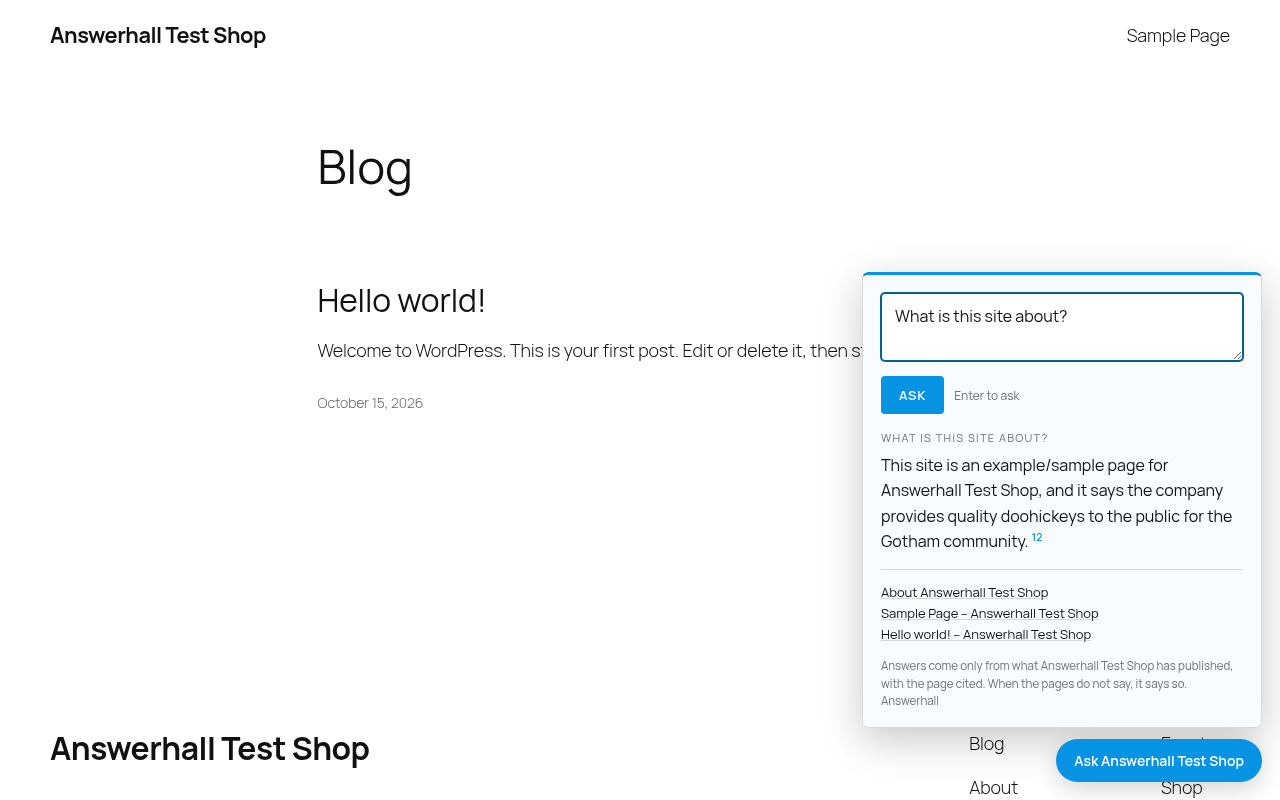
- An Ask button at the bottom right of every page, or a box or bar where you put the shortcode
[answerhall]. - Answers only from your pages, with the page linked. No guessing.
- Every question and the answer given, under Settings, Answerhall.
- Your first 14 days are free from install; then $79 a month, cancelled any time by writing to pierre@bessondigital.com. Deleting the plugin does not cancel the plan.
External services
This plugin relies on Answerhall, a service run by BESSONDIGITAL LLC at answerhall.com. Without it the plugin does nothing.
- When you press “Read my site”, the plugin sends your site’s address, its name and the admin email address to answerhall.com, which then reads your public pages (nothing behind a login). It also asks your site for a one-time code, shown for ten minutes, to confirm the plugin is installed there.
- On every page of your site, the plugin loads a script from answerhall.com that shows the Ask button. When a visitor asks a question, the question is sent to answerhall.com, and with the matching passages from your pages to a language model from OpenAI (through Microsoft Azure) to write the answer. Questions are kept, without names or addresses, so you can see them.
- When you press “Start the plan”, you are taken to Stripe to pay; Stripe handles the card.
Answerhall terms: https://bessondigital.com/answerhall/terms
Answerhall privacy policy: https://bessondigital.com/answerhall/privacy
OpenAI terms: https://openai.com/policies/terms-of-use and privacy policy: https://openai.com/policies/privacy-policy
Microsoft Azure privacy: https://privacy.microsoft.com/privacystatement
Stripe terms: https://stripe.com/legal/ssa and privacy policy: https://stripe.com/privacy
스크린샷
설치
- Install and activate the plugin.
- Go to Settings, Answerhall, and press Read my site. A few minutes later it says Ready.
- The Ask button is on every page. Put
[answerhall]in a page for a box, or[answerhall mode="bar"]for a bar.
FAQ
-
Does it read anything private?
-
No. Only pages a visitor can open without logging in.
-
What if my site does not have the answer?
-
It says so and points the visitor to you. The question then shows under Settings, Answerhall, so you know what to write.
-
Can I change the words?
-
Yes: the words in the bar, the hint in the box and the button label, under Settings, Answerhall.
후기
이 플러그인에 대한 평가가 없습니다.
기여자 & 개발자

변경이력
1.0.0
First release.