

설명
Authyo Passwordless Login enables secure OTP login for WordPress using email-based one-time passwords. It replaces traditional passwords with a modern passwordless authentication system that improves login security and simplifies the user experience.
Users simply enter their email address, receive a one-time password (OTP), verify the code, and are automatically logged in — no passwords required.
This plugin is officially developed and maintained by Konceptwise Digital Media Pvt. Ltd. and uses Authyo’s secure OTP authentication infrastructure.
With Authyo Passwordless Login, WordPress administrators can implement passwordless login, improve account security, and eliminate risks related to password leaks or weak credentials.
Key Features
- Passwordless login for WordPress using email OTP
- No passwords stored or required
- Secure token-based authentication (single-use and time-limited)
- OTP delivered via Authyo’s secure email service
- Fallback Method: Optional two-factor authenticator app if email OTP fails
- Works with the default WordPress login page
- AJAX-powered login flow (no page reloads)
- Automatic dashboard redirect after successful login
- Enable or disable passwordless login anytime
- Compatible with custom login URL plugins (e.g., WPS Hide Login)
Use Cases
This plugin is ideal for:
- WordPress sites that want OTP login instead of passwords
- Improving WordPress login security
- Enabling passwordless authentication
- Preventing password brute-force attacks
- Membership websites and user portals
- Sites that want a simple two-factor authentication alternative
How It Works
- User enters their email address on the WordPress login page
- Authyo sends a one-time password (OTP) via email
- User verifies the OTP
- WordPress logs the user in automatically using a secure single-use token
No password is required during the login process.
About Konceptwise & Authyo
Konceptwise Digital Media Pvt. Ltd. is the parent company and original developer of this plugin.
Authyo is a secure authentication platform developed by Konceptwise that provides OTP-based verification services for websites and applications.
This plugin integrates WordPress with Authyo’s authentication infrastructure to provide secure passwordless login functionality.
Video Tutorial
How to Use Authyo Passwordless Login
External Services
This plugin connects to Authyo’s external API to send and verify one-time passwords (OTP) for passwordless login functionality.
What data is sent:
– User email address (sent to Authyo API when requesting OTP)
– OTP code (sent to Authyo API for verification)
– Mask ID (returned by Authyo API, used for OTP verification)
When data is sent:
– When the user requests an OTP: Email address is sent to Authyo API
– When the user submits an OTP for verification: OTP code and Mask ID are sent to Authyo API
Authentication Flow:
– After successful OTP verification via Authyo API, the plugin generates a secure single-use token using WordPress core functions
– This token is browser-bound using a hashed User-Agent signature to prevent session hijacking
– The token is stored temporarily in WordPress transients and expires after 5 minutes
– The token allows WordPress to complete authentication without requiring a password
– Token is deleted immediately after verification (single-use security)
Purpose:
– To verify ownership of the provided email address through OTP verification
– After successful OTP verification, a secure browser-bound login token is generated
– The token allows WordPress to authenticate users without passwords
Data Storage:
– OTP session data (email, user ID, mask ID) is stored temporarily in WordPress transients (expires after 10 minutes)
– Login tokens are stored temporarily in WordPress transients (expires after 5 minutes and deleted immediately after use)
– No user data is permanently stored by this plugin
Terms of Service:
https://authyo.io/terms-service
Privacy Policy:
https://authyo.io/privacy-policy
Requirements
- WordPress 5.0 or higher
- PHP 7.2 or higher
- An active Authyo account with API credentials
Configuration
Getting Authyo API Credentials
- Sign up for an account at https://authyo.io
- Log in to your Authyo dashboard
- Navigate to your application settings
- Copy your App ID, Client ID, and Client Secret
Plugin Setup
- Go to Settings Authyo Passwordless Login
- Enable Passwordless Login
- Enter your Authyo API credentials:
- Authyo App ID
- Authyo Client ID
- Authyo Client Secret
- Click Save Settings
Once configured, the passwordless login form will appear on your WordPress login page.
스크린샷
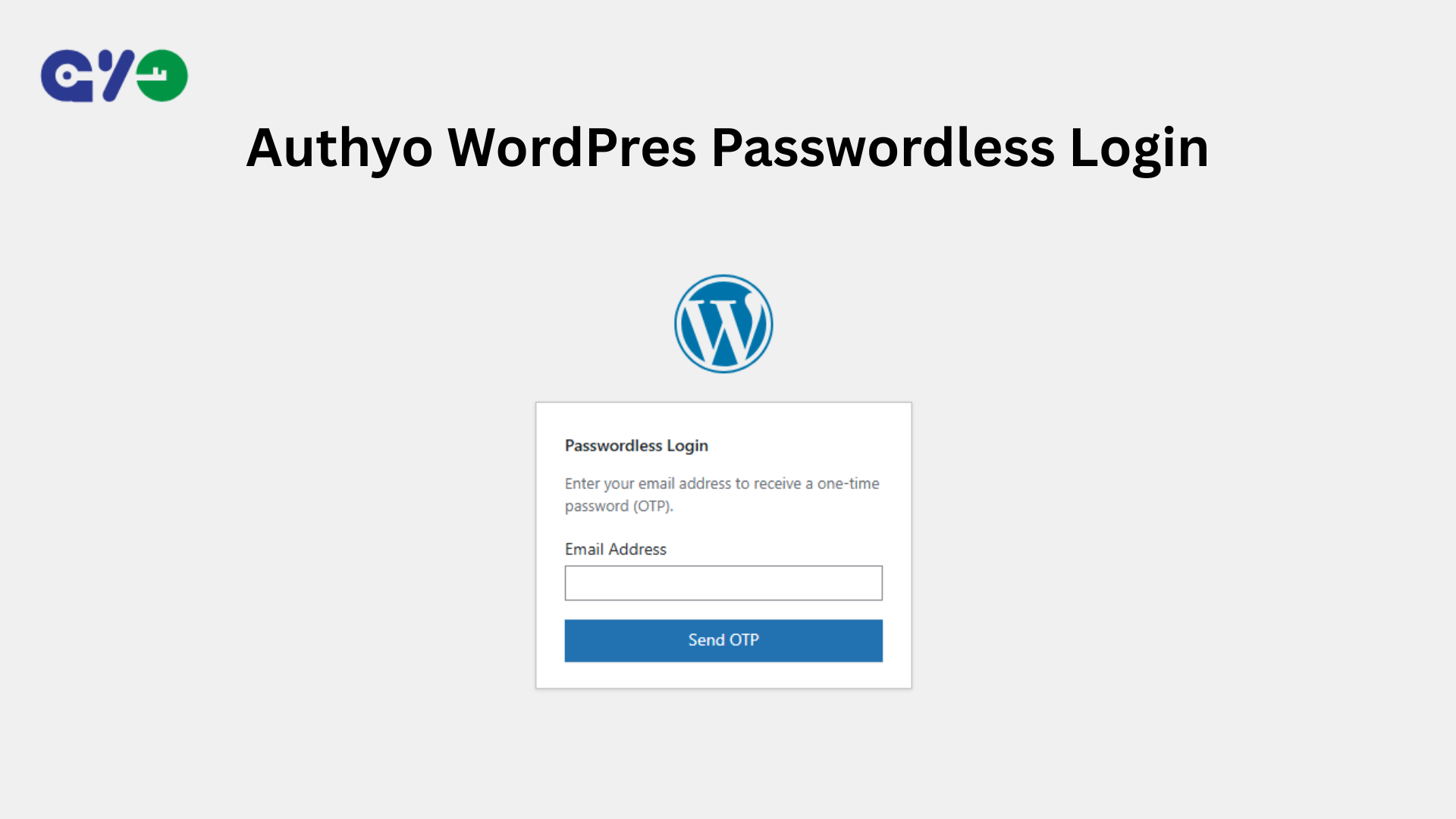
Authyo WordPress Passwordless Login 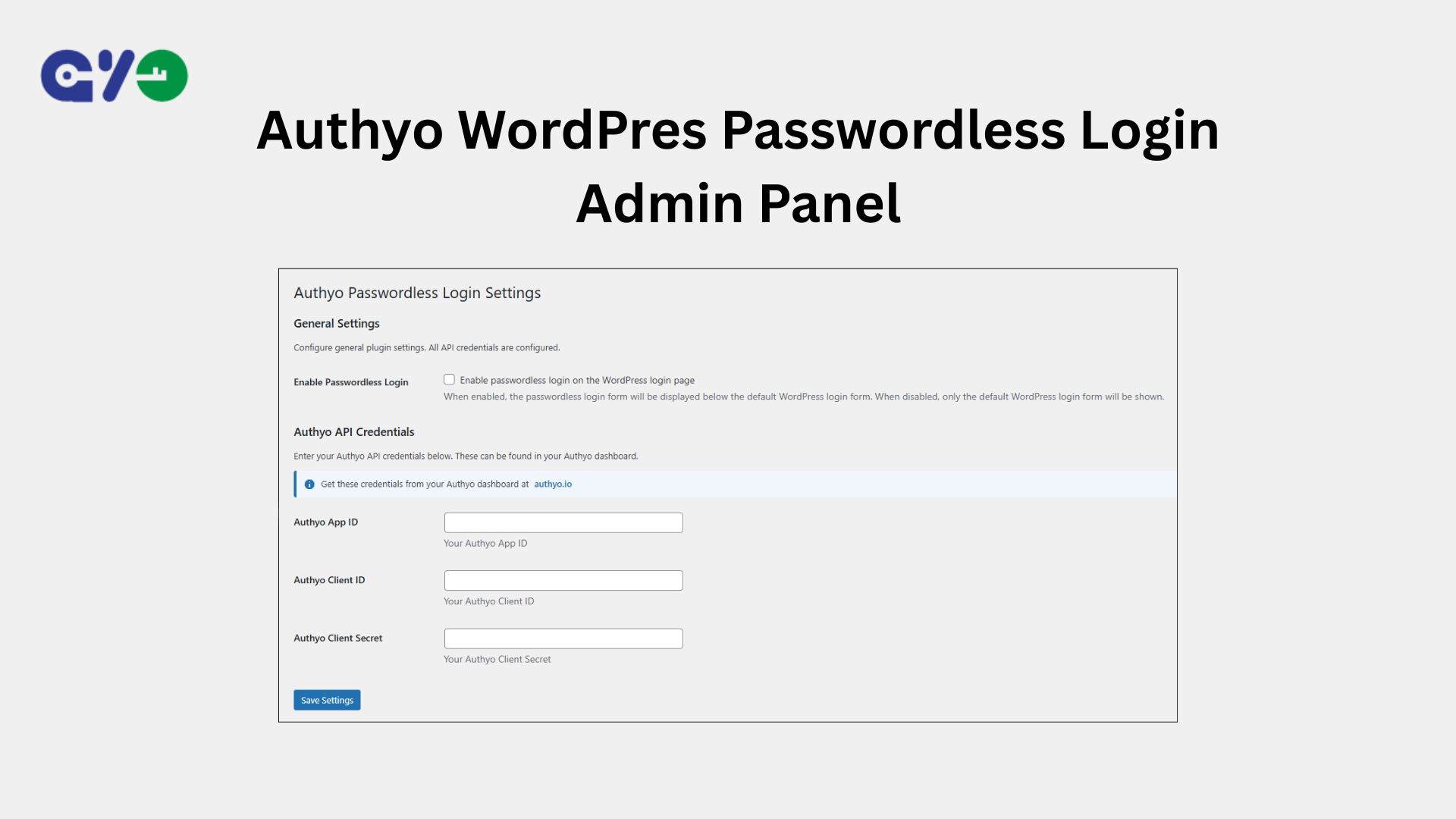
Authyo WordPress Passwordless Login Admin Panel
설치
Manual Installation
- Download the plugin files
- Upload the
authyo-passwordless-loginfolder to/wp-content/plugins/ - Activate the plugin from the Plugins menu in WordPress
- Go to Settings Authyo Passwordless Login to configure the plugin
FAQ
-
How does passwordless login work?
-
- Users enter their email address on the login page
- An OTP code is sent to their email via Authyo
- Users enter the OTP code to verify their email ownership
- After successful OTP verification, a secure single-use token is generated
- WordPress logs the user in automatically
- No password is required
-
Can I use this with custom login pages?
-
Yes. You can use the shortcode
[authyo_login]on any page or template.You may also use the PHP function:
authyo_passwordless_login_form()inside your theme templates.
-
What happens if a user doesn’t receive the OTP?
-
Users can click Resend OTP to request a new code.
The OTP expires after 5 minutes. Login tokens also expire after 5 minutes and are deleted immediately after successful login.
-
Is this plugin secure?
-
Yes. The plugin implements multiple security layers:
- Nonce verification for all AJAX requests (prevents CSRF attacks)
- Email address validation and user existence verification
- Secure transient storage for OTP sessions (10-minute expiry)
- Cryptographically secure token generation using WordPress core functions
- Browser-bound tokens validated using a hashed User-Agent signature
- Single-use tokens deleted immediately after successful login
- Time-limited tokens (5-minute expiry)
- Replay attack prevention
- Authentication completed using WordPress core authentication mechanisms
후기
이 플러그인에 대한 평가가 없습니다.
기여자 & 개발자
“Authyo Passwordless Login”(은)는 오픈 소스 소프트웨어입니다. 다음의 사람들이 이 플러그인에 기여하였습니다.
기여자
자국어로 “Authyo Passwordless Login”(을)를 번역하세요.
개발에 관심이 있으십니까?
변경이력
1.0.3
- Added video tutorial to readme
- Improved Google Authenticator fallback logic to hide on non-existent users
- Minor bug fixes
1.0.2
- Added two factor authenticator as backup method
- Performance improvements
1.0.1
- Performance improvements
- Screenshot addon
1.0.0
- Initial release
- Fully passwordless login with OTP verification
- Secure token-based automatic authentication
- Single-use, time-limited login tokens
- WordPress login page integration
- Custom login shortcode [authyo_login]
- Admin settings page
- AJAX-powered authentication flow
- Immediate dashboard redirect after login
- WordPress.org security compliance
- Replay attack prevention
- Cryptographically secure token generation