

설명
Bit Integrations는 WordPress를 위한 쉽고 간편한 자동화 및 통합 플러그인입니다
Bit Integrations help WordPress users integrate WordPress and plugin data to 320+ platforms.
🎯 왜 Bit Integrations인가?
사용자가 문의 양식을 제출하거나, 강좌에 등록하거나, WooCommerce에서 주문을 생성하면 데이터가 Google 시트, MailChimp, Brevo, Zoho CRM 등으로 전송됩니다. 시간, 자원, 노력을 절약해 줍니다.
당신이 다음과 같은 경우에도:
- 소규모 비즈니스 운영
- 전자상거래 매장 자동화
- 디지털 마케팅 자동화의 확장
Bit Integrations는 앱을 연결하고, 데이터를 수집하며, 작업을 자동으로 트리거하도록 도와줍니다.
Bit Integrations로 쉽게 하는 WordPress 자동화 – by WPTuts
🔌 워드프레스 스택 전반에 걸친 통합
WordPress를 위한 노코드 자동화 및 자동화 플러그인은 Webhooks, WooCommerce, CRM, LMS, Zapier 등과 함께 워크플로를 만들 수 있도록 도와줍니다.
- 다음과 연결:
- 우커머스
- 폼 빌더
- 이메일 마케팅 도구
- CRM
- 학습 관리 시스템(LMS)
- 스프레드시트 및 예약 도구
- Zapier, OttoKit (SureTriggers), Uncanny Automator, FlowMattic 등을 포함한 주요 통합 플러그인
- 웹훅
- REST API
Bit Integrations를 사용하여 Elementor Forms를 Notion CRM에 통합 [with Bit Integrations] – by Jeffrey @ Lytbox
✅ 주요 기능:
-
⚡ 노코드 자동화: 소규모 비즈니스, 마케터, 전자상거래 사이트를 위한 노코드 자동화.
-
🔁 자동화된 워크플로: 수백 개의 앱과 서비스 전반에서 자동화된 워크플로를 만드세요.
-
🌐 웹훅 통합: 웹훅을 통해 수백 개의 플랫폼으로 데이터를 보내고 받으세요.
-
🧩 강력한 데이터 매핑: 원활한 데이터 전송 자동화를 위한 강력한 데이터 매핑.
-
🎯 사용자 정의 트리거 및 조건부 로직: 사용자 정의 트리거와 조건부 로직을 사용해 작업을 맞춤 설정하세요.
-
🔄 실시간 데이터 동기화: 도구 간 실시간 데이터 동기화를 보장합니다.
-
🧩 CRM 통합: 리드 생성을 자동화하고 Zoho CRM, Salesforce, HubSpot과 같은 CRM 전반에서 고객 데이터를 관리하세요.
-
💌 이메일 마케팅 자동화: Mailchimp, Sendinblue 등과 함께하는 이메일 마케팅 자동화.
-
🛍️ WooCommerce 자동화: 기본 전자상거래 통합 및 주문, 고객, 제품을 자동으로 동기화합니다.
-
📥 폼 빌더 통합: 인기 있는 폼 빌더 통합에서 자동 데이터 수집. Contact Form 7, WPForms, Bit Form, Elementor Forms 등의 폼 데이터를 CRM, 이메일 마케팅 플랫폼 등과 연결하세요.
-
📱 소셜 미디어 자동화: Telegram, WhatsApp, Slack, Discord 등과 같은 플랫폼으로 데이터를 전송하세요.
-
⚙️ 간편한 설정: 모든 통합을 위한 간단한 노코드 자동화 설정으로 시작하세요.
-
🧠 자세한 로깅: 모든 데이터 제출과 자동화 작업의 로그를 확인하는 오류 처리 기능.
-
🔁 Access to 320+ Integrations: Easily connect with tools like Zapier, Google Sheets, Trello, Slack, and more.
Elementor, Contact Form 7 & 기타 문의 양식 통합
사용자가 Elementor 양식, Contact Form 7 또는 기타 문의 양식을 제출한 후 해당 데이터를 실시간으로 구글 스프레드시트, Mailchimp, Brevo, Zoho CRM으로 전송합니다.
간단한 세 단계만 따라하세요: 동작으로 양식 선택, 동작 승인, 필드 매핑 후 완료. 이는 사용자(사용자)들의 시간, 비용 및 자원을 절약합니다.
우커머스 통합
다음 플랫폼과 쉽게 통합할 수 있습니다: WooCommerce를 Google Sheet, CRM, 이메일 마케팅 등과 쉽게 통합할 수 있습니다. 고객 생성, 상품 생성, 주문 생성, 주문 상태 변경 후 해당 데이터가 연결된 플랫폼으로 전송됩니다. 이는 WooCommerce 스토어 상태를 추적하는 데 도움이 됩니다.
워드프레스 통합
Bit Integrations를 사용하면 워드프레스 작업을 이제 더 스마트하게 자동화할 수 있습니다.
Elementor, Fluent Forms, Tutor LMS 또는 Contact Form 7 같은 플러그인을 워크플로에 연결하세요.
예를 들어, 양식이 제출되면 Bit Integrations가 게시물을 생성하고, 이메일을 보내고, CRM 기록(예: FluentCRM)을 자동으로 업데이트할 수 있습니다.
MailChimp 통합
Elementor, Contact Form 7, Bit Form 제출 후, LearnDash에서 강좌 등록, WooCommerce에서 주문 생성 시 해당 사용자가 Mailchimp 구독자 목록에 자동으로 추가됩니다.
Google 스프레드시트 자동화
Google Sheet는 널리 사용되는 애플리케이션입니다. 워드프레스와 Google Sheet를 쉽게 통합할 수 있습니다. 사용자가 문의 양식을 제출하거나 워드프레스에서 생성된 다른 이벤트가 발생한 후 이 데이터를 Bit Integrations를 사용해 Google Sheet로 쉽게 보낼 수 있습니다.
수신 및 발신 웹후크
웹훅을 사용해 서드 파티 데이터를 받아 처리한 뒤 다른 플랫폼으로 보낼 수 있습니다. 네이티브 통합이 일부 없을 때는 웹훅이 도움됩니다.
일부 플랫폼은 API가 없고 수집은 웹후크로 데이터를 수신합니다. Bit Integrations의 발신 웹후크는 데이터를 전송하는 데 도움을 줍니다.
⚙️ 하나의 대시보드에서 모든 것을 자동화
비트 인테그레이션(Bit Integrations)으로 워드프레스 워크플로를 자동화하세요 — 쉬운 노코드 자동화 플러그인으로, 서드 파티 플랫폼에 무제한 데이터를 전송하세요:
- 우커머스
- 문의 양식
- CRM
- LMS
- 예약
- 구글 시트
- 웹훅
- 소셜 미디어
- 이메일 마케팅 도구
- Zapier와 같은 자동화 플랫폼 등
Bit Integrations는 스마트하고 확장 가능한 자동화를 위해 워드프레스 사용자가 신뢰하는 자동화 플러그인입니다.
🚀 유용한 링크
🧪 Pro 버전 사용해보기
🙋 라이브 지원
🚀 Pro로 업그레이드
🐱 Bit Integrations 저장소
🔗 지원되는 모든 통합을 탐색하세요.
📚 도움이 필요하신가요? 문서를 방문하세요.
▶️ 도움이 필요하신가요? 동영상 튜토리얼을 확인하세요.
📢 Bit Apps 커뮤니티에 가입하고 플러그인 업데이트를 받아보세요.
💻 전체 소스 코드는 다음에서 उपलब्ध합니다
🔗 GitHub 저장소: https://github.com/Bit-Apps-Pro/bit-integrations
Bit Integrations를 사용하면 자동화가 손끝에 있습니다. WordPress 사이트 전반의 작업을 자동화하고, 효율성을 높이며, 강력한 자동화 기능으로 비즈니스 운영을 간소화하세요.
Bit Integrations | 최고의 WordPress 자동화 소프트웨어! – by SiteKrafter
Bit Integrations는 간단한 작업부터 복잡한 작업까지 모든 것을 자동화하는 데 도움을 줍니다.
WP Simple Hacks – WordPress 팁과 요령” YouTube 채널에서 WordPress 자동화 플러그인 Bit Integrations에 대한 의견.
Bit Integrations는 워드프레스용 자동화 및 자동화 도구 플러그인으로, 작업을 자동화하고 생산성을 향상시킬 수 있게 해줍니다.
좋아하는 모든 마케팅 플랫폼에 WordPress를 자동으로 연결 – Bit Integrations – by SaaS Master
✔ 사용 가능한 무료 트리거 목록:
✔ 사용 가능한 Pro 트리거 목록:
- Fluent Forms
- Gravity Forms
- 고급 사용자 정의 필드(ACF)
- WooCommerce 구독
- WooCommerce 예약
- WooCommerce 멤버십
- Ninja Forms
- Elementor용 Piotnet 애드온
- Divi
- LearnDash
- Tutor LMS
- MemberPress
- 웹훅
- Paid Memberships Pro
- Easy Digital Downloads
- JetEngine
- JetFormBuilder
- 비버 빌더
- 포미더블
- MetaBox 프런트엔드 제출
- 플루언트 CRM
- 그라운드호그
- 워드프레스 사용자 등록
- MailPoet
- 브릭스
- 포미네이터
- 에베레스트 폼
- bbPress
- 버디프레스
- 버디보스
- 도칸
- 우커머스를 위한 고급 쿠폰
- 아멜리아
- 마스터스터디 LMS
- 아카데미 LMS
- ARForms
- eForm
- 폼크래프트
- 해피폼스
- SureForms
- 트리페토
- weForms
- WSForm
- 뉴스레터
- 위시리스트 멤버
- 슬라이스WP 어필리에이트
- 솔리드 어필리에이트
- 슈어카트
- 슈어피드백
- 슈어멤버스
- 복셀
- WPFunnels
- 퍼널킷 CRM
- 젯팩 CRM
- … 더 보기
✔사용 가능한 무료 작업 목록:
- Zapier
- 메이크(인테그로마트)
- 언캐니 오토메이터
- 슈어트리거스(오토킷)
- 오토메이터WP
- 플로우매틱
- 우커머스
- 액티브캠페인
- 메일침프
- HubSpot
- 구글 스프레드시트
- 구글 캘린더
- 구글 드라이브
- 구글 연락처
- LearnDash
- Tutor LMS
- MemberPress
- FluentCRM
- Drip
- Klaviyo
- Salesforce
- MailPoet
- BuddyBoss
- Dokan
- Groundhogg
- GiveWP
- GamiPress
- Bit Form
- 고급 폼 통합
- Freshdesk
- Freshsales
- Pipedrive
- Zoho CRM
- 조호 캠페인
- Zoho Sheet
- Zoho Desk
- Zoho Flow
- 조호 마케팅 허브
- 조호 리크루트
- 줌 미팅
- 줌 웨비나
- Slack
- 텔레그램
- 디스코드
- Trello
- Asana
- 클릭업
- 노션
- 에어테이블
- 드롭박스
- OneDrive
- SendinBlue(Brevo)
- MailerLite
- Moosend
- Omnisend
- Sarbacane(Mailify)
- Pabbly
- N8N
- SystemeIO
- Thrive Automator
- WP Webhooks
- WPFusion
- Academy LMS
- MasterStudy LMS
- Fluent Support
- Pods
- JetEngine
- wpForo
- License Manager for WooCommerce
- SliceWP Affiliate
- GoHighLevel
- Perfex CRM
- Propovoice CRM
- Zoho Bigin
- Flowlu
- Voxel
- 웹훅
- … 더 보기
이 자동화 플러그인을 더 잘 이해할 수 있도록 아래에 가장 인기 있는 연동 사용 사례를 소개합니다
-
주문 관리, 고객 데이터 동기화, 제품 업데이트 등을 자동화하세요. 일반적인 연동에는 WooCommerce + Zoho CRM, WooCommerce + GoHighLevel, 그리고 WooCommerce + Google Sheets가 포함됩니다.
-
WooCommerce + Mailchimp를 사용하여 이메일 마케팅을 자동화하고, WPForms + Mailchimp 를 사용하여 양식 기반 가입이나 뉴스레터를 처리합니다.
-
Bit Form + HubSpot를 사용하여 리드나 양식 제출을 CRM과 자동으로 동기화하고, WooCommerce + HubSpot를 사용하여 eCommerce 고객 추적을 강화합니다.
-
Bit Integrations + Zapier를 사용하여 기본적으로 지원되지 않는 더 많은 플랫폼에 연결함으로써 플랫폼의 기능을 확장합니다.
-
LearnDash + WooCommerce를 사용하여 강좌 등록과 결제를 자동화하거나, LearnDash + Perfex CRM를 사용하여 사용자 등록 데이터를 동기화합니다.
-
WooCommerce + Google Sheets를 사용하여 주문 기록을 자동화하거나, WPForms + Google Sheets를 사용하여 양식 제출 내용을 자동으로 채웁니다.
-
Bit Form + ActiveCampaign를 사용하여 양식 제출을 이메일 목록에 추가하는 과정을 자동화하거나, WooCommerce + ActiveCampaign를 사용하여 구매 행동에 기반한 마케팅 캠페인을 트리거합니다.
-
WooCommerce + Salesforce를 사용하여 고객 및 주문 데이터를 동기화하거나, Bit Form + Salesforce를 사용하여 양식에서 받은 리드를 Salesforce로 직접 캡처합니다.
-
WPForms + Trello를 사용하여 양식이 제출될 때 자동으로 카드나 작업을 생성하거나, WooCommerce + Trello를 사용하여 Trello에서 작업을 생성하거나 주문을 카드로 추적합니다.
♻ 이 플러그인은 어떻게 작동하나요?
이 플러그인은 트리거와 액션을 사용하여 플랫폼 간의 다리 역할을 합니다. 트리거는 Contact Form 7, WP Forms 등과 같은 양식 제출 데이터를 수집하고, 액션은 이를 CRM, 이메일 마케팅 소프트웨어, 프로젝트 관리 도구, 데이터 수집 도구, 그리고 기타 WordPress 플러그인으로 전송합니다.
예를 들어, 컨택트 폼(Bit Form, WP Forms 등)이 제출되었고, 데이터를 CRM, 이메일 마케팅 소프트웨어, 프로젝트 관리 도구, 데이터 수집 도구, 그리고 다른 WordPress 플러그인에 보내고 싶습니다.
❣ 고객들이 Bit Integrations에 대해 말하는 내용:
💠 최고의 클래스
– 작성자: @saschinger
💠 Bit Integrations는 Pabbly Connect와 Zapier의 저렴한 대안입니다
– 작성자: @barrynthdegreegroupnet
💠 내 WordPress 자동화의 게임 체인저
– 작성자: @angelitos
💠 Zapier과 같은 통합, 수수료 없음! – 작성자: @peterode
💠 WordPress용 Zapier 쉽게 사용하기!
– 작성자: @onedogsolutions
💠 순수 자동화의 구현!
– 작성자: @vaishakdamu
✨ 우리가 제공하는 다른 제품 개요:
📝Bit Form: 저희 베스트셀러 제품 중 하나입니다. WordPress용 드래그 앤 드롭 폼 빌더로, 코딩 없이 맞춤형 문의 양식, 설문조사 등을 만들 수 있습니다!
📝Bit Flows: WordPress 및 WordPress 외부의 데이터를 WordPress 플러그인, SaaS, Shopify 등 다양한 플랫폼으로 전송하는 강력한 자동화(예: Zapier) 플러그인입니다.
📧 Bit Assist: 사용자와 Messenger, WhatsApp, Telegram, Slack, Viber 등을 통해 맞춤 양식과 링크로 연결하세요.
📧 Bit Social: WordPress 글을 Facebook, LinkedIn, Twitter에 자동 게시, 예약, 공유를 손쉽게 하세요.
📧 Bit File Manager: 업로드, 삭제, 이동, 이름 변경 및 파일 관리를 위한 최고의 WordPress 파일 관리자—100% 무료!
📧 Bit SMTP: WordPress 이메일 전달률을 안전하게 개선하세요.
📧 웹훅스.이즈: 무료로 들어오는 및 나가는 웹훅을 테스트하세요.
📢 우리는 프리랜서 작업/맞춤 개발을 위해 열려 있습니다. 자세한 내용은 문의하기를 통해 연락해 주세요.
외부 서비스
This plugin connects to various third-party external services to enable automation workflows between WordPress and 320+ platforms. Data is only sent to external services when you actively configure and enable an integration. No data is transmitted unless you explicitly create a workflow that connects to a specific service.
외부 서비스에 대한 전체 목록(어떤 데이터가 언제 전송되는지에 대한 자세한 정보 및 각 서비스의 약관과 개인정보처리방침 링크 포함)은 전체 외부 서비스 문서를 참조하십시오:
This documentation covers 320+ services including Google (Sheets, Calendar, Drive), Zoho (CRM, Campaigns, Desk), Meta/Facebook (WhatsApp), Email Marketing platforms, CRM systems, Communication tools (Slack, Telegram), Automation platforms (Zapier, Make), Project Management tools, and many more.
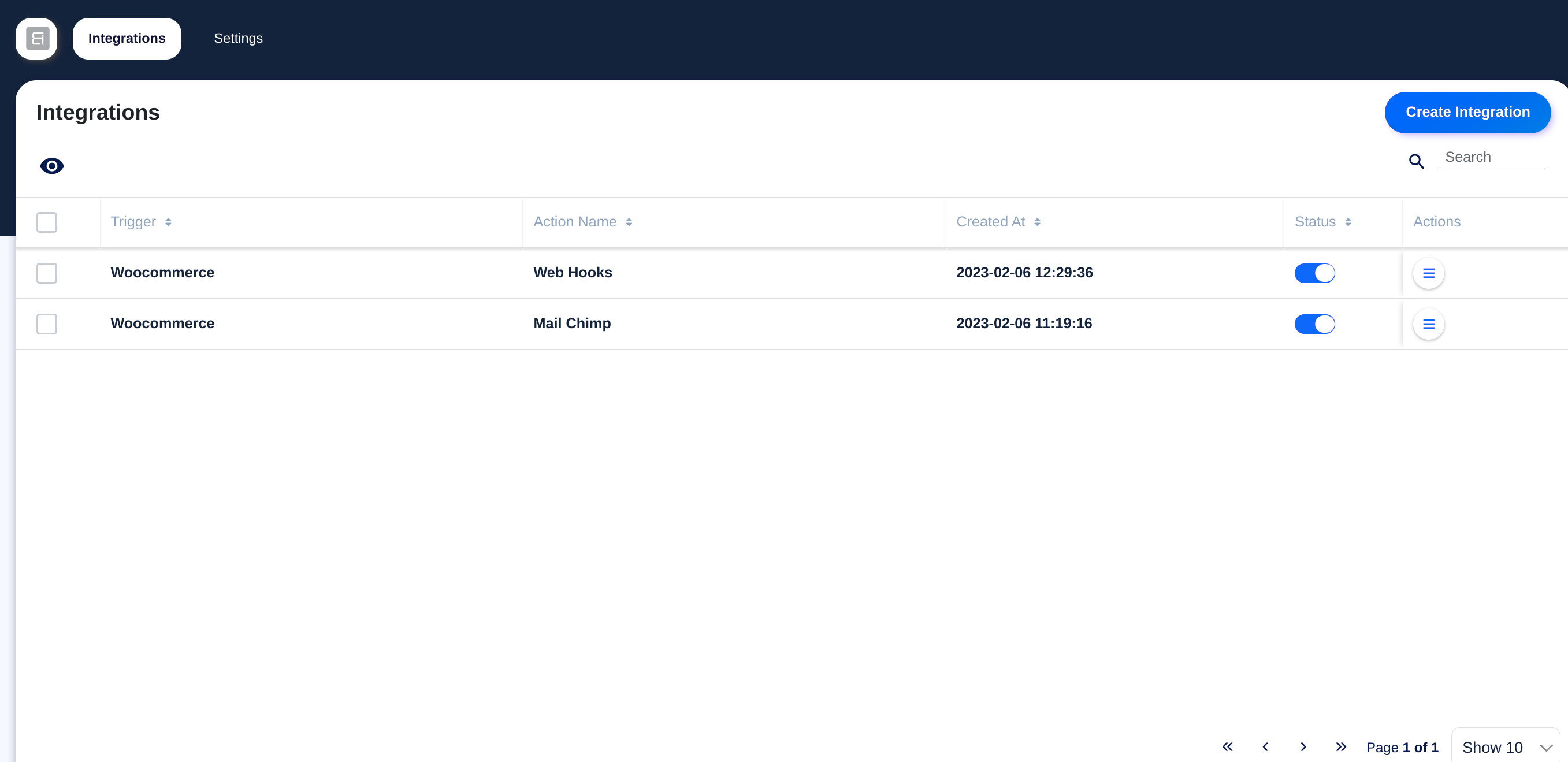
스크린샷

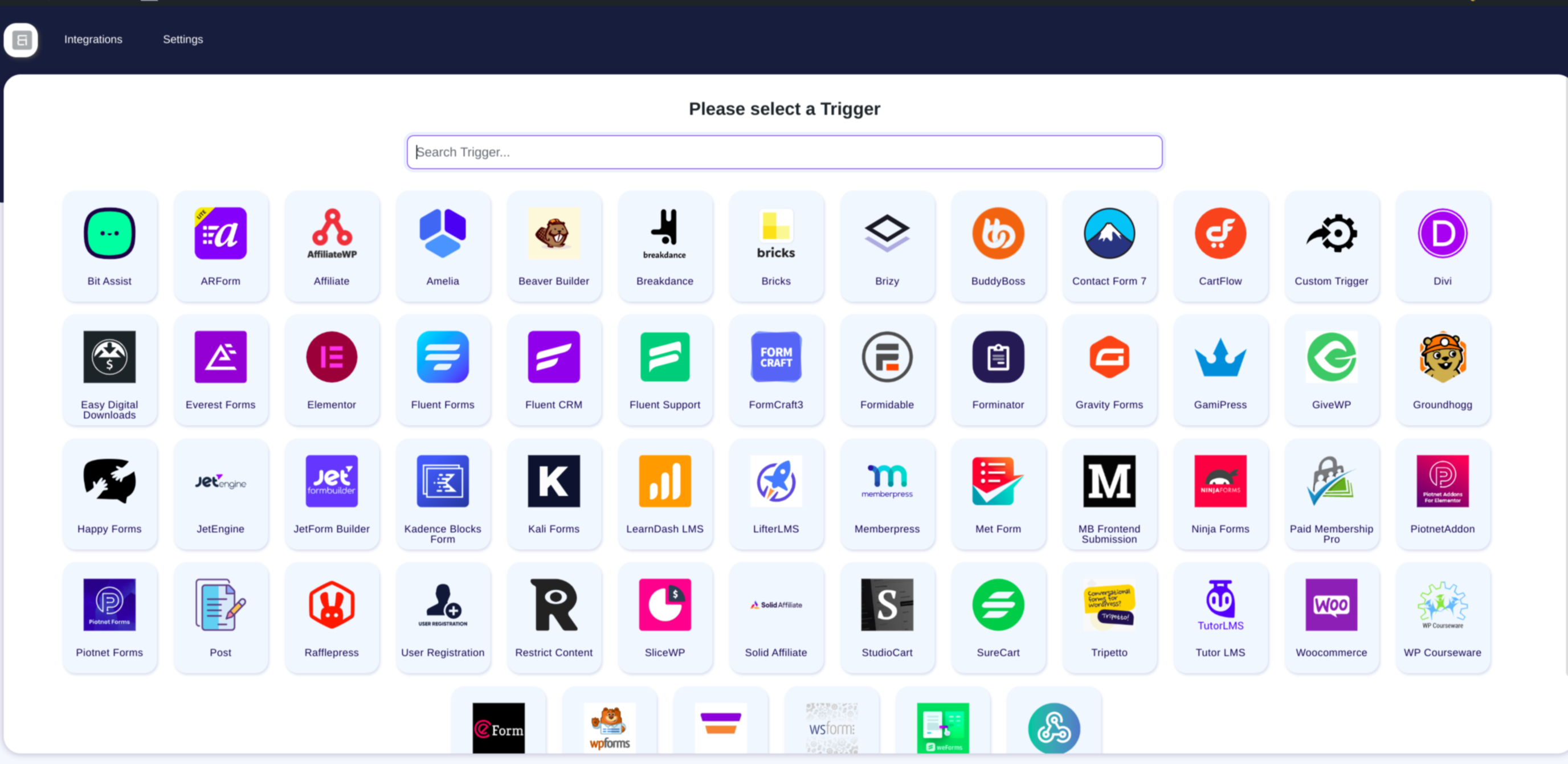
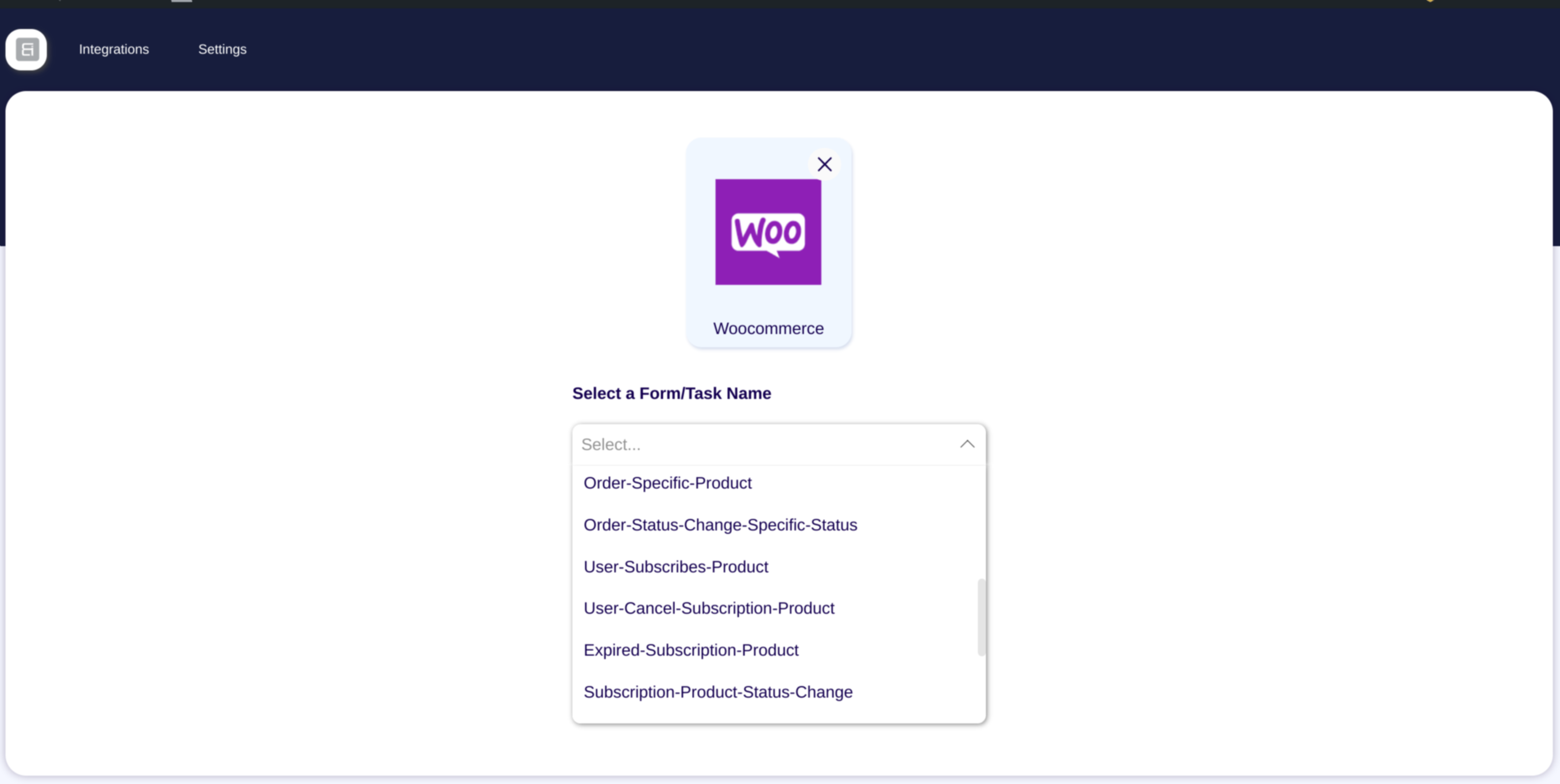
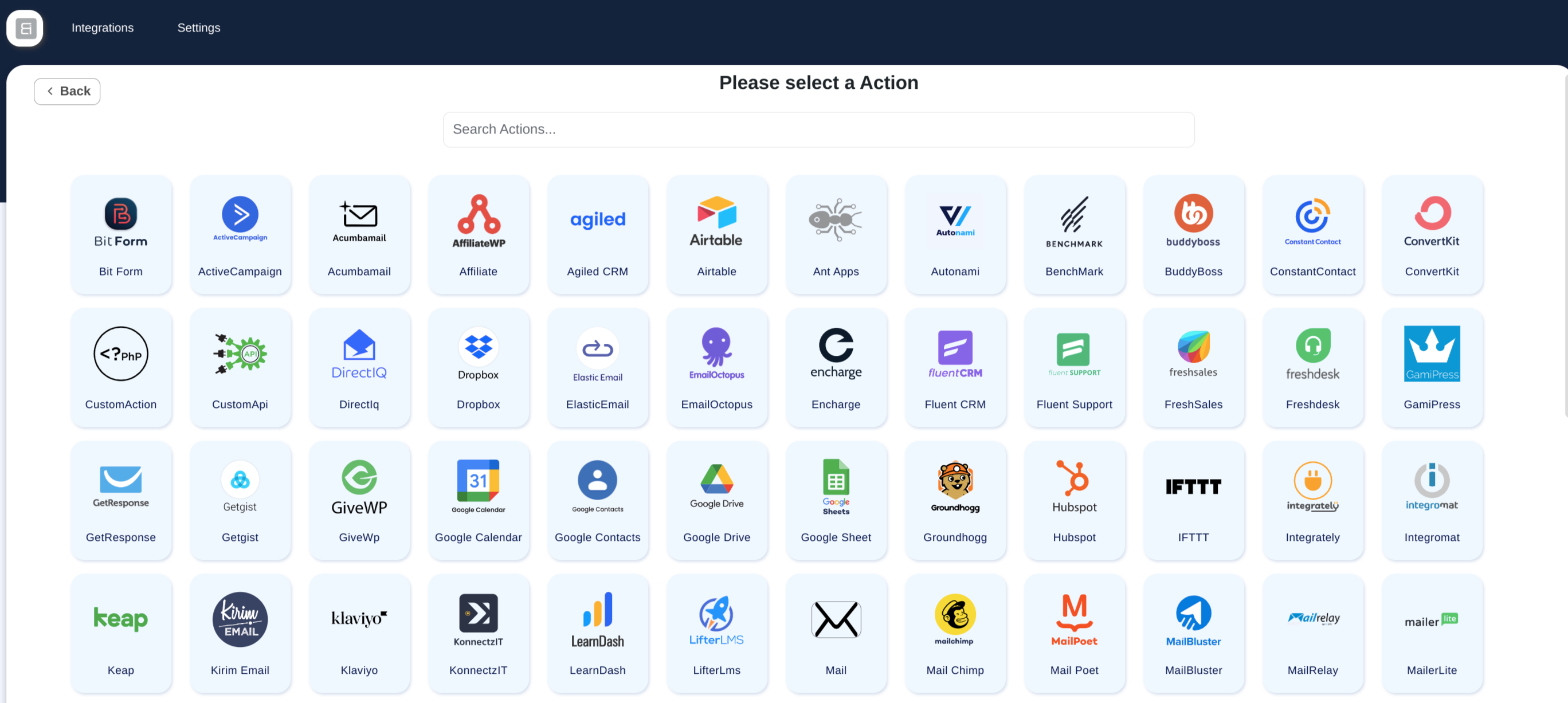
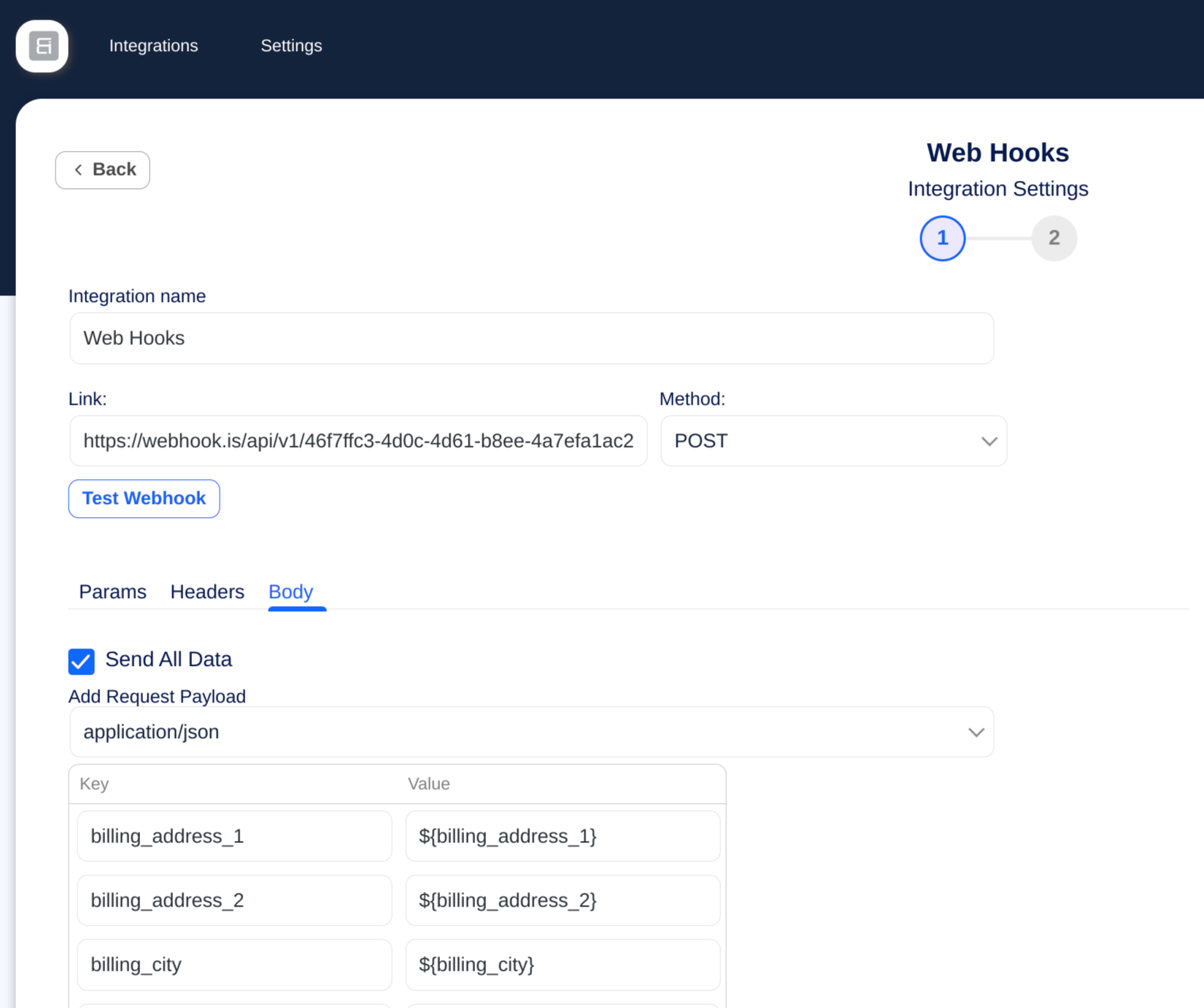
설치
- 자동화 플러그인을 다운로드하세요.
- 워드프레스 관리자 패널에서 플러그인 => 새로 추가를 클릭하세요.
- 자동화 플러그인을 업로드하려면 업로드를 클릭하여 플러그인 zip 파일을 직접 업로드할 수 있습니다.
- 다운로드한 플러그인 zip 파일을 선택하려면 찾아보기 버튼을 사용한 다음, 지금 설치를 클릭하세요.
- 통합 플러그인을 설치한 후 “활성화”를 클릭하세요.
- 이제 사용 가능한 플랫폼 커넥터를 사용하여 첫 번째 자동화 워크플로를 만들기 시작할 수 있습니다.
- 첫 번째 트리거 기반 자동화를 만들려면 지금 자동화 시작을 방문하세요.
- 자세한 설정 도움말은 문서를 참조하세요.
FAQ
-
1. Bit Integrations는 무엇이며 어떻게 작동하나요?
-
Bit Integrations is a no-code WordPress plugin that helps you connect and sync data between over 320 platforms like WooCommerce, CRM, email marketing tools, Google Sheets, and more. It automates workflows by sending data from triggers like form submissions or orders to connected apps, without requiring coding.
-
2. Bit Integrations로 WooCommerce 워크플로를 자동화할 수 있나요?
-
네! Bit Integrations를 사용하면 고객 데이터, 주문 상세 정보, 구독 정보를 CRM, 이메일 마케팅 플랫폼, 스프레드시트로 동기화하는 등 WooCommerce 워크플로를 자동화할 수 있습니다.
-
3. Bit Integrations는 WPForms와 Contact Form 7 같은 인기 폼 빌더를 지원하나요?
-
물론입니다. Bit Integrations는 WPForms, Contact Form 7, Elementor Forms, Bit Form 등 인기 있는 WordPress 폼 빌더를 지원하여 폼이 제출될 때 자동화 워크플로를 실행할 수 있습니다.
-
4. Bit Integrations에서 자동화 워크플로를 설정하는 데 코딩이 필요한가요?
-
코딩 기술은 필요하지 않습니다. Bit Integrations는 간단한 설정과 필드 매핑으로 트리거와 액션을 만들 수 있는 직관적인 인터페이스를 제공하여 초보자와 비개발자도 쉽게 사용할 수 있습니다.
-
5. Bit Integrations에서 어떤 CRM 플랫폼과 통합할 수 있나요?
-
Bit Integrations는 HubSpot, Salesforce, Zoho CRM, Agile CRM 등 주요 CRM 플랫폼을 지원하여 WordPress에서 CRM으로 데이터를 원활하게 동기화할 수 있습니다.
-
6. Bit Integrations는 이메일 마케팅 도구와 데이터를 동기화할 수 있나요?
-
네, Mailchimp, ActiveCampaign, SendinBlue(Brevo), MailPoet 등과 같은 인기 이메일 마케팅 플랫폼과 통합되어 사용자 데이터를 기반으로 이메일 캠페인을 자동화할 수 있습니다.
-
7. Bit Integrations로 몇 개의 통합과 워크플로를 만들 수 있나요?
-
The free version allows unlimited integrations with free triggers and actions. The Pro version unlocks all 320+ triggers and actions with unlimited active workflows.
-
8. Bit Integrations는 데이터 동기화를 위해 Google Sheets를 지원하나요?
-
네, 폼 데이터, WooCommerce 주문 및 기타 WordPress 데이터를 Google Sheets로 자동 동기화하여 실시간 추적과 보고를 할 수 있습니다.
-
9. Bit Integrations로 WordPress와 Zapier 또는 Integromat(Make) 같은 타사 플랫폼 간의 데이터 흐름을 자동화할 수 있나요?
-
네, Bit Integrations는 웹훅을 지원하며 Zapier 및 Make 같은 플랫폼과 통합되어 WordPress를 넘어 자동화를 확장할 수 있습니다.
-
10. Bit Integrations는 멀티사이트 WordPress 설치와 작동하나요?
-
네, Bit Integrations는 WordPress 멀티사이트 설정과 완전히 호환되며, 여러 사이트에 걸쳐 워크플로를 자동화할 수 있습니다.
-
11. Bit Integrations가 웹사이트 성능에 영향을 미치나요?
-
Bit Integrations는 가볍고, 백그라운드에서 강력한 자동화 워크플로를 실행하면서도 웹사이트 속도에 미치는 영향을 최소화하도록 최적화되어 있습니다.
-
12. Bit Integrations 사용자에게는 어떤 지원과 문서가 제공되나요?
-
저희는 상세한 문서, 동영상 튜토리얼, 그리고 라이브 채팅, 이메일, 커뮤니티 포럼을 통한 활발한 지원을 제공하여 사용자가 Bit Integrations를 최대한 활용할 수 있도록 돕습니다.
-
13. LearnDash와 Tutor LMS 같은 LMS 플랫폼도 Bit Integrations로 자동화할 수 있나요?
-
예, Bit Integrations는 인기 있는 LMS 플러그인을 지원하여 강좌 등록을 CRM이나 이메일 마케팅 도구에 동기화하는 등의 작업을 자동화할 수 있습니다.
-
14. 민감한 데이터를 처리할 때 Bit Integrations는 얼마나 안전한가요?
-
Bit Integrations는 플랫폼 간 데이터 전송 중 데이터 보안과 개인정보 보호를 보장하기 위해 WordPress 코딩 표준과 모범 사례를 따릅니다.
후기


기여자 & 개발자
“비트 통합 – 폼 통합, 웹후크, 스프레드시트, CRM, LMS 및 이메일 자동화”(은)는 오픈 소스 소프트웨어입니다. 다음의 사람들이 이 플러그인에 기여하였습니다.
기여자
변경이력
2.10.6
Release Date – 27th September 2026
- Bug Fixes
- wpDataTables: Manual tables now work. Their columns load in the field map and new rows are added to the table (Pro).
- Zoho CRM: Records with a lookup field, such as Account Name, failed with a “MANDATORY_NOT_FOUND” error.
- MailerLite: The “Update subscriber” option was disabled when groups were selected, so existing subscribers failed with “Subscriber already exist”.
2.10.5
Release Date – 15th September 2026
-
새로운 트리거
- Pointics: 4 new events added (Pro).
-
새로운 동작
- Pointics: 8 new events added (Pro).
-
새로운 기능들
- ActiveCampaign: New “Append ActiveCampaign Tags” option adds your selected tags alongside the tags a contact already has. The existing “Update ActiveCampaign Tags” option now clearly replaces them.
2.10.4
Release Date – 5th September 2026
-
새로운 기능들
- Choose who an action runs for: pick the logged-in user, or map an email field from your trigger and the action runs for that user. Available in LearnDash, LifterLMS, Tutor LMS, MasterStudy LMS, Academy LMS, WP Courseware, MemberPress, Paid Memberships Pro, Restrict Content, GamiPress, AffiliateWP and SliceWP.
- Google Calendar: Write your event description with headings, bold text, lists and links. A Preview tab shows how it will look before you save (Pro).
-
개선 사항
- Asana: Your full list of projects, sections and custom fields now loads, not just the first batch.
- SendPulse: All address books now load, and your selected list no longer resets when its fields fail to load.
- Salesforce: The connection now uses a more secure sign-in flow (PKCE).
- Brevo: If no email reaches the action, the log now tells you that instead of showing Brevo’s unclear error.
- Custom API: New actions start on POST, and the edit screen now shows the request method you saved.
- Triggers: Waiting for test data no longer floods your site with requests, and the button always stops spinning when you press Stop.
-
버그 수정
- LearnDash and LifterLMS: The unenroll actions removed the wrong person – they always used the same fixed user instead of the one from your flow.
- Brevo: Contacts failed to save when some mapped fields were empty. Emails with a “+” in them created a duplicate contact on every run.
- Notion: Checkboxes always saved as ticked, a single-choice field sent to a multi-select property was dropped, and decimal numbers lost everything after the point.
- Systeme.io: Failed runs were logged as successful.
- Asana: Tasks were not created when some mapped fields were empty.
- Zoho Bigin: Failed runs and Deals actions saved without a layout no longer produce warnings, and the layout dropdown is now sorted by name.
- ActiveCampaign: Fixed reading your account details.
- Custom API: Actions sent the request as a GET with an empty body if you never opened the method dropdown.
- KonnectzIT: Opening a saved integration showed a spinner forever instead of its settings.
- MemberPress: Long membership lists were cut short, so some memberships could not be picked and the trigger kept loading (Pro).
- Avada Forms: Hidden, file upload and consent fields were missing from the trigger data (Pro).
- Popup Maker: The trigger did not show the plugin as installed (Pro).
2.10.3
Release Date – 20th August 2026
-
새로운 트리거
- NextCRM: 19 new events added (Pro).
- Sensei LMS: 11 new events added (Pro).
- Events Manager: 10 new events added (Pro).
- LatePoint: 5 new events added (Pro).
- Cart Abandonment Recovery: 5 new events added (Pro).
- ClickWhale: 4 new events added (Pro).
- ConvertForce Popup Builder: 4 new events added (Pro).
- Power Coupons for WooCommerce: 4 new events added (Pro).
- WP Table Builder: 4 new events added (Pro).
- Booking Calendar: 2 new events added (Pro).
- ProfilePress: 2 new events added (Pro).
- Modern Cart: 1 new event added (Pro).
- Popup Maker: 1 new event added (Pro).
-
새 동작
- SureContact: 42 new events added (Pro).
- NextCRM: 13 new events added (Pro).
- Sensei LMS: 12 new events added (Pro).
- Brilliant Directories: 11 new events added (Pro).
- Popup Maker: 9 new events added (Pro).
- LatePoint: 8 new events added (Pro).
- Power Coupons for WooCommerce: 5 new events added (Pro).
- ConvertForce Popup Builder: 4 new events added (Pro).
- WP Table Builder: 4 new events added (Pro).
- Cart Abandonment Recovery: 3 new events added (Pro).
- ClickWhale: 3 new events added (Pro).
- Modern Cart: 3 new events added (Pro).
- Booking Calendar: 2 new events added (Pro).
- ProfilePress: 2 new events added (Pro).
- BadgeOS: 1 new event added (Pro).
- Events Manager: 1 new event added (Pro).
-
새로운 기능들
- Trello: Card descriptions now use a rich text editor.
- Custom API: URL path variables added. Fill them from trigger data in the new Path Variables tab.
- Smart Tags: new tags added – date and time, logged-in user, post and post author, site info, visitor info, and true / false values.
-
개선 사항
- Connections: A new connection gets a default name, so you do not have to type one.
- Bit CRM: Lead dates now follow your site timezone.
-
버그 수정
- Custom API: An empty API endpoint is now logged as an error.
2.10.2
Release Date – 4th August 2026
-
새로운 기능
- EmailOctopus: Contacts can now be added or updated with the “Pending” status.
-
개선 사항
- Connections: API keys, secrets and tokens are now hidden behind dots in the connection form, with an eye button to reveal them when you need to check a value.
- Authorization: Apps now return to a dedicated callback address on your site after you approve them. Providers that refused the old redirect URL can now be connected without any extra setup.
- Trigger data: Field names taken from nested data are now shorter and easier to read – long paths are trimmed, repeated words removed, and list items are shown as “Items 0” instead of a separate level.
-
버그 수정
- Bit Form: Fixed the site address not being read from the connection, which stopped some Bit Form actions from running.
- Amelia Booking: Appointment triggers now include the appointment location details (Pro).
2.10.1
Release Date – 30th July 2026
-
새로운 트리거
- Bit CRM: 66 new events added.
- Fluent Player: 12 new events added (Pro).
-
새 동작
- Bit CRM: 50 new events added.
- Fluent Player: 26 new events added (Pro).
-
새로운 기능
- Webhook (Action): Dynamic URL path variables added to outgoing webhooks, mappable from trigger data.
- Webhook (Action): Smart codes are now available in query parameters, request headers and path variables (Pro).
- Connections: An action’s connection can now be switched from its info page.
-
보안 수정
- Custom Action: Closed an administrator gate bypass and confined the custom function file to the plugin’s custom-function directory.
- Timeline: Log re-execution now applies the same administrator check as custom action save, update and delete.
- AJAX Routes: Integration routes now require a write capability instead of view-only access.
- Mail: Recipient addresses and headers are validated in all cases, and header display names are sanitized.
- Admin Menu: Submenu is registered only when the capability check passes.
-
버그 수정
- Connections: Fixed credentials not resolving for renamed integrations.
- Integration Info: Fixed legacy actions rendering a blank info page.
- Webhook (Action): Run status is now judged by the response HTTP status code, and path variables sync even when their tab is never opened.
- ACF: Fixed field reading when the meta value is missing (Pro).
- WP Post: Fixed trashed and internal posts firing the post created/inserted triggers (Pro).
-
Note: “Legacy” integrations
- Since 2.10.0, credentials live in reusable Connections. Integrations you set up before that still keep their own credentials, so we call them legacy – their info page shows a short explainer instead of a connection to view or switch.
- They keep working exactly as before, and credentials stay safe on your server (never sent to your browser, which is why the fields look empty). To move one over, just open its settings and authorize the app once.
2.10.0
릴리스 날짜 – 2026년 7월 25일
-
새로운 기능
- 연결: 새로운 중앙화된 연결 관리자 – 앱을 한 번만 승인하면 모든 통합에서 동일한 자격 증명을 재사용할 수 있으며, 연결된 통합 목록, 인라인 편집, 더 명확한 인증 오류를 제공합니다.
- 타임라인: 이제 통합 로그를 다시 실행할 수 있으며, 각 시도마다 중첩된 재실행 기록이 유지됩니다.
- 타임라인: 서버 측 상태 필터링, 검색 및 열 제어를 적용한 로그 페이지를 재설계했습니다.
-
보안 수정
- 요청 라우팅 전반의 AJAX 인증, 자격 증명 저장, 입력 처리 강화.
- 연결 응답에서 자격 증명이 반환되지 않도록 하고 토큰 새로 고침 잠금을 안정적으로 만들었습니다.
- 암호화 예외 처리에서 이스케이프된 OpenSSL 오류 출력.
-
버그 수정
- OAuth2: 새로고침 URL 템플릿 해석 문제와 토큰 새로고침 중 자격 증명이 사라지는 문제를 수정했습니다.
- Google Sheets: 액세스 토큰 유효성 검사 개선.
- Zoho Desk: null API 응답 데이터로부터 보호됨.
-
더 오래된 변경 로그는 다음과 같습니다 :