

설명
Style gravity forms with the gutenberg block editor. Get real-time feedback on the style updates within the super fast gutenberg editor.
This plugin provides a gutenberg block called Gravity Form Styler Refer to screenshot 1. You can embed a gravity form and set all the gravity form shortcode parameters. You can also style the gravity forms button‘s background, text typography, margin, padding, border and border radius.
We also offer a premium version of this plugin.
Premium version provides additional styling options. Refer screenshot 3 and the overview video below.
Here is a brief overview of the plugin with the free & premium options enabled.
스크린샷

How to add the Gravity Form Stylergutenberg block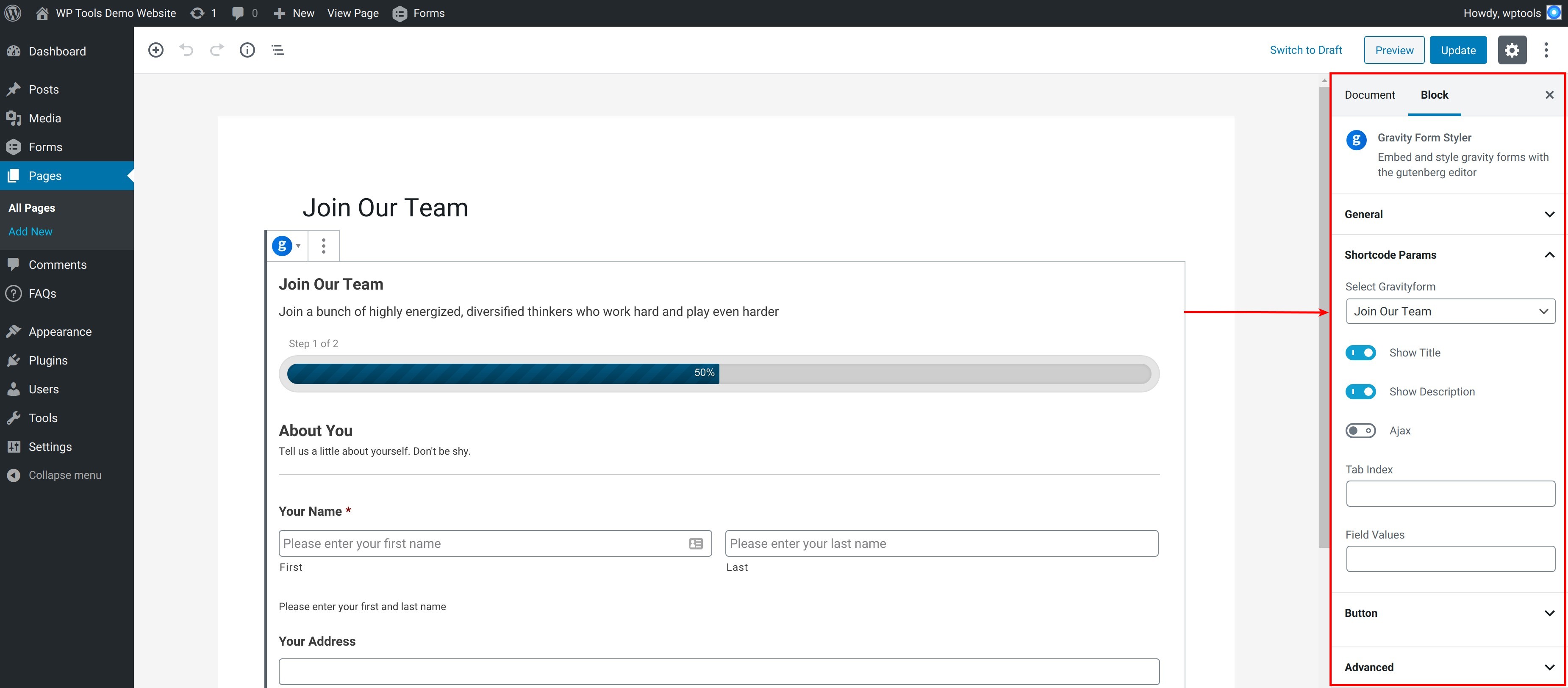
Gravity forms styling gutenberg blocks options for the free version 
Gravity forms styling gutenberg blocks options for the premium version
블록
이 플러그인은 1개의 블록을 제공합니다.
- Gravity Form Styler
설치
- Download the plugin from https://wordpress.org/plugins/block-styler-for-gravity-forms/
- Upload & activate the plugin via the WordPress admin. To learn more refer to this guide
FAQ
-
Any dependencies for this plugin?
-
Plugin depends on Gravity Forms (affiliate link)
-
Yes. Details on the premium version can be found at https://wptools.app/wordpress-plugin/gutenberg-block-styler-for-gravity-forms/
We offer a FREE TRIAL for the premium version.
후기
이 플러그인에 대한 평가가 없습니다.
기여자 & 개발자

자국어로 “Block Styler For Gravity Forms”(을)를 번역하세요.
개발에 관심이 있으십니까?
변경이력
6.4.1
- Updated: Freemius SDK
6.4.0
- php8.1 compatible
- WordPress compatible
- Freemius upgrade
6.3.0
- Freemius SDK upgrade
6.2.1
- Freemius SDK upgrade
6.2.0
- Fixed code sniffer issues
- Upgraded freemius v2.5.4.2
6.1.0
- Changed gravity forms block’s server side mechanism
6.0.0
- Working with latest version of gravity forms.
5.0.0
- Final Working version
- Gravity forms style options for button
[//]: # fs_premium_only_begin
4.0.0
- Added gravity forms style options for input, label, footer, confirmation message, form & field validation errors.
3.0.0
- Added gravity forms style options for progress bar, section
2.0.0
- Added gravity forms style options for wrapper, title, description
[//]: # fs_premium_only_end
1.0.0
- Initial version with freemius integration