
설명
BlockSpare is a powerful Gutenberg blocks plugin built for publishers, bloggers, businesses, agencies, and content creators who want to build beautiful WordPress websites using the native Block Editor.
Whether you’re creating an online newspaper, digital magazine, personal blog, business website, corporate site, portfolio, landing page, or editorial publication, BlockSpare provides the blocks, templates, layouts, and publishing tools you need to build professional websites without relying on heavy page builders or writing custom code.
Trusted by 17,000+ WordPress users, BlockSpare includes 60+ Gutenberg blocks, 137+ starter templates, 270+ ready-made sections, and powerful tools for building content-rich websites—all designed to work naturally with the WordPress Block Editor.
With BlockSpare Pro, you can unlock AI-powered content generation, AI summarization, AI Key Q&A, AI model selection, an advanced Site Builder, Header & Footer Builder, premium starter sites, advanced post queries, dynamic content, smart visibility controls, AJAX post filters and Load More, breaking news tickers, advertisement blocks, and more.
Why Choose BlockSpare?
Unlike general-purpose block plugins, BlockSpare is designed specifically for content-rich websites, professional publishing, and flexible WordPress site building.
✅ Purpose-built for news, magazine, blog and editorial websites
✅ 60+ specialized Gutenberg blocks
✅ 100+ professionally designed starter templates
✅ 300+ ready-made sections
✅ Powerful post query and content filtering tools
✅ AI-powered content generation with multiple AI models
✅ AI summarization and Key Q&A tools
✅ AI connectors with configurable language and model settings
✅ Advanced Site Builder for managing website templates
✅ Header & Footer Builder
✅ Dynamic content and smart visibility controls
✅ AJAX post filters and Load More
✅ Breaking News Ticker and Advertisement Blocks
✅ Native Gutenberg experience
✅ No shortcode lock-in
✅ Works with modern WordPress themes
✅ Built by the creators of popular AF Themes
Build Almost Any Type of Website
BlockSpare makes it easy to create professional layouts for:
👉 Agencies
Everything You Need to Build Faster
BlockSpare brings together powerful Gutenberg blocks, AI-powered content tools, a flexible Site Builder, professionally designed starter sites, and reusable sections to help you build and publish WordPress websites faster.
AI-Powered Content Tools
Create, improve, and understand your content with AI directly inside WordPress.
✓ AI Content Generation
✓ AI Content Summarization
✓ AI Key Questions & Answers
✓ Multiple AI Model Support
✓ Custom AI Generation Prompts
✓ Multiple Language Support
Use your connected AI providers and preferred models to generate content, summarize posts, and discover useful questions and answers.
Advanced Site Builder
Build and customize your website using the native WordPress Site Editor with flexible template controls.
✓ All Templates
✓ Header Templates
✓ Footer Templates
✓ Front Page Templates
✓ Singular Templates
✓ Archive Templates
✓ Search Results Templates
✓ Category Templates
✓ Author Templates
✓ Tag Templates
✓ Date Archive Templates
✓ 404 Page Templates
Create and manage templates for different parts of your website without relying on heavy page builders or custom code.
Professional Publishing Blocks
Create engaging news, magazine, blog, and editorial layouts using:
✓ Hero Banners
✓ Breaking News Tickers
✓ Trending Posts
✓ Post Grids
✓ Post Sliders
✓ Post Carousels
✓ Post Lists
✓ Express Lists
✓ Masonry Layouts
✓ Timeline Layouts
✓ Featured Categories
✓ Large Featured Sections
Perfect for online newspapers, digital magazines, blogs, editorial websites, and other content-rich publications.
Business & Utility Blocks
Build professional business pages and content sections with:
✓ Containers
✓ Section Headers
✓ Content Boxes
✓ Pricing Tables
✓ Price Lists
✓ Call to Action
✓ Testimonials
✓ Services
✓ Buttons
✓ Icon Lists
✓ Counters
✓ Progress Bars
✓ Accordions
✓ Tabs
✓ Notice Bars
✓ Author Profiles
Create everything from business pages and landing pages to service sections, pricing pages, and calls to action.
Image & Media Blocks
Showcase images and visual content with:
✓ Image Slider
✓ Image Carousel
✓ Masonry Gallery
✓ Logo Showcase
✓ Responsive Media Layouts
Create attractive visual sections while keeping your layouts responsive across devices.
Flexible Design Controls
Customize your blocks and layouts with powerful design options including:
👉 Typography & Fonts
👉 Colors & Backgrounds
👉 Animations & Transitions
👉 Spacing & Layout
👉 Borders & Shadows
👉 Responsive Visibility
👉 Hover Effects
👉 Device Controls
Professional Starter Sites
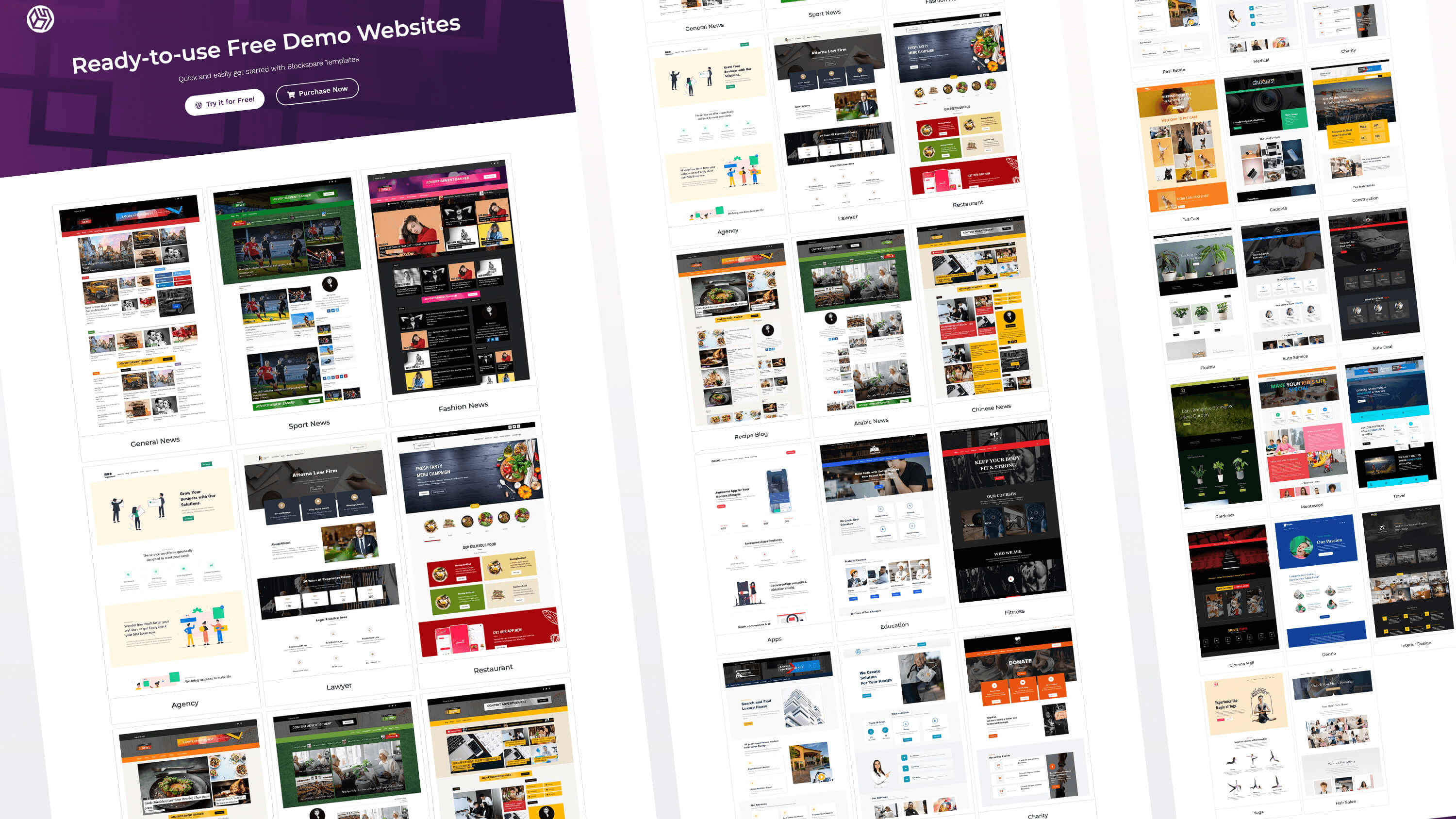
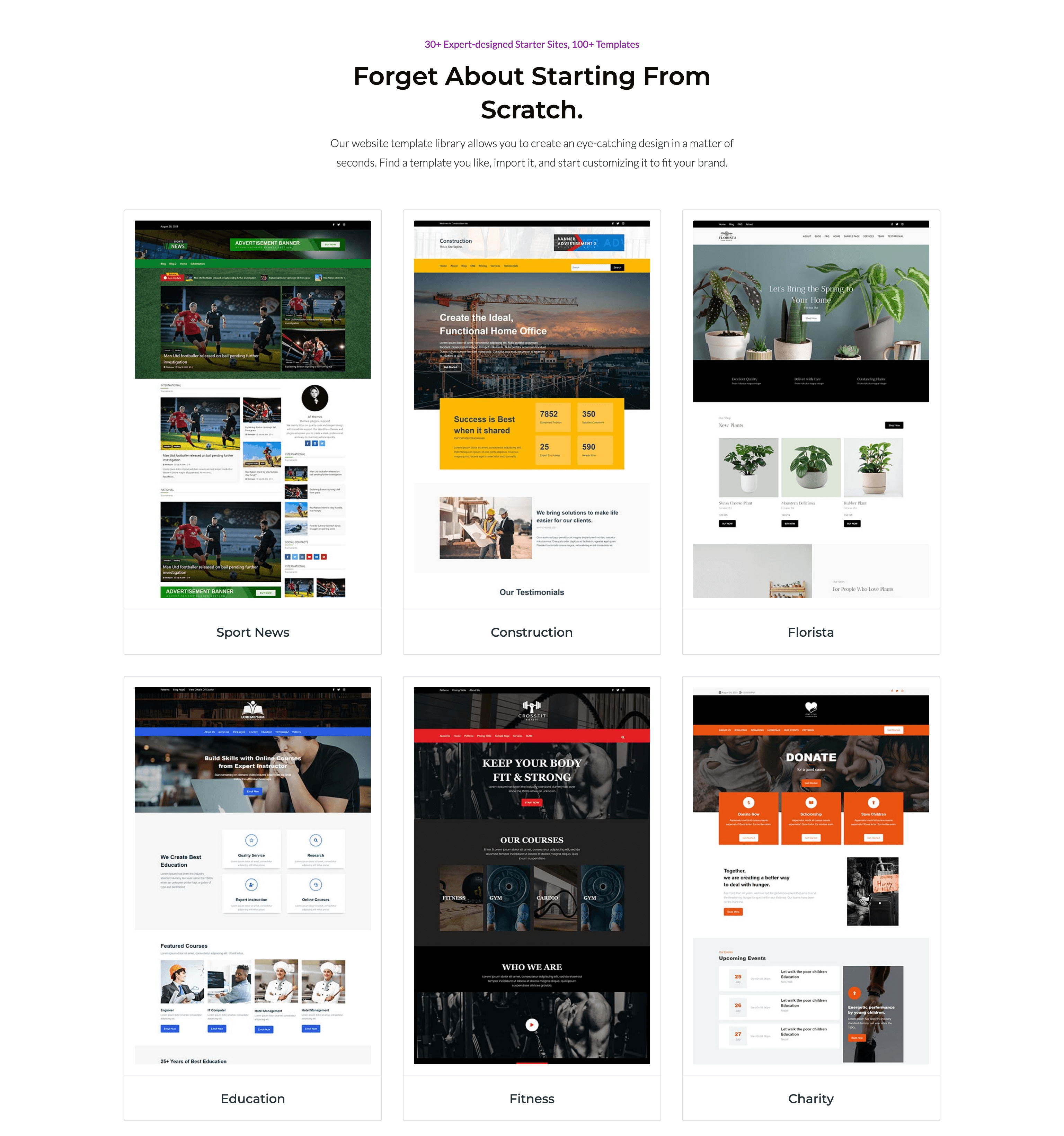
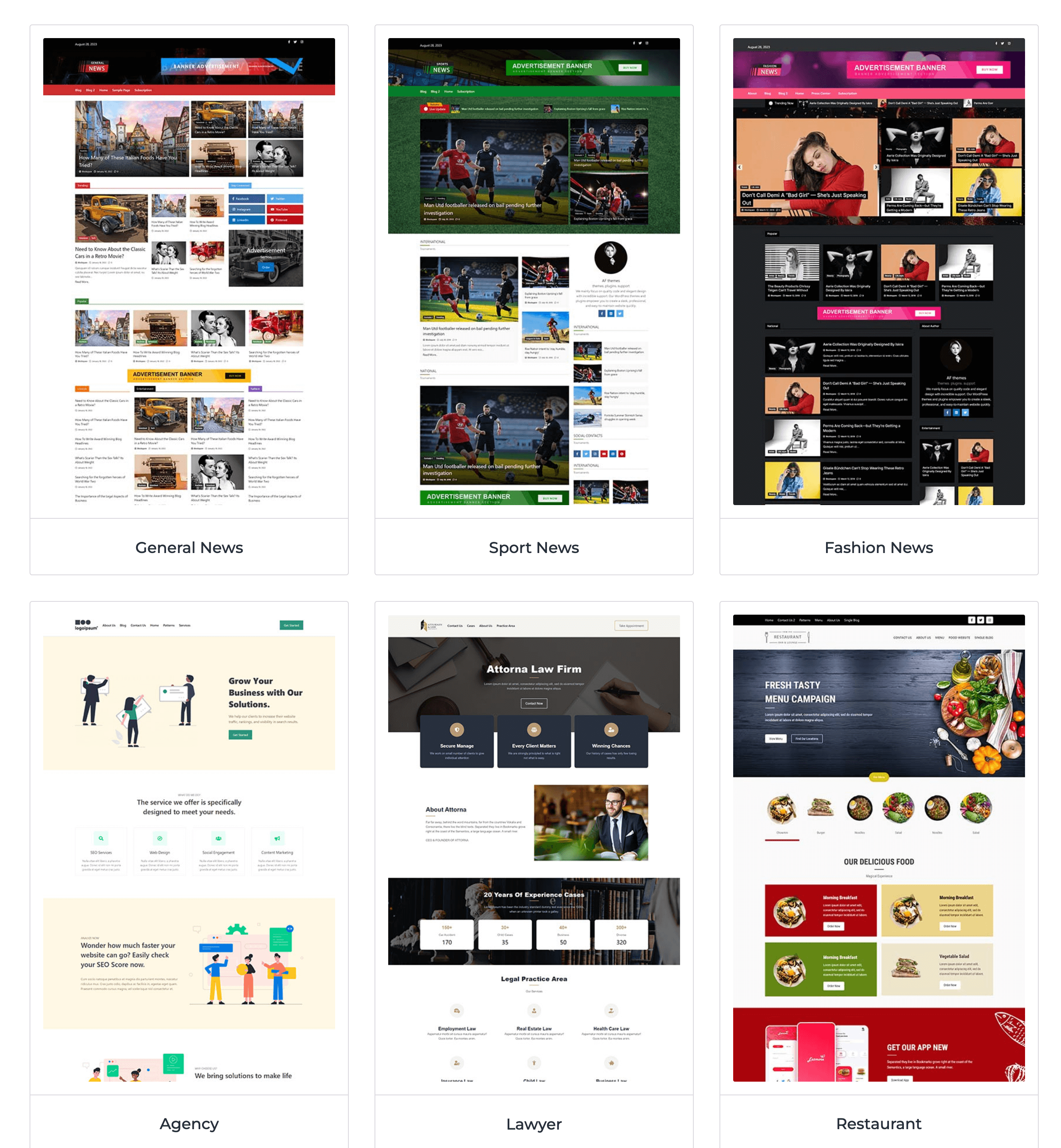
Start faster with over 137 professionally designed starter templates and 270+ reusable sections.
Import complete websites or individual layouts in just a few clicks.
Build websites faster using:
👉 Homepages
👉 Landing Pages
👉 About Pages
👉 Contact Pages
👉 Business Websites
👉 Magazine Layouts
👉 Blog Pages
👉 Editorial Sections
👉 Header & Footer Designs
👉 Reusable Content Sections
Simply import, customize, and publish.
Powerful Post Query Builder
Create flexible content layouts using the powerful post query builder.
Display and organize posts by:
👉 Categories
👉 Tags
👉 Authors
👉 Date
👉 Modified Date
👉 Popular Posts
👉 Featured Posts
👉 Custom Ordering
👉 Random Posts
👉 Include & Exclude Posts
Choose from multiple layouts and control which content appears on your pages.
Dynamic Content & Visibility
Create flexible content experiences with dynamic blocks and display controls.
Use dynamic content to:
👉 Display custom content and fields
👉 Create dynamic buttons and labels
👉 Build dynamic section headings
👉 Customize content based on your data
Control block visibility based on:
👉 User Role
👉 Device
👉 Date Range
👉 Display Conditions
Create more flexible layouts that show the right content to the right visitors.
Built for Performance
BlockSpare is designed to work naturally with the WordPress Block Editor without unnecessary complexity.
Features include:
✓ Native Gutenberg blocks
✓ Lightweight frontend output
✓ Responsive layouts
✓ Clean HTML markup
✓ Optimized CSS
✓ Lazy loading compatible
✓ SEO-friendly structure
✓ Accessibility improvements
✓ Translation ready
✓ RTL support
✓ Developer friendly
✓ Compatible with caching plugins
Why Publishers Love BlockSpare
Whether you’re launching your first blog, building a business website, or managing a large online publication, BlockSpare gives you the tools to build and publish faster with Gutenberg.
Create content with AI, build complete websites with the Site Builder, start from professionally designed templates, and create engaging news, magazine, blog, and business layouts with flexible Gutenberg blocks.
From breaking news homepages and featured stories to business websites and landing pages, BlockSpare is designed to work seamlessly with the WordPress Block Editor.
Why Publishers Love BlockSpare
Whether you’re launching your first blog or managing a large online publication, BlockSpare helps you build faster with professional layouts that are optimized for readability, engagement, and performance.
From breaking news homepages and featured stories to business websites and landing pages, everything is designed to work seamlessly with the WordPress Block Editor.
Unlock More with BlockSpare Pro
Upgrade to BlockSpare Pro to unlock AI-powered content tools, advanced Site Builder features, premium starter sites, powerful publishing tools, dynamic content controls, and advanced design options for professional WordPress websites.
AI-Powered Content Tools
Create, improve, and understand your content directly inside WordPress with integrated AI tools.
✅ AI Content Generation
✅ AI Content Generation Blocks
✅ AI Summarization
✅ AI Key Q&A
✅ Multiple AI Model Selection
✅ AI Connector Support
✅ Configurable Default Language
Use your preferred AI provider and model to generate content, summarize posts, and identify useful questions and answers from your content.
Advanced Site Builder
Build and manage templates for different parts of your website with the BlockSpare Site Builder.
✅ All Templates
✅ 404 Page
✅ Header
✅ Footer
✅ Front Page
✅ Singular
✅ Archive
✅ Search Results
✅ Category
✅ Author
✅ Tag
✅ Date Archive
Create and customize website templates using Gutenberg without relying on heavy page builders or custom code.
Premium Starter Sites
Start your website with professionally designed complete websites and ready-made layouts.
✅ 137+ Starter Templates
✅ Complete Website Designs
✅ News & Magazine Websites
✅ Blog Websites
✅ Business Websites
✅ Corporate Websites
✅ Agency Websites
✅ Landing Pages
✅ Portfolio Websites
✅ Reusable Sections
Import a complete starter site or individual sections, then customize everything with Gutenberg.
Advanced Publishing Tools
Build powerful news, magazine, blog, and editorial layouts with advanced content tools.
✅ Premium News & Magazine Blocks
✅ Advanced Post Queries
✅ AJAX Post Filters
✅ AJAX Load More
✅ Advanced Ordering
✅ Author Queries
✅ Taxonomy Queries
✅ Include & Exclude Posts
✅ Breaking News Ticker
✅ Advertisement Blocks
Create flexible content layouts and control exactly which posts and content appear on your pages.
Dynamic Content & Visibility
Create more flexible and personalized layouts using dynamic content and display controls.
✅ Dynamic Content Blocks
✅ Custom Fields
✅ ACF Integration
✅ Dynamic Buttons & Labels
✅ Dynamic Section Content
✅ User Role Visibility
✅ Device Visibility
✅ Scheduled Visibility
✅ Conditional Display
Show the right content in the right place based on your content, visitors, devices, and display conditions.
Advanced Design Controls
Get more control over the appearance and behavior of your Gutenberg layouts.
✅ Premium Block Controls
✅ Advanced Typography
✅ Advanced Container Settings
✅ Responsive Controls
✅ Block Animations
✅ Block Hover Effects
✅ Image Hover Effects
✅ Additional Layout Options
Create polished, responsive layouts with flexible controls directly in the WordPress Block Editor.
Premium Experience
Get more from BlockSpare with ongoing product improvements and dedicated support.
✅ Priority Support
✅ Regular Feature Updates
How BlockSpare Pro Works
Build your website your way with Gutenberg.
-
Start with AI, a starter site, template, or block and choose the tools you need.
-
Build and customize your website using the Site Builder, Gutenberg blocks, dynamic content, and advanced design controls.
-
Create, refine, and publish content using AI-powered tools and advanced publishing features.
권장 테마
BlockSpare는 모든 최신 워드프레스 테마와 함께 작동하며 다음과 같이 테스트되었습니다:
✓ NewSpare
✓ CoverNews
✓ ChromeNews
✓ MoreNews
✓ ReviewNews
✓ Newsphere
✓ Twenty Twenty-Five
✓ Astra
✓ Ocean WP
✓ Blocksy
✓ Kadence
✓ Generatepress
✓ Neve
✓ And all themes from AF Themes
AF 테마의 다른 플러그인들
BlockSpare가 유용하다고 생각되면, 다음도 마음에 드실 수 있습니다:
TemplateSpare: 1000개 이상의 스타터 템플릿 및 전체 사이트 가져오기/내보내기 솔루션.
EleSpare: 뉴스, 매거진, 및 블로그 애드온으로 워드프레스용 Elementor.
WP Post Author: 작성자 박스, 공동 작성자, 및 게스트 작성자 관리.
AF Companion: Starter Sites, Speed Booster & Growth Suite for Professional Publishing.
AF Translate: AI Translation Editor, PO Editor & POT Generator for WordPress.
스크린샷
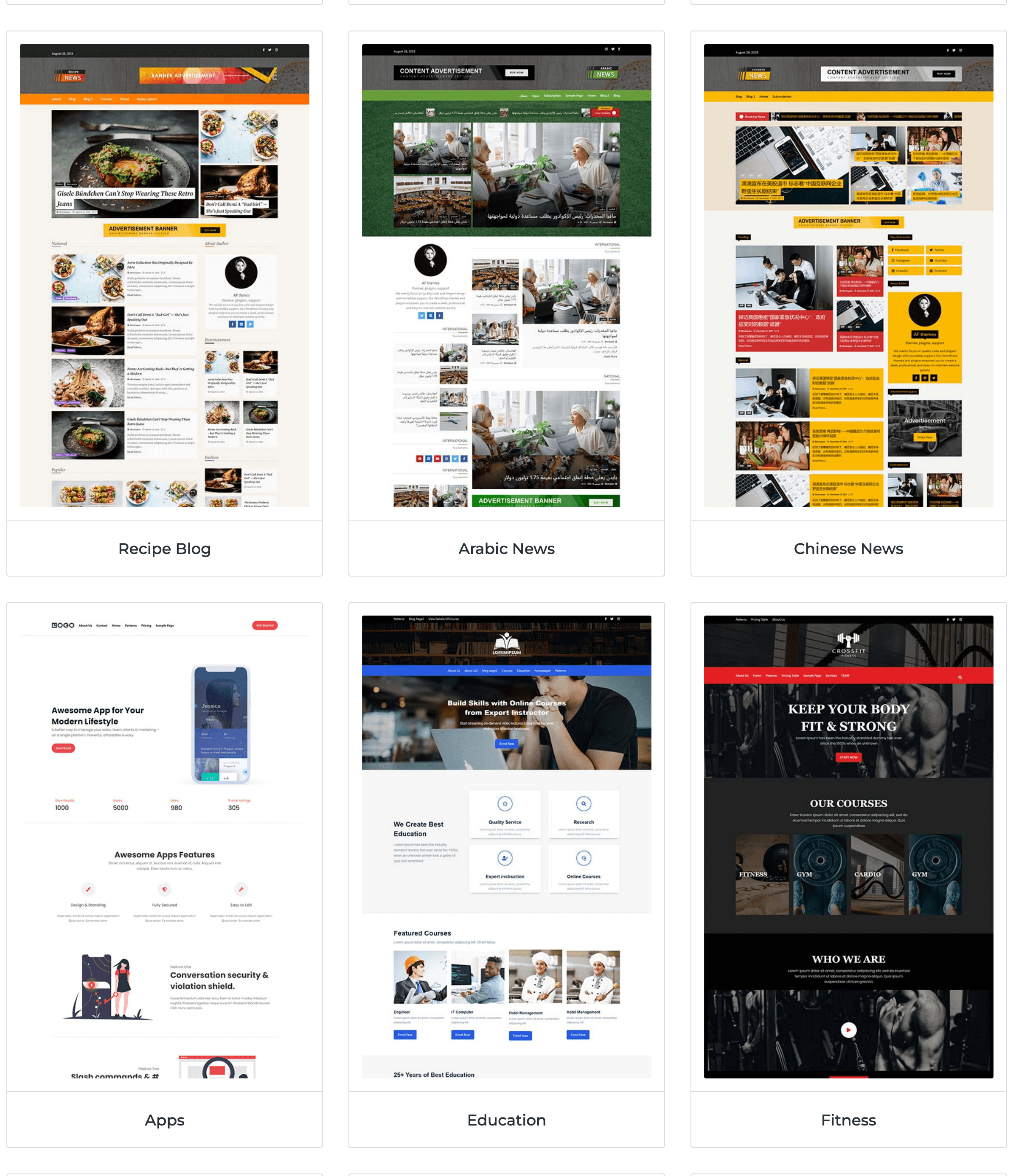
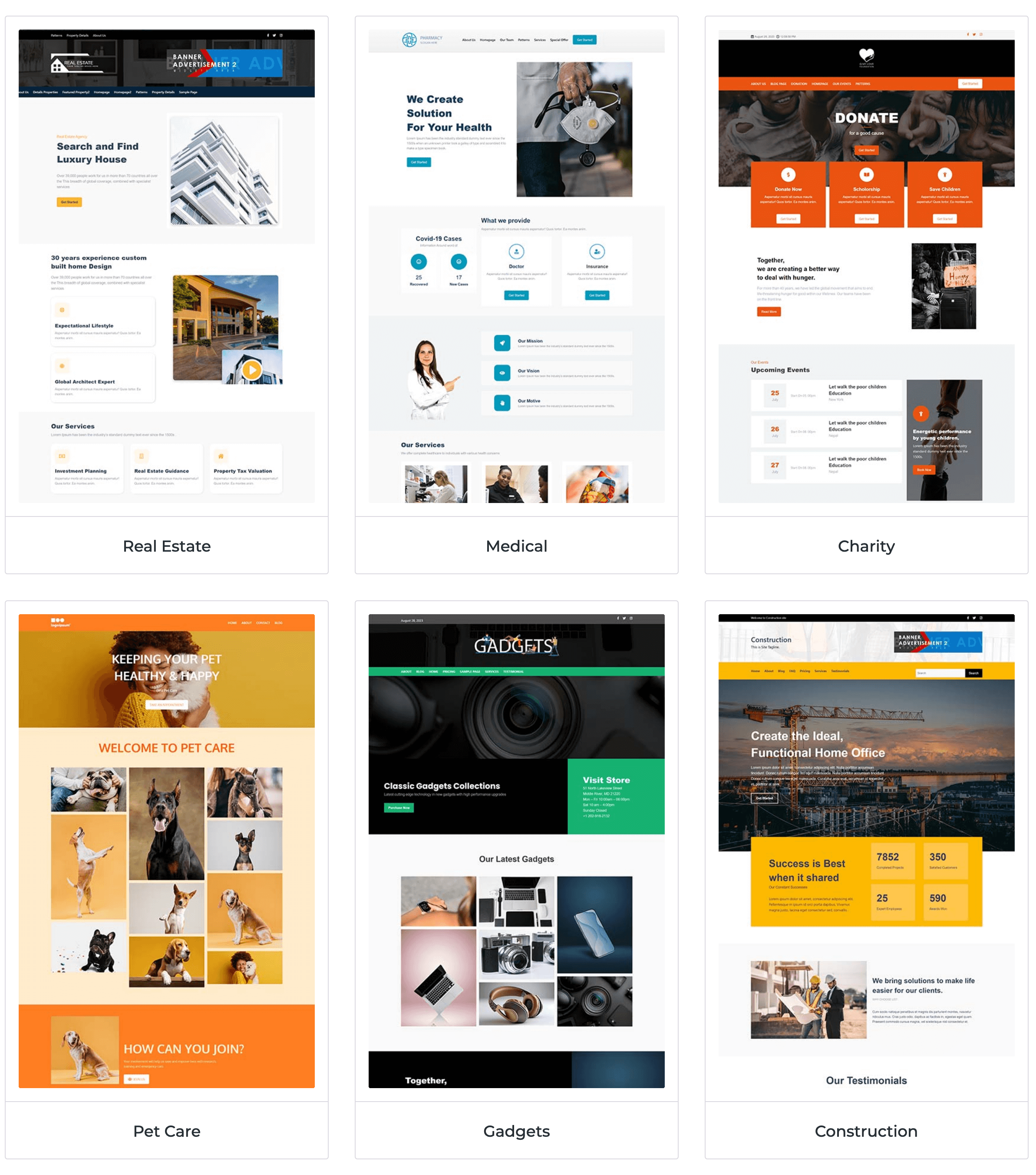
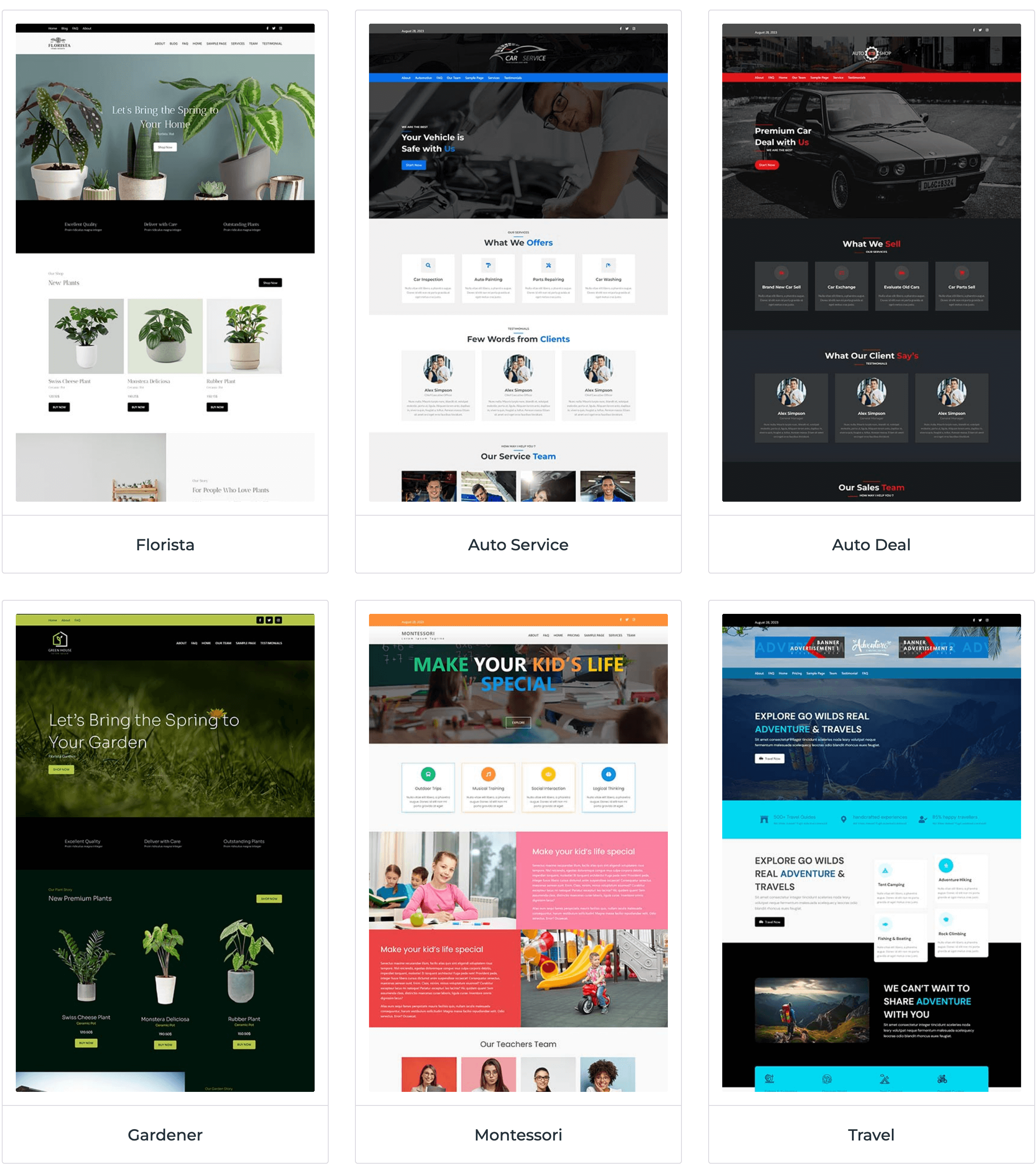
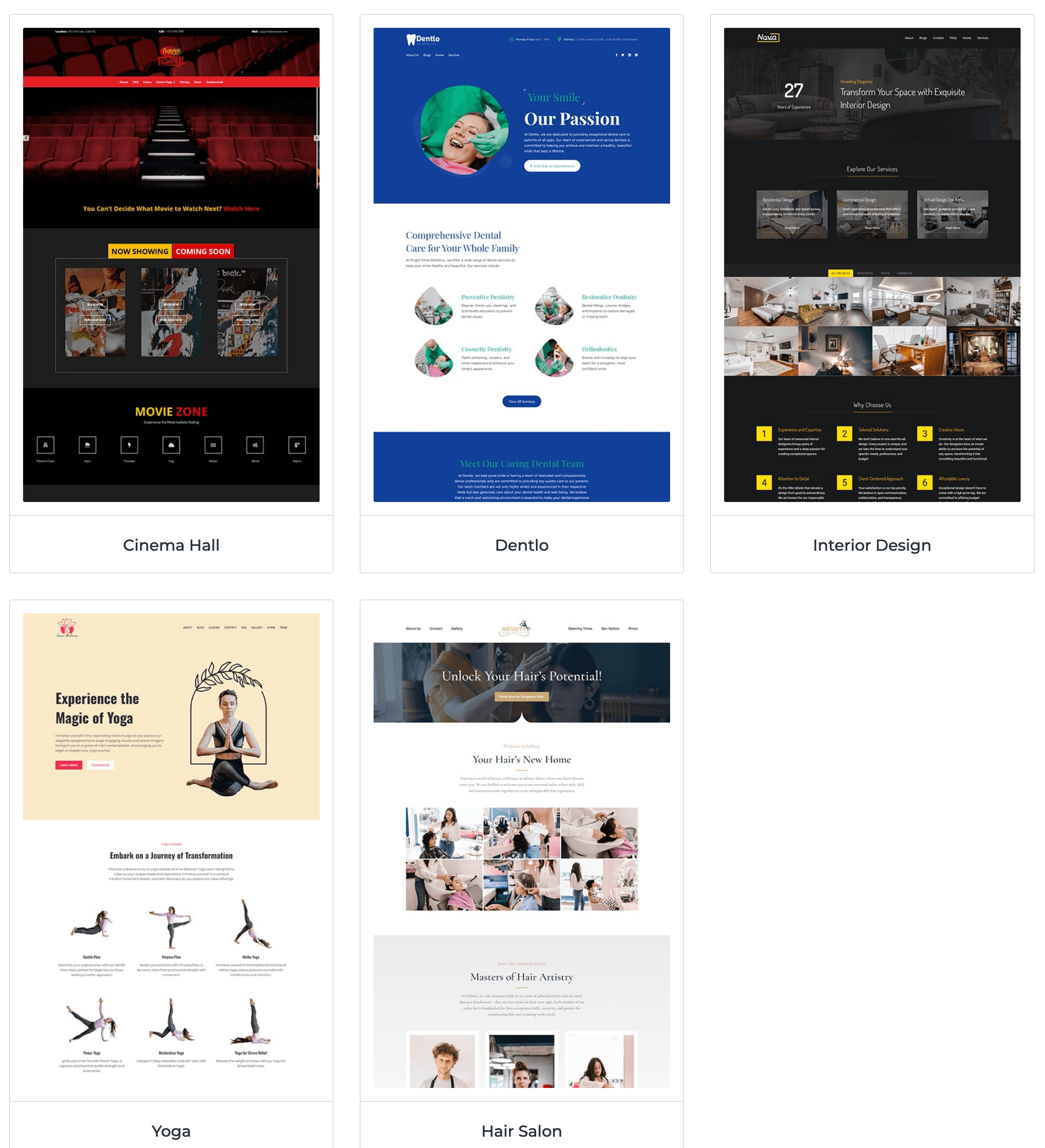
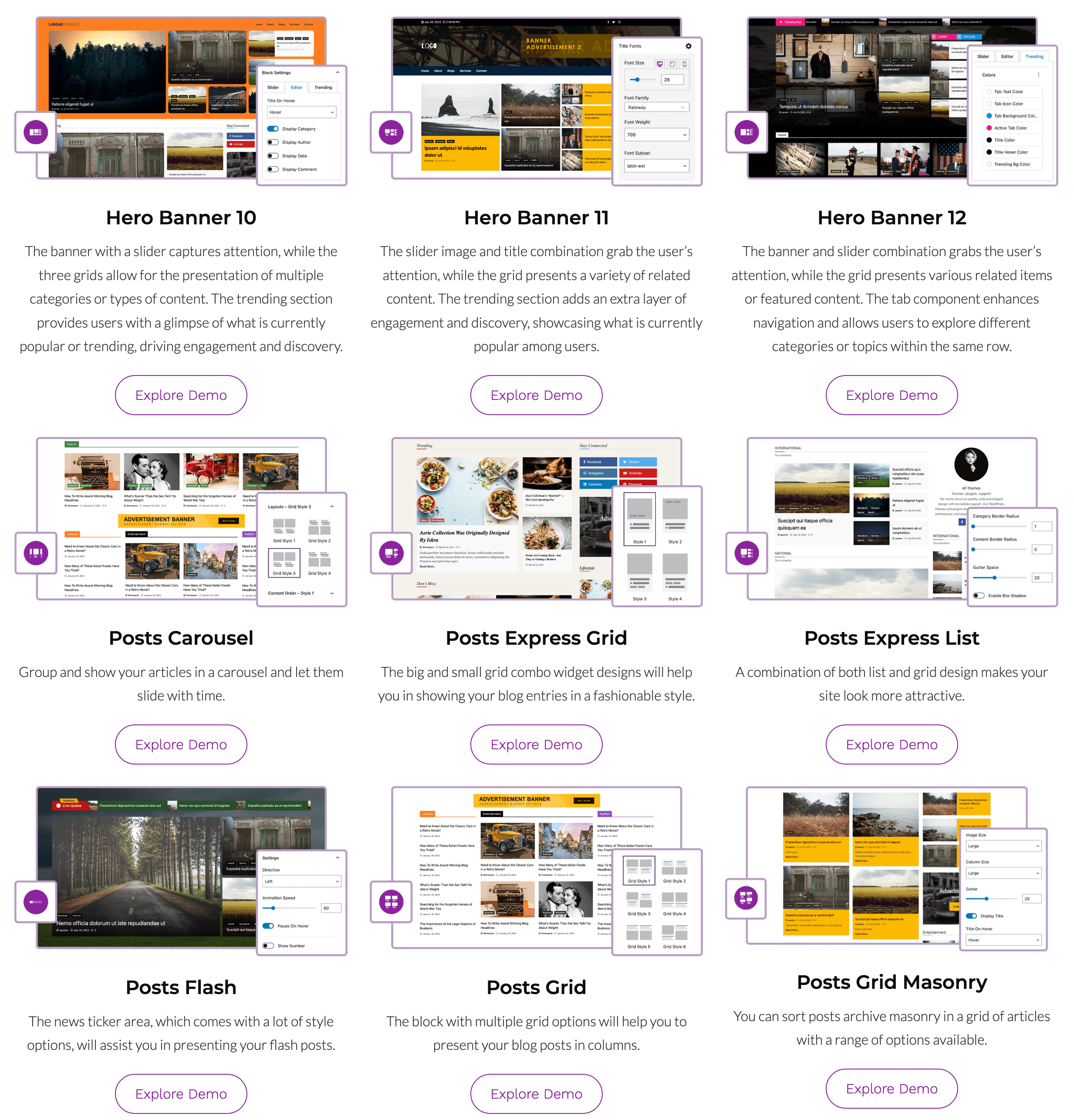
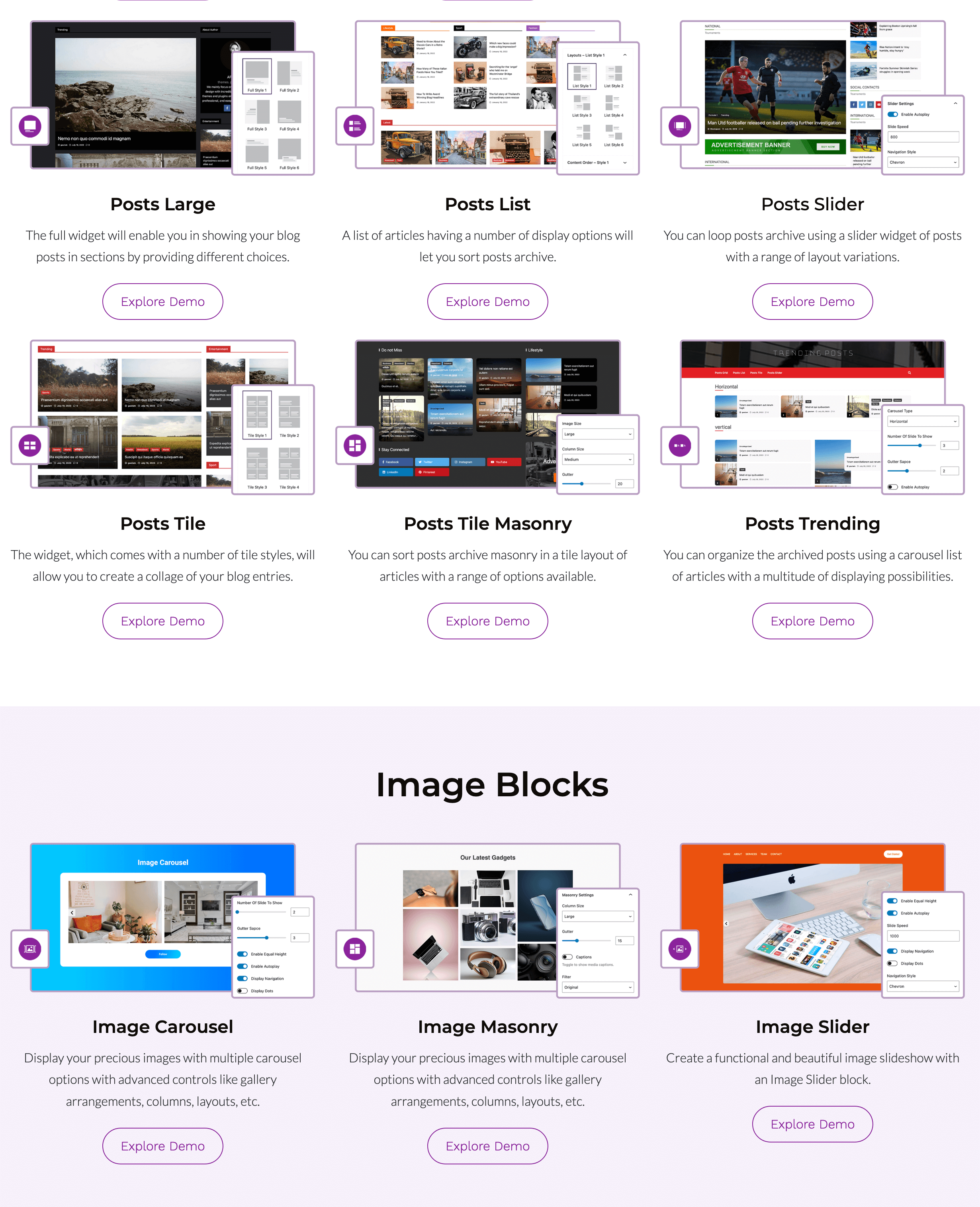
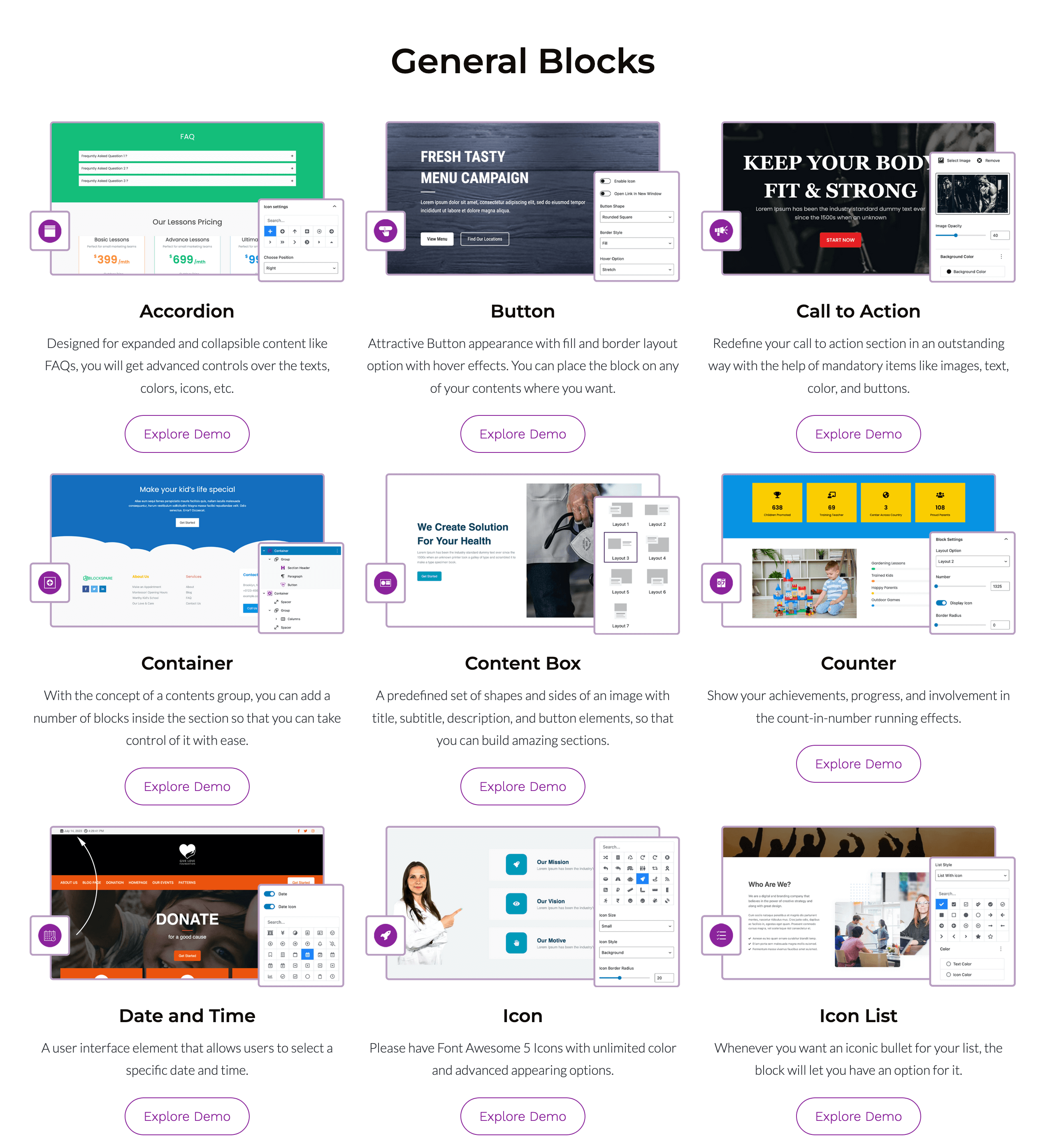
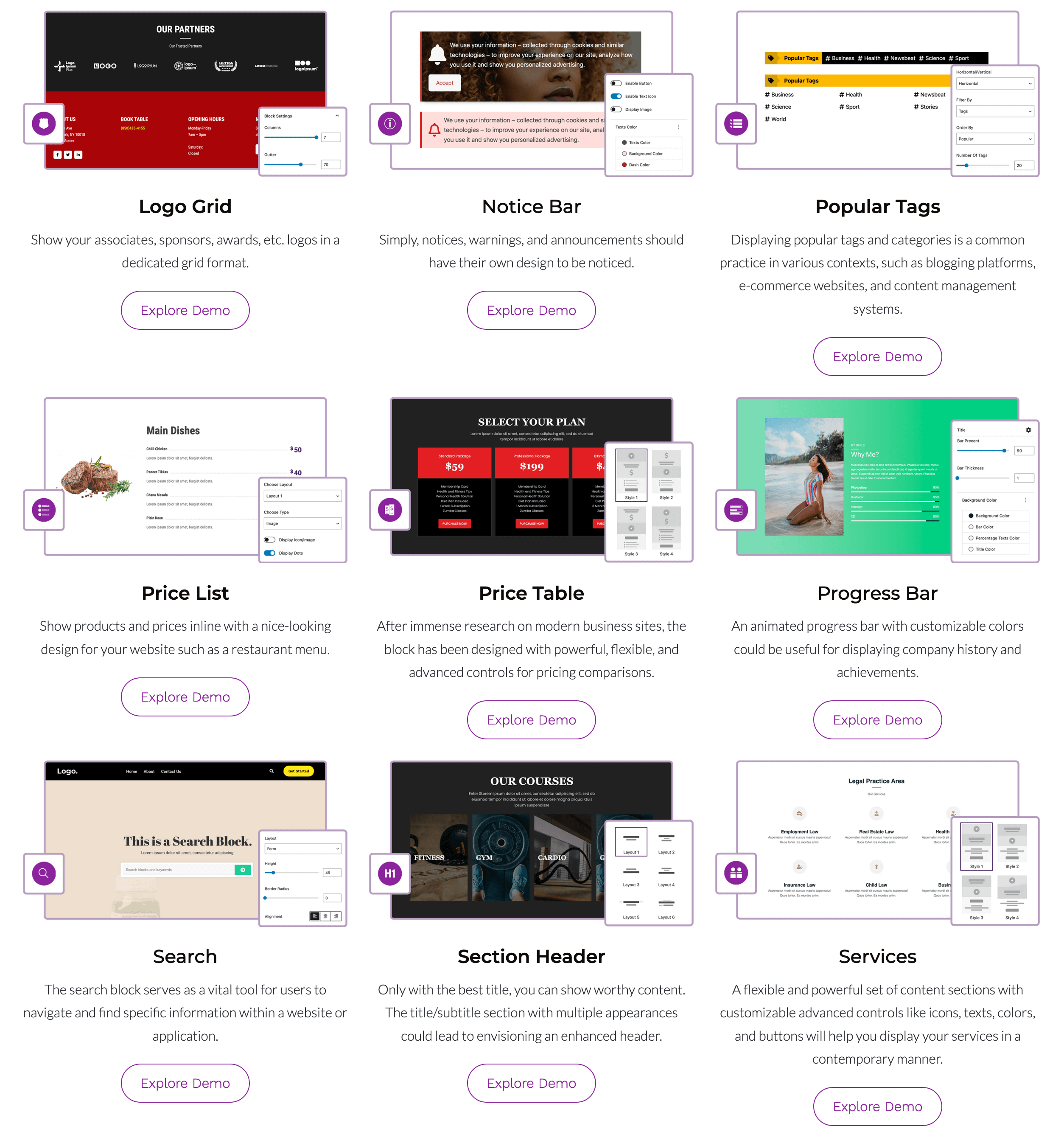
블록
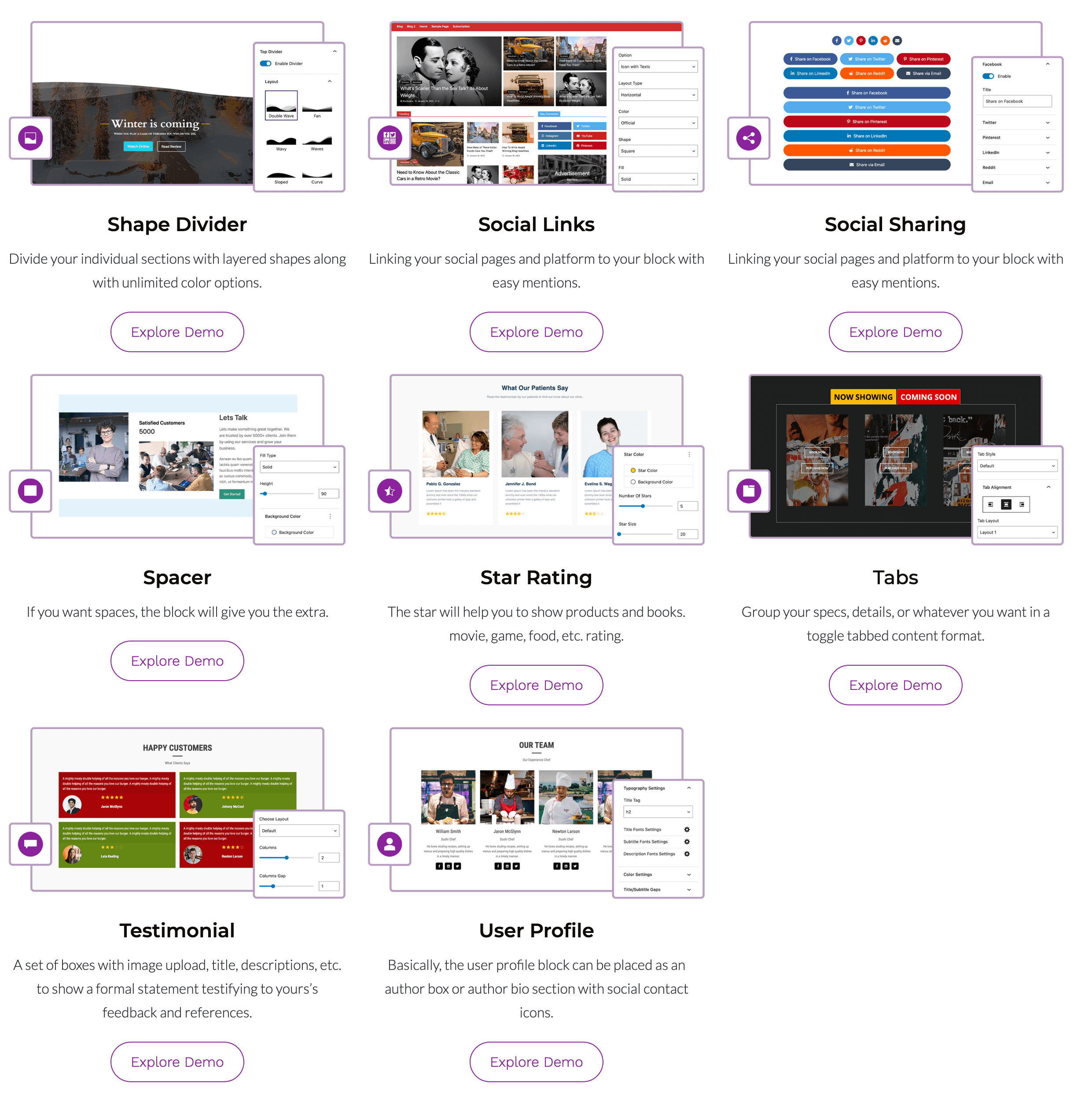
이 플러그인은 57개의 블록을 제공합니다.
- Latest Posts Flash Urgent news and latest posts in a news-ticker layout.
- Pricing Table Display product tiers, subscription plans, and features in a clean pricing table.
- Call to Action CTA sections with flexible text, buttons, and styling.
- Social Links Display social media icons linking to your profiles and community pages.
- Latest Posts Tile Display your latest posts in an attractive, magazine-style tile layout.
- Notice Bar Display important alerts, announcements, or promotional notices across your pages.
- Dynamic Button Add a dynamic button powered by post meta and custom fields.
- Price List Display menu items, services, or product pricing in a clean, structured list.
- Latest Posts Express List Latest blog posts in a fast, lightweight express list layout.
- Accordion Create expandable accordion sections with customizable content and styling.
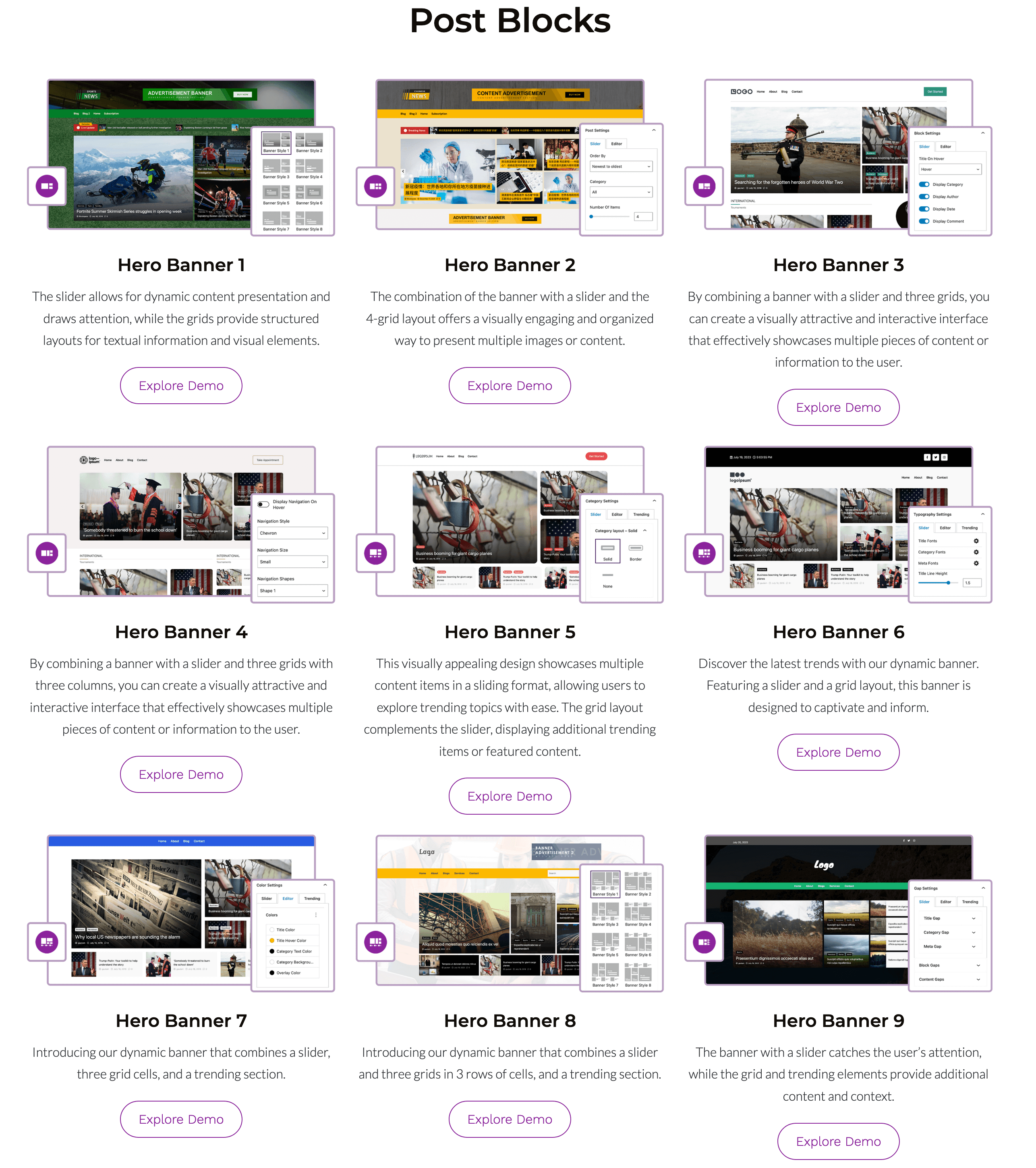
- Hero Banner 4 Featured main slider across a three-column layout with stacked end cards.
- Testimonial Display customer reviews, quotes, and social proof to build trust.
- Latest Posts Slider Display your latest posts in a smooth, responsive slider layout.
- Image Carousel Image carousel with customizable transition effects and navigation controls.
- Hero Banner 11 Hero post siler with text excerpt, center cards, and a right-side post vertical carousel.
- Hero Banner 10 Display a full-height hero, center cards, and post carousel list.
- Dynamic Section Header Display dynamic section headings powered by post meta and custom fields.
- Icon List Add bulleted or numbered lists with custom icons and styling options.
- Icons Icons with custom sizing and colors
- Latest Posts Grid Display your latest posts in a clean, responsive grid layout.
- Logo Grid Add logos, badges, or certifications to build credibility.
- Latest Posts Masonry Display your latest posts in a dynamic, staggered masonry grid layout.
- Social Sharing Add customizable social sharing buttons to let visitors share your posts and pages.
- Date and Time Display dynamic date and time with customizable formatting.
- Image Masonry Images in a seamless, staggered masonry grid with responsive column controls.
- Latest Posts Carousel & Grid Latest posts in interactive carousel in grid layouts.
- Hero Banner 8 Featured main slider, stacked side posts, and a bottom post carousel.
- Hero Banner 9 Featured main slider editor picks with a vertically scrolling carousel.
- Container Group blocks together inside a flexible, customizable wrapper.
- Section Header Create styled headings with sub-titles, badges, and divider lines for page sections.
- Hero Banner 6 Featured main slider with four side cards and a post list carousel.
- Search Add a customizable search bar to help users easily find content on your site.
- Star Rating Display star ratings to highlight product reviews, feedback, or scores.
- Hero Banner 2 Featured main slider paired with curated Editors Choice sections.
- Latest posts Large Latest posts in a large, prominent featured layout.
- Hero Banner 5 Featured main slider paired with a carousel post list below.
- Design Library Add a pre-defined section or layout to posts and pages.
- Inner Tab
- Tabs Organize and display content in compact, tabbed sections to save page space.
- Button Button with gradient backgrounds and icons.
- Hero Banner 3 Featured main slider with stacked secondary and post grid.
- Latest Posts Trending Carousel Display your top-performing and trending posts in an interactive carousel slider.
- User Profile Display author profiles, team members, or user bios with custom avatars and social links.
- Linear Progress Bar Display progress, skills, or completion percentages with a clean linear progress bar.
- Image Slider Image silder with customizable transition effects and navigation controls.
- Hero Banner 7 Featured main slider across a multi-style grid with a compact post carousel
- Latest Posts Tile Masonry Display your latest posts in a dynamic tile layout with a staggered masonry flow.
- Hero Banner 1 Featured post slider on the left with curated Editors Choice sections.
- Hero Banner 12 Display a main hero card, stacked center posts, and a structured right-side news list.
- Counter Showcase numbers and statistics with smooth counting animations
- Content Box Card with text and buttons over a background image.
- Spacer Section Separate content sections using customizable colored background bands and borders.
- Latest Posts Express Grid Latest posts in a fast, lightweight express grid layout.
- Services Showcase your offerings, features, or solutions with customizable service blocks.
- Popular Tag/Category Most popular post tags and categories in a customizable layout.
- Latest Posts List Display your latest blog posts in a clean, vertical list layout.
- Shape Divider SVG shape dividers to create smooth transitions between page sections.
설치
- 워드프레스 플러그인 설치 관리자를 통해 플러그인을 설치하거나
blockspare폴더를/wp-콘텐츠/플러그인/에 업로드하세요. - 플러그인 메뉴에서 BlockSpare를 활성화하세요.
- 구텐베르크 편집기를 아무 페이지/게시물에서 열기.
- 플러그인 패널에서 BlockSpare 블록(블록 삽입기에서 사용) 또는 패턴 라이브러리/디자인 라이브러리를 열어 사용하세요.
- 시작 템플릿을 가져오거나 블록을 삽입한 다음 사용자 정의하십시오.
FAQ
-
What is BlockSpare?
-
BlockSpare is a Gutenberg blocks plugin for WordPress that helps you build professional news, magazine, blog, editorial, business, portfolio, landing page, and content-rich websites using the native Block Editor. It includes 60+ blocks, 137+ starter templates, 270+ ready-made sections, and powerful publishing and design tools.
-
Who is BlockSpare designed for?
-
BlockSpare is designed for bloggers, publishers, online magazines, news websites, businesses, agencies, freelancers, educators, nonprofits, and anyone who wants to build professional WordPress websites with Gutenberg without relying on heavy page builders or custom code.
-
Can I create news and magazine websites with BlockSpare?
-
Yes. BlockSpare is purpose-built for news, magazine, editorial, and blog websites. It includes Hero Banners, Breaking News Tickers, Trending Posts, Post Grids, Post Lists, Sliders, Carousels, Masonry layouts, Timeline layouts, Featured Sections, and other publishing-focused blocks.
-
Can I build business websites and landing pages?
-
Yes. BlockSpare includes business-focused blocks such as Containers, Content Boxes, Pricing Tables, Testimonials, Services, Call-to-Action sections, Counters, Progress Bars, Tabs, Accordions, Buttons, and other flexible content blocks for creating professional business websites and landing pages.
-
What is BlockSpare Pro?
-
BlockSpare Pro adds advanced website-building and publishing features, including AI-powered content tools, AI model selection, the Site Builder, Header & Footer Builder, premium starter sites, advanced post queries, AJAX filters and Load More, dynamic content, smart visibility controls, advertisement blocks, and additional design controls.
-
What AI features does BlockSpare Pro include?
-
BlockSpare Pro includes AI-powered tools for creating and working with WordPress content.
AI features include:
- AI Content Generation
- AI Summarization
- AI Key Q&A
- AI Content Generation Blocks
- AI Model Selection
- AI Connector Support
- Configurable Default Language
You can use connected AI providers and your preferred AI model to generate content, summarize posts, and identify useful questions and answers from your content.
-
Can I choose which AI model BlockSpare uses?
-
Yes. BlockSpare Pro provides AI model selection, allowing you to choose an available model from your connected AI provider for AI-powered content tools.
-
Can I generate content in different languages?
-
Yes. BlockSpare Pro includes a configurable Default Language setting for its AI content tools. The selected language is used when generating and working with content through the AI features.
-
What is the BlockSpare Site Builder?
-
The BlockSpare Site Builder helps you create and manage templates for different parts of your WordPress website using Gutenberg.
The Site Builder supports:
- All Templates
- 404 Page
- Header
- Footer
- Front Page
- Singular
- Archive
- Search Results
- Category
- Author
- Tag
- Date Archive
You can create and customize templates for different parts of your website without relying on heavy page builders or writing custom code.
-
Yes. BlockSpare Pro includes Header & Footer Builder functionality through the Site Builder, allowing you to create and customize header and footer templates using Gutenberg.
-
What are Starter Templates?
-
Starter Templates are professionally designed website layouts that help you launch a website quickly. BlockSpare includes 137+ starter templates and 270+ ready-made sections. You can import complete website designs or individual layouts and customize them using Gutenberg.
-
코딩 지식이 필요합니까?
-
No. BlockSpare is designed for visual editing with Gutenberg. You can build and customize websites without writing HTML, CSS, JavaScript, or PHP.
-
Does BlockSpare work with Full Site Editing (FSE)?
-
Yes. BlockSpare works with modern block themes and Full Site Editing (FSE), while also providing Gutenberg blocks that can be used with compatible classic themes.
-
Does BlockSpare work with any WordPress theme?
-
BlockSpare is designed to work with modern Gutenberg-compatible WordPress themes. It integrates especially well with AF Themes while remaining usable with other compatible WordPress themes.
-
Is BlockSpare compatible with WooCommerce?
-
Yes. BlockSpare can be used alongside WooCommerce to create shop layouts, promotional sections, product landing pages, and other content sections.
-
Can I create post grids, sliders, carousels, and news tickers?
-
Yes. BlockSpare includes multiple publishing blocks for Post Grids, Lists, Tiles, Sliders, Carousels, Breaking News Tickers, Trending Posts, Masonry layouts, Timeline layouts, and Featured Sections.
-
Does BlockSpare include a post query builder?
-
Yes. BlockSpare provides post query options for displaying content by categories, tags, authors, dates, popularity, featured posts, random order, custom ordering, and other criteria. BlockSpare Pro adds advanced query controls, AJAX filtering, AJAX Load More, and additional content controls.
-
Can I filter posts with AJAX?
-
Yes. BlockSpare Pro includes AJAX post filters and AJAX Load More functionality, allowing visitors to browse and load additional content without a full page reload.
-
Can I use custom fields or ACF with BlockSpare?
-
Yes. BlockSpare Pro includes dynamic content features and support for Advanced Custom Fields (ACF), allowing you to use custom field data in supported dynamic content features.
-
What are Dynamic Content and Smart Visibility?
-
BlockSpare Pro includes dynamic content and visibility controls that allow you to create more flexible layouts and control when and where content is displayed.
Depending on the feature, you can use dynamic content with custom fields and control visibility based on user role, device, date range, and other display conditions.
-
Can I customize colors, typography, and layouts?
-
Yes. BlockSpare provides flexible design controls for typography, colors, spacing, backgrounds, borders, layouts, responsive settings, hover effects, animations, and other block-specific options.
-
Is BlockSpare mobile responsive?
-
Yes. BlockSpare blocks and starter templates are designed to create responsive layouts that work across desktop, tablet, and mobile devices.
-
Will BlockSpare slow down my website?
-
BlockSpare is built with performance in mind and uses native Gutenberg blocks with optimized frontend assets. Actual website performance also depends on your hosting, theme, images, caching configuration, and other plugins.
-
Is BlockSpare SEO friendly?
-
BlockSpare is designed to work with WordPress best practices and popular SEO plugins. Its Gutenberg-based blocks generate structured HTML markup, while overall SEO performance also depends on your content, theme, site configuration, and SEO setup.
-
Is BlockSpare translation ready?
-
Yes. BlockSpare is translation ready and supports RTL (Right-to-Left) languages.
-
Is BlockSpare free?
-
Yes. BlockSpare includes a powerful free version with Gutenberg blocks, starter templates, ready-made sections, and design controls. BlockSpare Pro adds advanced AI tools, Site Builder features, premium starter sites, advanced publishing tools, dynamic content, and additional design options.
-
What is the difference between BlockSpare Free and Pro?
-
The free version provides a collection of Gutenberg blocks, starter templates, sections, and essential design controls. BlockSpare Pro adds advanced features such as AI-powered content tools, AI model selection, Site Builder, Header & Footer Builder, premium starter sites, advanced post queries, AJAX filters and Load More, dynamic content, smart visibility, and additional premium controls.
-
Can I use BlockSpare on client websites?
-
Yes. BlockSpare can be used for personal websites, business websites, and client projects according to the applicable BlockSpare Pro license terms.
-
Where can I see BlockSpare starter templates and demos?
-
You can explore BlockSpare starter templates, website demos, and available designs through the BlockSpare website.
-
Where can I find BlockSpare documentation?
-
BlockSpare documentation includes information about installation, configuration, blocks, templates, Site Builder, AI features, and other available features.
-
Where can I get support or request a feature?
-
You can get support through the AF Themes support form or the official documentation. Feature requests and feedback are welcome and help guide future BlockSpare improvements.
후기


기여자 & 개발자
“BlockSpare – Gutenberg Blocks, AI Content Generator & Site Builder for News, Magazine & Blogs”(은)는 오픈 소스 소프트웨어입니다. 다음의 사람들이 이 플러그인에 기여하였습니다.
기여자

“BlockSpare – Gutenberg Blocks, AI Content Generator & Site Builder for News, Magazine & Blogs”(이)가 2 개 언어로 번역되었습니다. 기여해 주셔서 번역자님께 감사드립니다.
개발에 관심이 있으십니까?
변경이력
5.0.0
- Added AI-powered content generation.
- Added AI model selection support.
- Added a dedicated AI settings panel.
- Added AI content generation blocks and controls.
- Added Header and Footer template support in the Theme Builder.
- Improved Theme Builder dashboard and template management interface.
- Improved Theme Builder template selection and display.
- Improved Theme Builder responsive design and user interface.
- Added additional security checks for AI and content generation features.
- Improved template include and display conditions.
- Improved AI content generation interface with additional links, icons, and controls.
- Fixed undefined array key issues.
- Fixed tab and template display issues.
- Fixed frontend console errors related to WordPress Interactivity.
- Fixed various Theme Builder interface and layout issues.
- Improved plugin code structure and removed unused code.
- Fixed a security vulnerability that could allow authenticated users with Subscriber-level access or higher to create arbitrary posts due to an incorrect authorization check.
- Improved template import with include and exclude options.
- Improved archive template handling.
- Fixed tabs and accordion display issues.
- Excluded My Templates from the post selection dropdown.
- Improved interface text spacing and messaging.
4.2.0
- 향상된 택소노미 및 작성자 필터링 기능이 적용된 개선된 쿼리 빌더.
- 개선된 타이포그래피 제어와 기기 간 편집기 경험.
- 간결한 레이아웃으로 배너 타이포그래피 개선.
- 최신 글, Express 목록, Full Style CSS 개선.
- 개선된 검사기 패널 디자인과 전반적인 편집기 UI.
- “사용자 정의 기능” 호환성 및 REST 필드 처리 개선.
-
개선된 패키지 구성 및 빌드 프로세스.
-
택소노미 쿼리 및 제외 쿼리 문제를 수정했습니다.
- 페이지네이션이 있는 제외 기능을 수정했습니다.
- 플래시 뉴스 제외 쿼리 및 제목 태그 수정.
- 세로형 트렌딩 블록 편집 쿼리를 수정했습니다.
- 블록 전반의 프런트엔드 쿼리 처리를 수정했습니다.
- 배열을 문자열로 변환할 때의 문제를 수정했습니다.
- 사용자 정의 기능 스크립트 및 설정 문제를 수정했습니다.
- 타이포그래피 CSS의 불일치를 수정했습니다.
- 메타 URL 처리 수정.
- 아이콘 오타와 기타 편집기 오류를 수정했습니다.
- Post Grid 및 Flash News에서 제목 태그 지원을 수정했습니다.
-
워드프레스 편집기 업데이트와의 기능 호환성 문제를 수정했습니다.
-
최신 글” 및 “Express List” 레이아웃 전반의 CSS를 최적화했습니다.
- 검사기 스타일과 전체 편집기 성능을 최적화했습니다.
- 사용하지 않는 코드, 콘솔 로그, 불필요한 구성 요소를 제거했습니다.
- 편집기 성능 향상을 위해 기본 글 쿼리 제한을 줄였습니다.
4.0.0
- Post Grid, Post List, Express List, Post Carousel, 및 Trending Carousel 블록에 대한 새로운 기본값 디자인을 추가했습니다.
- Flash News, Latest Post, Post Full, Post Slider 블록에 대한 새로운 기본값 스타일이 추가되었습니다.
- 배너 1–12용으로 새롭게 디자인된 배너 블록 레이아웃을 추가했습니다.
- 기본값 벽돌 및 타일 벽돌 레이아웃 디자인을 추가했습니다.
- 대시보드 아이콘을 추가하고 빈 상태 아이콘을 개선했습니다.
- 관리자 메뉴 개선 사항을 추가하고 데모 템플릿 링크를 업데이트했습니다.
- 가격표 설명 블록에 대한 폐기 예정 처리 및 변환 지원이 추가되었습니다.
- 시도 복구 개선 사항을 추가하고 번역 makepot 지원을 업데이트했습니다.
-
개발 워크플로우를 위한 webpack 시작 지원이 추가되었습니다.
-
“트렌딩 캐러셀 썸네일의 크기와 레이아웃 일관성 개선.”
- Express Grid 및 Express List의 모바일 반응형이 개선되었습니다.
- 브랜딩 색상과 전체 블록 스타일 일관성이 개선되었습니다.
- 개선된 게시물 슬라이더 와이드 및 독점적 텍스트 레이아웃 प्रस्तूति.
- 배너 블록의 기본값 모양과 스타일 검토가 개선되었습니다.
- 코드 구조를 개선하고 개발 워크플로를 최적화했습니다.
-
워드프레스 7.0 변경 사항과의 호환성이 향상되었습니다.
-
블록과 대시보드 전반의 아이콘 표시 문제를 수정했습니다.
- 메이슨리 레이아웃 및 이미지 메이슨리 렌더링 문제를 수정했습니다.
- 대표 이미지 업로드 문제를 수정했습니다.
- 글꼴 패밀리 스타일링 문제를 수정했습니다.
- 고정 가격표의 “추가하기” 기능 문제를 수정했습니다.
- webpack/빌드 관련 문제를 수정했습니다.
- 여러 블록에서 스타일 불일치를 수정했습니다.
- 복구 시도 처리 수정.
- 폐기 예정 기능 및 호환성 문제를 수정했습니다.
-
캐러셀, 배너, 메이슨리 블록의 다양한 레이아웃 및 디자인 불일치를 수정했습니다.
-
데모 링크와 템플릿 리소스를 업데이트했습니다.
-
여러 콘텐츠 블록의 기본값 레이아웃 스타일이 업데이트되었습니다.
-
현대적인 블록 아키텍처를 추가하고 핵심 플러그인 구조를 업그레이드했습니다.
- 배너 및 최신 글 블록에 대한 새로운 표시 옵션이 추가되었습니다.
- 대시보드 아이콘을 추가하고 관리자 메뉴 경험을 개선했습니다.
- 스타일 디자인 컴포넌트, 팝오버, 그리고 기기 표시 설정을 추가했습니다.
- 날짜 범위 컨트롤을 추가하고 반응형 표시 옵션을 개선했습니다.
- 데모 템플릿/페이지 링크를 추가하고 데모 데이터를 업데이트했습니다.
- 레이아웃에서 useBlockProps() 지원이 추가되었습니다.
- makepot 지원을 포함한 번역 개선을 추가했습니다.
-
실패한 시도에 대한 복구 처리를 추가했습니다.
-
브랜딩 색상과 대시보드 UI 스타일링이 개선되었습니다.
- 블록 전반의 줄 높이와 타이포그래피 스타일이 개선되었습니다.
- 블록 편집기 경험과 빈 상태 아이콘이 개선되었습니다.
- 향상된 이미지 처리와 최적화된 자산 가져오기.
- 향상된 webpack 개발 워크플로와 패키지 구성.
-
Slick 슬라이더 라이브러리를 v1.8.0에서 v1.8.1로 업데이트했습니다.
-
고정 요금제 표의 “Add More” 문제를 수정했습니다.
- 블록과 대시보드의 아이콘 표시 문제를 수정했습니다.
- “게시물이 없습니다” 블록 선택 문제를 수정했습니다.
- 카테고리 필터링 문제를 수정했습니다.
- “메이슨리 레이아웃 및 이미지 메이슨리 문제를 수정했습니다.”
- 요약글 렌더링 문제를 수정했습니다.
- 고정 배너 내비게이션 색상과 인기 캐러셀 화살표 색상을 수정했습니다.
- 글꼴 패밀리 드롭다운 스타일 문제를 수정했습니다.
- Flash News” 글꼴 스타일링 문제를 수정했습니다.
- 고정된 도형 나눔자 색상 문제.
- 고정 가격 헤더 문제를 수정했습니다.
- 편집기 이미지 마우스 오버 문제를 수정했습니다.
- 중복 오류와 webpack 관련 문제를 수정했습니다.
- 버튼 스타일링 문제를 수정했습니다.
- 이미지 경로 및 가져오기 관련 문제를 수정했습니다.
-
블록 생성 문제와 블록 JSON 불일치 문제를 수정했습니다.
-
사용하지 않는 배너 레이아웃 이미지를 제거했습니다.
- 불필요한 Pro 옵션 참조를 제거했습니다.
- 불필요한 UI에서 날짜 아이콘을 제거했습니다.
- 폐기 예정인 import와 사용되지 않는 webpack 구성을 제거했습니다.
- 빌드 폴더를 제거하고 package-lock.json 추적을 중지했습니다.
3.3.0
- 업데이트: 여러 블록(가격표, 가격 목록, 아이콘 목록, 진행률 표시줄, 콘텐츠 박스, CTA, 아코디언, 버튼, 날짜 및 시간, 소셜 공유, 슬라이더 버튼) 전반에 걸친 접근성 개선.
- 업데이트: 스크린 리더 호환성 향상을 위해 누락된 alt 태그, aria-hidden 속성 및 aria-레이블을 추가했습니다.
- 업데이트: 색상 대비 개선 및 소형 접근성 오류 수정.
- 업데이트: sprintf 사용 추가 및 텍스트-도메인 문제 수정.
- 업데이트: 모든 블록에 register_block_type 추가 및 새로운 블록 카테고리 도입.
- 업데이트: 그룹화된 배너 블록들을 단일 통합 블록으로 묶음.
- 업데이트: 플래시 뉴스 CSS 정리 및 잘못된 CSS 변경 되돌림.
- 수정: 트위터 색상 문제, 진행 바 문제, 플래시 뉴스 간격 문제.
- 수정: 날짜 및 시간 콘솔 오류.
- 업데이트: 카테고리 글꼴 크기를 업데이트했습니다.
- 업데이트: 프론트엔드 JS를 assets 폴더에 추가함.
- 업데이트: Canvas 템플릿 및 Full Width 템플릿 수정(두 템플릿 모두 개선사항 포함)
- 업데이트: README 파일 업데이트.
3.2.14
- 업데이트: Readme 개선
3.2.13
- Update: Security improvement
- Update: New patterns on library
3.2.10
- Update: Security improvement
- Update: New patterns on library
3.2.8
- Update: Security improvement
- Update: New patterns on library
3.2.5
- Update: Security improvement
- Update: New patterns on library
3.2.4
- Update: Security improvement
- Update: New patterns on library
3.2.3
- Update: Security improvement
- Update: New patterns on library
3.2.2
- Update: Canvas resposive improvement
- Update: Design library improvement
3.2.1
- Update: WP 6.6 Compatibility
- Update: Security improvement
- Update: New patterns on library
3.2.0
- Update: Texts improvement
- Update: Design library improvement
- Update: Custom Patterns improvement
3.1.5
- Update: WP 6.5 Compatibility
- Update: SDK Improvement
3.1.4
- Update: Posts blocks query improvement
- Update: Design library improvement
- Update: Custom Templates improvement
- 업데이트: 여백 개선
- 업데이트: 색상 개선
3.1.3
- Update: Posts blocks category improvement
- Update: Design library improvement
- Update: Plugin dashboard improvement
- Update: Custom Templates improvement
- 업데이트: 여백 개선
- 업데이트: 색상 개선
3.1.2
- Update: Design library improvement
- Update: Plugin dashboard improvement
- Update: Custom Templates improvement
- 업데이트: 여백 개선
- 업데이트: 색상 개선
3.1.1
- Update: Design library improvement
- Update: Plugin dashboard improvement
- Update: Custom Templates improvement
- 업데이트: 여백 개선
- 업데이트: 색상 개선
3.1.0
- Update: Design library improvement
- Update: Plugin dashboard improvement
- Update: Custom Templates improvement
- Update: Block and assets improvement
- 업데이트: 정렬 개선
- 업데이트: 오버플로우 개선
- 업데이트: 여백 개선
- 업데이트: 색상 개선
3.0.0
- New: Dashboard for Patterns Library
- 신규: 뉴스 및 매거진 디자인 템플릿 추가됨
- New: Bussiness and Agency templates added
- 신규: 헤더 및 푸터 템플릿 추가됨
- New: Section templates added
- New: Import or Copy Pattern functionality added
- New: User customized templates saving functionality added for reuse
- New: Image hover animation added for post blocks
- Update: Block and assets improvement
- 업데이트: 정렬 개선
- 업데이트: 오버플로우 개선
- 업데이트: 여백 개선
- 업데이트: 색상 개선
2.8.0
- Update: Code optimization
- Update: Block editor and assets improvement
- 업데이트: 정렬 개선
- 업데이트: 오버플로우 개선
- 업데이트: 여백 개선
- 업데이트: 색상 개선
2.7.3
업데이트: WP 6.4 호환성
업데이트: 자산 개선
2.7.2
- Update: Code optimization
- Update: Block editor and assets improvement
- 업데이트: 정렬 개선
- 업데이트: 오버플로우 개선
- 업데이트: 여백 개선
- 업데이트: 색상 개선
2.7.1
- Update: Speed optimization
- Update: Social links and social sharing block improvement
- Update: Posts carousel block improvement
- Update: Services block improvement
- Update: Date block improvement
- Update: Price list block improvement
- Update: Banner slider block improvement
- Update: Testimonial block improvement
- Update: Title block improvement
- Update: Block editor and assets improvement
- 업데이트: 정렬 개선
- 업데이트: 오버플로우 개선
- 업데이트: 여백 개선
- 업데이트: 색상 개선
2.7.0
- 신규: 유용한 정보가 포함된 BlockSpare 대시보드
- 업데이트: 소셜 링크에 사용 중단 표시 추가됨
- 업데이트: 사용자 프로필에 사용 중단 표시 추가됨
- 업데이트: 검색 입력 개선
- 업데이트: 헤더 레이아웃 이미지 개선
- 업데이트: 공지 로고 색상 개선
- 업데이트: 카운터 아이콘 간격 개선
- 업데이트: 일반 정보 개선
2.6.6
- 업데이트: 6.3 호환성
- 업데이트: 일반 정보 개선
2.6.5
- 신규: 뉴스 및 매거진 디자인 템플릿 추가됨
- 신규: 헤더 및 푸터 템플릿 추가됨
- 신규: 뉴스 및 매거진 블록 추가됨
- 신규: RTL 디자인 개선
- 업데이트: 추천사 블록 간격 개선
- 업데이트: 헤더 디자인 개선
- 업데이트: 버튼 블록 색상 개선
- 업데이트: 카운터 블록 간격 개선
- 업데이트: 가격표 블록 간격 개선
- 업데이트: 소셜 공유 블록 간격 개선
- 업데이트: 소셜 링크 블록 간격 개선
- 업데이트: 콘텐츠 박스 블록 간격 개선
- 업데이트: Call to Action 블록 간격 개선
- 업데이트: 배너 블록 높이 개선
- 업데이트: 타이포그래피 개선
- 업데이트: 더 보기 개선
- 업데이트: 페이지네이션 개선
- 업데이트: 정렬 개선
- 업데이트: 오버플로우 개선
- 업데이트: 여백 개선
- 업데이트: 색상 개선
2.6.4
- 수정: 폰트 로딩 메커니즘 개선
- 업데이트: 컨테이너 간격 개선
- 업데이트: 사용자 프로필 간격 개선
- 업데이트: 버튼 간격 개선
- 업데이트: 일반 간격 개선
2.6.3
- 업데이트: 프런트엔드 메타 공백 개선
- 업데이트: 버튼 아이콘 색상 표시 조건 개선
- 업데이트: 인기 태그 스타일 개선
- 업데이트: 배너 트렌딩 기본 탭 개선
- 업데이트: 타이포그래피 개선
- 업데이트: 더 보기 개선
- 업데이트: 페이지네이션 개선
- 업데이트: 정렬 개선
- 업데이트: 오버플로우 개선
- 업데이트: 게시글 요약 개선
- 업데이트: 여백 개선
- 업데이트: 색상 개선
2.6.2
- 신규: 미디어 가져오기 개선
2.6.1
- 신규: 세부사항 업데이트
2.6.0
- New: Patterns Library added
- 신규: 모든 블록에 애니메이션 효과 옵션 추가됨
- 신규: 모든 블록에 호버 효과 옵션 추가됨
- 수정: 일부 디자인 결함 수정
- 업데이트: 최신 WP 6.2와의 호환성 검사
2.6.0
- New: Patterns Library added
- 신규: 모든 블록에 애니메이션 효과 옵션 추가됨
- 신규: 모든 블록에 호버 효과 옵션 추가됨
- 수정: 일부 디자인 결함 수정
- 업데이트: 최신 WP 6.2와의 호환성 검사
2.5.0
- 새로운 기능: 빈 캔버스 페이지 템플릿 추가됨
- 새로운 기능: 전체 너비 페이지 템플릿 추가됨
- 새로운 기능: 날짜 및 시간 블록 추가됨
- 새로운 기능: 인기 태그/카테고리 블록 추가됨
- 새로운 기능: 플래시/티커 뉴스 블록 추가됨
- 새로운 기능: 검색 블록 추가됨
- 업데이트: 배너 디자인 개선
- 업데이트: 간격 제어 최소 및 최대 값
- 업데이트: 가격표 가격 기본 색상
- 업데이트: 카테고리와 제목에 대한 각기 다른 호버 색상 제어
- 업데이트: 날짜-시간 인스펙터 컨트롤
- 업데이트: 게시글 익스프레스 그리드 인스펙터 컨트롤
- 업데이트: 게시글 캐러셀 인스펙터 컨트롤
- 업데이트: 날짜-시간 인스펙터 컨트롤
- 수정: 일부 디자인 결함 수정
- 업데이트: 최신 WP 6.1과의 호환성 검사
2.4.0
- 업데이트: 디자인 개선
2.3.0
- 업데이트: 디자인 개선
2.2.0
- 업데이트: 디자인 개선
2.1.0
- 새로운 기능: 포스트 그리드 블록에 ‘더 불러오기’ 페이지네이션 추가됨
- 새로운 기능: 익스프레스 포스트 그리드 블록에 ‘더 불러오기’ 페이지네이션 추가됨
- 새로운 기능: 포스트 목록 블록에 ‘더 불러오기’ 페이지네이션 추가됨
- 새로운 기능: WP 게시물 다중 저자 지원
- 업데이트: 최신 WP 6과의 호환성 검사
2.0.1
- 업데이트: 가격 목록 블록의 자동 복구 모드
- 업데이트: 진행률 막대 블록의 자동 복구 모드
2.0.0
- 업데이트: 최신 WP 5.9와의 호환성 검사
- 신규: 배너 1 블록 추가됨
- 새로운 기능: 배너 2 블록 추가됨
- 새로운 기능: 게시물 캐러셀 블록 추가됨
- 새로운 기능: 게시물 슬라이더 블록 추가됨
- 새로운 기능: 게시물 익스프레스 그리드 블록 추가됨
- 새로운 기능: 이미지 슬라이더 블록 추가됨
- 새로운 기능: 모든 블록에 여백/패딩 설정 추가됨
- 업데이트: 게시물 블록 디자인 업데이트됨
1.3.0
- 신규: 자동 복구 모드 활성화됨
- 신규: 최소 여백 값 -100으로 설정됨
- 업데이트: 게시물 그리드와 목록의 ‘계속 읽기’ 링크 색상 업데이트됨
- 업데이트: 사용자 프로필의 소셜 링크 색상 업데이트됨
- 업데이트: 서비스 아이콘 테두리 반경 스타일 업데이트됨
- 수정: Yoast SEO와의 충돌 문제 해결됨
- 수정: 이미지 캐러셀 문제 해결됨
- 수정: 최신 게시물 제목 줄 높이 문제 해결됨
- 수정: 서비스 헤더 정렬 문제 해결됨
- 수정: 가격 추가 이미지 버튼 문제 해결됨
- 수정: 일부 사소한 기능 문제 해결됨
- 수정: 일부 디자인 결함 수정
- 업데이트: 최신 WP 5.7과의 호환성 검사
1.2.1
- 수정: 탭 및 서비스 복구 문제 해결
- 업데이트: 최신 WP 5.6과의 호환성 검사
1.2.0
- 업데이트: 최신 WP 5.6과의 호환성 검사
- 업데이트: 새로운 가격표 블록 디자인 방식 추가됨
- 업데이트: 구형 가격표 블록에 대한 폴백 추가됨
- 업데이트: 새로운 서비스 블록 디자인 방식 추가됨
- 업데이트: 구형 서비스 블록에 대한 폴백 추가됨
- 업데이트: 탭 블록 문제 해결됨
- 업데이트: 최신 WP 5.5와의 호환성 검사됨
- 업데이트: 게시물 그리드 블록의 카테고리 선택 폴백 기능 추가됨
- 업데이트: 게시물 목록 블록의 카테고리 선택 폴백 기능 추가됨
- 업데이트: 데스크탑/태블릿/모바일 타이포그래피 옵션 디자인 개선됨
- 업데이트: 버튼 블록에 타이포그래피 옵션 추가
- 업데이트: 게시물 그리드 블록에 발췌 내용 옵션 추가
- 업데이트: 게시물 목록 블록에 발췌 내용 옵션 추가
- 업데이트: 게시물 그리드 블록에 계속 읽기 옵션 추가
- 업데이트: 게시물 목록 블록에 계속 읽기 옵션 추가
- 업데이트: 3열 서비스 블록 도입
- 업데이트: 3열 가격표 블록 도입
- 업데이트: 3열 추천글 블록 도입
- 업데이트: 섹션 타이틀 블록에 새로운 색상 옵션 도입
- 업데이트: 사용자 프로필 블록에 배경색 옵션 도입
- 수정: 버튼 복구 모드 문제 해결
- 업데이트: 반응형 뷰 최적화
- 업데이트: 폰트 제어 최적화
- 업데이트: 버튼 호버 옵션 추가
- 업데이트: 리소스 크기 최적화
1.0.1
- 업데이트: 워드프레스 5.4 호환성
1.0.0
- 초기 릴리스