

설명
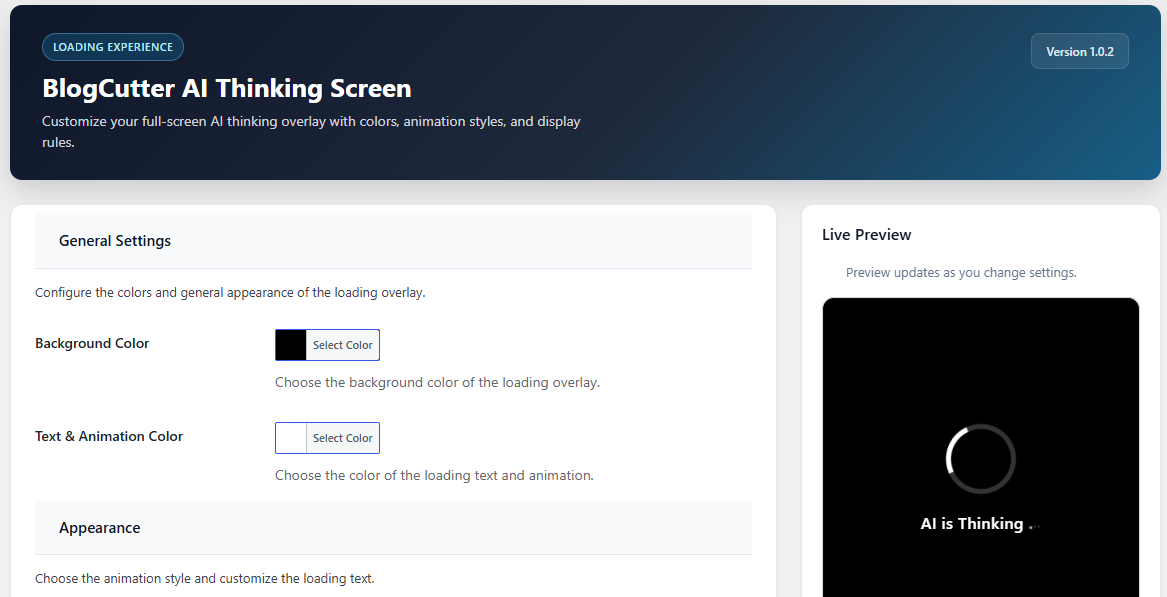
BlogCutter AI Thinking Screen shows a sleek full-screen overlay with smooth animations and customizable “AI is Thinking” text until the page finishes loading, then fades out cleanly.
Features
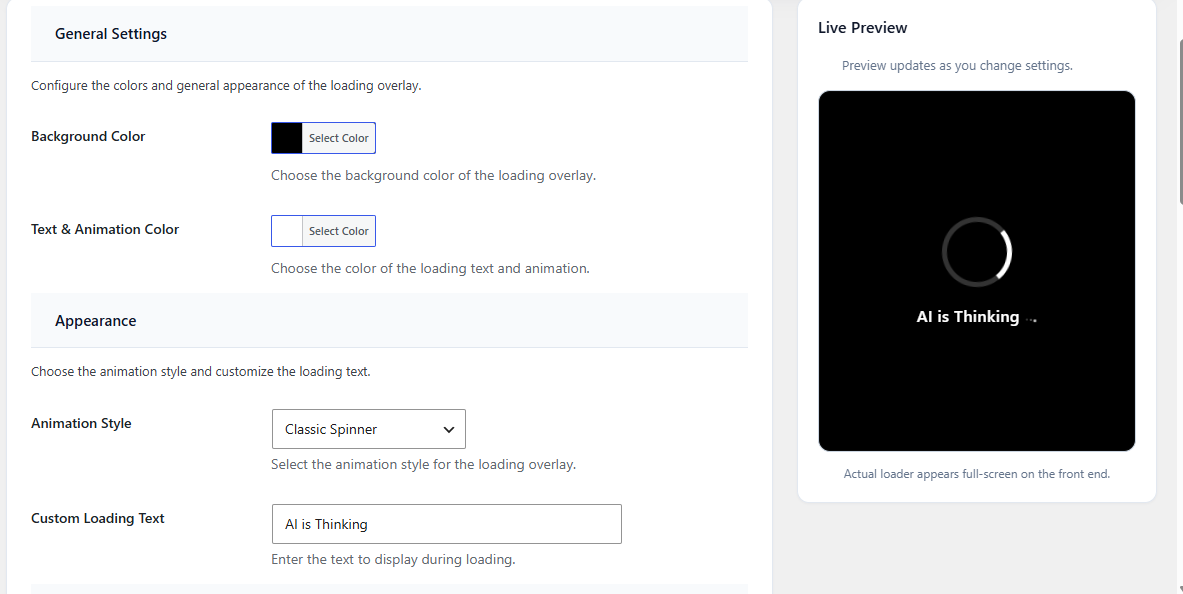
- 5 animation styles: Classic Spinner, Pulsing Dots, Neural Pulse, Orbiting Circles, Typing Bubble
- Customizable background and text/animation colors
- Custom loading text
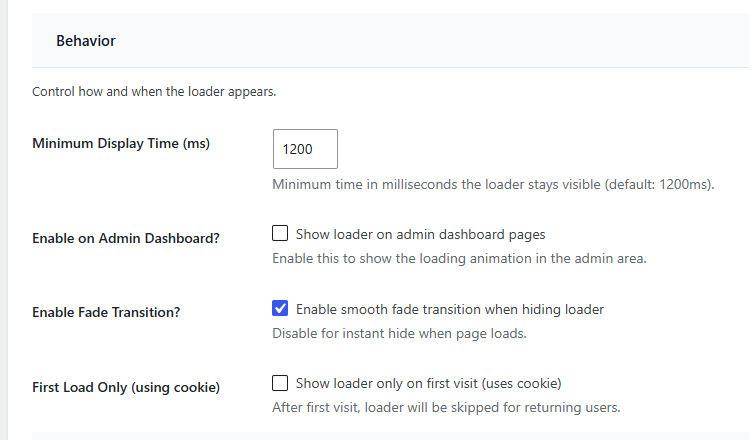
- Minimum display time control
- Optional fade transition
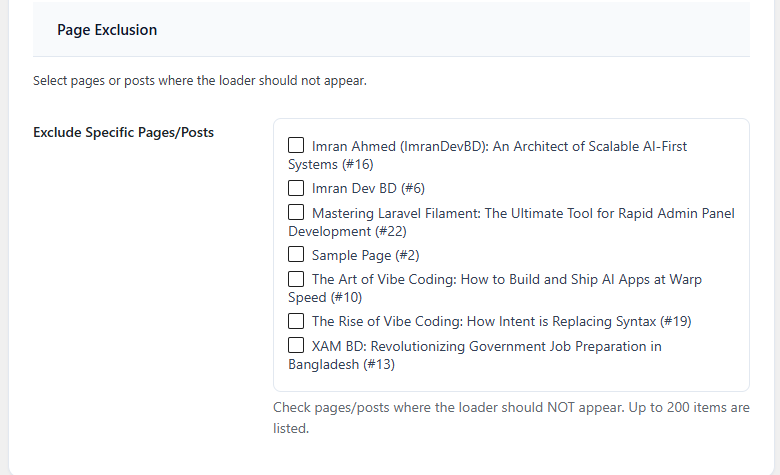
- Exclude specific pages and posts
- Per-post disable meta box
- First-visit-only mode (cookie based)
- Optional admin dashboard loader
- Responsive and accessible (ARIA + reduced motion support)
- Translation ready
- Live preview in settings
스크린샷

설치
- Upload the
blogcutter-ai-thinking-screenfolder to the/wp-content/plugins/directory, or install the plugin through the WordPress plugins screen. - Activate the plugin through the ‘Plugins’ screen in WordPress.
- Go to Settings AI Thinking Screen to configure colors, animation, and behavior.
FAQ
-
Does this slow down my website?
-
No. The loader uses lightweight CSS and JavaScript and provides visual feedback during page load.
-
Can I disable the loader on specific pages?
-
Yes. Use the Page Exclusion settings or the per-post meta box on the edit screen.
-
Will it work on mobile?
-
Yes. The loader is fully responsive.
-
What if users prefer reduced motion?
-
The plugin respects
prefers-reduced-motionand reduces animated effects accordingly.
후기
이 플러그인에 대한 평가가 없습니다.
기여자 & 개발자

자국어로 “BlogCutter AI Thinking Screen”(을)를 번역하세요.
개발에 관심이 있으십니까?
변경이력
1.0.2
- Full WordPress.org readiness review pass
- Moved dynamic loader colors to wp_add_inline_style
- Hardened sanitization, meta box saving, and default options
- Skips feeds, embeds, and Customizer preview
- Admin UI wording and accessibility tweaks
1.0.1
- Fixed WordPress.org review issue: admin CSS/JS now use wp_enqueue_style, wp_enqueue_script, and wp_add_inline_style
- Redesigned settings page with a modern admin UI
- Improved sanitization, uninstall cleanup, and plugin headers
- Fixed admin loader asset loading when enabled
- Improved first-visit cookie handling
1.0.0
- Initial release