설명
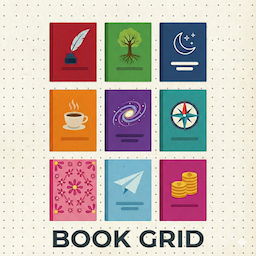
Book Grid lets you effortlessly showcase book cover galleries as a stylish grid layout. Add books quickly by title—the block fetches cover images from OpenLibrary automatically—and display attractive captions. The block features responsive settings to control the number of columns by device, advanced margin and background controls, and engaging hover effects for interactivity.
Translations:
* Spanish (es_ES) – Included
* Translation Ready – All text strings are internationalized. Community translations are welcome!
External Services
- What: Open Library search and cover image APIs (
openlibrary.org,covers.openlibrary.org) - Use: Look up book cover IDs and download cover images so the block can render book art automatically.
- Data sent: The book title you enter in the block is sent as a search query when you add or update a book. Cover image requests include the cover ID returned by Open Library. No other data is transmitted.
- Terms and privacy: Terms of Service — Privacy Policy
Source Code and Build
This plugin ships compiled JS/CSS in the build/ directory. The human-readable source code is publicly available in src/ at https://github.com/vianasw/book-grid. To regenerate the compiled assets, install Node.js dependencies with npm install and run npm run build (uses @wordpress/scripts).
Developer Notes
Source Code: https://github.com/vianasw/book-grid
Build Instructions:
1. Clone the repository
2. Run npm install
3. Run npm run build to compile assets
This plugin uses @wordpress/scripts for building. All source files are in the src/ directory of the GitHub repository.
Arbitrary section
Great for book lists, reviews, reading challenges, libraries, and any content requiring book cover displays in a modern, grid gallery format.
블록
이 플러그인은 1개의 블록을 제공합니다.
- Book Grid Display a responsive, customizable grid of book covers fetched from OpenLibrary by title (or uploaded), with overlay captions, flexible layout, and fallback placeholders.
설치
- Upload the plugin files to the
/wp-content/plugins/book-griddirectory, or install the plugin through the WordPress plugins screen directly. - Activate the plugin through the ‘Plugins’ screen in WordPress.
FAQ
-
How are images fetched from OpenLibrary?
-
The block uses the public OpenLibrary Cover Images API, automatically looking up covers based on the book titles you enter.
-
Can I change how many columns show on mobile or tablet?
-
Yes, you can adjust column numbers for desktop, tablet, and mobile views in the block settings.
후기
이 플러그인에 대한 평가가 없습니다.
기여자 & 개발자

변경이력
0.1.0
- Initial release