
설명
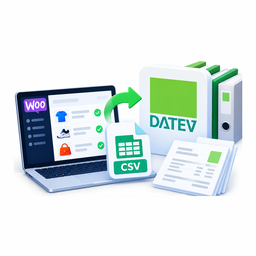
In Germany the bookkeeping of most shops ends up with a tax adviser working in DATEV, and what the adviser asks for every month is a booking batch (Buchungsstapel) in the DATEV format. This plugin builds that file from your WooCommerce orders:
- DATEV-Format, EXTF, booking batch format version 13 — header version 700, the 125 columns of the format description, semicolons, CR/LF, quoted text, decimal comma, Windows-1252 (or UTF-8 with BOM).
- One posting per VAT rate: an order with 19 % and 7 % products and shipping becomes as many postings as it has rates — debtor on the debit side, the revenue account of the rate on the credit side. Products, shipping and fees are counted after discounts, and the postings add up to the order total to the cent.
- Refunds as credit postings on the date of the refund, split like the order; a refund entered as an amount only is spread over the order’s rates in proportion.
- Your account mapping: a revenue account and an optional BU key per VAT rate, an account for lines without VAT, the debtor account. For SKR 03 and SKR 04 a button fills in the accounts with automatic VAT from the DATEV chart 2026 (8400 / 8300 or 4400 / 4300, debtor 10000) — for your adviser to confirm.
- Batch header from your settings: consultant and client number, fiscal year start, G/L account length, chart of accounts, dictation code, fixing (Festschreibung).
- Preview before download: postings, totals per account, and every problem named with its order — an order whose rate has no account stops the download, so the file never reaches the adviser half-booked.
- No double postings: orders and refunds in a downloaded file are marked, and the next batch can leave them out. An export log keeps when, which period, how many postings, by whom.
- Document number from the order number or from an invoice plugin’s meta key; posting text with placeholders; document date = order, payment or completion date.
- HPOS (custom order tables) supported.
Not tax advice
The plugin writes the file your settings describe. Which account a sale goes to, which BU key applies and how EU or export sales are treated is decided by you and your tax adviser, who checks the batch before posting it. DATEV is a trademark of DATEV eG; this plugin is not made or endorsed by DATEV.
설치
- Install and activate the plugin. WooCommerce must be active.
- WooCommerce DATEV Export Settings: enter the consultant and client number, the account length and chart, and the accounts your tax adviser gives you.
- WooCommerce DATEV Export: pick a month, check the preview, download the file and send it to your adviser.
FAQ
-
Which DATEV format is it?
-
The DATEV-Format for third-party applications (“EXTF”), data category 21 “Buchungsstapel”, format version 13, header version 700, as described on developer.datev.de. The adviser imports it in DATEV Rechnungswesen (Stapelverarbeitung).
-
Does it post the VAT itself?
-
No — each posting carries the gross amount. With revenue accounts that have automatic VAT (AM in the DATEV chart) DATEV works out the VAT; for other accounts your adviser gives you the BU key.
-
Why does the preview refuse to download?
-
Something in the period has no account: a VAT rate without a revenue account, lines without VAT and no account for them, or missing header data. The preview names each order; fix the mapping and the file is ready.
-
What about orders in another currency?
-
They are left out and named in the preview — post them by hand with the exchange rate.
후기
이 플러그인에 대한 평가가 없습니다.
기여자 & 개발자
“CatCode Accounting Export with DATEV for WooCommerce”(은)는 오픈 소스 소프트웨어입니다. 다음의 사람들이 이 플러그인에 기여하였습니다.
기여자
변경이력
1.0.1
- Security hardening: the preview form and links are signed with a nonce and checked before any data is read; save and download return 403 for users without permission; notices after save or download are kept per user instead of in URL parameters; the “WooCommerce required” notice shows only on the Plugins screen.
1.0.0
- First release: DATEV booking batch (EXTF, format version 13) from orders and refunds, one posting per VAT rate, account mapping with SKR 03 / SKR 04 suggestions, preview, export markers and log.