설명
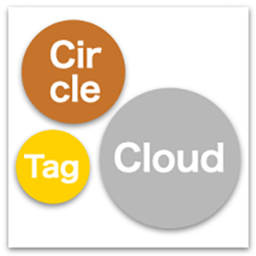
Circle Tag Cloud is a lightweight and customizable plugin that displays your tags (or any taxonomy) in a visually striking, packed layout. Unlike traditional tag clouds, it uses a smart JavaScript packing algorithm to arrange terms tightly within a circle or rectangle without overlapping.
It is designed with performance and accessibility in mind, featuring a built-in caching system (Transient API) and keyboard navigation support.
Key Features:
- Smart Packing: Automatically arranges tags in a dense Circle or Rectangle shape.
- Color Palettes: Choose from preset palettes (Warm, Cool, Vivid, Monochrome, Metallic Mix) or define your own Custom Colors.
- Smart Contrast: Automatically adjusts text color (black or white) based on the background color for optimal readability.
- Text Outline: Adds a “Glow” effect outline to text for better visibility on any color.
- Motion Effect: Optional subtle floating animation (respects “prefers-reduced-motion” settings).
- High Performance: Uses Transient API caching to minimize database queries.
- Accessibility Ready: Full keyboard navigation support with tooltips that appear on focus.
- Easy Configuration: Manage everything from a dedicated settings page or override via shortcode attributes.
Usage:
Simply add the shortcode [circle_tag_cloud] to any post, page, or widget.
You can also specify attributes directly in the shortcode:
[circle_tag_cloud taxonomy=”category” max=”30″ shape=”circle” palette=”metallic”]
설치
- Upload the
circle-tag-cloudfolder to the/wp-content/plugins/directory. - Activate the plugin through the ‘Plugins’ menu in WordPress.
- Go to Settings > Circle Tag Cloud to configure the default options.
- Use the shortcode
[circle_tag_cloud]in your content.
FAQ
-
Can I use this with custom taxonomies?
-
Yes. You can select any public taxonomy (like Post Tags, Categories, or WooCommerce Product Tags) from the settings page.
-
How do I change the colors?
-
Go to the settings page and select a preset “Color Palette”. If you choose “Custom (User Defined)”, you can enter your own comma-separated HEX color codes.
-
The plugin uses caching to improve performance (default 1 hour). To see changes immediately, go to the settings page and click the “Clear Cache” button.
후기
이 플러그인에 대한 평가가 없습니다.
기여자 & 개발자

변경이력
1.0.2
- Added “Metallic Mix” color palette.
- Added “Custom Colors” option for user-defined palettes.
- Added “Text Outline” (Glow effect) feature.
- Added “Clear Cache” button in the admin settings.
- Improved text contrast calculation (auto black/white text).
1.0.1
- Implemented Transient API for better performance.
- Added accessibility support (keyboard focus tooltips).
- Fixed animation loop issue on window resize.
- Changed tooltip rendering to avoid overflow issues.
1.0.0
- Initial release.