

설명
WordPress custom scrollbar is highly customizable WordPress plugin. Features include vertical and/or horizontal scrollbar(s), adjustable scrolling momentum, mouse-wheel, keyboard and touch support, ready-to-use themes and customization via CSS, RTL direction and many more.
You can change almost 100+ demo style, ScrollBar scroll speed, Showing ScrollBar arrow button mode, ScrollBar auto hide mode, ScrollBar auto expand mode, ScrollBar moving mode by keyboard & other settings by using the options and shortcode of this plugin.
Click here to see a live demo
Features include:
- 100+ scrollbar demo
- Full page Scrollbar
- Single Content Scrollbar
- Custom Selector Scrollbar
- Vertical and horizontal scrollbar support
- Highly Customizable
- Enable TinyMCE Button
- ScrollBar scroll speed control
- ScrollBar arrow button mode control
- ScrollBar auto hide mode
- ScrollBar auto expand mode
- ScrollBar moving mode by keyboard
- Shortcode Powered
- Translation Ready
- Responsive for all devices
- All major browser supported
- Easy to handle
스크린샷

Admin panel for full page scrollbar 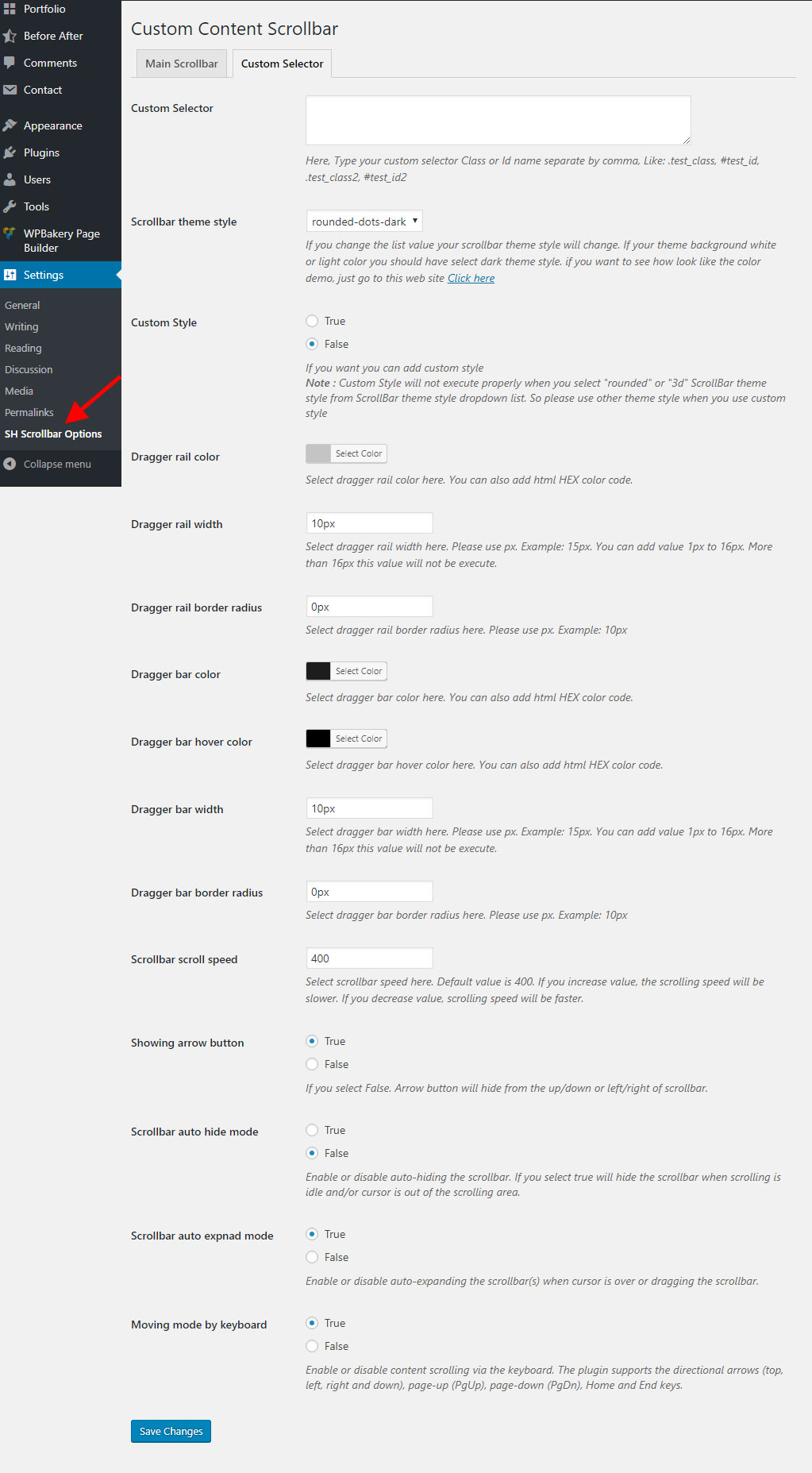
By this custom selector you can show scrollbar anywhere 
This is for insert shortcode 
Insert shortcode pop up 
Full page scrollbar demo 
Content scrollbar demo 
All customizable scrollbar showing in demo by tab 
Custom color scrollbar 
Autohide scrollbar demo 
Vertical & horizontal scrollbar demo 
Nested scrollbar demo 
Scrollbar position seleted by custom 
Scrollbar RTL demo 
Scrollbar demo with arrow 
Scrollbar demo without arrow 
Scrollbar Position Inside 
Scrollbar Position Outside
설치
Installation
- Upload the
custom-content-scrollbarfolder to the/wp-content/plugins/directory - Activate the Custom Content Scrollbar plugin through the ‘Plugins’ menu in WordPress
- After activing the plugin will add a menu under Settings called “SH Scrollbar Options”.
FAQ
-
Where can I find Custom Content Scrollbar documentation?
-
For extending or theming Custom Content Scrollbar, see Documetation.
-
Where can I report bugs or contribute to the project?
-
You can open issues via Support page.
-
Will Custom Content Scrollbar work with my theme?
-
Yes; Custom Content Scrollbar will work with any theme.
후기


기여자 & 개발자

자국어로 “Custom Content Scrollbar”(을)를 번역하세요.