

설명
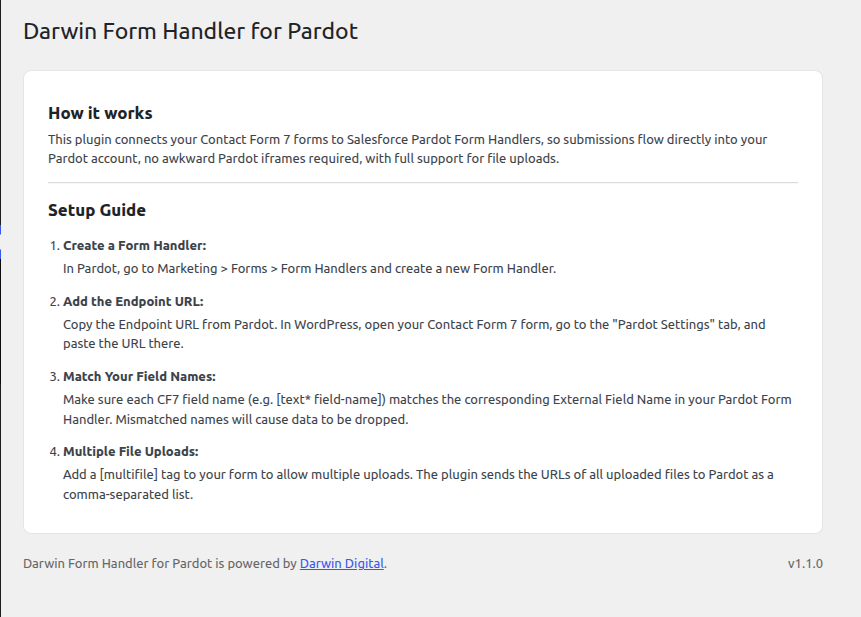
Darwin Form Handler for Pardot connects Contact Form 7 forms to Salesforce Pardot Form Handlers, also known as Salesforce Marketing Cloud Account Engagement Form Handlers.
Use this plugin when you need Contact Form 7 submissions to post directly to a Pardot Form Handler endpoint from WordPress. Each Contact Form 7 form can have its own Pardot endpoint URL, uploaded files are copied to a permanent public location so the URLs remain accessible long after the form is submitted.
Features:
- Send Contact Form 7 form data to a Pardot Form Handler endpoint
- Configure a separate Pardot endpoint for each Contact Form 7 form
- Add a custom
[multifile]field for multiple file uploads - Convert uploaded files into permanent, accessible URLs for Pardot field mapping
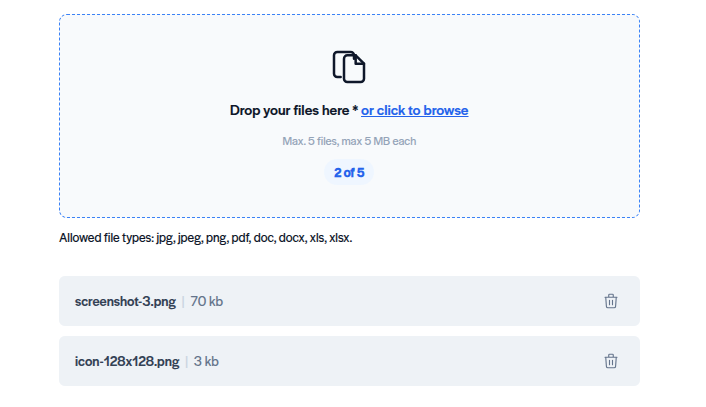
- Supports JPG, JPEG, PNG, PDF, DOC, DOCX, XLS, and XLSX uploads
- Server-side MIME type and extension validation for every uploaded file
- Upload directory protected against script execution via
.htaccess - Lightweight and easy to use
For support and documentation, visit https://darwindigital.com/contact/.
Usage
Add the custom multiple-file upload field to your CF7 form:
[multifile file-uploads limit:5 file_size:10] where file-uploads is the field name
Make the field multiple-file required by appending an asterisks multifile*:
[multifile* file-uploads limit:5 file_size:10]
Options:
limit:N— maximum number of files (default: 5)file_size:N— maximum size per file in MB (default: 5)
Accepted file types: JPG, JPEG, PNG, PDF, DOC, DOCX, XLS, XLSX.
Add the mail-tag [file-uploads] to the CF7 Mail tab body so file URLs appear in the notification email. Uploaded file URLs are also sent automatically to Pardot.
External Services
This plugin integrates with Salesforce Pardot (also known as Salesforce Marketing Cloud Account Engagement) to process and store form submissions.
- Service Name: Salesforce Pardot (Salesforce Marketing Cloud Account Engagement)
- Purpose of Usage: Submitting lead generation form data and uploaded files directly into Pardot Form Handlers.
- Data Transmitted: The field values submitted through your Contact Form 7 form (such as name, email, etc.) and the publicly accessible URLs of any files uploaded via the
[multifile]field. - Privacy Policy: https://www.salesforce.com/company/privacy/
- Terms of Service: https://www.salesforce.com/company/legal/sfdc-website-terms-of-service/
- Whether User Consent Is Required: Yes. The plugin does not collect consent automatically. Website administrators are responsible for implementing appropriate cookie banners or consent checkboxes to obtain explicit user consent before transmitting personal data to Salesforce Pardot, in compliance with regulations like GDPR.
스크린샷

설치
- Upload the plugin folder to
/wp-content/plugins/ - Activate the plugin through the Plugins menu in WordPress
- Edit any Contact Form 7 form
- Open the Pardot Settings tab and paste your Pardot Form Handler endpoint URL
- Map your CF7 field names to the matching External Field Names in Pardot
FAQ
-
Does the plugin upload files directly to Pardot?
-
No. Files are saved to your WordPress media directory. The plugin sends the publicly accessible file URLs to Pardot so you can map them to a Pardot field.
-
Can I rename the multifile field name?
-
Yes. The name of the multifile tag (e.g.,
file-uploadsin[multifile file-uploads]) is sent directly as the field key to Pardot. Change the field name in the shortcode (e.g.[multifile attachments]) and update your Pardot External Field Name to match. -
Which file types are allowed?
-
JPG, JPEG, PNG, PDF, DOC, DOCX, XLS, and XLSX. Both the file extension and the actual MIME type are verified server-side.
-
What happens if the Pardot endpoint is unreachable?
-
The form submission still completes for the visitor. The Pardot API failure is caught and stored in a transient (cf7_pardot_submission_error, 24-hour TTL), and an admin notice surfaces it to users who can edit Contact Form 7 forms on their next visit to the admin area.
후기
이 플러그인에 대한 평가가 없습니다.
기여자 & 개발자

자국어로 “Darwin Form Handler for Pardot”(을)를 번역하세요.
개발에 관심이 있으십니까?
변경이력
1.1.0
- Initial public release.
- Custom
[multifile]field with support for JPG, JPEG, PNG, PDF, DOC, DOCX, XLS, XLSX. - Per-form Pardot Form Handler endpoint settings.
- Server-side MIME type validation and upload directory hardening.
- Admin dashboard with setup guide.