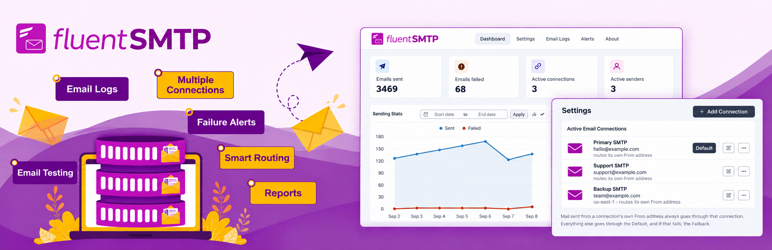

설명
WP Mail SMTP Plugin for Any Email Service Provider
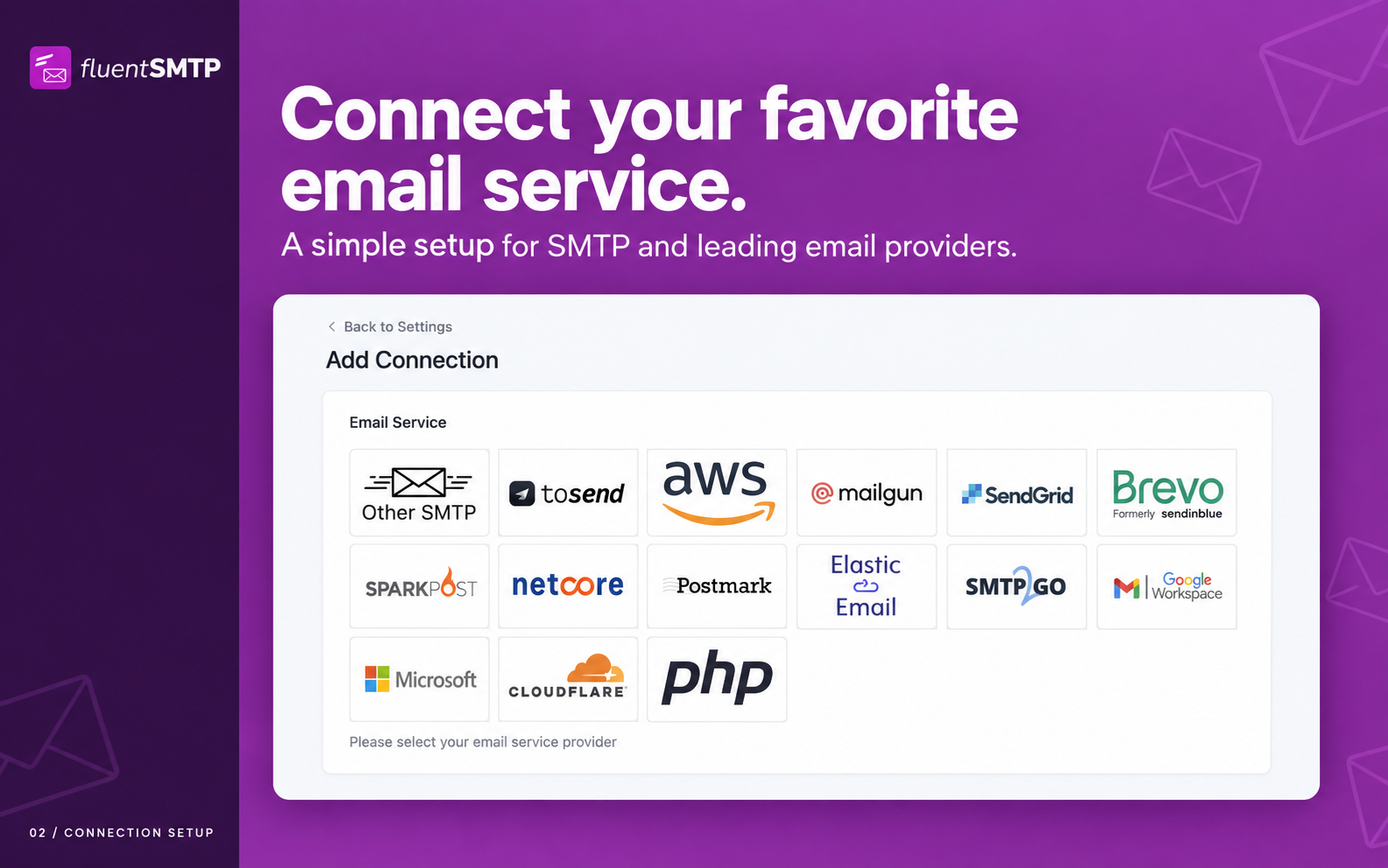
Are your WordPress emails not sending, landing in spam, or failing silently? FluentSMTP is a free WordPress SMTP plugin that fixes email deliverability by routing every wp_mail() call through the email service you choose: Gmail, Google Workspace, Amazon SES, SendGrid, Mailgun, Cloudflare Email, toSend, Postmark, Brevo (Sendinblue), SparkPost, Netcore, Elastic Email, SMTP2GO, Outlook / Office 365, Zoho, or any SMTP host.
FluentSMTP talks to each provider’s own API rather than only SMTP, so your transactional and marketing email goes out quickly and lands in the inbox. Set your From name and email, turn on email logging, add failure alerts, and route different senders to different providers, all from one screen.
Connect as many email services as you want, and FluentSMTP routes each email to the right one based on its From address.
💚 100% Free Forever — No Pro Version, No Upsells, No Paywalls 💚
FluentSMTP is 100% free and open source, and it always will be. There is no “pro” version, no premium add-ons, no locked features, no email capture wall, no nagging upgrade prompts, no feature limits, and no paid tier. Every integration listed here, from Amazon SES, Gmail and Outlook to SendGrid, Mailgun, Cloudflare, toSend, Postmark, Brevo and SparkPost, is fully available at no cost.
You will never have to pay a cent to use any feature of FluentSMTP. We have pledged this as part of our “Five for the Future” participation, an initiative started by the WordPress Foundation.
Our parent company WPManageNinja LLC builds commercial products for WordPress businesses and runs a stable, profitable business on those, which means FluentSMTP is our way of giving back to the WordPress community, not a funnel. 👉 Read why it’s 100% free (always) 👈
🎉 Supported Email Service Providers and SMTP Connections
- Amazon SES (API)
- Gmail (OAuth API)
- Google Workspace (OAuth API)
- Outlook / Office 365 / Microsoft 365 (OAuth API)
- SendGrid (API)
- Mailgun (API)
- Cloudflare Email Sending (API)
- toSend (API)
- Brevo, formerly Sendinblue (API)
- Netcore, formerly Pepipost (API)
- Postmark (API)
- SparkPost (API)
- SMTP2GO (API)
- Elastic Email (API)
- Zoho Mail (SMTP)
- PHP mail()
- Any SMTP server: your web host, Gmail SMTP, Yahoo, Outlook.com, Yandex and more
- 더 많은 네이티브 통합이 곧 제공될 예정
🎉 FluentSMTP Features
FluentSMTP is built for speed, reliability and scale.
- Real-time email delivery over each provider’s API
- Email routing across multiple email connections
- Connect any email service provider or SMTP server
- Fallback email connection when the primary one fails
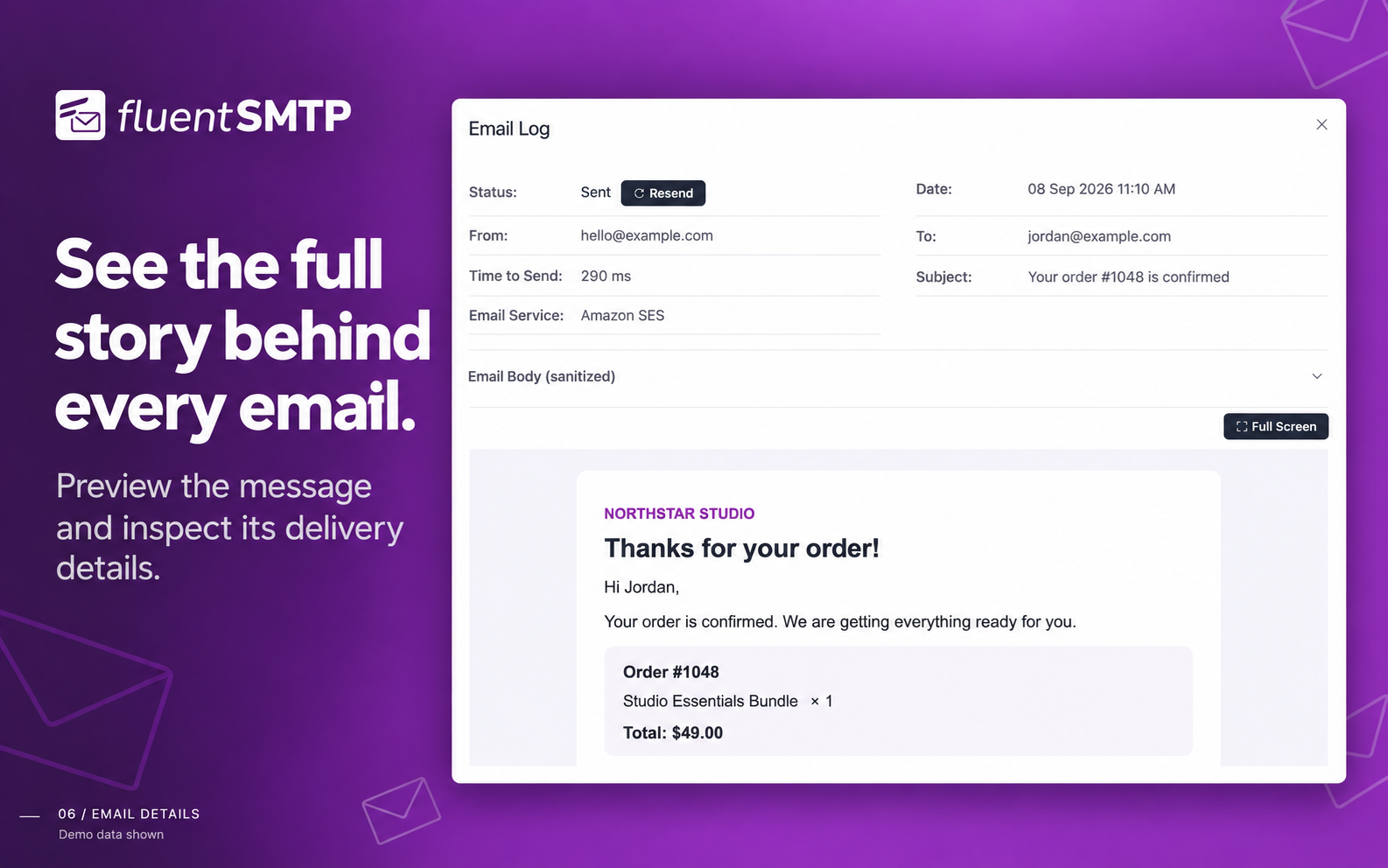
- Email logging with full headers, body and server response
- Resend any logged email to any recipient
- Detailed email reporting and charts
- Daily connection health monitoring
- Failure alerts via Telegram, Slack, Discord and Pushover
- WP-CLI support
- A fast, modern admin with a dark theme
Most importantly, this plugin is free and will always be free.
👉 Read why it’s 100% free (always) 👈
How does FluentSMTP work?
Like any WP mail SMTP plugin, FluentSMTP replaces the WordPress wp_mail() function and hands every email to the service you connected, using that service’s own API where one exists, or the SMTP host, port and credentials you gave it for a plain SMTP connection. Every plugin and theme that sends email through wp_mail() is covered, with nothing to change on their side.
이메일 로깅 및 디버깅
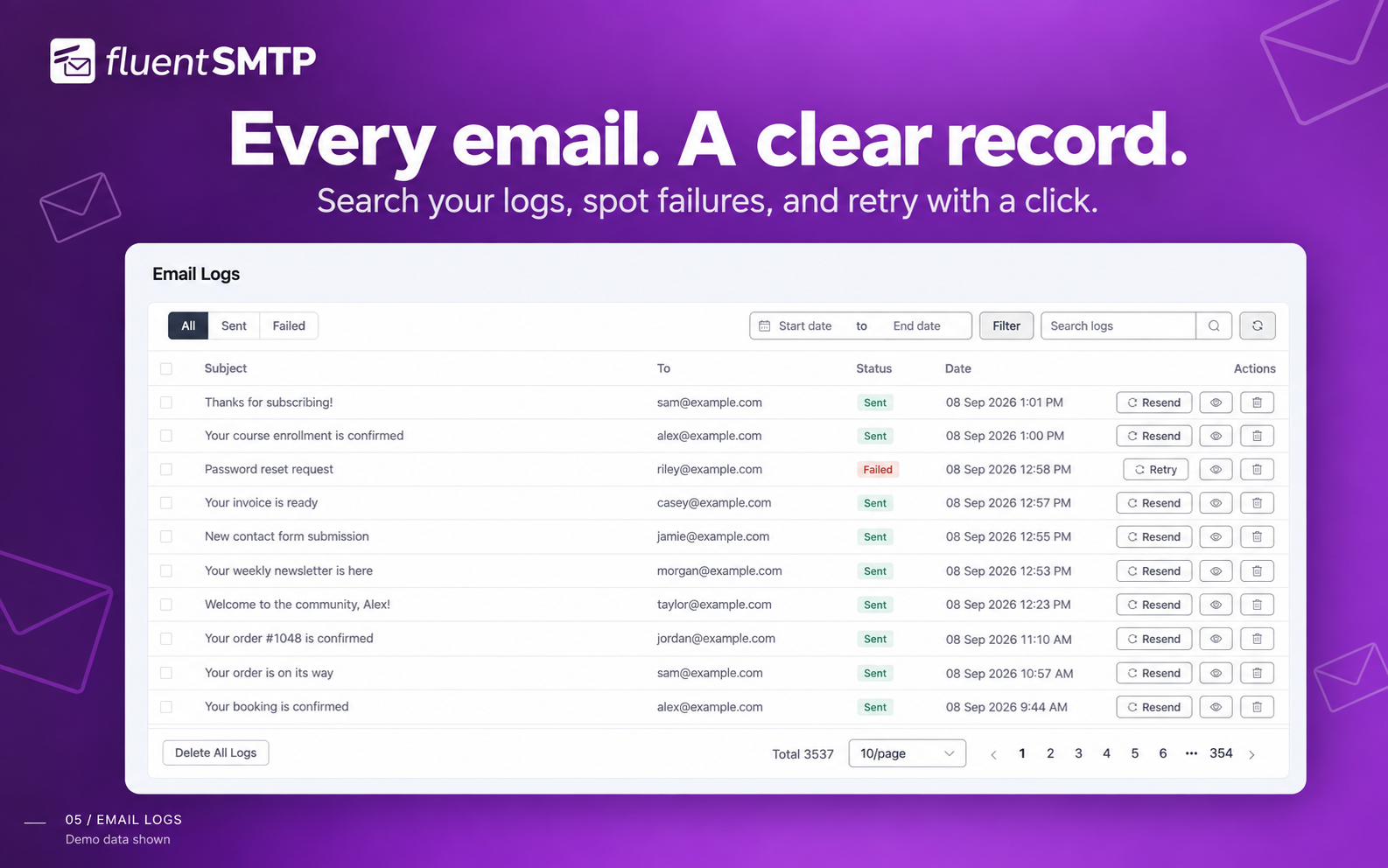
FluentSMTP logs every email your WordPress site sends, so you can check at any time what went out, what did not, and what the mail server said about it. Failed emails can be retried, and any logged email can be resent.
🎉 Amazon SES (네이티브 API 연결)
The Amazon SES connection sends your WordPress email through Amazon’s low-cost, high-deliverability infrastructure, set up in a couple of minutes. It uses Amazon’s current SES API and supports every SES region, including the EU Sovereign Cloud.
The SES client reuses its cURL connection across sends, so a burst of emails does not pay for a new handshake each time.
🎉 Gmail 또는 Google Workspace (네이티브 API 연결)
Connect your Gmail or Google Workspace account and send WordPress email over Google’s API rather than Gmail SMTP. The connection uses OAuth, so there is no app password to create or store.
🎉 SendGrid API 연결
SendGrid runs a globally distributed sending platform, and the SendGrid API connection takes about a minute to set up.
Read the SendGrid connection documentation
🎉 Mailgun 이메일 API 연결
Mailgun is a leading email sending service trusted by 225,000+ businesses. You can rely on their globally distributed, cloud-based architecture for sending your WordPress emails.
The Mailgun connection takes about a minute to set up, and it uses their API rather than SMTP.
Read the Mailgun connection documentation
🎉 Brevo (formerly Sendinblue) API Connection
Brevo is a platform for growing businesses with a strong transactional email service. They serve more than 80,000 companies around the world and send millions of emails every day.
If you use Brevo, FluentSMTP connects to its API and sends your WordPress email through it.
Read the Brevo connection documentation
🎉 Netcore (formerly Pepipost) Email API Connection
Netcore is a complete email sending partner with a user-friendly dashboard, statistics and real-time delivery information.
The Netcore connection takes about a minute to set up, and it uses their API rather than SMTP.
Read the Netcore API connection documentation
🎉 SparkPost 이메일 API 연결
SparkPost is a reliable email sending service with detailed analytics. The SparkPost connection takes about a minute to set up.
Read the SparkPost connection documentation
🎉 Postmark API Connection
Postmark is a highly reliable transactional email service, known for fast delivery and top-tier inbox placement. FluentSMTP connects to Postmark’s Server API directly: paste your Server Token, pick a Message Stream, and your transactional email goes through Postmark, with attachments, CC/BCC, Reply-To and custom headers all carried across.
Read the Postmark connection documentation
🎉 Elastic Email API 연결
Elastic Email handles both transactional and marketing mail, with per-message statistics in its dashboard. FluentSMTP uses their official API.
🎉 Outlook / Office 365 / Microsoft 365 API Connection
Connect your Outlook.com, Office 365 or Microsoft 365 account and send WordPress email over Microsoft’s Graph API. The connection uses OAuth2, so no password is stored on your site, and single-tenant Entra app registrations are supported.
Read the documentation for connecting Office 365 email with WordPress
🎉 SMTP2GO Email API Connection
SMTP2GO handles both transactional and marketing mail, with per-message statistics in its dashboard. FluentSMTP uses their official API.
🎉 Cloudflare Email API Connection
Send WordPress emails through Cloudflare Email Sending using their native REST API. If your domain is already on Cloudflare, you can send transactional email directly from Cloudflare’s edge network, fast, reliable, and with built-in SPF/DKIM/DMARC. FluentSMTP handles the full request shape, including attachments, CC/BCC, Reply-To, and custom headers. The API token is checked when you save it and again on the connection screen, so a bad token is reported before an email needs it.
🎉 toSend Email Sending Provider
toSend is a modern transactional email service with a simple API, per-domain analytics, and fast delivery. FluentSMTP ships a native toSend integration: paste your API key, set a verified From address, and you’re sending in under a minute. Failed sends are logged with full payloads so you can resend or debug without leaving WordPress.
Read the toSend WordPress setup guide
🎉 Any SMTP Server
FluentSMTP works with any service that offers an SMTP connection, including your web host’s mail server, Gmail SMTP, Yahoo, Outlook.com, Zoho Mail and Yandex Mail.
다음 옵션들을 설정할 수 있습니다:
- Specify an SMTP host.
- Specify an SMTP port.
- Choose the encryption (SSL or TLS).
- Choose whether to use SMTP authentication.
- SMTP 사용자 이름과 비밀번호를 지정하세요.
- 그게 전부입니다 💯
Read the SMTP connection documentation
🚀 A Fast, Modern Admin 🚀
- Built with Vue 3 as a single-page application, with a light and a dark theme.
- A lean interface that needs no learning curve.
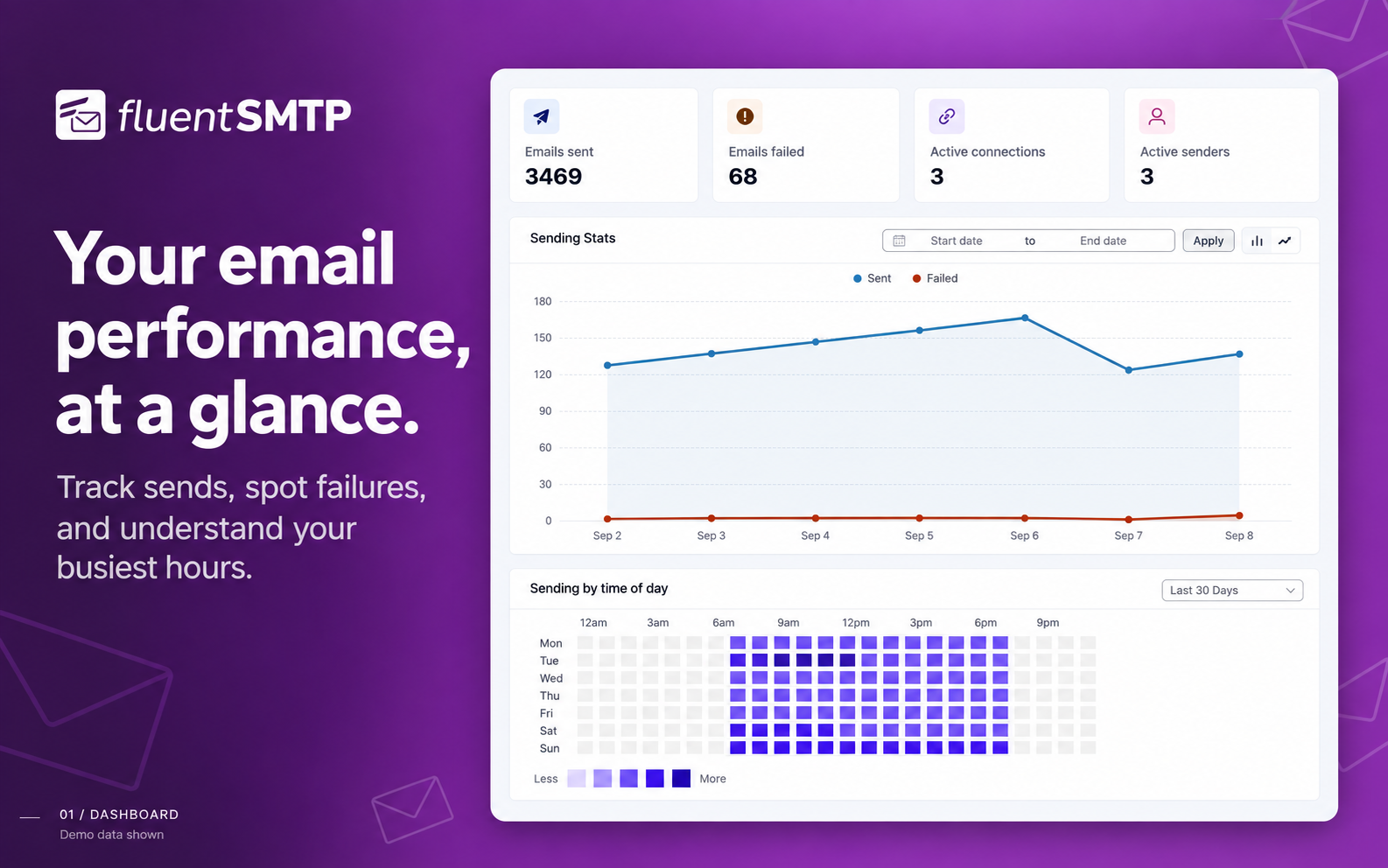
- A dashboard with charts and stats showing how your email is doing.
🚀 자동 이메일 라우팅 🚀
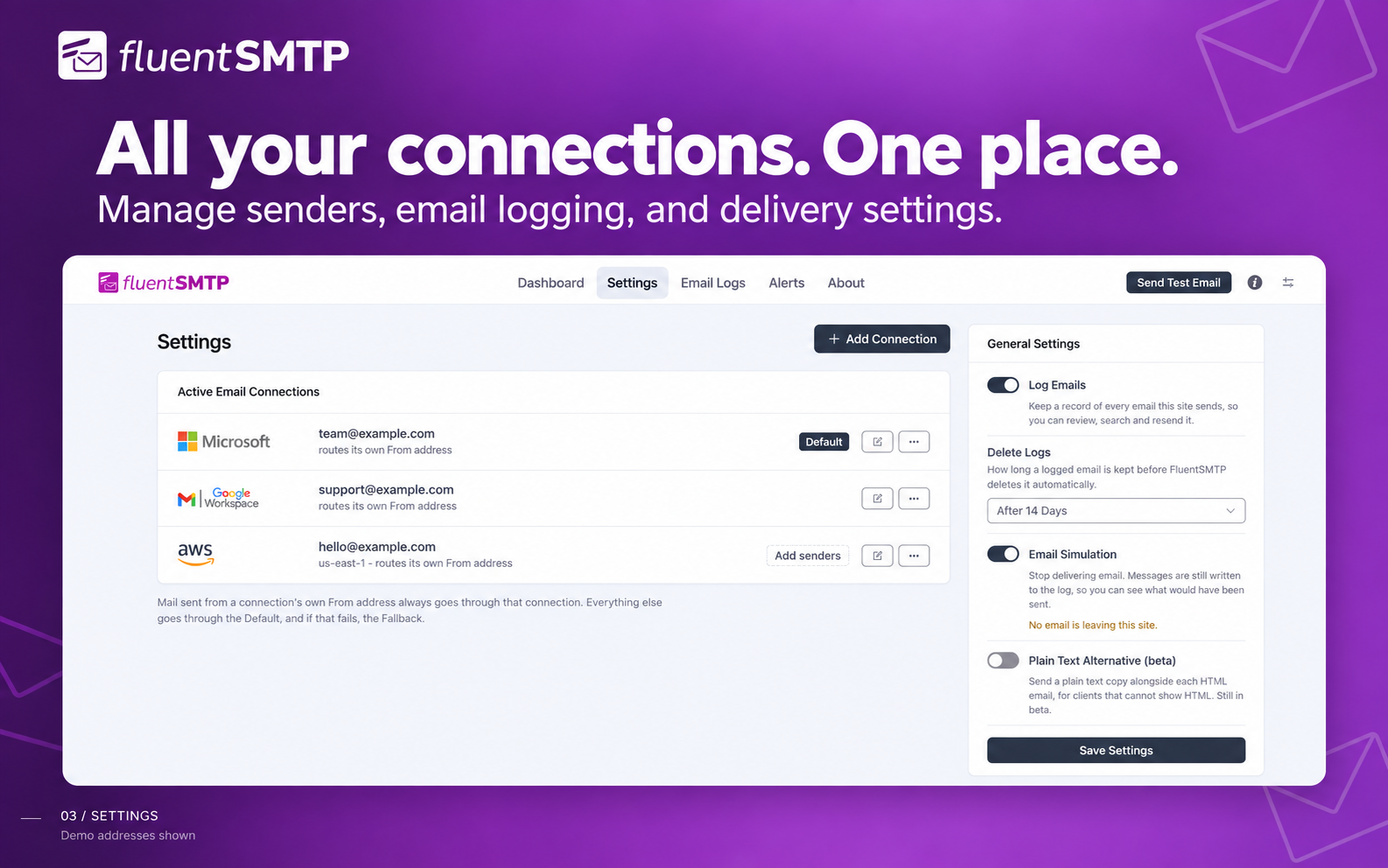
Add as many email connections as you want. FluentSMTP routes each email to the right one based on its From address.
Route your transactional emails through one connection and your marketing emails through another, or set a fallback connection that takes over when the primary one fails.
🚀 이메일 로그 및 보고 🚀
Want to know how much mail your site is sending, and what it is? The email log lists every email, with charts of the daily totals, and you can resend any of them at any time. It is useful for keeping a record, auditing what goes out, and debugging while you build.
You can turn logging off, in which case only failed emails are recorded. Logs live in their own database table, so your WordPress tables stay as they are.
🚀 Connection Health Monitoring 🚀
An expired OAuth token or a removed API key stays invisible until the first email that needed it fails. FluentSMTP checks every connection once a day, shows failures on the dashboard, and notifies you over your configured notification channels the moment a connection starts failing. Only newly broken connections notify, so a known issue will not nag you every day.
🚀 WP-CLI Support 🚀
Manage FluentSMTP from the terminal, which matters most when the emails you need are the ones getting you into the admin:
wp fluent-smtp test– send a test email through any connectionwp fluent-smtp health– check every connectionwp fluent-smtp stats– sent and failed countswp fluent-smtp prune-logs– clean up old email logs
🚀 Real-time Notifications on Email Failures via Telegram, Slack, Discord and Pushover 🚀
Connect Telegram, Slack, Discord or Pushover, as many as you want at once, and FluentSMTP messages you there the moment an email fails to send, so you find out before your customers do.
🚀 보안 🚀
FluentSMTP is built with security and scale in mind, and gives you several ways to keep your credentials and your sending safe.
- Store your SMTP and API credentials in wp-config.php instead of the database.
- Credentials kept in the database are encrypted.
- Auto-delete old email logs after the number of days you choose.
- Connections use each provider’s API directly, over OAuth where the provider offers it, so no password needs to be stored where a token will do.
🚀 Plain-Text Version of HTML Email 🚀
FluentSMTP can convert your HTML email to plain text as it sends, and deliver both parts as a multipart message. This helps deliverability and your spam score. Turn it on in the settings.
👉 크레딧 👈
FluentSMTP is built by WPManageNinja LLC, the team behind Fluent Forms, FluentCRM and Ninja Tables.
FluentSMTP is free and open source, and we will never release a pro version. That is not a feature gap: everything the plugin does is in the free version. We wrote an article about why we made it and where we are taking it.
The full source code is on GitHub, and contributions are welcome.
👉 View on GitHub 👈
Compatible With
- Fluent Forms – 가장 빠른 폼 빌더 플러그인
- FluentCRM – 이메일 마케팅 자동화, 이메일 뉴스레터 및 WordPress용 CRM 플러그인
- 우커머스
- 엘리멘터 폼
- 컨택트 폼 7
- Gravity Forms
- WPForms Lite and WPForms Pro
- 포미네이터 – 컨택트 폼
- 닌자 폼 컨택트 폼
- 10Web의 폼 메이커
- 폼idable 폼 빌더
- GiveWP – 기부 플러그인
- 빠르고 안전한 컨택트 폼
- 비주얼 폼 빌더
- 컨택트 폼 빌더
- 요금제 양식
- SendPress 뉴스레터
- WP HTML 메일
- 이메일 템플릿
- … and every other plugin that sends mail through the WordPress wp_mail() function.
WP Mail SMTP by WPForms에서 쉬운 마이그레이션
Moving from WP Mail SMTP by WPForms takes a few seconds.
- Install and activate FluentSMTP on your site.
- 설정 -> FluentSMTP로 이동하세요.
- It will automatically detect your existing configuration from “WP Mail SMTP by WPForms”.
- Click the “Import From WP Mail SMTP” button and that’s it.
- Deactivate “WP Mail SMTP by WPForms” and enjoy FluentSMTP.
One Click Migration from Easy WP SMTP
Moving from Easy WP SMTP takes a few seconds.
- Install and activate FluentSMTP on your site.
- 설정 -> FluentSMTP로 이동하세요.
- It will automatically detect your existing configuration from “Easy WP SMTP”.
- Click the “Import From Easy WP SMTP” button and that’s it.
- Deactivate “Easy WP SMTP” and enjoy FluentSMTP.
다음 단계
이 플러그인이 마음에 드신다면, 저희 다른 플러그인들도 확인해 보세요:
스크린샷
설치
- Install FluentSMTP either via the WordPress.org plugin repository or by uploading the files to your server.
- Activate FluentSMTP.
- Go to Settings -> FluentSMTP in the WordPress admin.
- Choose your email service provider (Amazon SES, Gmail, Outlook, SendGrid, Mailgun, Postmark, Cloudflare or any SMTP server) and follow the instructions to connect it.
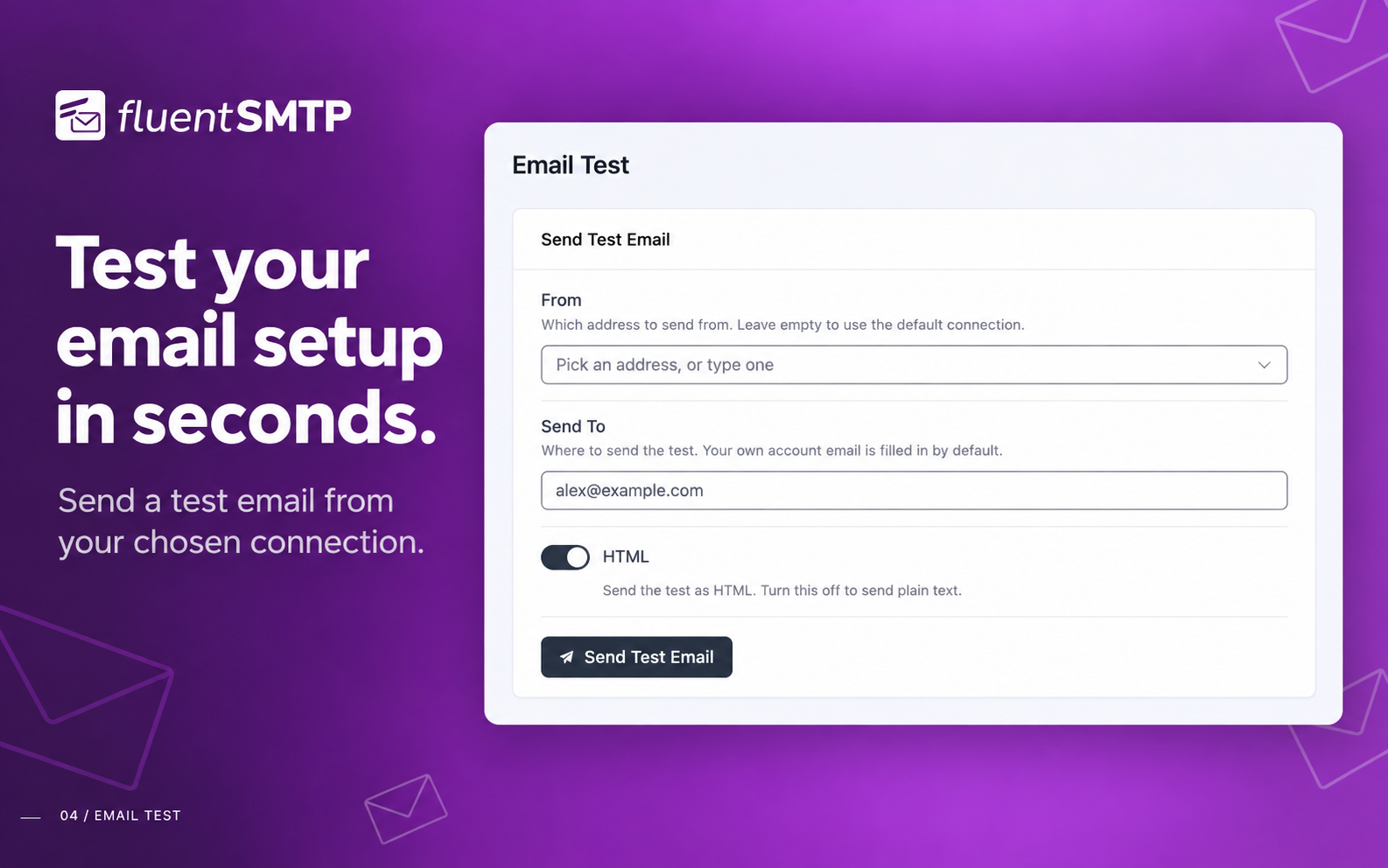
- Send a test email from the Settings screen to confirm it works.
- Need more help? Get support from WPManageNinja Support.
FAQ
-
Why are my WordPress emails not sending or going to spam?
-
By default WordPress sends email with the PHP mail() function on your web server, which is often unauthenticated, rate limited, or blocked outright by the host. Mailbox providers then reject or junk it. FluentSMTP sends your email through a proper email service or SMTP server instead, authenticated with your own domain, so it is delivered and lands in the inbox.
-
이 플러그인을 사용하여 WordPress 사이트에서 SMTP를 통해 이메일을 보낼 수 있나요?
-
Yes. That is what the plugin is for: it takes over wp_mail() and sends through the SMTP server or email service you connect.
-
Is FluentSMTP really free?
-
Yes. There is no pro version, no paid add-on and no feature limit. Every provider and every feature is in the free plugin, and it will stay that way.
-
FluentSMTP로 Amazon SES API에 연결할 수 있나요?
-
Yes. Add your SES access key and secret key, and FluentSMTP sends through the Amazon SES API rather than SMTP.
-
Can I send WordPress emails with Gmail or Google Workspace?
-
Yes. Connect your Google account with OAuth and FluentSMTP sends through the Gmail API. You can also use Gmail’s SMTP server with an app password if you prefer.
-
Can I send WordPress emails with Outlook, Office 365 or Microsoft 365?
-
Yes. Connect your Microsoft account with OAuth2 and FluentSMTP sends through Microsoft’s Graph API. Single-tenant Entra app registrations are supported.
-
Can I store my email service credentials in the wp-config.php file?
-
Yes. When you create a connection you choose where its credentials are kept: in the database, or in your wp-config.php file, which is what we recommend.
-
Can I send WordPress emails with SendGrid?
-
Yes. FluentSMTP connects to SendGrid over their API, which is faster than their SMTP endpoint. If you would rather use SMTP, you can set that up instead.
-
Can I send WordPress emails with Mailgun?
-
Yes. FluentSMTP connects to Mailgun with an API key, which is faster than their SMTP endpoint. If you would rather use SMTP, you can set that up instead.
-
Can I send WordPress emails with Brevo (Sendinblue)?
-
Yes. FluentSMTP connects to Brevo (formerly Sendinblue) with an API key. If you would rather use SMTP, you can set that up instead.
-
Can I send WordPress emails with SparkPost?
-
Yes. FluentSMTP connects to SparkPost with an API key.
-
Can I send WordPress emails with Netcore (Pepipost)?
-
Yes. FluentSMTP connects to Netcore (formerly Pepipost) with an API key.
-
Can I send WordPress emails with Cloudflare Email?
-
Yes. FluentSMTP ships a native Cloudflare Email Sending integration. Add your Cloudflare Account ID and an API token with Email Sending permissions, and the plugin will send through Cloudflare’s REST API (including attachments, CC/BCC, Reply-To, and custom headers). The sending domain must be on Cloudflare with Email Sending enabled (SPF/DKIM/DMARC published).
-
Can I send WordPress emails with toSend?
-
Yes. FluentSMTP has a native toSend integration. Create an API key in the toSend dashboard, add your verified sending domain, paste the key into FluentSMTP, and your WordPress emails will be delivered through toSend.
-
How do I know if one of my connections has stopped working?
-
FluentSMTP checks every connection once a day. If one starts failing, from an expired OAuth token or a revoked API key, it is flagged on the dashboard and sent to your configured notification channels (Telegram, Slack, Discord or Pushover). You can also run
wp fluent-smtp healthfrom the command line at any time. -
Can I use FluentSMTP from WP-CLI?
-
Yes.
wp fluent-smtp testsends a test email,wp fluent-smtp healthchecks your connections,wp fluent-smtp statsshows sent and failed counts, andwp fluent-smtp prune-logsdeletes old logs. -
I am a developer. Where can I contribute to this project?
-
Please check our GitHub repository. Pull requests are welcome.
-
I found a bug. Where can I report it?
-
Please submit an issue in our support portal. If you are a developer, please create a GitHub issue.
-
I found a security issue. Where can I report it?
-
We use Patchstack to manage security reports. Please report it on our Patchstack page.
후기


기여자 & 개발자
“FluentSMTP – WP Mail SMTP Plugin with Amazon SES, SendGrid, Mailgun, Postmark, Cloudflare, toSend, Gmail and Any SMTP”(은)는 오픈 소스 소프트웨어입니다. 다음의 사람들이 이 플러그인에 기여하였습니다.
기여자


“FluentSMTP – WP Mail SMTP Plugin with Amazon SES, SendGrid, Mailgun, Postmark, Cloudflare, toSend, Gmail and Any SMTP”(이)가 24 개 언어로 번역되었습니다. 기여해 주셔서 번역자님께 감사드립니다.
개발에 관심이 있으십니까?
변경이력
2.4.1 (Date: Sep 27, 2026)
- Fixed Outlook / Office 365 connections failing to authorize on servers where Microsoft returned an HTML error page instead of a token
- Fixed resending or retrying a logged email dropping every Cc, Bcc and Reply-To address when there were two or more
- Fixed the email log’s To column showing serialized text for emails sent to many recipients. On existing sites, deleting all logs once widens the column
- Fixed plain-text emails losing their line breaks, and anything in angle brackets, in the email log viewer
- Fixed SparkPost sending plain-text emails as HTML, which collapsed their line breaks
- Fixed emails failing on Postmark, and names being cut short on Mailgun, SMTP2GO and SparkPost, when a recipient’s or sender’s name contains a comma (for example “Shah, Jewel”)
- Fixed a long connection error on the Settings screen hiding that connection’s Edit button and address, and the provider logos not showing on phones
- Added the Amazon SES regions Asia Pacific (Hyderabad, Jakarta, Malaysia), Europe (Zurich), Middle East (UAE), Israel (Tel Aviv) and AWS GovCloud (US-East)
- Improved translation of the test message sent by the Slack, Discord and Pushover alert channels
2.4.0 (Date: Sep 08, 2026)
- Redesigned the whole admin on the shared Fluent design system and rebuilt it on Vue 3, Element Plus and Vite
- Added a dark theme, shared with FluentCart so choosing it in one plugin chooses it in both
- Simplified the navigation to Dashboard, Settings, Email Logs, Alerts and About, with Settings and Alerts rebuilt as at-a-glance lists
- Improved the dashboard with sent, failed, connections and senders at the top, a Recent Activity panel and an Alerts & Notifications summary
- Improved the email log: one-line rows, a toolbar with all filters together, and fixes for the failed-count link, Prev/Next in the viewer, filtering on a later page and pagination on phones
- Fixed Bcc recipients never receiving an email sent over the Outlook / Office 365 connection
- Requires WordPress 6.5 or newer (was 5.5)
2.3.1 (Date: Aug 13, 2026)
- Added an optional Directory (tenant) ID for Outlook / Office 365, for single-tenant Entra app registrations that cannot accept personal Microsoft accounts
- Fixed “Could not instantiate mail function.” on the PHP mail() connection when a host or plugin selects its own transport from the
phpmailer_inithook - Fixed mail routed outside FluentSMTP being sent through the site’s own SMTP relay when a bulk sending session held a connection open
2.3.0 (Date: Aug 05, 2026)
- Added Cloudflare Email Sending Provider
- Added Recipient Picker and Resend History for Email Logs (props @faisalahammad)
- Added Daily Connection Health Check with dashboard alerts and failure notifications
- Added WP-CLI commands for test email, connection health, stats and log pruning
- Added Amazon SES EU Sovereign Cloud region (Germany, Brandenburg)
- Added send time tracking on every email log
- Added
fluent_mail/manage_capabilityfilter to change the required admin capability - Added inline image embedding for SMTP connections via the
wp_mail_embed_argsfilter - Added inline setup guides for Cloudflare and toSend
- Improved sending speed with connection reuse for Amazon SES, toSend and FluentCRM bulk sending
- Improved Email Log performance with a new database index and batched pruning
- Updated the
wp_mail()replacement to match WordPress 7.0 core - Fix: List-Unsubscribe one-click headers were encoded and ignored by mailbox providers on Amazon SES, Gmail and Outlook (props @rogerjudd)
- Fix: Ampersands in the site title showing as HTML entities in the From Name, subject and email logs (props @ikamal7)
- Fix: Outlook failures reporting a generic “Unauthorized” instead of the reason Microsoft gave (props @reikjarloekl)
- Fix: From Name losing its last character when written without a space before the angle bracket
- Fix: Weekly and monthly reports merging data across different years
- Fix: toSend Reply-To formatting and sender validation messages
- Fix: Nested array sanitization in email logs
- Security hardening across the plugin, plus UI and translation improvements
2.2.95 (Date: Dec 28, 2025)
- 이메일 실패 알림을 위한 다중 알림 채널 추가
- Pushover 알림 지원 추가
- 이메일 전송 제공자에 toSend 추가
- API 키 암호화 비활성화 옵션 추가
- PHP 8.4 호환성 문제 수정
2.2.92 (Date: Aug 27, 2025)
- Elastic Email의 첨부파일 처리 문제를 수정했습니다.
- SMTP2GO에 대한 import 문 문제를 해결했습니다.
- FluentMail\App\Services\Mailer\Manager에 PHP 8.4 지원이 추가되었습니다.
- 새로운 Amazon SES 리전 추가: ap-northeast-3 (아시아 태평양 – 오사카).
- BaseHandler에서 오류 처리 개선.
- 성공 시 true를 반환하도록 대체 이메일 처리를 업데이트했습니다.
- 일반적인 버그 수정 및 성능 개선.
- 수정: 로거 재전송 이메일이 HTML 이메일의 콘텐츠 유형을 준수합니다
- 스타일 개선
- 수정: 새로 고침 시 로그 화면에서 중복 내비게이션 오류 방지
- 수정: 정확한 이메일 재전송을 위해 항상 콘텐츠 유형 헤더가 로그되도록 보장
2.2.90 (Date: Feb 07, 2025)
- SMTP2GO 공급자 추가
- 번역 개선
- 첨부 파일에 name 속성 추가
- 보안: Google SDK 라이브러리를 최신 버전으로 업데이트 및 JS DomPurify 라이브러리 업데이트
- 수정: Slack과 관련된 이메일 실패 알림 문제
- 스타일 개선
2.2.83 (Date: Nov 22, 2024)
- unserialize 매개변수 문제 수정
2.2.82 (Date: Nov 22, 2024)
- 보안: 데이터 비직렬화 문제 수정
- Sparkpost 수신자 문제 수정
2.2.81 (Date: Oct 20, 2024)
- 보안: Slack 요청에 대한 Nonce 검증 수정 (patchstack에 감사)
- WooCommerce 이메일 문제 수정 (텍스트 모드 활성화 시)
- 번역 문제 수정
- Postmark용 사용자 정의 헤더 지원
2.2.80 (Date: July 02, 2024)
- 일반 텍스트 지원 추가: HTML 이메일을 일반 텍스트로 변환하여 다중 파트 이메일로 전송
- 번역 개선
- 내부 코드 베이스 개선
2.2.73 (Date: Apr 25, 2024)
- PHP 8.X와의 호환성
- 발송 시간별 차트 추가
2.2.72 (Date: Mar 16, 2024)
- PHP 8.4와의 호환성
- Slack 알림 문제 수정
2.2.71 (Date: Jan 01, 2024
- 긴급 수정: 입력 필드 문제 해결
2.2.7 (Date: Jan 01, 2024)
- Telegram / Slack / Discord를 통한 실시간 이메일 실패 알림 추가
- Amazon SES용 추가 이메일 주소 추가 옵션 추가
- UI 개선
2.2.6 (Date: Oct 01, 2023)
- 모든 SMTP 연결 키에 대한 암호화 활성화
- SendInBlue API를 Brevo API로 마이그레이션
- 플러그인 충돌 감지 및 자동 수정 개선
- 다른 플러그인과의 UI 충돌 수정
2.2.5 (Date: Jul 06, 2023)
- (보안 수정) 이메일 제목이 이제 미리보기 시 정제되고 이스케이프 처리됨
- 로그에 기본적으로 서버 응답 표시
- 최신 PHP 버전의 http_build_query 문제 수정
- 이메일 미리보기를 위한 UI 및 UX 개선
2.2.4 (Date: Feb 04, 2023)
- 이메일 미리보기가 이제 정제됨
- you can now define
FLUENTMAIL_SIMULATE_EMAILSto simulate emails programmatically - Outlook API 연결 문제 수정
- 인라인 문서 링크 수정
- UX 개선
2.2.2 (Date: Nov 11, 2022)
- Google/Gmail 연결을 위한 벤더 충돌 수정
- 연결 마법사 UI 개선
2.2.1 (Date: Nov 08, 2022)
- Google API 통합 리팩토링
- Outlook API 연결 인코딩 문제 수정
- ElasticEmail 첨부파일 문제 수정
- 다이제스트 이메일 esc_* 문제 수정
- 플러그인 정보 페이지에 기여자 추가
- UI&UX 개선
2.2.0 (Date: Aug 21, 2022)
- Elastic Mail API 추가
- PHP 8.0 & 8.1 호환성
- UI 개선
2.1.2 (Date: July 05, 2022)
- Google/Gmail API 업그레이드
- UI 개선
2.1.1 (Date: March 12, 2022)
- 이메일 로깅 화면 개선
- UI 및 설정 개선
- 자동 삭제된 오래된 이메일 로그 수정
2.1.0 (Date: October 24, 2021)
- 크론 문제 수정
- PHP 8.0 호환성 문제 수정
- 다중 연결 UX 개선
- 필터를 통한 이메일 및 이름 후크 제거 기능
2.0.2 (Date: September 21, 2021)
- 예약된 데이터베이스 정리 수정
- wp_mail 로딩 및 이메일 전송 개선
- Pepipost 드라이버 개선
- SendGrid 드라이버 개선
- SendinBlue 드라이버 개선
2.0.1 (Date: July 28, 2021)
- Postmark API 연결 추가
- 대시보드 통계 숫자 수정
- 정화 문제 수정
2.0.0 (Date: July 27, 2021)
- Outlook / Office 365 API 연결 추가
- Amazon SES 연결 개선
- 지원되는 연결에 대해 강제 발신 이메일 비활성화 기능 추가
- 폴백 연결 기능 추가
- WP Mail SMTP 플러그인에서 원클릭 마이그레이션 추가
- WP Easy SMTP 플러그인에서 원클릭 마이그레이션 추가
- UI 개선
- 연결 입력에 대한 nonce 및 정화 추가
1.2.0 (Date: May 26, 2021)
- Gmail 및 Google Workspace API 연결 추가
- 내장 문서 추가
- UI 개선
- PHP 8 호환성 문제 수정
- 로그에서 대량 이메일 전송
- 이메일 시뮬레이터 추가
- Amazon API 수정
1.1.1 (Date: April 26, 2021)
- 데이터베이스 경고 문제 수정
1.1.0 (Date: April 25, 2021)
- 오류 처리 문제 수정
- 데이터베이스 쿼리 최적화
- Amazon SES 연결 최적화
- UI 개선
- VueJS 로딩 개선
1.0.1 (Date: January 24, 2021)
- UTF-8 문제 수정
- Sendinblue wp-config 상수 문제 수정
- 이름 문제에 대한 대체 처리 수정
- 이메일 로그 검색이 수정되었습니다
1.0.0 (Date: January 18, 2021)
- 초기 출시
- 지금까지 349개의 git 커밋
- 커피 698잔 (농담입니다, 세는 걸 잊었어요)
- 3개월간의 작업
- 이메일 전송을 더 쉽게 만듭시다!